lights VOLVO C70 CONVERTIBLE 2007 Owner´s Manual
[x] Cancel search | Manufacturer: VOLVO, Model Year: 2007, Model line: C70 CONVERTIBLE, Model: VOLVO C70 CONVERTIBLE 2007Pages: 276, PDF Size: 9.81 MB
Page 71 of 276

2007 Volvo C70
The headlights will be washed the first time the windshield is washed. T\
hereafter, the headlights will only be washed
once for every five times the windshield is washed within a 10-minute pe\
riod.
Parking lights on
Optional Bi-Xenon headlights will be washed once for every five times th\
e windshield is washed.
Normal halogen headlights will not be washed.
61 02 Instruments and controls
Right-side steering wheel lever
B - Rain sensor (option)
The rain sensor automatically regulates windshield wiper speed according\
to the amount of water on the windshield.
The sensitivity of the rain sensor is adjusted by moving the thumb wheel\
(C in the illustration on the previous page)
up (the wipers will sweep the windshield more frequently) or down (th\
e wipers will sweep the windshield less
frequently).
On/Off
To activate the rain sensor:
1. Switch on the ignition.
2. Put the windshield wiper lever in position 0.
3. Press button B (see the illustration on the previous page). The rai\
n sensor symbol will appear in the lower display.
file:///K|/delme/2007_C70/07c70_02.htm (23 of 43)12/22/2006 9:15:42 PM\
Page 80 of 276
2007 Volvo C70
WARNING
l Always remove the ignition key when the vehicle is unattended.
l Never leave children unattended in the vehicle.
l Make sure that the windows are completely unobstructed before they are
operated.
l Press down the front part of one or both buttons A as far as possible an\
d release to automatically open the front
window(s) completely.
l To stop the window at any time, pull the button up.
Closing a window
l Lightly pull up the front edge of any of the buttons (A or B) to the f\
irst detent ("stop") to close a window to the
position of your choice.
l Pull up the front part of one or both buttons A as far as possible and r\
elease to automatically close the front window
(s) completely.
All windows
Button C can be used to open or close all of the windows at the same tim\
e.
l Briefly press the right side of the button to automatically open all of \
the windows.
l Press and hold down the left side of the button to close all of the wind\
ows.
69 02 Instruments and controls
Mirrors
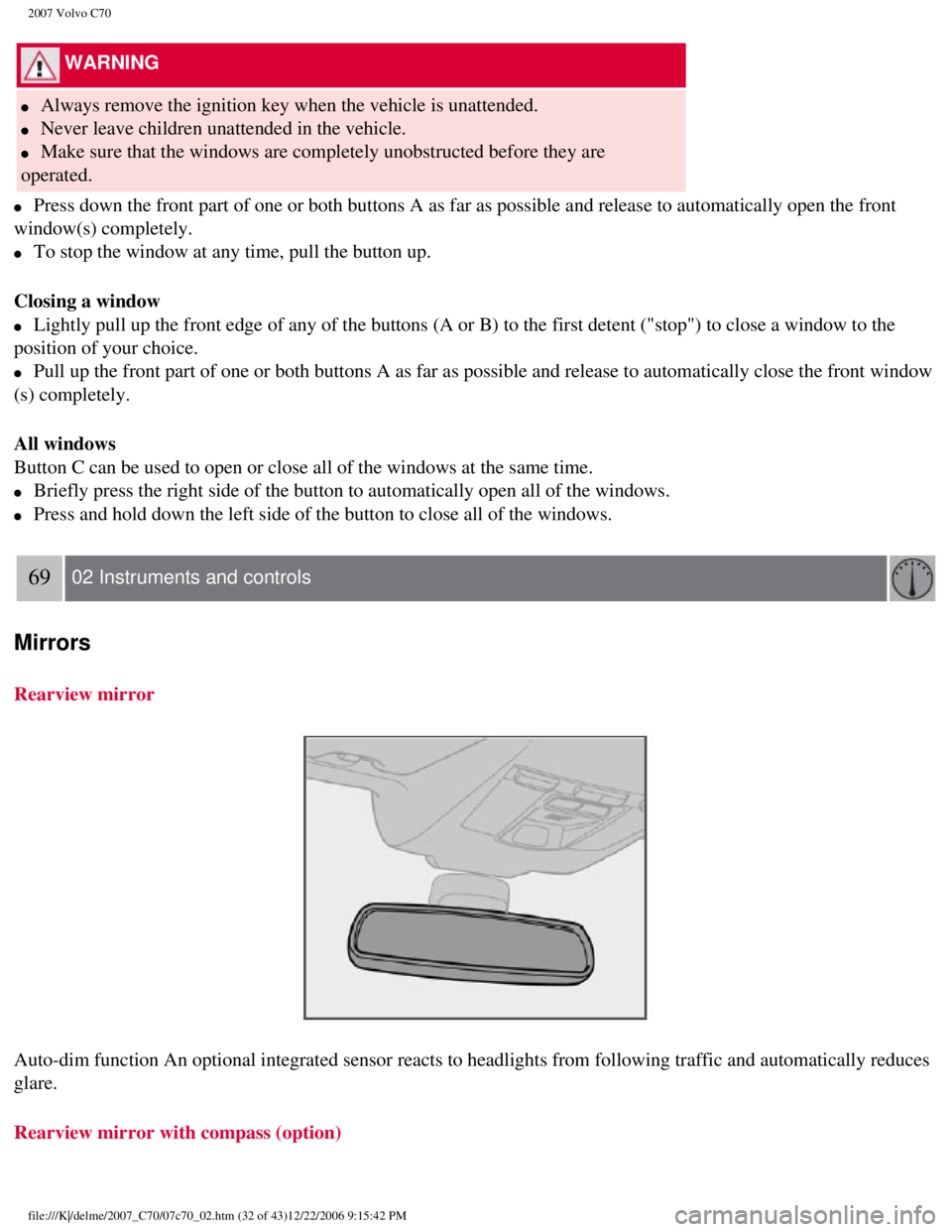
Rearview mirror
Auto-dim function An optional integrated sensor reacts to headlights fro\
m following traffic and automatically reduces
glare.
Rearview mirror with compass (option)
file:///K|/delme/2007_C70/07c70_02.htm (32 of 43)12/22/2006 9:15:42 PM\
Page 97 of 276

2007 Volvo C70
risk of condensation forming on the insides of the windows, especially i\
n winter.
Timer
The timer function minimizes the risk of fogging, or stale air when the \
recirculation function is selected.
See
page 73 for information on setting the recirculation timer.
NOTE
Recirculation is always disengaged if the defroster button is engaged to\
clear ice or condensation from
the side windows.
4. Defroster
Directs airflow to the windshield and side windows and increases blower \
speed.
When the defroster is activated:
l Air flows to the windows at high blower speed.
l The LED in the defroster button lights up when this function is activate\
d. The air conditioning system
is controlled to provide maximum air dehumidification.
l The air conditioning is automatically switched on (can be switched off \
by pressing button 5).
The air is not recirculated.
5. Airflow controls
Press one of the three buttons in the illustration to activate the selec\
ted airflow. A symbol
in the display above the climate control panel and a lit LED in the sele\
cted button indicate that the manual
function has been selected. With manually selected airflow both warm and\
cool air can be selected. See
also the table on
page 85.
6. Air conditioning On/Off
file:///K|/delme/2007_C70/07c70_03.htm (6 of 10)12/22/2006 9:15:43 PM
Page 98 of 276

2007 Volvo C70
ON: The air conditioning system is engaged when the ON light is lit and is\
controlled
automatically by the system to maintain the selected temperature.
OFF: The system is disengaged when the OFF lights up
When OFF is selected and the OFF LED is lit, the air conditioning system\
is deactivated.
84 03 Climate
Electronic Climate Control (ECC)
Other functions are still controlled automatically.
When Defroster (4) is selected, the air conditioning system is activat\
ed for maximum dehumidifying.
7 and 8. Heated front seats (option)
Maximum heating: Press the button once - both LEDs light up.
Reduced heating: Press the button a second time - one LED lights up.
Seat heating off: Press the button a third time - no LEDs are lit.
9. Rear window and door mirror defrosters
Press to defrost the rear window and door mirrors.
The rear window and door mirrors are defrosted simultaneously if the swi\
tch is pressed once. The
function is active if one LED is lit in the switch. The door mirrors are\
deactivated automatically after
file:///K|/delme/2007_C70/07c70_03.htm (7 of 10)12/22/2006 9:15:43 PM
Page 118 of 276

2007 Volvo C70
1. Driver's side reading light
2. Courtesy lighting
3. Passenger's side reading light
The front seat reading lights can be switched on and off by pressing but\
tons 1 or 3.
l The courtesy lighting (2) can be set to three positions:
l Off - Press the right side of the button.
l Neutral position - the interior courtesy lighting comes on when a door i\
s opened, and is switched off
when the door is closed.
l ON - Press the left side of the button.
Rear seat reading lights
file:///K|/delme/2007_C70/07c70_04.htm (17 of 27)12/22/2006 9:15:45 PM\
Page 119 of 276

2007 Volvo C70
The rear reading lights can be switched on or off by pressing the respec\
tive buttons.
Courtesy lighting - automatic function
The interior lighting has a built-in automatic function that switches on\
the courtesy lighting for 30
seconds when:
l the car is unlocked from the outside using the key or remote control
l the engine is switched off and the ignition key is turned to the 0 posit\
ion.
The courtesy lighting lights up or remains on for 5 minutes when:
l one of the doors is opened and left open.
l the courtesy lighting has not been switched off (the right side of butt\
on 2 depressed).
The automatic lighting goes out when:
l the engine is started
l the car is locked from the outside using the key or remote control.
If the courtesy lighting is not switched off manually, it will be turned\
off automatically 5 minutes after the
engine has been switched off.
99 04 Interior
Interior lighting
Vanity mirror
Raise the cover to switch on the light.
file:///K|/delme/2007_C70/07c70_04.htm (18 of 27)12/22/2006 9:15:45 PM\
Page 131 of 276

2007 Volvo C70
NOTE
The remote control will not lock or unlock the glove
compartment.
Double locking
If the car is locked with the remote control while the power retractable hard top is down, the double locking feature activates after
approximately 30 seconds. This means that the doors cannot be unlocked o\
r opened from inside the car.
NOTE
The double locking function can be temporarily disabled. See
page 118 for
instructions.
2. Unlock - Press the Unlock button on the remote once to unlock the driver's doo\
r. The turn signals will flash twice to confirm
unlocking.
After a short pause, press the Unlock button a second time within 10 sec\
onds to unlock the other doors and the trunk.
A long press (at least two seconds) opens all side windows.
NOTE
l The turn signals flash to confirm that the vehicle has been correctly lo\
cked/unlocked with the remote control. When locking the
vehicle, the turn signals will flash a confirmation only if all the door\
s are securely closed and locked. Flashing confirmation for
locking and unlocking may be customized in the vehicle's Personal settin\
gs menu. See
page 72 for more information.
l The two-step unlocking function can be changed so that one press of the \
Unlock button unlocks all of the doors and the trunk.
See Personal settings on
page 72 for more information.
l Automatic relocking: If the doors are unlocked, the locks will automatically reengage (re-\
lock) and the alarm will rearm after 2
minutes unless a door or the trunk has been opened.
l Automatic locking: When the car starts to move, the doors and trunk can be locked automat\
ically. This feature can be turned on
or off, see Personal settings on
page 72 for more information.
l Airbag deployment will automatically attempt to unlock the doors.
3. Approach lighting - As you approach the car:
Press the yellow button on the remote control to light the interior ligh\
ting, position/parking lamps, and license
110 05 Locks and alarm
Remote control and key blade
plate lighting and the lights in the door mirrors. These lights will swi\
tch off automatically after 30, 60 or 90 seconds. See the
Personal settings on
page 72 for information about adjusting the time setting.
4. Unlock trunk- Press the button once to disarm the alarm system and unlock only the t\
runk. After closing, the trunk will not
automatically relock. Press Lock to relock it and rearm the alarm.
NOTE
This function will unlock, but not pop open, the
trunk.
file:///K|/delme/2007_C70/07c70_05.htm (3 of 13)12/22/2006 9:15:47 PM
Page 132 of 276

2007 Volvo C70
5. Panic alarm: - This button can be used to attract attention during emergency situat\
ions.
To activate the panic alarm, press and hold the red button for at least \
3 seconds or press it twice within 3 seconds. The turn signals
and horn will be activated.
The panic alarm will stop automatically after 30 seconds.
To deactivate, wait approximately 5 seconds and press the red button aga\
in.
NOTE
This button will NOT unlock the
car.
Weak battery in the remote control
When the battery begins to lose its charge, the Information symbol in th\
e instrument panel (see page 49) lights up and REMOTE
BATTERY LOW VOLTAGE is shown in the information display.
Replacing the battery in the remote control
If the range of the transmitter is noticeably reduced, this indicates th\
at the battery (type CR 2032, 3V) is weak and should be
replaced. To replace the battery:
1. Remove the key blade.
111 05 Locks and alarm
Remote control and key blade
2. Place the remote control with the keypad downward. Remove the screw (\
1) using a small slotted screwdriver.
3. Remove the cover.
4. Note how the + and - sides of the battery are positioned on the insid\
e of the cover. The plus side of the new battery (marked on the
battery) must face downward.
CAUTION
file:///K|/delme/2007_C70/07c70_05.htm (4 of 13)12/22/2006 9:15:47 PM
Page 136 of 276

2007 Volvo C70
Lock indicator lights
An indicator light in each door will illuminate for approximately 5 minu\
tes after the car has been locked using the remote control.
If the car is locked from the inside while the ignition is on, the light\
will remain on until the car is unlocked or the ignition is
switched off.
NOTE
l The doors cannot be opened by pulling up the lock button.
l If both doors are closed when a lock button is pressed, the alarm will n\
ot be armed.
l Each door can also be locked manually using the lock button on that part\
icular door. This applies only if the car has not been
locked from the outside.
l The doors can also be unlocked (and the door opened) by pulling the ha\
ndle in the door twice.
115 05 Locks and alarm
Glove compartment and trunk
Locking the glove compartment
The glove compartment can only be locked and unlocked using the detachab\
le key blade on the remote control. See page 111 for
information on removing the key blade from the remote control.
1. Unlock the glove compartment by turning the key a quarter of a turn (\
90°) counterclockwise. The key slot is vertical when the
file:///K|/delme/2007_C70/07c70_05.htm (8 of 13)12/22/2006 9:15:47 PM
Page 147 of 276
, and replace those th\
at are worn. Check tir")
2007 Volvo C70
l Check condition of drive belts.
l Check state of the battery's charge.
l Examine tires carefully (the spare tire as well), and replace those th\
at are worn. Check tire pressures.
l The brakes, front wheel alignment, and steering gear should be checked b\
y your Volvo retailer only.
l Check all lights, including high beams.
l Reflective warning triangles are legally required in some states/provinc\
es.
l Have a word with your Volvo retailer if you intend to drive in countries\
where it may be difficult to
obtain the correct fuel.
l Consider your destination. If you will be driving through an area where \
snow or ice are likely to occur,
consider snow tires.
1 To prevent injury from contact with hot surfaces, do not inspect your v\
ehicle's transmission fluid yourself. Have
your vehicle's transmission fluid level inspected by a qualified Volvo s\
ervice technician.
125 06 Starting and driving
Fuel requirements
Octane rating
Volvo engines are designed to achieve rated horsepower, torque, and fuel\
economy performance using
premium 91 octane fuel.
Volvo recommends premium for best performance, but using 87 octane or ab\
ove will not affect engine
reliability.
file:///K|/delme/2007_C70/07c70_06.htm (6 of 18)12/22/2006 9:15:48 PM