mirror VOLVO C70 CONVERTIBLE 2007 Owner´s Manual
[x] Cancel search | Manufacturer: VOLVO, Model Year: 2007, Model line: C70 CONVERTIBLE, Model: VOLVO C70 CONVERTIBLE 2007Pages: 276, PDF Size: 9.81 MB
Page 82 of 276
 depressed for at\
least 6 seconds. \"C\" will be displayed.
3. Press button (1) for at least 3 seconds to display the number of th")
2007 Volvo C70
2. Using a pen or similar object, hold the button (1) depressed for at\
least 6 seconds. "C" will be displayed.
3. Press button (1) for at least 3 seconds to display the number of th\
e current magnetic zone.
4. Press button (1) repeatedly until the number for the required geogr\
aphical area (1-15) is displayed. "C" will be
displayed again.
5. Drive slowly in a circle at a maximum speed of 6 m.p.h. (10 km/h) u\
ntil a compass direction is displayed.
Calibration is complete.
Magnetic zones
71 02 Instruments and controls
Mirrors
Power door mirrors
file:///K|/delme/2007_C70/07c70_02.htm (34 of 43)12/22/2006 9:15:42 PM\
Page 83 of 276
2007 Volvo C70
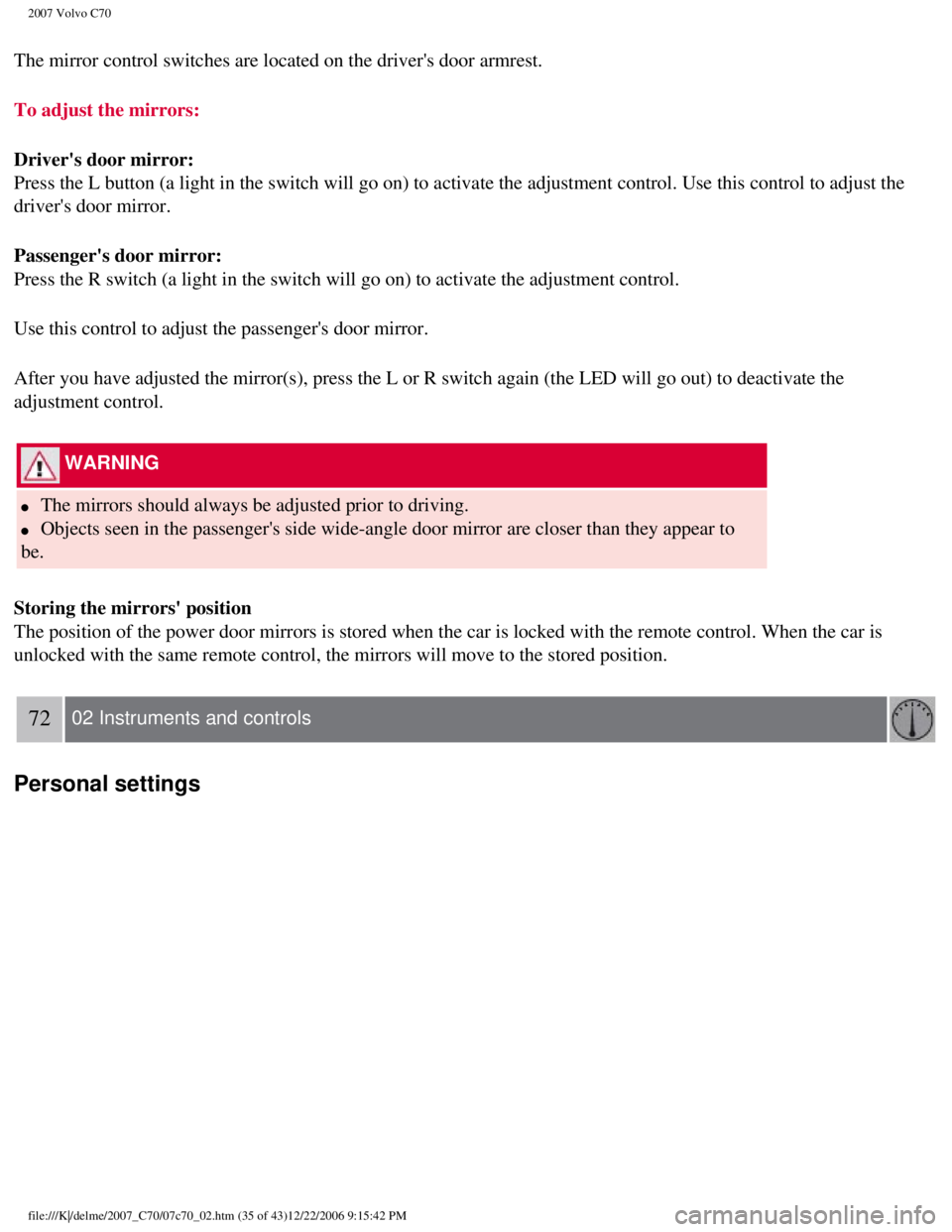
The mirror control switches are located on the driver's door armrest.
To adjust the mirrors:
Driver's door mirror:
Press the L button (a light in the switch will go on) to activate the \
adjustment control. Use this control to adjust the
driver's door mirror.
Passenger's door mirror:
Press the R switch (a light in the switch will go on) to activate the \
adjustment control.
Use this control to adjust the passenger's door mirror.
After you have adjusted the mirror(s), press the L or R switch again (\
the LED will go out) to deactivate the
adjustment control.
WARNING
l The mirrors should always be adjusted prior to driving.
l Objects seen in the passenger's side wide-angle door mirror are closer t\
han they appear to
be.
Storing the mirrors' position
The position of the power door mirrors is stored when the car is locked \
with the remote control. When the car is
unlocked with the same remote control, the mirrors will move to the stor\
ed position.
72 02 Instruments and controls
Personal settings
file:///K|/delme/2007_C70/07c70_02.htm (35 of 43)12/22/2006 9:15:42 PM\
Page 95 of 276
2007 Volvo C70
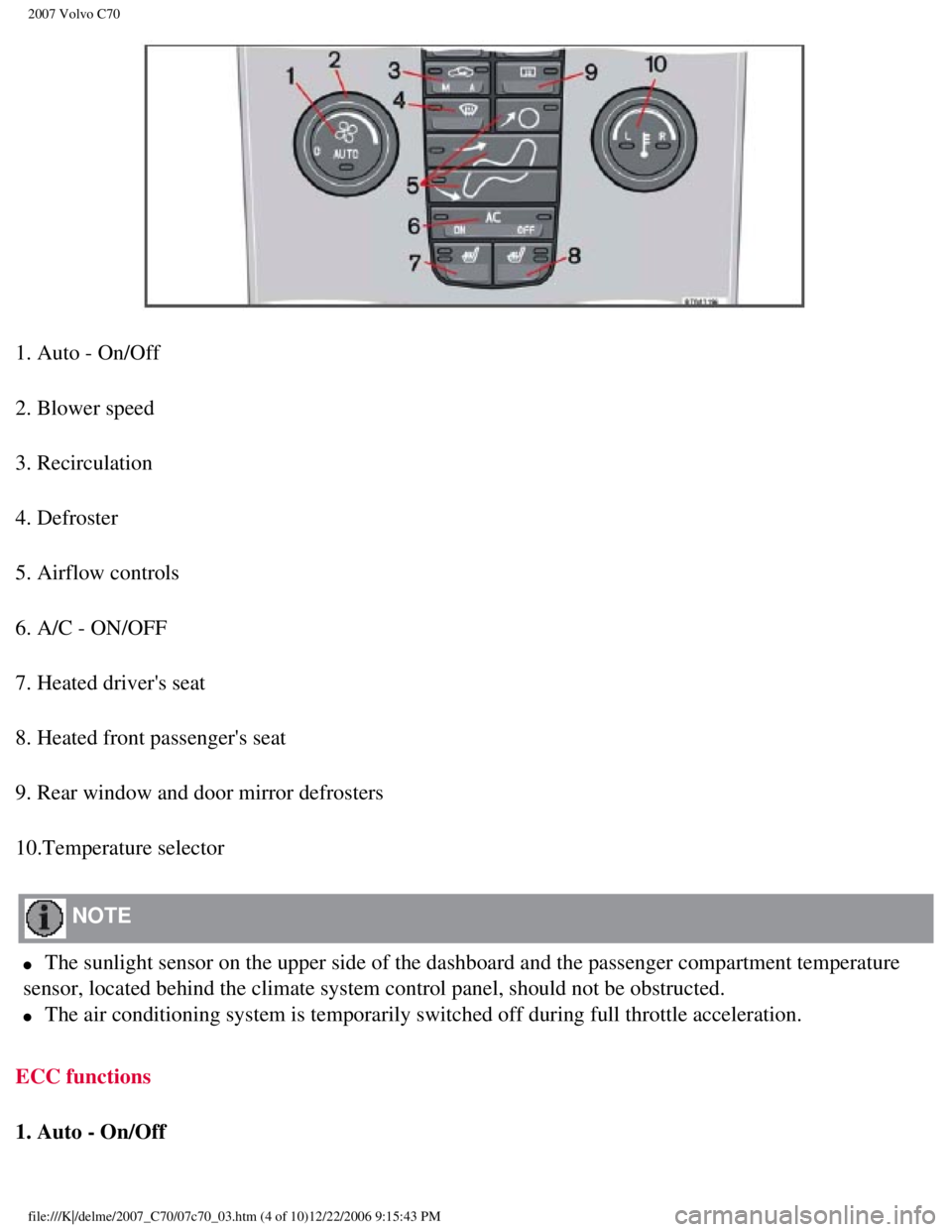
1. Auto - On/Off
2. Blower speed
3. Recirculation
4. Defroster
5. Airflow controls
6. A/C - ON/OFF
7. Heated driver's seat
8. Heated front passenger's seat
9. Rear window and door mirror defrosters
10.Temperature selector
NOTE
l The sunlight sensor on the upper side of the dashboard and the passenger\
compartment temperature
sensor, located behind the climate system control panel, should not be o\
bstructed.
l The air conditioning system is temporarily switched off during full thro\
ttle acceleration.
ECC functions
1. Auto - On/Off
file:///K|/delme/2007_C70/07c70_03.htm (4 of 10)12/22/2006 9:15:43 PM
Page 98 of 276

2007 Volvo C70
ON: The air conditioning system is engaged when the ON light is lit and is\
controlled
automatically by the system to maintain the selected temperature.
OFF: The system is disengaged when the OFF lights up
When OFF is selected and the OFF LED is lit, the air conditioning system\
is deactivated.
84 03 Climate
Electronic Climate Control (ECC)
Other functions are still controlled automatically.
When Defroster (4) is selected, the air conditioning system is activat\
ed for maximum dehumidifying.
7 and 8. Heated front seats (option)
Maximum heating: Press the button once - both LEDs light up.
Reduced heating: Press the button a second time - one LED lights up.
Seat heating off: Press the button a third time - no LEDs are lit.
9. Rear window and door mirror defrosters
Press to defrost the rear window and door mirrors.
The rear window and door mirrors are defrosted simultaneously if the swi\
tch is pressed once. The
function is active if one LED is lit in the switch. The door mirrors are\
deactivated automatically after
file:///K|/delme/2007_C70/07c70_03.htm (7 of 10)12/22/2006 9:15:43 PM
Page 107 of 276
 can be stored in the seats memory.
The memory buttons are located on the outboard side of the drivers sea")
2007 Volvo C70
Three different seating positions (and the position of the door mirrors\
) can be stored in the seat's memory.
The memory buttons are located on the outboard side of the driver's seat\
(see the illustration above).
The following example explains how memory button 1 can be programmed. Bu\
ttons 2 and 3 can be
programmed in the same way.
To program (store) a seat position in memory button 1:
1. Adjust the seat (and door mirrors) to the desired position (see th\
e instructions above).
91 04 Interior
Front seats
2. Press and hold down the "M" (Memory) button.
3. With the "M" button depressed, press memory button 1 to store the sea\
t's current position.
To move the seat to the position that it was in when memory button 1 was\
programmed, press and hold
down button 1 until the seat stops moving.
As a safety precaution, the seat will stop automatically if the button i\
s released before the seat has reached
the preset position.
Central locking system remote control and driver's seat memory
The remote control transmitter can also be equipped with an optional fun\
ction that controls the electrically
operated driver's seat and door mirrors in the following way:
file:///K|/delme/2007_C70/07c70_04.htm (6 of 27)12/22/2006 9:15:45 PM
Page 108 of 276

2007 Volvo C70
1. Adjust the seat and door mirrors to the desired position.
2. When you leave the car, lock it using the remote control.
3. The next time the driver's door is unlocked with the same remote cont\
rol and that door is opened within
2 minutes, the driver's seat and door mirrors will automatically move to\
the position that they were in
when the doors were most recently locked with the same remote control.
NOTE
The memory function in the remote control operates independently of the \
memory function in the
seat.
WARNING
l Because the driver's seat can be adjusted with the ignition off, childre\
n should never be left
unattended in the car.
l Movement of the seat can be STOPPED at any time by pressing any button o\
n the power seat control
panel.
l Do not adjust the seat while driving. The seat should be adjusted so tha\
t the brake pedal can be
depressed fully. In addition, position the seat as far rearward as comfo\
rt and control allow.
l The seat rails on the floor must not be obstructed in any way when the s\
eat is in motion.
92 04 Interior
Power retractable hard top
Before raising and lowering the power retractable hard top
file:///K|/delme/2007_C70/07c70_04.htm (7 of 27)12/22/2006 9:15:45 PM
Page 116 of 276
 over the respective door mirror\
s and attach the front shock-cord
hooks (2) on the edges of the front wheel housings.
4. Slide the cover under")
2007 Volvo C70
3. Slide the openings in the cover (3) over the respective door mirror\
s and attach the front shock-cord
hooks (2) on the edges of the front wheel housings.
4. Slide the cover under the windshield wipers so that there is one fold\
under each wiper blade (1).
5. Guide the antenna through hole 5.
6. Attach the rear side hooks (4) on the edges of the rear wheel housi\
ngs.
7. Attach the rear hooks (6) under the rear bumper.
97 04 Interior
Power retractable hard top
Wind blocker
The wind blocker is intended for use while driving with the power retrac\
table hard top down to help
reduce swirling breezes in the passenger compartment.
Installing the wind blocker
1. Unfold the wind blocker to its full width.
2. Unfold the supports on both rear sides.
3. Slide the winder blocker's rear supports under the rear head restrain\
ts so that they rest on the upper
file:///K|/delme/2007_C70/07c70_04.htm (15 of 27)12/22/2006 9:15:45 PM\
Page 119 of 276

2007 Volvo C70
The rear reading lights can be switched on or off by pressing the respec\
tive buttons.
Courtesy lighting - automatic function
The interior lighting has a built-in automatic function that switches on\
the courtesy lighting for 30
seconds when:
l the car is unlocked from the outside using the key or remote control
l the engine is switched off and the ignition key is turned to the 0 posit\
ion.
The courtesy lighting lights up or remains on for 5 minutes when:
l one of the doors is opened and left open.
l the courtesy lighting has not been switched off (the right side of butt\
on 2 depressed).
The automatic lighting goes out when:
l the engine is started
l the car is locked from the outside using the key or remote control.
If the courtesy lighting is not switched off manually, it will be turned\
off automatically 5 minutes after the
engine has been switched off.
99 04 Interior
Interior lighting
Vanity mirror
Raise the cover to switch on the light.
file:///K|/delme/2007_C70/07c70_04.htm (18 of 27)12/22/2006 9:15:45 PM\
Page 131 of 276

2007 Volvo C70
NOTE
The remote control will not lock or unlock the glove
compartment.
Double locking
If the car is locked with the remote control while the power retractable hard top is down, the double locking feature activates after
approximately 30 seconds. This means that the doors cannot be unlocked o\
r opened from inside the car.
NOTE
The double locking function can be temporarily disabled. See
page 118 for
instructions.
2. Unlock - Press the Unlock button on the remote once to unlock the driver's doo\
r. The turn signals will flash twice to confirm
unlocking.
After a short pause, press the Unlock button a second time within 10 sec\
onds to unlock the other doors and the trunk.
A long press (at least two seconds) opens all side windows.
NOTE
l The turn signals flash to confirm that the vehicle has been correctly lo\
cked/unlocked with the remote control. When locking the
vehicle, the turn signals will flash a confirmation only if all the door\
s are securely closed and locked. Flashing confirmation for
locking and unlocking may be customized in the vehicle's Personal settin\
gs menu. See
page 72 for more information.
l The two-step unlocking function can be changed so that one press of the \
Unlock button unlocks all of the doors and the trunk.
See Personal settings on
page 72 for more information.
l Automatic relocking: If the doors are unlocked, the locks will automatically reengage (re-\
lock) and the alarm will rearm after 2
minutes unless a door or the trunk has been opened.
l Automatic locking: When the car starts to move, the doors and trunk can be locked automat\
ically. This feature can be turned on
or off, see Personal settings on
page 72 for more information.
l Airbag deployment will automatically attempt to unlock the doors.
3. Approach lighting - As you approach the car:
Press the yellow button on the remote control to light the interior ligh\
ting, position/parking lamps, and license
110 05 Locks and alarm
Remote control and key blade
plate lighting and the lights in the door mirrors. These lights will swi\
tch off automatically after 30, 60 or 90 seconds. See the
Personal settings on
page 72 for information about adjusting the time setting.
4. Unlock trunk- Press the button once to disarm the alarm system and unlock only the t\
runk. After closing, the trunk will not
automatically relock. Press Lock to relock it and rearm the alarm.
NOTE
This function will unlock, but not pop open, the
trunk.
file:///K|/delme/2007_C70/07c70_05.htm (3 of 13)12/22/2006 9:15:47 PM
Page 153 of 276

2007 Volvo C70
unlock.
If so, the key will turn in the ignition switch but the car will not sta\
rt.
At the same time, a message "Steering locked turn wheel" will appear in \
the information display.
If this happens:
1. Remove the key from the ignition.
2. Turn the steering wheel slightly and hold it to release pressure on t\
he lock mechanism.
3. Reinsert the key and start the vehicle. The steering should immediate\
ly unlock. If not, try again.
NOTE
In order to help reduce vehicle theft, make sure the steering wheel lock\
is engaged before leaving the
vehicle.
WARNING
Never switch off the ignition (turn the ignition key to position 0) or\
remove the key from the ignition
switch while the vehicle is in motion. This could cause the steering whe\
el to lock, which would make
the vehicle impossible to steer.
129 06 Starting and driving
Starting the vehicle
To start the engine
1. Fasten the seat belt.
WARNING
Before starting, check that the seat, steering wheel and mirrors are adj\
usted properly. Make sure the
brake pedal can be depressed completely. Adjust the seat if necessary.
2. Apply the parking brake if not already set. The gear selector should \
be locked in the Park (P) position
file:///K|/delme/2007_C70/07c70_06.htm (12 of 18)12/22/2006 9:15:48 PM\