lights VOLVO S40 2008 User Guide
[x] Cancel search | Manufacturer: VOLVO, Model Year: 2008, Model line: S40, Model: VOLVO S40 2008Pages: 239, PDF Size: 5.94 MB
Page 65 of 239
73 02 Instruments and controls
Mirrors
Rearview mirror
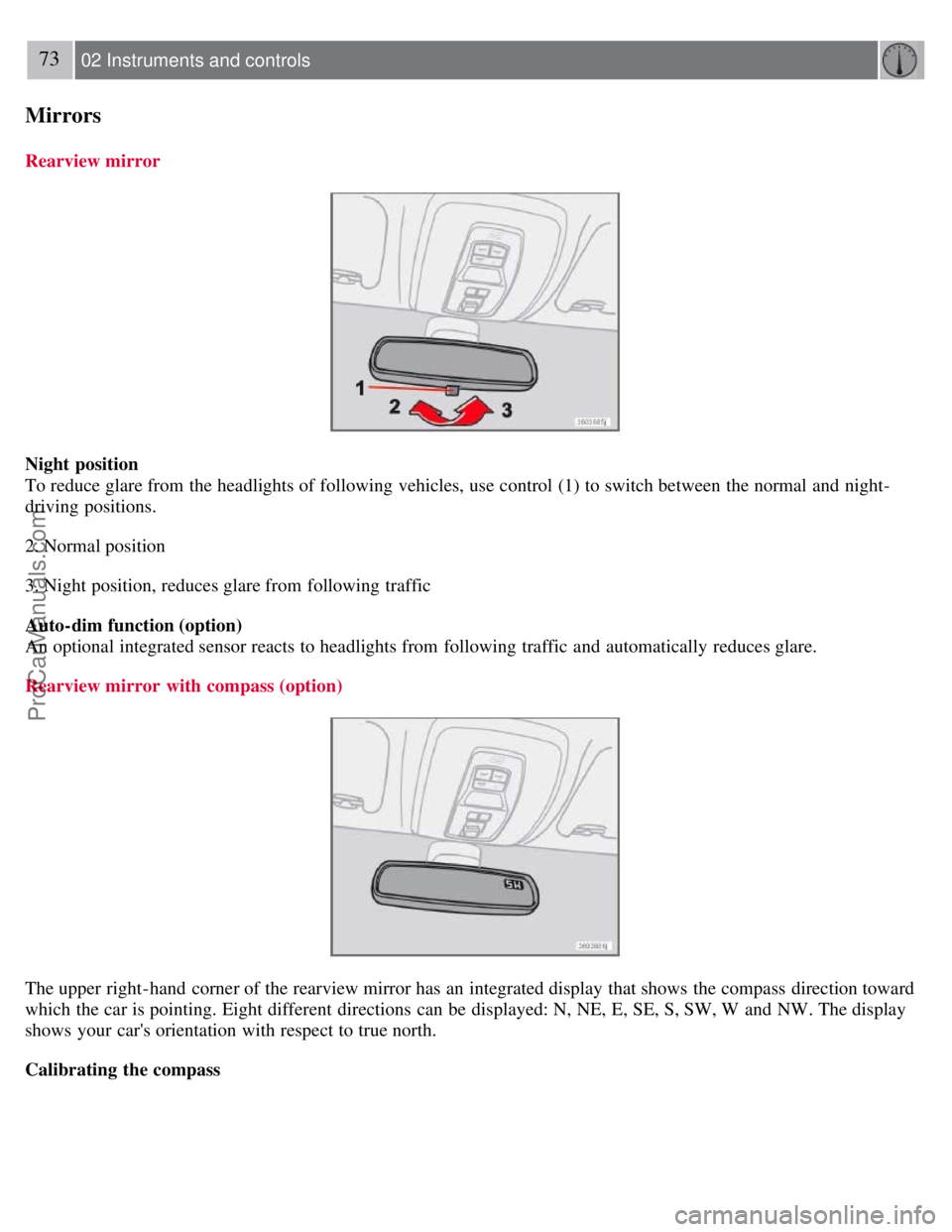
Night position
To reduce glare from the headlights of following vehicles, use control (1) to switch between the normal and night-
driving positions.
2. Normal position
3. Night position, reduces glare from following traffic
Auto-dim function (option)
An optional integrated sensor reacts to headlights from following traffic and automatically reduces glare.
Rearview mirror with compass (option)
The upper right-hand corner of the rearview mirror has an integrated display that shows the compass direction toward
which the car is pointing. Eight different directions can be displayed: N, NE, E, SE, S, SW, W and NW. The display
shows your car's orientation with respect to true north.
Calibrating the compass
ProCarManuals.com
Page 72 of 239
Operating side windows
The following alternatives can be selected for opening and/or closing all side windows at the same time by pressing
and holding the Lock/Unlock switch in either of the front doors (see also page 122
for additional information) 1.
Auto close all windows On/Off
Auto open all windows On/Off
1This menu alternative also makes it possible to open all side windows by pressing and holding the Unlock button on the remote control for several
seconds.
NOTE
The ignition key must be in position I or higher (see page 135
) before all side windows can be opened/closed using
the switches in the front doors.
Approach lighting
This alternative determines the length of time for which the car's lights will remain on when the Approach light button
on the central locking system's remote control is pressed. Intervals of 30/60/90 seconds may be selected. See page 113
for more information.
Home safe lighting
This alternative determines the length of time for which the car's lights will remain on when the high beam lever on the
steering column is pulled toward the wheel with the ignition switched off. Intervals of 30/60/90 seconds may be
selected. See page 62
for information on using this function.
Information
VIN number - The VIN (Vehicle Identification Number) is the car's unique identity number.
Number of Keys - the number of keys registered for the car is displayed here.
Climate functions
Blower speed in AUTO mode - the blower speed can be set to AUTO mode in models equipped with ECC. Choose
between "Low", "Normal" and "High".
Timer for recirculation - when the timer is active, the air recirculates in the car for 3-12 minutes depending on the
ambient temperature. Select On/Off depending on whether the recirculation timer is to be active or not.
Keyless locking and unlocking (option as available)
The following alternatives can be selected for locking and unlocking the doors and trunk:
All doors - all doors are locked or unlocked at the same time.
Doors on the same side - front and rear doors on the same side are unlocked together.
Both front doors - both front doors are unlocked together.
One front door - either of the front doors can be unlocked separately2.
2Factory default
79 02 Instruments and controls
Personal settings
Reset to factory settings
Use this alternative to return to the default climate system settings.
ProCarManuals.com
Page 82 of 239
forming on the insides of the windows, especially in winter.
Timer
The timer function minimizes the risk of misting, or stale air when the recirculation function is selected. See page 77
for information on setting the recirculation timer. Recirculation is always disengaged when you select Defroster (3).
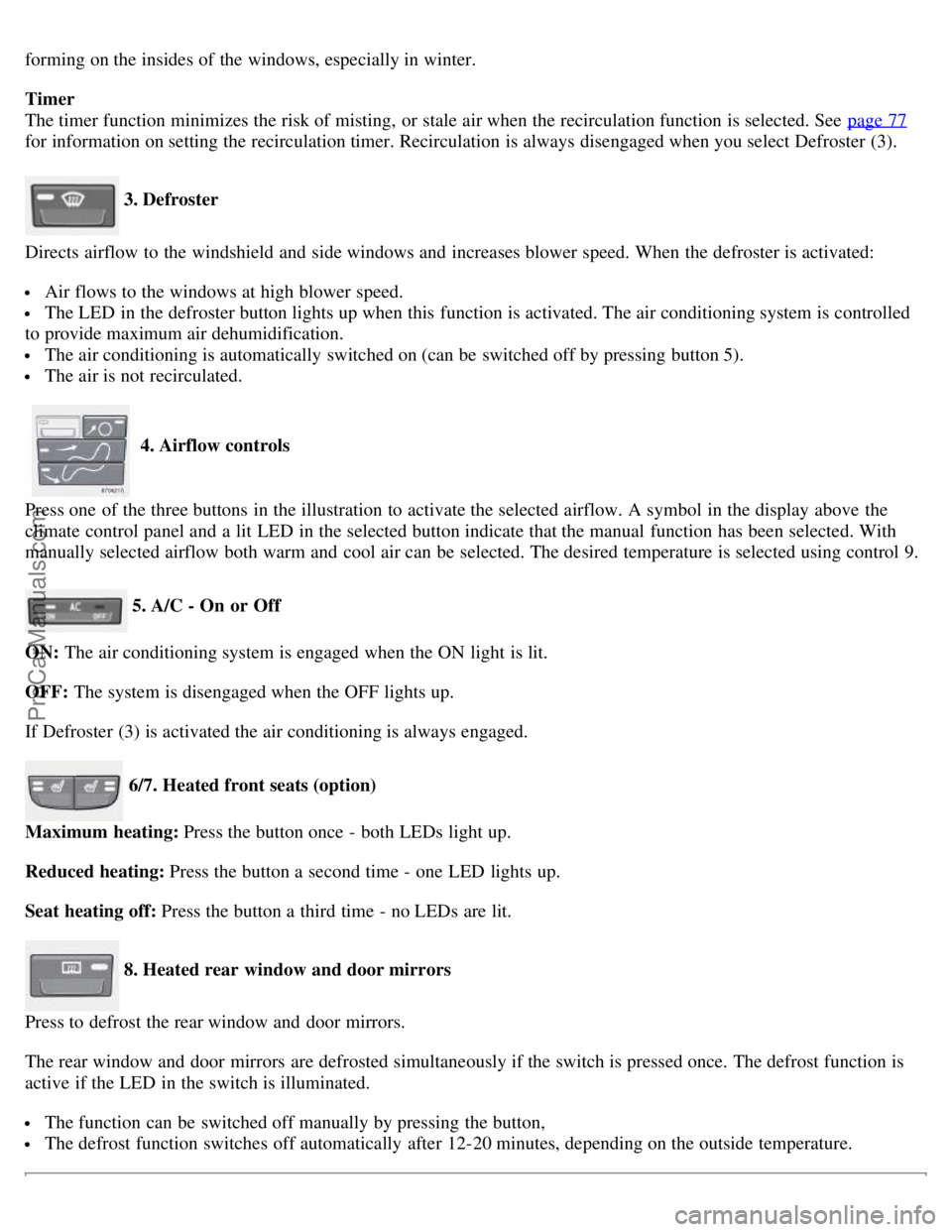
3. Defroster
Directs airflow to the windshield and side windows and increases blower speed. When the defroster is activated:
Air flows to the windows at high blower speed.
The LED in the defroster button lights up when this function is activated. The air conditioning system is controlled
to provide maximum air dehumidification.
The air conditioning is automatically switched on (can be switched off by pressing button 5).
The air is not recirculated.
4. Airflow controls
Press one of the three buttons in the illustration to activate the selected airflow. A symbol in the display above the
climate control panel and a lit LED in the selected button indicate that the manual function has been selected. With
manually selected airflow both warm and cool air can be selected. The desired temperature is selected using control 9.
5. A/C - On or Off
ON: The air conditioning system is engaged when the ON light is lit.
OFF: The system is disengaged when the OFF lights up.
If Defroster (3) is activated the air conditioning is always engaged.
6/7. Heated front seats (option)
Maximum heating: Press the button once - both LEDs light up.
Reduced heating: Press the button a second time - one LED lights up.
Seat heating off: Press the button a third time - no LEDs are lit.
8. Heated rear window and door mirrors
Press to defrost the rear window and door mirrors.
The rear window and door mirrors are defrosted simultaneously if the switch is pressed once. The defrost function is
active if the LED in the switch is illuminated.
The function can be switched off manually by pressing the button,
The defrost function switches off automatically after 12-20 minutes, depending on the outside temperature.
ProCarManuals.com
Page 85 of 239
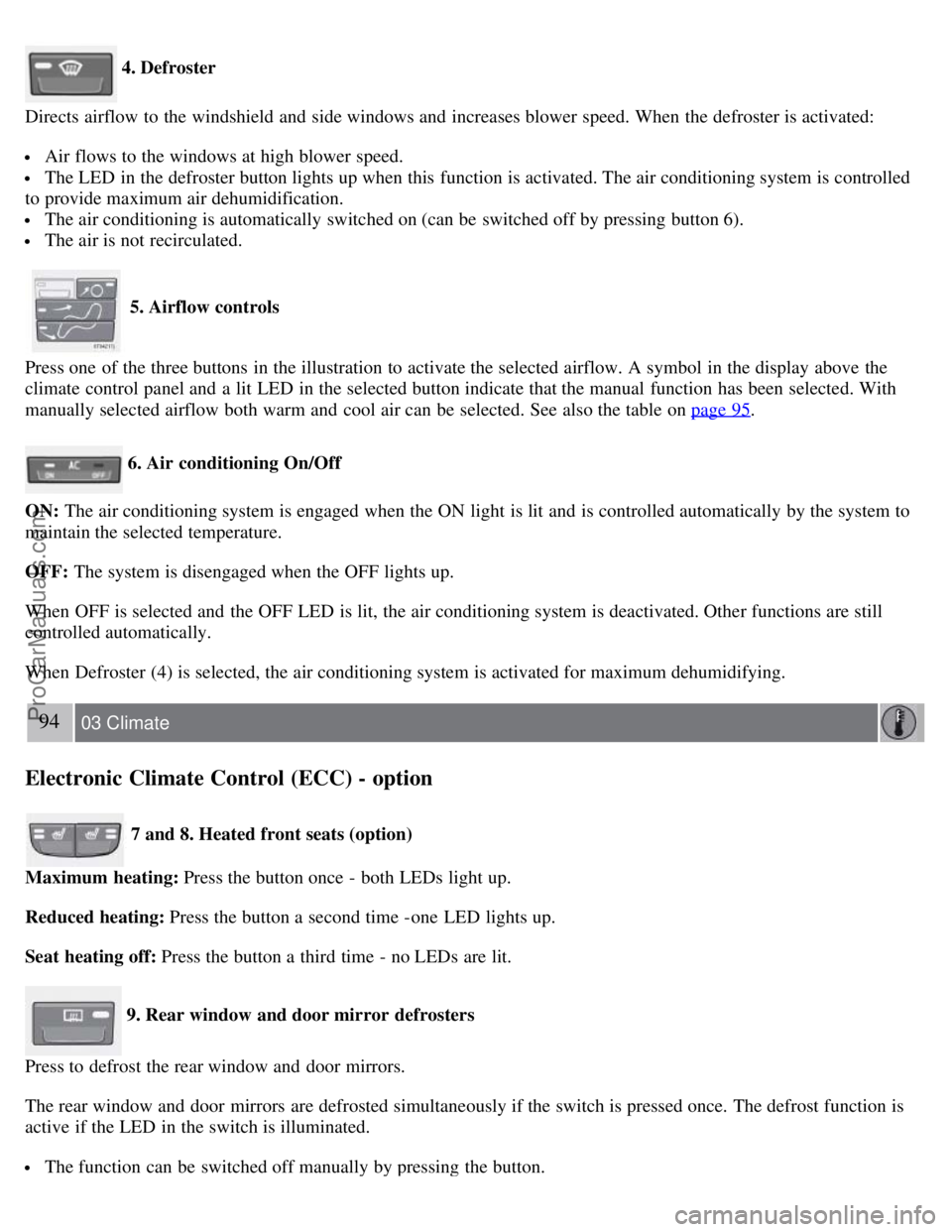
4. Defroster
Directs airflow to the windshield and side windows and increases blower speed. When the defroster is activated:
Air flows to the windows at high blower speed.
The LED in the defroster button lights up when this function is activated. The air conditioning system is controlled
to provide maximum air dehumidification.
The air conditioning is automatically switched on (can be switched off by pressing button 6).
The air is not recirculated.
5. Airflow controls
Press one of the three buttons in the illustration to activate the selected airflow. A symbol in the display above the
climate control panel and a lit LED in the selected button indicate that the manual function has been selected. With
manually selected airflow both warm and cool air can be selected. See also the table on page 95
.
6. Air conditioning On/Off
ON: The air conditioning system is engaged when the ON light is lit and is controlled automatically by the system to
maintain the selected temperature.
OFF: The system is disengaged when the OFF lights up.
When OFF is selected and the OFF LED is lit, the air conditioning system is deactivated. Other functions are still
controlled automatically.
When Defroster (4) is selected, the air conditioning system is activated for maximum dehumidifying.
94 03 Climate
Electronic Climate Control (ECC) - option
7 and 8. Heated front seats (option)
Maximum heating: Press the button once - both LEDs light up.
Reduced heating: Press the button a second time -one LED lights up.
Seat heating off: Press the button a third time - no LEDs are lit.
9. Rear window and door mirror defrosters
Press to defrost the rear window and door mirrors.
The rear window and door mirrors are defrosted simultaneously if the switch is pressed once. The defrost function is
active if the LED in the switch is illuminated.
The function can be switched off manually by pressing the button.
ProCarManuals.com
Page 92 of 239
Because the driver's seat can be adjusted with the ignition off, children should never be left unattended in the car.
Movement of the seat can be STOPPED at any time by pressing any button on the power seat control panel.
Do not adjust the seat while driving. The seat should be adjusted so that the brake pedal can be depressed fully. In
addition, position the seat as far rearward as comfort and control allow.
The seat rails on the floor must not be obstructed in any way when the seat is in motion.
101 04 Interior
Interior lighting
Interior lighting
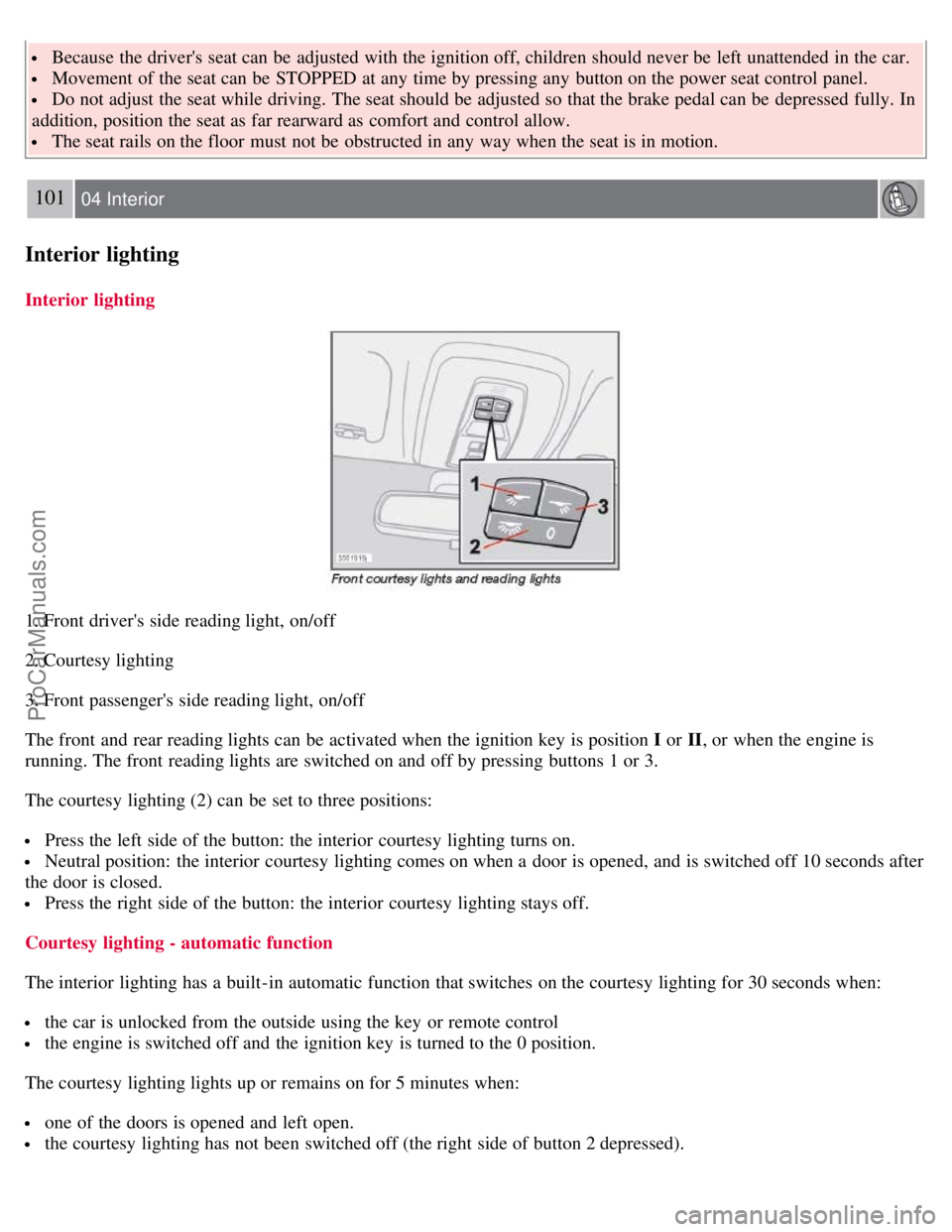
1. Front driver's side reading light, on/off
2. Courtesy lighting
3. Front passenger's side reading light, on/off
The front and rear reading lights can be activated when the ignition key is position I or II, or when the engine is
running. The front reading lights are switched on and off by pressing buttons 1 or 3.
The courtesy lighting (2) can be set to three positions:
Press the left side of the button: the interior courtesy lighting turns on.
Neutral position: the interior courtesy lighting comes on when a door is opened, and is switched off 10 seconds after
the door is closed.
Press the right side of the button: the interior courtesy lighting stays off.
Courtesy lighting - automatic function
The interior lighting has a built-in automatic function that switches on the courtesy lighting for 30 seconds when:
the car is unlocked from the outside using the key or remote control
the engine is switched off and the ignition key is turned to the 0 position.
The courtesy lighting lights up or remains on for 5 minutes when:
one of the doors is opened and left open.
the courtesy lighting has not been switched off (the right side of button 2 depressed).
ProCarManuals.com
Page 93 of 239
The automatic lighting goes out when:
the engine is started
the car is locked from the outside using the key or remote control.
If the courtesy lighting is not switched off manually, it will be turned off automatically 5 minutes after the engine has
been switched off.
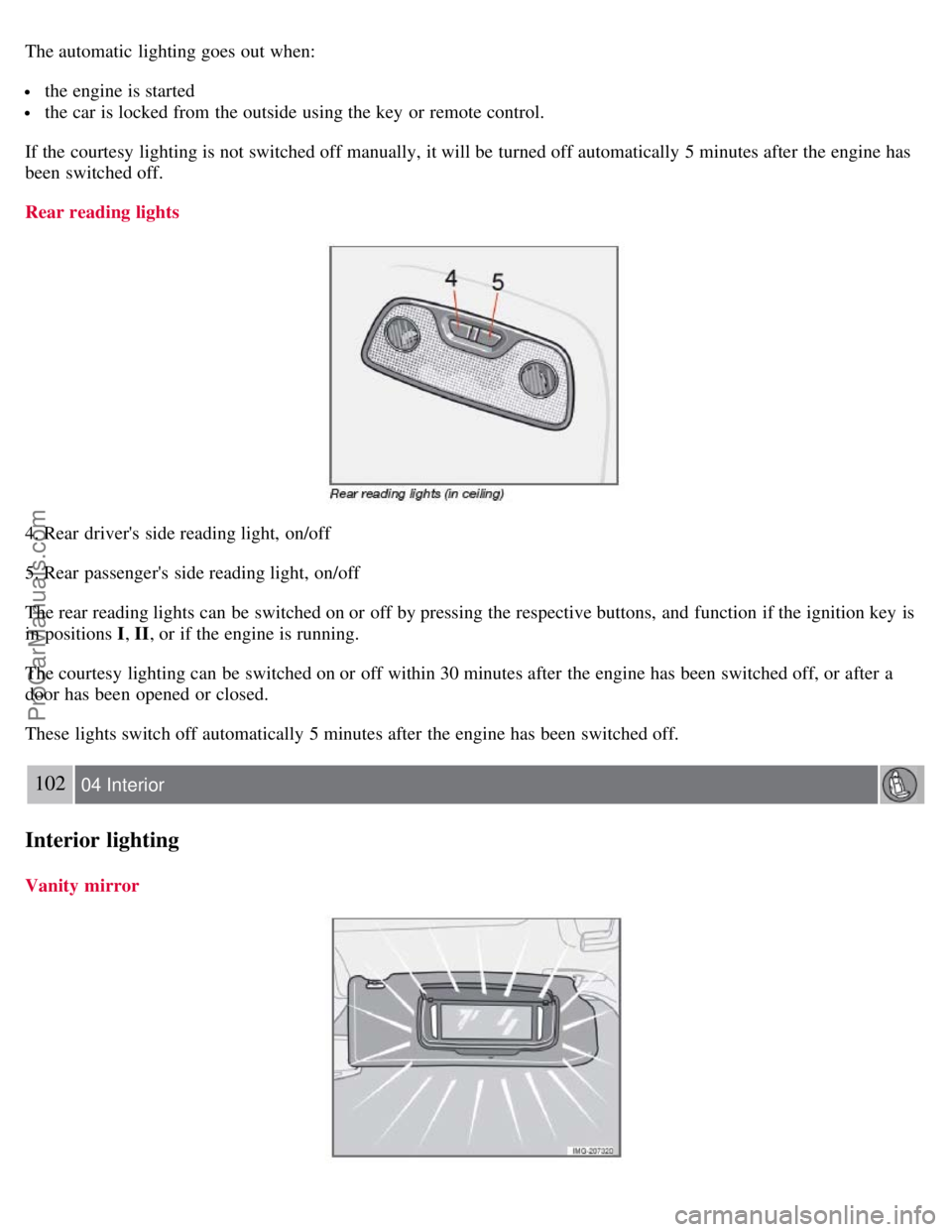
Rear reading lights
4. Rear driver's side reading light, on/off
5. Rear passenger's side reading light, on/off
The rear reading lights can be switched on or off by pressing the respective buttons, and function if the ignition key is
in positions I , II, or if the engine is running.
The courtesy lighting can be switched on or off within 30 minutes after the engine has been switched off, or after a
door has been opened or closed.
These lights switch off automatically 5 minutes after the engine has been switched off.
102 04 Interior
Interior lighting
Vanity mirror
ProCarManuals.com
Page 103 of 239
The car can also be locked if a door is open (does not apply to vehicles with the optional keyless drive.
2. Unlock - Press the Unlock button on the remote once to unlock the driver's door. The turn signals will flash twice to
confirm unlocking.
After a short pause, press the Unlock button a second time within 10 seconds to unlock the other doors and the trunk.
A long press (for several seconds) opens all side windows.
NOTE
The turn signals flash to confirm that the vehicle has been correctly locked/unlocked with the remote control or
the optional keyless drive. When locking the vehicle, the turn signals will flash a confirmation only if all the doors
are securely closed and locked. Flashing confirmation for locking and unlocking may be customized in the vehicle's
Personal settings menu. See page 77
for more information.
The two-step unlocking function can be changed so that one press of the Unlock button unlocks all of the doors
and the trunk. See Personal settings on page 77
for more information.
Automatic relocking: If the doors are unlocked, the locks will automatically reengage (re-lock) and the alarm will
rearm after 2 minutes unless a door or the trunk has been opened.
Automatic locking : When the car starts to move, the doors and trunk can be locked automatically. This feature can
be turned on or off, see Personal settings on page 77
for more information.
Airbag deployment will automatically attempt to unlock the doors.
3. Approach lighting - As you approach the car:
Press the button on the remote control to illuminate the area around the car in dark conditions.
Pressing the button once lights up the interior lighting, parking lights, and license plate lighting. These lights will
switch off automatically after 30, 60 or 90 seconds. See the Personal settings on page 78
for information about
adjusting the time setting.
4. Unlock trunk - Press the button once to disarm the alarm system and unlock only the trunk. After closing, the trunk
will not automatically relock. Press Lock to relock it and rearm the alarm.
NOTE
This function will unlock, but not pop open, the trunk.
5. Panic alarm : - This button can be used to attract attention during emergency situations.
To activate the panic alarm, press and hold the red button for at least 3 seconds or press it twice within 3 seconds. The
turn signals and horn will be activated.
The panic alarm will stop automatically after 30 seconds.
114 05 Locks and alarm
Remote control and key blade
To deactivate, wait approximately 5 seconds and press the red button again.
NOTE
This button will NOT unlock the car.
Weak battery in the remote control
ProCarManuals.com
Page 104 of 239
When the battery begins to lose its charge, the Information symbol in the instrument panel (see page 51) lights up and
REMOTE BATTERY LOW VOLTAGE is shown in the information display.
Replacing the battery in the remote control
If the range of the transmitter is noticeably reduced, this indicates that the battery (type CR 2450, 3V) is weak and
should be replaced. To replace the battery:
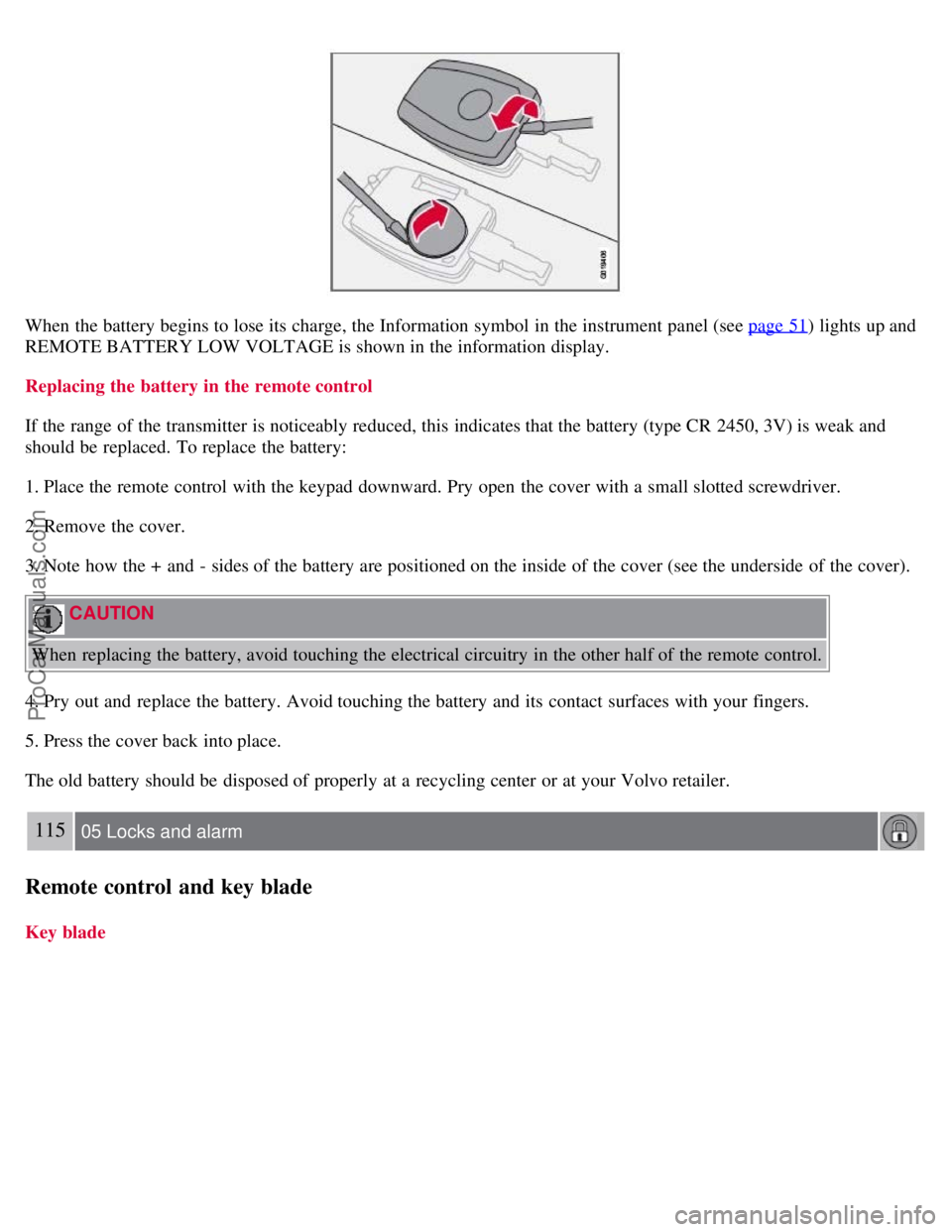
1. Place the remote control with the keypad downward. Pry open the cover with a small slotted screwdriver.
2. Remove the cover.
3. Note how the + and - sides of the battery are positioned on the inside of the cover (see the underside of the cover).
CAUTION
When replacing the battery, avoid touching the electrical circuitry in the other half of the remote control.
4. Pry out and replace the battery. Avoid touching the battery and its contact surfaces with your fingers.
5. Press the cover back into place.
The old battery should be disposed of properly at a recycling center or at your Volvo retailer.
115 05 Locks and alarm
Remote control and key blade
Key blade
ProCarManuals.com
Page 121 of 239
The brakes, front wheel alignment, and steering gear should be checked by a trained and qualified Volvo service
technician only.
Check all lights, including high beams.
Reflective warning triangles are legally required in some states/provinces.
Have a word with your Volvo retailer if you intend to drive in countries where it may be difficult to obtain the
correct fuel.
Consider your destination. If you will be driving through an area where snow or ice are likely to occur, consider
snow tires.
1To prevent injury from contact with hot surfaces, do not inspect your vehicle's transmission fluid yourself. Have your vehicle's transmission fluid
level inspected by a qualified Volvo service technician.
132 06 Starting and driving
Fuel requirements
Octane rating
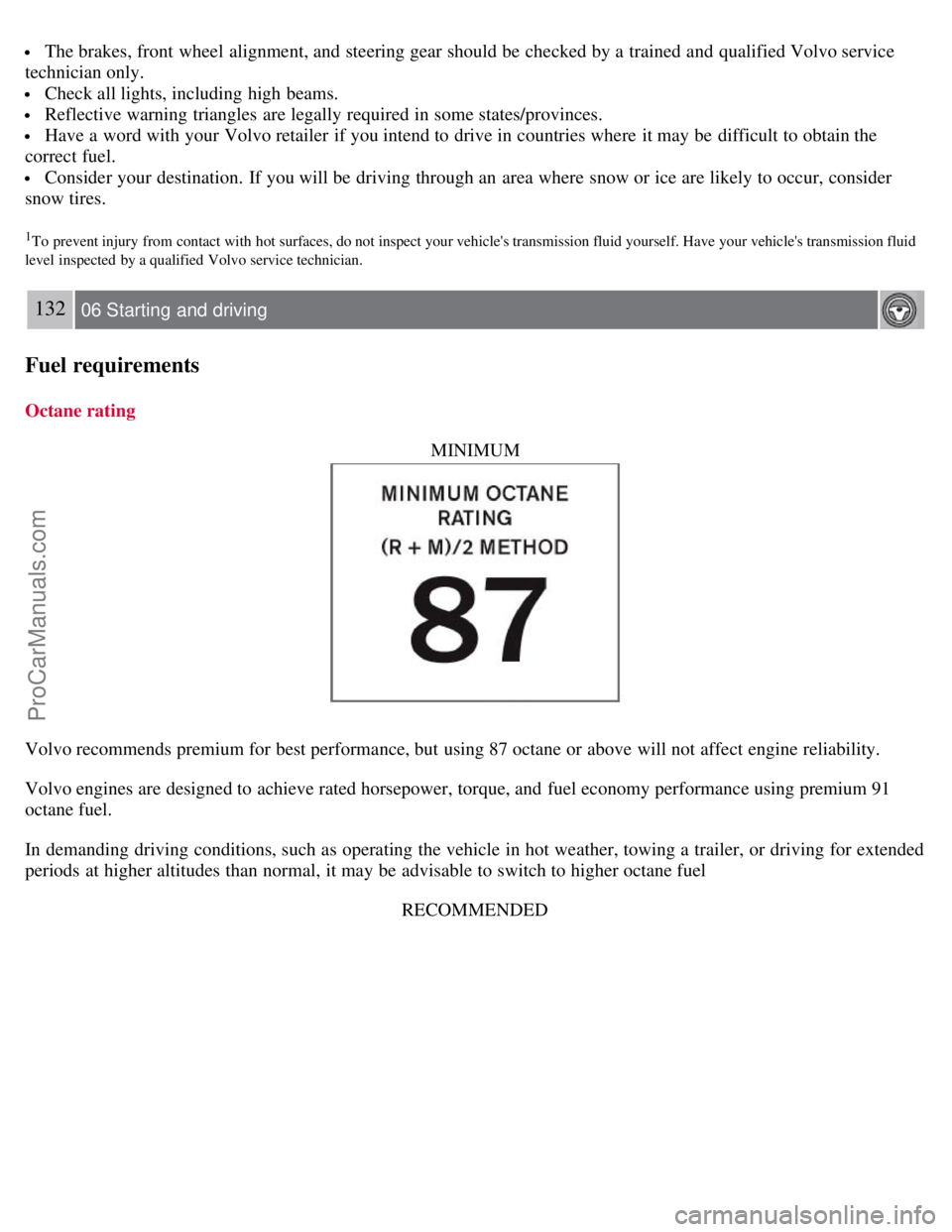
MINIMUM
Volvo recommends premium for best performance, but using 87 octane or above will not affect engine reliability.
Volvo engines are designed to achieve rated horsepower, torque, and fuel economy performance using premium 91
octane fuel.
In demanding driving conditions, such as operating the vehicle in hot weather, towing a trailer, or driving for extended
periods at higher altitudes than normal, it may be advisable to switch to higher octane fuelRECOMMENDED
ProCarManuals.com
Page 125 of 239
I - Intermediate position2
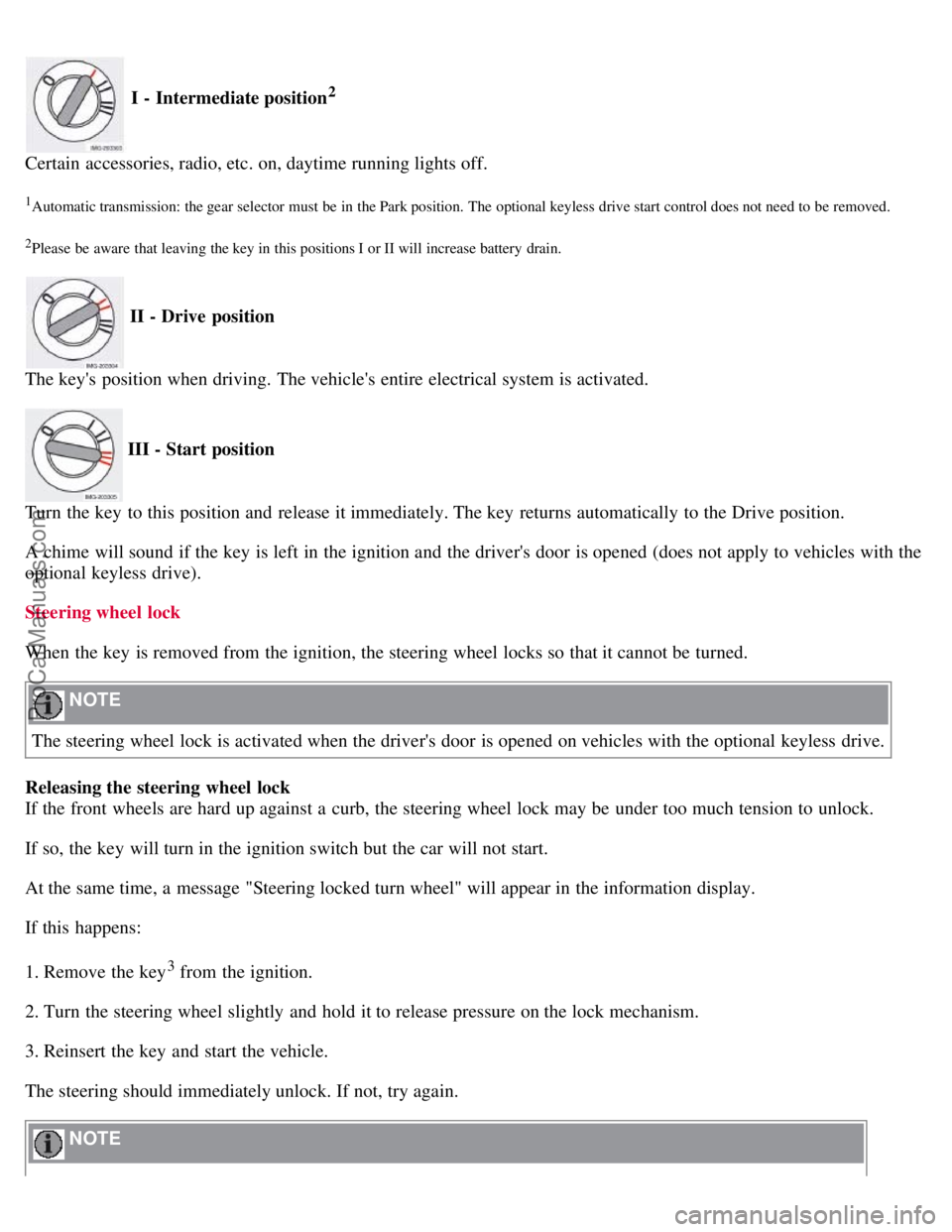
Certain accessories, radio, etc. on, daytime running lights off.
1Automatic transmission: the gear selector must be in the Park position. The optional keyless drive start control does not need to be removed.
2Please be aware that leaving the key in this positions I or II will increase battery drain.
II - Drive position
The key's position when driving. The vehicle's entire electrical system is activated.
III - Start position
Turn the key to this position and release it immediately. The key returns automatically to the Drive position.
A chime will sound if the key is left in the ignition and the driver's door is opened (does not apply to vehicles with the
optional keyless drive).
Steering wheel lock
When the key is removed from the ignition, the steering wheel locks so that it cannot be turned.
NOTE
The steering wheel lock is activated when the driver's door is opened on vehicles with the optional keyless drive.
Releasing the steering wheel lock
If the front wheels are hard up against a curb, the steering wheel lock may be under too much tension to unlock.
If so, the key will turn in the ignition switch but the car will not start.
At the same time, a message "Steering locked turn wheel" will appear in the information display.
If this happens:
1. Remove the key
3 from the ignition.
2. Turn the steering wheel slightly and hold it to release pressure on the lock mechanism.
3. Reinsert the key and start the vehicle.
The steering should immediately unlock. If not, try again.
NOTE
ProCarManuals.com