display VOLVO S40 2008 Owner's Manual
[x] Cancel search | Manufacturer: VOLVO, Model Year: 2008, Model line: S40, Model: VOLVO S40 2008Pages: 239, PDF Size: 5.94 MB
Page 72 of 239
Operating side windows
The following alternatives can be selected for opening and/or closing all side windows at the same time by pressing
and holding the Lock/Unlock switch in either of the front doors (see also page 122
for additional information) 1.
Auto close all windows On/Off
Auto open all windows On/Off
1This menu alternative also makes it possible to open all side windows by pressing and holding the Unlock button on the remote control for several
seconds.
NOTE
The ignition key must be in position I or higher (see page 135
) before all side windows can be opened/closed using
the switches in the front doors.
Approach lighting
This alternative determines the length of time for which the car's lights will remain on when the Approach light button
on the central locking system's remote control is pressed. Intervals of 30/60/90 seconds may be selected. See page 113
for more information.
Home safe lighting
This alternative determines the length of time for which the car's lights will remain on when the high beam lever on the
steering column is pulled toward the wheel with the ignition switched off. Intervals of 30/60/90 seconds may be
selected. See page 62
for information on using this function.
Information
VIN number - The VIN (Vehicle Identification Number) is the car's unique identity number.
Number of Keys - the number of keys registered for the car is displayed here.
Climate functions
Blower speed in AUTO mode - the blower speed can be set to AUTO mode in models equipped with ECC. Choose
between "Low", "Normal" and "High".
Timer for recirculation - when the timer is active, the air recirculates in the car for 3-12 minutes depending on the
ambient temperature. Select On/Off depending on whether the recirculation timer is to be active or not.
Keyless locking and unlocking (option as available)
The following alternatives can be selected for locking and unlocking the doors and trunk:
All doors - all doors are locked or unlocked at the same time.
Doors on the same side - front and rear doors on the same side are unlocked together.
Both front doors - both front doors are unlocked together.
One front door - either of the front doors can be unlocked separately2.
2Factory default
79 02 Instruments and controls
Personal settings
Reset to factory settings
Use this alternative to return to the default climate system settings.
ProCarManuals.com
Page 79 of 239
The defroster function should be used to remove fog or mist from the inside of the windows. Keeping the windows
clean with a commercially available window washing spray will also help prevent fogging or misting.
Climate control maintenance
Special tools and equipment are required to maintain and carry out repairs on the climate system. Work of this type
should only be done by a trained and qualified Volvo service technician.
Refrigerant
Volvo cares about the environment. The air conditioning system in your car contains a CFC-free refrigerant - R134a.
This substance will not deplete the ozone layer. The system contains 1.2 lbs (530 g) R134a (HFC 134a), and uses PAG
oil.
Passenger compartment filter
Replace the cabin air filter with a new one at the recommended intervals. Please refer to your Warranty and Service
Records Information booklet, or consult your Volvo retailer for these intervals. The filter should be replaced more
often when driving under dirty and dusty conditions. The filter cannot be cleaned and therefore should always be
replaced with a new one.
NOTE
There are different types of cabin air filters. Ensure that the correct type is installed.
Display
The display above the climate control panel shows the climate settings that have been made.
Personal settings
There are two functions in the climate system that can be set to your preferences:
Blower speed to Auto mode (models with ECC only).
Timer controlled recirculation of the air in the passenger compartment.
For information about how to make these settings, see the Personal settings section on page 77
.
87 03 Climate
General information
Models equipped with ECC (option)
Sensors
The sunlight sensor is on the upper side of the dashboard
The passenger compartment temperature sensor is located behind the climate system control panel.
The ambient temperature sensor is in the driver's side door mirror.
The humidity sensor is in the rearview mirror.
These sensors should never be obstructed.
ProCarManuals.com
Page 81 of 239
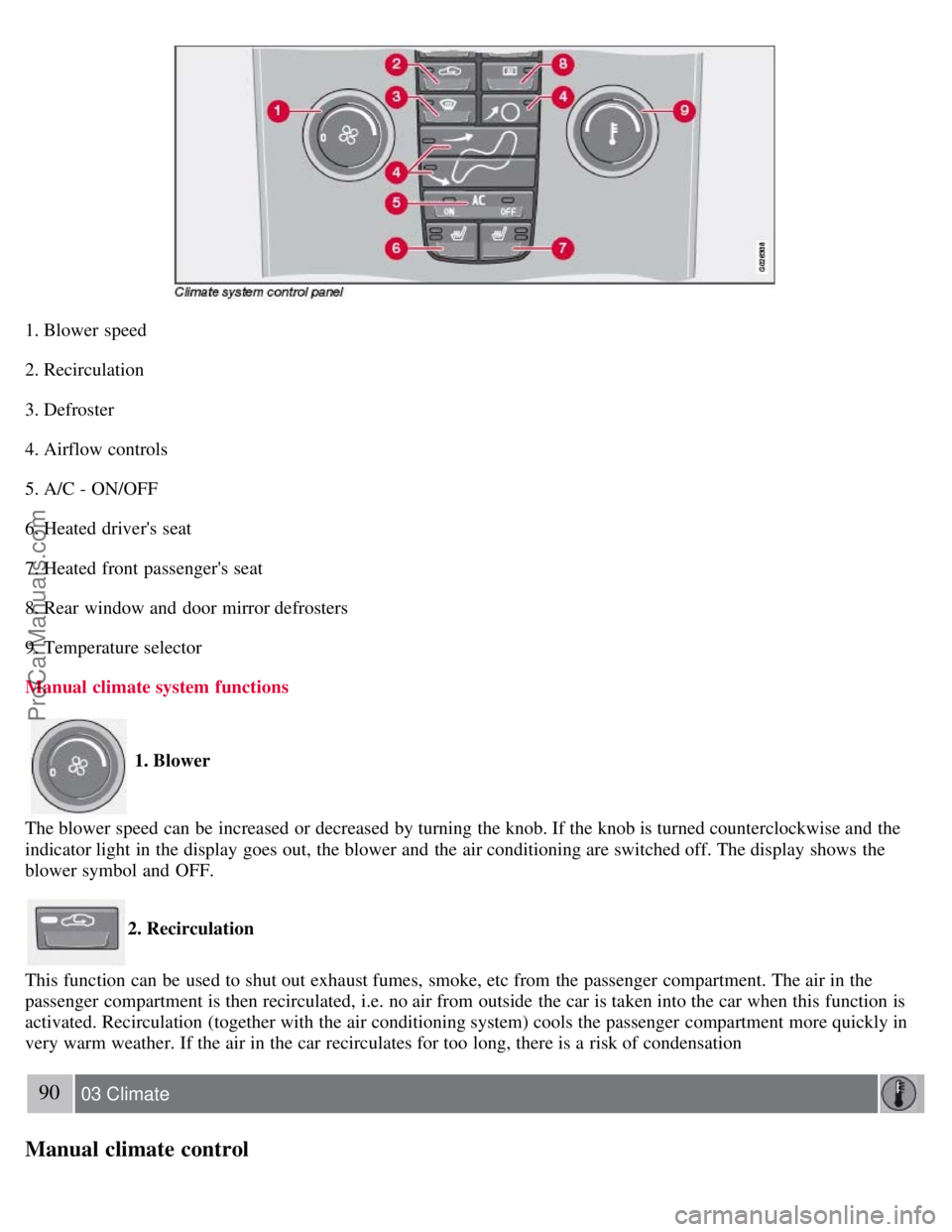
1. Blower speed
2. Recirculation
3. Defroster
4. Airflow controls
5. A/C - ON/OFF
6. Heated driver's seat
7. Heated front passenger's seat
8. Rear window and door mirror defrosters
9. Temperature selector
Manual climate system functions
1. Blower
The blower speed can be increased or decreased by turning the knob. If the knob is turned counterclockwise and the
indicator light in the display goes out, the blower and the air conditioning are switched off. The display shows the
blower symbol and OFF.
2. Recirculation
This function can be used to shut out exhaust fumes, smoke, etc from the passenger compartment. The air in the
passenger compartment is then recirculated, i.e. no air from outside the car is taken into the car when this function is
activated. Recirculation (together with the air conditioning system) cools the passenger compartment more quickly in
very warm weather. If the air in the car recirculates for too long, there is a risk of condensation
90 03 Climate
Manual climate control
ProCarManuals.com
Page 82 of 239
forming on the insides of the windows, especially in winter.
Timer
The timer function minimizes the risk of misting, or stale air when the recirculation function is selected. See page 77
for information on setting the recirculation timer. Recirculation is always disengaged when you select Defroster (3).
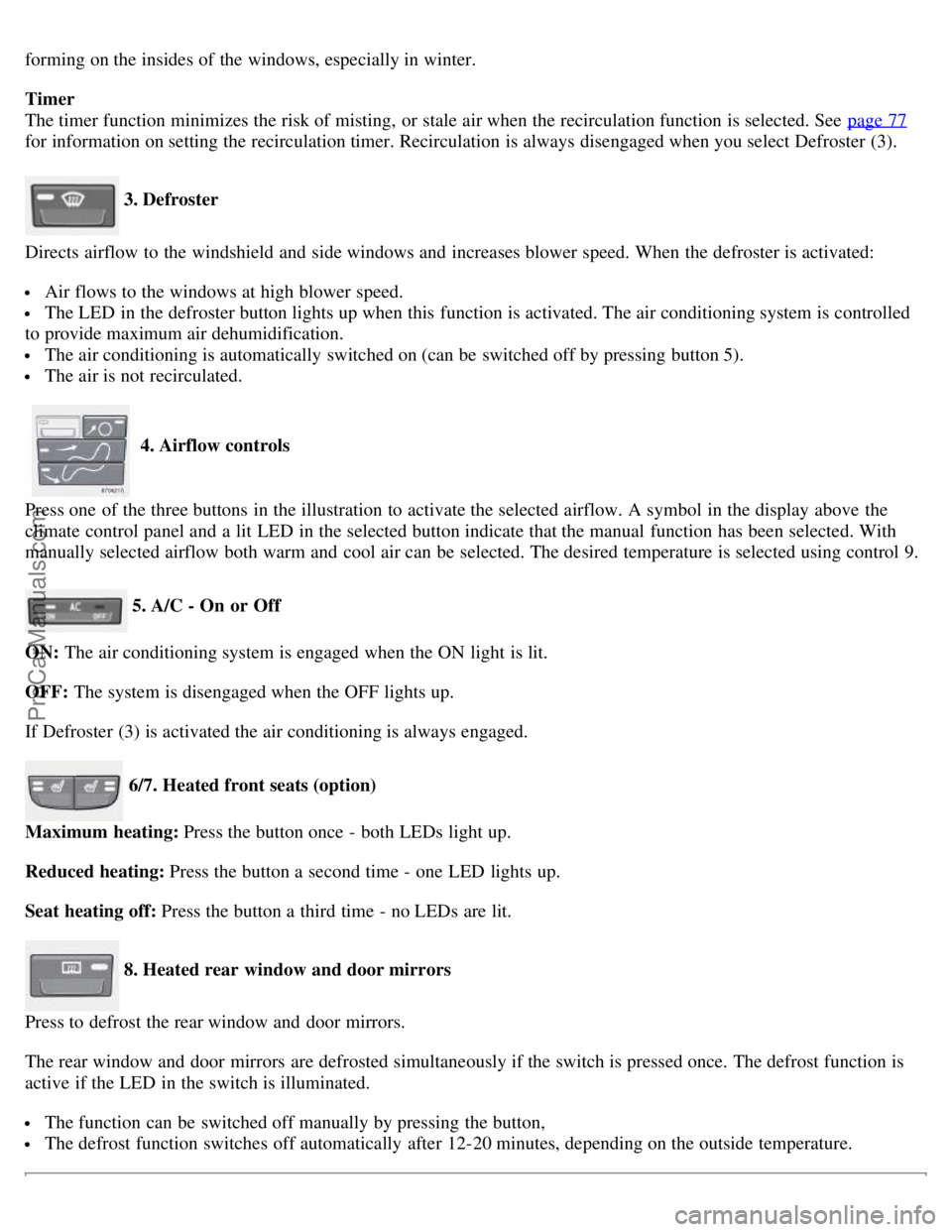
3. Defroster
Directs airflow to the windshield and side windows and increases blower speed. When the defroster is activated:
Air flows to the windows at high blower speed.
The LED in the defroster button lights up when this function is activated. The air conditioning system is controlled
to provide maximum air dehumidification.
The air conditioning is automatically switched on (can be switched off by pressing button 5).
The air is not recirculated.
4. Airflow controls
Press one of the three buttons in the illustration to activate the selected airflow. A symbol in the display above the
climate control panel and a lit LED in the selected button indicate that the manual function has been selected. With
manually selected airflow both warm and cool air can be selected. The desired temperature is selected using control 9.
5. A/C - On or Off
ON: The air conditioning system is engaged when the ON light is lit.
OFF: The system is disengaged when the OFF lights up.
If Defroster (3) is activated the air conditioning is always engaged.
6/7. Heated front seats (option)
Maximum heating: Press the button once - both LEDs light up.
Reduced heating: Press the button a second time - one LED lights up.
Seat heating off: Press the button a third time - no LEDs are lit.
8. Heated rear window and door mirrors
Press to defrost the rear window and door mirrors.
The rear window and door mirrors are defrosted simultaneously if the switch is pressed once. The defrost function is
active if the LED in the switch is illuminated.
The function can be switched off manually by pressing the button,
The defrost function switches off automatically after 12-20 minutes, depending on the outside temperature.
ProCarManuals.com
Page 84 of 239
10. Temperature selector
ECC functions
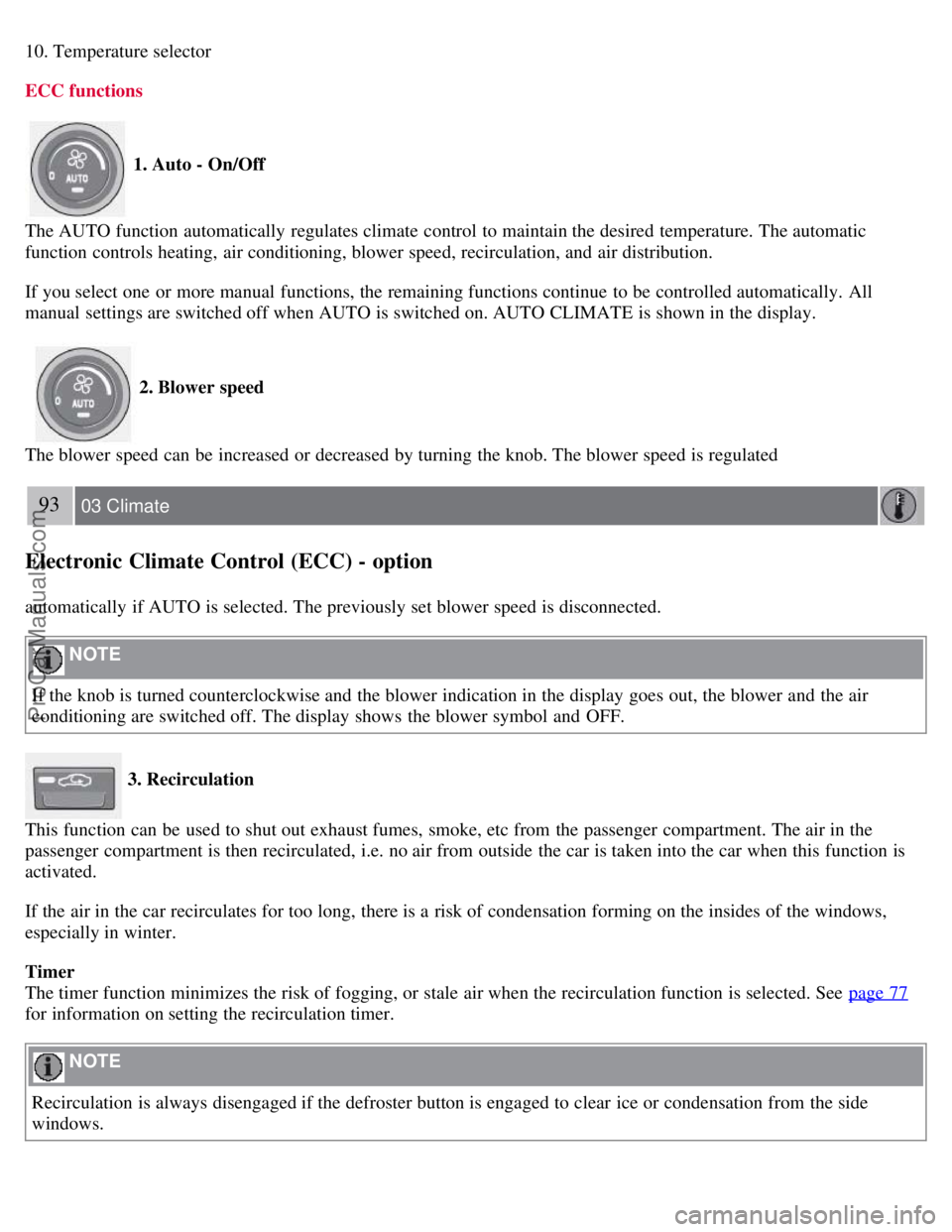
1. Auto - On/Off
The AUTO function automatically regulates climate control to maintain the desired temperature. The automatic
function controls heating, air conditioning, blower speed, recirculation, and air distribution.
If you select one or more manual functions, the remaining functions continue to be controlled automatically. All
manual settings are switched off when AUTO is switched on. AUTO CLIMATE is shown in the display.
2. Blower speed
The blower speed can be increased or decreased by turning the knob. The blower speed is regulated
93 03 Climate
Electronic Climate Control (ECC) - option
automatically if AUTO is selected. The previously set blower speed is disconnected.
NOTE
If the knob is turned counterclockwise and the blower indication in the display goes out, the blower and the air
conditioning are switched off. The display shows the blower symbol and OFF.
3. Recirculation
This function can be used to shut out exhaust fumes, smoke, etc from the passenger compartment. The air in the
passenger compartment is then recirculated, i.e. no air from outside the car is taken into the car when this function is
activated.
If the air in the car recirculates for too long, there is a risk of condensation forming on the insides of the windows,
especially in winter.
Timer
The timer function minimizes the risk of fogging, or stale air when the recirculation function is selected. See page 77
for information on setting the recirculation timer.
NOTE
Recirculation is always disengaged if the defroster button is engaged to clear ice or condensation from the side
windows.
ProCarManuals.com
Page 85 of 239
4. Defroster
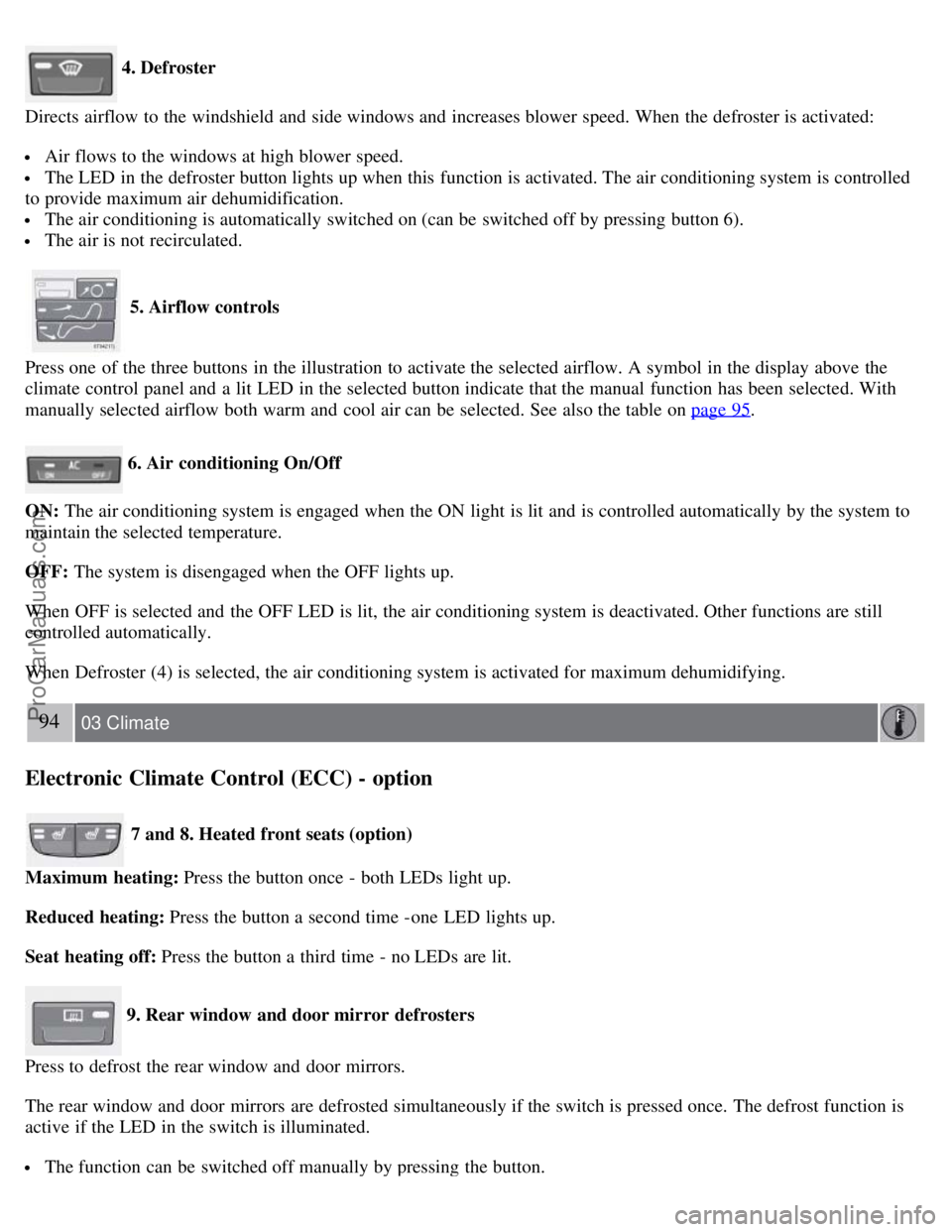
Directs airflow to the windshield and side windows and increases blower speed. When the defroster is activated:
Air flows to the windows at high blower speed.
The LED in the defroster button lights up when this function is activated. The air conditioning system is controlled
to provide maximum air dehumidification.
The air conditioning is automatically switched on (can be switched off by pressing button 6).
The air is not recirculated.
5. Airflow controls
Press one of the three buttons in the illustration to activate the selected airflow. A symbol in the display above the
climate control panel and a lit LED in the selected button indicate that the manual function has been selected. With
manually selected airflow both warm and cool air can be selected. See also the table on page 95
.
6. Air conditioning On/Off
ON: The air conditioning system is engaged when the ON light is lit and is controlled automatically by the system to
maintain the selected temperature.
OFF: The system is disengaged when the OFF lights up.
When OFF is selected and the OFF LED is lit, the air conditioning system is deactivated. Other functions are still
controlled automatically.
When Defroster (4) is selected, the air conditioning system is activated for maximum dehumidifying.
94 03 Climate
Electronic Climate Control (ECC) - option
7 and 8. Heated front seats (option)
Maximum heating: Press the button once - both LEDs light up.
Reduced heating: Press the button a second time -one LED lights up.
Seat heating off: Press the button a third time - no LEDs are lit.
9. Rear window and door mirror defrosters
Press to defrost the rear window and door mirrors.
The rear window and door mirrors are defrosted simultaneously if the switch is pressed once. The defrost function is
active if the LED in the switch is illuminated.
The function can be switched off manually by pressing the button.
ProCarManuals.com
Page 104 of 239
When the battery begins to lose its charge, the Information symbol in the instrument panel (see page 51) lights up and
REMOTE BATTERY LOW VOLTAGE is shown in the information display.
Replacing the battery in the remote control
If the range of the transmitter is noticeably reduced, this indicates that the battery (type CR 2450, 3V) is weak and
should be replaced. To replace the battery:
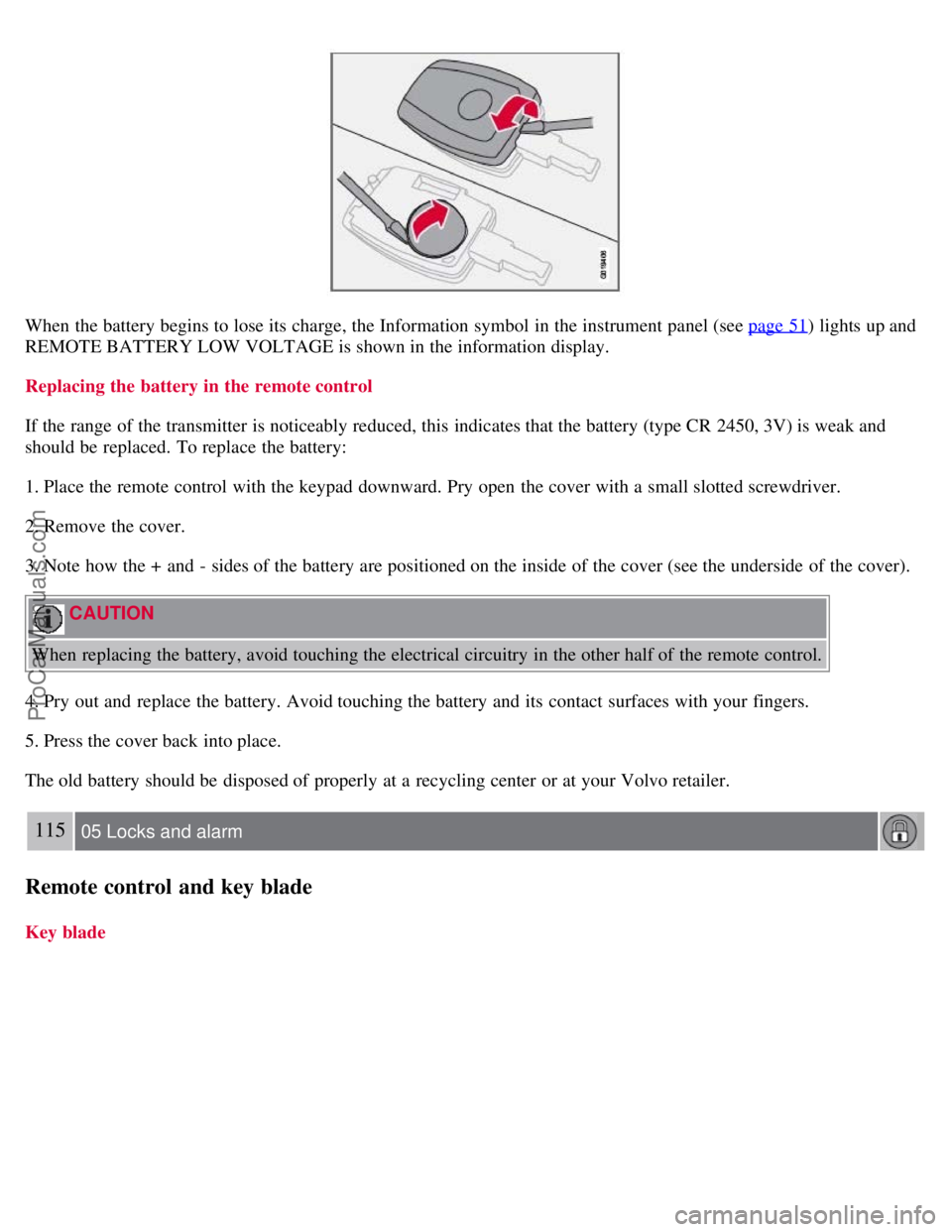
1. Place the remote control with the keypad downward. Pry open the cover with a small slotted screwdriver.
2. Remove the cover.
3. Note how the + and - sides of the battery are positioned on the inside of the cover (see the underside of the cover).
CAUTION
When replacing the battery, avoid touching the electrical circuitry in the other half of the remote control.
4. Pry out and replace the battery. Avoid touching the battery and its contact surfaces with your fingers.
5. Press the cover back into place.
The old battery should be disposed of properly at a recycling center or at your Volvo retailer.
115 05 Locks and alarm
Remote control and key blade
Key blade
ProCarManuals.com
Page 106 of 239
NOTE
This does not arm the alarm or lock the trunk.
116 05 Locks and alarm
Valet locking
Valet locking function
By utilizing the remote control with the key blade removed, the valet locking feature enables you to block access to the
trunk and glove compartment for e.g., valet parking or when the car is brought to the retailer for service.
With the valet locking function activated:
The vehicle's doors can be locked or unlocked
The engine can be started
The glove compartment and trunk cannot be unlocked
Access to the trunk is blocked (the trunk lid cannot be unlocked or opened, and the rear seat backrests are locked in the
upright position)
Activating the valet locking function
Begin by removing the key blade from the remote control (see page 115
).
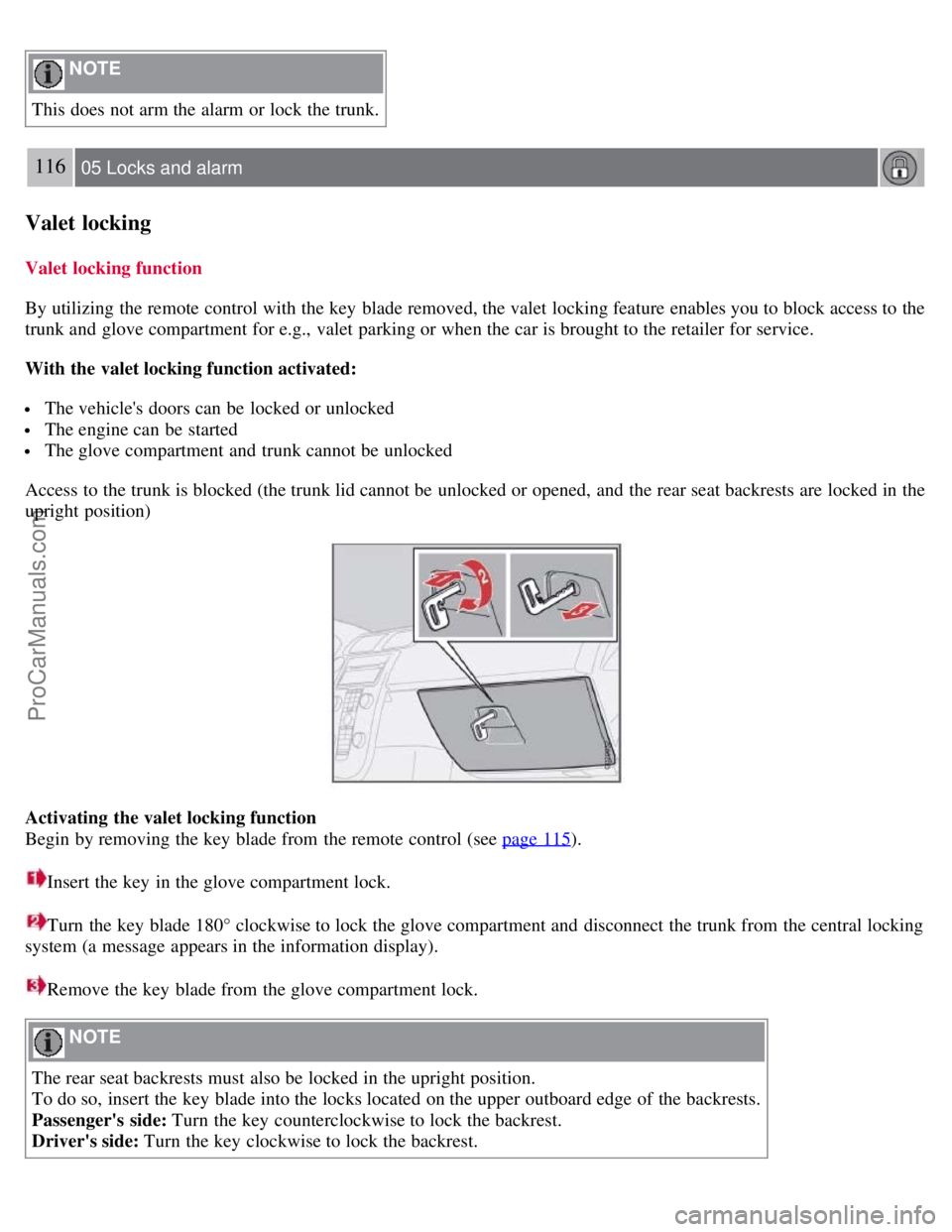
Insert the key in the glove compartment lock.
Turn the key blade 180° clockwise to lock the glove compartment and disconnect the trunk from the central locking
system (a message appears in the information display).
Remove the key blade from the glove compartment lock.
NOTE
The rear seat backrests must also be locked in the upright position.
To do so, insert the key blade into the locks located on the upper outboard edge of the backrests.
Passenger's side: Turn the key counterclockwise to lock the backrest.
Driver's side: Turn the key clockwise to lock the backrest.
ProCarManuals.com
Page 109 of 239
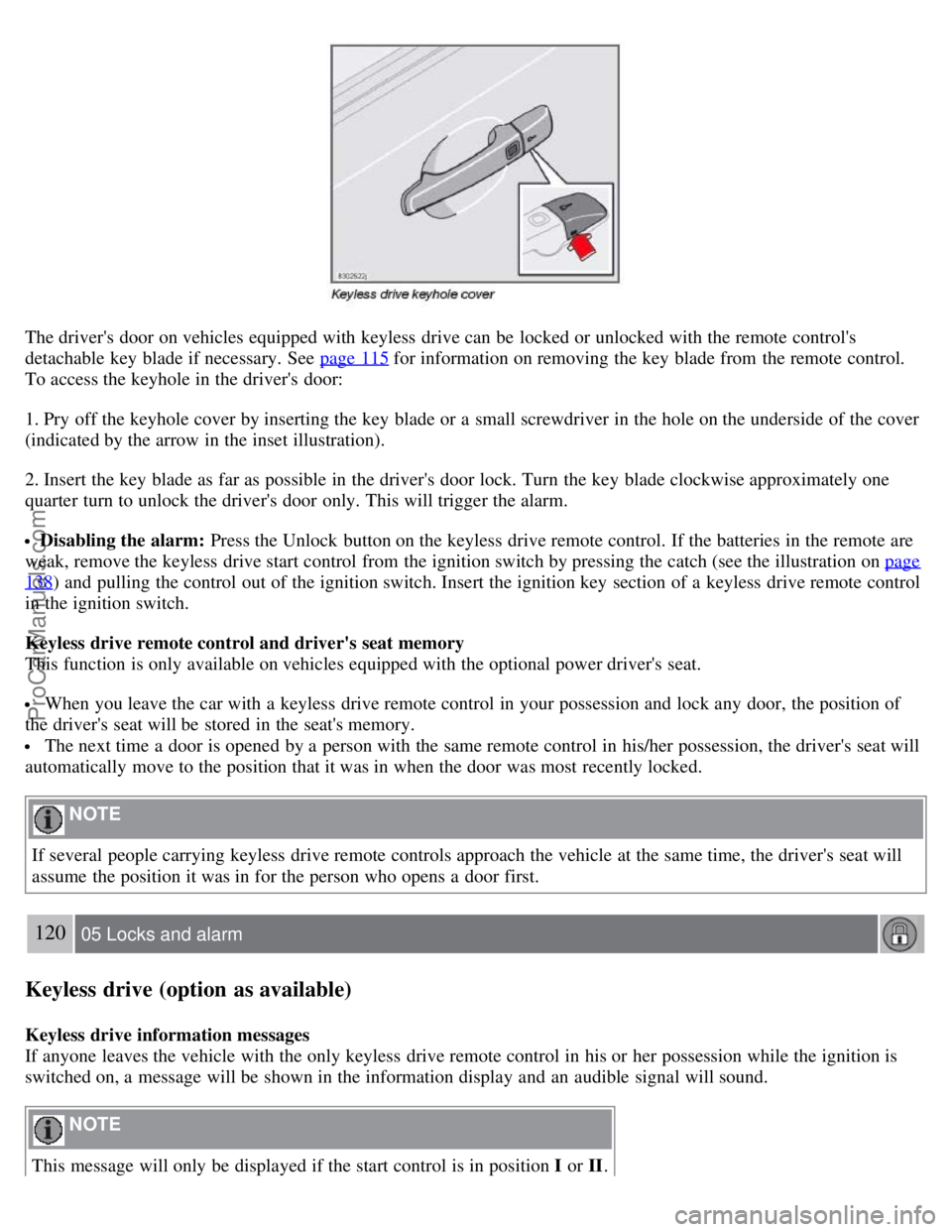
The driver's door on vehicles equipped with keyless drive can be locked or unlocked with the remote control's
detachable key blade if necessary. See page 115
for information on removing the key blade from the remote control.
To access the keyhole in the driver's door:
1. Pry off the keyhole cover by inserting the key blade or a small screwdriver in the hole on the underside of the cover
(indicated by the arrow in the inset illustration).
2. Insert the key blade as far as possible in the driver's door lock. Turn the key blade clockwise approximately one
quarter turn to unlock the driver's door only. This will trigger the alarm.
Disabling the alarm: Press the Unlock button on the keyless drive remote control. If the batteries in the remote are
weak, remove the keyless drive start control from the ignition switch by pressing the catch (see the illustration on page
138) and pulling the control out of the ignition switch. Insert the ignition key section of a keyless drive remote control
in the ignition switch.
Keyless drive remote control and driver's seat memory
This function is only available on vehicles equipped with the optional power driver's seat.
When you leave the car with a keyless drive remote control in your possession and lock any door, the position of
the driver's seat will be stored in the seat's memory.
The next time a door is opened by a person with the same remote control in his/her possession, the driver's seat will
automatically move to the position that it was in when the door was most recently locked.
NOTE
If several people carrying keyless drive remote controls approach the vehicle at the same time, the driver's seat will
assume the position it was in for the person who opens a door first.
120 05 Locks and alarm
Keyless drive (option as available)
Keyless drive information messages
If anyone leaves the vehicle with the only keyless drive remote control in his or her possession while the ignition is
switched on, a message will be shown in the information display and an audible signal will sound.
NOTE
This message will only be displayed if the start control is in position I or II.
ProCarManuals.com
Page 110 of 239
The message will be erased from the display and the audible signal will stop when the remote control has been
returned to the vehicle and one of the following has occurred:
A door has been opened and closed
The start control has been turned to position 0
The READ button (see page 56 for the location of this button) has been pressed.
CAUTION
Keyless drive remote controls should never be left in the vehicle. In the event of a break-in, a remote found in the
vehicle could make it possible to start the engine.
Electromagnetic fields or metal obstructions can interfere with the keyless drive system. Avoid placing the remote
control near cellular phones, metallic objects or e.g., in a metal briefcase.
Canada - IC:267T- 5WK48952, 267T- 5WK48964, 267T-5WK48891
NOTE
This device complies with RSS -210 of Industry Canada. Operation is subject to the following two conditions: (1)
This device may not cause harmful interference, and (2) this device must accept interference received, including
interference that may cause undesired operation.
CAUTION
Changes or modifications not expressly approved by the manufacturer could void the user's authority to operate the
equipment.
USA - FCC ID:KR55WK48952, KR55WK48964
NOTE
This device complies with part 15 of the FCC Rules. Operation is subject to the following two conditions: (1) This
device may not cause harmful interference, and (2) this device must accept interference received, including
interference that may cause undesired operation.
CAUTION
Changes or modifications not expressly approved by the manufacturer could void the user's authority to operate the
equipment.
Siemens VDO
5WK48891
Tested To Comply With FCC Standards For Automobile Use
121 05 Locks and alarm
Keyless drive (option as available)
Location of the keyless drive antennas
ProCarManuals.com