instrument panel VOLVO S60 2006 User Guide
[x] Cancel search | Manufacturer: VOLVO, Model Year: 2006, Model line: S60, Model: VOLVO S60 2006Pages: 132, PDF Size: 2.33 MB
Page 26 of 132
Instrument panel lighting
The instrument panel lighting illuminates when the ignition key is in position II and the light switch (1) is in either
position
or .
Move the thumb wheel (4) up to increase brightness or down to decrease brightness.
Unlocking the fuel filler door
Press button 5 when the car is at a standstill to unlock the fuel filler door. Please note that the fuel filler door will
remain unlocked until the car begins to move forward. An audible click will be heard when the fuel filler door relocks.
NOTE: If the fuel filler door does not unlock after the button has been pressed, drive the car
1. On Canadian models, the daytime running lights will remain on with the light switch in this position.
Contents | Top of Page
ProCarManuals.com
Page 27 of 132

pg. 33 Instruments and controls
Manually unlocking the fuel filler door
at a speed of at least 5 mph (8 km/h), stop the car, and press the button again.
See the information to the right on unlocking the fuel filler door manually.
Manually unlocking the fuel filler door
The electric motor that controls the fuel filler door locking mechanism is located on the inside of the rear fender on the
passenger side of the car, just behind the fuel filler door. To unlock this door manually:
1. Turn the knob (A) 1/4 turn counterclockwise to release the cover panel (B).
2. Fold down the cover panel to access the electric motor (C).
3. Press the catch (D) rearward to unlock the fuel filler door, or forward to lock the door.
pg. 34 Instruments and controls
Left-side steering wheel lever
Lever positions
1. Turn signals, lane change position
2. Turn signals, position for normal turns
3. High beam flash
4. Toggle between high and low beams, Home Safe lighting
Turn signals
When turning
Move the lever as far up or down as possible (to position 2) to start the turn signals. The turn signals will be cancelled
automatically by the movement of the steering wheel, or the lever can be returned to its initial position by hand.
When changing lanes
The driver can flash the turn signals by moving the turn signal lever up or down to position 1 and releasing it. The turn
ProCarManuals.com
Page 32 of 132
Cruise control
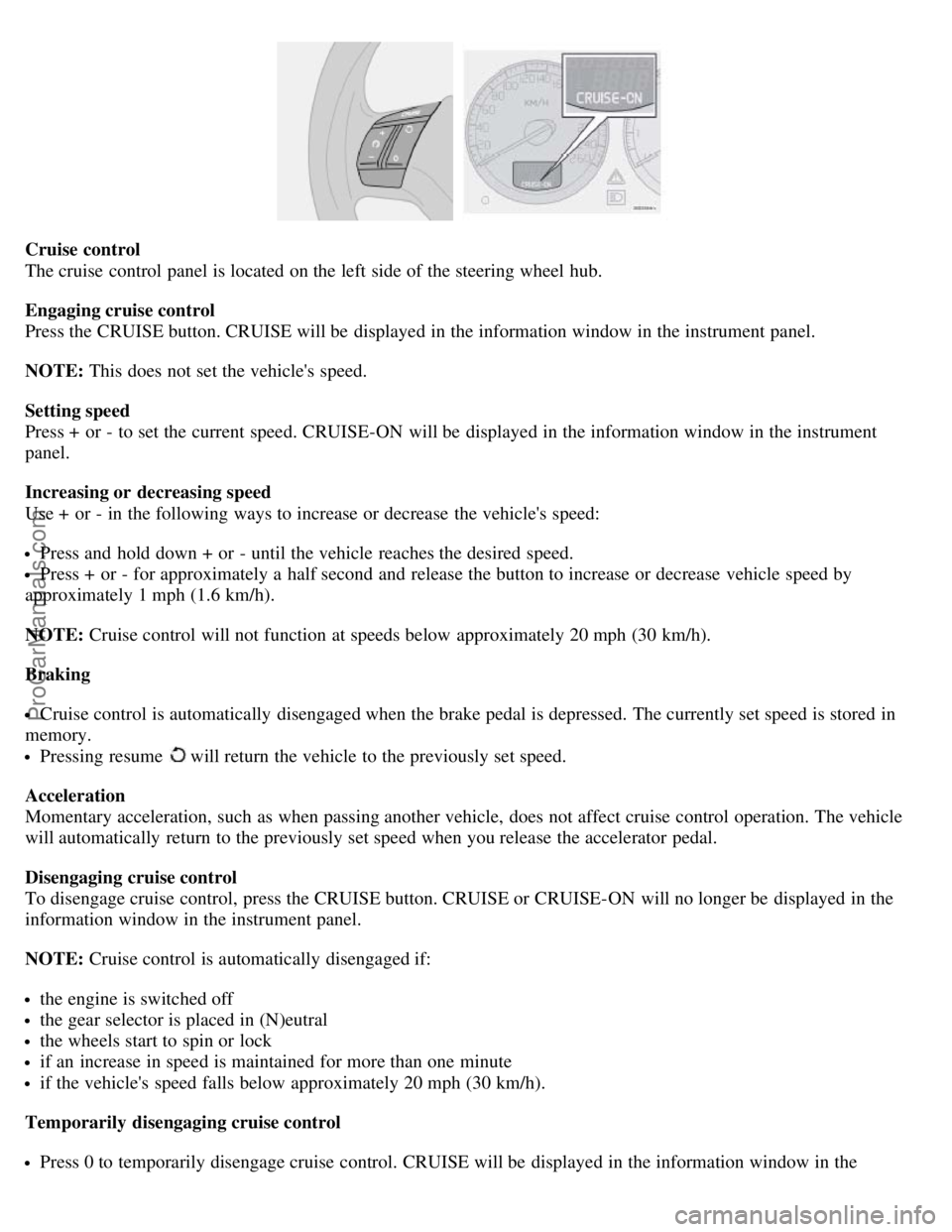
The cruise control panel is located on the left side of the steering wheel hub.
Engaging cruise control
Press the CRUISE button. CRUISE will be displayed in the information window in the instrument panel.
NOTE: This does not set the vehicle's speed.
Setting speed
Press + or - to set the current speed. CRUISE-ON will be displayed in the information window in the instrument
panel.
Increasing or decreasing speed
Use + or - in the following ways to increase or decrease the vehicle's speed:
Press and hold down + or - until the vehicle reaches the desired speed.
Press + or - for approximately a half second and release the button to increase or decrease vehicle speed by
approximately 1 mph (1.6 km/h).
NOTE: Cruise control will not function at speeds below approximately 20 mph (30 km/h).
Braking
Cruise control is automatically disengaged when the brake pedal is depressed. The currently set speed is stored in
memory.
Pressing resume will return the vehicle to the previously set speed.
Acceleration
Momentary acceleration, such as when passing another vehicle, does not affect cruise control operation. The vehicle
will automatically return to the previously set speed when you release the accelerator pedal.
Disengaging cruise control
To disengage cruise control, press the CRUISE button. CRUISE or CRUISE-ON will no longer be displayed in the
information window in the instrument panel.
NOTE: Cruise control is automatically disengaged if:
the engine is switched off
the gear selector is placed in (N)eutral
the wheels start to spin or lock
if an increase in speed is maintained for more than one minute
if the vehicle's speed falls below approximately 20 mph (30 km/h).
Temporarily disengaging cruise control
Press 0 to temporarily disengage cruise control. CRUISE will be displayed in the information window in the
ProCarManuals.com
Page 33 of 132
instrument panel.
pg. 40 Instruments and controls
Press the brake pedal.
Press "resume"
to return to the previously set speed.
WARNING!
Cruise control should not be used in heavy traffic or when driving on wet or slippery roads. Cruise control may not
maintain set speed on steep downgrades.
pg. 41 Instruments and controls
Parking brake, electric socket/cigarette lighter
Parking brake (hand brake)
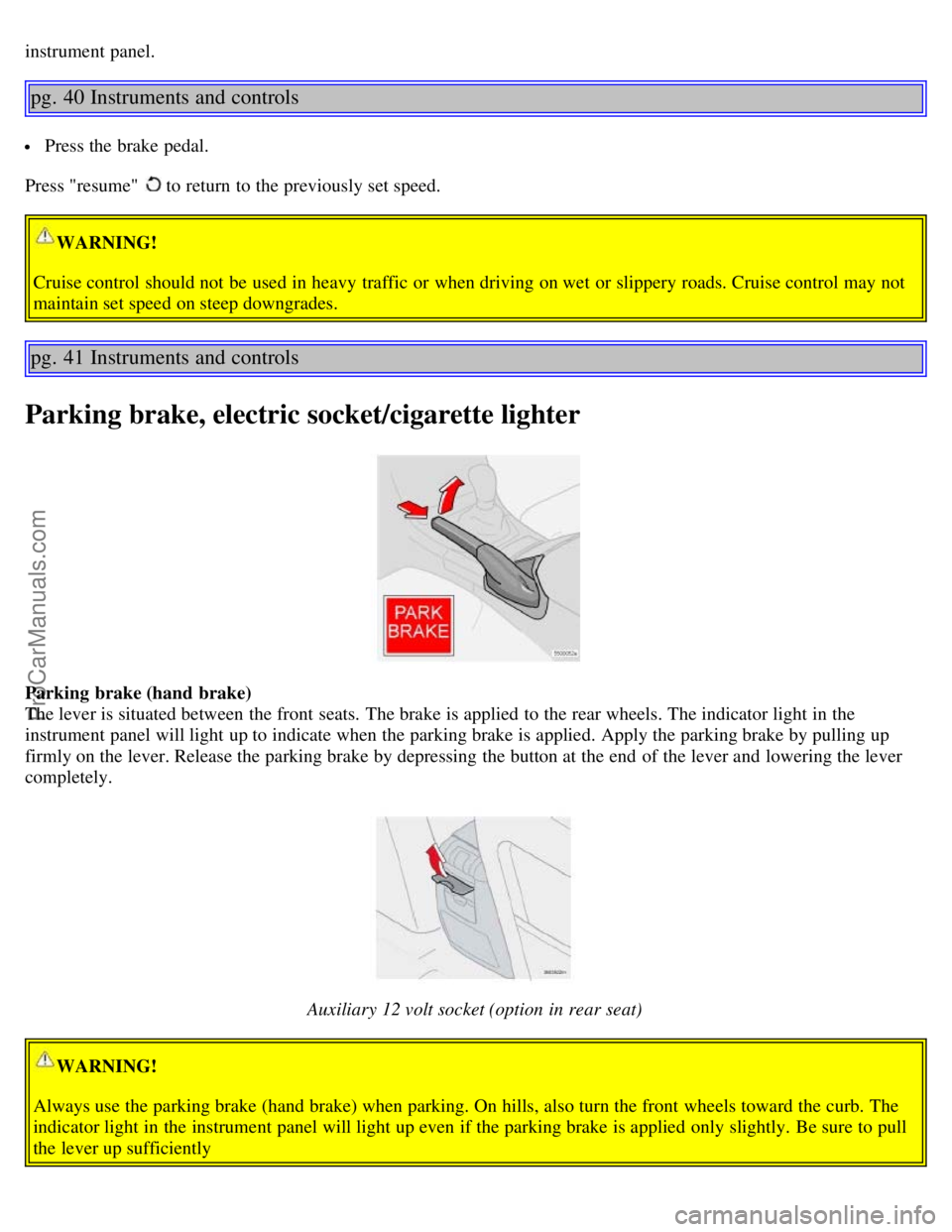
The lever is situated between the front seats. The brake is applied to the rear wheels. The indicator light in the
instrument panel will light up to indicate when the parking brake is applied. Apply the parking brake by pulling up
firmly on the lever. Release the parking brake by depressing the button at the end of the lever and lowering the lever
completely.
Auxiliary 12 volt socket (option in rear seat)
WARNING!
Always use the parking brake (hand brake) when parking. On hills, also turn the front wheels toward the curb. The
indicator light in the instrument panel will light up even if the parking brake is applied only slightly. Be sure to pull
the lever up sufficiently
ProCarManuals.com
Page 35 of 132
Cutout switch for rear windows
Cutout switch for rear windows
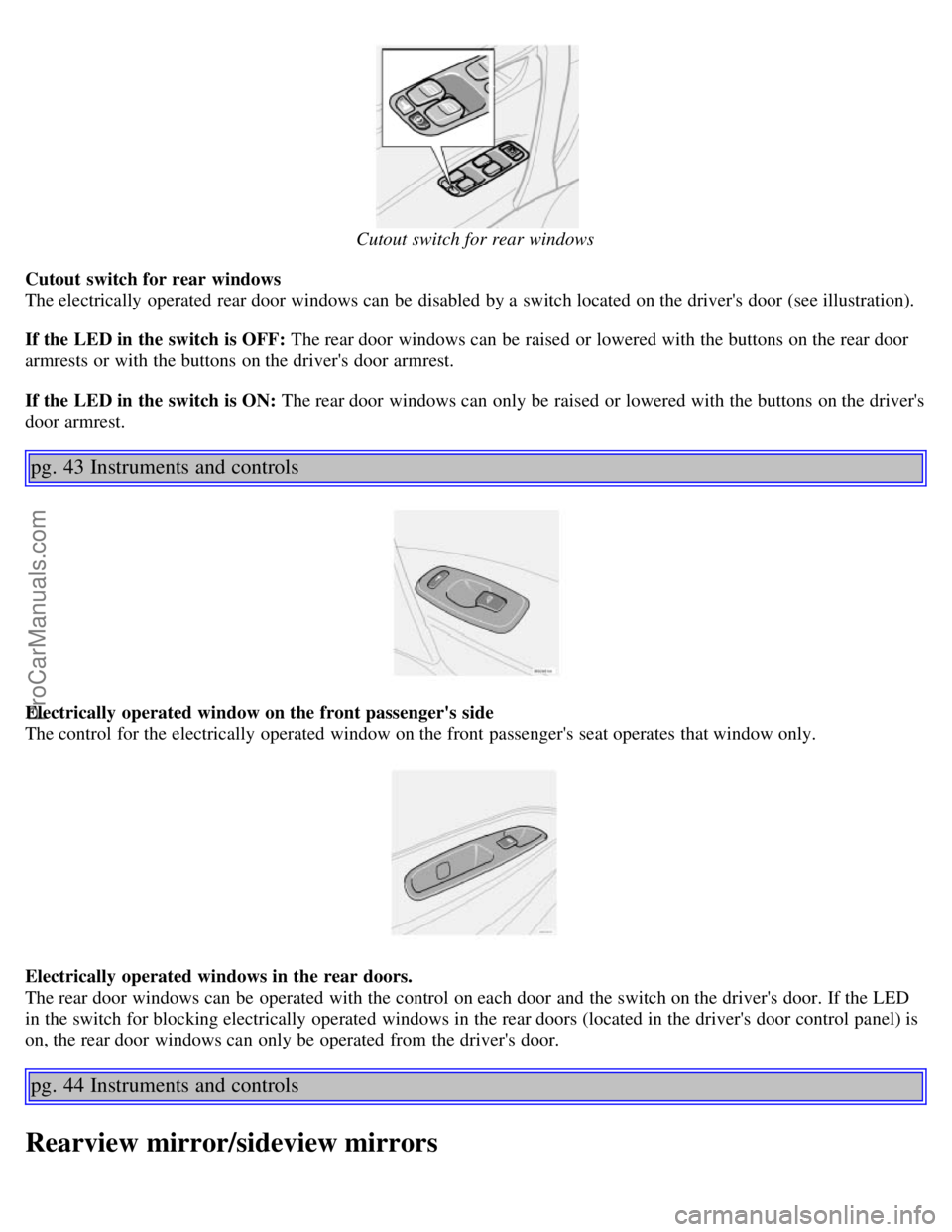
The electrically operated rear door windows can be disabled by a switch located on the driver's door (see illustration).
If the LED in the switch is OFF: The rear door windows can be raised or lowered with the buttons on the rear door
armrests or with the buttons on the driver's door armrest.
If the LED in the switch is ON: The rear door windows can only be raised or lowered with the buttons on the driver's
door armrest.
pg. 43 Instruments and controls
Electrically operated window on the front passenger's side
The control for the electrically operated window on the front passenger's seat operates that window only.
Electrically operated windows in the rear doors.
The rear door windows can be operated with the control on each door and the switch on the driver's door. If the LED
in the switch for blocking electrically operated windows in the rear doors (located in the driver's door control panel) is
on, the rear door windows can only be operated from the driver's door.
pg. 44 Instruments and controls
Rearview mirror/sideview mirrors
ProCarManuals.com
Page 61 of 132
Volvo recommends the use of detergent gasoline to control engine deposits. Detergent gasoline is effective in keeping
injectors and intake valves clean. Consistent use of deposit control gasolines will help ensure good driveability and
fuel economy. If you are not sure whether the gasoline contains deposit control additives, check with the service
station operator.
NOTE: Volvo does not recommend the use of external fuel injector cleaning systems.
Unleaded fuel
Each Volvo has a three-way catalytic converter and must use only unleaded gasoline. U.S. and Canadian regulations
require that pumps delivering unleaded gasoline be labelled "UNLEADED". Only these pumps have nozzles which fit
your car's filler inlet. It is unlawful to dispense leaded fuel into a vehicle labeled "unleaded gasoline only". Leaded
gasoline damages the three-way catalytic converter and the heated oxygen sensor system. Repeated use of leaded
gasoline will lessen the effectiveness of the emission control system and could result in loss of emission warranty
coverage. State and local vehicle inspection programs will make detection of misfueling easier, possibly resulting in
emission test failure for misfueled vehicles.
NOTE: Some U.S. and Canadian gasolines contain an octane enhancing additive called methyl-cyclopentadienyl
manganese tricarbonyl (MMT). If such fuels are used, your Emission Control System performance may be affected,
and the Check Engine Light (malfunction indicator lamp) located on your instrument panel may light. If this occurs,
please return your vehicle to an authorized Volvo retailer for service.
Gasoline containing alcohol and ethers
"Oxygenated fuels"
Some fuel suppliers sell gasoline containing "oxygenates" which are usually alcohols or ethers. In some areas, state or
local laws require that the service pump be marked indicating use of alcohols or ethers. However, there are areas in
which the pumps are unmarked. If you are not sure whether there is alcohol or ethers in the gasoline you buy, check
with the service station operator. To meet seasonal air quality standards, some areas require the use of "oxygenated"
fuel.
Volvo allows the use of the following "oxygenated" fuels; however, the octane ratings listed on this page must still be
met.
Alcohol - Ethanol: Fuels containing up to 10% ethanol by volume may be used. Ethanol may also be referred to as
Ethyl alcohol, or "Gasohol".
Ethers - MTBE: Fuels containing up to 15% MTBE may be used.
pg. 83 Starting and driving
Carbon Monoxide - Important Warning
Carbon monoxide is a poisonous, colorless, and odorless gas. It is present in all exhaust gases. If you ever smell
exhaust fumes inside the vehicle, make sure the passenger compartment is ventilated, and immediately return the
vehicle to your retailer for correction.
Fuel Formulations
Do not use gasoline that contains lead as a knock inhibitor, and do not use lead additives. Besides damaging the
exhaust emission control systems on your car, lead has been strongly linked to certain forms of cancer.
Many fuels contain benzene as a solvent. Unburned benzene has been strongly linked to certain forms of cancer. If you
live in an area where you must fill your own gas tank, take precautions. These may include:
standing upwind away from the filler nozzle while refueling
refueling only at gas stations with vapor recovery systems that fully seal the mouth of the filler neck during refueling
wear neoprene gloves while handling a fuel filler nozzle.
ProCarManuals.com
Page 69 of 132
The transmission will shift automatically between gears 3, 2 and 1 from this position. The transmission cannot shift up
to fourth gear or (D)rive from third gear.
L (Low gears)
The transmission is locked in gears 1 and 2 when the selector is in this position.
NOTE: Gears 4, 3, or L can be used if you are driving in a mountainous area, towing a trailer or to increase engine
braking effect.
The transmission has a built-in limiter designed to help prevent excessive engine speeds (high rpm) when gears 4, 3 or
L are selected.
pg. 91 Starting and driving
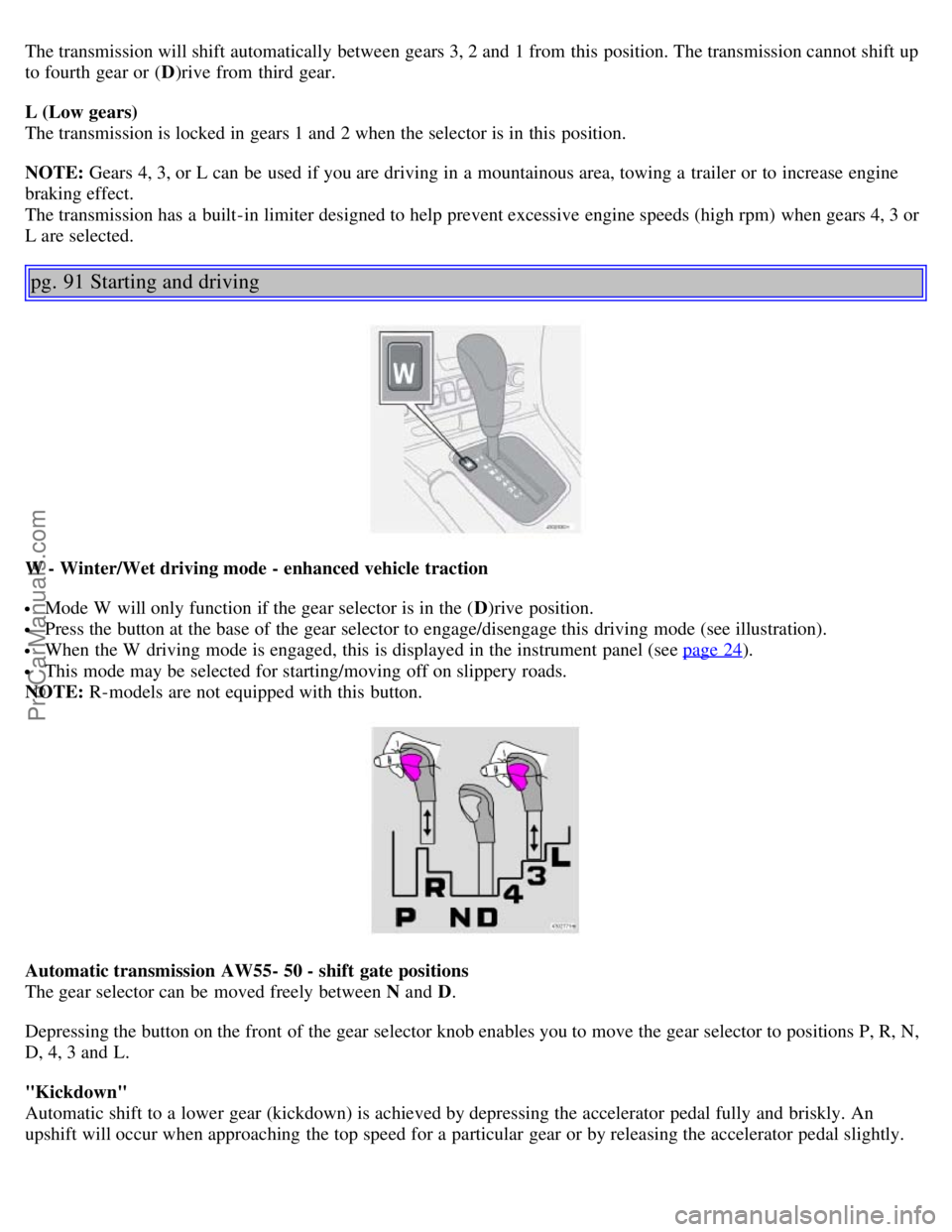
W - Winter/Wet driving mode - enhanced vehicle traction
Mode W will only function if the gear selector is in the ( D)rive position.
Press the button at the base of the gear selector to engage/disengage this driving mode (see illustration).
When the W driving mode is engaged, this is displayed in the instrument panel (see page 24).
This mode may be selected for starting/moving off on slippery roads.
NOTE: R-models are not equipped with this button.
Automatic transmission AW55- 50 - shift gate positions
The gear selector can be moved freely between N and D.
Depressing the button on the front of the gear selector knob enables you to move the gear selector to positions P, R, N,
D, 4, 3 and L.
"Kickdown"
Automatic shift to a lower gear (kickdown) is achieved by depressing the accelerator pedal fully and briskly. An
upshift will occur when approaching the top speed for a particular gear or by releasing the accelerator pedal slightly.
ProCarManuals.com
Page 71 of 132
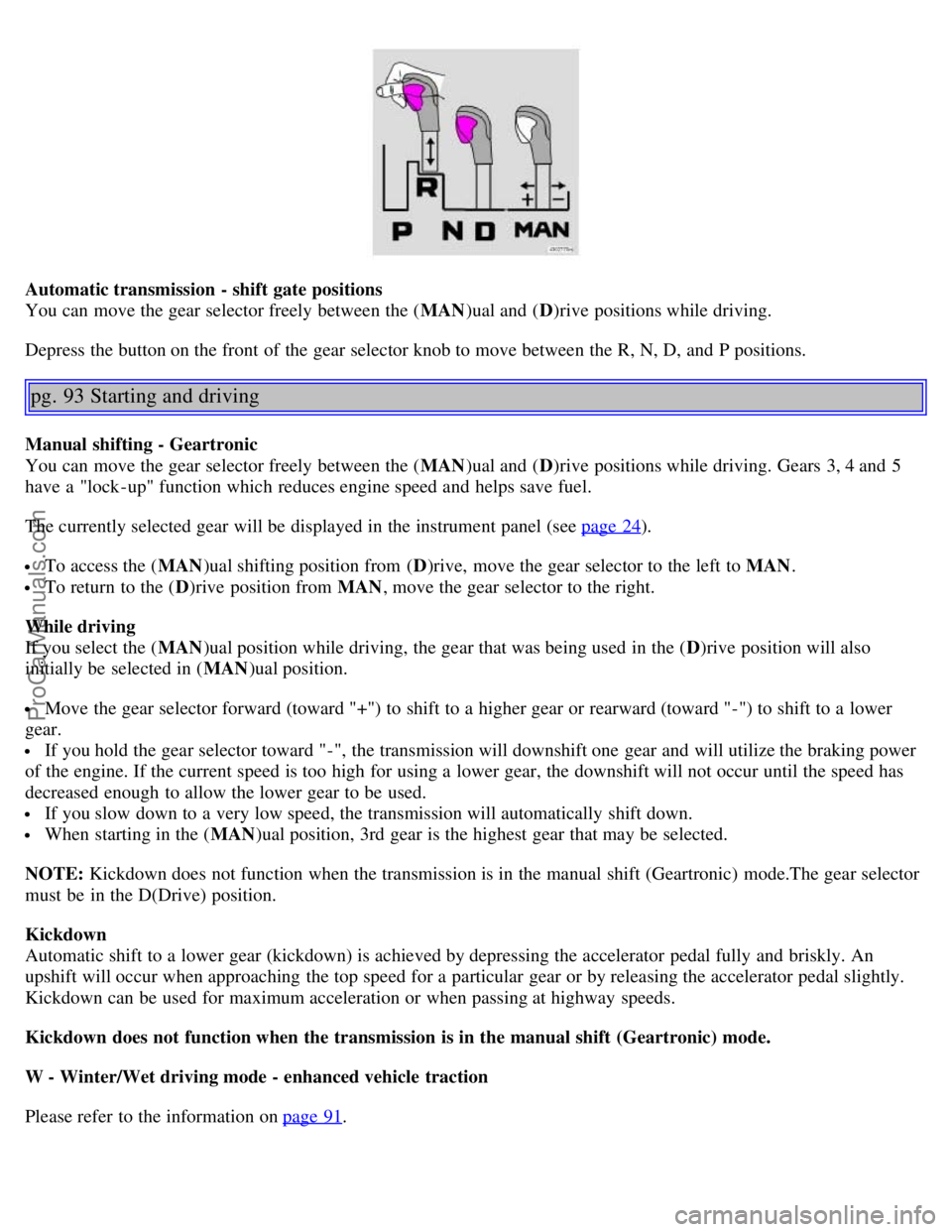
Automatic transmission - shift gate positions
You can move the gear selector freely between the (MAN)ual and ( D)rive positions while driving.
Depress the button on the front of the gear selector knob to move between the R, N, D, and P positions.
pg. 93 Starting and driving
Manual shifting - Geartronic
You can move the gear selector freely between the ( MAN)ual and ( D)rive positions while driving. Gears 3, 4 and 5
have a "lock -up" function which reduces engine speed and helps save fuel.
The currently selected gear will be displayed in the instrument panel (see page 24
).
To access the ( MAN)ual shifting position from ( D)rive, move the gear selector to the left to MAN .
To return to the (D)rive position from MAN , move the gear selector to the right.
While driving
If you select the ( MAN)ual position while driving, the gear that was being used in the ( D)rive position will also
initially be selected in ( MAN)ual position.
Move the gear selector forward (toward "+") to shift to a higher gear or rearward (toward "-") to shift to a lower
gear.
If you hold the gear selector toward "-", the transmission will downshift one gear and will utilize the braking power
of the engine. If the current speed is too high for using a lower gear, the downshift will not occur until the speed has
decreased enough to allow the lower gear to be used.
If you slow down to a very low speed, the transmission will automatically shift down.
When starting in the ( MAN)ual position, 3rd gear is the highest gear that may be selected.
NOTE: Kickdown does not function when the transmission is in the manual shift (Geartronic) mode.The gear selector
must be in the D(Drive) position.
Kickdown
Automatic shift to a lower gear (kickdown) is achieved by depressing the accelerator pedal fully and briskly. An
upshift will occur when approaching the top speed for a particular gear or by releasing the accelerator pedal slightly.
Kickdown can be used for maximum acceleration or when passing at highway speeds.
Kickdown does not function when the transmission is in the manual shift (Geartronic) mode.
W - Winter/Wet driving mode - enhanced vehicle traction
Please refer to the information on page 91
.
ProCarManuals.com
Page 73 of 132
NOTE:
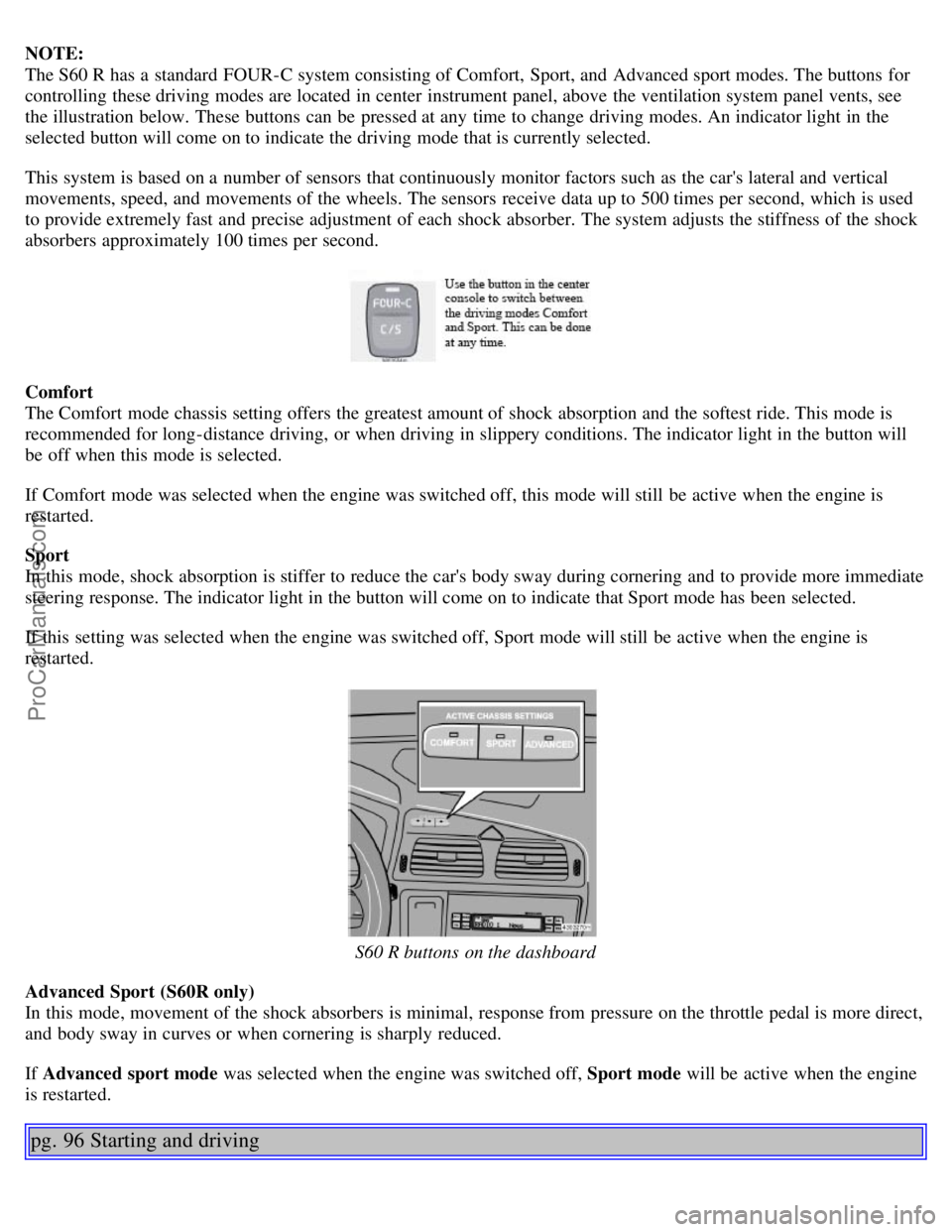
The S60 R has a standard FOUR-C system consisting of Comfort, Sport, and Advanced sport modes. The buttons for
controlling these driving modes are located in center instrument panel, above the ventilation system panel vents, see
the illustration below. These buttons can be pressed at any time to change driving modes. An indicator light in the
selected button will come on to indicate the driving mode that is currently selected.
This system is based on a number of sensors that continuously monitor factors such as the car's lateral and vertical
movements, speed, and movements of the wheels. The sensors receive data up to 500 times per second, which is used
to provide extremely fast and precise adjustment of each shock absorber. The system adjusts the stiffness of the shock
absorbers approximately 100 times per second.
Comfort
The Comfort mode chassis setting offers the greatest amount of shock absorption and the softest ride. This mode is
recommended for long-distance driving, or when driving in slippery conditions. The indicator light in the button will
be off when this mode is selected.
If Comfort mode was selected when the engine was switched off, this mode will still be active when the engine is
restarted.
Sport
In this mode, shock absorption is stiffer to reduce the car's body sway during cornering and to provide more immediate
steering response. The indicator light in the button will come on to indicate that Sport mode has been selected.
If this setting was selected when the engine was switched off, Sport mode will still be active when the engine is
restarted.
S60 R buttons on the dashboard
Advanced Sport (S60R only)
In this mode, movement of the shock absorbers is minimal, response from pressure on the throttle pedal is more direct,
and body sway in curves or when cornering is sharply reduced.
If Advanced sport mode was selected when the engine was switched off, Sport mode will be active when the engine
is restarted.
pg. 96 Starting and driving
ProCarManuals.com
Page 74 of 132
Brake system
BRAKE Brake circuit malfunction
The brake system is a hydraulic system consisting of two master cylinders and two separate brake circuits. If a
problem should occur in one of these circuits, it is still possible to stop the car with the other brake circuit.
If the brake pedal must be depressed farther than normal and requires greater foot pressure, the stopping distance will
be longer.
A warning light in the instrument panel will light up to warn the driver that a fault has occurred.
If this light comes on while driving or braking, stop immediately and check the brake fluid level in the reservoir.
NOTE: Press the brake pedal hard and maintain pressure on the pedal - do not pump the brakes.
WARNING!
If the fluid level is below the MIN mark in the reservoir or if a "Brake failure - Service urgent" message is displayed
in the text window: DO NOT DRIVE. Have the car towed to a Volvo retailer and have the brake system inspected.
NOTE: When the car is at a standstill and the engine is idling, e.g. at a traffic light and the brake pedal is depressed,
the pedal may go down slightly. This is a normal function of the power-assisted brake system.
Power brakes function only when the engine is running
The power brakes utilize vacuum pressure which is only created when the engine is running. Never let the vehicle roll
to a stop with the engine switched off.
If the power brakes are not working, the brake pedal must be pressed approximately four times harder than usual to
make up for the lack of power assistance. This can happen for example when towing your vehicle or if the engine is
switched off when the vehicle is rolling. The brake pedal feels harder than usual.
Water on brake discs and brake pads affects braking
Driving in rain and slush or passing through an automatic car wash can cause water to collect on the brake discs and
pads. This will cause a delay in braking effect when the pedal is depressed. To avoid such a delay when the brakes are
needed, depress the pedal occasionally when driving through rain, slush etc. This will remove the water from the
brakes. Check that brake application feels normal. This should also be done after washing or starting in very damp or
cold weather.
Severe strain on the brake system
The brakes will be subject to severe strain when driving in mountains or hilly areas or towing. Vehicle speed is usually
slower, which means that the cooling of the brakes is less efficient than when driving on level roads. To reduce the
strain on the brakes, shift into a lower gear and let the engine help with the braking. Do not forget that, if you are
towing a trailer, the brakes will be subjected to a greater than normal load.
pg. 97 Starting and driving
Anti-lock brakes (ABS)
If the warning lamp lights up there is a malfunction of the ABS system (the standard braking system will however
function) and the vehicle should be driven cautiously to a Volvo retailer for inspection. The Anti-lock Braking System
(ABS) helps to improve vehicle control (stopping and steering) during severe braking conditions by limiting brake
lockup. When the system "senses" impending lockup, braking pressure is automatically modulated in order to help
ProCarManuals.com