turn signal VOLVO S60 2006 User Guide
[x] Cancel search | Manufacturer: VOLVO, Model Year: 2006, Model line: S60, Model: VOLVO S60 2006Pages: 132, PDF Size: 2.33 MB
Page 111 of 132
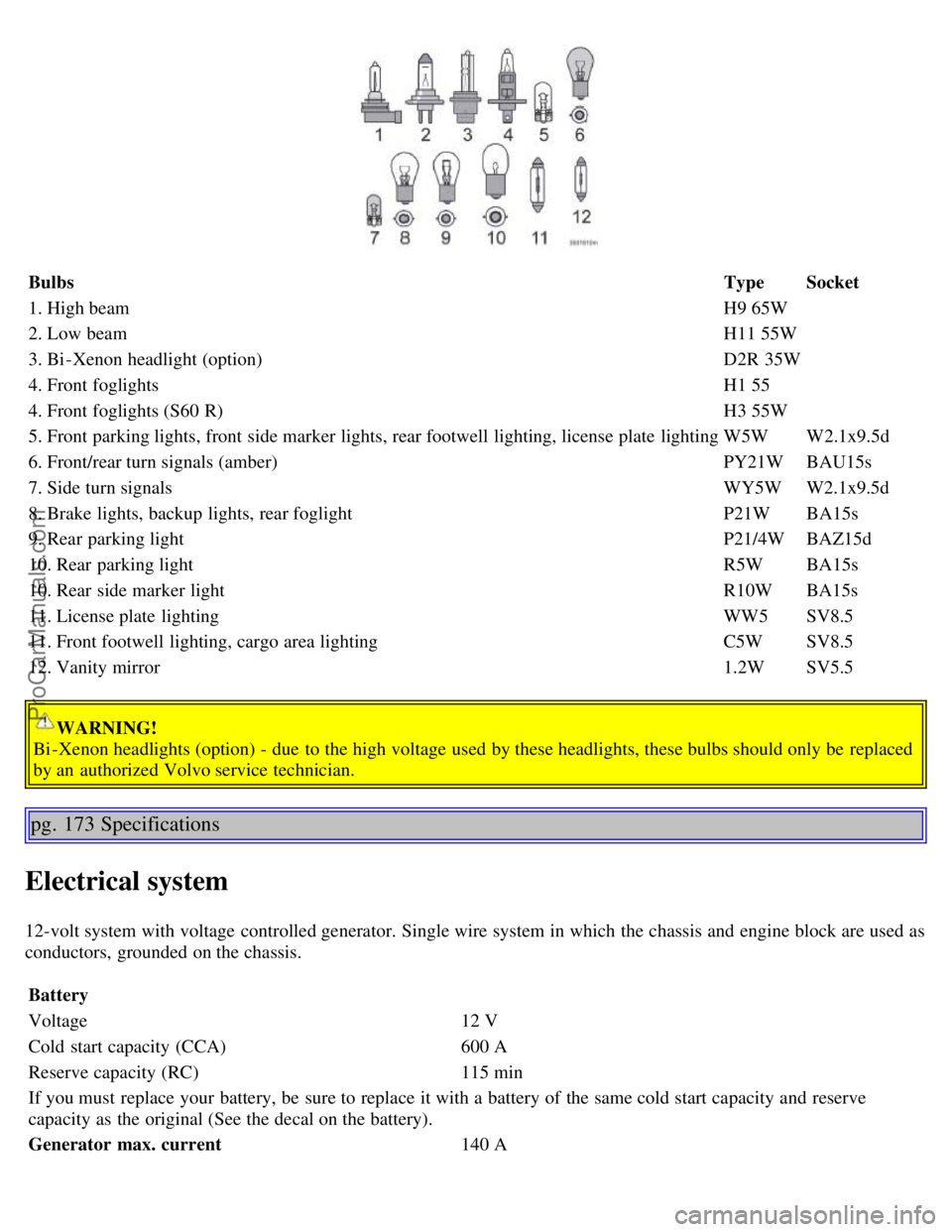
BulbsTypeSocket
1. High beam H9 65W
2. Low beam H11 55W
3. Bi -Xenon headlight (option) D2R 35W
4. Front foglights H1 55
4. Front foglights (S60 R) H3 55W
5. Front parking lights, front side marker lights, rear footwell lighting, license plate lighting W5WW2.1x9.5d
6. Front/rear turn signals (amber) PY21WBAU15s
7. Side turn signals WY5WW2.1x9.5d
8. Brake lights, backup lights, rear foglight P21WBA15s
9. Rear parking light P21/4WBAZ15d
10. Rear parking light R5WBA15s
10. Rear side marker light R10WBA15s
11. License plate lighting WW5SV8.5
11. Front footwell lighting, cargo area lighting C5WSV8.5
12. Vanity mirror 1.2WSV5.5
WARNING!
Bi -Xenon headlights (option) - due to the high voltage used by these headlights, these bulbs should only be replaced
by an authorized Volvo service technician.
pg. 173 Specifications
Electrical system
12-volt system with voltage controlled generator. Single wire system in which the chassis and engine block are used as
conductors, grounded on the chassis.
Battery
Voltage 12 V
Cold start capacity (CCA) 600 A
Reserve capacity (RC) 115 min
If you must replace your battery, be sure to replace it with a battery of the same cold start capacity and reserve
capacity as the original (See the decal on the battery).
Generator max. current 140 A
ProCarManuals.com
Page 119 of 132
Storing stations
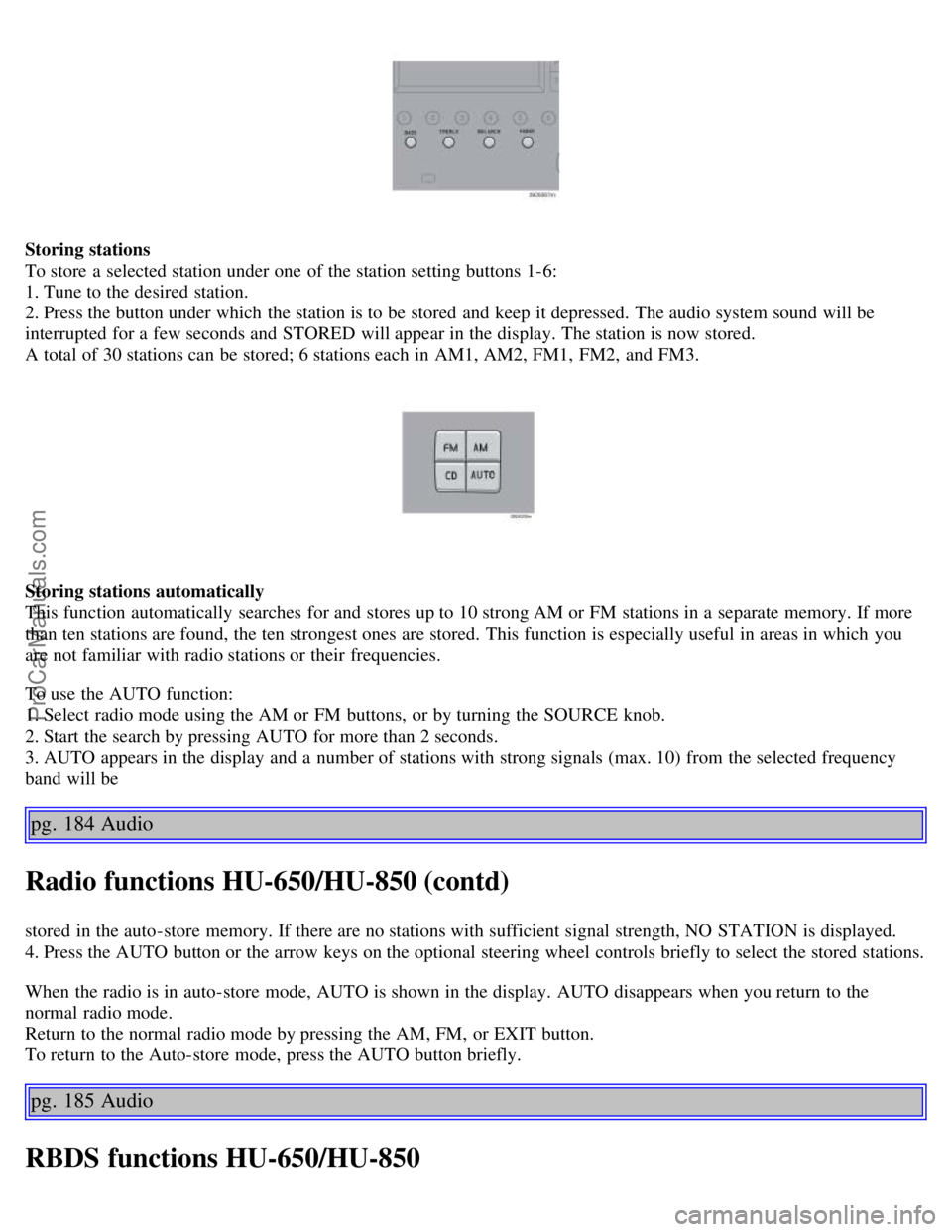
To store a selected station under one of the station setting buttons 1-6:
1. Tune to the desired station.
2. Press the button under which the station is to be stored and keep it depressed. The audio system sound will be
interrupted for a few seconds and STORED will appear in the display. The station is now stored.
A total of 30 stations can be stored; 6 stations each in AM1, AM2, FM1, FM2, and FM3.
Storing stations automatically
This function automatically searches for and stores up to 10 strong AM or FM stations in a separate memory. If more
than ten stations are found, the ten strongest ones are stored. This function is especially useful in areas in which you
are not familiar with radio stations or their frequencies.
To use the AUTO function:
1. Select radio mode using the AM or FM buttons, or by turning the SOURCE knob.
2. Start the search by pressing AUTO for more than 2 seconds.
3. AUTO appears in the display and a number of stations with strong signals (max. 10) from the selected frequency
band will be
pg. 184 Audio
Radio functions HU-650/HU-850 (contd)
stored in the auto-store memory. If there are no stations with sufficient signal strength, NO STATION is displayed.
4. Press the AUTO button or the arrow keys on the optional steering wheel controls briefly to select the stored stations.
When the radio is in auto-store mode, AUTO is shown in the display. AUTO disappears when you return to the
normal radio mode.
Return to the normal radio mode by pressing the AM, FM, or EXIT button.
To return to the Auto-store mode, press the AUTO button briefly.
pg. 185 Audio
RBDS functions HU-650/HU-850
ProCarManuals.com
Page 120 of 132
Radio Broadcast Data System - RBDS
This feature, which may not be available in your area, functions only with FM broadcasts. The radio in your car is
equipped with an advanced system allowing information from broadcasters to be transmitted visually, as text, together
with the audio signal. This information is then decoded by the radio and made available for several new and unique
features.
The RBDS or Radio Broadcast Data System operates in the FM band only, and the information transmitted is supplied
exclusively by participating broadcasters. Volvo has no control over the accuracy of the data or information.
Coverage by local broadcasters may be limited at this time, but as the technology and benefits grow, you will find the
radio in your car is equipped to take advantage of this system.
PI (Program Information) Seek:
When an FM station has been stored as a preset, the radio also stores RBDS program information if it is available.
When the preset is selected at a later time, the radio tries to access updated program information. In weak signal areas,
there may be a delay before the station becomes audible. During this delay, "PI seek" will be displayed and there will
be no sound.
PI seek can be interrupted by pressing EXIT.
Radio text
Certain RBDS stations broadcast program information, which can be shown in the display. The text will be shown
twice in the display.
To start this function:
Press the FM button for several seconds.
To deactivate this function:
Press FM briefly.
Station information will be shown twice in the display.
Alarm
Alarms bulletins are transmitted automatically by certain RBDS stations. The function cannot be deactivated.
"Alarm!" is shown in the radio display when an alarm message is sent. The function is used to warn motorists of
serious accidents, etc.
pg. 186 Audio
Program type/station format -PTY
The PTY function allows you to find stations whose programs suit your taste. Use the PTY function to select among
the different station formats shown in the list.
To select a station format:
1. Select radio mode using the FM button, or by turning the SOURCE knob.
2. Turn the SOURCE knob, select PTY and press SOURCE.
3. Turn the SOURCE knob, select a station format from the list and press SOURCE to confirm the selected station
format. The PTY (station format) of the selected station is now shown in the display.
NOTE: Not all RBDS radio stations have PTY designations.
Station formats Format Display text
ProCarManuals.com
Page 128 of 132
Temperature control53
Temperature gauge24
Text window - messages28
TIME FOR REGULAR SERVICE28
Tire designations119
Tires economy - improving113
Tires inflation114
Tire inflation pressure tables116
Tire inflation pressure, checking115
Tire pressure monitoring system27
Tire Pressure Monitoring System (TPMS)117
Tire terminology, glossary of120
Tires - tread wear indicators125
Towing - cars with All Wheel Drive101
Towing a trailer103
Towing the car100
Trailer hitch - detachable105
Trailer indicator lamp27
Trailer towing103
Transmission - automatic90
Transmission - Geartronic92
Transmission - manual89
Tread wear indicator112
Trip computer38
Trip odometer24
Trunk68
Trunk - opening from the inside76
Trunk - unlocking75
Turn signals, rear154
Turn signals34
Type designations164
U
Uniform Tire Quality Grading122
, 126
Unlocking the car75
Unlocking the trunk75
Use of Additives83
V
Valet key72
Valet locking30
Vanity mirror63
Vanity mirror bulb, changing156
Vehicle Event Data136
Vehicle Identification Number (VIN)164
Vehicle loading121
ProCarManuals.com