airbag VOLVO S60 2007 User Guide
[x] Cancel search | Manufacturer: VOLVO, Model Year: 2007, Model line: S60, Model: VOLVO S60 2007Pages: 200, PDF Size: 4.03 MB
Page 18 of 200
him/herself off the seat cushion using the armrest in the door or the center console, by pressing the feet on the floor,
by sitting on the edge of the seat cushion, or by pressing against the backrest in a way that reduces pressure on the
seat cushion. This could cause OWS to disable the front passenger's side airbag.
Do not place any type of object on the front passenger's seat in such a way that jamming, pressing, or squeezing
occurs between the object and the front seat, other than as a direct result of the correct use of the ALR/ELR seat belt
(see page 30
).
No objects should be placed under the front passenger's seat. This could interfere with the OWS system's
function.
pg. 24 Safety
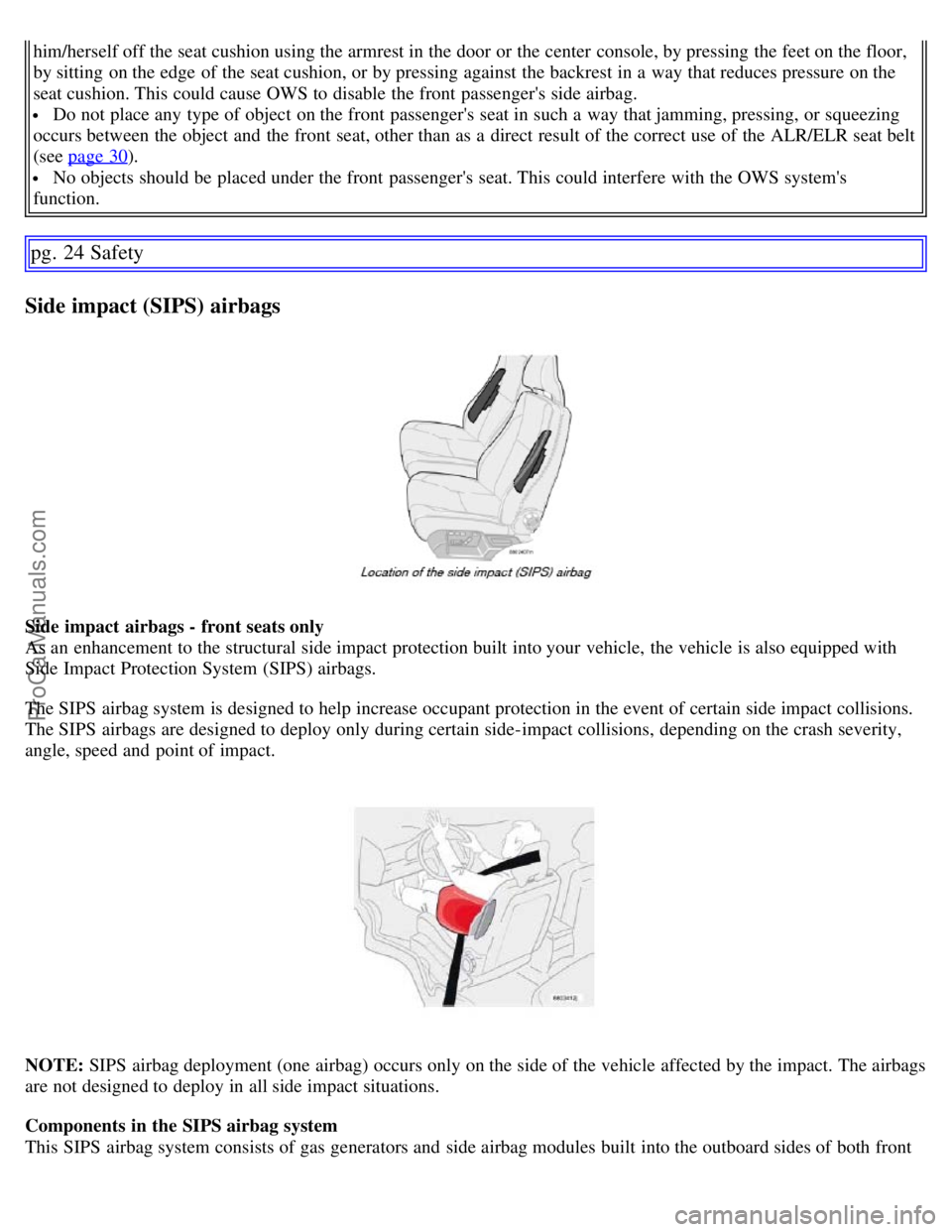
Side impact (SIPS) airbags
Side impact airbags - front seats only
As an enhancement to the structural side impact protection built into your vehicle, the vehicle is also equipped with
Side Impact Protection System (SIPS) airbags.
The SIPS airbag system is designed to help increase occupant protection in the event of certain side impact collisions.
The SIPS airbags are designed to deploy only during certain side-impact collisions, depending on the crash severity,
angle, speed and point of impact.
NOTE: SIPS airbag deployment (one airbag) occurs only on the side of the vehicle affected by the impact. The airbags
are not designed to deploy in all side impact situations.
Components in the SIPS airbag system
This SIPS airbag system consists of gas generators and side airbag modules built into the outboard sides of both front
ProCarManuals.com
Page 19 of 200
seat backrests.
WARNING!
The SIPS airbag system is a supplement to the structural Side Impact Protection System and the three-point seat
belt system. It is not designed to deploy during collisions from the front or rear of the vehicle or in rollover
situations.
The use of seat covers on the front seats may impede SIPS airbag deployment.
No objects, accessory equipment or stickers may be placed on, attached to or installed near the SIPS airbag
system or in the area affected by SIPS airbag deployment.
Never try to open or repair any components of the SIPS airbag system. This should be done only by a trained and
qualified Volvo service technician.
In order for the SIPS airbag to provide its best protection, both front seat occupants should sit in an upright
position with the seat belt properly fastened.
Failure to follow these instructions can result in injury to the occupants of the vehicle in the event of an accident.
pg. 25 Safety
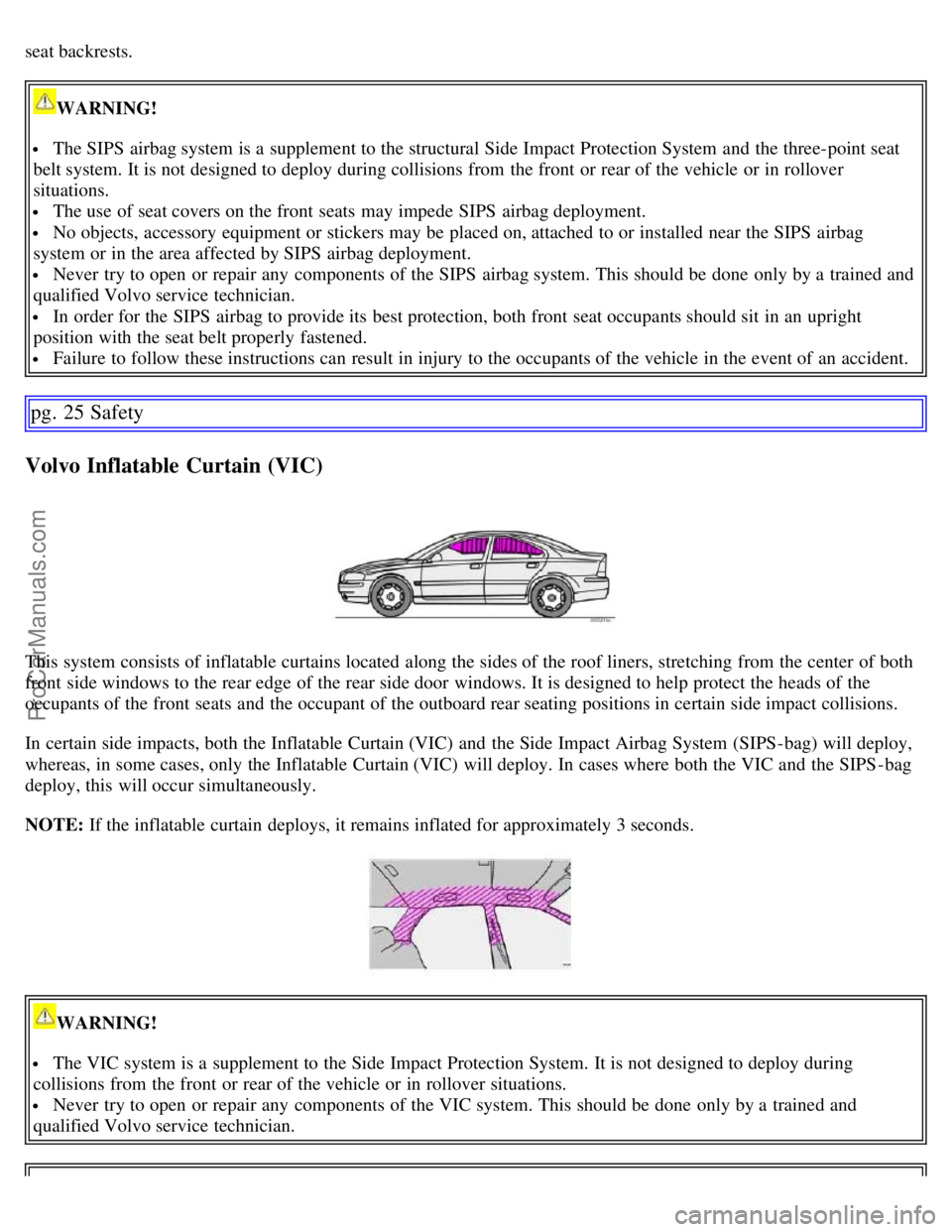
Volvo Inflatable Curtain (VIC)
This system consists of inflatable curtains located along the sides of the roof liners, stretching from the center of both
front side windows to the rear edge of the rear side door windows. It is designed to help protect the heads of the
occupants of the front seats and the occupant of the outboard rear seating positions in certain side impact collisions.
In certain side impacts, both the Inflatable Curtain (VIC) and the Side Impact Airbag System (SIPS-bag) will deploy,
whereas, in some cases, only the Inflatable Curtain (VIC) will deploy. In cases where both the VIC and the SIPS -bag
deploy, this will occur simultaneously.
NOTE: If the inflatable curtain deploys, it remains inflated for approximately 3 seconds.
WARNING!
The VIC system is a supplement to the Side Impact Protection System. It is not designed to deploy during
collisions from the front or rear of the vehicle or in rollover situations.
Never try to open or repair any components of the VIC system. This should be done only by a trained and
qualified Volvo service technician.
ProCarManuals.com
Page 23 of 200
WARNING!
Do not use child safety seats or child booster cushions/backrests in the front passenger's seat. We also recommend
that children who have outgrown these devices sit in the rear seat with the seat belt properly fastened.
Volvo's recommendations
Why does Volvo believe that no child should sit in the front seat of a vehicle? It's quite simple really. A front airbag is
a very powerful device designed, by law, to help protect an adult.
Because of the size of the airbag and its speed of inflation, a child should never be placed in the front seat, even if he
or she is properly belted or strapped into a child safety seat. Volvo has been an innovator in safety for over seventy-
five years, and we'll continue to do our part. But we need your help. Please remember to put your children in the back
seat, and buckle them up.
Volvo has some very specific recommendations:
Always wear your seat belt.
Airbags are a SUPPLEMENTAL safety device which, when used with a three-point seat belt can help reduce
serious injuries during certain types of accidents. Volvo recommends that you do not disconnect the airbag system in
your vehicle.
Volvo strongly recommends that everyone in the vehicle be properly restrained.
Volvo recommends that ALL occupants (adults and children) shorter than 4 feet 7 inches (140 cm) be seated in the
back seat of any vehicle with a front passenger side airbag.
Drive safely!
pg. 31 Safety
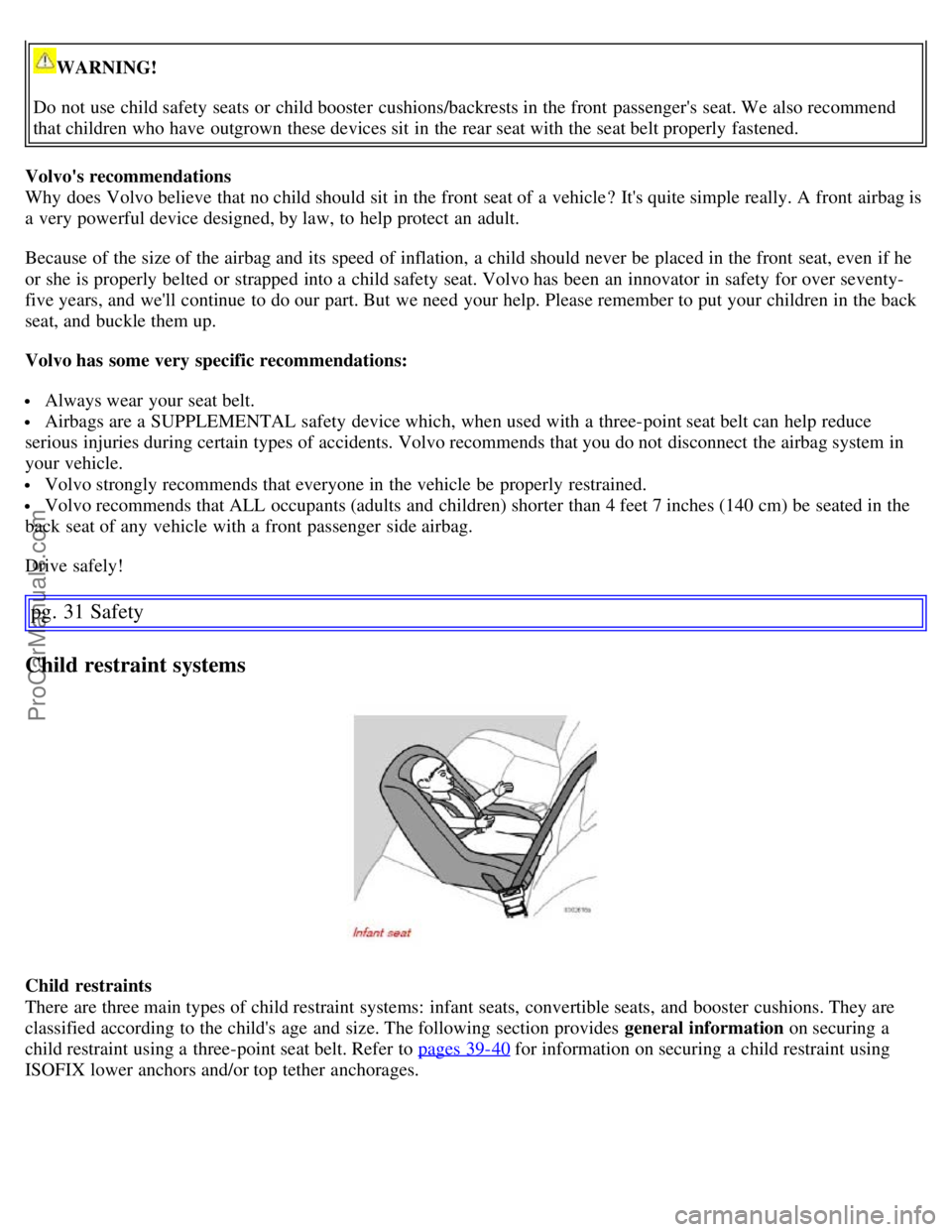
Child restraint systems
Child restraints
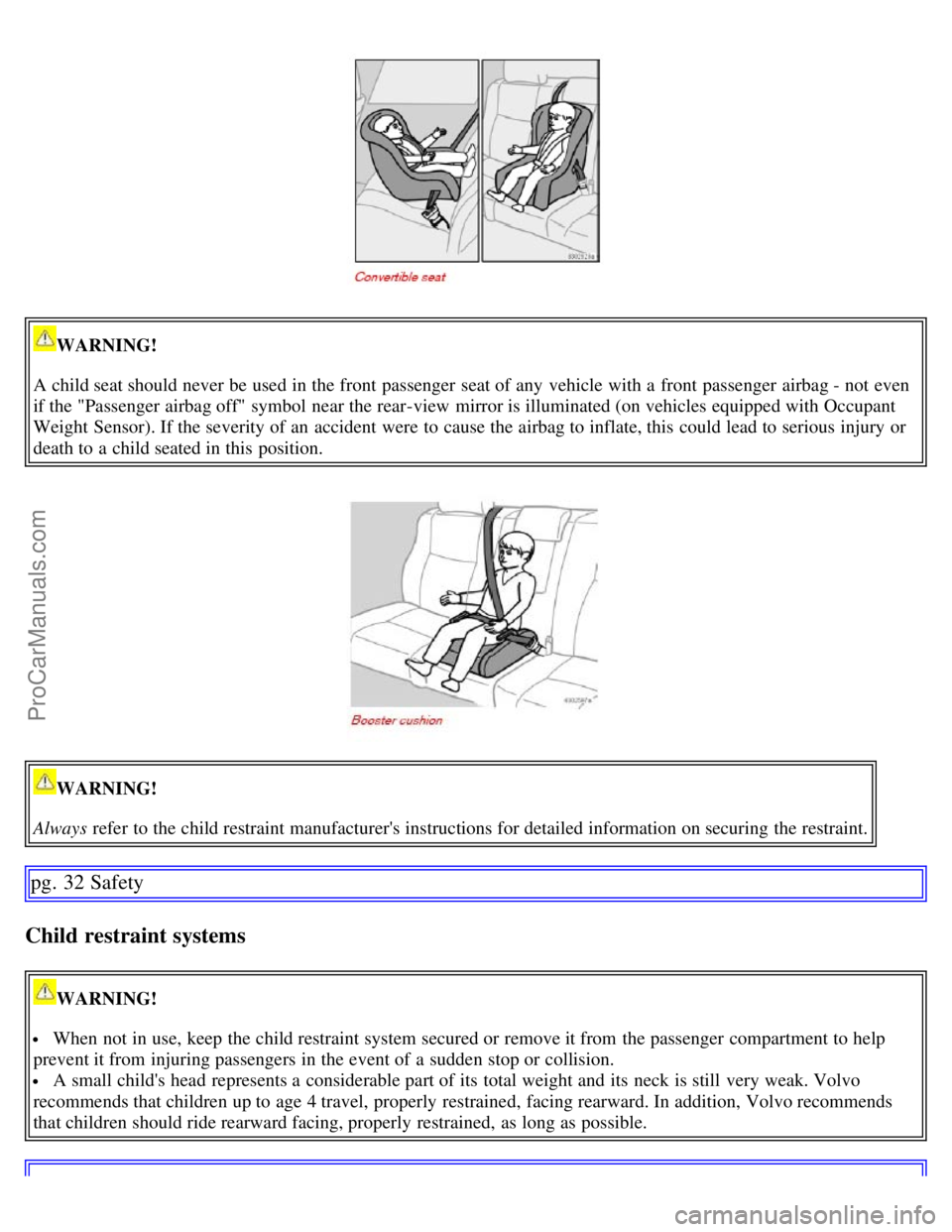
There are three main types of child restraint systems: infant seats, convertible seats, and booster cushions. They are
classified according to the child's age and size. The following section provides general information on securing a
child restraint using a three-point seat belt. Refer to pages 39-40
for information on securing a child restraint using
ISOFIX lower anchors and/or top tether anchorages.
ProCarManuals.com
Page 24 of 200
WARNING!
A child seat should never be used in the front passenger seat of any vehicle with a front passenger airbag - not even
if the "Passenger airbag off" symbol near the rear-view mirror is illuminated (on vehicles equipped with Occupant
Weight Sensor). If the severity of an accident were to cause the airbag to inflate, this could lead to serious injury or
death to a child seated in this position.
WARNING!
Always refer to the child restraint manufacturer's instructions for detailed information on securing the restraint.
pg. 32 Safety
Child restraint systems
WARNING!
When not in use, keep the child restraint system secured or remove it from the passenger compartment to help
prevent it from injuring passengers in the event of a sudden stop or collision.
A small child's head represents a considerable part of its total weight and its neck is still very weak. Volvo
recommends that children up to age 4 travel, properly restrained, facing rearward. In addition, Volvo recommends
that children should ride rearward facing, properly restrained, as long as possible.
ProCarManuals.com
Page 26 of 200
WARNING!
A child seat should never be used in the front passenger seat of any vehicle with a front passenger airbag - not even
if the "Passenger airbag off" symbol near the rear-view mirror is illuminated (on vehicles equipped with Occupant
Weight Sensor). If the severity of an accident were to cause the airbag to inflate, this could lead to serious injury or
death to a child seated in this position.
pg. 34 Safety
Infant seats
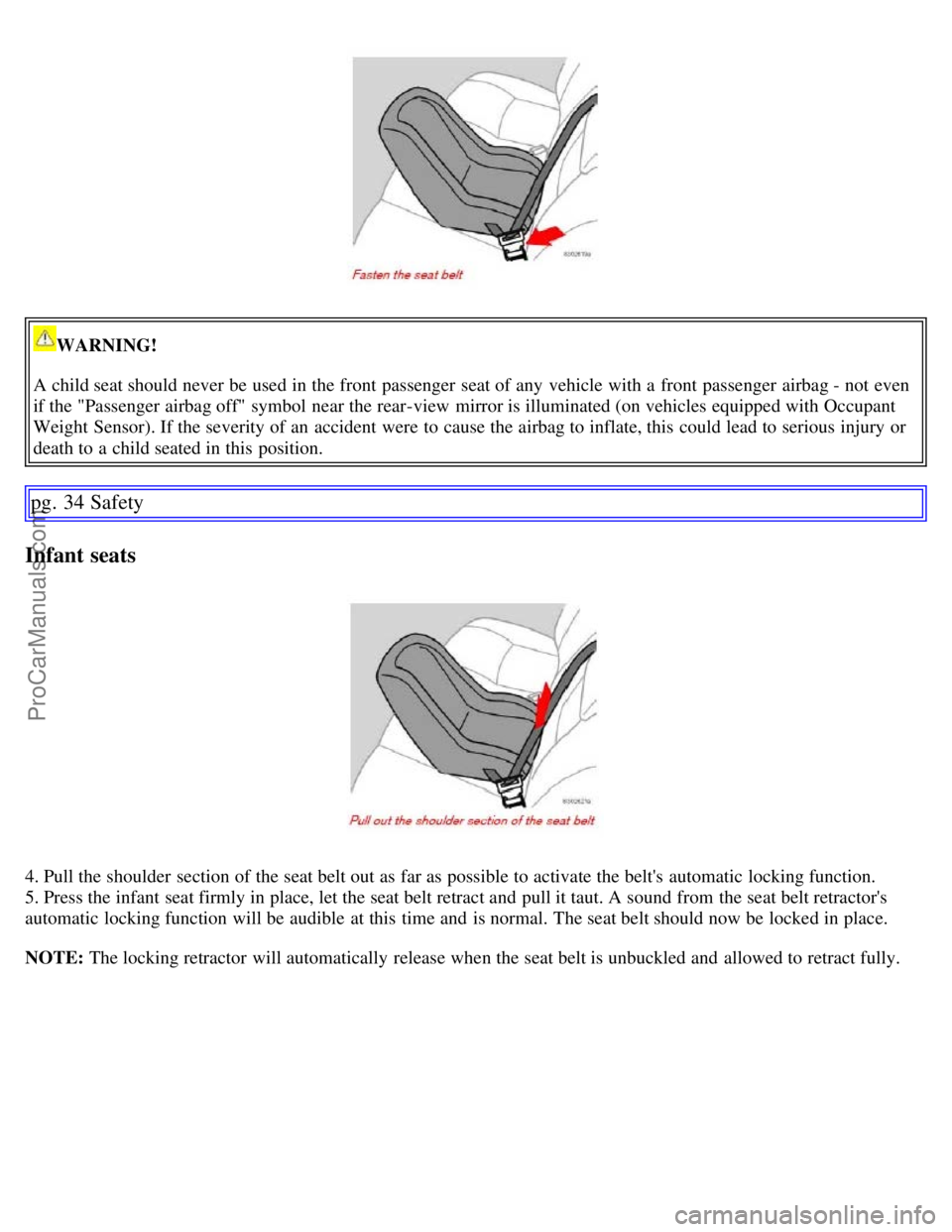
4. Pull the shoulder section of the seat belt out as far as possible to activate the belt's automatic locking function.
5. Press the infant seat firmly in place, let the seat belt retract and pull it taut. A sound from the seat belt retractor's
automatic locking function will be audible at this time and is normal. The seat belt should now be locked in place.
NOTE: The locking retractor will automatically release when the seat belt is unbuckled and allowed to retract fully.
ProCarManuals.com
Page 29 of 200
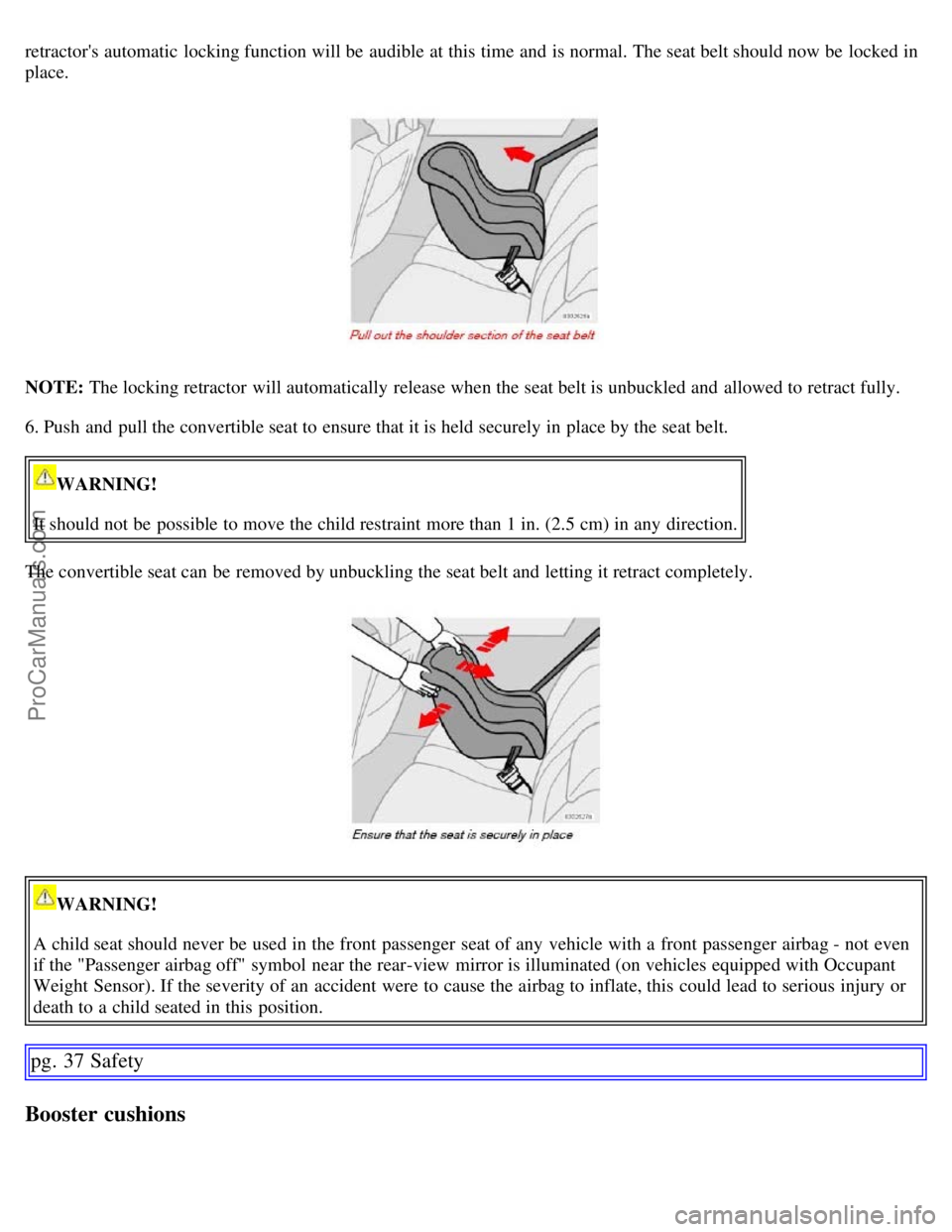
retractor's automatic locking function will be audible at this time and is normal. The seat belt should now be locked in
place.
NOTE: The locking retractor will automatically release when the seat belt is unbuckled and allowed to retract fully.
6. Push and pull the convertible seat to ensure that it is held securely in place by the seat belt.
WARNING!
It should not be possible to move the child restraint more than 1 in. (2.5 cm) in any direction.
The convertible seat can be removed by unbuckling the seat belt and letting it retract completely.
WARNING!
A child seat should never be used in the front passenger seat of any vehicle with a front passenger airbag - not even
if the "Passenger airbag off" symbol near the rear-view mirror is illuminated (on vehicles equipped with Occupant
Weight Sensor). If the severity of an accident were to cause the airbag to inflate, this could lead to serious injury or
death to a child seated in this position.
pg. 37 Safety
Booster cushions
ProCarManuals.com
Page 38 of 200
started within 5 seconds, all symbols except CHECK ENGINE and go out. Certain symbols may not have their
functions illustrated, depending on the vehicle's equipment. The symbol for the parking brake goes out when the
parking brake is released.
Warning symbol
in center of the instrument panel
This symbol shines as a red or yellow light depending on the severity of the discovered fault.
Red symbol - Stop the vehicle as soon as possible in a suitable location and read the message shown in the text
window. The symbol and accompanying text will remain on until the fault has been corrected.
Yellow symbol - Follow the instructions shown in the text window. The text can be erased by pressing the READ
button (see page 48
), or will disappear automatically after two minutes.
When the message "TIME FOR REGULAR SERVICE" is displayed, the text can be erased and the yellow symbol
light can be turned off by pressing the READ button. The text will disappear and the symbol light will go out
automatically after two minutes.
Seat belt reminder
This symbol lights up to indicate that the driver has not fastened his/her seat belt.
Supplemental Restraint System SRS
If this light comes on while the vehicle is being driven, or remains on for longer than approximately 10 seconds after
the vehicle has been started, the SRS system's diagnostic functions have detected a fault in a seat belt lock or
tensioner, a front airbag, side impact airbag, and/or an inflatable curtain. Have the system(s) inspected by a trained and
qualified Volvo service technician as soon as possible.
pg. 46 Instruments and controls
Indicator and warning symbols
BRAKE Brake failure warning light
If the light comes on while driving or braking, stop immediately, open the hood and check the brake fluid level in the
reservoir. See page 173
for reservoir position and page 177 for instructions.
Canadian models are equipped with this warning light.
If the BRAKE and ABS warning lights come on at the same time, this could indicate a fault in the brake system.
- Stop the vehicle in a suitable place and switch off the engine.
- Restart the engine.
- If both warning lights go off, no further action is required.
- If both lights are still on after the engine has been restarted, switch off the engine again and check the brake fluid
level (see page 173
for the location of the brake fluid reservoir).
- If the brake fluid level is above the MIN mark, drive carefully to an authorized Volvo retailer and have the brake
system inspected.
WARNING!
ProCarManuals.com
Page 83 of 200
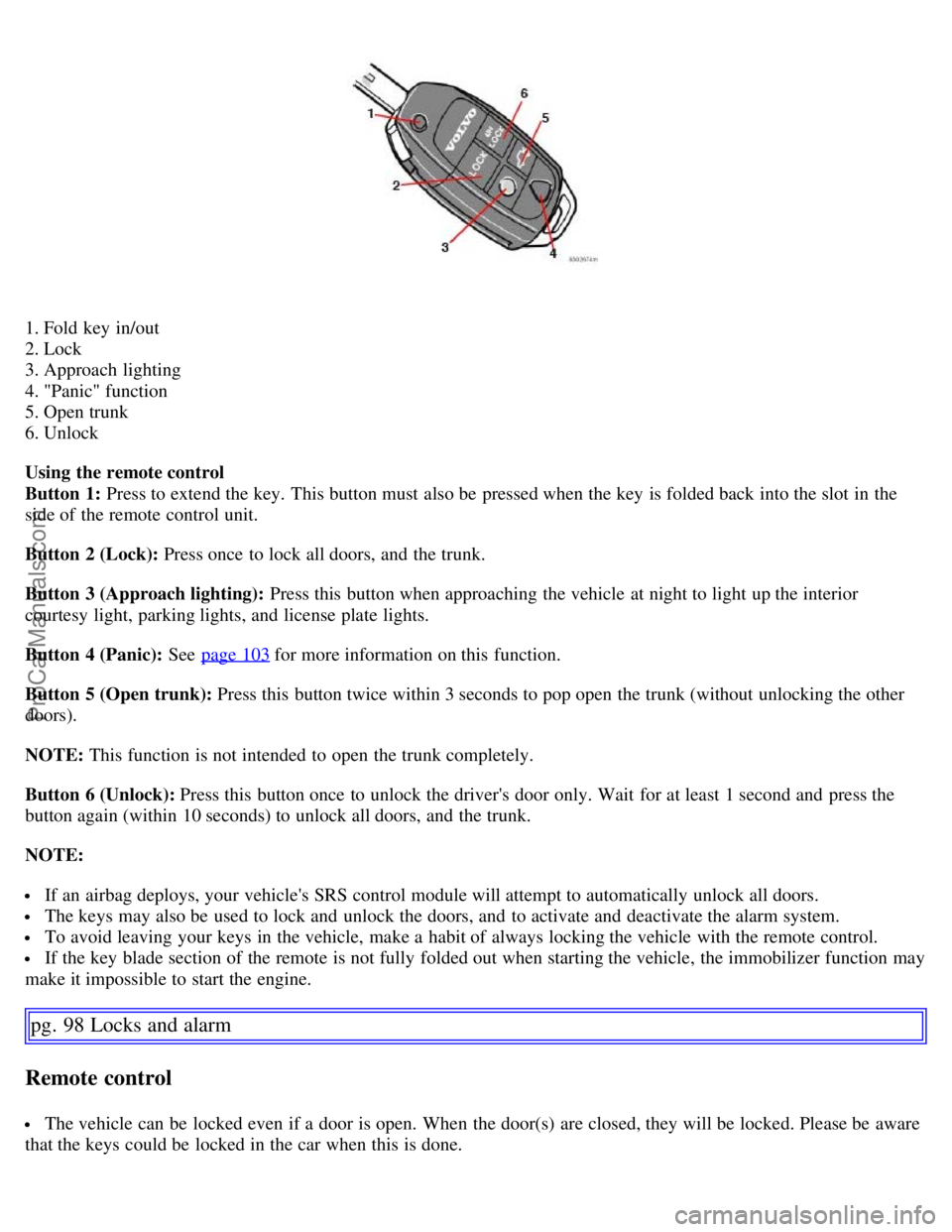
1. Fold key in/out
2. Lock
3. Approach lighting
4. "Panic" function
5. Open trunk
6. Unlock
Using the remote control
Button 1: Press to extend the key. This button must also be pressed when the key is folded back into the slot in the
side of the remote control unit.
Button 2 (Lock): Press once to lock all doors, and the trunk.
Button 3 (Approach lighting): Press this button when approaching the vehicle at night to light up the interior
courtesy light, parking lights, and license plate lights.
Button 4 (Panic): See page 103
for more information on this function.
Button 5 (Open trunk): Press this button twice within 3 seconds to pop open the trunk (without unlocking the other
doors).
NOTE: This function is not intended to open the trunk completely.
Button 6 (Unlock): Press this button once to unlock the driver's door only. Wait for at least 1 second and press the
button again (within 10 seconds) to unlock all doors, and the trunk.
NOTE:
If an airbag deploys, your vehicle's SRS control module will attempt to automatically unlock all doors.
The keys may also be used to lock and unlock the doors, and to activate and deactivate the alarm system.
To avoid leaving your keys in the vehicle, make a habit of always locking the vehicle with the remote control.
If the key blade section of the remote is not fully folded out when starting the vehicle, the immobilizer function may
make it impossible to start the engine.
pg. 98 Locks and alarm
Remote control
The vehicle can be locked even if a door is open. When the door(s) are closed, they will be locked. Please be aware
that the keys could be locked in the car when this is done.
ProCarManuals.com