light VOLVO S60 2007 Owner's Manual
[x] Cancel search | Manufacturer: VOLVO, Model Year: 2007, Model line: S60, Model: VOLVO S60 2007Pages: 200, PDF Size: 4.03 MB
Page 51 of 200
4. Average speed
This value indicates average speed since the last time the trip computer was reset (by pressing RESET, button C).
When the engine is switched off, information on average speed is stored and remains in system memory until the
RESET (button C) is pressed again.
5. Current speed in miles per hour (Canadian models only)
This function provides the driver with an instantaneous conversion of the vehicle's current speed from km/h to mph.
NOTE: Trip computer readings may vary slightly depending on the circumference of the tires on the vehicle and
driving style.
1. Five functions on Canadian models.
2. A sixth time on Canadian models.
pg. 60 Instruments and controls
Cruise control
Cruise control
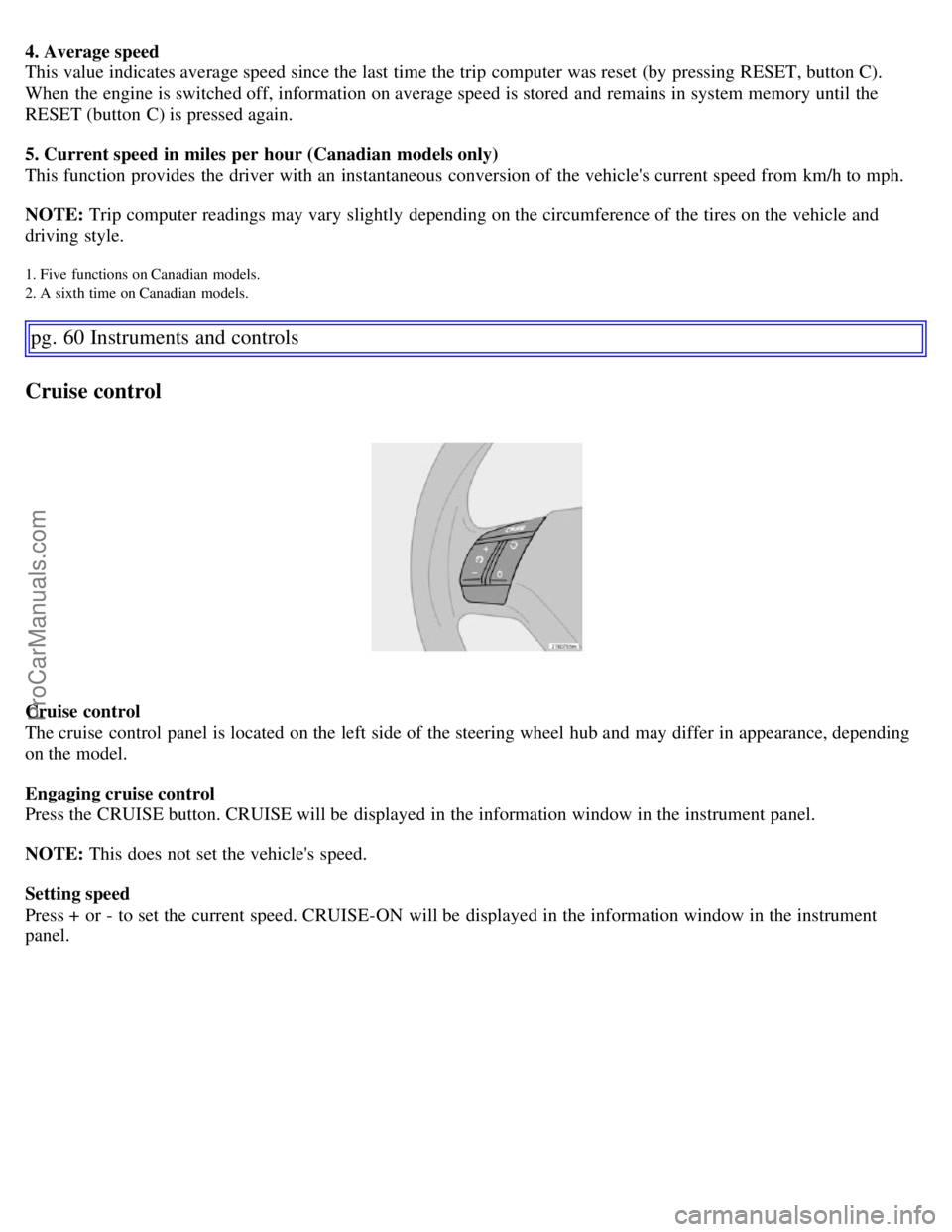
The cruise control panel is located on the left side of the steering wheel hub and may differ in appearance, depending
on the model.
Engaging cruise control
Press the CRUISE button. CRUISE will be displayed in the information window in the instrument panel.
NOTE: This does not set the vehicle's speed.
Setting speed
Press + or - to set the current speed. CRUISE-ON will be displayed in the information window in the instrument
panel.
ProCarManuals.com
Page 53 of 200
WARNING!
Cruise control should not be used in heavy traffic or when driving on wet or slippery roads, or when driving on
unpaved or uneven road surfaces. Cruise control may not maintain set speed on steep downgrades.
pg. 62 Instruments and controls
Parking brake, auxiliary socket/cigarette lighter
Parking brake (hand brake)
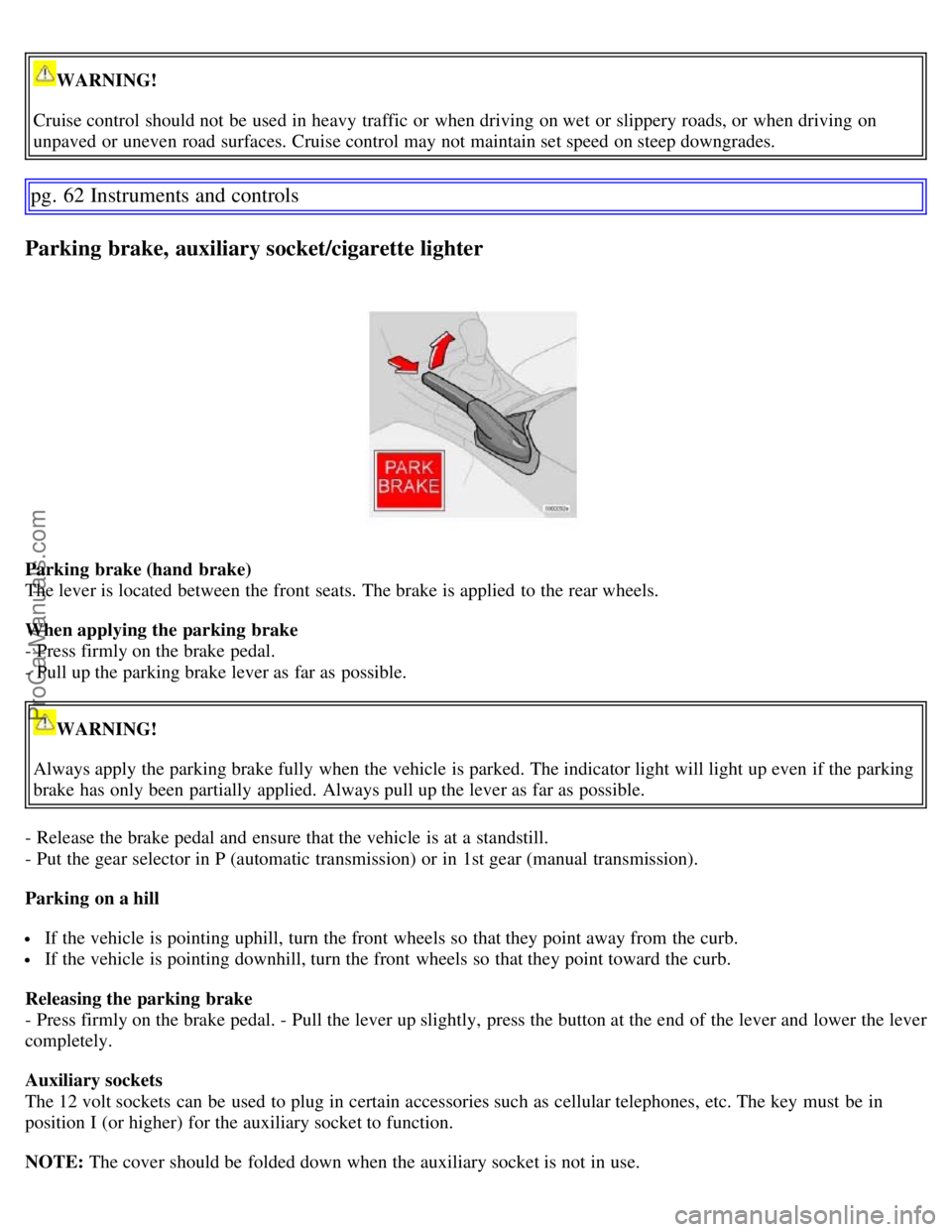
The lever is located between the front seats. The brake is applied to the rear wheels.
When applying the parking brake
- Press firmly on the brake pedal.
- Pull up the parking brake lever as far as possible.
WARNING!
Always apply the parking brake fully when the vehicle is parked. The indicator light will light up even if the parking
brake has only been partially applied. Always pull up the lever as far as possible.
- Release the brake pedal and ensure that the vehicle is at a standstill.
- Put the gear selector in P (automatic transmission) or in 1st gear (manual transmission).
Parking on a hill
If the vehicle is pointing uphill, turn the front wheels so that they point away from the curb.
If the vehicle is pointing downhill, turn the front wheels so that they point toward the curb.
Releasing the parking brake
- Press firmly on the brake pedal. - Pull the lever up slightly, press the button at the end of the lever and lower the lever
completely.
Auxiliary sockets
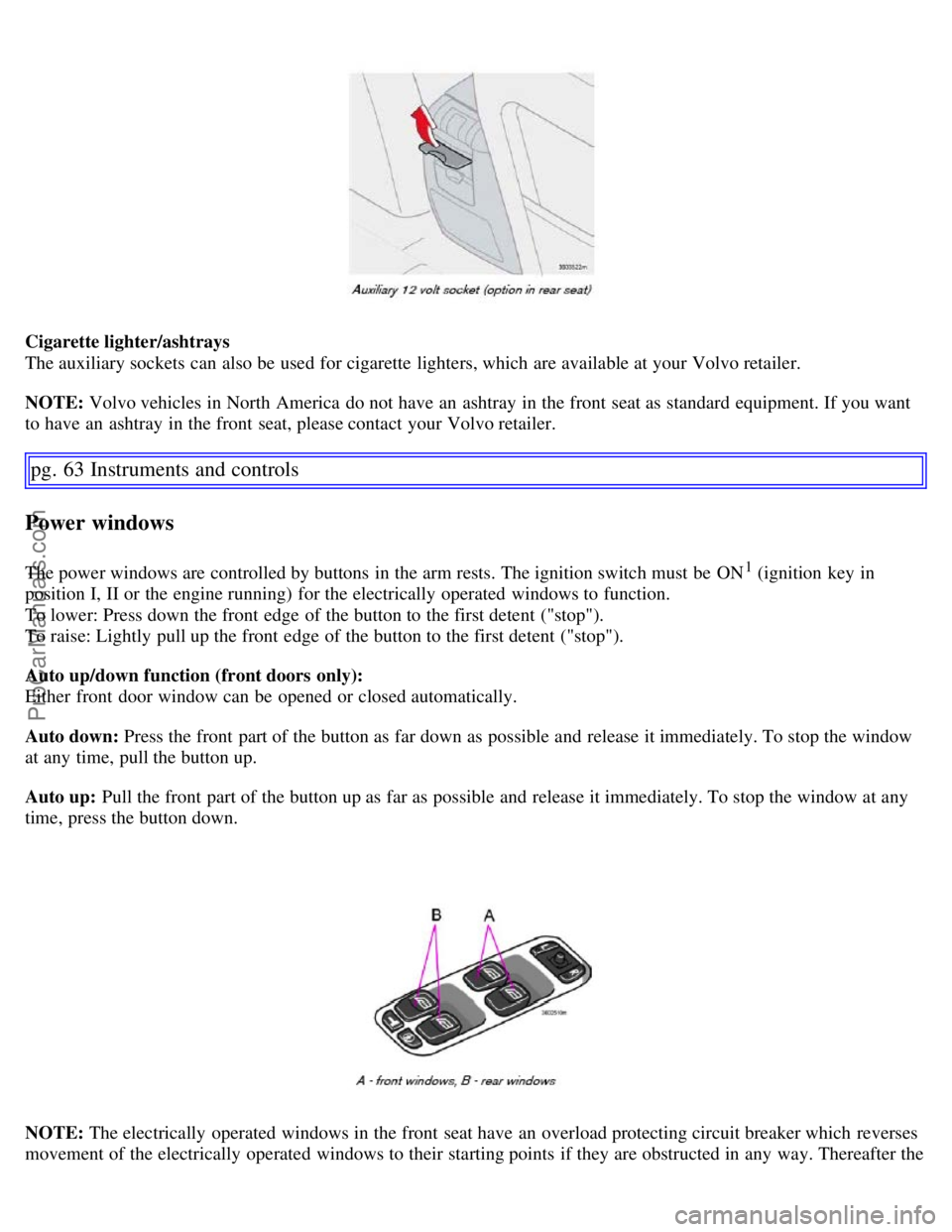
The 12 volt sockets can be used to plug in certain accessories such as cellular telephones, etc. The key must be in
position I (or higher) for the auxiliary socket to function.
NOTE: The cover should be folded down when the auxiliary socket is not in use.
ProCarManuals.com
Page 54 of 200
Cigarette lighter/ashtrays
The auxiliary sockets can also be used for cigarette lighters, which are available at your Volvo retailer.
NOTE: Volvo vehicles in North America do not have an ashtray in the front seat as standard equipment. If you want
to have an ashtray in the front seat, please contact your Volvo retailer.
pg. 63 Instruments and controls
Power windows
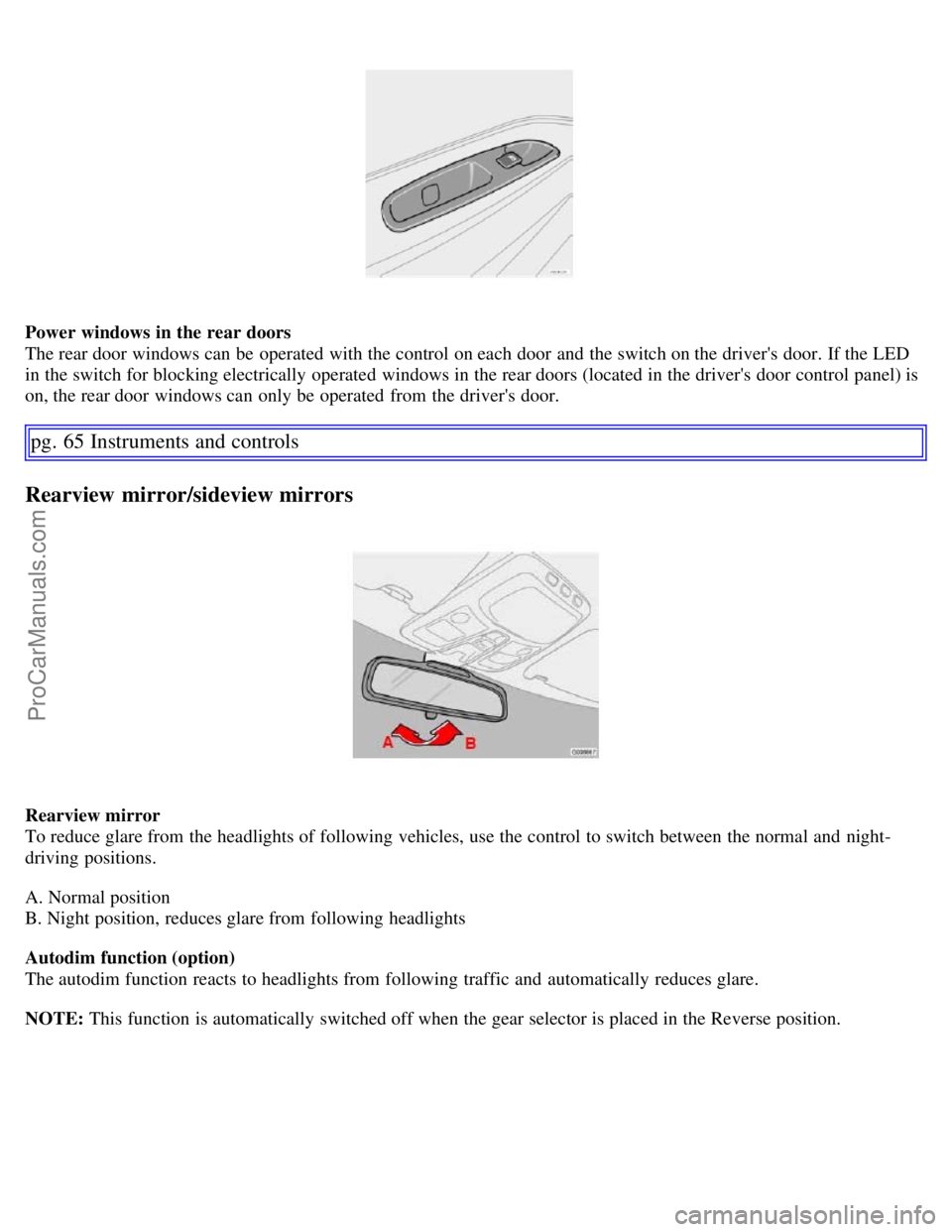
The power windows are controlled by buttons in the arm rests. The ignition switch must be ON1 (ignition key in
position I, II or the engine running) for the electrically operated windows to function.
To lower: Press down the front edge of the button to the first detent ("stop").
To raise: Lightly pull up the front edge of the button to the first detent ("stop").
Auto up/down function (front doors only):
Either front door window can be opened or closed automatically.
Auto down: Press the front part of the button as far down as possible and release it immediately. To stop the window
at any time, pull the button up.
Auto up: Pull the front part of the button up as far as possible and release it immediately. To stop the window at any
time, press the button down.
NOTE: The electrically operated windows in the front seat have an overload protecting circuit breaker which reverses
movement of the electrically operated windows to their starting points if they are obstructed in any way. Thereafter the
ProCarManuals.com
Page 56 of 200
Power windows in the rear doors
The rear door windows can be operated with the control on each door and the switch on the driver's door. If the LED
in the switch for blocking electrically operated windows in the rear doors (located in the driver's door control panel) is
on, the rear door windows can only be operated from the driver's door.
pg. 65 Instruments and controls
Rearview mirror/sideview mirrors
Rearview mirror
To reduce glare from the headlights of following vehicles, use the control to switch between the normal and night-
driving positions.
A. Normal position
B. Night position, reduces glare from following headlights
Autodim function (option)
The autodim function reacts to headlights from following traffic and automatically reduces glare.
NOTE: This function is automatically switched off when the gear selector is placed in the Reverse position.
ProCarManuals.com
Page 58 of 200
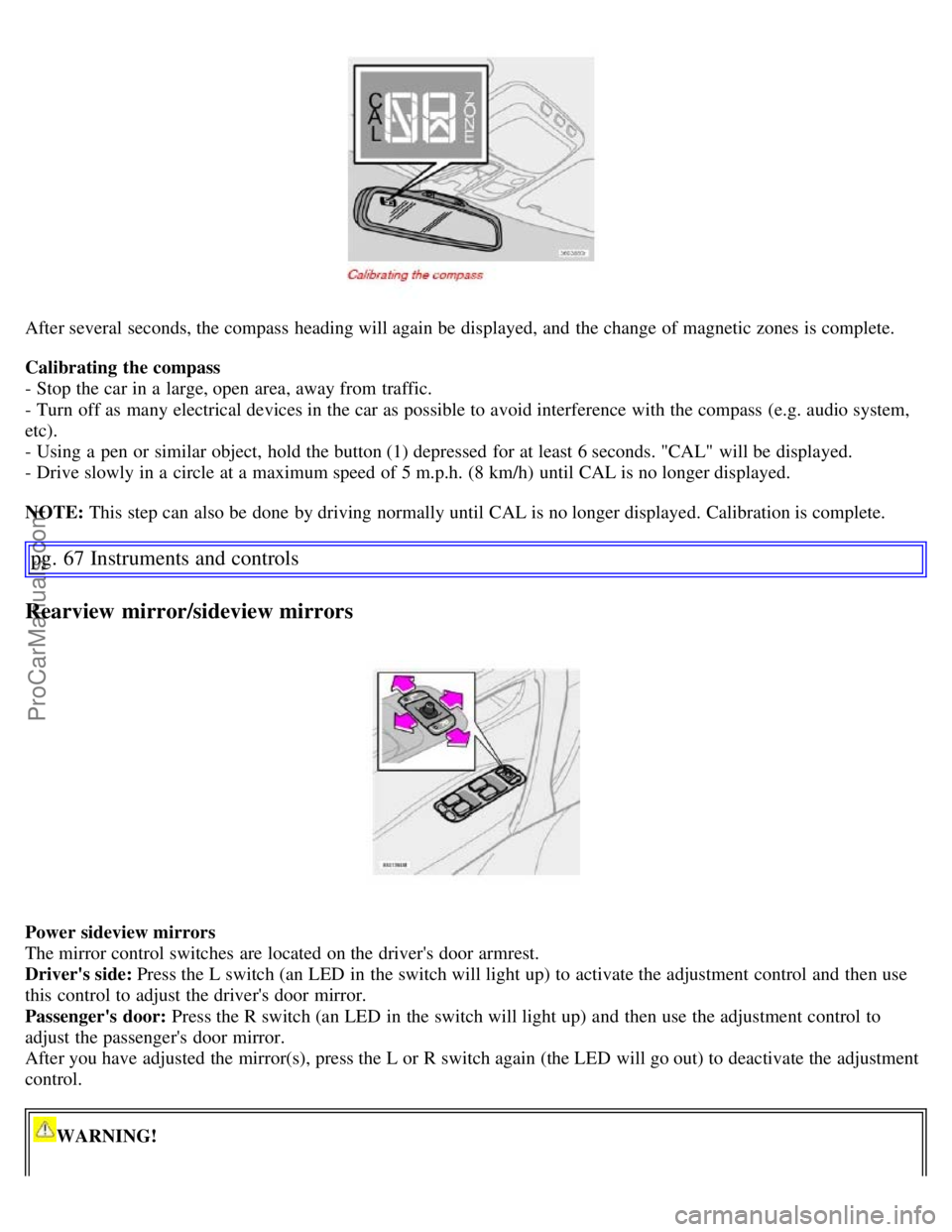
After several seconds, the compass heading will again be displayed, and the change of magnetic zones is complete.
Calibrating the compass
- Stop the car in a large, open area, away from traffic.
- Turn off as many electrical devices in the car as possible to avoid interference with the compass (e.g. audio system,
etc).
- Using a pen or similar object, hold the button (1) depressed for at least 6 seconds. "CAL" will be displayed.
- Drive slowly in a circle at a maximum speed of 5 m.p.h. (8 km/h) until CAL is no longer displayed.
NOTE: This step can also be done by driving normally until CAL is no longer displayed. Calibration is complete.
pg. 67 Instruments and controls
Rearview mirror/sideview mirrors
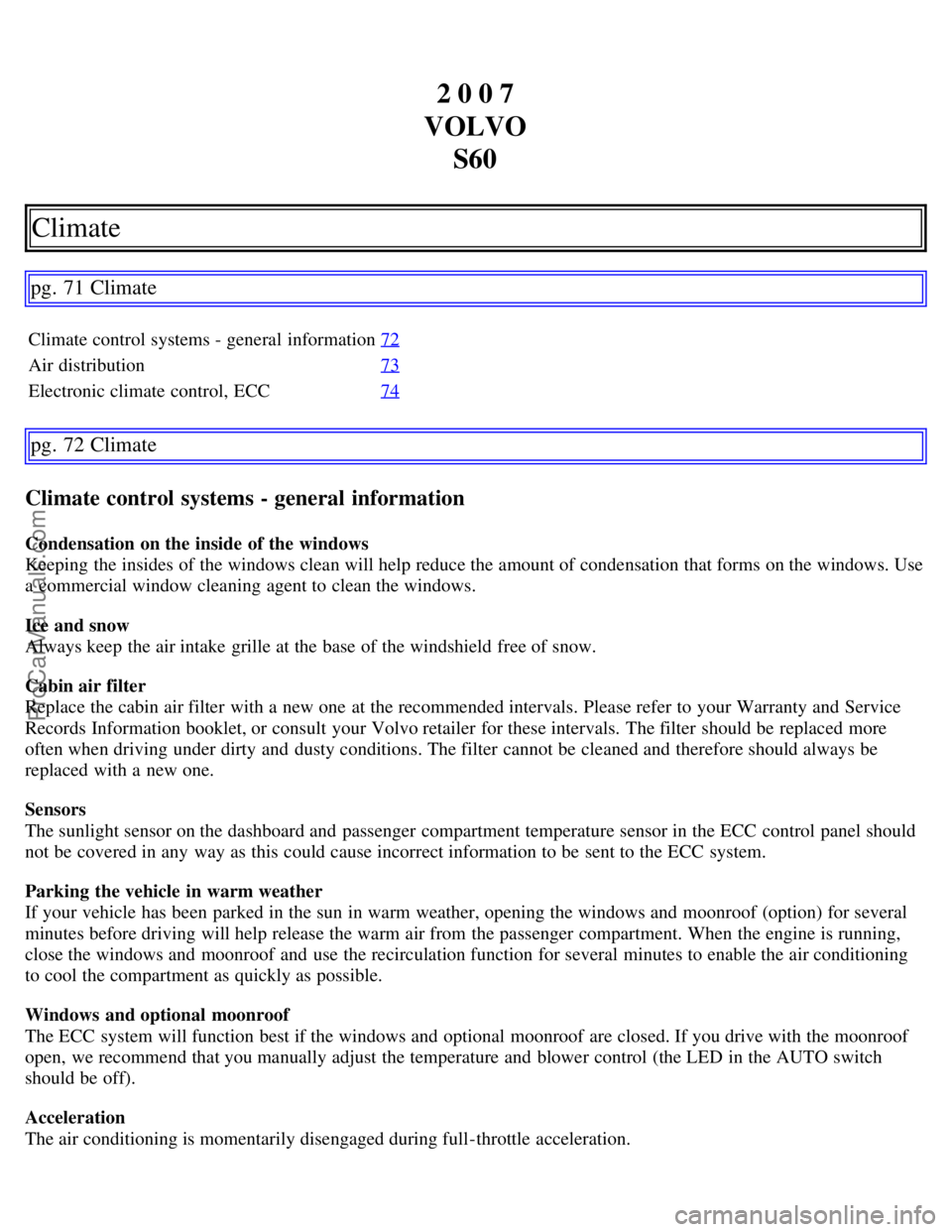
Power sideview mirrors
The mirror control switches are located on the driver's door armrest.
Driver's side: Press the L switch (an LED in the switch will light up) to activate the adjustment control and then use
this control to adjust the driver's door mirror.
Passenger's door: Press the R switch (an LED in the switch will light up) and then use the adjustment control to
adjust the passenger's door mirror.
After you have adjusted the mirror(s), press the L or R switch again (the LED will go out) to deactivate the adjustment
control.
WARNING!
ProCarManuals.com
Page 62 of 200
2 0 0 7
VOLVO S60
Climate
pg. 71 Climate
Climate control systems - general information 72
Air distribution73
Electronic climate control, ECC74
pg. 72 Climate
Climate control systems - general information
Condensation on the inside of the windows
Keeping the insides of the windows clean will help reduce the amount of condensation that forms on the windows. Use
a commercial window cleaning agent to clean the windows.
Ice and snow
Always keep the air intake grille at the base of the windshield free of snow.
Cabin air filter
Replace the cabin air filter with a new one at the recommended intervals. Please refer to your Warranty and Service
Records Information booklet, or consult your Volvo retailer for these intervals. The filter should be replaced more
often when driving under dirty and dusty conditions. The filter cannot be cleaned and therefore should always be
replaced with a new one.
Sensors
The sunlight sensor on the dashboard and passenger compartment temperature sensor in the ECC control panel should
not be covered in any way as this could cause incorrect information to be sent to the ECC system.
Parking the vehicle in warm weather
If your vehicle has been parked in the sun in warm weather, opening the windows and moonroof (option) for several
minutes before driving will help release the warm air from the passenger compartment. When the engine is running,
close the windows and moonroof and use the recirculation function for several minutes to enable the air conditioning
to cool the compartment as quickly as possible.
Windows and optional moonroof
The ECC system will function best if the windows and optional moonroof are closed. If you drive with the moonroof
open, we recommend that you manually adjust the temperature and blower control (the LED in the AUTO switch
should be off).
Acceleration
The air conditioning is momentarily disengaged during full-throttle acceleration.
ProCarManuals.com
Page 65 of 200
AUTO
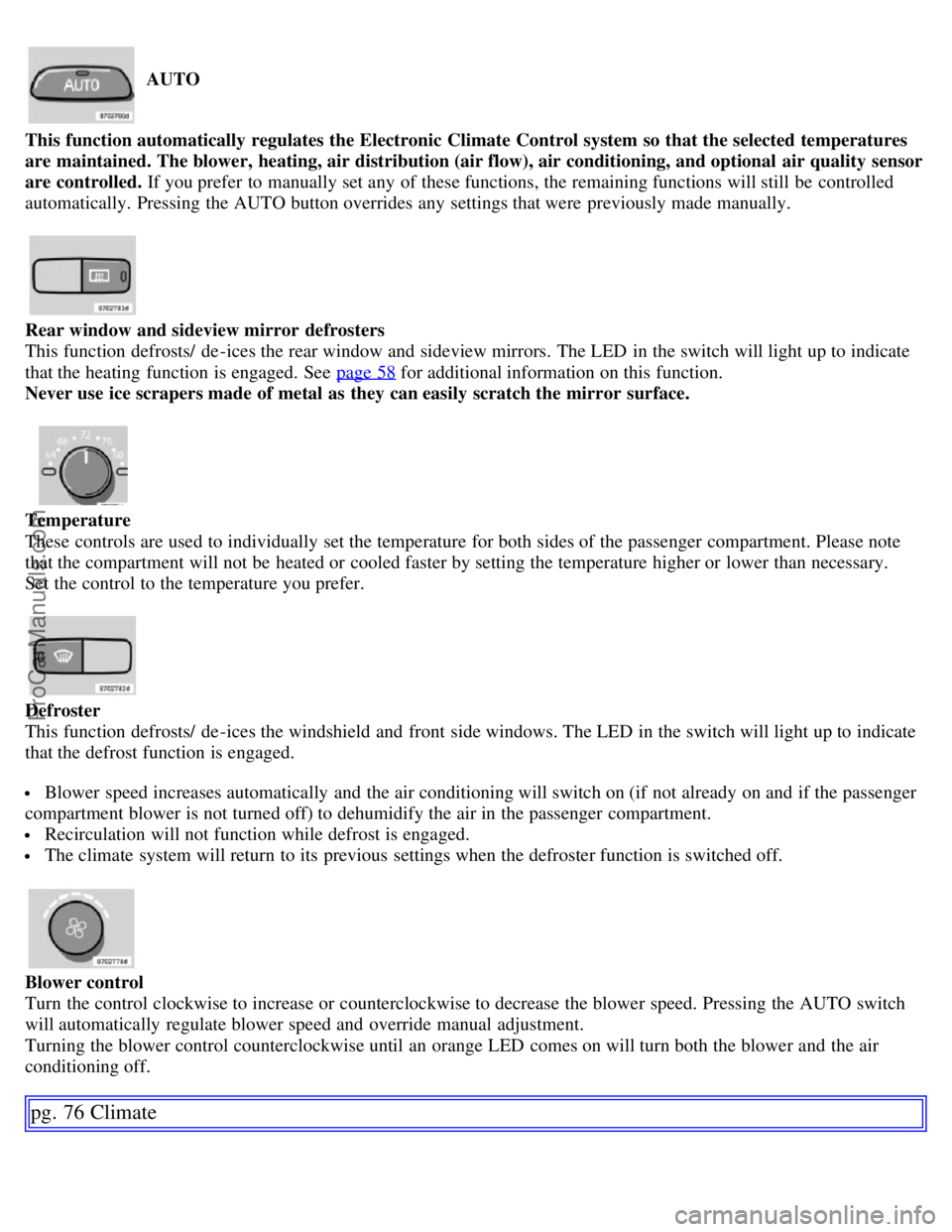
This function automatically regulates the Electronic Climate Control system so that the selected temperatures
are maintained. The blower, heating, air distribution (air flow), air conditioning, and optional air quality sensor
are controlled. If you prefer to manually set any of these functions, the remaining functions will still be controlled
automatically. Pressing the AUTO button overrides any settings that were previously made manually.
Rear window and sideview mirror defrosters
This function defrosts/ de -ices the rear window and sideview mirrors. The LED in the switch will light up to indicate
that the heating function is engaged. See page 58
for additional information on this function.
Never use ice scrapers made of metal as they can easily scratch the mirror surface.
Temperature
These controls are used to individually set the temperature for both sides of the passenger compartment. Please note
that the compartment will not be heated or cooled faster by setting the temperature higher or lower than necessary.
Set the control to the temperature you prefer.
Defroster
This function defrosts/ de -ices the windshield and front side windows. The LED in the switch will light up to indicate
that the defrost function is engaged.
Blower speed increases automatically and the air conditioning will switch on (if not already on and if the passenger
compartment blower is not turned off) to dehumidify the air in the passenger compartment.
Recirculation will not function while defrost is engaged.
The climate system will return to its previous settings when the defroster function is switched off.
Blower control
Turn the control clockwise to increase or counterclockwise to decrease the blower speed. Pressing the AUTO switch
will automatically regulate blower speed and override manual adjustment.
Turning the blower control counterclockwise until an orange LED comes on will turn both the blower and the air
conditioning off.
pg. 76 Climate
ProCarManuals.com
Page 66 of 200
Electronic climate control, ECC
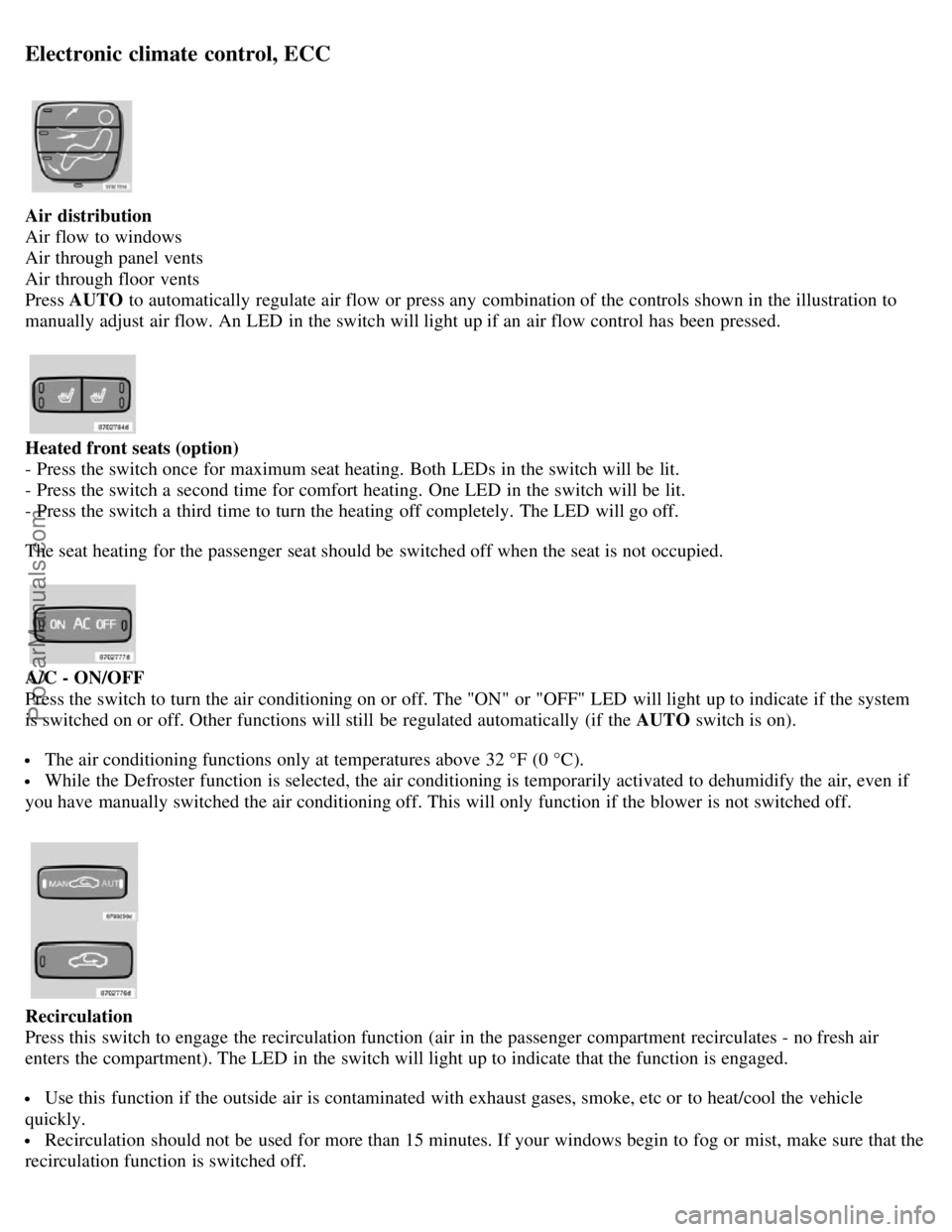
Air distribution
Air flow to windows
Air through panel vents
Air through floor vents
Press AUTO to automatically regulate air flow or press any combination of the controls shown in the illustration to
manually adjust air flow. An LED in the switch will light up if an air flow control has been pressed.
Heated front seats (option)
- Press the switch once for maximum seat heating. Both LEDs in the switch will be lit.
- Press the switch a second time for comfort heating. One LED in the switch will be lit.
- Press the switch a third time to turn the heating off completely. The LED will go off.
The seat heating for the passenger seat should be switched off when the seat is not occupied.
A/C - ON/OFF
Press the switch to turn the air conditioning on or off. The "ON" or "OFF" LED will light up to indicate if the system
is switched on or off. Other functions will still be regulated automatically (if the AUTO switch is on).
The air conditioning functions only at temperatures above 32 °F (0 °C).
While the Defroster function is selected, the air conditioning is temporarily activated to dehumidify the air, even if
you have manually switched the air conditioning off. This will only function if the blower is not switched off.
Recirculation
Press this switch to engage the recirculation function (air in the passenger compartment recirculates - no fresh air
enters the compartment). The LED in the switch will light up to indicate that the function is engaged.
Use this function if the outside air is contaminated with exhaust gases, smoke, etc or to heat/cool the vehicle
quickly.
Recirculation should not be used for more than 15 minutes. If your windows begin to fog or mist, make sure that the
recirculation function is switched off.
ProCarManuals.com
Page 67 of 200
Selecting Defroster automatically switches recirculation off.
Timer mode activation: (vehicles with the Interior Air Quality system have no timer mode) Press and hold the
recirculation button for at least 3 seconds to activate a recirculation timer mode. The amber LED in the recirculation
button will flash 5 times to show that the timer mode is being activated. In timer mode, each time the recirculation
button is pressed, the climate control system will recirculate the air in the passenger compartment for 5- 12 minutes,
depending on the outside air temperature, and then revert back to fresh air.
Timer mode deactivation: Press and hold the recirculation button for 3 seconds. The amber LED in the recirculation
button will illuminate steadily for 5 seconds to show a return to "normal" mode.
In normal mode, when the recirculation button is pressed, the climate control
pg. 77 Climate
Electronic climate control, ECC
system will recirculate the air in the passenger compartment until the recirculation button is pressed again.
Timer mode memory: If the vehicle is turned off while timer mode is active, timer mode will still be active when
the vehicle is restarted.
Interior air quality sensor (option)
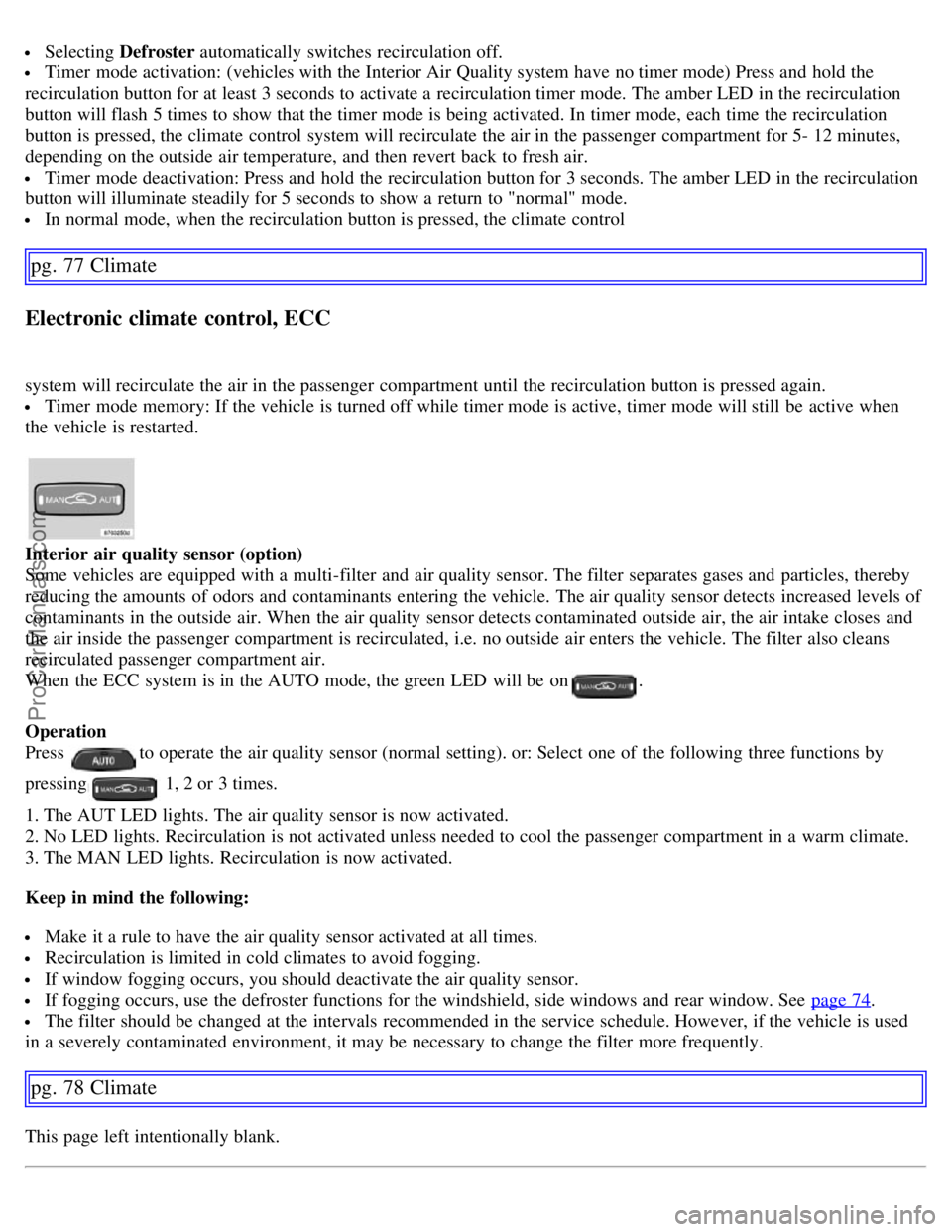
Some vehicles are equipped with a multi-filter and air quality sensor. The filter separates gases and particles, thereby
reducing the amounts of odors and contaminants entering the vehicle. The air quality sensor detects increased levels of
contaminants in the outside air. When the air quality sensor detects contaminated outside air, the air intake closes and
the air inside the passenger compartment is recirculated, i.e. no outside air enters the vehicle. The filter also cleans
recirculated passenger compartment air.
When the ECC system is in the AUTO mode, the green LED will be on
.
Operation
Press
to operate the air quality sensor (normal setting). or: Select one of the following three functions by
pressing
1, 2 or 3 times.
1. The AUT LED lights. The air quality sensor is now activated.
2. No LED lights. Recirculation is not activated unless needed to cool the passenger compartment in a warm climate.
3. The MAN LED lights. Recirculation is now activated.
Keep in mind the following:
Make it a rule to have the air quality sensor activated at all times.
Recirculation is limited in cold climates to avoid fogging.
If window fogging occurs, you should deactivate the air quality sensor.
If fogging occurs, use the defroster functions for the windshield, side windows and rear window. See page 74.
The filter should be changed at the intervals recommended in the service schedule. However, if the vehicle is used
in a severely contaminated environment, it may be necessary to change the filter more frequently.
pg. 78 Climate
This page left intentionally blank.
ProCarManuals.com
Page 69 of 200
2 0 0 7
VOLVO S60
Interior
pg. 79 Interior
Front seats 80
Interior lighting84
Storage compartments86
Rear seat and trunk90
Spare wheel, tools and jack93
pg. 80 Interior
Front seats
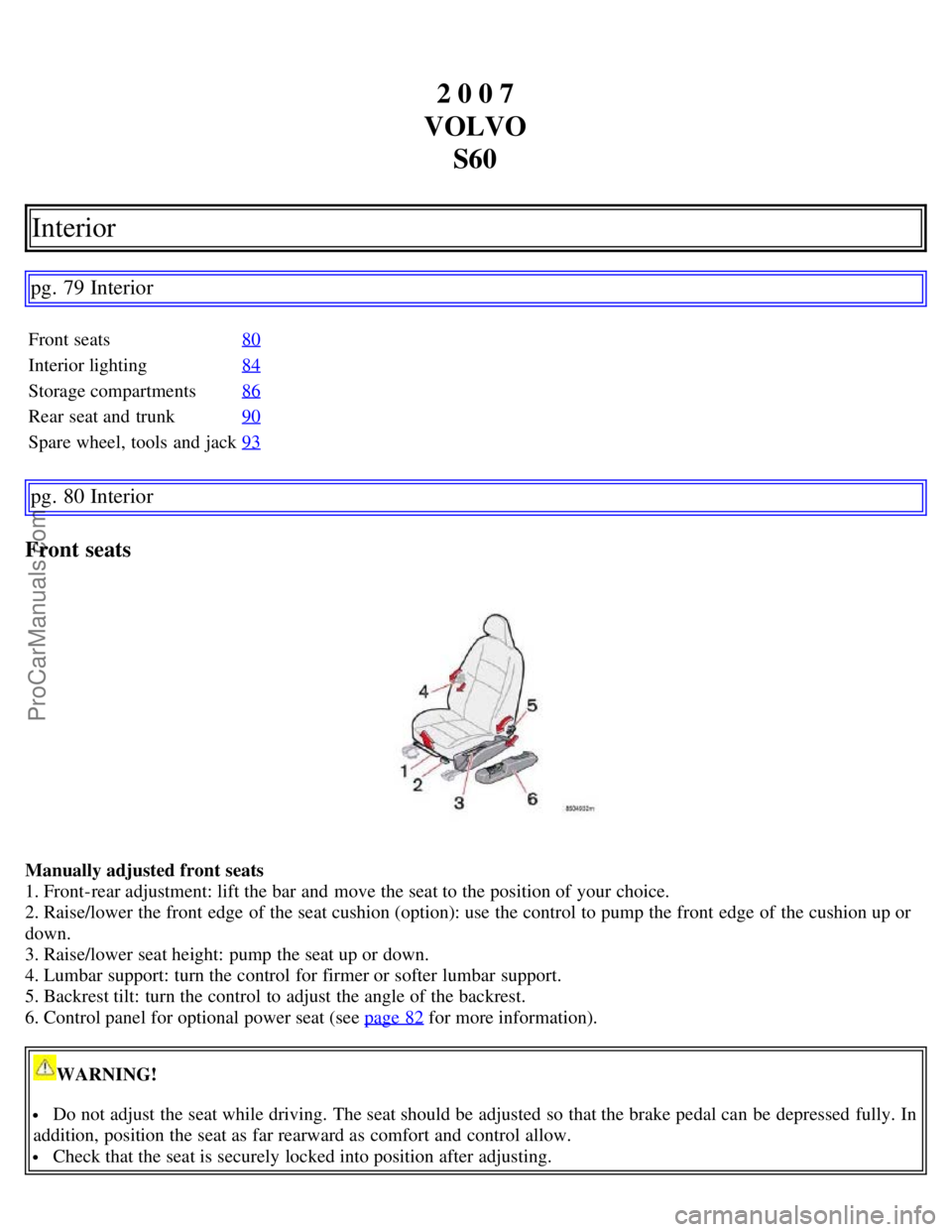
Manually adjusted front seats
1. Front-rear adjustment: lift the bar and move the seat to the position of your choice.
2. Raise/lower the front edge of the seat cushion (option): use the control to pump the front edge of the cushion up or
down.
3. Raise/lower seat height: pump the seat up or down.
4. Lumbar support: turn the control for firmer or softer lumbar support.
5. Backrest tilt: turn the control to adjust the angle of the backrest.
6. Control panel for optional power seat (see page 82
for more information).
WARNING!
Do not adjust the seat while driving. The seat should be adjusted so that the brake pedal can be depressed fully. In
addition, position the seat as far rearward as comfort and control allow.
Check that the seat is securely locked into position after adjusting.
ProCarManuals.com