display VOLVO S60 2008 User Guide
[x] Cancel search | Manufacturer: VOLVO, Model Year: 2008, Model line: S60, Model: VOLVO S60 2008Pages: 230, PDF Size: 5.33 MB
Page 61 of 230
5. Current speed in miles per hour (Canadian models only)
This function provides the driver with an instantaneous conversion of the vehicle's current speed from km/h to mph.
65 02 Instruments and controls
Trip computer
NOTE
Trip computer readings may vary slightly depending on the circumference of the tires on the vehicle and driving style.
66 02 Instruments and controls
Cruise control
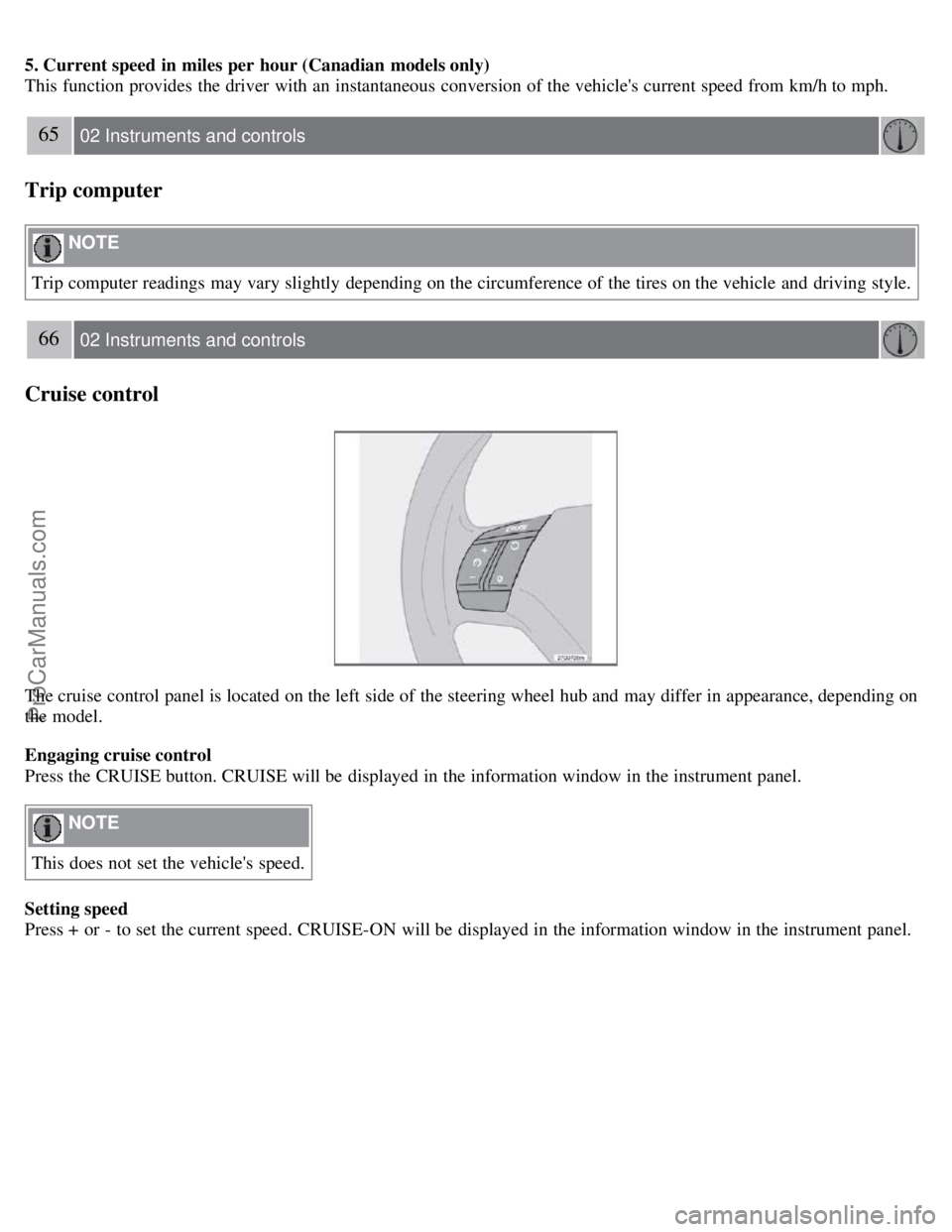
The cruise control panel is located on the left side of the steering wheel hub and may differ in appearance, depending on
the model.
Engaging cruise control
Press the CRUISE button. CRUISE will be displayed in the information window in the instrument panel.
NOTE
This does not set the vehicle's speed.
Setting speed
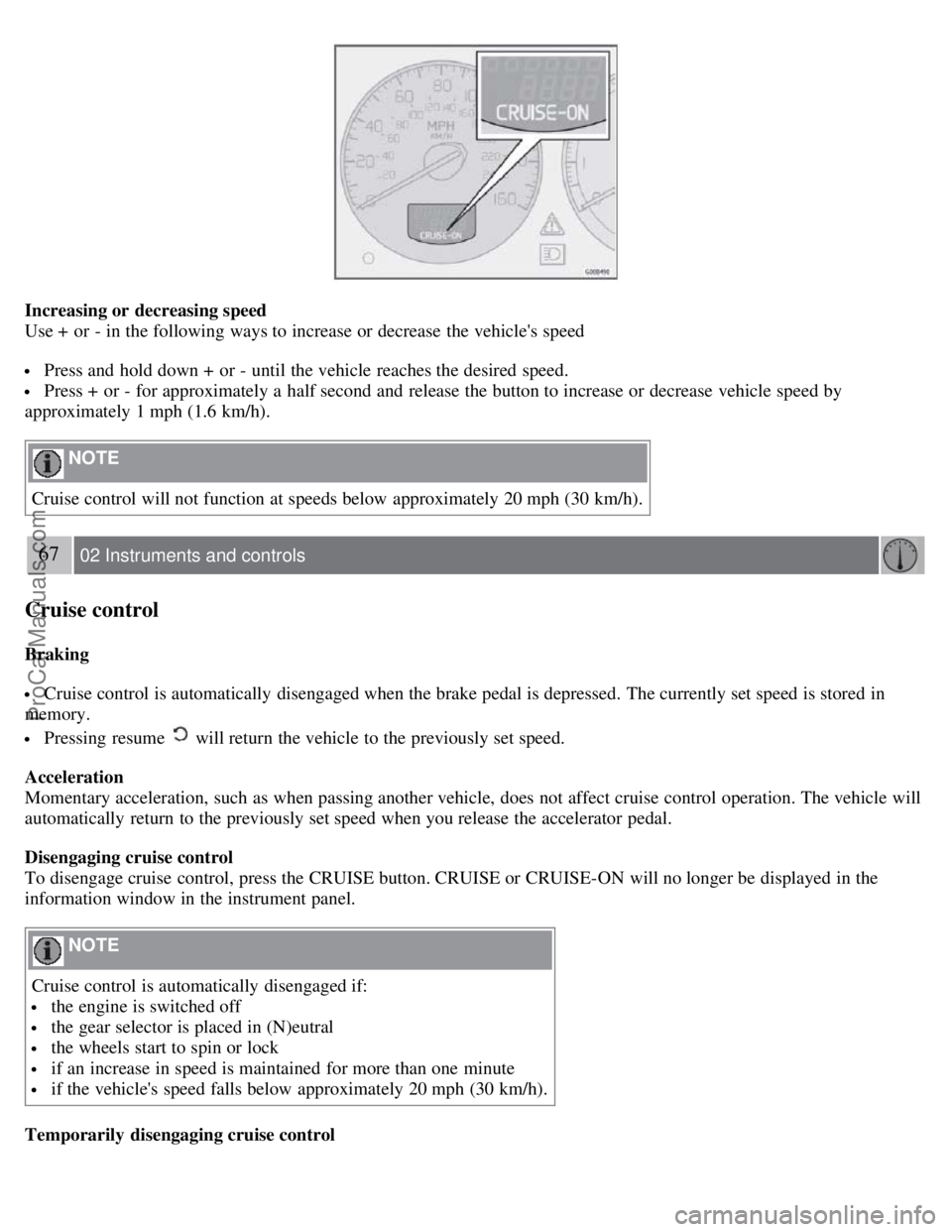
Press + or - to set the current speed. CRUISE-ON will be displayed in the information window in the instrument panel.
ProCarManuals.com
Page 62 of 230
Increasing or decreasing speed
Use + or - in the following ways to increase or decrease the vehicle's speed
Press and hold down + or - until the vehicle reaches the desired speed.
Press + or - for approximately a half second and release the button to increase or decrease vehicle speed by
approximately 1 mph (1.6 km/h).
NOTE
Cruise control will not function at speeds below approximately 20 mph (30 km/h).
67 02 Instruments and controls
Cruise control
Braking
Cruise control is automatically disengaged when the brake pedal is depressed. The currently set speed is stored in
memory.
Pressing resume will return the vehicle to the previously set speed.
Acceleration
Momentary acceleration, such as when passing another vehicle, does not affect cruise control operation. The vehicle will
automatically return to the previously set speed when you release the accelerator pedal.
Disengaging cruise control
To disengage cruise control, press the CRUISE button. CRUISE or CRUISE-ON will no longer be displayed in the
information window in the instrument panel.
NOTE
Cruise control is automatically disengaged if:
the engine is switched off
the gear selector is placed in (N)eutral
the wheels start to spin or lock
if an increase in speed is maintained for more than one minute
if the vehicle's speed falls below approximately 20 mph (30 km/h).
Temporarily disengaging cruise control
ProCarManuals.com
Page 63 of 230
Press 0 to temporarily disengage cruise control. CRUISE will be displayed in the information window in the
instrument panel.
Press the brake pedal.
Press "resume"
to return to the previously set speed.
WARNING
Cruise control should not be used in heavy traffic or when driving on wet or slippery roads, or when driving on
unpaved or uneven road surfaces. Cruise control may not maintain set speed on steep downgrades.
68 02 Instruments and controls
Parking brake
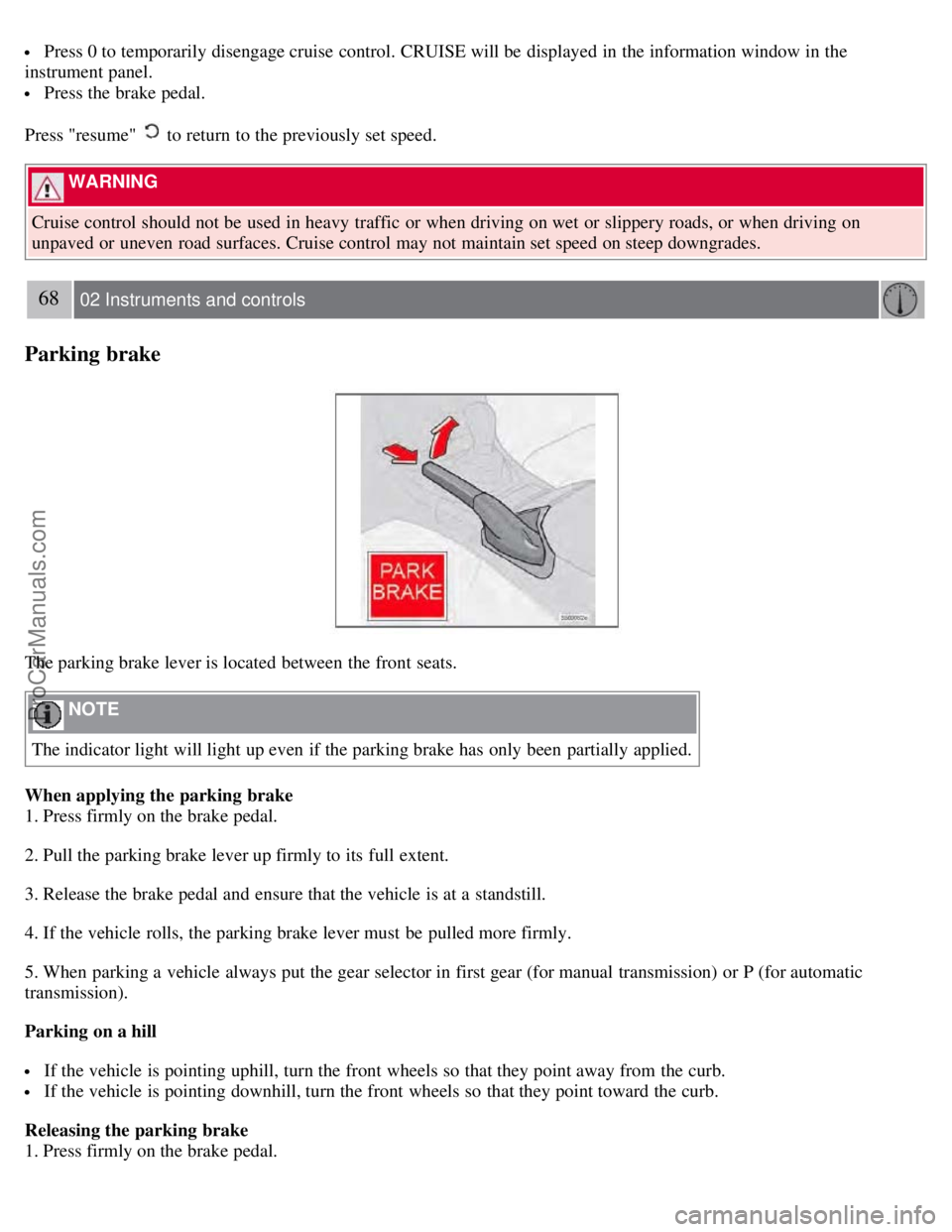
The parking brake lever is located between the front seats.
NOTE
The indicator light will light up even if the parking brake has only been partially applied.
When applying the parking brake
1. Press firmly on the brake pedal.
2. Pull the parking brake lever up firmly to its full extent.
3. Release the brake pedal and ensure that the vehicle is at a standstill.
4. If the vehicle rolls, the parking brake lever must be pulled more firmly.
5. When parking a vehicle always put the gear selector in first gear (for manual transmission) or P (for automatic
transmission).
Parking on a hill
If the vehicle is pointing uphill, turn the front wheels so that they point away from the curb.
If the vehicle is pointing downhill, turn the front wheels so that they point toward the curb.
Releasing the parking brake
1. Press firmly on the brake pedal.
ProCarManuals.com
Page 68 of 230
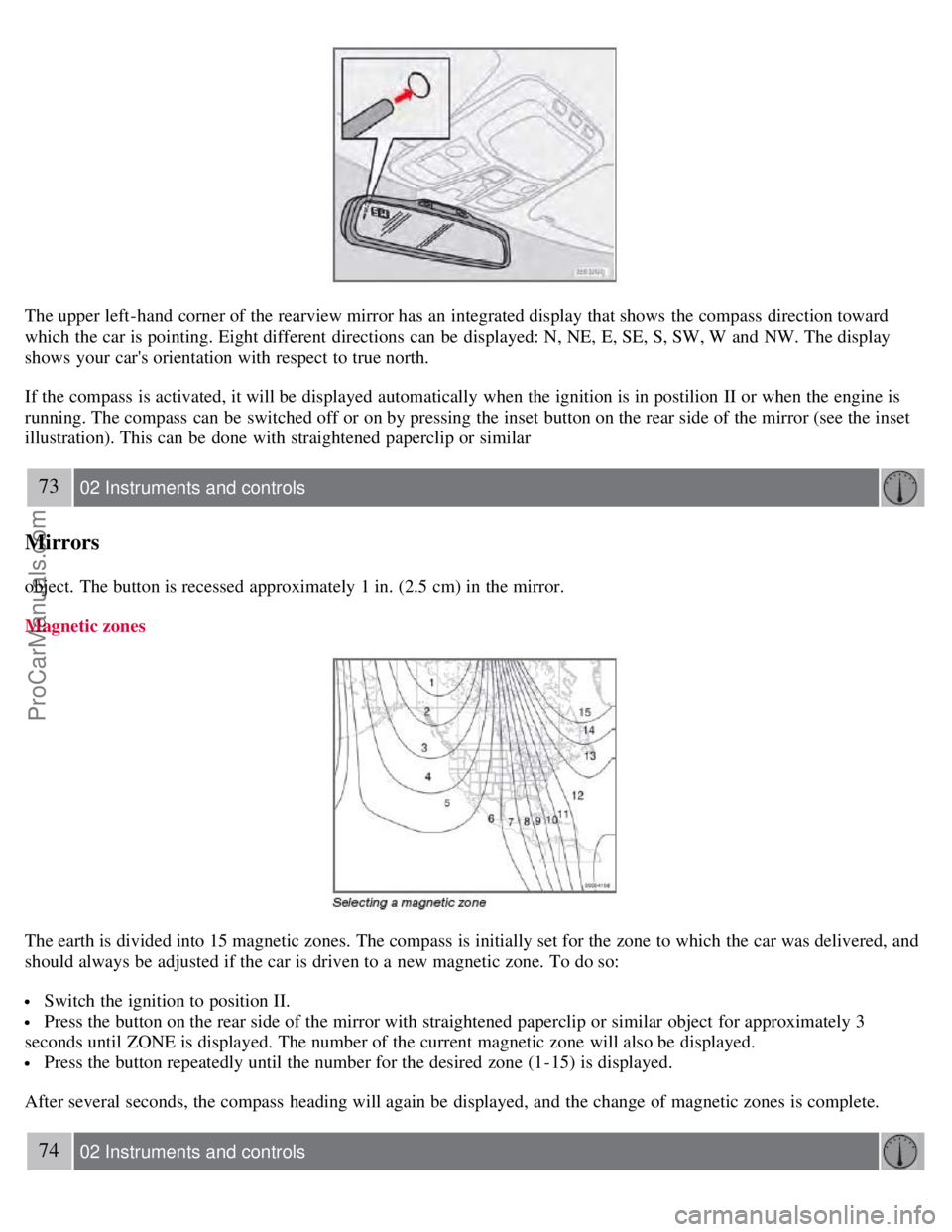
The upper left-hand corner of the rearview mirror has an integrated display that shows the compass direction toward
which the car is pointing. Eight different directions can be displayed: N, NE, E, SE, S, SW, W and NW. The display
shows your car's orientation with respect to true north.
If the compass is activated, it will be displayed automatically when the ignition is in postilion II or when the engine is
running. The compass can be switched off or on by pressing the inset button on the rear side of the mirror (see the inset
illustration). This can be done with straightened paperclip or similar
73 02 Instruments and controls
Mirrors
object. The button is recessed approximately 1 in. (2.5 cm) in the mirror.
Magnetic zones
The earth is divided into 15 magnetic zones. The compass is initially set for the zone to which the car was delivered, and
should always be adjusted if the car is driven to a new magnetic zone. To do so:
Switch the ignition to position II.
Press the button on the rear side of the mirror with straightened paperclip or similar object for approximately 3
seconds until ZONE is displayed. The number of the current magnetic zone will also be displayed.
Press the button repeatedly until the number for the desired zone (1-15) is displayed.
After several seconds, the compass heading will again be displayed, and the change of magnetic zones is complete.
74 02 Instruments and controls
ProCarManuals.com
Page 69 of 230
Mirrors
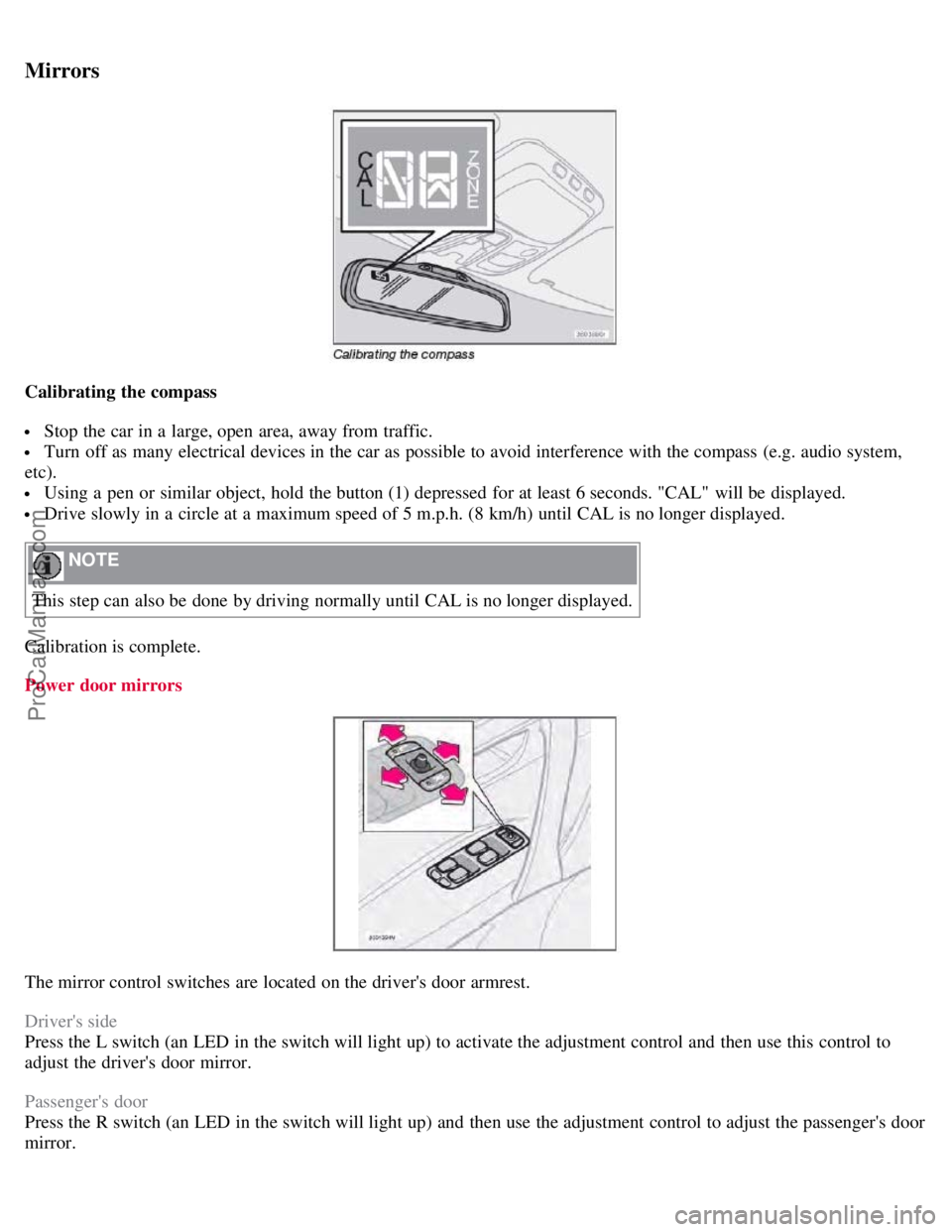
Calibrating the compass
Stop the car in a large, open area, away from traffic.
Turn off as many electrical devices in the car as possible to avoid interference with the compass (e.g. audio system,
etc).
Using a pen or similar object, hold the button (1) depressed for at least 6 seconds. "CAL" will be displayed.
Drive slowly in a circle at a maximum speed of 5 m.p.h. (8 km/h) until CAL is no longer displayed.
NOTE
This step can also be done by driving normally until CAL is no longer displayed.
Calibration is complete.
Power door mirrors
The mirror control switches are located on the driver's door armrest.
Driver's side
Press the L switch (an LED in the switch will light up) to activate the adjustment control and then use this control to
adjust the driver's door mirror.
Passenger's door
Press the R switch (an LED in the switch will light up) and then use the adjustment control to adjust the passenger's door
mirror.
ProCarManuals.com
Page 105 of 230
will then remain locked until a door in opened from the inside or if all of the doors are unlocked from the control
panel in the driver's door.
This function can be activated/deactivated from the control panel in the driver's door.
Activating/deactivating automatic locking
1. Turn the ignition key to position I or II.
2. Press the READ button on the left-side steering wheel lever to erase any messages that may be displayed in the
information display.
3. Depress the central locking button on the control panel until a new message about the locking status is displayed.
The message AUTOLOCK ON (the doors will be locked when the vehicle begins to move) or AUTOLOCK OFF will
be displayed.
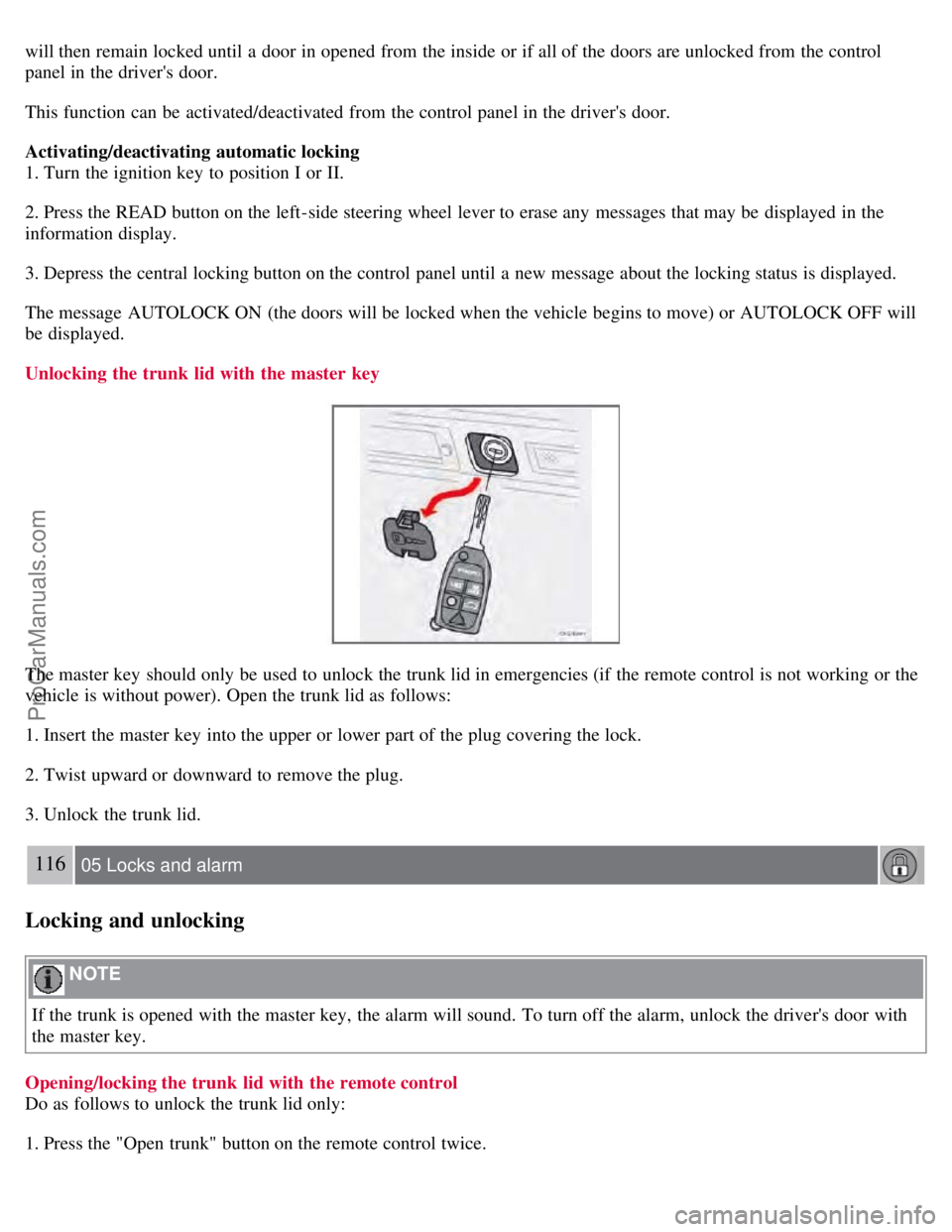
Unlocking the trunk lid with the master key
The master key should only be used to unlock the trunk lid in emergencies (if the remote control is not working or the
vehicle is without power). Open the trunk lid as follows:
1. Insert the master key into the upper or lower part of the plug covering the lock.
2. Twist upward or downward to remove the plug.
3. Unlock the trunk lid.
116 05 Locks and alarm
Locking and unlocking
NOTE
If the trunk is opened with the master key, the alarm will sound. To turn off the alarm, unlock the driver's door with
the master key.
Opening/locking the trunk lid with the remote control
Do as follows to unlock the trunk lid only:
1. Press the "Open trunk" button on the remote control twice.
ProCarManuals.com
Page 109 of 230
This device complies with part 15 of the FCC rules. Operation is subject to the following conditions: (1) This device
may not cause harmful interference, and (2) this device must accept any interference received, including interference
that may cause undesired operation.
Canadian IC: 4405A-DA5823
Movement sensor DA5823 by Dynex
Operation is subject to the following conditions: (1) this device may not cause interference, and (2) this device must
accept any interference, including interference that may cause undesired operation of the device.
In certain situations it may be desirable to turn off the accessory inclination and movement alarm sensors if, for
example, you drive your vehicle onto a ferry where the rocking of the boat could trigger the alarm or if a pet is left in
the vehicle with the doors locked.
To temporarily turn off the inclination and movement alarm sensors from the alarm system:
119 05 Locks and alarm
Alarm
From the time the ignition key is turned from the Drive position (position II) until you lock the vehicle, you can press
the button in the center console. The LED in the switch will light up and a message will be displayed in the text
window to indicate that the sensors are disconnected.
The vehicle can then be locked in the usual way to set the alarm.
NOTE
This function will not turn off the vehicle's standard alarm.
The optional sensors are automatically reconnected to the alarm system the next time the vehicle is unlocked and
then locked again.
LED alarm status signals
The status of the alarm system is indicated by the red LED at the top of the dash:
LED off - the alarm is not armed
LED flashes once per second - the alarm is armed
LED flashes rapidly before the ignition is switched on - the alarm has been triggered
Fault in the alarm system: If a fault has been detected in the alarm system, a message will be displayed in the text
window. Contact a trained and qualified Volvo service technician.
Automatic re-lock/re -arm system
If the vehicle is unlocked with the remote, the vehicle will re-lock and the alarm will re-arm after 2 minutes unless a
door or the trunk has been opened.
ProCarManuals.com
Page 122 of 230
NOTE
Gears 4, 3, or L can be used if you are driving in a mountainous area, towing a trailer or to increase engine braking
effect.
The transmission has a built-in limiter designed to help prevent excessive engine speeds (high rpm) when gears 4, 3
or L are selected.
133 06 Starting and driving
Automatic transmission (option)
W - Winter/Wet driving mode - enhanced vehicle traction
Mode W will only function if the gear selector is in the D position.
Press the button at the base of the gear selector to engage/disengage this driving mode (see illustration).
When the W driving mode is engaged, this is displayed in the instrument panel (see page 48).
This mode may be selected for starting/moving off on slippery roads.)
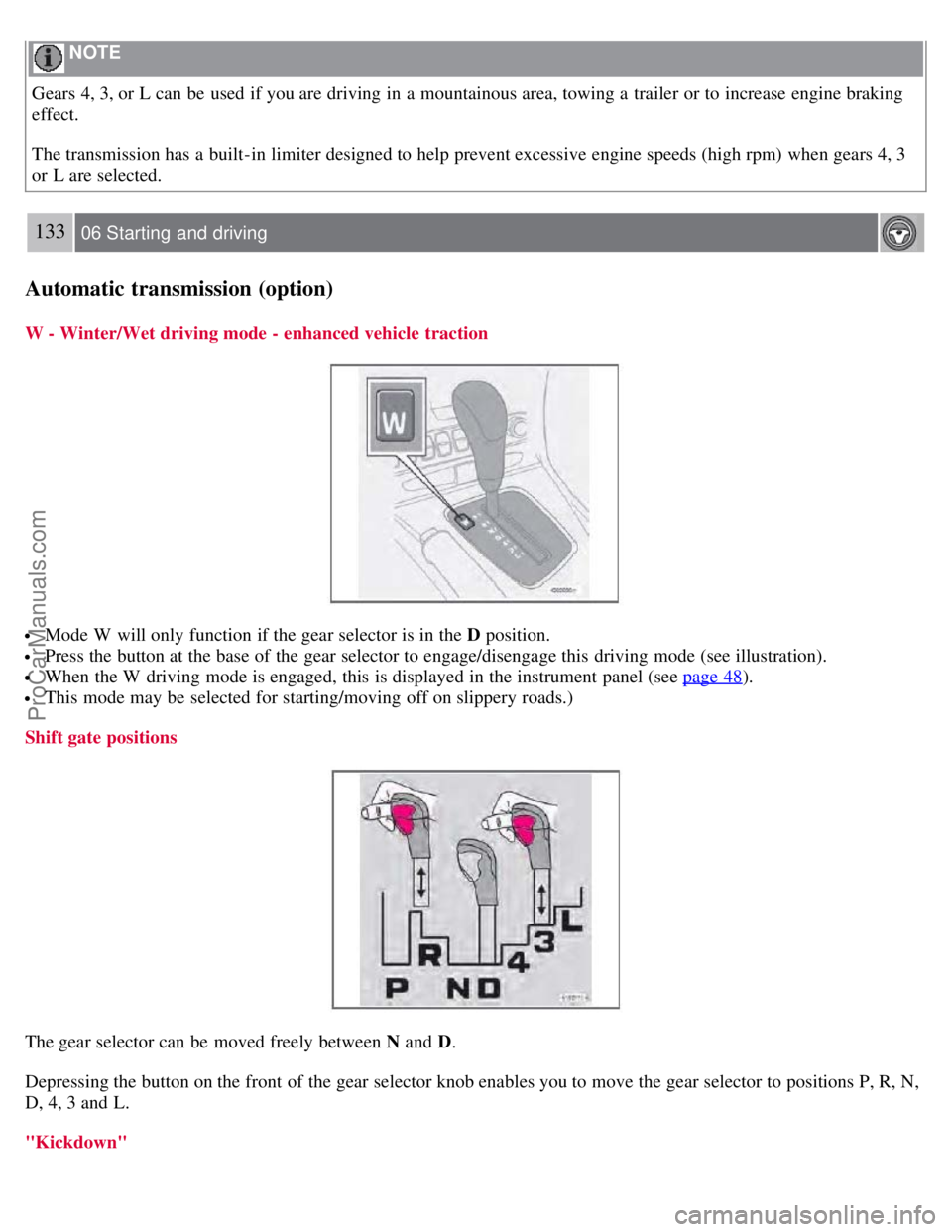
Shift gate positions
The gear selector can be moved freely between N and D.
Depressing the button on the front of the gear selector knob enables you to move the gear selector to positions P, R, N,
D, 4, 3 and L.
"Kickdown"
ProCarManuals.com
Page 124 of 230
Neutral - no gear engaged. Use the parking brake.
D (Drive)
D is the normal driving position and should be used as often as possible to help improve fuel economy. The vehicle
should not be moving when shifting from R to the D position.
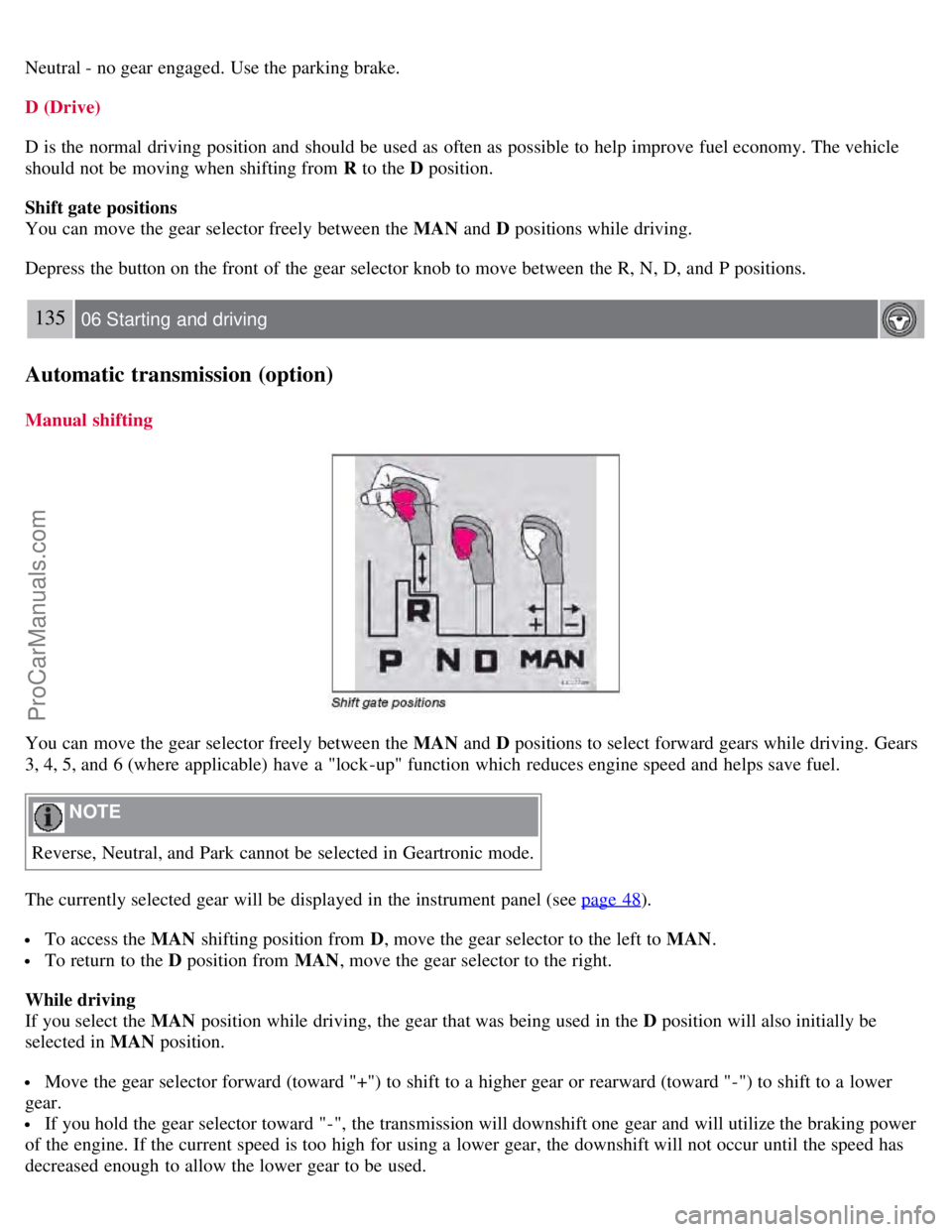
Shift gate positions
You can move the gear selector freely between the MAN and D positions while driving.
Depress the button on the front of the gear selector knob to move between the R, N, D, and P positions.
135 06 Starting and driving
Automatic transmission (option)
Manual shifting
You can move the gear selector freely between the MAN and D positions to select forward gears while driving. Gears
3, 4, 5, and 6 (where applicable) have a "lock -up" function which reduces engine speed and helps save fuel.
NOTE
Reverse, Neutral, and Park cannot be selected in Geartronic mode.
The currently selected gear will be displayed in the instrument panel (see page 48
).
To access the MAN shifting position from D , move the gear selector to the left to MAN .
To return to the D position from MAN , move the gear selector to the right.
While driving
If you select the MAN position while driving, the gear that was being used in the D position will also initially be
selected in MAN position.
Move the gear selector forward (toward "+") to shift to a higher gear or rearward (toward "-") to shift to a lower
gear.
If you hold the gear selector toward "-", the transmission will downshift one gear and will utilize the braking power
of the engine. If the current speed is too high for using a lower gear, the downshift will not occur until the speed has
decreased enough to allow the lower gear to be used.
ProCarManuals.com
Page 126 of 230
Brake system
BRAKE Brake circuit malfunction
The brake system is a hydraulic system consisting of two master cylinders and two separate brake circuits. If a
problem should occur in one of these circuits, it is still possible to stop the vehicle with the other brake circuit.
If the brake pedal must be depressed farther than normal and requires greater foot pressure, the stopping distance will
be longer.
A warning light in the instrument panel will light up to warn the driver that a fault has occurred.
If this light comes on while driving or braking, stop immediately and check the brake fluid level in the reservoir.
NOTE
Press the brake pedal hard and maintain pressure on the pedal - do not pump the brakes.
WARNING
If the fluid level is below the MIN mark in the reservoir or if a "Brake failure - Service urgent" message is displayed
in the text window: DO NOT DRIVE. Have the vehicle towed to a trained and qualified Volvo service technician
and have the brake system inspected.
NOTE
When the vehicle is at a standstill and the engine is idling, e.g. at a traffic light and the brake pedal is depressed, the
pedal may go down slightly. This is a normal function of the power-assisted brake system.
Power brakes function only when the engine is running
The power brakes utilize vacuum pressure which is only created when the engine is running. Never let the vehicle roll
to a stop with the engine switched off.
If the power brakes are not working, the brake pedal must be pressed approximately four times harder than usual to
make up for the lack of power assistance. This can happen for example when towing your vehicle or if the engine is
switched off when the vehicle is rolling. The brake pedal feels harder than usual.
Water on brake discs and brake pads affects braking
Driving in rain and slush or passing through an automatic car wash can cause water to collect on the brake discs and
pads. This will cause a delay in braking effect when the pedal is depressed. To avoid such a delay when the brakes are
needed, depress the pedal occasionally when driving through rain, slush etc. This will remove the water from the
brakes. Check that brake application feels normal. This should also be done after washing or starting in very damp or
cold weather.
Severe strain on the brake system
The brakes will be subject to severe strain when driving in mountains or hilly areas or towing. Vehicle speed is usually
slower, which means that the cooling of the brakes is less efficient than when driving on level roads. To reduce the
strain on the brakes, shift into a lower gear and let the engine help with the braking. Do not forget that, if you are
towing a trailer, the brakes will be subjected to a greater than normal load.
ProCarManuals.com