display VOLVO S60 2008 Service Manual
[x] Cancel search | Manufacturer: VOLVO, Model Year: 2008, Model line: S60, Model: VOLVO S60 2008Pages: 230, PDF Size: 5.33 MB
Page 209 of 230
are shown in the display.
Changing tracks
Briefly press the
keys (or the corresponding keys on the optional steering wheel keypad) to skip to the
previous or next track. The track number is shown in the display.
Fast forward/back
Press and hold down the
keys to search within a track or the entire disc. The search continues for as long as
the buttons are held in.
The corresponding keys on the optional steering wheel keypad cannot be used for fast forward/back.
Random play
This function plays the tracks on a CD in random order (shuffle).
Select CD mode and press the RND button. RND is shown in the display as long as the function is activated.
Random tracks from randomly selected discs will be played.
Press RND again to stop random play.
Scan
This function plays the first 10 seconds of each track on the CD.
1. Press SCAN to start the function.
2. Press SCAN again or EXIT to stop the scan function and listen to an entire track.
Scan only works on the selected disc.
CD eject
This function makes it possible to eject a single disc, or to eject all of the discs in the changer.
Press the eject button briefly to eject the disc that is currently playing.
A longer press (more than 2 seconds) starts the process of ejecting all of the discs in the changer.
NOTE
The EJECT ALL function can only be used while the vehicle is at a standstill and will be cancelled if the vehicle
begins to move.
For reasons of traffic safety, you have 12 seconds in which to remove the ejected disc. After that, the disc
automatically reinserts into the player, and the CD player will resume playing the most recently selected track.
See page 222
for information on caring for compact discs.
236 10 Audio
External CD changer (option)
ProCarManuals.com
Page 210 of 230
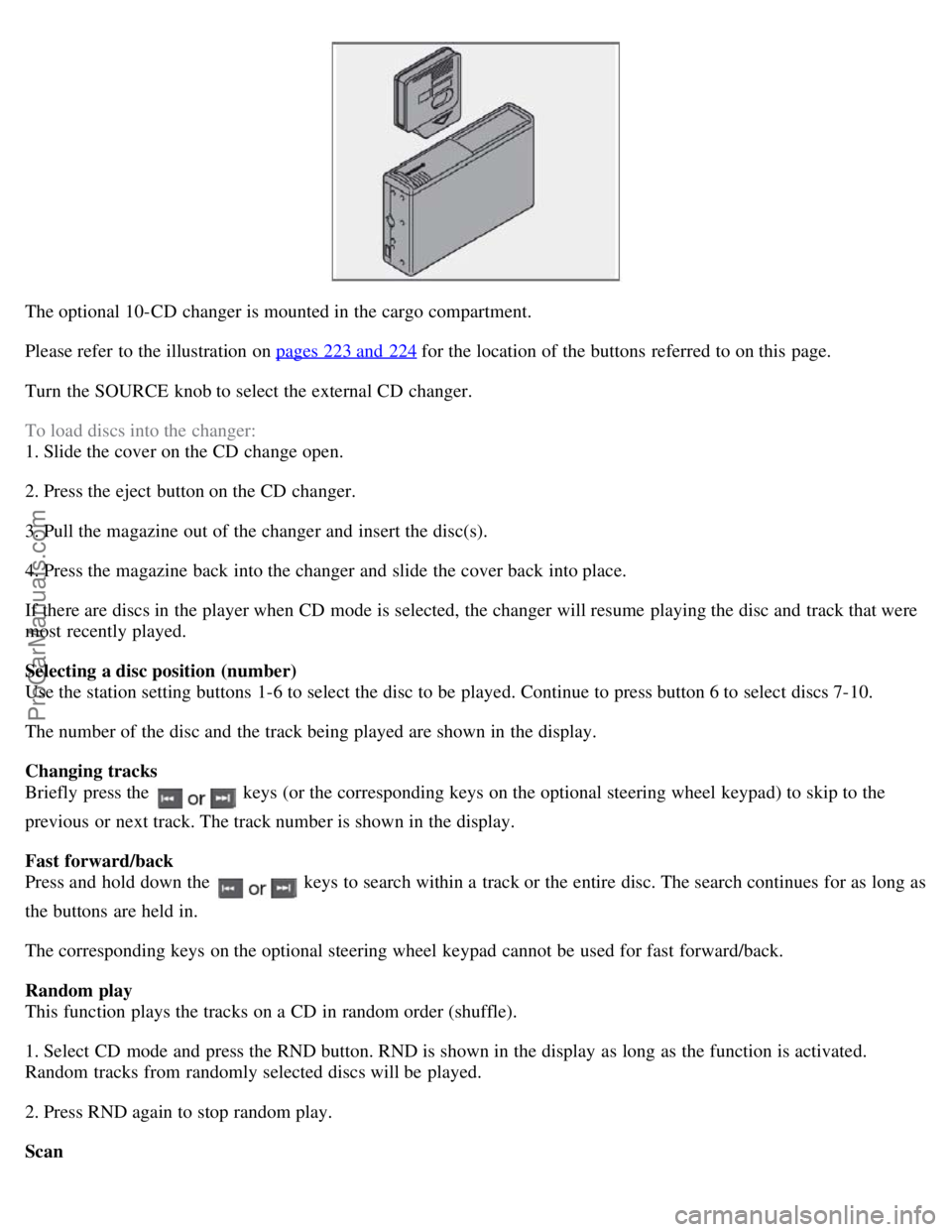
The optional 10-CD changer is mounted in the cargo compartment.
Please refer to the illustration on pages 223 and 224
for the location of the buttons referred to on this page.
Turn the SOURCE knob to select the external CD changer.
To load discs into the changer:
1. Slide the cover on the CD change open.
2. Press the eject button on the CD changer.
3. Pull the magazine out of the changer and insert the disc(s).
4. Press the magazine back into the changer and slide the cover back into place.
If there are discs in the player when CD mode is selected, the changer will resume playing the disc and track that were
most recently played.
Selecting a disc position (number)
Use the station setting buttons 1-6 to select the disc to be played. Continue to press button 6 to select discs 7-10.
The number of the disc and the track being played are shown in the display.
Changing tracks
Briefly press the
keys (or the corresponding keys on the optional steering wheel keypad) to skip to the
previous or next track. The track number is shown in the display.
Fast forward/back
Press and hold down the
keys to search within a track or the entire disc. The search continues for as long as
the buttons are held in.
The corresponding keys on the optional steering wheel keypad cannot be used for fast forward/back.
Random play
This function plays the tracks on a CD in random order (shuffle).
1. Select CD mode and press the RND button. RND is shown in the display as long as the function is activated.
Random tracks from randomly selected discs will be played.
2. Press RND again to stop random play.
Scan
ProCarManuals.com
Page 211 of 230
This function plays the first 10 seconds of each track on the CD.
1. Press SCAN to start the function.
2. Press SCAN or EXIT to stop the scan function and listen to an entire track.
Scan only works on the selected disc.
237 10 Audio
Dolby Surround Pro Logic II - HU-850 only
Dolby Surround Pro Logic II
Dolby Surround Pro Logic II is a further development of the previous version of the system and provides enhanced
sound quality. The improved sound is particularly apparent to passengers in the rear seat.
Dolby Surround Pro Logic II, together with a center speaker in the dashboard, offers you a sound experience very
close to a live performance. The normal left-right stereo channels are divided to left-center -right. In addition, surround
sound is produced by the rear speakers. This surround sound mirrors the ambience of a concert hall.
NOTE
Dolby Surround Pro Logic II is optimized for CD mode.
When listening to FM radio stations, Dolby Surround Pro Logic II functions best in areas with strong reception. If
reception is weak, selecting 2 or 3-channel stereo may provide better sound quality.
3 channel stereo is recommended for AM and FM broadcasts.
Dolby Surround Pro Logic II and the Dolby icon are trademarks of Dolby Laboratories Licensing Corporation.
Dolby Pro Logic II Surround System is manufactured under license from Dolby Laboratories Licensing Corporation.
Selecting Dolby Surround Pro Logic II
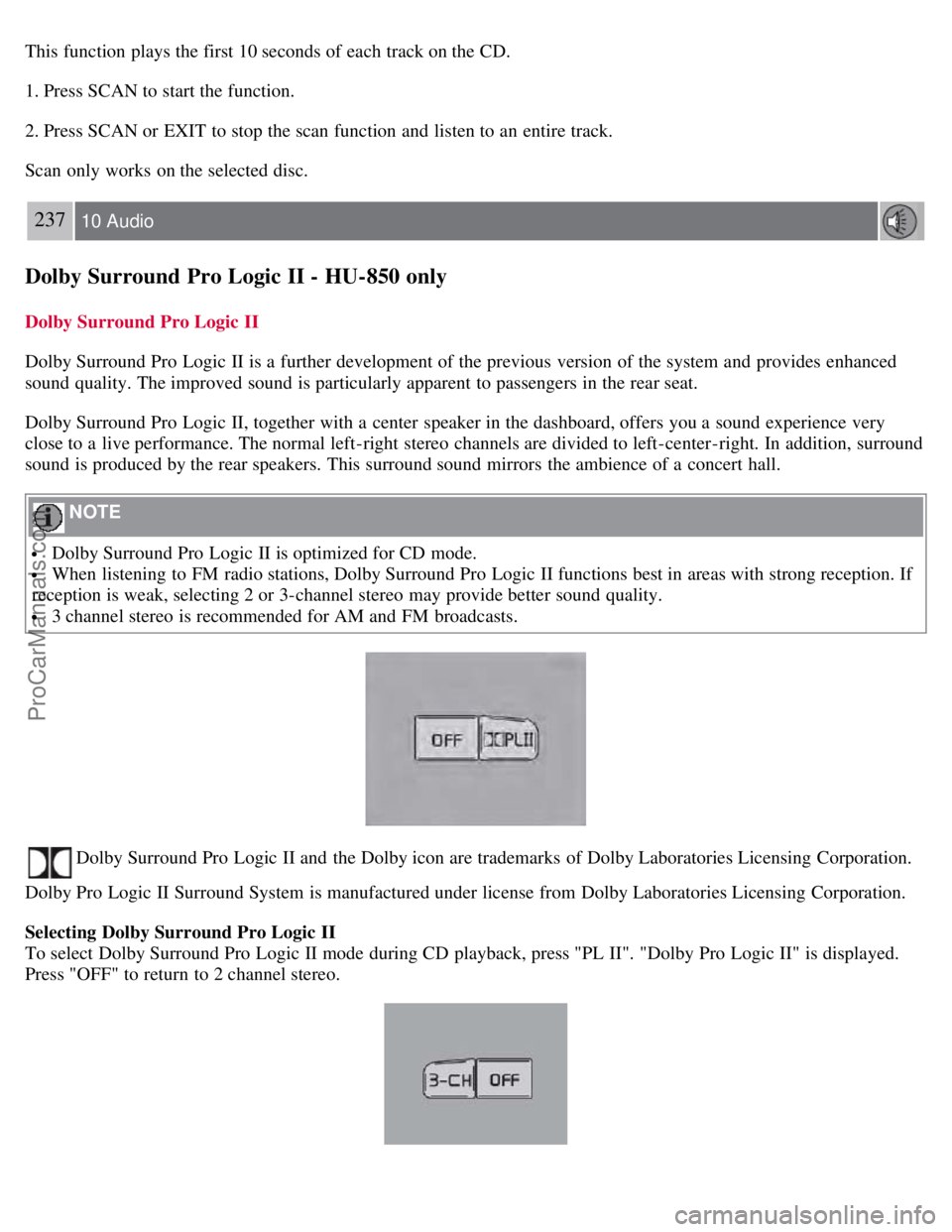
To select Dolby Surround Pro Logic II mode during CD playback, press "PL II". "Dolby Pro Logic II" is displayed.
Press "OFF" to return to 2 channel stereo.
ProCarManuals.com
Page 212 of 230
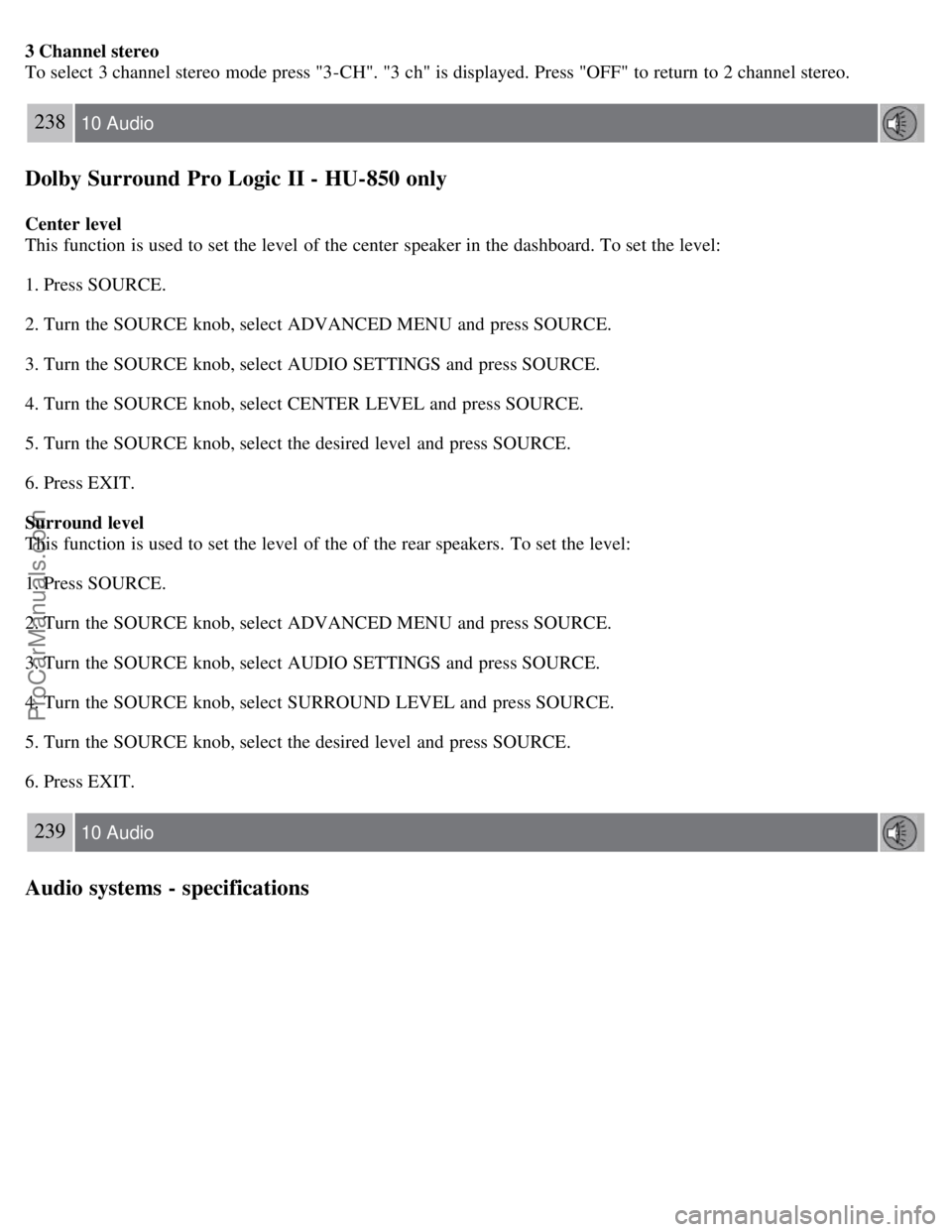
3 Channel stereo
To select 3 channel stereo mode press "3-CH". "3 ch" is displayed. Press "OFF" to return to 2 channel stereo.
238 10 Audio
Dolby Surround Pro Logic II - HU-850 only
Center level
This function is used to set the level of the center speaker in the dashboard. To set the level:
1. Press SOURCE.
2. Turn the SOURCE knob, select ADVANCED MENU and press SOURCE.
3. Turn the SOURCE knob, select AUDIO SETTINGS and press SOURCE.
4. Turn the SOURCE knob, select CENTER LEVEL and press SOURCE.
5. Turn the SOURCE knob, select the desired level and press SOURCE.
6. Press EXIT.
Surround level
This function is used to set the level of the of the rear speakers. To set the level:
1. Press SOURCE.
2. Turn the SOURCE knob, select ADVANCED MENU and press SOURCE.
3. Turn the SOURCE knob, select AUDIO SETTINGS and press SOURCE.
4. Turn the SOURCE knob, select SURROUND LEVEL and press SOURCE.
5. Turn the SOURCE knob, select the desired level and press SOURCE.
6. Press EXIT.
239 10 Audio
Audio systems - specifications
ProCarManuals.com
Page 213 of 230
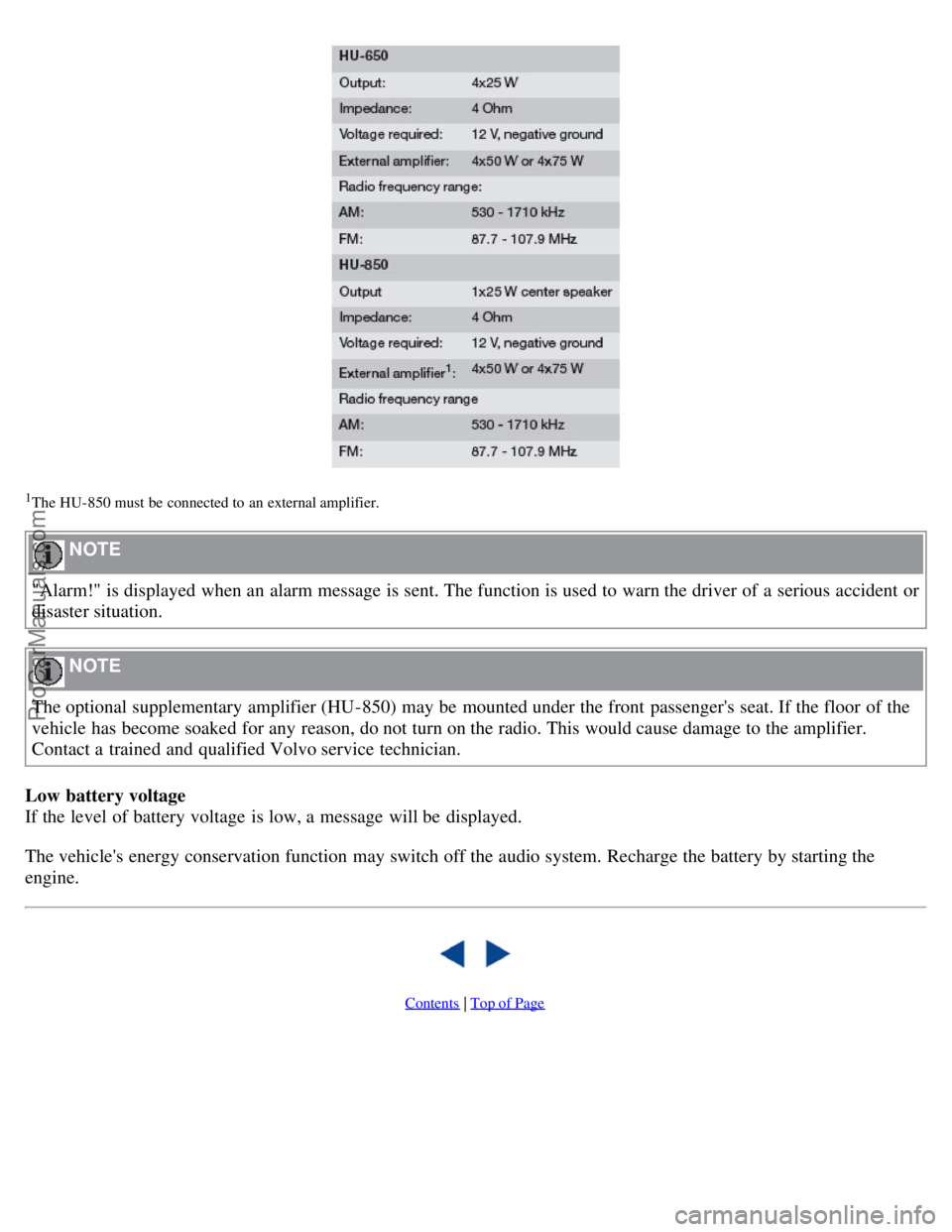
1The HU- 850 must be connected to an external amplifier.
NOTE
"Alarm!" is displayed when an alarm message is sent. The function is used to warn the driver of a serious accident or
disaster situation.
NOTE
The optional supplementary amplifier (HU-850) may be mounted under the front passenger's seat. If the floor of the
vehicle has become soaked for any reason, do not turn on the radio. This would cause damage to the amplifier.
Contact a trained and qualified Volvo service technician.
Low battery voltage
If the level of battery voltage is low, a message will be displayed.
The vehicle's energy conservation function may switch off the audio system. Recharge the battery by starting the
engine.
Contents | Top of Page
ProCarManuals.com
Page 226 of 230
Fuel system247
Fuses211
G
Gasoline122
Geartronic134, 135
manual shifting135
Generator249
Generator warning light50
Glove compartment102
Grocery bag holder104
Gross vehicle weight (GVW)166
H
Handling130
Hazard warning flashers63
Head restraints
center, rear105
folding54
Headlights60
Heated front seats88
High beam flash60
High beam headlights60
High beam indicator48
Hoisting the car189
Home safe lighting60
Homelink® Universal Transceiver78
Hood - opening191
I
Ignition switch128
Immobilizer (start inhibitor)110
Indicator and warning symbols48
Inflatable Curtain26
Inflation pressure table
Canadian models161
US models160
Inflation pressure, checking159
Information display, messages in56
Inspection, preparing for188
Instrument overview46
Instrument panel48
Interior lighting97
J
Jack
location of106
using172
ProCarManuals.com