mirror VOLVO S60 2008 User Guide
[x] Cancel search | Manufacturer: VOLVO, Model Year: 2008, Model line: S60, Model: VOLVO S60 2008Pages: 230, PDF Size: 5.33 MB
Page 67 of 230
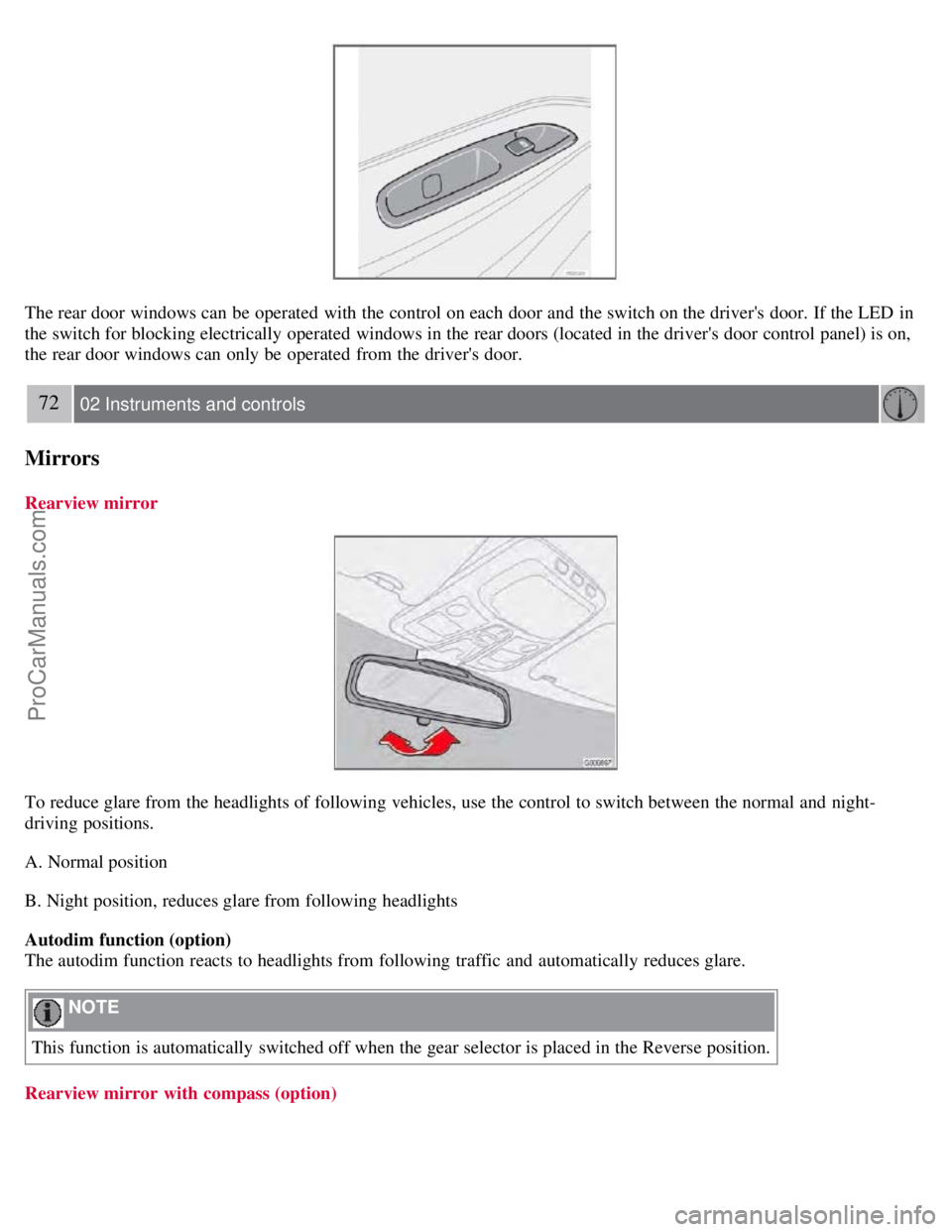
The rear door windows can be operated with the control on each door and the switch on the driver's door. If the LED in
the switch for blocking electrically operated windows in the rear doors (located in the driver's door control panel) is on,
the rear door windows can only be operated from the driver's door.
72 02 Instruments and controls
Mirrors
Rearview mirror
To reduce glare from the headlights of following vehicles, use the control to switch between the normal and night-
driving positions.
A. Normal position
B. Night position, reduces glare from following headlights
Autodim function (option)
The autodim function reacts to headlights from following traffic and automatically reduces glare.
NOTE
This function is automatically switched off when the gear selector is placed in the Reverse position.
Rearview mirror with compass (option)
ProCarManuals.com
Page 68 of 230
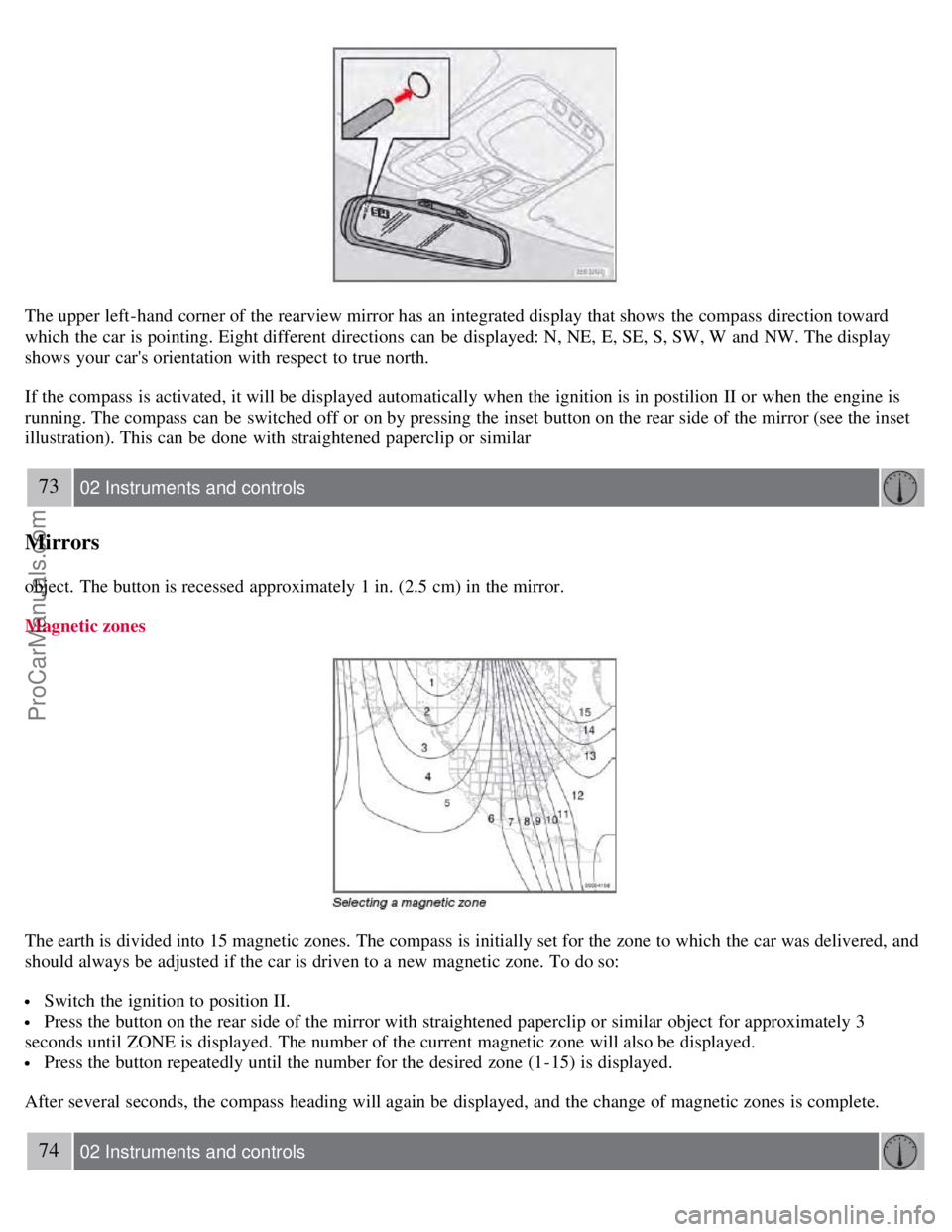
The upper left-hand corner of the rearview mirror has an integrated display that shows the compass direction toward
which the car is pointing. Eight different directions can be displayed: N, NE, E, SE, S, SW, W and NW. The display
shows your car's orientation with respect to true north.
If the compass is activated, it will be displayed automatically when the ignition is in postilion II or when the engine is
running. The compass can be switched off or on by pressing the inset button on the rear side of the mirror (see the inset
illustration). This can be done with straightened paperclip or similar
73 02 Instruments and controls
Mirrors
object. The button is recessed approximately 1 in. (2.5 cm) in the mirror.
Magnetic zones
The earth is divided into 15 magnetic zones. The compass is initially set for the zone to which the car was delivered, and
should always be adjusted if the car is driven to a new magnetic zone. To do so:
Switch the ignition to position II.
Press the button on the rear side of the mirror with straightened paperclip or similar object for approximately 3
seconds until ZONE is displayed. The number of the current magnetic zone will also be displayed.
Press the button repeatedly until the number for the desired zone (1-15) is displayed.
After several seconds, the compass heading will again be displayed, and the change of magnetic zones is complete.
74 02 Instruments and controls
ProCarManuals.com
Page 69 of 230
Mirrors
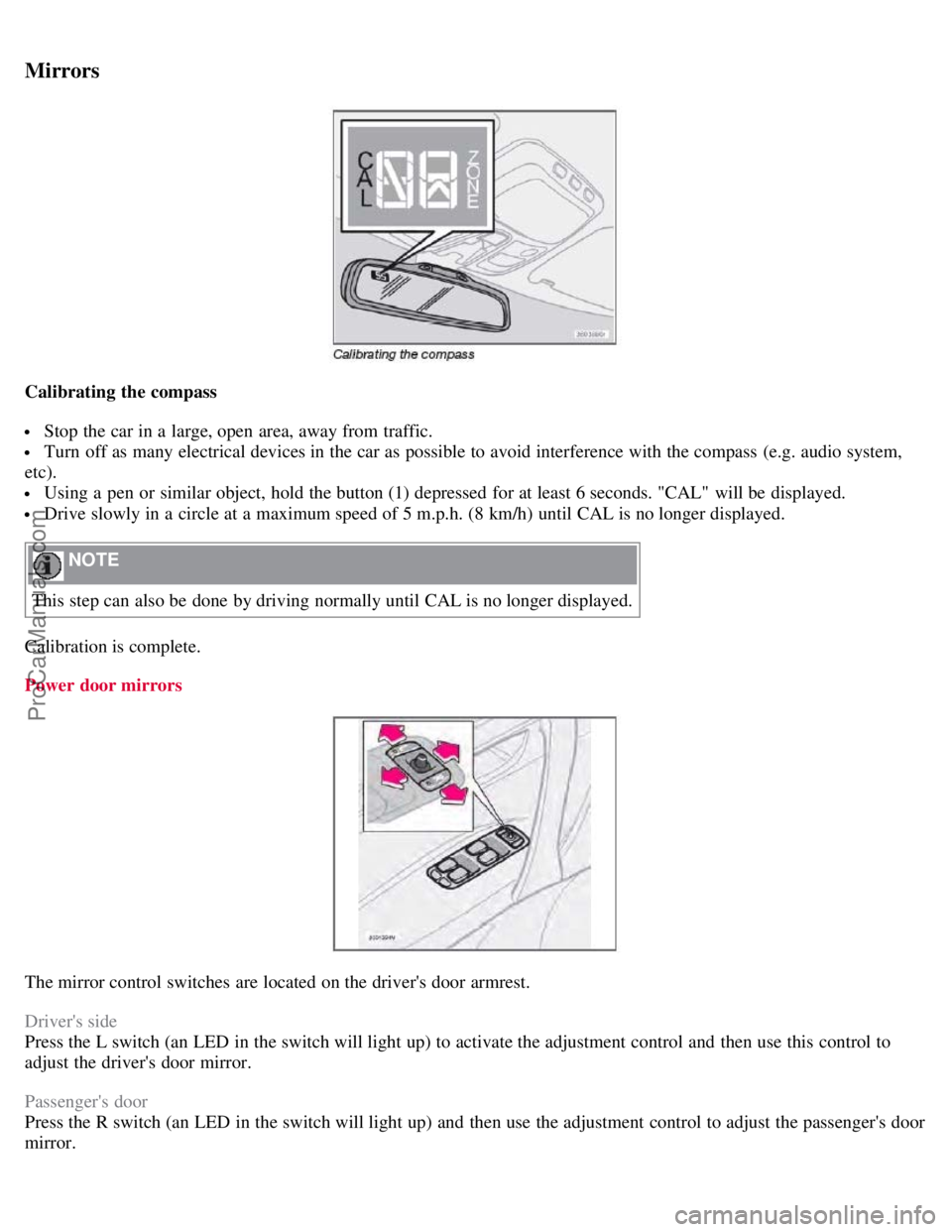
Calibrating the compass
Stop the car in a large, open area, away from traffic.
Turn off as many electrical devices in the car as possible to avoid interference with the compass (e.g. audio system,
etc).
Using a pen or similar object, hold the button (1) depressed for at least 6 seconds. "CAL" will be displayed.
Drive slowly in a circle at a maximum speed of 5 m.p.h. (8 km/h) until CAL is no longer displayed.
NOTE
This step can also be done by driving normally until CAL is no longer displayed.
Calibration is complete.
Power door mirrors
The mirror control switches are located on the driver's door armrest.
Driver's side
Press the L switch (an LED in the switch will light up) to activate the adjustment control and then use this control to
adjust the driver's door mirror.
Passenger's door
Press the R switch (an LED in the switch will light up) and then use the adjustment control to adjust the passenger's door
mirror.
ProCarManuals.com
Page 70 of 230
After you have adjusted the mirror(s), press the L or R switch again (the LED will go out) to deactivate the adjustment
control.
75 02 Instruments and controls
Mirrors
WARNING
The mirrors should always be adjusted prior to driving. Objects seen in the passenger's side wide -angle door mirror are
closer than they appear to be.
Remote central locking and door mirror memory-option
If you lock the vehicle and later unlock it with the same remote control and open the driver's door, the door mirrors (and
the driver's seat) will automatically move to the position they were in when you left the vehicle. This feature will work in
the same way with all of the remote control transmitters (up to 3) that you use with your vehicle. This feature will not
function if you lock your vehicle with the key.
76 02 Instruments and controls
Power moonroof (option)
To operate the moonroof, turn the ignition key to position I or II, or start the engine. The moonroof can be operated in
two ways:
A. Tilt position
B. Sliding moonroof
A. Tilt position
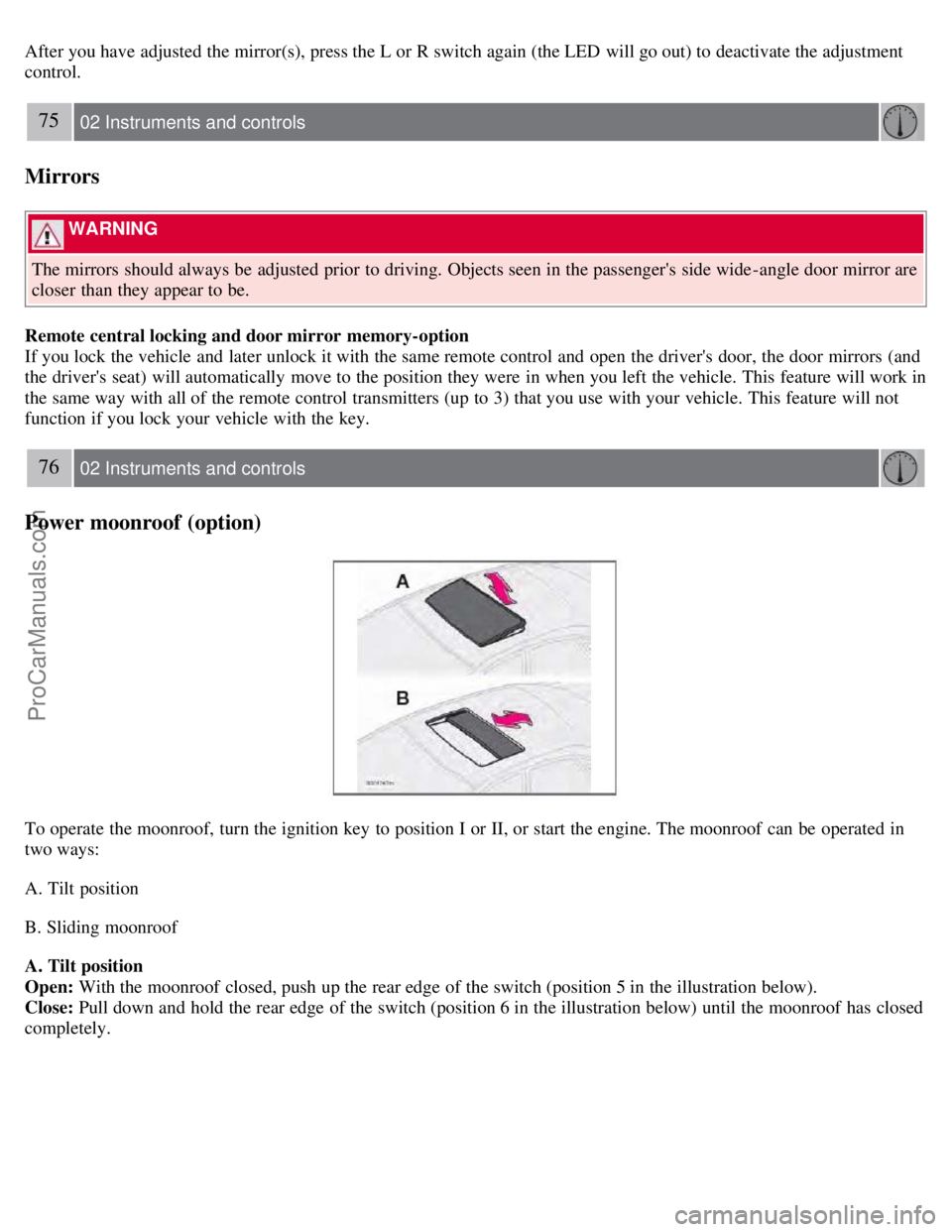
Open: With the moonroof closed, push up the rear edge of the switch (position 5 in the illustration below).
Close: Pull down and hold the rear edge of the switch (position 6 in the illustration below) until the moonroof has closed
completely.
ProCarManuals.com
Page 80 of 230
A. Open
B. Closed
C. Horizontal air flow
D. Vertical air flow
Direct the outer air vents toward the side windows to defrost.
In cold weather, close the air vents in the center of the dash to direct as much air as possible toward the windows.
86 03 Climate
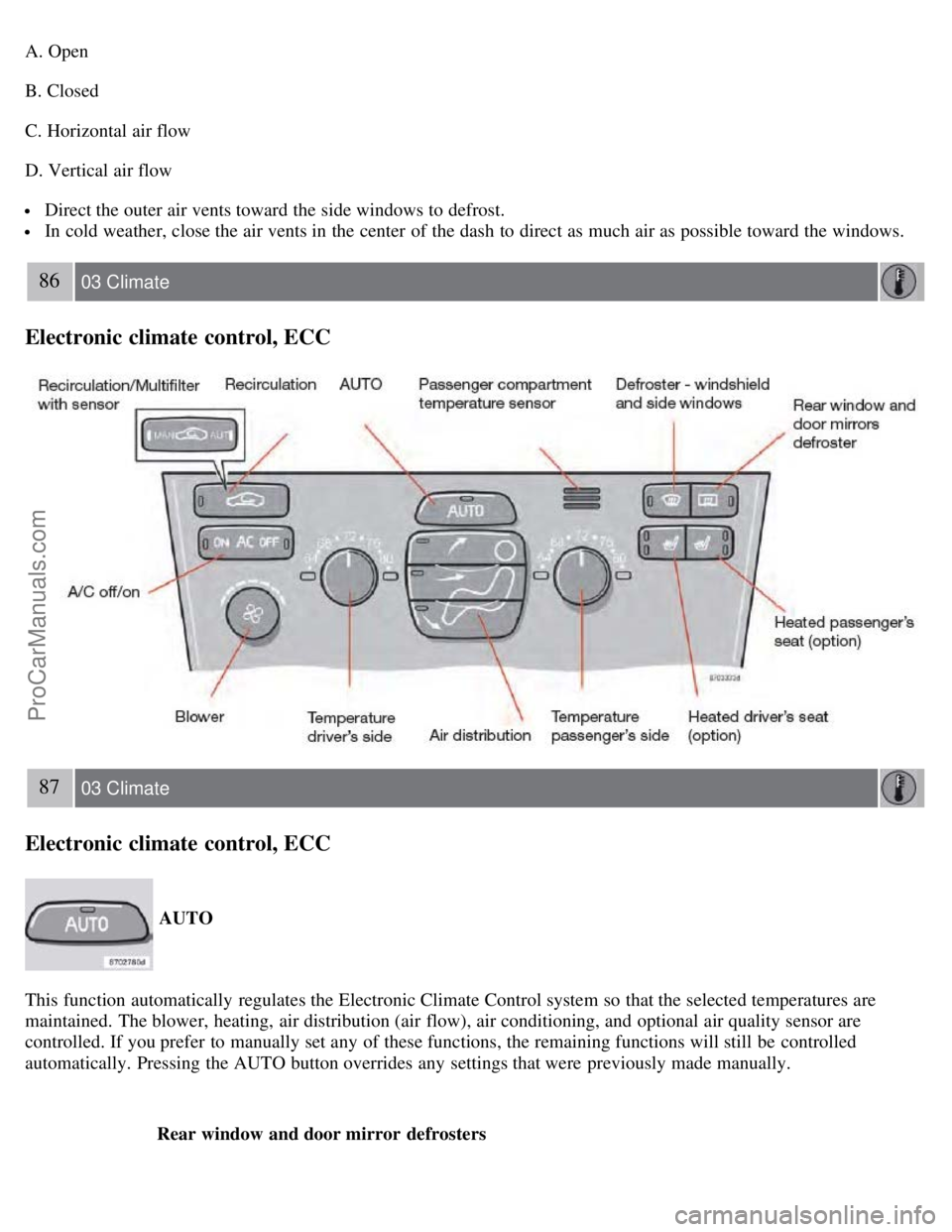
Electronic climate control, ECC
87 03 Climate
Electronic climate control, ECC
AUTO
This function automatically regulates the Electronic Climate Control system so that the selected temperatures are
maintained. The blower, heating, air distribution (air flow), air conditioning, and optional air quality sensor are
controlled. If you prefer to manually set any of these functions, the remaining functions will still be controlled
automatically. Pressing the AUTO button overrides any settings that were previously made manually. Rear window and door mirror defrosters
ProCarManuals.com
Page 81 of 230
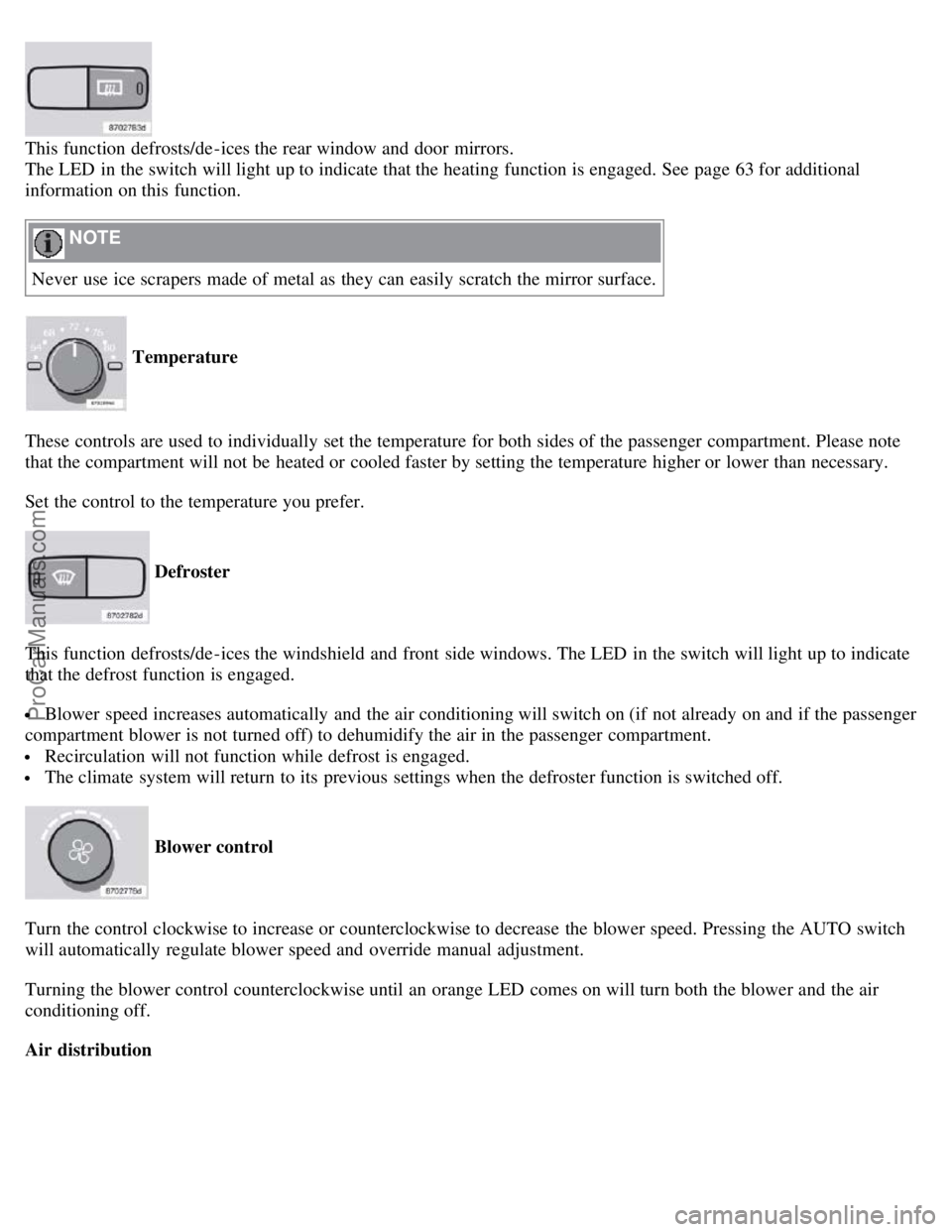
This function defrosts/de-ices the rear window and door mirrors.
The LED in the switch will light up to indicate that the heating function is engaged. See page 63 for additional
information on this function.
NOTE
Never use ice scrapers made of metal as they can easily scratch the mirror surface.
Temperature
These controls are used to individually set the temperature for both sides of the passenger compartment. Please note
that the compartment will not be heated or cooled faster by setting the temperature higher or lower than necessary.
Set the control to the temperature you prefer.
Defroster
This function defrosts/de-ices the windshield and front side windows. The LED in the switch will light up to indicate
that the defrost function is engaged.
Blower speed increases automatically and the air conditioning will switch on (if not already on and if the passenger
compartment blower is not turned off) to dehumidify the air in the passenger compartment.
Recirculation will not function while defrost is engaged.
The climate system will return to its previous settings when the defroster function is switched off.
Blower control
Turn the control clockwise to increase or counterclockwise to decrease the blower speed. Pressing the AUTO switch
will automatically regulate blower speed and override manual adjustment.
Turning the blower control counterclockwise until an orange LED comes on will turn both the blower and the air
conditioning off.
Air distribution
ProCarManuals.com
Page 88 of 230
The position of the seat is now stored in the remote control.
Automatic seat adjustment
To move the seat to the position in which you left it:
1. Unlock the driver's door with the same remote control (the one used to lock the doors)
95 04 Interior
Front seats
2. Open the driver's door within 2 minutes.
The driver's seat will automatically move to the position in which you left it.
NOTE
The seat will move to this position even if someone else has moved it to a different seating position and locked the
vehicle with a different remote control.
This feature will work in the same way with all of the remote control transmitters (up to 3) that you use with your
vehicle.
This feature will not function if you lock your vehicle with the key.
WARNING
Because the driver's seat can be adjusted with the ignition off, children should never be left unattended in the
vehicle.
Movement of the seat can be STOPPED at any time by pressing any button on the power seat control panel.
Do not adjust the seat while driving. The seat should be adjusted so that the brake pedal can be depressed fully. In
addition, position the seat as far rearward as comfort and control allow.
The seat rails on the floor must not be obstructed in any way when the seat is in motion.
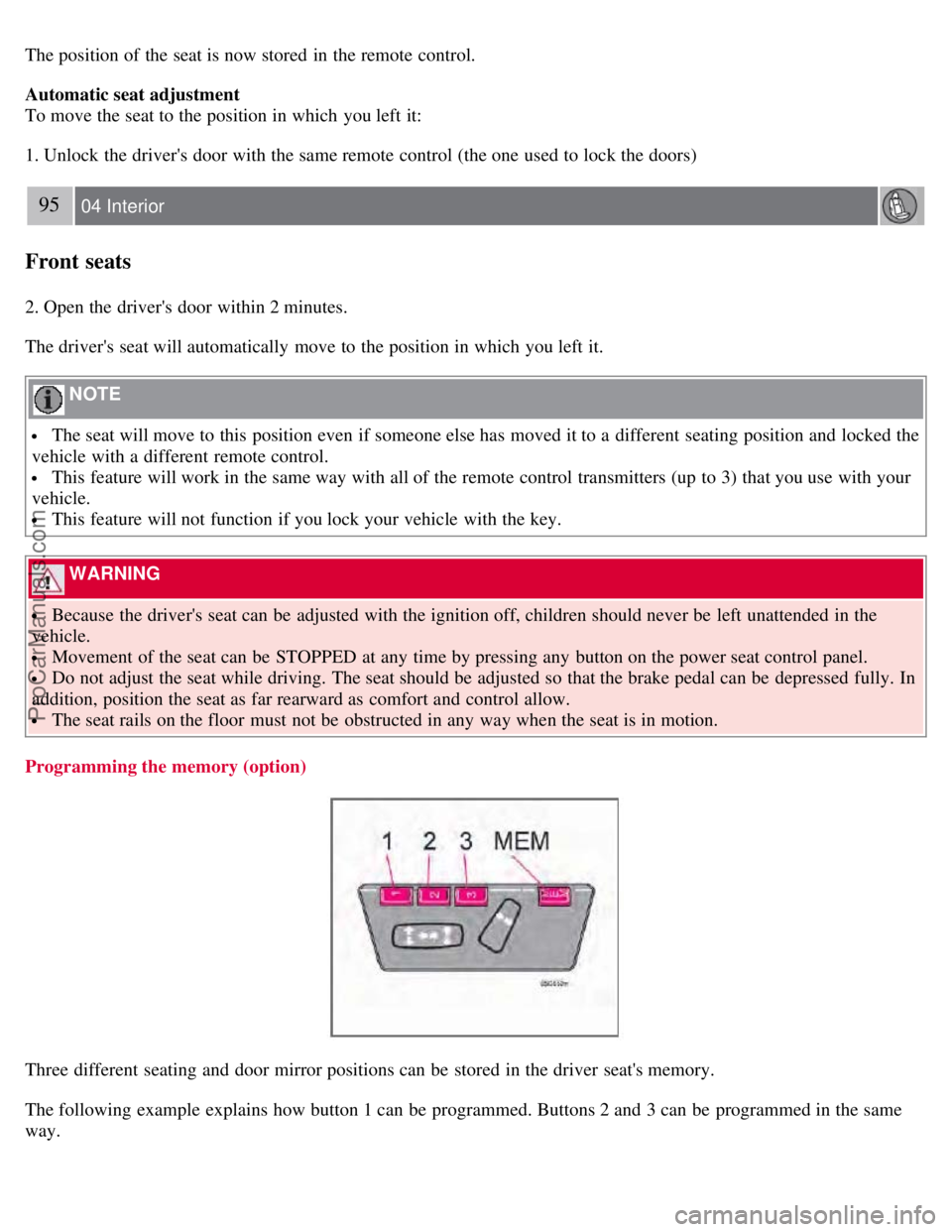
Programming the memory (option)
Three different seating and door mirror positions can be stored in the driver seat's memory.
The following example explains how button 1 can be programmed. Buttons 2 and 3 can be programmed in the same
way.
ProCarManuals.com
Page 90 of 230
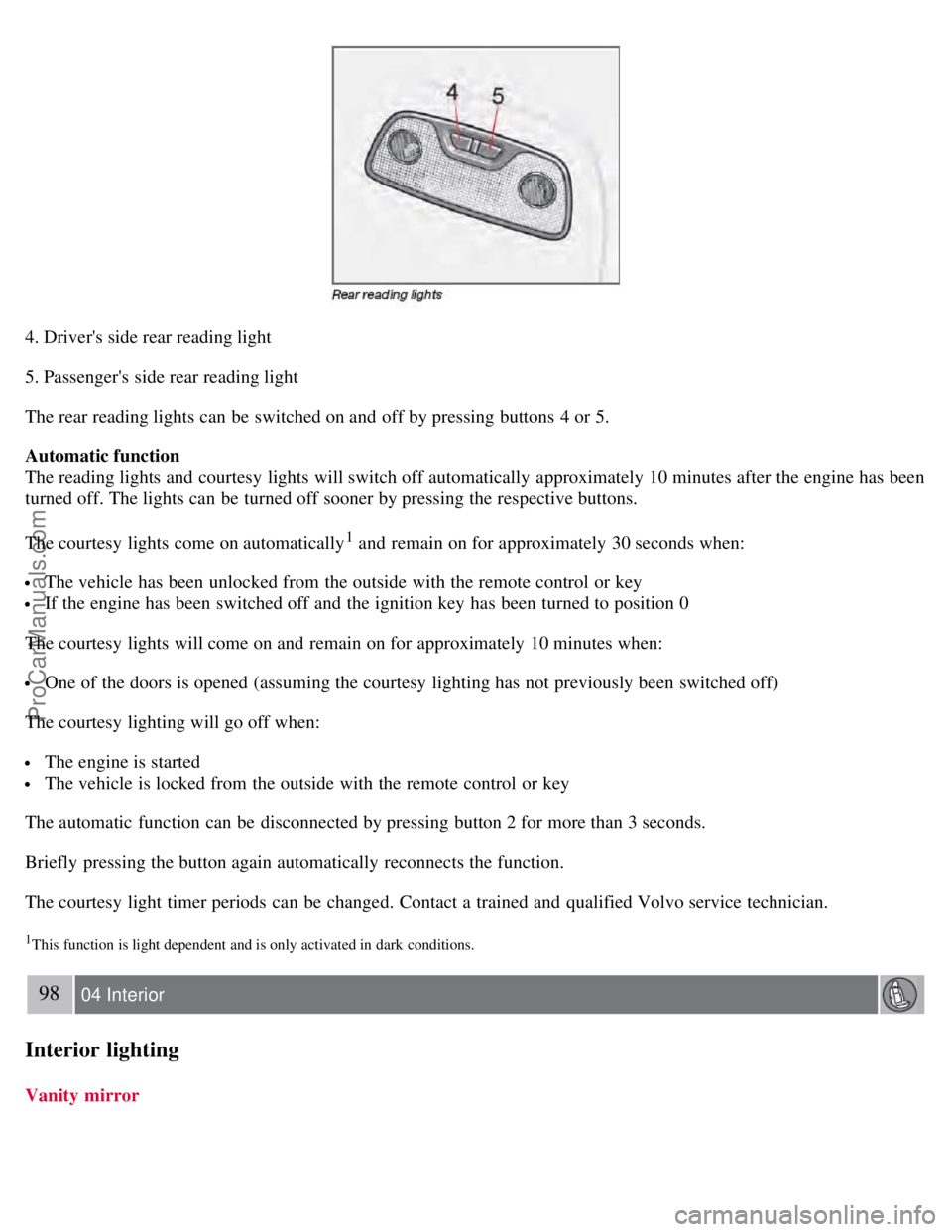
4. Driver's side rear reading light
5. Passenger's side rear reading light
The rear reading lights can be switched on and off by pressing buttons 4 or 5.
Automatic function
The reading lights and courtesy lights will switch off automatically approximately 10 minutes after the engine has been
turned off. The lights can be turned off sooner by pressing the respective buttons.
The courtesy lights come on automatically
1 and remain on for approximately 30 seconds when:
The vehicle has been unlocked from the outside with the remote control or key
If the engine has been switched off and the ignition key has been turned to position 0
The courtesy lights will come on and remain on for approximately 10 minutes when:
One of the doors is opened (assuming the courtesy lighting has not previously been switched off)
The courtesy lighting will go off when:
The engine is started
The vehicle is locked from the outside with the remote control or key
The automatic function can be disconnected by pressing button 2 for more than 3 seconds.
Briefly pressing the button again automatically reconnects the function.
The courtesy light timer periods can be changed. Contact a trained and qualified Volvo service technician.
1This function is light dependent and is only activated in dark conditions.
98 04 Interior
Interior lighting
Vanity mirror
ProCarManuals.com
Page 116 of 230
Before starting, check that the seat, steering wheel and mirrors are adjusted properly. Make sure the brake pedal can
be depressed completely. Adjust the seat if necessary. See pages 92 and 94
.
2. Apply the parking brake (hand brake) if not already set. The gear selector (automatic transmission) is locked in the
( P )ark position ( SHIFTLOCK ). Manual transmission: the clutch must be fully depressed.
3. Without touching the accelerator pedal, turn the ignition key
1 to the starting position. Allow the starter to operate for
up to 10 seconds. Release the key as soon as the engine starts. If the engine fails to start, repeat this step.
1If two of the keys to your vehicle are close together, e.g. on the same key ring, when you try to start the vehicle, this could cause interference in
the immobilizer system and result in the vehicle not starting. If this should occur, remove one of the keys from the key ring before trying to start
the vehicle again.
NOTE
If the key blade section of the remote is not fully folded out when starting the vehicle, the immobilizer function
may make it impossible to start the engine.
After a cold start, idle speed may be noticeably higher than normal for a short period. This is done to help bring
components in the emission control system to their normal operating temperature as quickly as possible, which
enables them to control emissions and help reduce the vehicle's impact on the environment.
To release the gear selector from the P position, the engine must be running (or the ignition key must be in
position II) and the brake pedal must be depressed.
Select the desired gear. The gear engages after a very slight delay which is especially noticeable when selecting R.
NOTE
Your vehicle is equipped with a KEYLOCK system (automatic transmission). When the engine is switched off, the
gear selector must be in the P position before the key can be removed from the ignition switch.
When starting in cold weather, the transmission may shift up at slightly higher engine speeds than normal until the
automatic transmission fluid reaches normal operating temperature.
WARNING
An extra mat on the driver's floor can cause the accelerator pedal to catch. Check that the movement of the
accelerator pedal is not impeded. No more than one protective floor covering may be used at one time.
WARNING
Always place the gear selector in Park or in reverse on models with a manual transmission, and apply the parking
brake before leaving the vehicle. Never leave the vehicle unattended with the engine running.
Always open garage doors fully before starting the engine inside a garage to ensure adequate ventilation. The exhaust
gases contain carbon monoxide, which is invisible and odorless but very poisonous
128 06 Starting and driving
Starting the vehicle
CAUTION
ProCarManuals.com
Page 162 of 230
important, especially in the winter. Some automatic washers do not have facilities for washing the underbody.
Before driving into an automatic vehicle wash, make sure that side view mirrors, auxiliary lamps, etc, are secure,
and that any antenna(s) are retracted or removed. Otherwise there is risk of the machine dislodging them.
Exterior lighting
Condensation may form temporarily on the inside of the lenses of exterior lights such as headlights, fog lights, or tail
lights. This is normal and the lights are designed to withstand moisture. Normally, condensation will dissipate after the
lights have been on for a short time.
Polishing and waxing
Normally, polishing is not required during the first year after delivery, however, waxing may be beneficial.
Before applying polish or wax the vehicle must be washed and dried. Tar spots can be removed with kerosene or tar
remover. Difficult spots may require a fine rubbing compound.
After polishing use liquid or paste wax.
Several commercially available products contain both polish and wax.
Waxing alone does not substitute for polishing a dull surface.
A wide range of polymer-based vehicle waxes can be purchased today. These waxes are easy to use and produce a
long-lasting, high-gloss finish that protects the bodywork against oxidation, road dirt and fading.
Do not polish or wax your vehicle in direct sunlight (the surface of the vehicle should not be warmer than 113° F
(45° C).
CAUTION
Volvo does not recommend the use of long-life or durable paint protection coatings, some of which may claim to
prevent pitting, fading, oxidation, etc. These coatings have not been tested by Volvo for compatibility with your
vehicle's clear coat. Some of them may cause the clear coat to soften, crack, or cloud. Damage caused by application
of paint protection coatings may not be covered under your vehicle's paint warranty.
180 08 Car care
Washing and cleaning the vehicle
Cleaning the upholstery
Fabric
Clean with soapy water or a detergent. For more difficult spots caused by oil, ice cream, shoe polish, grease, etc., use a
clothing/fabric stain remover. Consult your Volvo retailer.
Interior plastic components
Cleaning interior plastic components should be done with a cleaning agent specially designed for this purpose. Consult
your Volvo retailer.
Alcantera™ suede-like material
Suede -like upholstery can be cleaned with a soft cloth and mild soap solution.
Leather care
Volvo's leather upholstery is manufactured with a protectant to repel soiling. Over time, sunlight, grease and dirt can
break down the protection. Staining, cracking, scuffing, and fading can result.
Volvo offers an easy-to-use, non-greasy leather care kit formulated to clean and beautify your vehicle's leather, and to
renew the protective qualities of its finish. The cleaner removes dirt and oil buildup. The light cream protectant
ProCarManuals.com