alarm VOLVO S60 2008 Owners Manual
[x] Cancel search | Manufacturer: VOLVO, Model Year: 2008, Model line: S60, Model: VOLVO S60 2008Pages: 230, PDF Size: 5.33 MB
Page 3 of 230
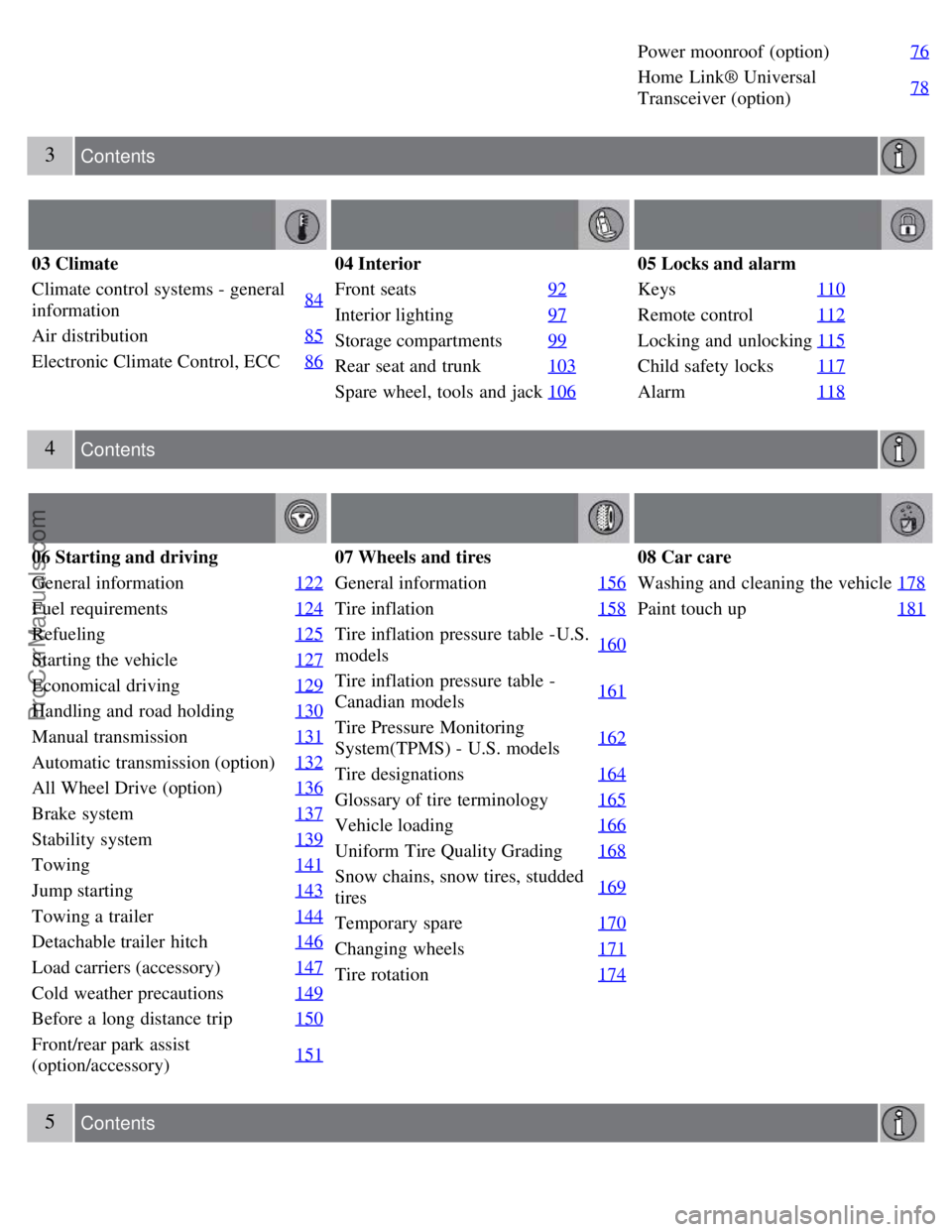
Power moonroof (option)76
Home Link® Universal
Transceiver (option)78
3 Contents
03 Climate
Climate control systems - general
information84
Air distribution
85
Electronic Climate Control, ECC86
04 Interior
Front seats92
Interior lighting97
Storage compartments99
Rear seat and trunk103
Spare wheel, tools and jack106
05 Locks and alarm
Keys110
Remote control112
Locking and unlocking115
Child safety locks117
Alarm118
4 Contents
06 Starting and driving
General information 122
Fuel requirements124
Refueling125
Starting the vehicle127
Economical driving129
Handling and road holding130
Manual transmission131
Automatic transmission (option)132
All Wheel Drive (option)136
Brake system137
Stability system139
Towing141
Jump starting143
Towing a trailer144
Detachable trailer hitch146
Load carriers (accessory)147
Cold weather precautions149
Before a long distance trip150
Front/rear park assist
(option/accessory)151
07 Wheels and tires
General information
156
Tire inflation158
Tire inflation pressure table -U.S.
models160
Tire inflation pressure table -
Canadian models161
Tire Pressure Monitoring
System(TPMS) - U.S. models162
Tire designations
164
Glossary of tire terminology165
Vehicle loading166
Uniform Tire Quality Grading168
Snow chains, snow tires, studded
tires169
Temporary spare
170
Changing wheels171
Tire rotation174
08 Car care
Washing and cleaning the vehicle178
Paint touch up181
5 Contents
ProCarManuals.com
Page 10 of 230
Power moonroof (option)76
Home Link® Universal
Transceiver (option)78
3 Contents
03 Climate
Climate control systems - general
information84
Air distribution
85
Electronic Climate Control, ECC86
04 Interior
Front seats92
Interior lighting97
Storage compartments99
Rear seat and trunk103
Spare wheel, tools and jack106
05 Locks and alarm
Keys110
Remote control112
Locking and unlocking115
Child safety locks117
Alarm118
4 Contents
06 Starting and driving
General information 122
Fuel requirements124
Refueling125
Starting the vehicle127
Economical driving129
Handling and road holding130
Manual transmission131
Automatic transmission (option)132
All Wheel Drive (option)136
Brake system137
Stability system139
Towing141
Jump starting143
Towing a trailer144
Detachable trailer hitch146
Load carriers (accessory)147
Cold weather precautions149
Before a long distance trip150
Front/rear park assist
(option/accessory)151
07 Wheels and tires
General information
156
Tire inflation158
Tire inflation pressure table -U.S.
models160
Tire inflation pressure table -
Canadian models161
Tire Pressure Monitoring
System(TPMS) - U.S. models162
Tire designations
164
Glossary of tire terminology165
Vehicle loading166
Uniform Tire Quality Grading168
Snow chains, snow tires, studded
tires169
Temporary spare
170
Changing wheels171
Tire rotation174
08 Car care
Washing and cleaning the vehicle178
Paint touch up181
5 Contents
ProCarManuals.com
Page 52 of 230
down. If these positions are occupied, the head restraints should be in the upright (fixed) position.
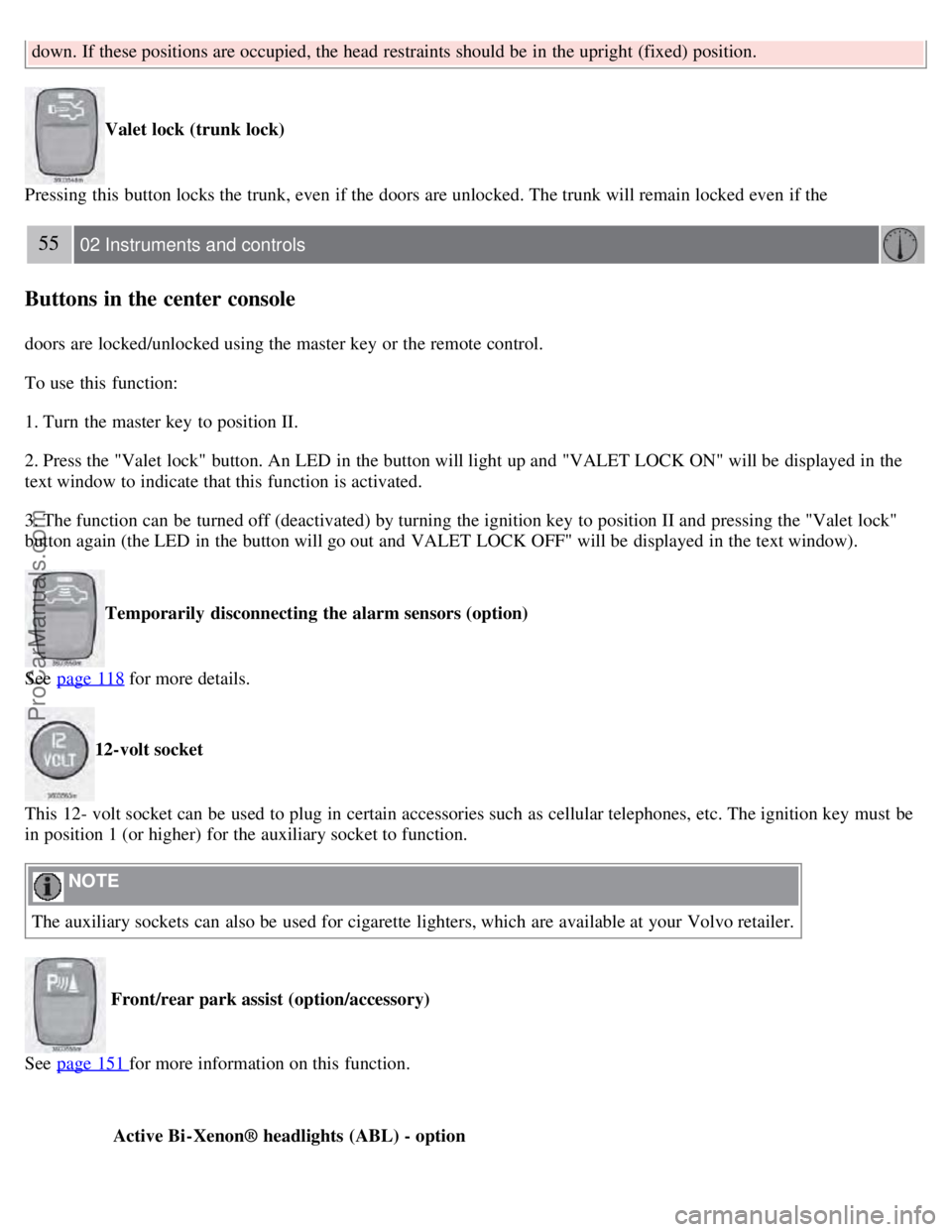
Valet lock (trunk lock)
Pressing this button locks the trunk, even if the doors are unlocked. The trunk will remain locked even if the
55 02 Instruments and controls
Buttons in the center console
doors are locked/unlocked using the master key or the remote control.
To use this function:
1. Turn the master key to position II.
2. Press the "Valet lock" button. An LED in the button will light up and "VALET LOCK ON" will be displayed in the
text window to indicate that this function is activated.
3. The function can be turned off (deactivated) by turning the ignition key to position II and pressing the "Valet lock"
button again (the LED in the button will go out and VALET LOCK OFF" will be displayed in the text window).
Temporarily disconnecting the alarm sensors (option)
See page 118
for more details.
12-volt socket
This 12- volt socket can be used to plug in certain accessories such as cellular telephones, etc. The ignition key must be
in position 1 (or higher) for the auxiliary socket to function.
NOTE
The auxiliary sockets can also be used for cigarette lighters, which are available at your Volvo retailer.
Front/rear park assist (option/accessory)
See page 151
for more information on this function.
Active Bi -Xenon® headlights (ABL) - option
ProCarManuals.com
Page 99 of 230
2 0 0 8
VOLVO S60
108 05 Locks and alarm
Keys 110
Remote control112
Locking and unlocking115
Child safety locks117
Alarm118
109 05 Locks and alarm
110 05 Locks and alarm
Keys
ProCarManuals.com
Page 101 of 230
Each of the keys supplied with your vehicle contains a coded transmitter. The code in the key is transmitted to an
antenna in the ignition switch where it is compared to the code stored in the start inhibitor module. The vehicle will
start only with a properly coded key.
Each key has a unique code, which your Volvo retailer uses if new keys are required. A maximum of six remote
controls/keys can be programmed and used for one vehicle.
If you misplace a key, take the other keys to an authorized Volvo retailer for reprogramming as an antitheft measure.
111 05 Locks and alarm
Keys
NOTE
This device complies with part 15 of the FCC rules. Operation is subject to the following condition: (1) This device
may not cause harmful interference, and (2) this device must accept any interference received, including interference
that may cause undesired operation.
112 05 Locks and alarm
Remote control
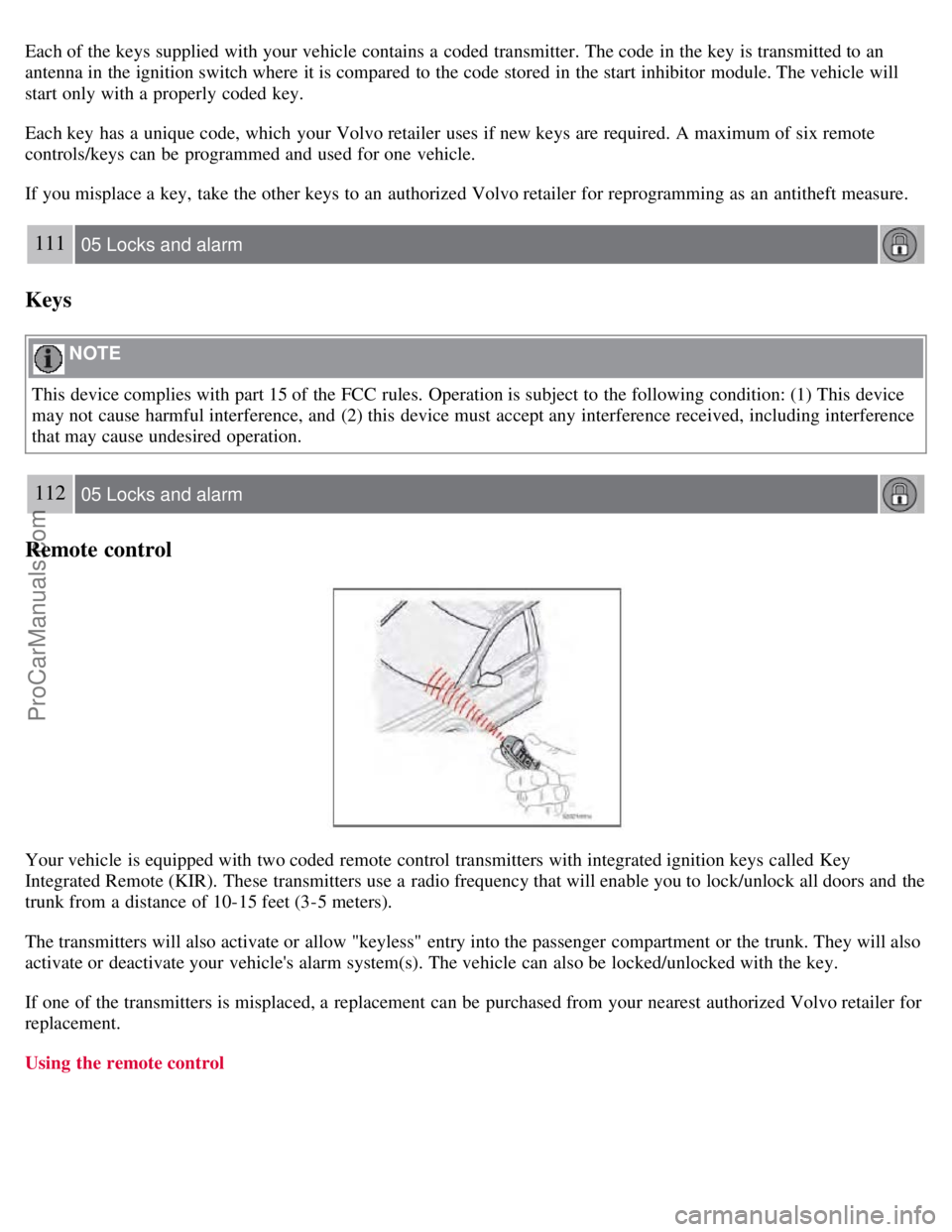
Your vehicle is equipped with two coded remote control transmitters with integrated ignition keys called Key
Integrated Remote (KIR). These transmitters use a radio frequency that will enable you to lock/unlock all doors and the
trunk from a distance of 10-15 feet (3-5 meters).
The transmitters will also activate or allow "keyless" entry into the passenger compartment or the trunk. They will also
activate or deactivate your vehicle's alarm system(s). The vehicle can also be locked/unlocked with the key.
If one of the transmitters is misplaced, a replacement can be purchased from your nearest authorized Volvo retailer for
replacement.
Using the remote control
ProCarManuals.com
Page 102 of 230
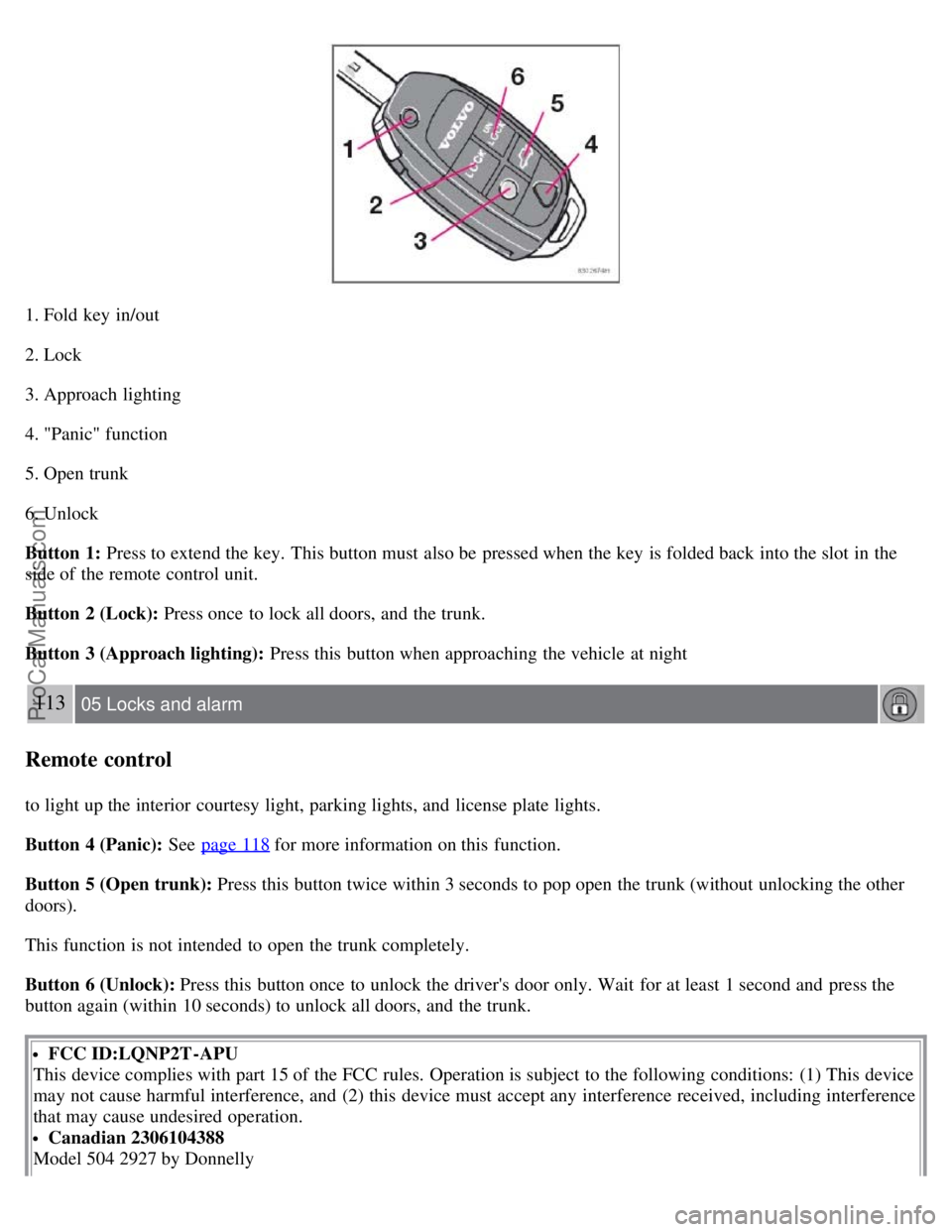
1. Fold key in/out
2. Lock
3. Approach lighting
4. "Panic" function
5. Open trunk
6. Unlock
Button 1: Press to extend the key. This button must also be pressed when the key is folded back into the slot in the
side of the remote control unit.
Button 2 (Lock): Press once to lock all doors, and the trunk.
Button 3 (Approach lighting): Press this button when approaching the vehicle at night
113 05 Locks and alarm
Remote control
to light up the interior courtesy light, parking lights, and license plate lights.
Button 4 (Panic): See page 118
for more information on this function.
Button 5 (Open trunk): Press this button twice within 3 seconds to pop open the trunk (without unlocking the other
doors).
This function is not intended to open the trunk completely.
Button 6 (Unlock): Press this button once to unlock the driver's door only. Wait for at least 1 second and press the
button again (within 10 seconds) to unlock all doors, and the trunk.
FCC ID:LQNP2T-APU
This device complies with part 15 of the FCC rules. Operation is subject to the following conditions: (1) This device
may not cause harmful interference, and (2) this device must accept any interference received, including interference
that may cause undesired operation.
Canadian 2306104388
Model 504 2927 by Donnelly
ProCarManuals.com
Page 103 of 230
Operation is subject to the following conditions: (1) this device may not cause interference, and (2) this device must
accept any interference, including interference that may cause undesired operation of the device.
Canadian 2306104388A
Model 509 977 by Connaught Electronics
Operation is subject to the following conditions: (1) this device may not cause interference, and (2) this device must
accept any interference, including interference that may cause undesired operation of the device.
NOTE
If an airbag deploys, your vehicle's SRS control module will attempt to automatically unlock all doors.
The keys may also be used to lock and unlock the doors, and to activate and deactivate the alarm system.
To avoid leaving your keys in the vehicle, make a habit of always locking the vehicle with the remote control.
If the key blade section of the remote is not fully folded out when starting the vehicle, the immobilizer function
may make it impossible to start the engine.
The vehicle can be locked even if a door is open. When the door(s) are closed, they will be locked. Please be
aware that the keys could be locked in the car when this is done.
Automatic re-locking
If the doors are unlocked, the locks will automatically reengage (re-lock) and the alarm will rearm after 2 minutes
unless a door or the trunk has been opened. This helps prevent the car from inadvertently being left unlocked.
114 05 Locks and alarm
Remote control
WARNING
Never use the transmitter to lock the doors from inside the vehicle.
Doing so would ACTIVATE:
the break-in alarm, which would sound if one of the doors were opened
the optional interior motion and inclination alarm sensors. Doing so would DEACTIVATE:
the moonroof and interior courtesy light controls.
the central locking buttons on the front door armrests, although the interior door handles would still function to
allow occupants to leave the vehicle.
Disabled features would remain disabled until the remote is used again to unlock the vehicle.
In addition, locking an occupied vehicle would hinder rapid access to the occupants in an accident or emergency.
Replacing the battery in the remote control
ProCarManuals.com
Page 104 of 230
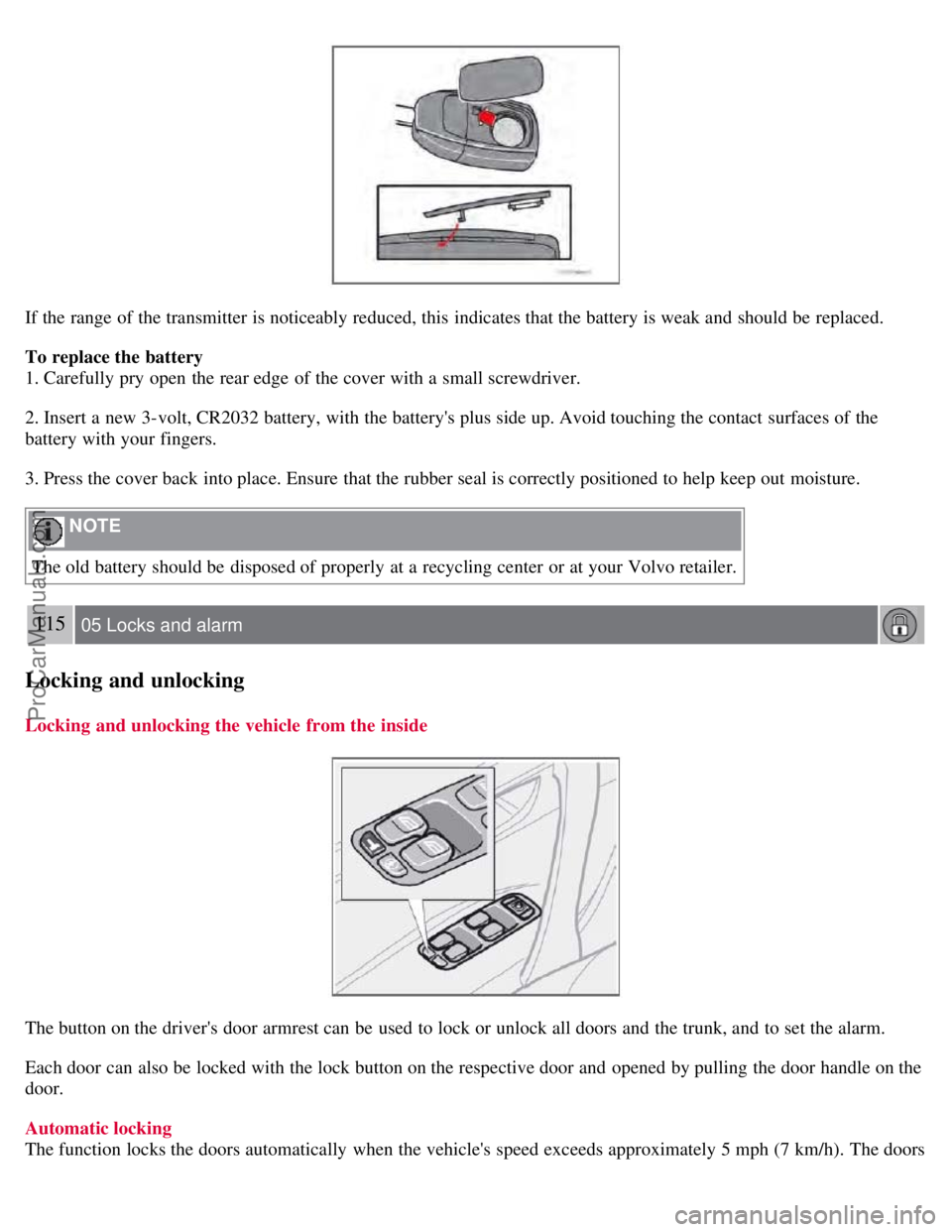
If the range of the transmitter is noticeably reduced, this indicates that the battery is weak and should be replaced.
To replace the battery
1. Carefully pry open the rear edge of the cover with a small screwdriver.
2. Insert a new 3-volt, CR2032 battery, with the battery's plus side up. Avoid touching the contact surfaces of the
battery with your fingers.
3. Press the cover back into place. Ensure that the rubber seal is correctly positioned to help keep out moisture.
NOTE
The old battery should be disposed of properly at a recycling center or at your Volvo retailer.
115 05 Locks and alarm
Locking and unlocking
Locking and unlocking the vehicle from the inside
The button on the driver's door armrest can be used to lock or unlock all doors and the trunk, and to set the alarm.
Each door can also be locked with the lock button on the respective door and opened by pulling the door handle on the
door.
Automatic locking
The function locks the doors automatically when the vehicle's speed exceeds approximately 5 mph (7 km/h). The doors
ProCarManuals.com
Page 105 of 230
will then remain locked until a door in opened from the inside or if all of the doors are unlocked from the control
panel in the driver's door.
This function can be activated/deactivated from the control panel in the driver's door.
Activating/deactivating automatic locking
1. Turn the ignition key to position I or II.
2. Press the READ button on the left-side steering wheel lever to erase any messages that may be displayed in the
information display.
3. Depress the central locking button on the control panel until a new message about the locking status is displayed.
The message AUTOLOCK ON (the doors will be locked when the vehicle begins to move) or AUTOLOCK OFF will
be displayed.
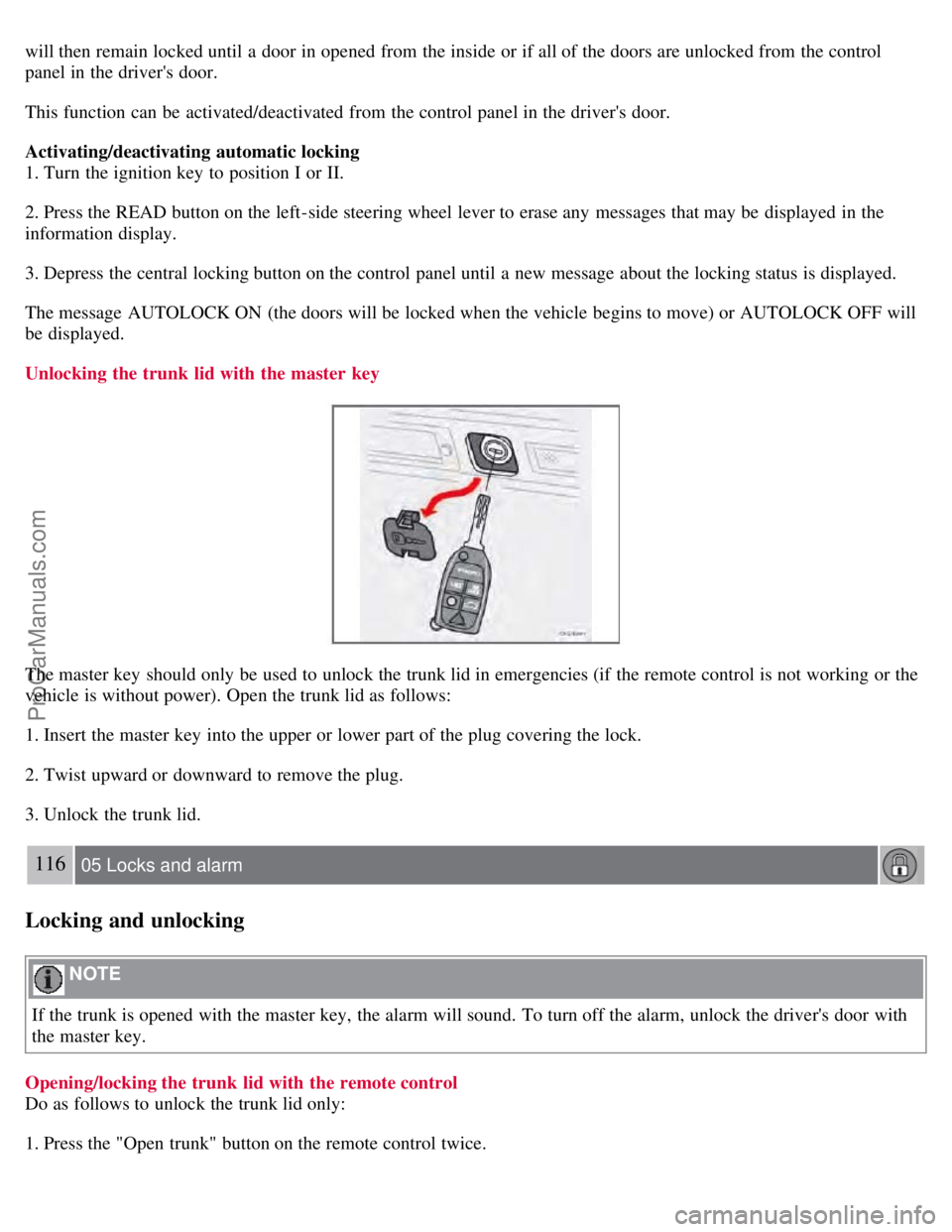
Unlocking the trunk lid with the master key
The master key should only be used to unlock the trunk lid in emergencies (if the remote control is not working or the
vehicle is without power). Open the trunk lid as follows:
1. Insert the master key into the upper or lower part of the plug covering the lock.
2. Twist upward or downward to remove the plug.
3. Unlock the trunk lid.
116 05 Locks and alarm
Locking and unlocking
NOTE
If the trunk is opened with the master key, the alarm will sound. To turn off the alarm, unlock the driver's door with
the master key.
Opening/locking the trunk lid with the remote control
Do as follows to unlock the trunk lid only:
1. Press the "Open trunk" button on the remote control twice.
ProCarManuals.com
Page 106 of 230
2. Relock the trunk using the remote's "Lock" button.
NOTE
If all doors are locked when you close the trunk lid, it locks automatically.
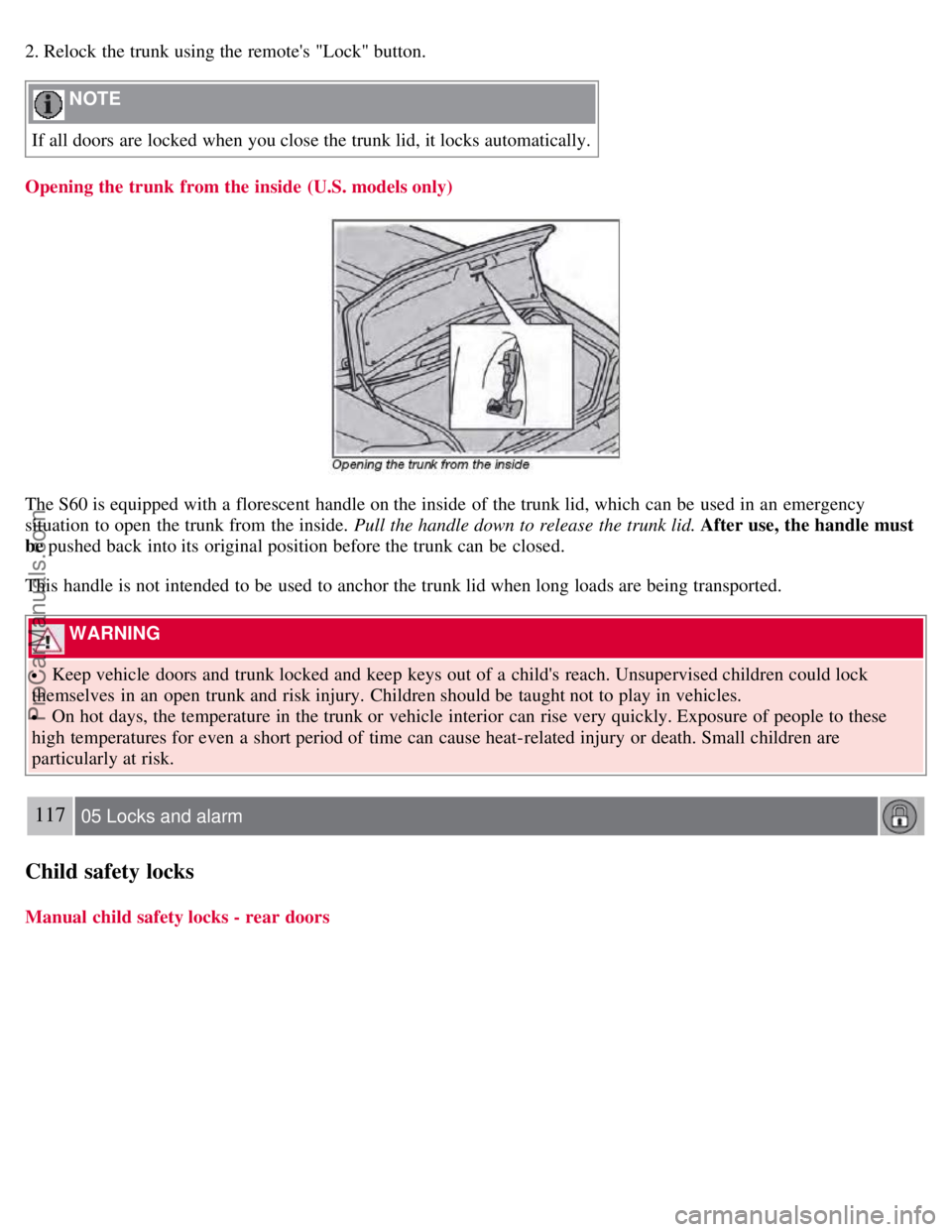
Opening the trunk from the inside (U.S. models only)
The S60 is equipped with a florescent handle on the inside of the trunk lid, which can be used in an emergency
situation to open the trunk from the inside. Pull the handle down to release the trunk lid. After use, the handle must
be pushed back into its original position before the trunk can be closed.
This handle is not intended to be used to anchor the trunk lid when long loads are being transported.
WARNING
Keep vehicle doors and trunk locked and keep keys out of a child's reach. Unsupervised children could lock
themselves in an open trunk and risk injury. Children should be taught not to play in vehicles.
On hot days, the temperature in the trunk or vehicle interior can rise very quickly. Exposure of people to these
high temperatures for even a short period of time can cause heat-related injury or death. Small children are
particularly at risk.
117 05 Locks and alarm
Child safety locks
Manual child safety locks - rear doors
ProCarManuals.com