alarm VOLVO S60 2008 User Guide
[x] Cancel search | Manufacturer: VOLVO, Model Year: 2008, Model line: S60, Model: VOLVO S60 2008Pages: 230, PDF Size: 5.33 MB
Page 107 of 230
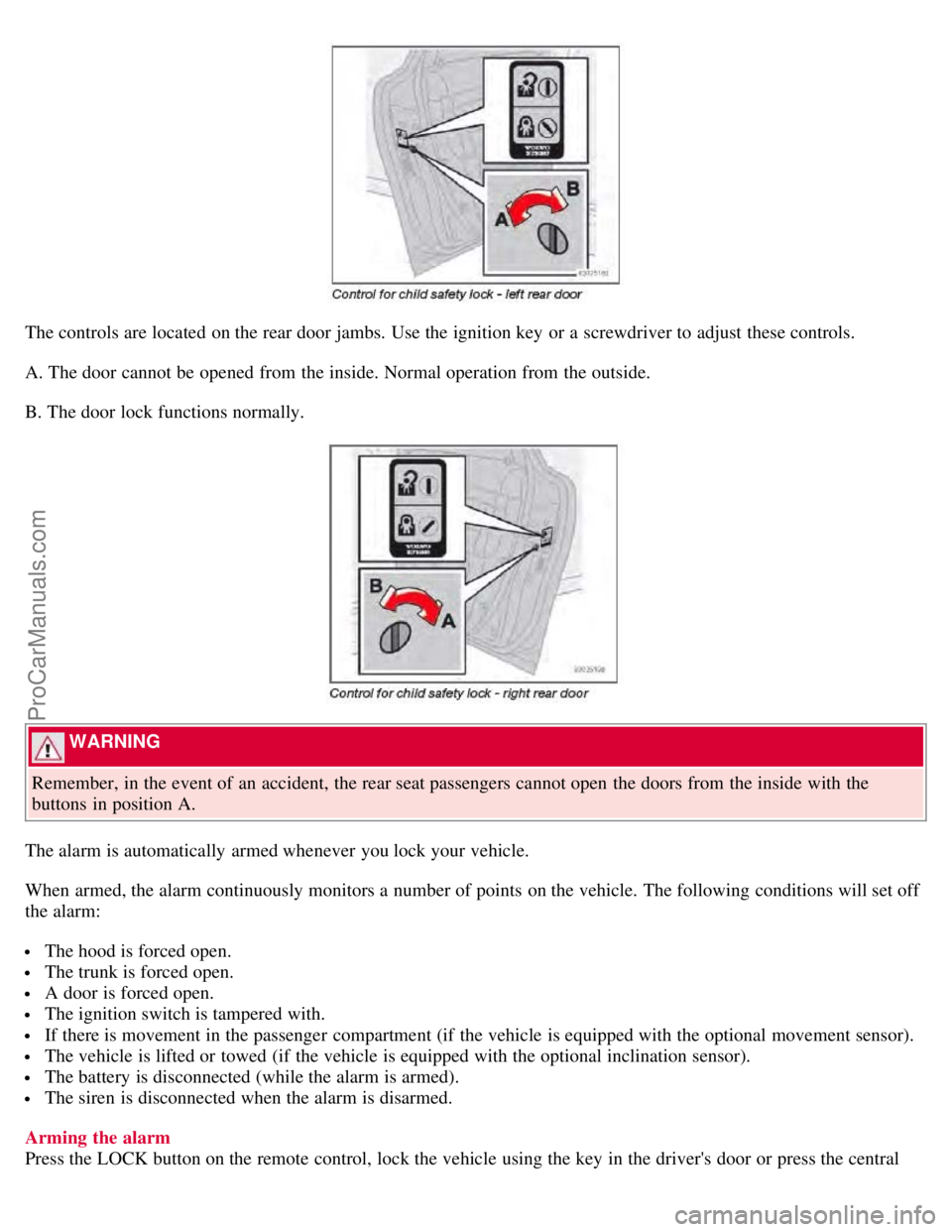
The controls are located on the rear door jambs. Use the ignition key or a screwdriver to adjust these controls.
A. The door cannot be opened from the inside. Normal operation from the outside.
B. The door lock functions normally.
WARNING
Remember, in the event of an accident, the rear seat passengers cannot open the doors from the inside with the
buttons in position A.
The alarm is automatically armed whenever you lock your vehicle.
When armed, the alarm continuously monitors a number of points on the vehicle. The following conditions will set off
the alarm:
The hood is forced open.
The trunk is forced open.
A door is forced open.
The ignition switch is tampered with.
If there is movement in the passenger compartment (if the vehicle is equipped with the optional movement sensor).
The vehicle is lifted or towed (if the vehicle is equipped with the optional inclination sensor).
The battery is disconnected (while the alarm is armed).
The siren is disconnected when the alarm is disarmed.
Arming the alarm
Press the LOCK button on the remote control, lock the vehicle using the key in the driver's door or press the central
ProCarManuals.com
Page 108 of 230
lock button on the driver's door with the door open. One long flash of the turn signals will confirm that the alarm is
armed.
Disarming the alarm
Press the UNLOCK button on the remote control or unlock the doors with the key.
Turning off (stopping) the alarm
If the alarm is sounding, it can be stopped by pressing the UNLOCK button on the remote control or by unlocking the
driver's door with the key.
118 05 Locks and alarm
Alarm
Visual alarm signal
The visual alarm signal is given by flashing all turn signals and turning on the interior lighting for approximately 5
minutes.
Audible alarm signal
An audible alarm signal is given by a battery powered siren. One alarm cycle lasts for 25 seconds.
"Panic" button
In an emergency situation, this feature can be used to attract attention.
Activate the "panic" button by pressing the red button on the remote control (see illustration on page 112
) for at least 3
seconds or by pressing this button twice within 3 seconds. The turn signals will flash, and the vehicle's horn will
sound.
The function can be turned off by pressing any of the buttons on the remote control or will stop automatically after 25
seconds. When a button is pressed, there is a 5 second delay before the panic alarm is deactivated.
NOTE
This button will NOT unlock the vehicle.
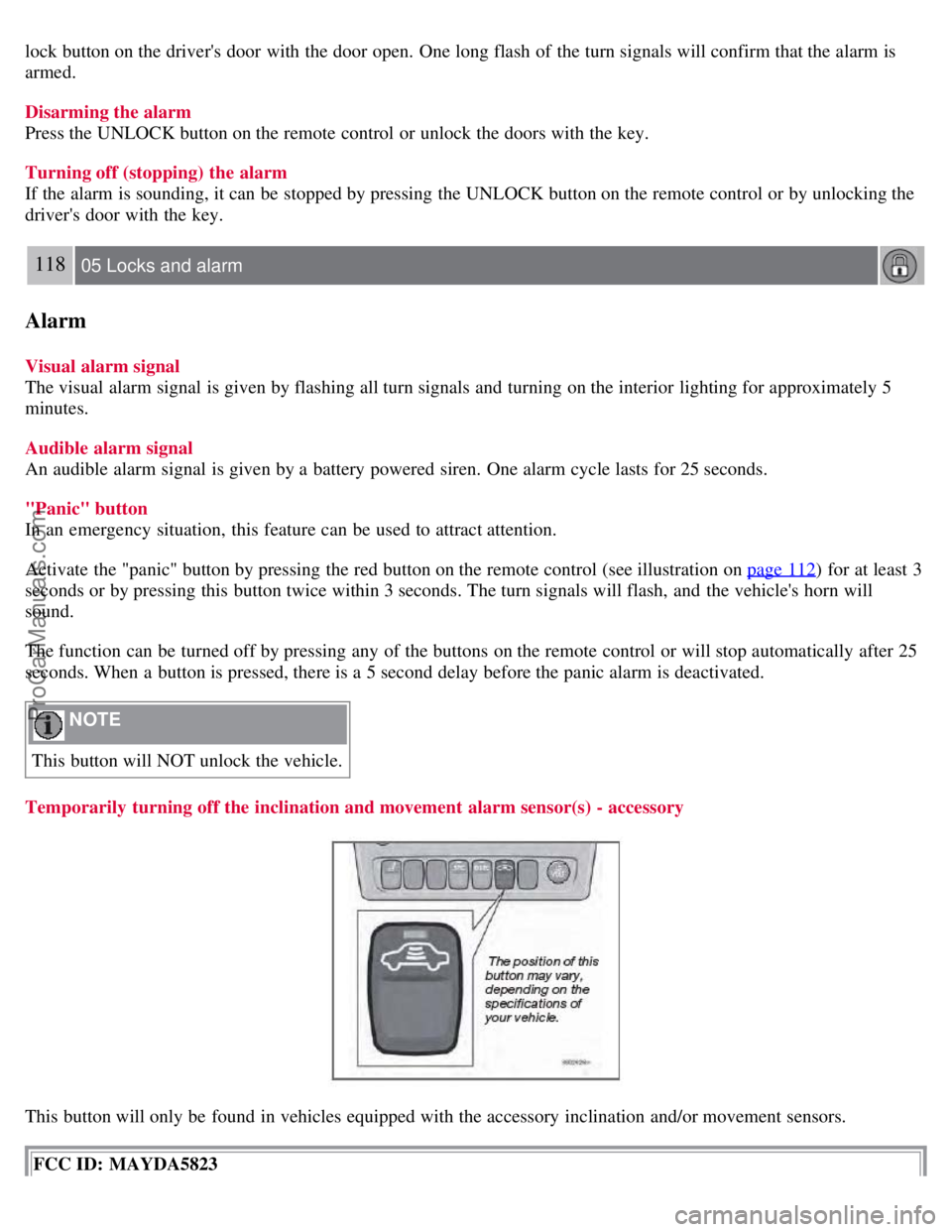
Temporarily turning off the inclination and movement alarm sensor(s) - accessory
This button will only be found in vehicles equipped with the accessory inclination and/or movement sensors.
FCC ID: MAYDA5823
ProCarManuals.com
Page 109 of 230
This device complies with part 15 of the FCC rules. Operation is subject to the following conditions: (1) This device
may not cause harmful interference, and (2) this device must accept any interference received, including interference
that may cause undesired operation.
Canadian IC: 4405A-DA5823
Movement sensor DA5823 by Dynex
Operation is subject to the following conditions: (1) this device may not cause interference, and (2) this device must
accept any interference, including interference that may cause undesired operation of the device.
In certain situations it may be desirable to turn off the accessory inclination and movement alarm sensors if, for
example, you drive your vehicle onto a ferry where the rocking of the boat could trigger the alarm or if a pet is left in
the vehicle with the doors locked.
To temporarily turn off the inclination and movement alarm sensors from the alarm system:
119 05 Locks and alarm
Alarm
From the time the ignition key is turned from the Drive position (position II) until you lock the vehicle, you can press
the button in the center console. The LED in the switch will light up and a message will be displayed in the text
window to indicate that the sensors are disconnected.
The vehicle can then be locked in the usual way to set the alarm.
NOTE
This function will not turn off the vehicle's standard alarm.
The optional sensors are automatically reconnected to the alarm system the next time the vehicle is unlocked and
then locked again.
LED alarm status signals
The status of the alarm system is indicated by the red LED at the top of the dash:
LED off - the alarm is not armed
LED flashes once per second - the alarm is armed
LED flashes rapidly before the ignition is switched on - the alarm has been triggered
Fault in the alarm system: If a fault has been detected in the alarm system, a message will be displayed in the text
window. Contact a trained and qualified Volvo service technician.
Automatic re-lock/re -arm system
If the vehicle is unlocked with the remote, the vehicle will re-lock and the alarm will re-arm after 2 minutes unless a
door or the trunk has been opened.
ProCarManuals.com
Page 199 of 230
10. CD player
11. AUTO - automatically search for radio stations
12. Navigation buttons (seek/change radio station or CD track)
13. Exit (exit the menu)
14. Scan function (automatically search for radio stations)
15. On/off - press Volume - turn
16. Buttons for selecting stored radio stations/discs in optional CD changer
17. Bass (press to release control and turn to adjust)
18. Treble (press to release control and turn to adjust)
19. Balance (left/right) - press to release control and turn to adjust
20. Fader (front/rear) - press to release control and turn to adjust
21. Source/Menu
Press to open main menu
Turn to select FM, AM, CD, CD changer (option), or AUX (option)
225 10 Audio
Radio functions HU-650/HU-850
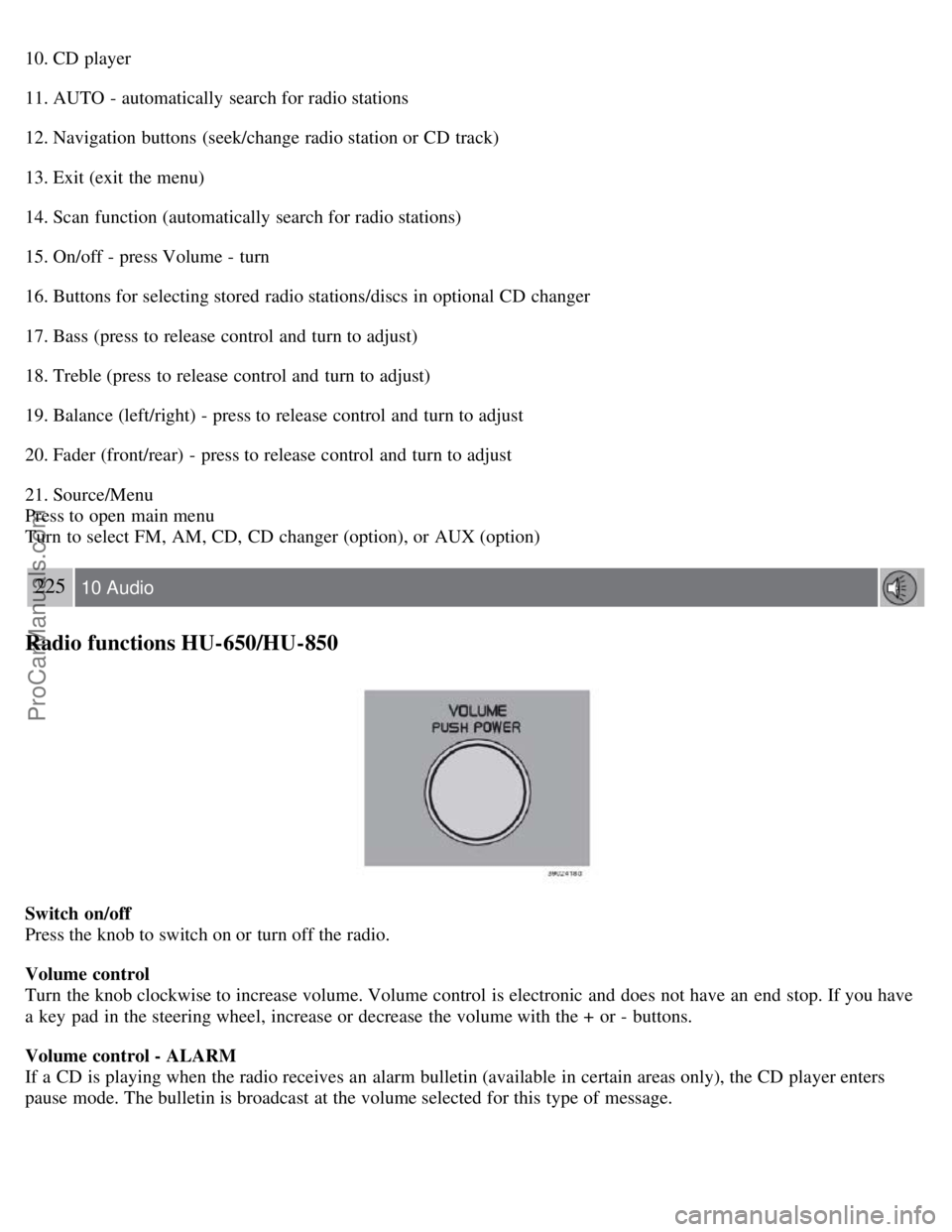
Switch on/off
Press the knob to switch on or turn off the radio.
Volume control
Turn the knob clockwise to increase volume. Volume control is electronic and does not have an end stop. If you have
a key pad in the steering wheel, increase or decrease the volume with the + or - buttons.
Volume control - ALARM
If a CD is playing when the radio receives an alarm bulletin (available in certain areas only), the CD player enters
pause mode. The bulletin is broadcast at the volume selected for this type of message.
ProCarManuals.com
Page 205 of 230
PI (Program Information) Seek:
When an FM station has been stored as a preset, the radio also stores RBDS program information if it is available.
When the preset is selected at a later time, the radio tries to access updated program information. In weak signal areas,
there may be a delay before the station becomes audible. During this delay, "PI seek" will be displayed and there will
be no sound.
PI seek can be interrupted by pressing EXIT.
Radio text
Certain RBDS stations broadcast program information, which can be shown in the display. The text will be shown
twice in the display.
To start this function:
Press the FM button for several seconds.
To deactivate this function:
Press FM briefly.
Station information will be shown twice in the display.
Alarm
Alarms bulletins are transmitted automatically by certain RBDS stations. The function cannot be deactivated.
"Alarm!" is shown in the radio display when an alarm message is sent. The function is used to warn motorists of
serious accidents, etc.
Program type/station format -PTY
The PTY function allows you to find stations whose programs suit your taste. Use the PTY function to select among
the different station formats shown in the list.
To select a station format:
1. Select radio mode using the FM button, or by turning the SOURCE knob.
2. Turn the SOURCE knob, select PTY and press SOURCE.
3. Turn the SOURCE knob, select a station format from the list and press SOURCE to confirm the selected station
format. The PTY (station format) of the selected station is now shown in the display.
NOTE
Not all RBDS radio stations have PTY designations.
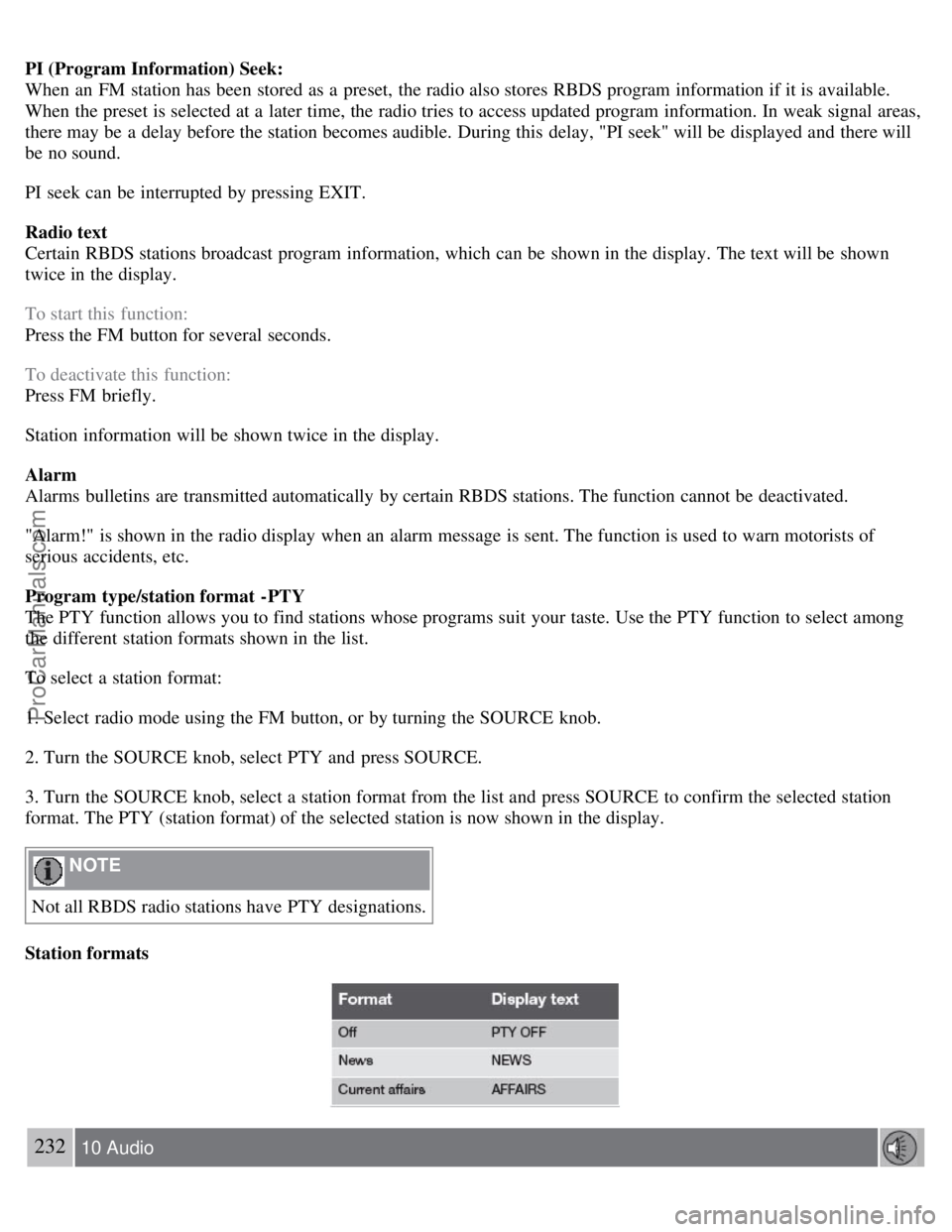
Station formats
232 10 Audio
ProCarManuals.com
Page 213 of 230
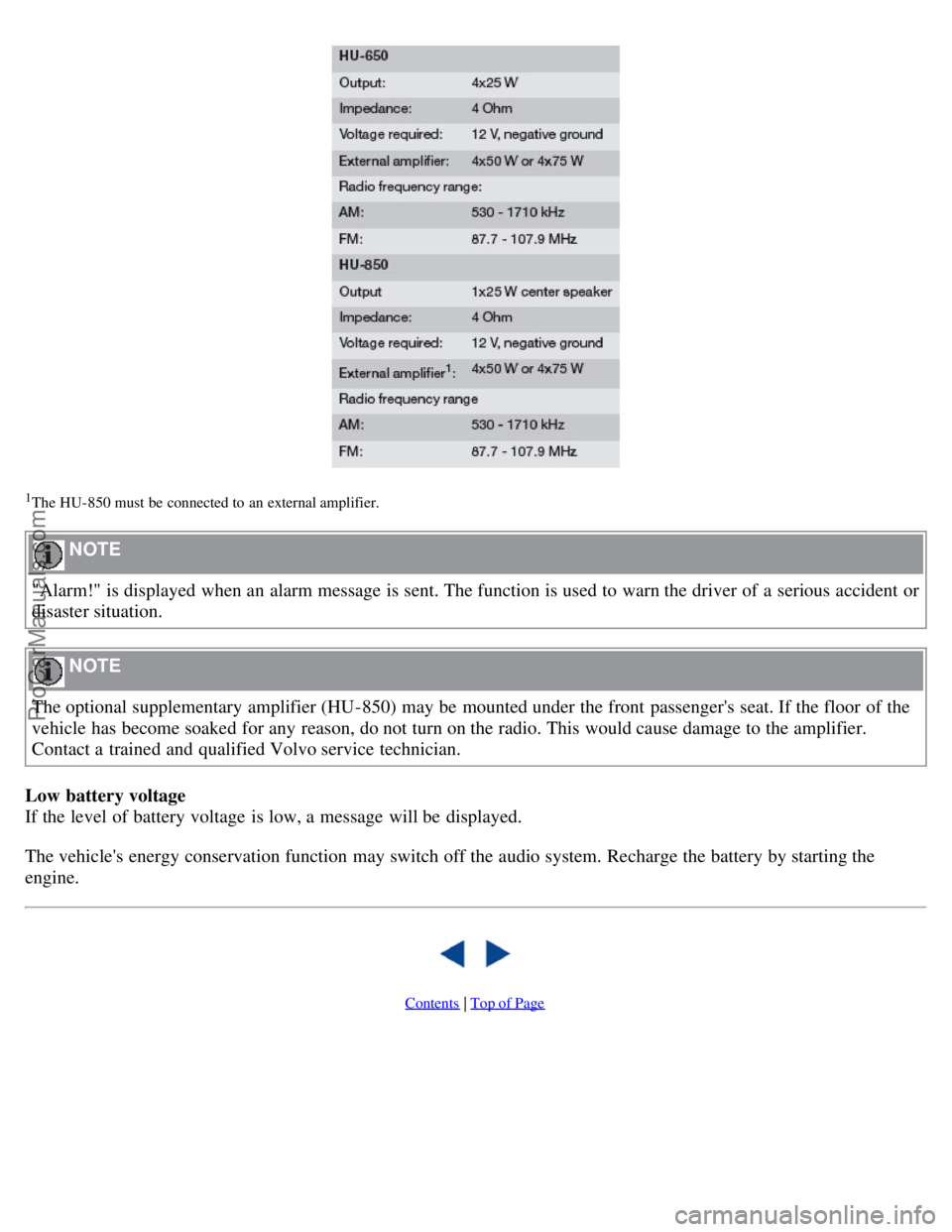
1The HU- 850 must be connected to an external amplifier.
NOTE
"Alarm!" is displayed when an alarm message is sent. The function is used to warn the driver of a serious accident or
disaster situation.
NOTE
The optional supplementary amplifier (HU-850) may be mounted under the front passenger's seat. If the floor of the
vehicle has become soaked for any reason, do not turn on the radio. This would cause damage to the amplifier.
Contact a trained and qualified Volvo service technician.
Low battery voltage
If the level of battery voltage is low, a message will be displayed.
The vehicle's energy conservation function may switch off the audio system. Recharge the battery by starting the
engine.
Contents | Top of Page
ProCarManuals.com
Page 223 of 230
2 0 0 8
VOLVO S60
254-259 12 Index
12-volt socket
front 55
rear69
A
A/C (air conditioning)88
ABS50, 137
Accessory Installation- Important Warning9
Active Bi -Xenon® headlights (ABL)57
Air conditioning87
Air distribution85, 87, 89
Air quality sensor88
Air vents85
Airbag system16
Alarm118
All Wheel Drive136
towing142
Anti-lock Brake System (ABS)6, 137
indicator light50
Audio system222
AUX port225
CD changer235
CD changer (external)236
CD player234
Dolby Surround Pro Logic II237
PI seek231
selecting a sound source228
sound settings227
storing radio stations229
AUTO (climate control)87
Automatic transmission132
kickdown133
AUX port225
Average speed64
AWD136
B
ProCarManuals.com