light VOLVO S60 2009 Owner´s Manual
[x] Cancel search | Manufacturer: VOLVO, Model Year: 2009, Model line: S60, Model: VOLVO S60 2009Pages: 254, PDF Size: 6.17 MB
Page 60 of 254
02 Instruments and controlsLighting panel
0260
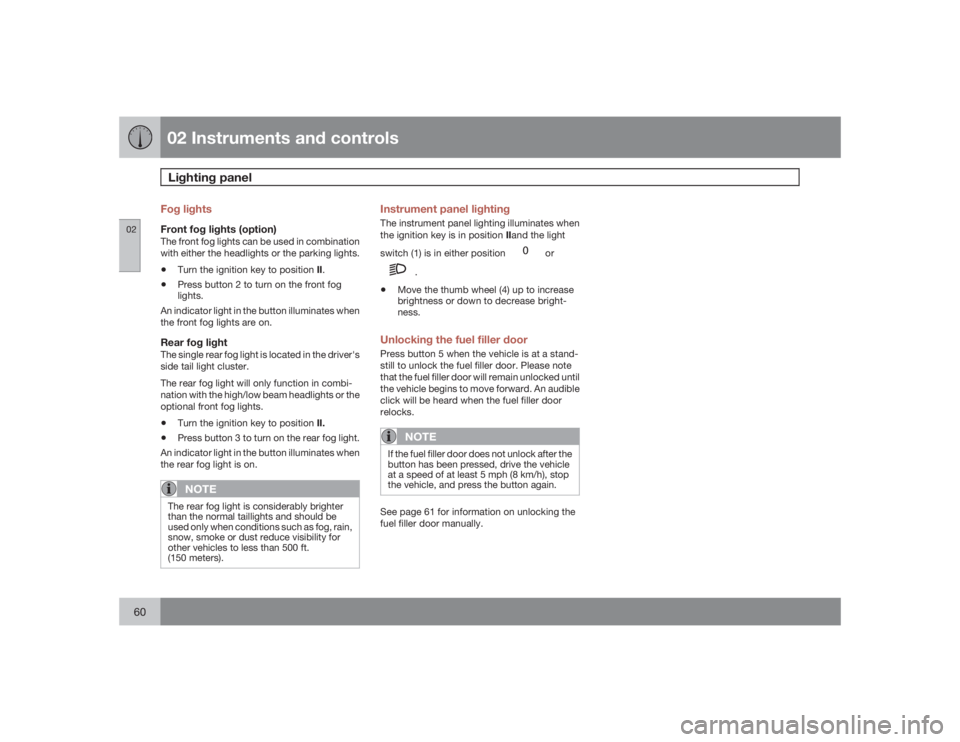
Fog lightsFront fog lights (option)The front fog lights can be used in combination
with either the headlights or the parking lights.•
Turn the ignition key to position II.
•
Press button 2 to turn on the front fog
lights.
An indicator light in the button illuminates when
the front fog lights are on.
Rear fog lightThe single rear fog light is located in the driver's
side tail light cluster.
The rear fog light will only function in combi-
nation with the high/low beam headlights or the
optional front fog lights.•
Turn the ignition key to position II.
•
Press button 3 to turn on the rear fog light.
An indicator light in the button illuminates when
the rear fog light is on.NOTE
The rear fog light is considerably brighter
than the normal taillights and should be
used only when conditions such as fog, rain,
snow, smoke or dust reduce visibility for
other vehicles to less than 500 ft.
(150 meters).
Instrument panel lightingThe instrument panel lighting illuminates when
the ignition key is in position IIand the light
switch (1) is in either position
or
.
•
Move the thumb wheel (4) up to increase
brightness or down to decrease bright-
ness.
Unlocking the fuel filler doorPress button 5 when the vehicle is at a stand-
still to unlock the fuel filler door. Please note
that the fuel filler door will remain unlocked until
the vehicle begins to move forward. An audible
click will be heard when the fuel filler door
relocks.
NOTE
If the fuel filler door does not unlock after the
button has been pressed, drive the vehicle
at a speed of at least 5 mph (8 km/h), stop
the vehicle, and press the button again.See page 61 for information on unlocking the
fuel filler door manually.
Page 62 of 254
02 Instruments and controlsLeft-side steering wheel lever
0262
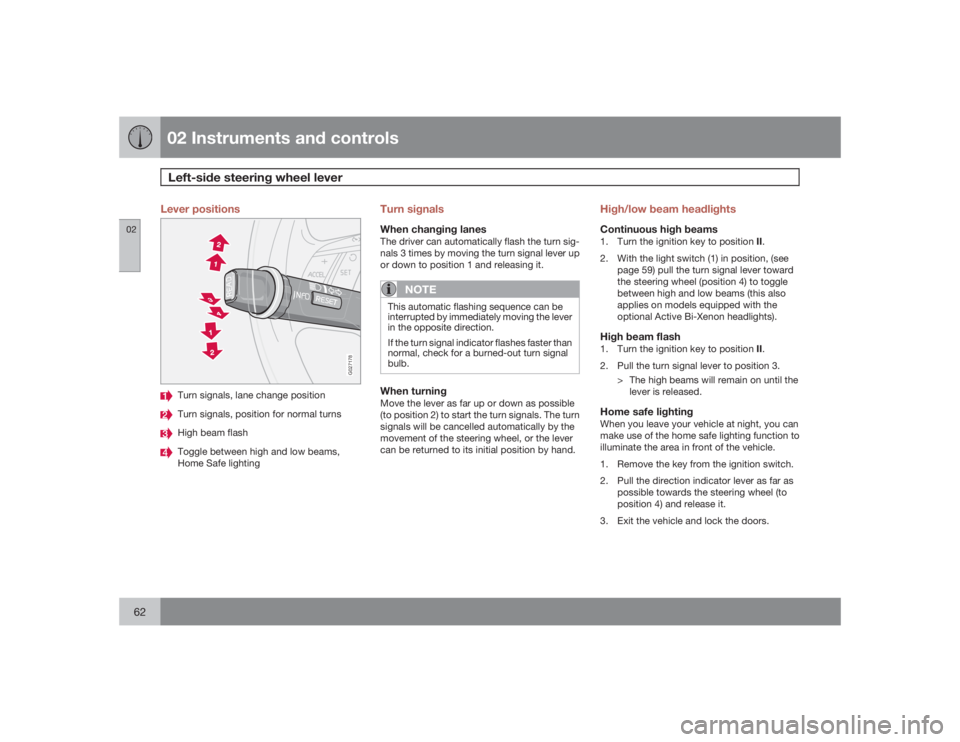
Lever positions
G027178
Turn signals, lane change positionTurn signals, position for normal turnsHigh beam flashToggle between high and low beams,
Home Safe lighting
Turn signalsWhen changing lanesThe driver can automatically flash the turn sig-
nals 3 times by moving the turn signal lever up
or down to position 1 and releasing it.
NOTE
This automatic flashing sequence can be
interrupted by immediately moving the lever
in the opposite direction.
If the turn signal indicator flashes faster than
normal, check for a burned-out turn signal
bulb.When turningMove the lever as far up or down as possible
(to position 2) to start the turn signals. The turn
signals will be cancelled automatically by the
movement of the steering wheel, or the lever
can be returned to its initial position by hand.
High/low beam headlightsContinuous high beams1.
Turn the ignition key to position II.
2. With the light switch (1) in position, (see
page 59) pull the turn signal lever toward
the steering wheel (position 4) to toggle
between high and low beams (this also
applies on models equipped with the
optional Active Bi-Xenon headlights).High beam flash1.
Turn the ignition key to position II.
2. Pull the turn signal lever to position 3.
> The high beams will remain on until the
lever is released.Home safe lightingWhen you leave your vehicle at night, you can
make use of the home safe lighting function to
illuminate the area in front of the vehicle.
1. Remove the key from the ignition switch.
2. Pull the direction indicator lever as far as
possible towards the steering wheel (to
position 4) and release it.
3. Exit the vehicle and lock the doors.
Page 63 of 254
02 Instruments and controls
Left-side steering wheel lever
0263
> The headlights and parking lights will
illuminate and remain on for 30
1, 60 or
90 seconds.
The time interval can be changed by a trained
and qualified Volvo service technician.
1Factory setting
Page 64 of 254
02 Instruments and controlsRight-side steering wheel lever
0264
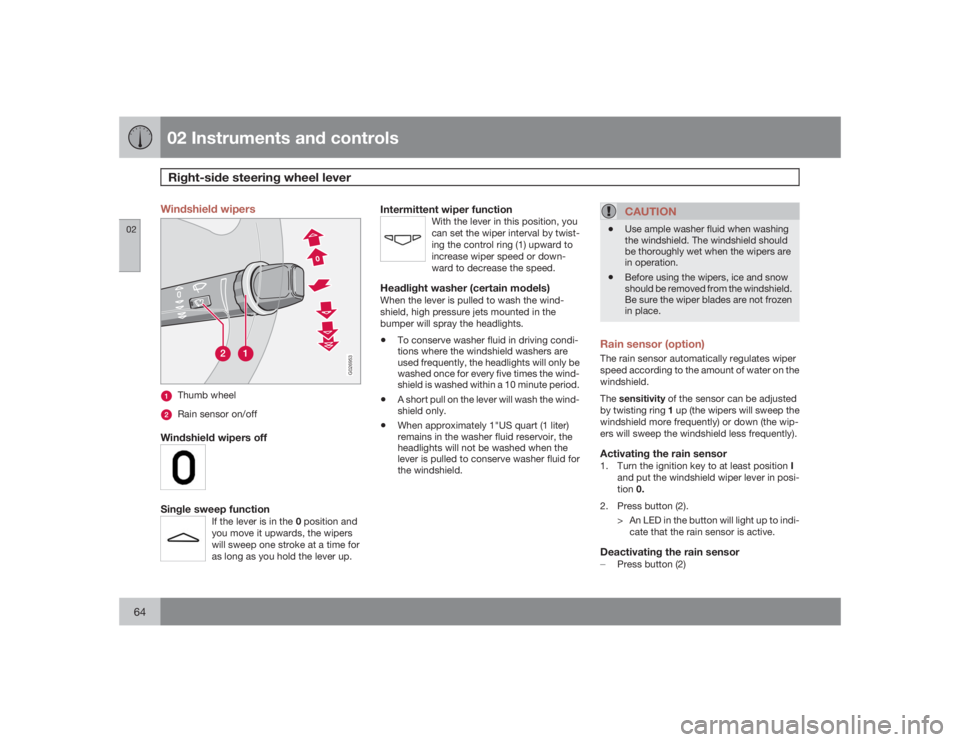
Windshield wipers
G026953
Thumb wheelRain sensor on/off
Windshield wipers offSingle sweep function
If the lever is in the 0 position and
you move it upwards, the wipers
will sweep one stroke at a time for
as long as you hold the lever up.
Intermittent wiper function
With the lever in this position, you
can set the wiper interval by twist-
ing the control ring (1) upward to
increase wiper speed or down-
ward to decrease the speed.
Headlight washer (certain models)When the lever is pulled to wash the wind-
shield, high pressure jets mounted in the
bumper will spray the headlights.•
To conserve washer fluid in driving condi-
tions where the windshield washers are
used frequently, the headlights will only be
washed once for every five times the wind-
shield is washed within a 10 minute period.
•
A short pull on the lever will wash the wind-
shield only.
•
When approximately 1"US quart (1 liter)
remains in the washer fluid reservoir, the
headlights will not be washed when the
lever is pulled to conserve washer fluid for
the windshield.
CAUTION
•
Use ample washer fluid when washing
the windshield. The windshield should
be thoroughly wet when the wipers are
in operation.
•
Before using the wipers, ice and snow
should be removed from the windshield.
Be sure the wiper blades are not frozen
in place.
Rain sensor (option)The rain sensor automatically regulates wiper
speed according to the amount of water on the
windshield.
Thesensitivity of the sensor can be adjusted
by twisting ring 1 up (the wipers will sweep the
windshield more frequently) or down (the wip-
ers will sweep the windshield less frequently).Activating the rain sensor1.
Turn the ignition key to at least position I
and put the windshield wiper lever in posi-
tion0.
2. Press button (2).
> An LED in the button will light up to indi-
cate that the rain sensor is active.Deactivating the rain sensor±
Press button (2)
Page 66 of 254
02 Instruments and controlsHazard warning flashers, door mirror defroster
0266
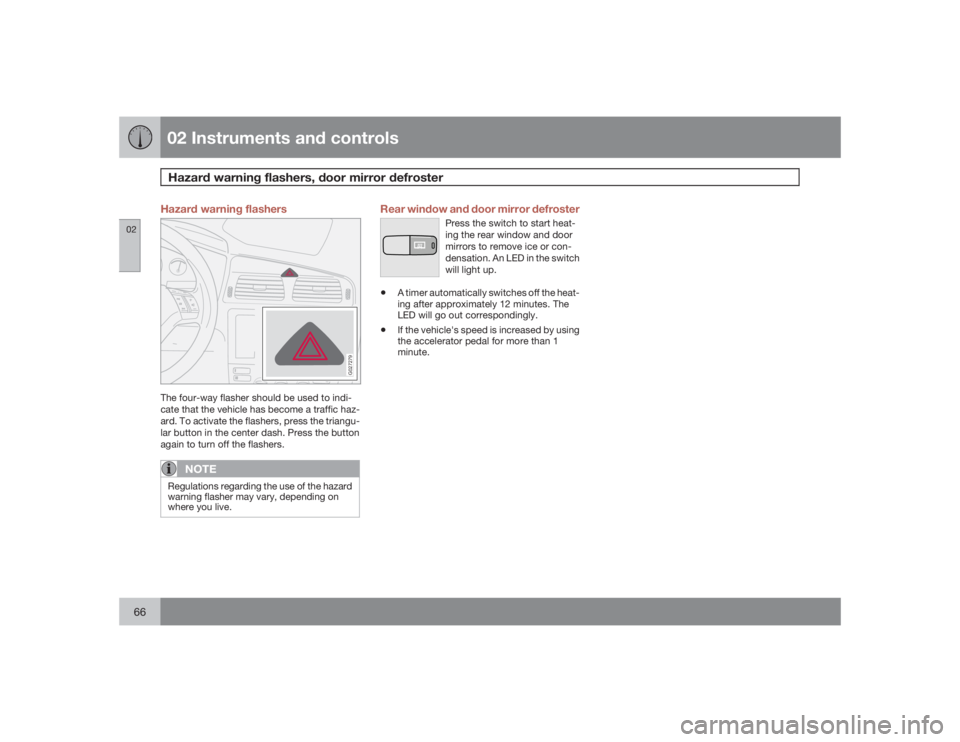
Hazard warning flashers
G027279
The four-way flasher should be used to indi-
cate that the vehicle has become a traffic haz-
ard. To activate the flashers, press the triangu-
lar button in the center dash. Press the button
again to turn off the flashers.
NOTE
Regulations regarding the use of the hazard
warning flasher may vary, depending on
where you live.
Rear window and door mirror defroster
Press the switch to start heat-
ing the rear window and door
mirrors to remove ice or con-
densation. An LED in the switch
will light up.
•
A timer automatically switches off the heat-
ing after approximately 12 minutes. The
LED will go out correspondingly.
•
If the vehicle's speed is increased by using
the accelerator pedal for more than 1
minute.
Page 68 of 254
02 Instruments and controlsTrip computer
0268
5. Current speed in miles per hour
(Canadian models only)This function provides the driver with an instan-
taneous conversion of the vehicle's current
speed from km/h to mph.
NOTE
Trip computer readings may vary slightly
depending on the circumference of the tires
on the vehicle and driving style.
Page 71 of 254
02 Instruments and controls
Parking brake
0271
G033050
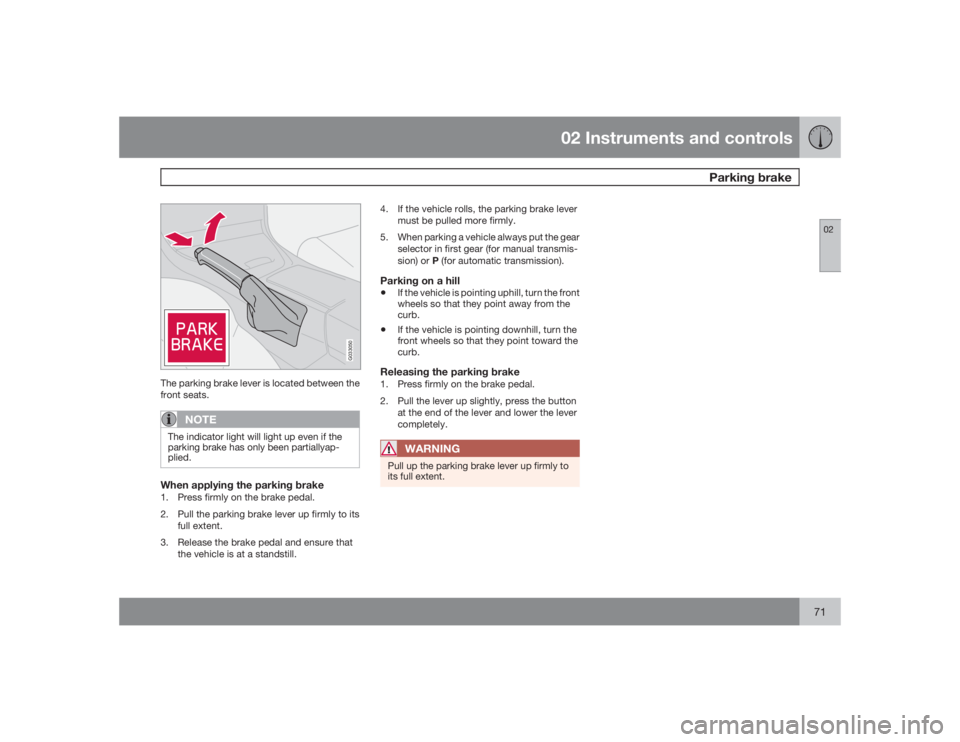
The parking brake lever is located between the
front seats.
NOTE
The indicator light will light up even if the
parking brake has only been partiallyap-
plied.When applying the parking brake1. Press firmly on the brake pedal.
2. Pull the parking brake lever up firmly to its
full extent.
3. Release the brake pedal and ensure that
the vehicle is at a standstill.4. If the vehicle rolls, the parking brake lever
must be pulled more firmly.
5. When parking a vehicle always put the gear
selector in first gear (for manual transmis-
sion) or P (for automatic transmission).
Parking on a hill•
If the vehicle is pointing uphill, turn the front
wheels so that they point away from the
curb.
•
If the vehicle is pointing downhill, turn the
front wheels so that they point toward the
curb.
Releasing the parking brake1. Press firmly on the brake pedal.
2. Pull the lever up slightly, press the button
at the end of the lever and lower the lever
completely.
WARNING
Pull up the parking brake lever up firmly to
its full extent.
Page 72 of 254
02 Instruments and controls12-volt socket
0272
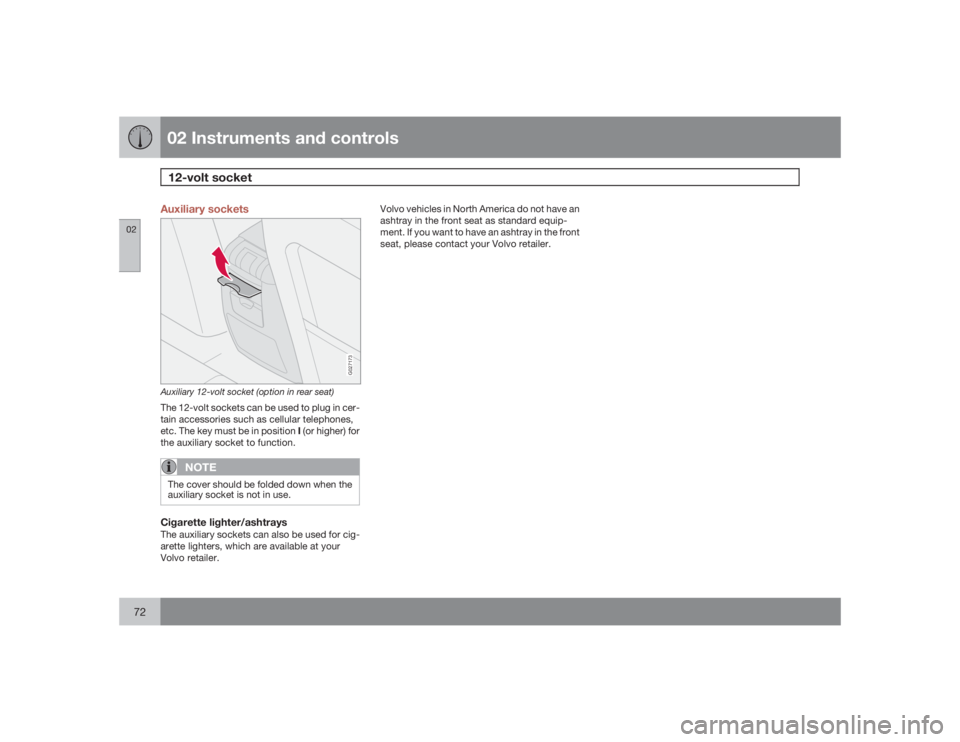
Auxiliary sockets
G027173
Auxiliary 12-volt socket (option in rear seat)The 12-volt sockets can be used to plug in cer-
tain accessories such as cellular telephones,
etc. The key must be in position I (or higher) for
the auxiliary socket to function.
NOTE
The cover should be folded down when the
auxiliary socket is not in use.Cigarette lighter/ashtraysThe auxiliary sockets can also be used for cig-
arette lighters, which are available at your
Volvo retailer.Volvo vehicles in North America do not have an
ashtray in the front seat as standard equip-
ment. If you want to have an ashtray in the front
seat, please contact your Volvo retailer.
Page 73 of 254
02 Instruments and controls
Power windows
02``73
G029582
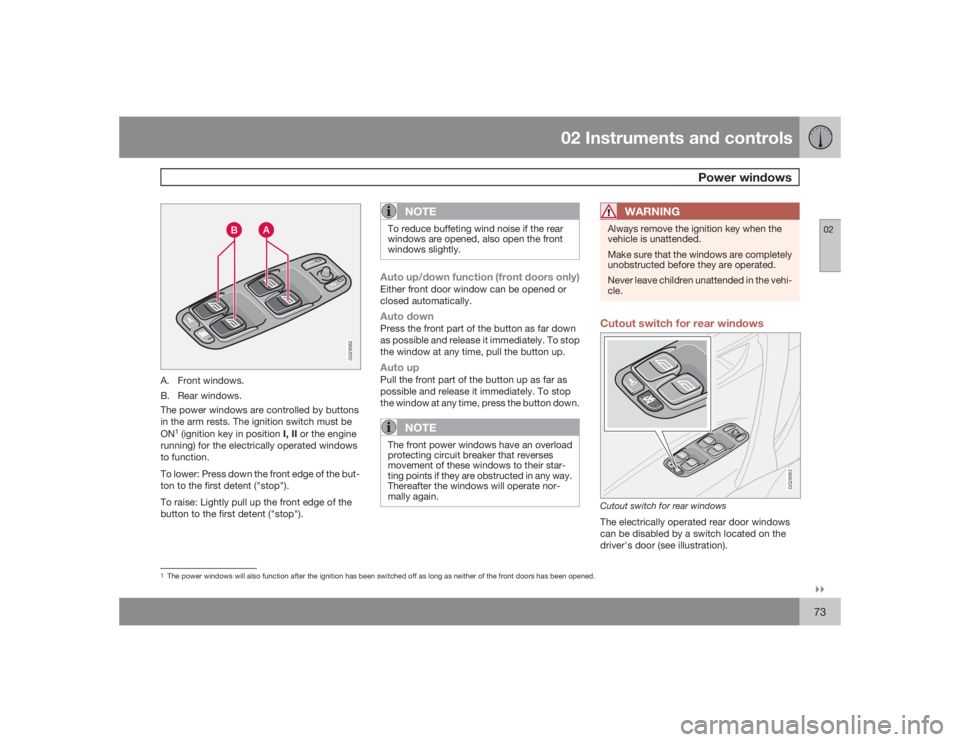
A. Front windows.
B. Rear windows.
The power windows are controlled by buttons
in the arm rests. The ignition switch must be
ON
1 (ignition key in position I, II or the engine
running) for the electrically operated windows
to function.
To lower: Press down the front edge of the but-
ton to the first detent ("stop").
To raise: Lightly pull up the front edge of the
button to the first detent ("stop").
NOTE
To reduce buffeting wind noise if the rear
windows are opened, also open the front
windows slightly.Auto up/down function (front doors only)Either front door window can be opened or
closed automatically.Auto downPress the front part of the button as far down
as possible and release it immediately. To stop
the window at any time, pull the button up.Auto upPull the front part of the button up as far as
possible and release it immediately. To stop
the window at any time, press the button down.
NOTE
The front power windows have an overload
protecting circuit breaker that reverses
movement of these windows to their star-
ting points if they are obstructed in any way.
Thereafter the windows will operate nor-
mally again.
WARNING
Always remove the ignition key when the
vehicle is unattended.
Make sure that the windows are completely
unobstructed before they are operated.
Never leave children unattended in the vehi-
cle.Cutout switch for rear windows
G029583
Cutout switch for rear windowsThe electrically operated rear door windows
can be disabled by a switch located on the
driver's door (see illustration).
1The power windows will also function after the ignition has been switched off as long as neither of the front doors has been opened.
Page 75 of 254
02 Instruments and controls
Mirrors
02``75 Rearview mirror
G026660
To reduce glare from the headlights of follow-
ing vehicles, use the control to switch between
the normal and night-driving positions.
A. Normal position
B. Night position, reduces glare from follow-
ing headlightsAutodim function (option)The autodim function reacts to headlights from
following traffic and automatically reduces
glare.
NOTE
This function is automatically switched off
when the gear selector is placed in the
Reverse position.Rearview mirror with compass (option)
G026965
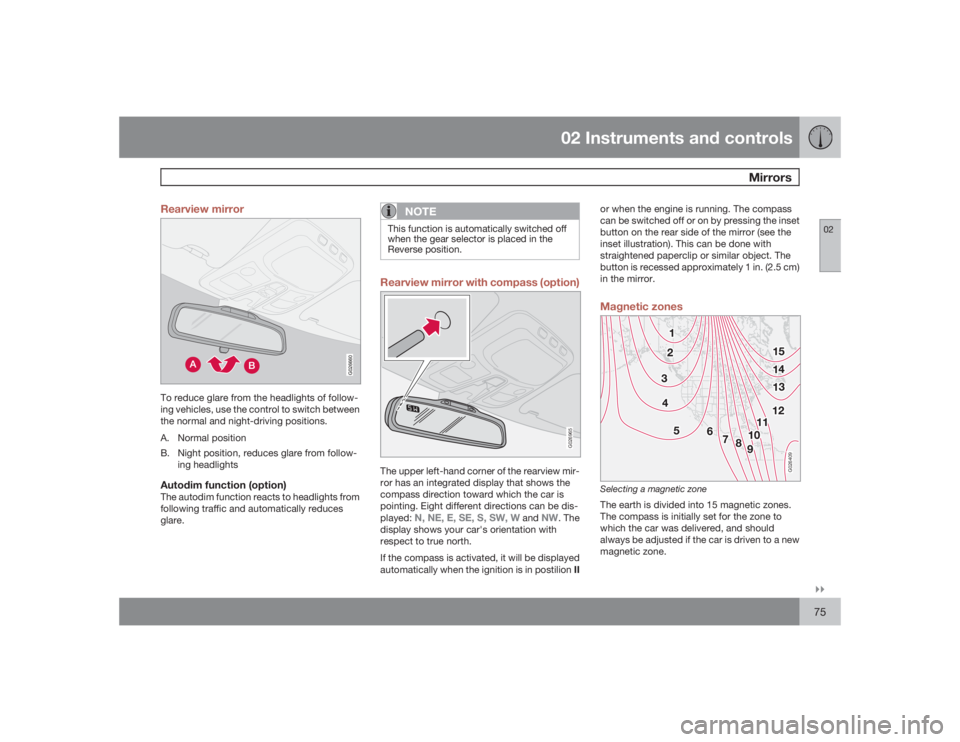
The upper left-hand corner of the rearview mir-
ror has an integrated display that shows the
compass direction toward which the car is
pointing. Eight different directions can be dis-
played:
N, NE, E, SE, S, SW, W
and
NW
. The
display shows your car's orientation with
respect to true north.
If the compass is activated, it will be displayed
automatically when the ignition is in postilion IIor when the engine is running. The compass
can be switched off or on by pressing the inset
button on the rear side of the mirror (see the
inset illustration). This can be done with
straightened paperclip or similar object. The
button is recessed approximately 1 in. (2.5 cm)
in the mirror.
Magnetic zones
G026409
Selecting a magnetic zoneThe earth is divided into 15 magnetic zones.
The compass is initially set for the zone to
which the car was delivered, and should
always be adjusted if the car is driven to a new
magnetic zone.