symbols VOLVO S60 2016 Owner´s Manual
[x] Cancel search | Manufacturer: VOLVO, Model Year: 2016, Model line: S60, Model: VOLVO S60 2016Pages: 392, PDF Size: 10.04 MB
Page 195 of 392
07 Driver support
07
}}
193
Therefore, vehicles or objects with low-reflec- tive surfaces may not be detected. Normally,the license plate and taillight reflectors givethe rear section of a vehicle ahead sufficientreflective surfaces to be detected.
NOTE
•
Keep the windshield in front of the laser sensor free of ice, snow, dirt,etc., see City Safety – function(p. 191).
• Snow or ice on the hood deeper than2 inches (5 cm) may obstruct the sen-sor. Keep the hood free of ice andsnow.
• Do not mount or in any way attachanything on the windshield that couldobstruct the laser sensor.
Related information
•
City Safety – introduction (p. 190)
• City Safety – function (p. 191)
• City Safety – operation (p. 192)
• City Safety – troubleshooting (p. 193)
• City Safety – symbols and messages (p. 195)
• City Safety – Laser sensor (p. 196)
City Safety – troubleshooting
Troubleshooting
If Windscreen Sensors blocked appears in
the information display, this indicates that the City Safety™ laser sensor is obstructed insome way and cannot detect vehicles aheadof you, which means that the system is notfunctioning. However, this message will not be displayed in all situations in which the sensor isobstructed. For this reason, the driver mustensure that the area of the windshield in frontof the sensor is always kept clean. The following table shows some of the situa- tions that can cause the message to be dis-played and suggested actions.
CauseAction
The area of the wind- shield in front of the sen-sor is dirty or covered byice or snow.Clean the windshield orremove the ice/snow.
The laser sensor's field of view is obstructed.Remove the obstruction.
NOTE
If a crack, scratch or stone chip should occur in the section of the windshield infront the laser sensor, contact a trainedand qualified Volvo service technician torepair or replace the windshield (see theillustration showing the location of the sen-sor in City Safety – function (p. 191)). Fail-ing to do so may result in reduced CitySafety™ functionality. To help prevent limited or reduced func- tionality, please also observe the following:
• Volvo recommends that cracks, scratches or stone chips on the wind-shield in front of the laser sensorshould not
be repaired; in such cases,
the entire windshield should bereplaced.
• Before the windshield is replaced,contact a Volvo retailer to ensure thatthe correct windshield is ordered andinstalled. If the wrong type of wind-shield is used, this may cause CitySafety™ to function improperly or notat all. Volvo recommends the use ofonly Genuine Volvo ReplacementWindshields.
• When replacing windshield wipers, usethe same type or ones approved byVolvo.
Page 196 of 392
||
07 Driver support
07
194
Related information
•City Safety – introduction (p. 190)
• City Safety – function (p. 191)
• City Safety – operation (p. 192)
• City Safety – limitations (p. 192)
• City Safety – symbols and messages (p. 195)
• City Safety – Laser sensor (p. 196)
Page 197 of 392
07 Driver support
07
195
City Safety – symbols and messages
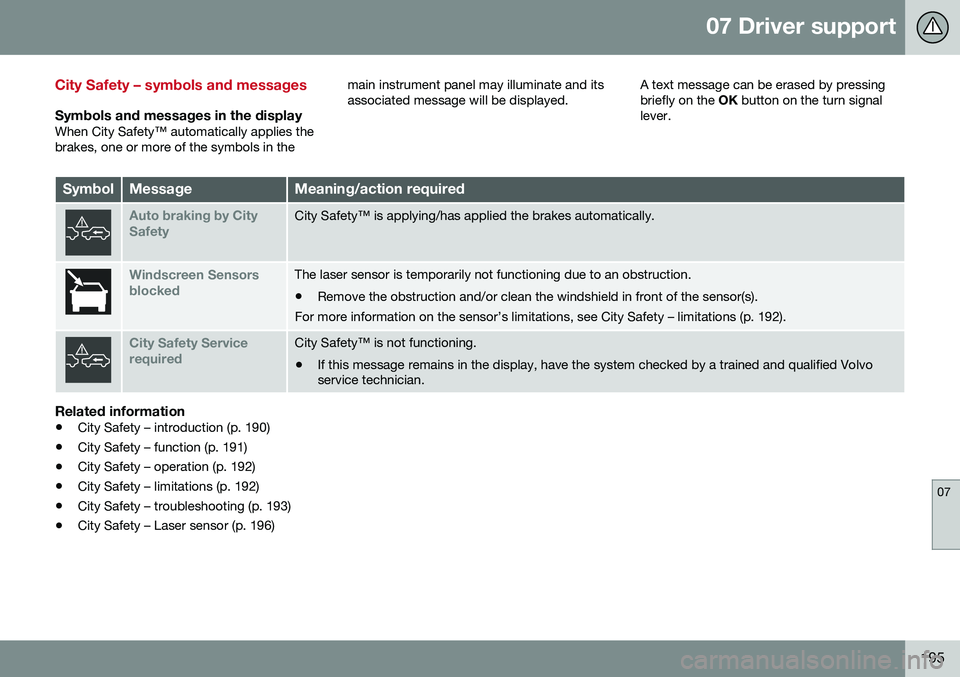
Symbols and messages in the displayWhen City Safety™ automatically applies the brakes, one or more of the symbols in themain instrument panel may illuminate and itsassociated message will be displayed.
A text message can be erased by pressingbriefly on the
OK button on the turn signal
lever.
SymbolMessageMeaning/action required
Auto braking by City SafetyCity Safety™ is applying/has applied the brakes automatically.
Windscreen Sensors blockedThe laser sensor is temporarily not functioning due to an obstruction.
• Remove the obstruction and/or clean the windshield in front of the sensor(s).
For more information on the sensor’s limitations, see City Safety – limitations (p. 192).
City Safety Service requiredCity Safety™ is not functioning.
• If this message remains in the display, have the system checked by a trained and qualified Volvo service technician.
Related information
• City Safety – introduction (p. 190)
• City Safety – function (p. 191)
• City Safety – operation (p. 192)
• City Safety – limitations (p. 192)
• City Safety – troubleshooting (p. 193)
• City Safety – Laser sensor (p. 196)
Page 199 of 392
07 Driver support
07
}}
197
•
City Safety – limitations (p. 192)
• City Safety – troubleshooting (p. 193)
• City Safety – symbols and messages (p. 195)
Collision warning – introduction
Pedestrian and Cyclist Detection with Full Auto Brake is designed to assist the driver ifthere is a risk of a collision with a pedestrian,a cyclist, a vehicle ahead that is at a standstillor one that is moving in the same direction asyour vehicle. This system consists of the following three functions: • Collision Warning
warns the driver of a
potential collision situation.
• Brake Support
helps the driver brake
efficiently in a critical situation.
• Auto-brake
brakes the vehicle automati-
cally if a collision with a pedestrian, a cyclist or another vehicle cannot be avoi-ded and the driver does not apply thebrakes in time or steer around the per-son/vehicle. Auto-brake can help preventa collision or reduce the speed at which acollision occurs.
Since Pedestrian and Cyclist Detection with Full Auto Brake is activated in circumstanceswhere the driver should have begun brakingmuch sooner, the system will not be able toassist the driver in all situations. This system is designed to activate as late as possible to help avoid unnecessary interven-tion. The system should not be used in such a way that the driver changes his/her way of operat- ing the vehicle. If the driver relies entirely onthe system, the chances of an accident even-tually occurring increase considerably. The Pedestrian and Cyclist Detection with Full Auto Brake and City Safety™ systems sup-plement each other. See City Safety – intro-duction (p. 190) for detailed information aboutCity Safety™.
WARNING
No automatic system can be guaranteed to function 100% correctly in all situations.For that reason, never test the Auto-brakesystem by driving toward a person orobject. This could result in serious injury ordeath.
Page 200 of 392
||
07 Driver support
07
198* Option/accessory, for more information, see Introduction.
WARNING
• Pedestrian and Cyclist Detection with Full Auto Brake does not work in alldriving, traffic, weather and road con-ditions. It does not react to vehiclesnot traveling in the same direction asyour vehicle.
• Pedestrian and Cyclist Detection withFull Auto Brake does not react to ani-mals.
• Warnings are only provided when therisk of collision is high. The "Function"section provides information aboutlimitations that the driver must beaware of before using Collision Warn-ing.
• Pedestrian and Cyclist Detection withFull Auto Brake will not provide awarning or brake the vehicle forpedestrians or cyclists at speedsabove 50 mph (80 km/h).
WARNING
•
Pedestrian and Cyclist Detection with Full Auto Brake will not provide awarning or brake the vehicle forpedestrians in darkness or in tunnels,even if there is street lighting in thearea.
• The auto-brake function can help pre-vent a collision or reduce the speed atimpact but the driver should alwaysapply the brakes for the best possiblebraking effect, even if auto-brake isactively applying the brakes.
• Never wait for a collision warning. Thissystem is designed to be a supple-mentary driving aid. It is not, however,intended to replace the driver's atten-tion and judgement. The driver isresponsible for maintaining a safe dis-tance and speed, even when the colli-sion warning system is in use.
• Maintenance of the Pedestrian andCyclist Detection with Full Auto Brakesystem's components must only beperformed by a trained and qualifiedVolvo technician.
Related information
•
Collision warning* – function (p. 199)
• Collision warning* – operation (p. 200)
• Collision warning* – Pedestrian detection (p. 202) •
Collision warning* – Cyclist detection(p. 201)
• Collision warning* – limitations (p. 203)
• The camera’s limitations (p. 205)
• The camera’s limitations (p. 205)
• Collision warning – troubleshooting(p. 206)
• Collision warning – symbols and mes-sages (p. 208)
Page 201 of 392
07 Driver support
07
* Option/accessory, for more information, see Introduction.199
Collision warning* – function
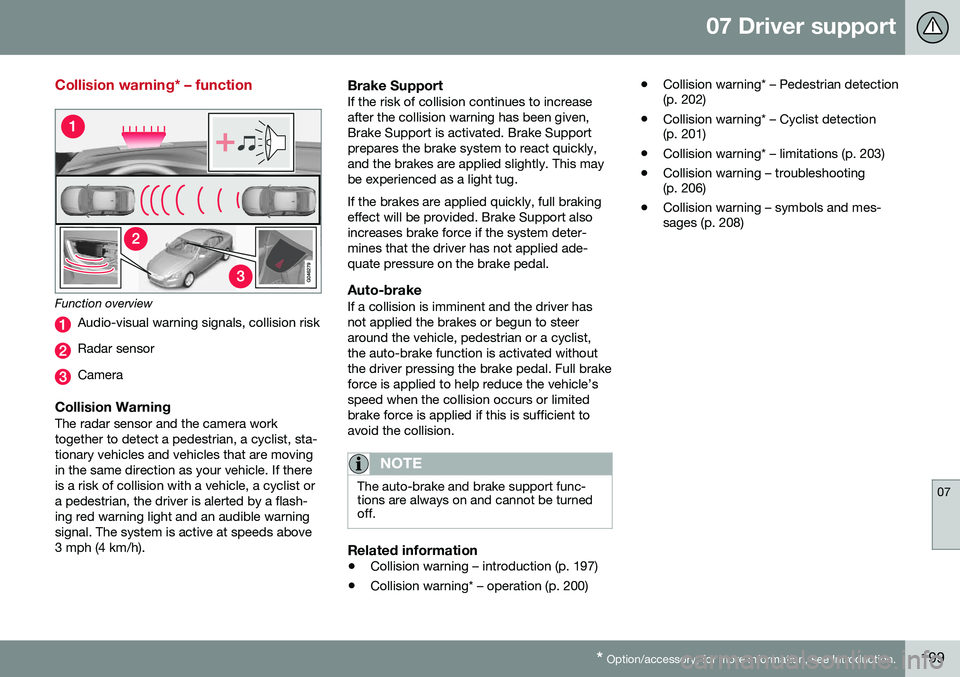
Function overview
Audio-visual warning signals, collision risk
Radar sensor
Camera
Collision WarningThe radar sensor and the camera work together to detect a pedestrian, a cyclist, sta-tionary vehicles and vehicles that are movingin the same direction as your vehicle. If thereis a risk of collision with a vehicle, a cyclist ora pedestrian, the driver is alerted by a flash-ing red warning light and an audible warningsignal. The system is active at speeds above3 mph (4 km/h).
Brake SupportIf the risk of collision continues to increaseafter the collision warning has been given,Brake Support is activated. Brake Supportprepares the brake system to react quickly,and the brakes are applied slightly. This maybe experienced as a light tug. If the brakes are applied quickly, full braking effect will be provided. Brake Support alsoincreases brake force if the system deter-mines that the driver has not applied ade-quate pressure on the brake pedal.
Auto-brakeIf a collision is imminent and the driver hasnot applied the brakes or begun to steeraround the vehicle, pedestrian or a cyclist,the auto-brake function is activated withoutthe driver pressing the brake pedal. Full brakeforce is applied to help reduce the vehicle’sspeed when the collision occurs or limitedbrake force is applied if this is sufficient toavoid the collision.
NOTE
The auto-brake and brake support func- tions are always on and cannot be turnedoff.
Related information
• Collision warning – introduction (p. 197)
• Collision warning* – operation (p. 200) •
Collision warning* – Pedestrian detection (p. 202)
• Collision warning* – Cyclist detection(p. 201)
• Collision warning* – limitations (p. 203)
• Collision warning – troubleshooting(p. 206)
• Collision warning – symbols and mes-sages (p. 208)
Page 203 of 392
07 Driver support
07
}}
* Option/accessory, for more information, see Introduction.201
•
Collision warning – symbols and mes- sages (p. 208)
• Collision warning – troubleshooting(p. 206)
Collision warning* – Cyclist detection
The system can detect a cyclist and auto- brake if certain parameters are fulfilled.
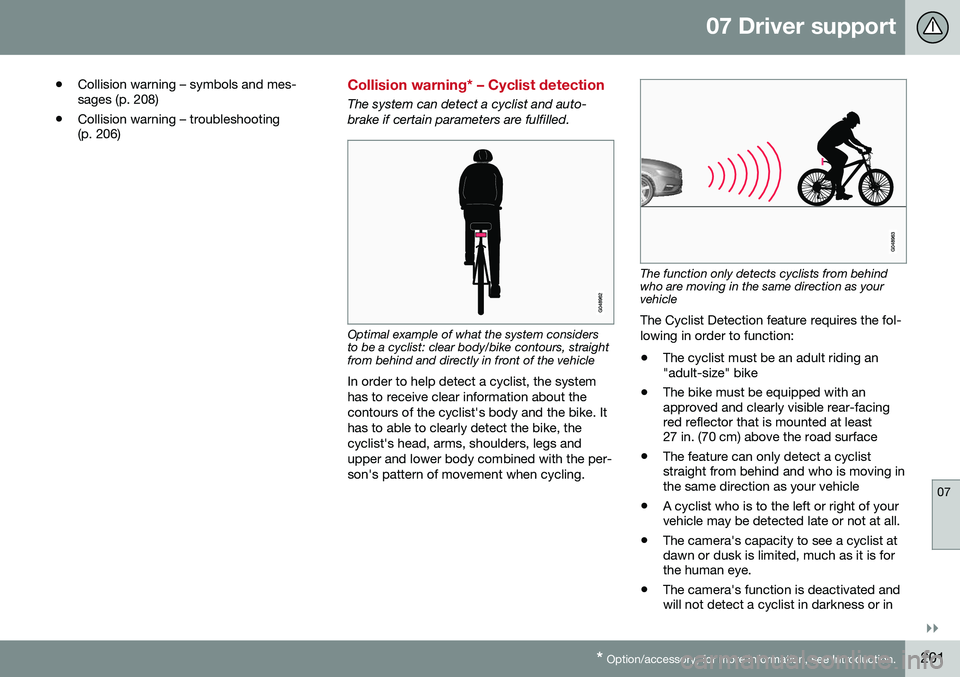
Optimal example of what the system considers to be a cyclist: clear body/bike contours, straightfrom behind and directly in front of the vehicle
In order to help detect a cyclist, the system has to receive clear information about thecontours of the cyclist's body and the bike. Ithas to able to clearly detect the bike, thecyclist's head, arms, shoulders, legs andupper and lower body combined with the per-son's pattern of movement when cycling.
The function only detects cyclists from behind who are moving in the same direction as yourvehicle
The Cyclist Detection feature requires the fol- lowing in order to function: • The cyclist must be an adult riding an "adult-size" bike
• The bike must be equipped with anapproved and clearly visible rear-facingred reflector that is mounted at least27 in. (70 cm) above the road surface
• The feature can only detect a cycliststraight from behind and who is moving inthe same direction as your vehicle
• A cyclist who is to the left or right of yourvehicle may be detected late or not at all.
• The camera's capacity to see a cyclist atdawn or dusk is limited, much as it is forthe human eye.
• The camera's function is deactivated andwill not detect a cyclist in darkness or in
Page 204 of 392
||
07 Driver support
07
202* Option/accessory, for more information, see Introduction.
tunnels, even if there is street lighting in the area.
• For optimal cyclist detection, CitySafety™ must be activated.
WARNING
Pedestrian and Cyclist Detection with Full Auto Brake is designed to be a supple-mentary driving aid. It is not, however,intended to replace the driver's attentionand judgement. The driver is alwaysresponsible for operating the vehicle in asafe manner. The system cannot detect a bike/cyclist if: •He/she is wearing loose-fitting clothing that may obscure body contours
• The bike is approaching your vehiclefrom the side
• The bike is not equipped with a rear-facing red reflector
• The bike is carrying large objects
• Most of the cyclist's body or the bikeitself cannot be "seen" by the system'scamera
Related information
•
Collision warning – introduction (p. 197)
• Collision warning* – function (p. 199)
• Collision warning* – operation (p. 200)
• Collision warning* – Pedestrian detection (p. 202) •
Collision warning* – limitations (p. 203)
• Collision warning – troubleshooting(p. 206)
• Collision warning – symbols and mes-sages (p. 208)
Collision warning* – Pedestrian detection
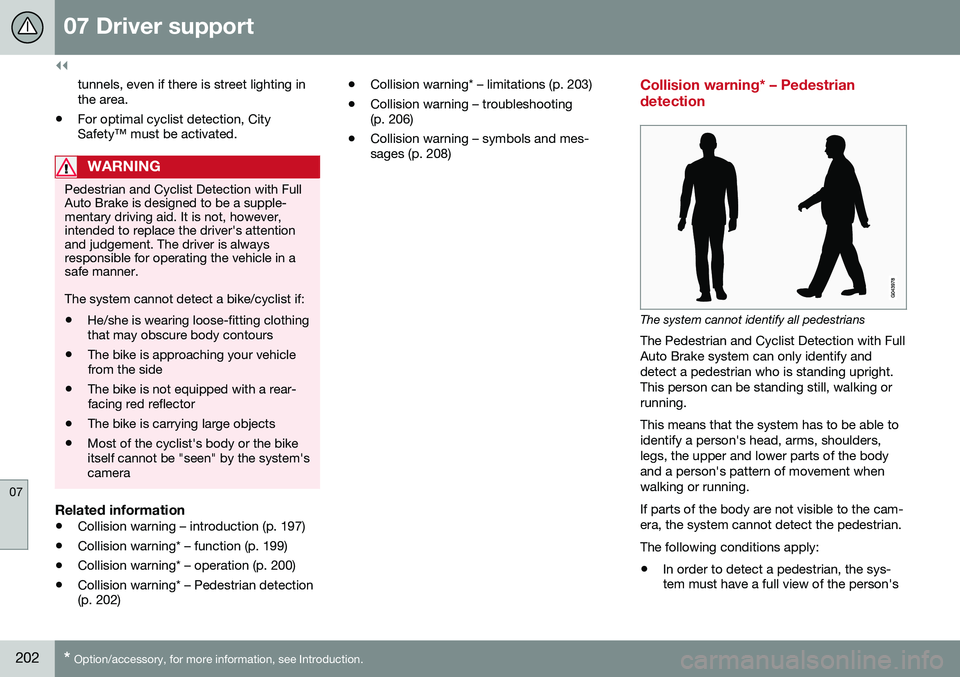
The system cannot identify all pedestrians
The Pedestrian and Cyclist Detection with Full Auto Brake system can only identify anddetect a pedestrian who is standing upright.This person can be standing still, walking orrunning. This means that the system has to be able to identify a person's head, arms, shoulders,legs, the upper and lower parts of the bodyand a person's pattern of movement whenwalking or running. If parts of the body are not visible to the cam- era, the system cannot detect the pedestrian. The following conditions apply:
• In order to detect a pedestrian, the sys- tem must have a full view of the person's
Page 205 of 392
07 Driver support
07
}}
* Option/accessory, for more information, see Introduction.203
entire body and the person must be at least 32 in. (80 cm) tall.
• The system cannot detect a pedestriancarrying a large object.
• The camera's capacity to see a pedes-trian at dawn or dusk is limited, much asit is for the human eye.
• The camera's function is deactivated andwill not detect a pedestrian in darkness orin tunnels, even if there is street lighting inthe area.
WARNING
• Pedestrian and Cyclist Detection with Full Auto Brake is designed to be asupplementary driving aid. It is not,however, intended to replace the driv-er's attention and judgement. Thedriver is always responsible for operat-ing the vehicle in a safe manner.
• The system cannot detect all pedes-trians in all situations, such as in dark-ness/at night and cannot detect parti-ally hidden pedestrians, people whoare less than approx. 32 in. (80 cm)tall, or people wearing clothing thatobscures the contours of their bodies.
Related information
•
Collision warning – introduction (p. 197)
• Collision warning* – function (p. 199)
• Collision warning* – operation (p. 200) •
Collision warning* – Cyclist detection (p. 201)
• Collision warning* – limitations (p. 203)
• Collision warning – troubleshooting(p. 206)
• Collision warning – symbols and mes-sages (p. 208)
Collision warning* – limitations
Strong sunlight, reflections, extreme light contrasts, the use of sunglasses, or if thedriver is not looking straight ahead may makethe visual warning signal in the windshield dif-ficult to see. For this reason, always activatethe audible warning signal. Slippery driving conditions increase braking distance, which can reduce the system'scapacity to avoid a collision. In these condi-tions, the ABS and stability systems providethe best possible braking effect while helpingto maintain stability.
NOTE
The visual warning signal may be tempo- rarily disengaged in the event of high pas-senger compartment temperature due tostrong sunlight, etc. If this occurs, theaudible warning signal will be used, even ifit has been deactivated in the menu sys-tem.
Page 206 of 392
||
07 Driver support
07
204* Option/accessory, for more information, see Introduction.
WARNING
• In certain situations, the system can- not provide warnings or warnings maybe delayed if traffic conditions or otherexternal factors make it impossible forthe radar sensor or camera to detect apedestrian, a cyclist or a vehicleahead.
• Warnings may not be provided if thedistance to the vehicle ahead is short,or if movements of the steering wheel/brake pedal are great, such as duringactive driving.
• The sensor system has a limited rangefor pedestrians/cyclists and provideswarnings and braking effect mosteffectively at speeds up to 30 mph(50 km/h). For stationary or slow-mov-ing vehicles, the system functions bestif your vehicle’s speed is belowapproximately 45 mph (70 km/h).
• Warnings for stationary or slow-mov-ing vehicles may not be provided indark conditions or in poor visibility.
The Pedestrian and Cyclist Detection with Full Auto Brake system uses the same radar sen-sors as Adaptive Cruise Control. For moreinformation on the radar sensor and its limita-tions, see Adaptive Cruise Control – limita-tions (p. 181).
NOTE
If warnings are given too frequently, the warning distance can be reduced (see Col-lision warning* – operation (p. 200)). Thiscauses the system to provide later warn-ings, which decreases the total number ofwarnings provided.
WARNING
•The system is not activated at speeds under approx. 2 mph (4 km/h). There-fore, it will not brake your vehicle if youapproach a vehicle ahead at very lowspeed, such as when parking.
• The driver's actions always have high-est priority and override the Pedestrianand Cyclist Detection with Full AutoBrake system. This means that thesystem will not intervene in situationswhere the driver is actively steering,braking or pressing the acceleratorpedal, even if a collision is imminent.
• When Auto-brake has prevented a col-lision with a stationary object, yourvehicle will remain at a standstill forapprox. 1.5 seconds. If your vehiclehas been braked for a moving vehicleahead, your vehicle's speed will bereduced to the same speed as thatvehicle's.
Related information
•
Collision warning – introduction (p. 197)
• Collision warning* – operation (p. 200)
• Collision warning* – function (p. 199)
• Collision warning* – Pedestrian detection (p. 202)
• Collision warning* – Cyclist detection(p. 201)
• The camera’s limitations (p. 205)
• Collision warning – symbols and mes-sages (p. 208)
• Collision warning – troubleshooting(p. 206)