center console VOLVO S60 2017 Owner´s Manual
[x] Cancel search | Manufacturer: VOLVO, Model Year: 2017, Model line: S60, Model: VOLVO S60 2017Pages: 398, PDF Size: 9.46 MB
Page 128 of 398
CLIMATE
* Option/accessory, for more information, see Introduction.
126
Heated seats
The front seat heating has three levels to increase comfort for the driver and passenger incold weather. The rear outboard seat heating has three levels to increase comfort for the passengers in coldweather.
Heated front seats *
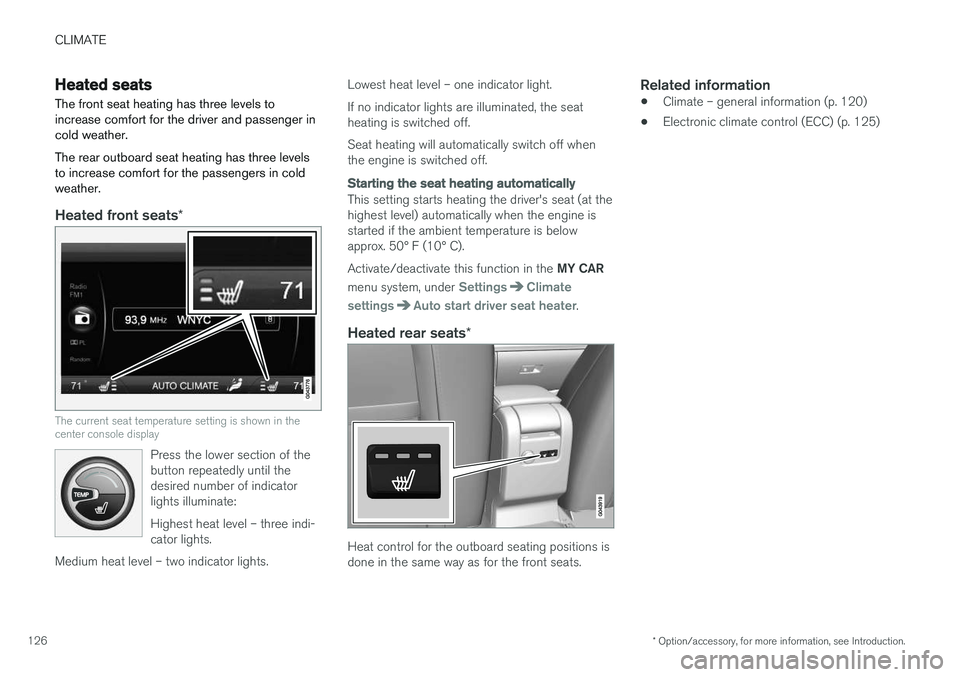
The current seat temperature setting is shown in the center console display
Press the lower section of the button repeatedly until thedesired number of indicatorlights illuminate: Highest heat level – three indi- cator lights.
Medium heat level – two indicator lights.
Lowest heat level – one indicator light. If no indicator lights are illuminated, the seat heating is switched off. Seat heating will automatically switch off when the engine is switched off.
Starting the seat heating automatically
This setting starts heating the driver's seat (at the highest level) automatically when the engine isstarted if the ambient temperature is belowapprox. 50° F (10° C). Activate/deactivate this function in the MY CAR
menu system, under
SettingsClimate
settings
Auto start driver seat heater.
Heated rear seats *
Heat control for the outboard seating positions is done in the same way as for the front seats.
Related information
•Climate – general information (p. 120)
• Electronic climate control (ECC) (p. 125)
Page 130 of 398
CLIMATE
* Option/accessory, for more information, see Introduction.
128
Air conditioning
The air conditioning function cools and dehu- midifies the air in the passenger compartment.
When the indicator light in the button is on, the air condition-ing is controlled automatically.This cools/heats and dehu-midifies the incoming air. Whenthe indicator light in the buttonis off, the air conditioning is
disengaged. Other functions are still controlledautomatically. When maximum defroster (p. 128)is selected, the air conditioning system is set formaximum blower speed and dehumidifies thecabin as quickly as possible.
Related information
• Climate – general information (p. 120)
• Automatic climate control (p. 127)
Max. defroster and electrically heated windshield
*
The heated windshield and max. defroster func- tions are used to clear the windshield and frontside windows of condensation and ice asquickly as possible.
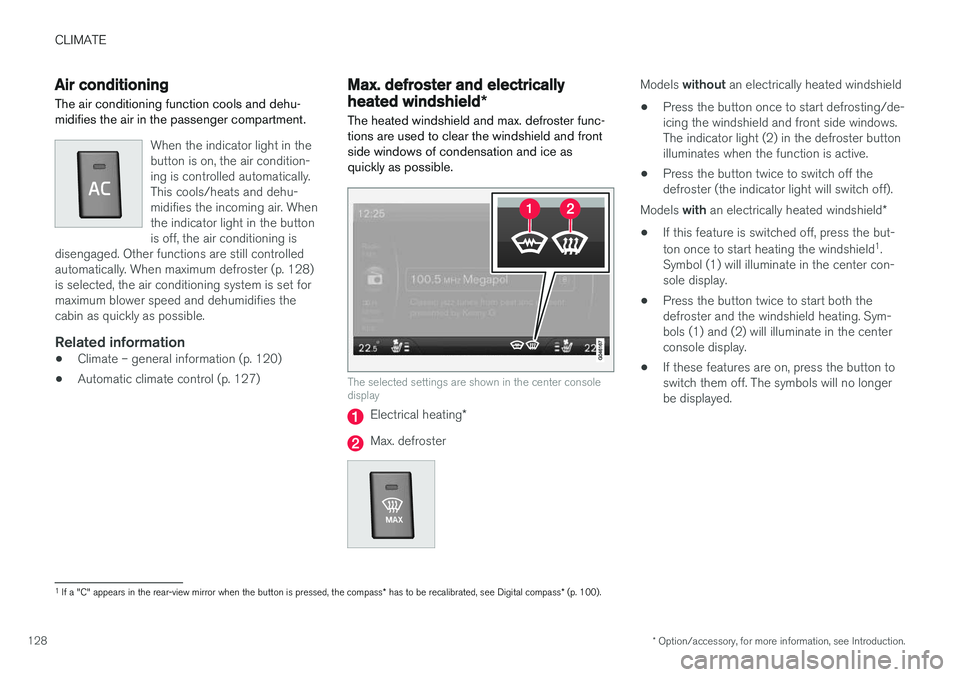
The selected settings are shown in the center console display
Electrical heating *
Max. defroster
Models without an electrically heated windshield
• Press the button once to start defrosting/de- icing the windshield and front side windows.The indicator light (2) in the defroster buttonilluminates when the function is active.
• Press the button twice to switch off thedefroster (the indicator light will switch off).
Models with an electrically heated windshield *
• If this feature is switched off, press the but- ton once to start heating the windshield 1
.
Symbol (1) will illuminate in the center con- sole display.
• Press the button twice to start both thedefroster and the windshield heating. Sym-bols (1) and (2) will illuminate in the centerconsole display.
• If these features are on, press the button toswitch them off. The symbols will no longerbe displayed.
1
If a "C" appears in the rear-view mirror when the button is pressed, the compass * has to be recalibrated, see Digital compass * (p. 100).
Page 131 of 398

CLIMATE
* Option/accessory, for more information, see Introduction.129
NOTE
•Triangular areas at the far sides of the windshield are not heated electrically andwill take slightly longer to defrost/de-ice.
• The heated windshield may affect theperformance/range of e.g., transpondersused to automatically pay highway tolls orother communication equipment.
The following occurs when the defroster/wind- shield heating functions have been activated:
• Blower speed increases automatically andthe air conditioning (p. 128) will switch on (ifnot already on and if the passenger compart-ment blower is not turned off) to dehumidifythe air in the passenger compartment. Airconditioning can be switched off by pressing the
AC button.
• Recirculation (p. 130) will not function while defrost is engaged.
The climate system will return to its previous set-tings when the defroster/windshield heatingfunction is switched off. See also Heated windshield *, rear window and
door mirror defrosters (p. 99) for additional infor- mation.
Related information
• Climate – general information (p. 120)
• Automatic climate control (p. 127)
Air distribution – function
The air distribution function consists of three buttons.
Manual air distribution—defroster
Manual air distribution—dashboard air vents
Manual air distribution—floor
When a button is pressed, the corresponding fig- ure will appear in the display with an arrow indi-cating which manual air flow has been selected(see the following illustration). See also the airdistribution chart (p. 131).
Air distribution is shown in the center console display
Related information
• Climate – general information (p. 120)
• Air distribution – general (p. 123)
• Air distribution – recirculation (p. 130)
Page 133 of 398

CLIMATE
}}
131
Air distribution – table
Air distribution (p. 123) is selected using the buttons in the center console climate panel.
Air distributionUseAir distributionUse
Air to windows. Some air flows from the dashboard air vents. Theair is not recirculated. Air condi-tioning is always engaged.To remove de-fog/de- ice the front side win-dows and windshieldquickly.Air to the floor and win- dows. Some air flowsfrom the dashboard airvents.To ensure comfortable conditions and good de-fogging in cold or humidweather.
Air to windshield and side win- dows. Some air flows from the airdashboard vents.In cold or humid weather (blower speedshould be moderate tohigh).Air to floor and from dashboard air vents.In sunny weather with cool outside temperatures.
Airflow to windows and from dashboard air vents.To ensure good comfort in warm, dry weather.Air to floor. Some air flows to the dashboardair vents and windows.To warm or cool the feet.
Airflow to the head and chest from the dashboard air vents.To ensure efficient cool- ing in warm weather.Airflow to windows, from dashboard air vents andto the floor.To cool the feet or provide warmer air to the upperbody in cold weather orhot, dry weather.
Page 138 of 398
LOADING AND STORAGE
* Option/accessory, for more information, see Introduction.
136
Tunnel console The tunnel console is located between the front seats.
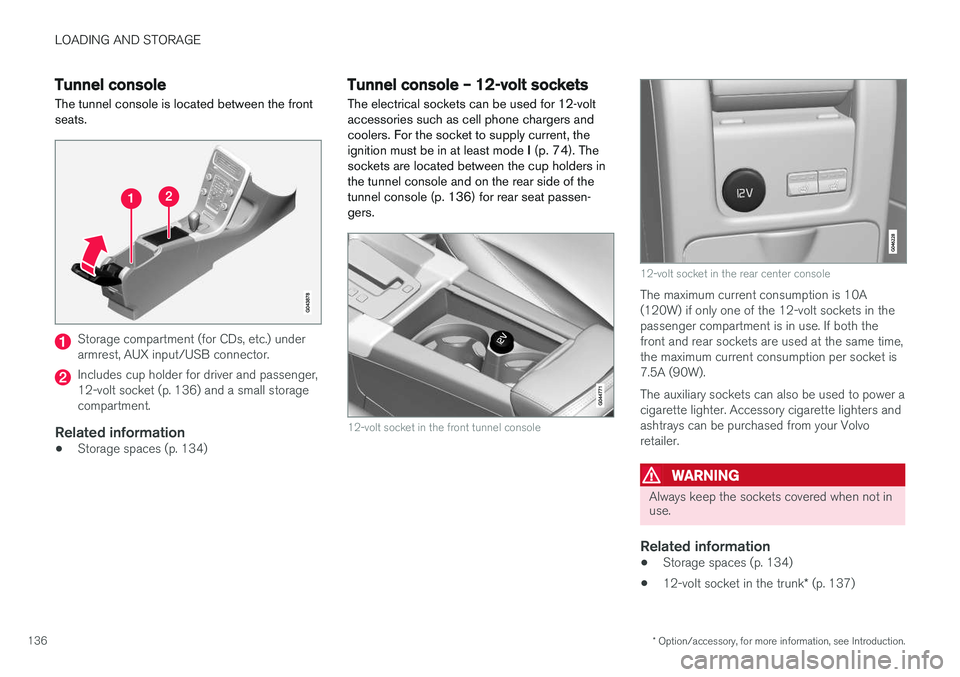
Storage compartment (for CDs, etc.) under armrest, AUX input/USB connector.
Includes cup holder for driver and passenger, 12-volt socket (p. 136) and a small storagecompartment.
Related information
• Storage spaces (p. 134)
Tunnel console – 12-volt sockets
The electrical sockets can be used for 12-volt accessories such as cell phone chargers andcoolers. For the socket to supply current, theignition must be in at least mode I (p. 74). The
sockets are located between the cup holders inthe tunnel console and on the rear side of thetunnel console (p. 136) for rear seat passen-gers.
12-volt socket in the front tunnel console
12-volt socket in the rear center console
The maximum current consumption is 10A (120W) if only one of the 12-volt sockets in thepassenger compartment is in use. If both thefront and rear sockets are used at the same time,the maximum current consumption per socket is7.5A (90W). The auxiliary sockets can also be used to power a cigarette lighter. Accessory cigarette lighters andashtrays can be purchased from your Volvoretailer.
WARNING
Always keep the sockets covered when not in use.
Related information
• Storage spaces (p. 134)
• 12-volt socket in the trunk
* (p. 137)
Page 148 of 398
LOCKS AND ALARM
* Option/accessory, for more information, see Introduction.
146
Locking/unlocking confirmation Settings can be made in the menu system for audible and visual confirmation when the vehiclehas been locked or unlocked. With these func-tions activated, the following will occur when thevehicle is locked/unlocked:
Locking confirmation
• The turn signals flash once, an audible signal sounds and the door mirrors will fold
* in.
Confirmation will only be given when all doors and the trunk are properly closed and locked.
NOTE
If you do not receive confirmation when lock- ing the vehicle, check whether a door or thetrunk is ajar, or if this feature has been turnedoff in the menu.
Unlocking confirmation
• The turn signals will flash twice and the door mirrors will fold
* out.
Making a setting
Different alternatives for locking/unlocking con- firmation can be selected in the menus by press- ing MY CAR on the center console control panel.
• To activate visual confirmation: go to
SettingsCar settingsLight settingsand select Door lock confirmation light
and/or Unlock confirmation light by
pressing OK/MENU .
• To activate audible confirmation: go to
SettingsCar settingsLock settingsand select Audible confirmation by press-
ing OK/MENU .
For a description of the menu system, see My Car – introduction (p. 71).
Lock indicator
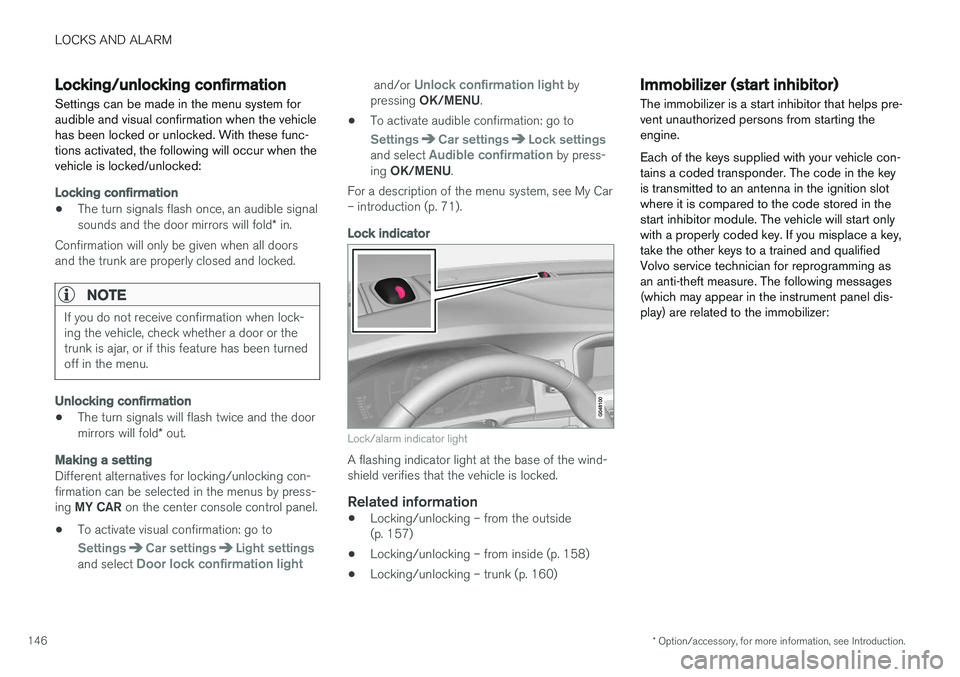
Lock/alarm indicator light
A flashing indicator light at the base of the wind- shield verifies that the vehicle is locked.
Related information
• Locking/unlocking – from the outside(p. 157)
• Locking/unlocking – from inside (p. 158)
• Locking/unlocking – trunk (p. 160)
Immobilizer (start inhibitor)
The immobilizer is a start inhibitor that helps pre- vent unauthorized persons from starting theengine. Each of the keys supplied with your vehicle con- tains a coded transponder. The code in the keyis transmitted to an antenna in the ignition slotwhere it is compared to the code stored in thestart inhibitor module. The vehicle will start onlywith a properly coded key. If you misplace a key,take the other keys to a trained and qualifiedVolvo service technician for reprogramming asan anti-theft measure. The following messages(which may appear in the instrument panel dis-play) are related to the immobilizer:
Page 158 of 398
LOCKS AND ALARM
* Option/accessory, for more information, see Introduction.
156
CAUTION
• Keyless drive remote keys should never be left in the vehicle. In the event of abreak-in, a remote found in the vehiclecould make it possible to start theengine.
• Electromagnetic fields or metal obstruc-tions can interfere with the keyless drivesystem. The remote key should never beplaced closer than approximately 4-6 in.(10-15 cm) to cell phones, metallicobjects or e.g., stored in a metal brief-case.
USA – FCC ID:KR55WK48952, KR55WK48964 NOTEThis device complies with part 15 of the FCC Rules. Operation is subject to the following twoconditions: (1) This device may not cause harmfulinterference, and (2) this device must acceptinterference received, including interference thatmay cause undesired operation. CAUTIONChanges or modifications not expressly approved by the manufacturer could void the user's author-ity to operate the equipment. Siemens VDO5WK48891 Tested To Comply With FCC StandardsFor Automobile UseCanada – IC:267T-5WK48952, 267T-5WK48964, 267T-5WK48891 NOTEThis device complies with RSS -210 of Industry Canada. Operation is subject to the following twoconditions: (1) This device may not cause harmfulinterference, and (2) this device must acceptinterference received, including interference thatmay cause undesired operation. CAUTIONChanges or modifications not expressly approved by the manufacturer could void the user's author-ity to operate the equipment.
Keyless drive
* – antenna locations
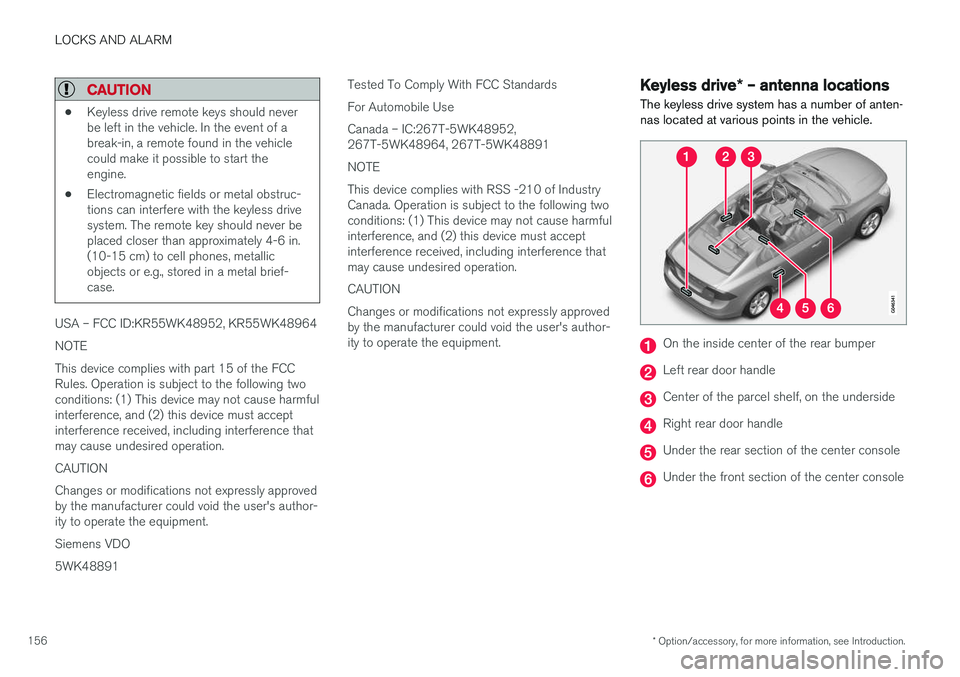
The keyless drive system has a number of anten- nas located at various points in the vehicle.
On the inside center of the rear bumper
Left rear door handle
Center of the parcel shelf, on the underside
Right rear door handle
Under the rear section of the center console
Under the front section of the center console
Page 168 of 398
DRIVER SUPPORT
* Option/accessory, for more information, see Introduction.
166
Active chassis * (Four C)
Active chassis, Four-C (Continuously Controlled Chassis Concept), regulates the characteristicsof the shock absorbers so that the vehicle's driv-ing characteristics can be adjusted. There arethree settings: Comfort, Sport and Advanced.
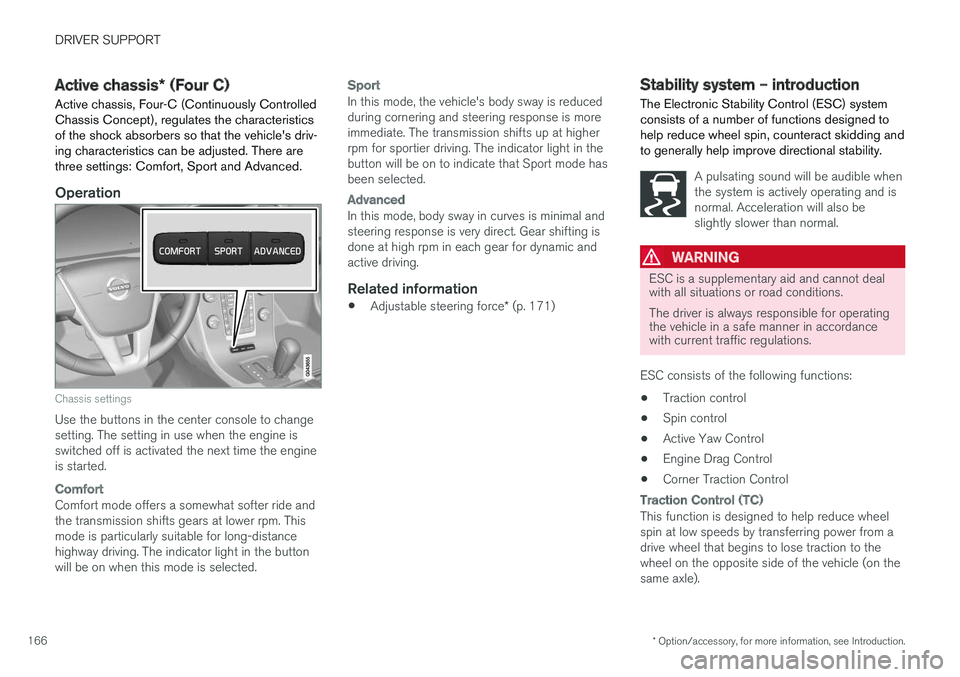
Operation
Chassis settings
Use the buttons in the center console to change setting. The setting in use when the engine isswitched off is activated the next time the engineis started.
Comfort
Comfort mode offers a somewhat softer ride and the transmission shifts gears at lower rpm. Thismode is particularly suitable for long-distancehighway driving. The indicator light in the buttonwill be on when this mode is selected.
Sport
In this mode, the vehicle's body sway is reduced during cornering and steering response is moreimmediate. The transmission shifts up at higherrpm for sportier driving. The indicator light in thebutton will be on to indicate that Sport mode hasbeen selected.
Advanced
In this mode, body sway in curves is minimal and steering response is very direct. Gear shifting isdone at high rpm in each gear for dynamic andactive driving.
Related information
• Adjustable steering force
* (p. 171)
Stability system – introduction The Electronic Stability Control (ESC) system consists of a number of functions designed tohelp reduce wheel spin, counteract skidding andto generally help improve directional stability.
A pulsating sound will be audible when the system is actively operating and isnormal. Acceleration will also beslightly slower than normal.
WARNING
ESC is a supplementary aid and cannot deal with all situations or road conditions. The driver is always responsible for operating the vehicle in a safe manner in accordancewith current traffic regulations.
ESC consists of the following functions: • Traction control
• Spin control
• Active Yaw Control
• Engine Drag Control
• Corner Traction Control
Traction Control (TC)
This function is designed to help reduce wheel spin at low speeds by transferring power from adrive wheel that begins to lose traction to thewheel on the opposite side of the vehicle (on thesame axle).
Page 173 of 398
DRIVER SUPPORT
* Option/accessory, for more information, see Introduction.171
Adjustable steering force*
Steering force increases with the speed of the vehicle to give the driver enhanced sense ofcontrol and stability. At low speed the vehicle iseasy to steer in order to facilitate parking, etc.
Adjustable steering force *Steering force can be changed under MY CAR
Car settingsSteering wheel force.
Select Low, Medium or High. For a description
of the menu system, My Car – introduction (p. 71).
NOTE
This steering force level menu function can- not be accessed when the vehicle is inmotion.
NOTE
In certain situations, the power steering may become too warm and will have to be tempo-rarily cooled down. While this is happening,the power steering effect will be reducedslightly and somewhat more effort may berequired to turn the steering wheel. If this occurs, a message will be displayed in the instrument panel.
Related information
• Active chassis
* (Four C) (p. 166)
Road Sign Information (RSI) * –
introduction
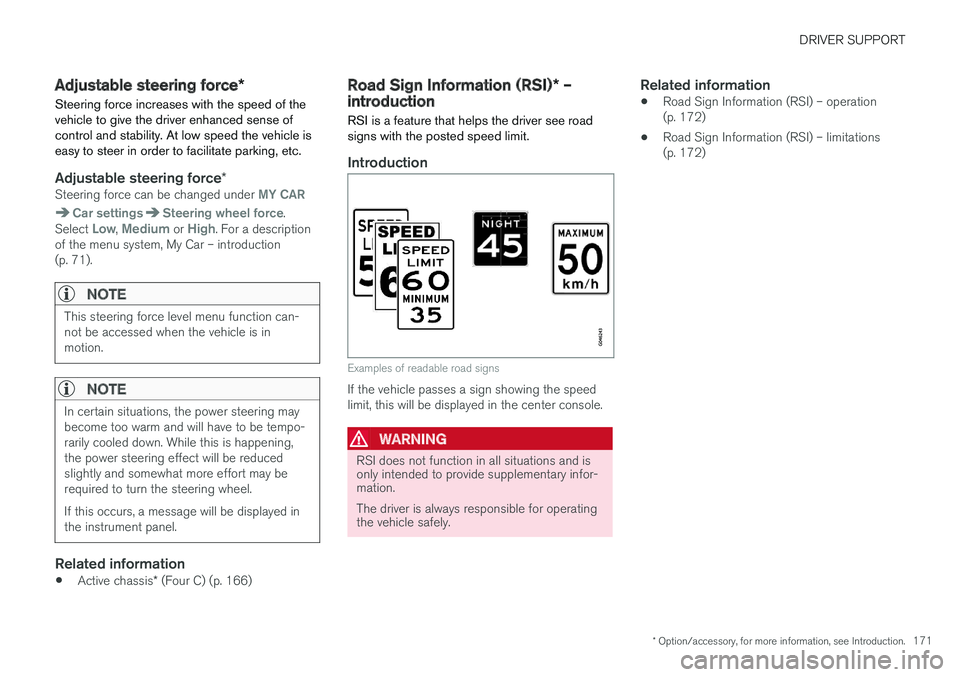
RSI is a feature that helps the driver see road signs with the posted speed limit.
Introduction
Examples of readable road signs
If the vehicle passes a sign showing the speed limit, this will be displayed in the center console.
WARNING
RSI does not function in all situations and is only intended to provide supplementary infor-mation. The driver is always responsible for operating the vehicle safely.
Related information
• Road Sign Information (RSI) – operation (p. 172)
• Road Sign Information (RSI) – limitations(p. 172)
Page 193 of 398
DRIVER SUPPORT
}}
191
Distance Alert – introduction
Distance Alert is part of Adaptive Cruise Control and is a function that provides information aboutthe time interval to the vehicle ahead.
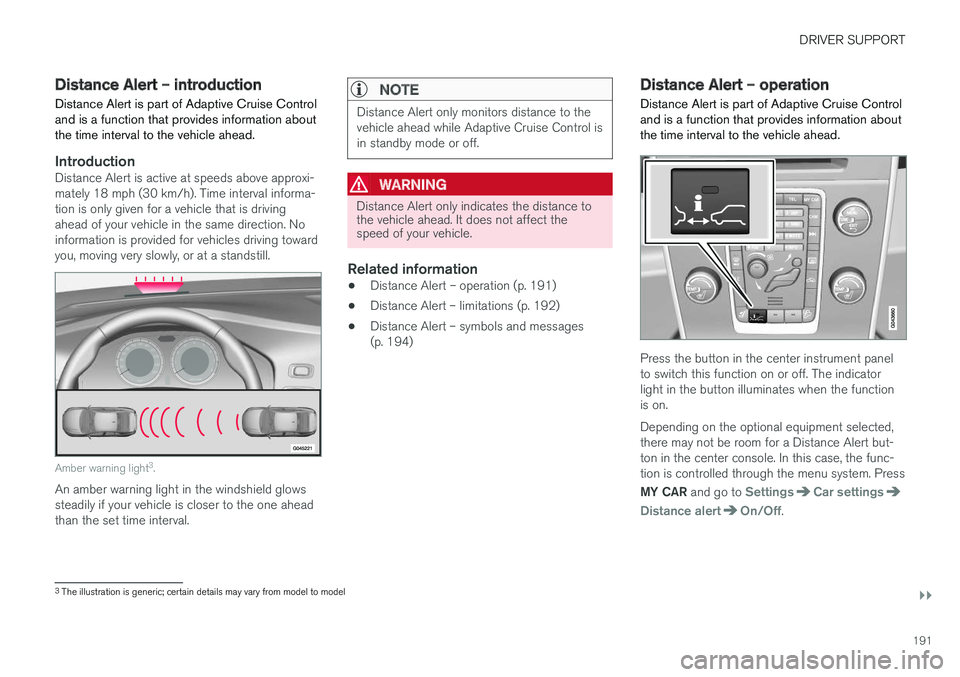
IntroductionDistance Alert is active at speeds above approxi- mately 18 mph (30 km/h). Time interval informa-tion is only given for a vehicle that is drivingahead of your vehicle in the same direction. Noinformation is provided for vehicles driving towardyou, moving very slowly, or at a standstill.
Amber warning light 3
.
An amber warning light in the windshield glows steadily if your vehicle is closer to the one aheadthan the set time interval.
NOTE
Distance Alert only monitors distance to the vehicle ahead while Adaptive Cruise Control isin standby mode or off.
WARNING
Distance Alert only indicates the distance to the vehicle ahead. It does not affect thespeed of your vehicle.
Related information
• Distance Alert – operation (p. 191)
• Distance Alert – limitations (p. 192)
• Distance Alert – symbols and messages (p. 194)
Distance Alert – operation
Distance Alert is part of Adaptive Cruise Control and is a function that provides information aboutthe time interval to the vehicle ahead.
Press the button in the center instrument panel to switch this function on or off. The indicatorlight in the button illuminates when the functionis on. Depending on the optional equipment selected, there may not be room for a Distance Alert but-ton in the center console. In this case, the func-tion is controlled through the menu system. Press MY CAR and go to
SettingsCar settings
Distance alertOn/Off.
3
The illustration is generic; certain details may vary from model to model