fog light VOLVO S60 TWIN ENGINE 2019 Owners Manual
[x] Cancel search | Manufacturer: VOLVO, Model Year: 2019, Model line: S60 TWIN ENGINE, Model: VOLVO S60 TWIN ENGINE 2019Pages: 645, PDF Size: 13.96 MB
Page 6 of 645
4
Resetting user data when the vehiclechanges owners132
Resetting center display settings132
Table of settings in the center display133
Driver profiles134
Selecting a driver profile135
Changing a driver profile's name135
Protecting a driver profile136
Linking a remote key to a driver profile136
Resetting driver profile settings137
Messages in the center display138
Handling messages in the center display138
Handling messages saved from thecenter display139
Head-up display*140
Activating and deactivating the head-up display*141
Head-up display settings*142
Voice control143
Using voice commands144
Voice control for cellular phones145
Voice control for radio and media146
Voice control settings147
LIGHTING
Lighting control and panel150
Adjusting light functions via the cen-ter display151
Adjusting the headlight pattern152
Parking lights152
Daytime running lights153
Low beams154
Using high beam154
Active high beam155
Using turn signals156
Active Bending Lights*157
Front fog lights/cornering illumination*157
Rear fog light158
Brake lights159
Emergency brake lights159
Hazard warning flashers159
Using home safe lighting160
Welcome Light160
Interior Lighting160
Adjusting interior lighting162
WINDOWS, GLASS AND MIRRORS
Windows, glass and mirrors164
Pinch protection for windows andsun curtains164
Reset procedure for pinch protection165
Power windows165
Operating the power windows166
Using sun curtains*167
Rearview/door mirrors168
Adjusting the rearview mirror dim-ming function168
Adjusting the door mirrors169
Panoramic roof*170
Operating the panoramic roof*171
Auto closing the panoramic roof* suncurtain174
Wiper blades and washer fluid174
Using the windshield wipers175
Using the rain sensor175
Using the rain sensor's memory function176
Using the windshield and headlightwashers177
Page 82 of 645
DISPLAYS AND VOICE CONTROL
* Option/accessory.80
Instruments and controls in left-hand drive vehicles
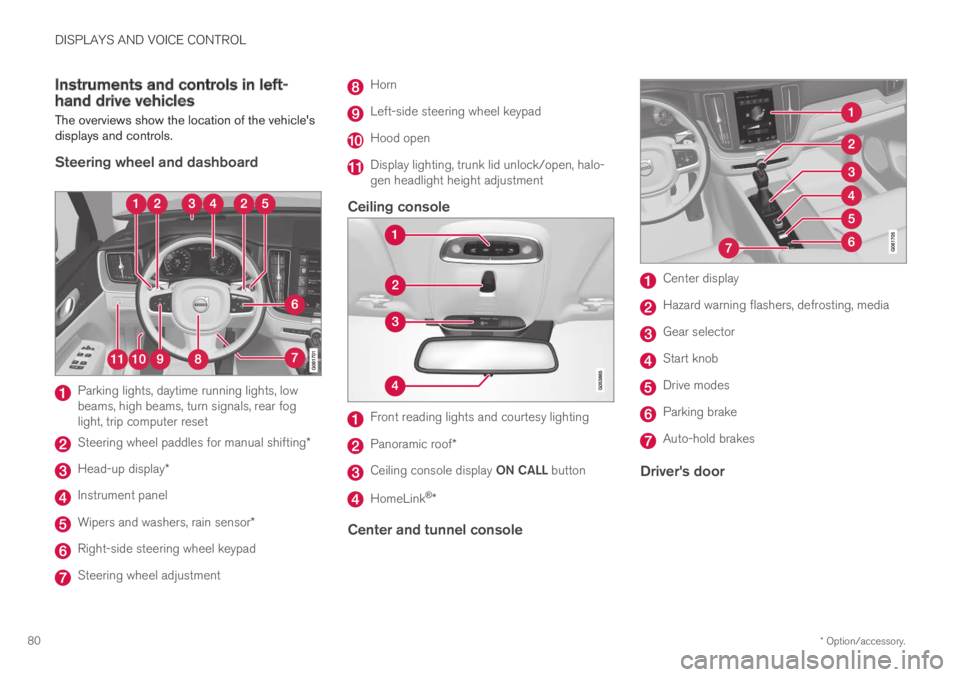
The overviews show the location of the vehicle'sdisplays and controls.
Steering wheel and dashboard
Parking lights, daytime running lights, lowbeams, high beams, turn signals, rear foglight, trip computer reset
Steering wheel paddles for manual shifting*
Head-up display*
Instrument panel
Wipers and washers, rain sensor*
Right-side steering wheel keypad
Steering wheel adjustment
Horn
Left-side steering wheel keypad
Hood open
Display lighting, trunk lid unlock/open, halo-gen headlight height adjustment
Ceiling console
Front reading lights and courtesy lighting
Panoramic roof*
Ceiling console display ON CALL button
HomeLink®*
Center and tunnel console
Center display
Hazard warning flashers, defrosting, media
Gear selector
Start knob
Drive modes
Parking brake
Auto-hold brakes
Driver's door
Page 96 of 645

||
DISPLAYS AND VOICE CONTROL
94
SymbolMeaning
Active high beams off
This symbol lights up in white whenthe active high beams are off.Parking lights are on.
High beams on
This symbol illuminates when thehigh beams and parking lights areon.
Rear fog light on
This symbol illuminates when therear fog light is on.
Rain sensor on
This symbol illuminates when therain sensor is on.
Preconditioning on
This symbol illuminates when theengine block/passenger compart-ment heater or air conditioning arepreconditioning the vehicle.
Stability system
This symbol flashes when the sta-bility system is actively working tostabilize the vehicle. If the symbolglows steadily, there is a fault inthe system.
SymbolMeaning
Stability system, Sport mode
This symbol illuminates when Sportmode is activated. Sport modeoffers a more active driving experi-ence.
Lane Keeping Aid
White symbol: Lane Keeping Aid ison and lane marker lines aredetected.
Gray symbol: Lane Keeping Aid ison but no lane marker lines aredetected.
Amber-colored symbol: Lane Keep-ing Aid is alerting/intervening.
Lane Keeping Aid and rain sen-sor
White symbol: Lane Keeping Aid ison and lane marker lines aredetected. The rain sensor is on.
Gray symbol: Lane Keeping Aid ison but no lane marker lines aredetected. The rain sensor is on.
ACanadian models.BUS models.
Related information
Instrument panel (p. 82)
Warning symbols in the instrument panel(p. 95)
Page 152 of 645

LIGHTING
* Option/accessory.150
Lighting control and panel
The lighting panel and controls can be used toadjust both exterior and interior lighting. Thelighting ring on the left-side steering wheel levercan be used to activate and adjust the exteriorlighting. The brightness of the interior lightingcan be adjusted using the thumb wheel on thedashboard.
Exterior lighting
Lighting ring position.
When the vehicle's ignition is in mode II, thelighting ring positions have the following func-tions:
PositionMeaning
US: Daytime running lights andparking lights are off.
Canada: Daytime running lights andparking lights are on.
High beam flash can be used.
Parking lights when the vehicle isparked.
US: Daytime running lights are off.
Canada: Daytime running lights areon.
High beam flash can be used.
Low beams and parking lights.
High beams can be activated.
High beam flash can be used.
PositionMeaning
Daytime running lights and parking
lights in daylight conditions.A
Low beams and parking lights inweak daylight or dark conditions orwhen the front fog lights* and/orrear fog light are activated.
Active high beam can be activated.
High beams can be activated whenlow beams are on.
High beam flash can be used.
Active high beams on/off.
AUS models only: Daytime running lights and parking lights canbe deactivated in the center display.
NOTE
Volvo recommends use of Daytime RunningLights in the US. Its use is mandatory in Can-ada.
Volvo recommends using position whenthe vehicle is in motion.
Page 153 of 645
LIGHTING
* Option/accessory.151
WARNING
The vehicle lighting system cannot in all situa-tions determine when the daylight is too weakor not strong enough, e.g. when there is fogor rain.
The driver is always responsible for driving thevehicle with lighting that is safe for the trafficconditions and as specified by applicable traf-fic regulations.
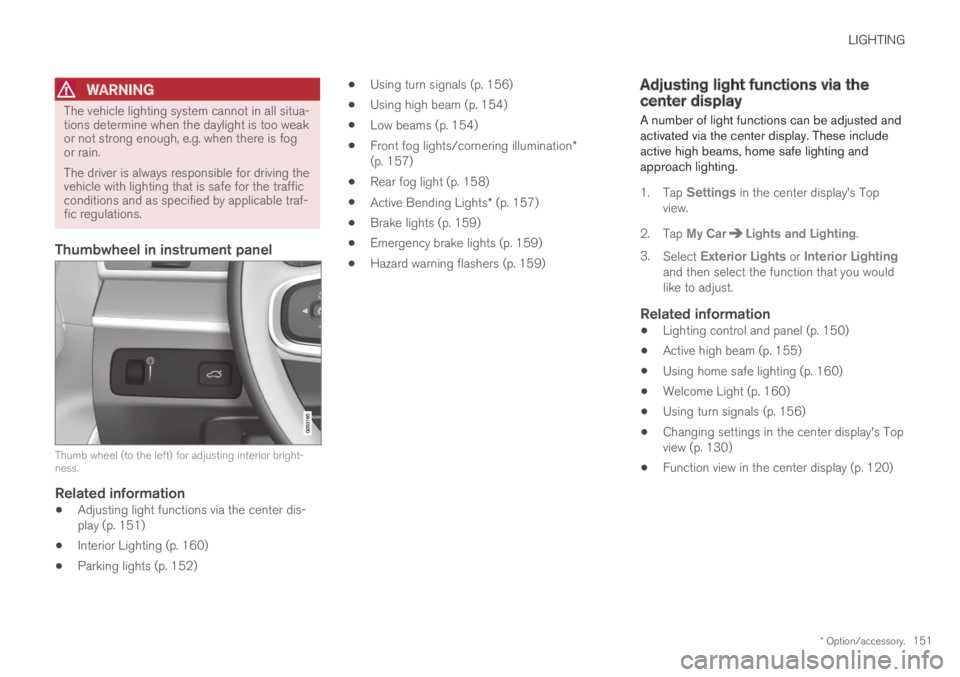
Thumbwheel in instrument panel
Thumb wheel (to the left) for adjusting interior bright-ness.
Related information
Adjusting light functions via the center dis-play (p. 151)
Interior Lighting (p. 160)
Parking lights (p. 152)
Using turn signals (p. 156)
Using high beam (p. 154)
Low beams (p. 154)
Front fog lights/cornering illumination*(p. 157)
Rear fog light (p. 158)
Active Bending Lights* (p. 157)
Brake lights (p. 159)
Emergency brake lights (p. 159)
Hazard warning flashers (p. 159)
Adjusting light functions via thecenter display
A number of light functions can be adjusted andactivated via the center display. These includeactive high beams, home safe lighting andapproach lighting.
1.Tap Settings in the center display's Topview.
2.Tap My CarLights and Lighting.
3.Select Exterior Lights or Interior Lightingand then select the function that you wouldlike to adjust.
Related information
Lighting control and panel (p. 150)
Active high beam (p. 155)
Using home safe lighting (p. 160)
Welcome Light (p. 160)
Using turn signals (p. 156)
Changing settings in the center display's Topview (p. 130)
Function view in the center display (p. 120)
Page 155 of 645
LIGHTING
* Option/accessory.153
Daytime running lights
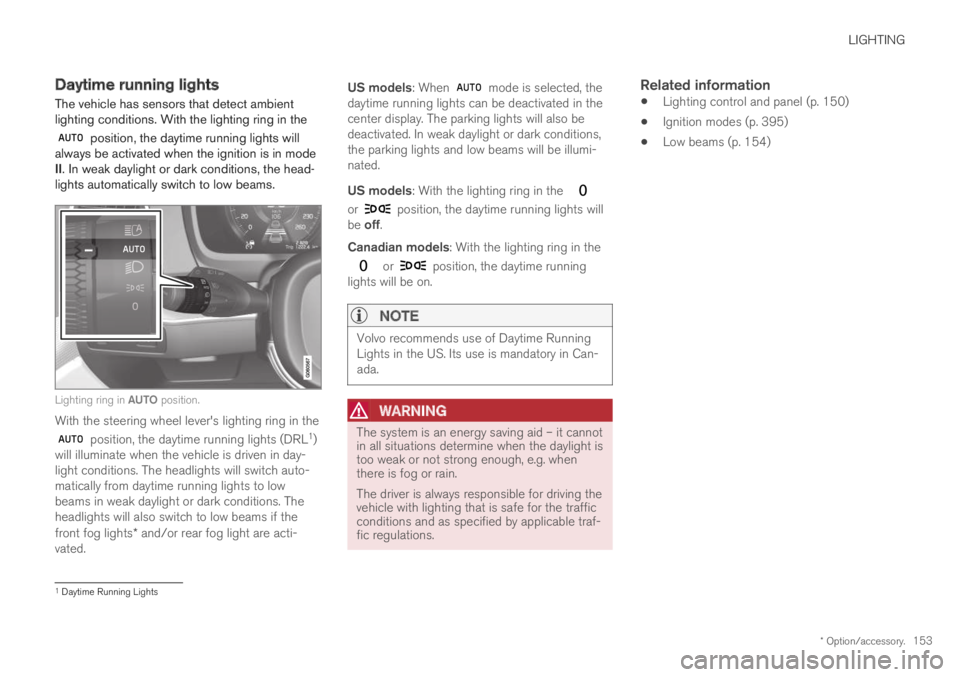
The vehicle has sensors that detect ambientlighting conditions. With the lighting ring in the
position, the daytime running lights willalways be activated when the ignition is in modeII. In weak daylight or dark conditions, the head-lights automatically switch to low beams.
Lighting ring in AUTO position.
With the steering wheel lever's lighting ring in the
position, the daytime running lights (DRL1)will illuminate when the vehicle is driven in day-light conditions. The headlights will switch auto-matically from daytime running lights to lowbeams in weak daylight or dark conditions. Theheadlights will also switch to low beams if thefront fog lights* and/or rear fog light are acti-vated.
US models: When mode is selected, thedaytime running lights can be deactivated in thecenter display. The parking lights will also bedeactivated. In weak daylight or dark conditions,the parking lights and low beams will be illumi-nated.
US models: With the lighting ring in the
or position, the daytime running lights willbe off.
Canadian models: With the lighting ring in the
or position, the daytime runninglights will be on.
NOTE
Volvo recommends use of Daytime RunningLights in the US. Its use is mandatory in Can-ada.
WARNING
The system is an energy saving aid – it cannotin all situations determine when the daylight istoo weak or not strong enough, e.g. whenthere is fog or rain.
The driver is always responsible for driving thevehicle with lighting that is safe for the trafficconditions and as specified by applicable traf-fic regulations.
Related information
Lighting control and panel (p. 150)
Ignition modes (p. 395)
Low beams (p. 154)
1Daytime Running Lights
Page 156 of 645
LIGHTING
154
Low beams
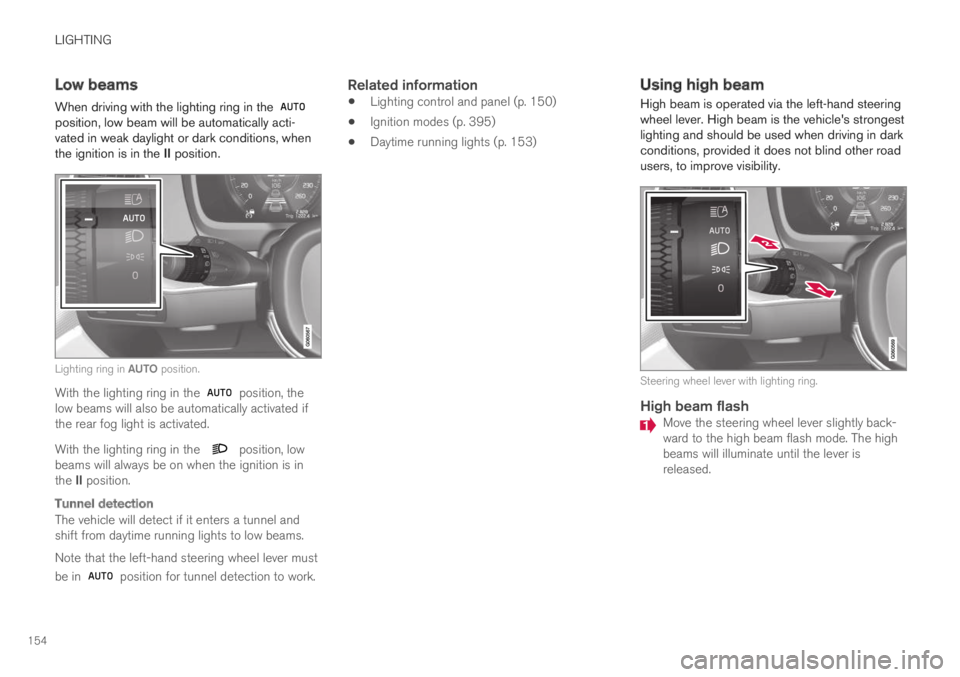
When driving with the lighting ring in the position, low beam will be automatically acti-vated in weak daylight or dark conditions, whenthe ignition is in the II position.
Lighting ring in AUTO position.
With the lighting ring in the position, thelow beams will also be automatically activated ifthe rear fog light is activated.
With the lighting ring in the position, lowbeams will always be on when the ignition is inthe II position.
Tunnel detection
The vehicle will detect if it enters a tunnel andshift from daytime running lights to low beams.
Note that the left-hand steering wheel lever must
be in position for tunnel detection to work.
Related information
Lighting control and panel (p. 150)
Ignition modes (p. 395)
Daytime running lights (p. 153)
Using high beam
High beam is operated via the left-hand steeringwheel lever. High beam is the vehicle's strongestlighting and should be used when driving in darkconditions, provided it does not blind other roadusers, to improve visibility.
Steering wheel lever with lighting ring.
High beam flash
Move the steering wheel lever slightly back-ward to the high beam flash mode. The highbeams will illuminate until the lever isreleased.
Page 157 of 645

LIGHTING
}}
155
High beams
The high beams can be activated when the
lighting ring is in mode 2 or .Activate high beams by moving the steeringwheel lever forward. Deactivate by movingthe steering wheel lever backward.
When the high beams are activated, the symbol will be illuminated in the instrument panel.
Related information
Lighting control and panel (p. 150)
Active high beam (p. 155)
Active high beam
Active high beams is a function that uses cam-era sensors in the upper edge of the windshieldto detect the headlights of approaching vehiclesor the taillights of the vehicle directly ahead.When either of these is detected, the vehicle'sheadlights will automatically switch from highbeams to low beams.
Active high beams is indicated by the symbol.
This function can be used in dark conditionswhen the vehicle's speed is approx. 20 km/h(approx. 12 mph) or higher. The function can alsodetect street lighting. When the camera sensorno longer detects an approaching vehicle or avehicle ahead, the headlights will return to highbeams after a second or two.
Activating active high beams
Active high beams can be activated and deacti-vated by turning the lighting ring on the right-side
steering wheel lever to position . The light-
ing ring will then return to . When active
high beams are activated, a white symbolwill be displayed in the instrument panel. Whenhigh beams are on, the symbol will be blue.
If active high beams are deactivated when thehigh beams are on, the headlights will automati-cally switch to low beams.
Limitations for active high beams
The camera sensor on which the function isbased has limitations.
If this symbol and the message ActiveHigh Beam Temporarilyunavailable is displayed in the instru-ment panel, switching between highand low beams must be done manually. The
symbol will go out when the message isdisplayed.
The same applies if this symbol alongwith the message Windscreensensor Sensor blocked, seeOwner's manual is displayed.
Active high beams may be temporarily unavailablein certain situations, e.g. heavy fog or rain. When
2When the low beams are on.
Page 159 of 645

LIGHTING
}}
* Option/accessory.157
Active Bending Lights*
Active Bending Lights (ABL) are designed tohelp provide maximum illumination in curves andintersections. Depending on equipment level,
vehicles with LED3 headlights* may be equippedwith Active Bending Lights.
Headlight pattern with function deactivated (left) andactivated (right).
Active Bending Lights follow the movement ofthe steering wheel to help provide maximum illu-mination in curves and intersections, helping toimprove visibility for the driver.
The function is automatically activated when theengine is started. If a fault is detected in the sys-
tem, the symbol will illuminate in theinstrument panel and a message will be dis-played.
The function is only active in weak daylight ordark conditions and only when the vehicle is mov-ing and the low beams are on.
Deactivating/activating the function
The function is activated as the default factorysetting and can be activated and deactivated inthe center display's Function view:
Tap the Active BendingLights button.
Related information
Adjusting light functions via the center dis-play (p. 151)
Front fog lights/cornering illumination*(p. 157)
Front fog lights/cornering
illumination*
The front fog lights have a stronger beam thanlow beam, making them particularly effective infog.
Front fog lights button.
The front fog lights can be turned on when theignition is in mode II and the lighting ring is in
position , or .
Tap the button to activate or deactivate the func-
tion. The symbol in the instrument panelcomes on when the front fog lights are on.
The front fog lights turn off automatically whenthe ignition is switched off or when the lighting
ring is in position .
3LED (Light Emitting Diode)
Page 160 of 645
||
LIGHTING
* Option/accessory.158
NOTE
Regulations concerning fog light use varyfrom country to country.
Cornering illumination *
The front fog lamps can include the corneringlights function, which temporarily illuminates thearea diagonally in front of the car in the directionthe steering wheel is turned on a sharp bend, orin the direction shown by the direction indicators.
The function is activated in weak daylight or dark
conditions when the lighting ring is in or
mode and the vehicle speed is less thanabout 30 km/h (about 20 mph).
Both cornering illumination are also illuminatedas a complement to the taillights when reversing.
The function is activated as the default factorysetting and can be activated and deactivatedusing the center display.
Related information
Lighting control and panel (p. 150)
Ignition modes (p. 395)
Rear fog light (p. 158)
Active Bending Lights* (p. 157)
Adjusting light functions via the center dis-play (p. 151)
Rear fog light
The rear fog light is considerably brighter thanordinary taillights and should only be used tohelp other road users see the vehicle when visi-bility is reduced by conditions such as fog,snow, smoke or dust.
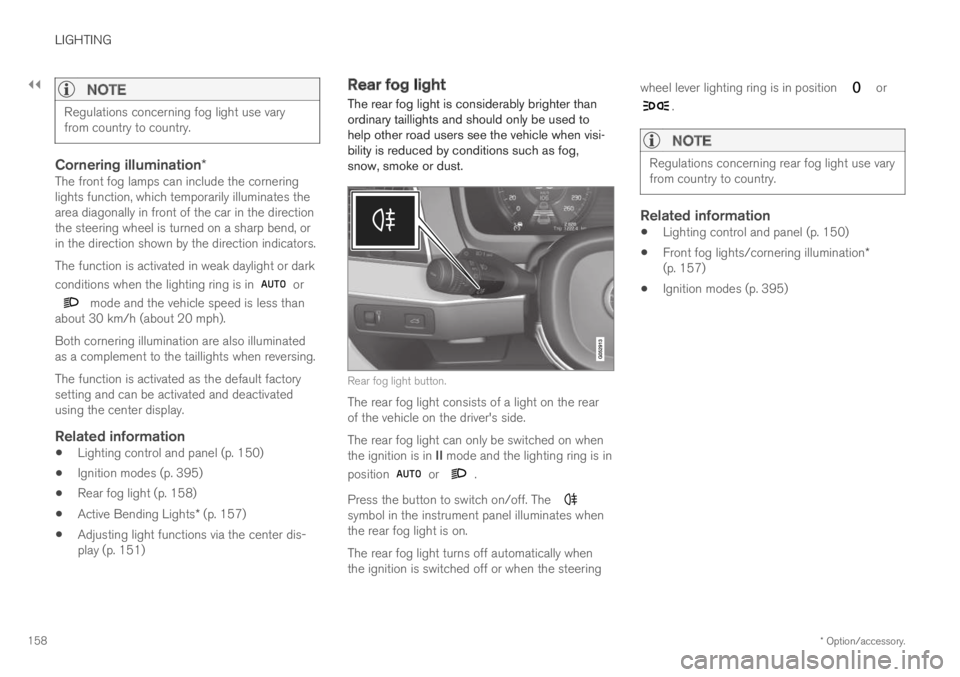
Rear fog light button.
The rear fog light consists of a light on the rearof the vehicle on the driver's side.
The rear fog light can only be switched on whenthe ignition is in II mode and the lighting ring is in
position or .
Press the button to switch on/off. The symbol in the instrument panel illuminates whenthe rear fog light is on.
The rear fog light turns off automatically whenthe ignition is switched off or when the steering
wheel lever lighting ring is in position or
.
NOTE
Regulations concerning rear fog light use varyfrom country to country.
Related information
Lighting control and panel (p. 150)
Front fog lights/cornering illumination*(p. 157)
Ignition modes (p. 395)