fog light VOLVO S60 TWIN ENGINE 2019 User Guide
[x] Cancel search | Manufacturer: VOLVO, Model Year: 2019, Model line: S60 TWIN ENGINE, Model: VOLVO S60 TWIN ENGINE 2019Pages: 645, PDF Size: 13.96 MB
Page 213 of 645
CLIMATE CONTROL
}}
211
Activating auto climate control
If auto climate control is activated, several cli-mate system functions are controlled automati-cally.
1. Tap the symbol in the center of the climatebar to open Climate view in the center dis-play.
2.Tap or press and hold AUTO Climate
Tap - air recirculation, air conditioning andair distribution are controlled automati-cally.
Press and hold - air recirculation, air con-ditioning and air distribution are controlledautomatically. Temperature and blowerspeed are changed to standard settings:22 °C (72 °F) and speed 3.
>Auto climate mode is activated and thebutton lights up.
NOTE
It is possible to change the temperature andblower speed without deactivating automaticclimate control. Automatic climate control isdeactivated when the air distribution ischanged manually or when the max defrosteris activated.
Related information
Climate system controls (p. 207)Activating and deactivatingrecirculation
The climate system's recirculation function helpsshut out smog, smoke, exhaust fumes, etc. byreusing the air in the passenger compartment.
1. Tap the symbol in the center of the climatebar to open Climate view in the center dis-play.
2.Tap Recirc.
>Air recirculation is activated/deactivatedand the button lights up/goes out.
CAUTION
If the air in the vehicle is recirculated too long,there is a risk of fogging on the inside of thewindows.
NOTE
Recirculation cannot be activated when themax defroster is on.
Page 217 of 645

CLIMATE CONTROL
215
CAUTION
The air conditioning will not engage if theblower is turned off completely, which maycause fogging on the inside of the windows.
NOTE
The climate system automatically adapts air-flow as needed within the set blower speed,which means that airflow speed may varyslightly within the same blower speed.
Related information
Climate system controls (p. 207)
Setting the temperature for the
front seats3
The temperature can be set to the desired num-ber of degrees for the front seat climate zones.
Temperature buttons in the climate bar.
1. Tap the left- or right-side temperature but-tons in the center display's climate bar toopen the control.
Temperature control.
2. Set the temperature by doing one of the fol-lowing:
dragging the control to the desired tem-perature, or
tapping +− to raise/lower the tempera-ture.
> The temperature will be set and the but-ton will display the new temperature.
NOTE
Heating/cooling cannot be accelerated bychoosing a higher/lower temperature thanthe desired temperature.
Related information
Climate system controls (p. 207)
3The same setting applies to the rear seats with the 2-zone climate system.
Page 289 of 645

DRIVER SUPPORT
}}}}
287
WARNING
A noticeable increase in speed may follow
when the speed is resumed with the steering wheel button.
Related information
Pilot Assist (p. 281)
Activating and starting Pilot Assist (p. 284)
Pilot Assist limitations
Pilot Assist functionality may be reduced in cer-tain situations.
Pilot Assist is a driver support function designedto simplify driving and assist the driver in manysituations. However, the driver is always responsi-ble for maintaining a suitable distance to vehiclesor objects around it and ensuring that the vehicleis correctly positioned in the traffic lane.
WARNING
In some situations, Pilot Assist may have trou-ble helping the driver properly or may bedeactivated automatically – we advise againstusing Pilot Assist in such cases. Examples ofsuch situations include:
the lane markings are worn, missing orcross each other.
lane division is unclear, for example, whenthe lanes divide or merge or at exits orwhen there are multiple sets of markings.
edges or other lines than lane markingsare present on or near the road, e.g.curbs, joints or repairs to the road sur-face, edges of barriers, roadside edges orstrong shadows.
the lane is narrow or winding.
the lane contains ridges or holes.
weather conditions are poor, e.g. rain,snow or fog or slush or reduced visibilitywith poor light conditions, backlighting,wet road surface, etc.
The driver should also note that Pilot Assisthas the following limitations:
High curbs, roadside barriers, temporaryobstacles (traffic cones, safety barriers,etc.) are not detected. Alternatively, theymay be detected incorrectly as lane mark-ings, with a subsequent risk of contactbetween the vehicle and such obstacles.
Page 304 of 645

||
DRIVER SUPPORT
302
Limited field of vision
The radar sensor has a limited field of vision. Insome situations, it may detect a vehicle later thanexpected or not at all.
The radar sensor's field of vision.
The radar sensor's detection of vehicles veryclose to your vehicle may be delayed in cer-tain situations, e.g. if a vehicle pulls in
between your vehicle and the vehicle directlyahead.
Small vehicles, such as motorcycles, or vehi-cles that are not driving in the center of thelane may remain undetected.
In curves, the radar may detect the wrongvehicle or lose sight of a target vehicle.
Low trailers
Low trailer in the radar shadow.
Low trailers may also be difficult or even impossi-ble for the radar to detect. The driver should beextra alert when driving behind vehicles towinglow trailers when Adaptive Cruise Control or PilotAssist is activated.
Camera
Reduced visibility
Cameras have the same limitations as the humaneye. In other words, their “vision" is impaired byadverse weather conditions such as heavy snow-fall/rain, dense fog, swirling dust/snow, etc.These conditions may reduce the function of sys-
tems that depend on the camera or cause thesesystems to temporarily stop functioning.
Strong sunlight, reflections from the road surface,ice or snow covering the road, a dirty road sur-face, or unclear lane marker lines may drasticallyreduce the camera
Page 439 of 645
STARTING AND DRIVING
}}
* Option/accessory.437
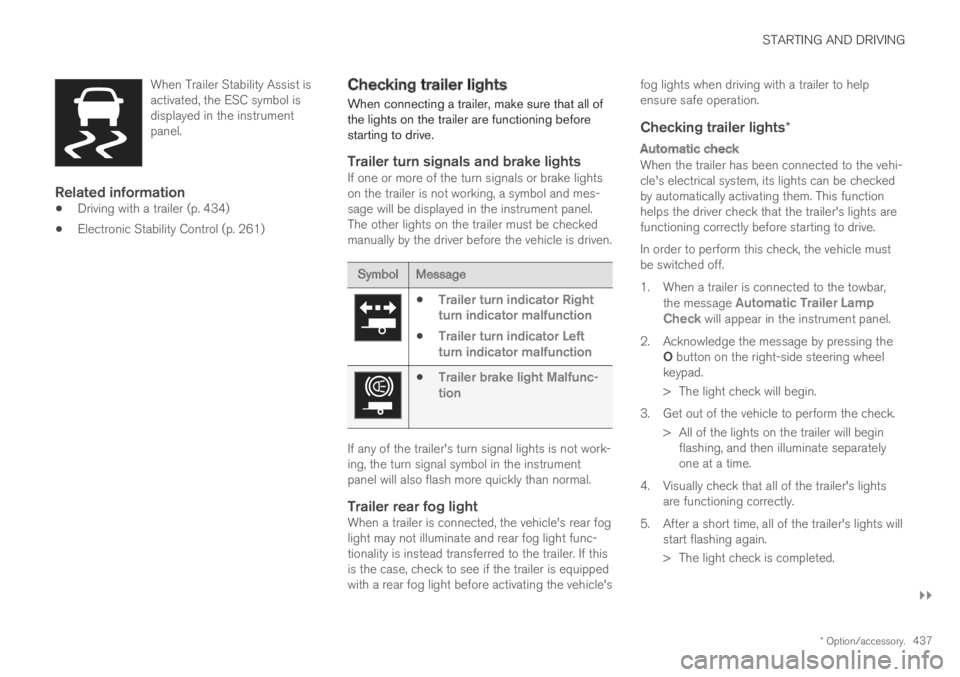
When Trailer Stability Assist isactivated, the ESC symbol isdisplayed in the instrumentpanel.
Related information
Driving with a trailer (p. 434)
Electronic Stability Control (p. 261)
Checking trailer lights
When connecting a trailer, make sure that all ofthe lights on the trailer are functioning beforestarting to drive.
Trailer turn signals and brake lights
If one or more of the turn signals or brake lightson the trailer is not working, a symbol and mes-sage will be displayed in the instrument panel.The other lights on the trailer must be checkedmanually by the driver before the vehicle is driven.
SymbolMessage
Trailer turn indicator Rightturn indicator malfunction
Trailer turn indicator Leftturn indicator malfunction
Trailer brake light Malfunc-tion
If any of the trailer's turn signal lights is not work-ing, the turn signal symbol in the instrumentpanel will also flash more quickly than normal.
Trailer rear fog light
When a trailer is connected, the vehicle's rear foglight may not illuminate and rear fog light func-tionality is instead transferred to the trailer. If thisis the case, check to see if the trailer is equippedwith a rear fog light before activating the vehicle's
fog lights when driving with a trailer to helpensure safe operation.
Checking trailer lights *
Automatic check
When the trailer has been connected to the vehi-cle's electrical system, its lights can be checkedby automatically activating them. This functionhelps the driver check that the trailer's lights arefunctioning correctly before starting to drive.
In order to perform this check, the vehicle mustbe switched off.
1. When a trailer is connected to the towbar,the message Automatic Trailer LampCheck will appear in the instrument panel.
2.Acknowledge the message by pressing theO button on the right-side steering wheelkeypad.
> The light check will begin.
3. Get out of the vehicle to perform the check.
> All of the lights on the trailer will beginflashing, and then illuminate separatelyone at a time.
4. Visually check that all of the trailer's lightsare functioning correctly.
5. After a short time, all of the trailer's lights willstart flashing again.
> The light check is completed.
Page 631 of 645

INDEX
629
Drive systems 410
Driving
cooling system 431
with a trailer 434
Driving economy 420
Driving through standing water 425
driving with a trailer
towball load 618
towing capacity 618
E
Economical driving420
Electrical outlet546
use548
Electrical system 574
Electric drive motor
specifications 619
electric motor 410
Range 421
Electric parking brake 400
Electronic immobilizer 243
emergency brake lights 159
Emission inspection readiness 556
Energy distribution
using map data 417
Engine
automatic start and stop of combustion
engine411
overheating431
start392
turn off394
Engine braking 397, 406
Engine compartment
coolant 571
engine oil 569
overview 568
Engine drag control 261
Engine oil 569
filling 570
filter 569
grade and volume 620
Engine shutdown 394
Engine specifications 619
Engine temperature
high 431
Environment 27
Ethanol content
max. 10% by volume 428
Exterior dimensions 615
Extra heater (Auxiliary heater) 224
F
Federal Clean Air Act556
Ferry transport418
Flooded road425
Fluids, volumes609, 622
Fluids and oils621, 622
Fog lights
front157
rear158
Four-C418
Front seat
blower214
climate207
heating208, 209
temperature215
ventilation209
Front seat manual180
Front seats, power181
adjusting passenger seat from driver's
seat188
adjusting seat181
Lumbar support187
massage184, 185
multifunction control 184, 185, 186, 187
Side bolsters186
store position182, 183
FSC, environmental labeling23
Page 634 of 645

INDEX
632
limitations 339
see Lane Keeping Aid 337
select assistance option 339
steering assistance 338
Symbols and messages 341, 343
Language 130
Large Animal Detection (LAD) 309
Leather upholstery, cleaning instructions 596
Leveling control
settings 420
suspension 418
License agreement 96, 501
Lifting tools 527
Light bulbs
changing 572
Light control 150, 162
Lighting
Active Bending Lights 157
approach lighting 160
automatic high beam 155
brake lights 159
control, instrument, display 162
controls 150, 160
cornering illumination 158
daytime running lights 153
emergency brake lights 159
front fog lights 157
Hazard warning flashers 159
high beams154, 155
home safe lighting160
in passenger compartment160
low beams154
position lights152
rear fog light158
settings151
Turn signals156
Lighting, replacing bulbs572
Limp home406
Load anchoring eyelets
cargo compartment553
Load anchoring hooks553
Load carriers552
Load index516
Loading
general551
load anchoring eyelets553
long load552
Lock indication 228
setting229
Locking/unlocking
trunk lid233, 247
Locking wheel bolts527
Locks
Locking232
unlocking232
Long-term storage389
Low battery charge level
start battery432
Low beams 154
Low oil level 570
M
Maintained climate comfort222
start/stop222
Maintenance556
corrosion protection604
Max. axle weight617
Max. roof load617
Media player470, 472
compatible file formats477, 478
voice control146
Messages and symbols
Adaptive Cruise Control279
Assistance at risk of collision 349
BLIS324
City Safety319
Cross Traffic Alert328
Lane Keeping Aid341, 343
Park Assist Camera363
Park Assist Pilot372
Parking Assist354