audio VOLVO S80 2007 Owner's Manual
[x] Cancel search | Manufacturer: VOLVO, Model Year: 2007, Model line: S80, Model: VOLVO S80 2007Pages: 251, PDF Size: 5.7 MB
Page 149 of 251
A delayed warning means that brake support will also be delayed.
The false warnings may be in the form of both audio and visual signals.
NOTE
The number of false warnings can be limited by reducing the warning distance. See the section "Set warning
distance."
Operation
Some settings are controlled from the center console via a menu system. For information on how the menu system is
used, see page 114
.
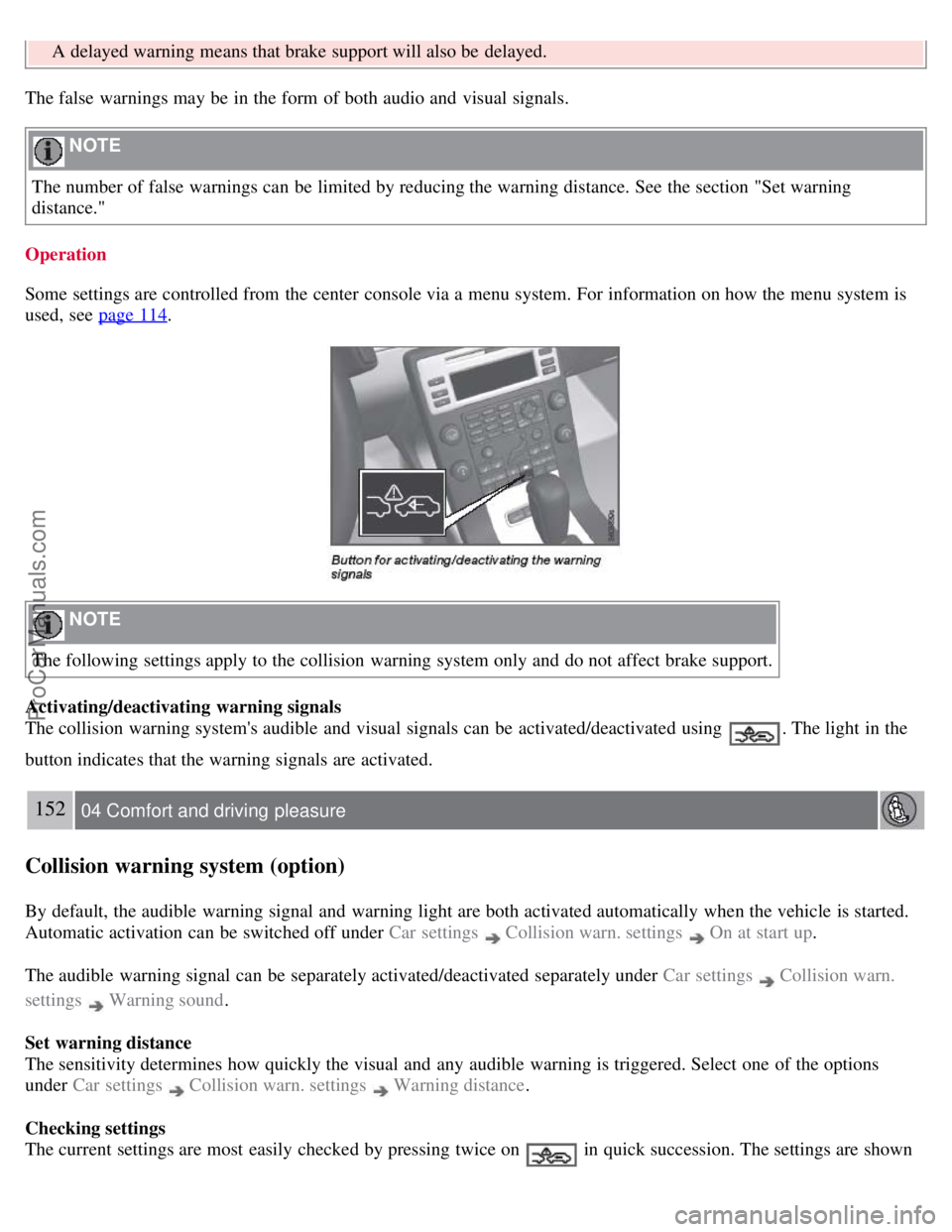
NOTE
The following settings apply to the collision warning system only and do not affect brake support.
Activating/deactivating warning signals
The collision warning system's audible and visual signals can be activated/deactivated using
. The light in the
button indicates that the warning signals are activated.
152 04 Comfort and driving pleasure
Collision warning system (option)
By default, the audible warning signal and warning light are both activated automatically when the vehicle is started.
Automatic activation can be switched off under Car settings
Collision warn. settings On at start up.
The audible warning signal can be separately activated/deactivated separately under Car settings
Collision warn.
settings
Warning sound .
Set warning distance
The sensitivity determines how quickly the visual and any audible warning is triggered. Select one of the options
under Car settings
Collision warn. settings Warning distance .
Checking settings
The current settings are most easily checked by pressing twice on
in quick succession. The settings are shown
ProCarManuals.com
Page 150 of 251
in the display.
Messages on the display
Clean the radar sensor in the grille - The collision warning system is temporarily disengaged. The message is shown
temporarily if for example slush has collected in front of the radar sensor.
Collision warn. Service required - The collision warning system is disengaged. Contact an authorized Volvo workshop
if the message remains.
153 04 Comfort and driving pleasure
Park assist (option)
Introduction
The park assist system(s) are designed to assist you when driving into parking spaces, garages, etc. They utilize
ultrasound sensors located in the bumpers to measure the distance to a vehicle or other object, or a person who may be
close to the front or rear of the vehicle.
WARNING
These systems are designed to be a supplementary aid when parking the vehicle. They are not, however, intended to
replace the driver's attention and judgement.
Function
The system is activated automatically when the vehicle is started. The indicator light in the button in the center console
illuminates. The text Park Assist ON is shown in the center console display if reverse gear is selected or if the front
sensors detect an object.
The front park assist system is active from the time the engine is started until the vehicle exceeds a speed of
approximately 10 mph (15 km/h). It is also active when the vehicle is backing up.
Rear park assist is active when the engine is running and reverse gear has been selected.
An intermittent audio signal becomes audible when your vehicle approaches an object. The frequency of the signal
increases as you come closer to the object in front of or behind the vehicle. If the volume of another audio source from
the audio system is high, this will be automatically lowered.
The tone becomes constant at a distance of approximately 1 ft (30 cm). If there are objects within this distance both
behind and in front of the vehicle, the signal alternates between front and rear speakers.
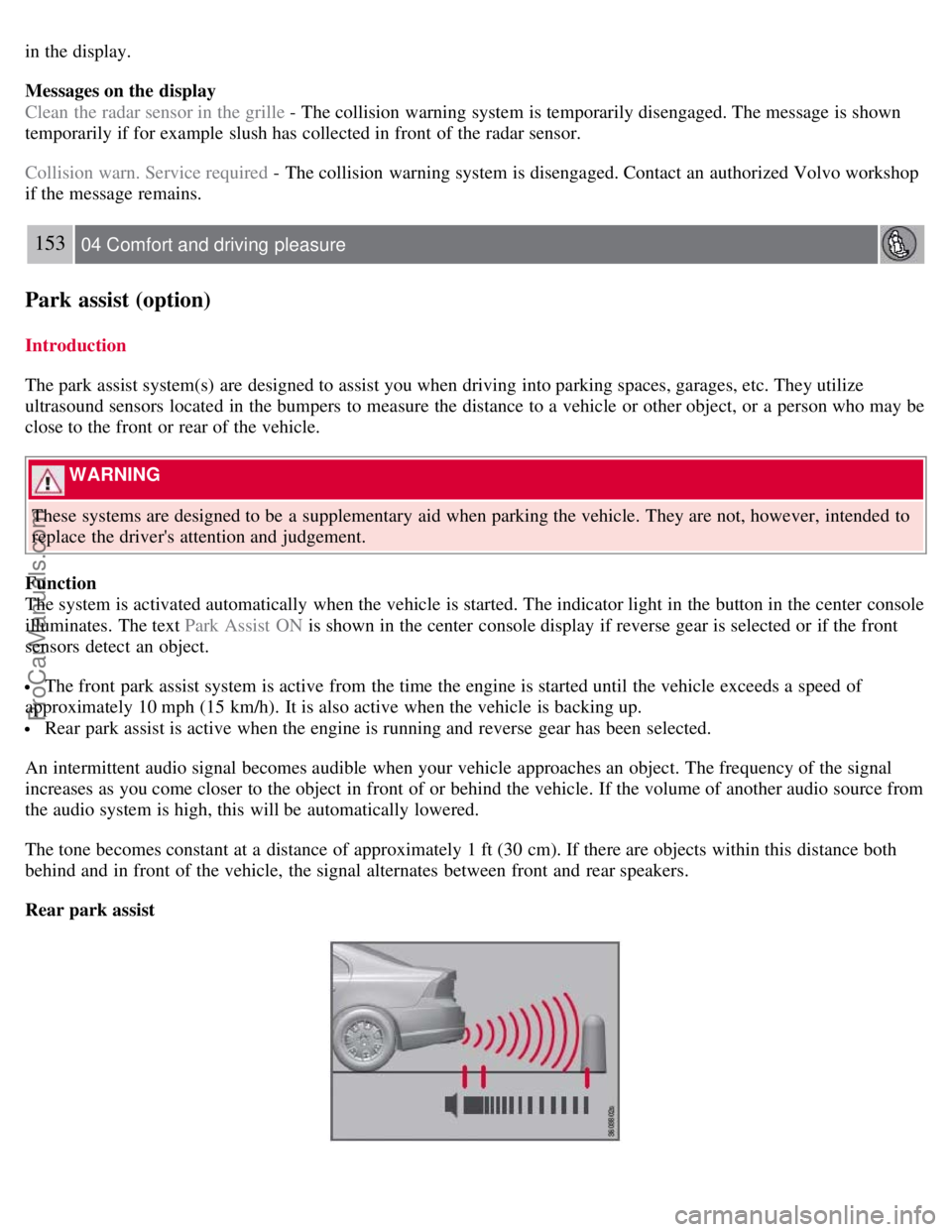
Rear park assist
ProCarManuals.com
Page 159 of 251
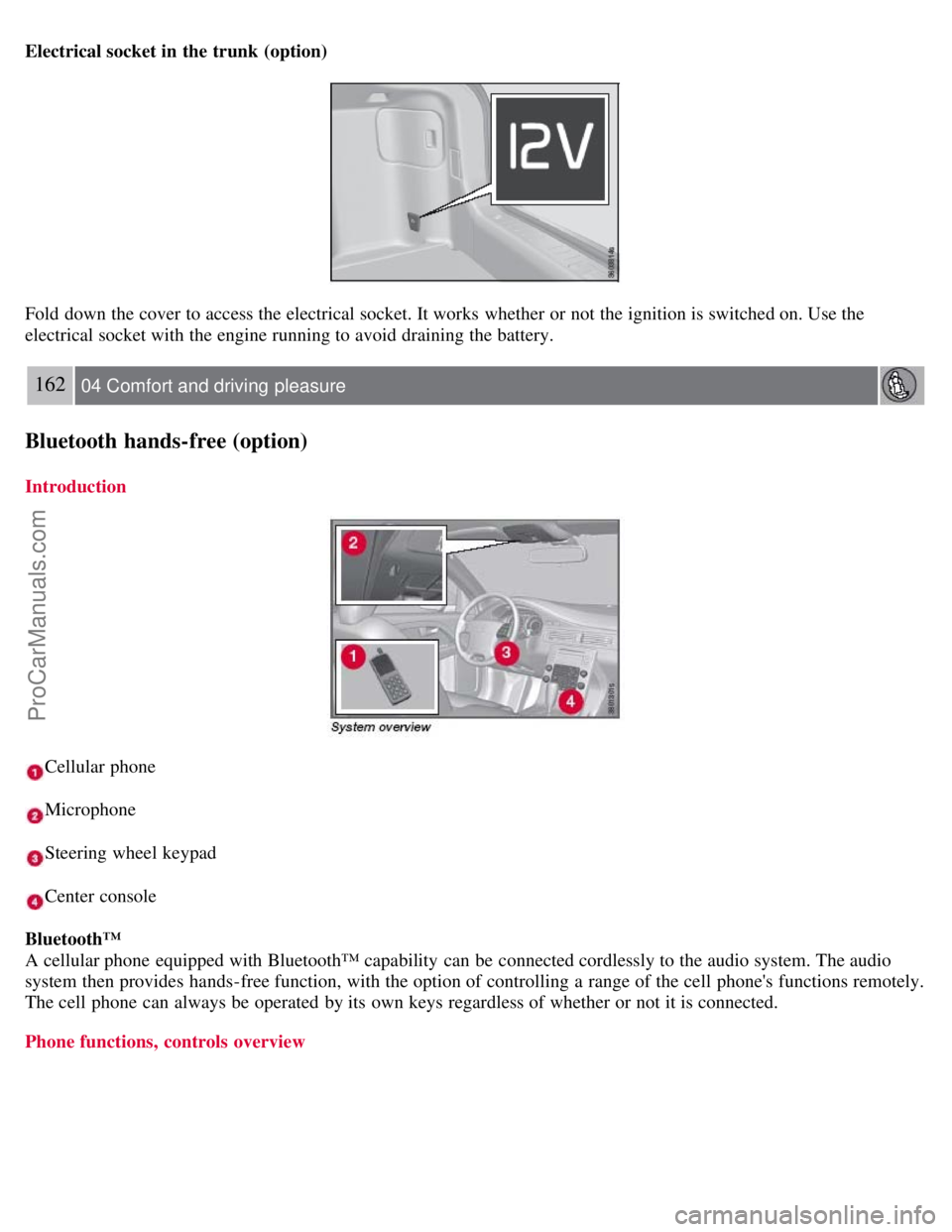
Electrical socket in the trunk (option)
Fold down the cover to access the electrical socket. It works whether or not the ignition is switched on. Use the
electrical socket with the engine running to avoid draining the battery.
162 04 Comfort and driving pleasure
Bluetooth hands-free (option)
Introduction
Cellular phone
Microphone
Steering wheel keypad
Center console
Bluetooth™
A cellular phone equipped with Bluetooth™ capability can be connected cordlessly to the audio system. The audio
system then provides hands-free function, with the option of controlling a range of the cell phone's functions remotely.
The cell phone can always be operated by its own keys regardless of whether or not it is connected.
Phone functions, controls overview
ProCarManuals.com
Page 161 of 251
2. Activate the hands-free function with PHONE.
The menu option Add phone is shown in the display. If one or more cell phones have already been registered, these
phones will also be displayed.
3. Select Add phone .
The audio system searches for cell phones in the vicinity. The search takes approximately 30 seconds. The cell phones
detected are specified with their respective Bluetooth™ name in the display. The hands-free function's device name
( My Car ) is shown in the cell phone's display.
4. Choose one of the cell phones in the audio system display.
5. Enter the number series shown in the audio system display via the cell phone keypad.
The cell phone is registered and connected automatically to the audio system while the text Synchronizing is shown in
the display. For more information on how cell phones are registered, see page 165
.
When the connection is established the symbol
is shown and the cell phone Bluetooth™ name is shown in the
display. The cell phone can now be controlled from the audio system and the steering wheel keypad.
To call
1. Make sure that the text PHONE is shown at the top of the display and that the
symbol is visible.
2. Dial the number or use the phone book, see page 165
.
3. Press ENTER .
The call can be interrupted with EXIT .
Disconnect and connect cell phone
Automatic disconnection takes place if the cell phone moves out of the audio system's range. When the cell phone
returns within range it is connected automatically. For more information on connection, see page 165
.
Manual disconnection takes place by deactivating the hands-free function with one long press on PHONE . The hands-
free function is also deactivated when the engine is switched off or when a door is opened
1.
When the cell phone has been disconnected an ongoing call can be continued with the cell phone's built-in
microphone and speaker.
1Only Keyless Drive
NOTE
Some cell phones require that the changeover from hands-free is confirmed from the phone's keypad.
164 04 Comfort and driving pleasure
Bluetooth hands-free (option)
Making and receiving calls
ProCarManuals.com
Page 162 of 251
Incoming calls
In manual answer mode, calls are accepted by pressing ENTER. Calls can be accepted even if the audio system is in
CD or FM mode. Pressing ENTER will mute the audio system. You may press EXIT to refuse or terminate a call.
Auto answer
The auto answer function means that calls are accepted automatically. Activate/deactivate under Phone settings
Call
options
Automatic answer .
Call menu
Press MENU or ENTER during an ongoing call to access the following functions:
Mute - the hands-free system microphone is muted.
Privacy - the call is transferred to the cell phone.
NOTE
With certain cell phones the connection is terminated when the privacy function is used. This is normal.The hands-
free function asks if you want to reconnect.
Phone book - searching in the phone book.
NOTE
A new call cannot be started during an ongoing call.
Audio settings
Call volume
The call volume can be regulated when the hands-free function is in phone mode. Use the steering wheel keypad or
VOLUME.
Audio system volume
Providing there is no ongoing call taking place, the audio system volume is controlled as usual with VOLUME. In
order to control audio system volume during an ongoing call, it is necessary to switch to one of the audio sources.
The audio source can be automatically muted for incoming calls under Phone settings
Sounds and volume Mute
radio .
Ring volume
Go to Phone settings
Sounds and volume Ring volume and adjust with / on the navigation button.
Ring signals
The hands-free function has integrated ring signals that can be selected under Phone settings
Sounds and volume
Ring signals Ring signal 1, 2, 3 etc.
165 04 Comfort and driving pleasure
Bluetooth hands-free (option)
NOTE
ProCarManuals.com
Page 163 of 251
The connected cell phone's ring signal is not deactivated when one of the hands-free system's integrated signals is
used.
In order to select the connected phone's ring signal
1, go to Phone settings Sounds and volume Ring signals
Use mobile phone signal .
IDIS
In certain active driving situations, IDIS (Intelligent Driver Information System) can delay or refuse ring signals from
incoming calls, which is intended to help reduce driver distraction. IDIS can be deactivated under Phone settings
IDIS .
NOTE
Only the ring signal from the audio system's speakers is controlled by IDIS. The cell phone's ring signal is not
affected and must be deactivated manually.
1Not supported by all cell phones.
More on registering and connecting
A maximum of five cell phones can be registered. Registration is performed one time per phone. Phones can be
deregistered under Bluetooth
Remove phone . After a registration the phone no longer needs to be visible/detectable.
A maximum of one cell phone can be connected at a time.
Automatic connection
When the hands-free function is active and the most recently connected cell phone is in range, it is connected
automatically. When the audio system searches for the most recently connected phone, its name is shown in the
display. To change over to manual connection of another phone, or to stop the search, press EXIT .
Manual connection
If you want to connect a cell phone other than the most recently connected one, or to change the connected cell phone,
proceed as follows:
1. Set the audio system in phone mode.
2. Press PHONE and select one of the phones in the list.
The connection can also be made via the menu system under Bluetooth
Connect phone or Change phone .
Phone book
In order to use the phone book, the text PHONE must be shown at the top of the display and the
symbol must be
visible.
The audio system stores a copy of the phone book from each registered cell phone. The phone book is copied
automatically to the audio system at each connection. Deactivate the function under Phone settings
Synchronize
phone book. Searching for contacts is only performed in the connected cell phone's phone book.
NOTE
If the cell phone does not support copying of the phone book, List is empty is shown when copying is finished.
ProCarManuals.com
Page 168 of 251
CAUTION
Engine damage will occur if water is drawn into the air cleaner.
If the vehicle is driven through water deeper than 9 in (25 cm), water may enter the differential and the
transmission. This reduces the oil's lubricating capacity and may shorten the service life of these components.
Do not allow the vehicle to stand in water up to the door sills longer than absolutely necessary. This could result
in electrical malfunctions.
If the engine has been stopped while the vehicle is in water, do not attempt to restart the engine. Have the vehicle
towed out of the water.
Engine and cooling system
Under special conditions, for example when driving in hilly terrain, extreme heat or with heavy loads, there is a risk
that the engine and cooling system will overheat. Proceed as follows to avoid overheating the engine.
Maintain a low speed when driving with a trailer up long, steep hills.
Do not turn the engine off immediately you stop after a hard drive.
Remove any auxiliary lights from in front of the grille when driving in hot weather conditions.
Do not exceed engine speeds of 4500 rpm if driving with a trailer in hilly terrain. The oil temperature could become
too high.
Conserving electrical current
Keep the following in mind to help minimize battery drain:
When the engine is not running, avoid using ignition mode II. Many electrical systems (the audio system, the
optional navigation system, power windows, etc) will function in ignition modes 0 and I. These modes reduce drain on
the battery.
Please keep in mind that using systems, accessories, etc., that consume a great deal of current when the engine is not
running could result in the battery being completely drained.
The optional 12 volt socket in the trunk provides electrical current even with the ignition switched off, which drains
the battery.
Before a long distance trip
It is always worthwhile to have your vehicle checked by a trained and qualified Volvo service technician before
driving long distances. Your retailer will also be able to supply you with bulbs, fuses, spark plugs and wiper blades for
your use in the event that problems occur.
172 05 During your trip
Driving recommendations
As a minimum, the following items should be checked before any long trip:
Check that engine runs smoothly and that fuel consumption is normal.
Check for fuel, oil, and fluid leakage
Have the transmission oil level checked.
Check condition of drive belts.
Check state of the battery's charge.
Examine tires carefully (the spare tire as well), and replace those that are worn. Check tire pressures.
The brakes, front wheel alignment, and steering gear should be checked by a trained and qualified Volvo service
technician only.
Check all lights, including high beams.
Reflective warning triangles are legally required in some states/provinces.
ProCarManuals.com
Page 240 of 251
2 0 0 7
VOLVO S80
252 Index
Numerics
12-volt sockets 160, 161
A
Accessory installation warning7
Active Bi -Xenon headlights85
Active chassis system141
Active yaw control139
Adaptive cruise control144-148
Air conditioning122
Air distribution119
Air distribution table124
Air vents120
Airbags
disconnecting the front passenger's side21-23
front18-20
inflatable curtain25
side impact24
Alarm system62-64
All wheel drive106
Anti-freeze172, 196
Anti-lock brake system107
warning light71
Approach lighting50, 89
Audio system
audio functions127
CD player/changer128, 129
menu control126
overview125
radio functions130
Sirius satellite radio132-135
sound settings127
steering wheel keypad125
Auto-dim rearview mirror95
Automatic locking59
Automatic locking retractor31
ProCarManuals.com
Page 248 of 251
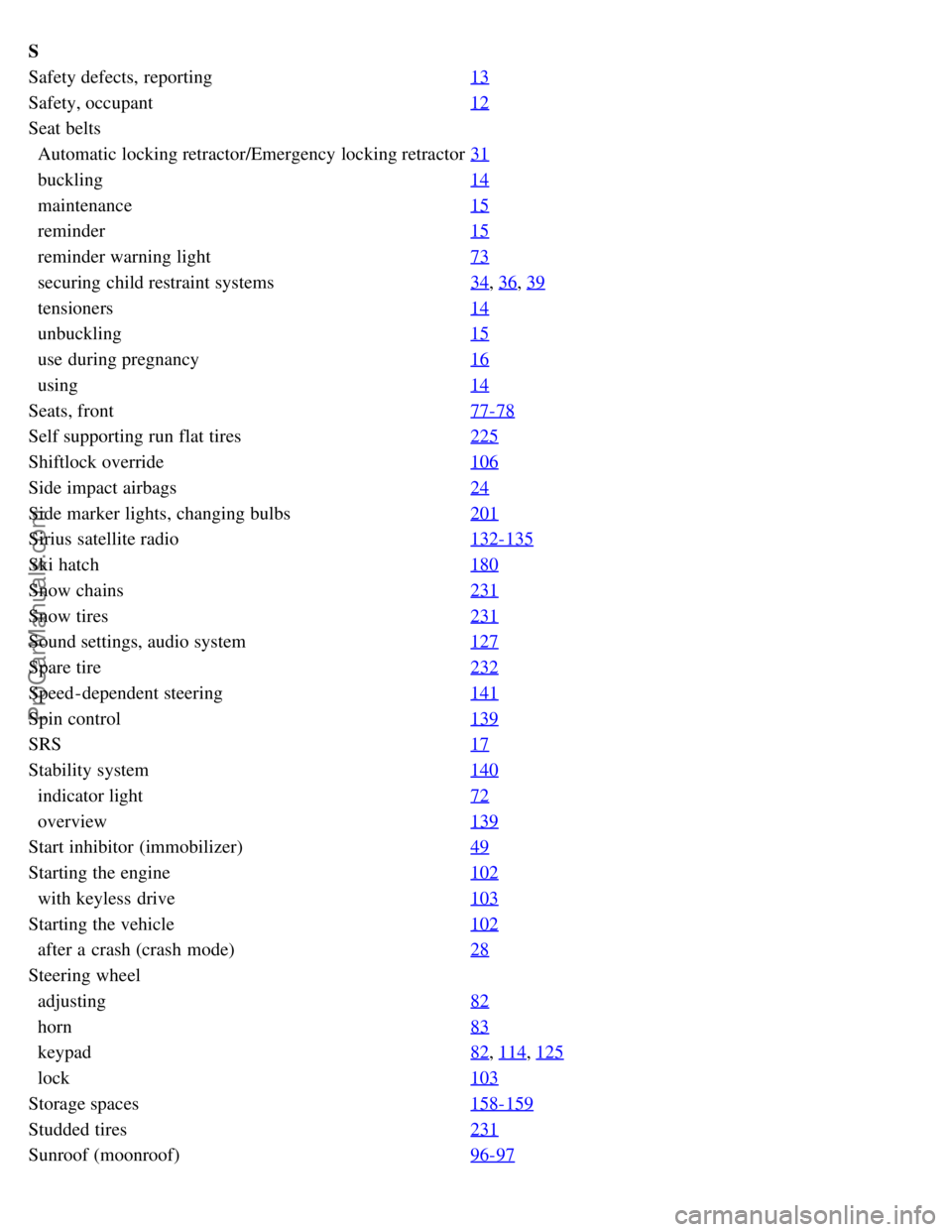
S
Safety defects, reporting13
Safety, occupant12
Seat belts
Automatic locking retractor/Emergency locking retractor31
buckling14
maintenance15
reminder15
reminder warning light73
securing child restraint systems34, 36, 39
tensioners14
unbuckling15
use during pregnancy16
using14
Seats, front77-78
Self supporting run flat tires225
Shiftlock override106
Side impact airbags24
Side marker lights, changing bulbs201
Sirius satellite radio132-135
Ski hatch180
Snow chains231
Snow tires231
Sound settings, audio system127
Spare tire232
Speed -dependent steering141
Spin control139
SRS17
Stability system140
indicator light72
overview139
Start inhibitor (immobilizer)49
Starting the engine102
with keyless drive103
Starting the vehicle102
after a crash (crash mode)28
Steering wheel
adjusting82
horn83
keypad82, 114, 125
lock103
Storage spaces158-159
Studded tires231
Sunroof (moonroof)96-97
ProCarManuals.com