lock VOLVO S80 2007 Workshop Manual
[x] Cancel search | Manufacturer: VOLVO, Model Year: 2007, Model line: S80, Model: VOLVO S80 2007Pages: 251, PDF Size: 5.7 MB
Page 99 of 251
Reverse (R)
The vehicle must be stationary when position R is selected.
Neutral position (N)
No gear is engaged and the engine can be started with the gear selector in this position. Apply the parking brake if the
vehicle is stationary with the gear selector in position N .
Drive (D)
D is the normal driving position. The car automatically shifts between the various forward gears, based on the level of
acceleration and speed. The car must be at a standstill when shifting from position R to position D.
Geartronic-manual shifting
Geartronic allows you to manually shift between your vehicle's six forward speeds. Geartronic can be selected at any
time, including while the vehicle is moving.
To access the ( M)anual shifting position from ( D)rive, move the gear selector to the right to M .
To return to the (D)rive position from M , move the gear selector to the left.
106 03 Your driving environment
Transmission
While driving
If you select the M position while driving, the gear that was being used in the Drive position will also initially be
selected in the M position.
Move the gear selector forward (toward "+") to shift to a higher gear or rearward (toward "-") to shift to a lower
gear.
If you hold the gear selector toward "-", the transmission will downshift one gear at a time and will utilize the
braking power of the engine. If the current speed is too high for using a lower gear, the downshift will not occur until
the speed has decreased enough to allow the lower gear to be used.
If you slow to a very low speed, the transmission will automatically shift down.
Shiftlock - Neutral (N )
If the gear selector is in the N position and the vehicle has been stationary for at least 3 seconds (irrespective of
whether the engine is running) then the gear selector is locked.
To be able to move the gear selector from N to another gear position, the brake pedal must be depressed and the
ignition must be in position II , see page 75
.
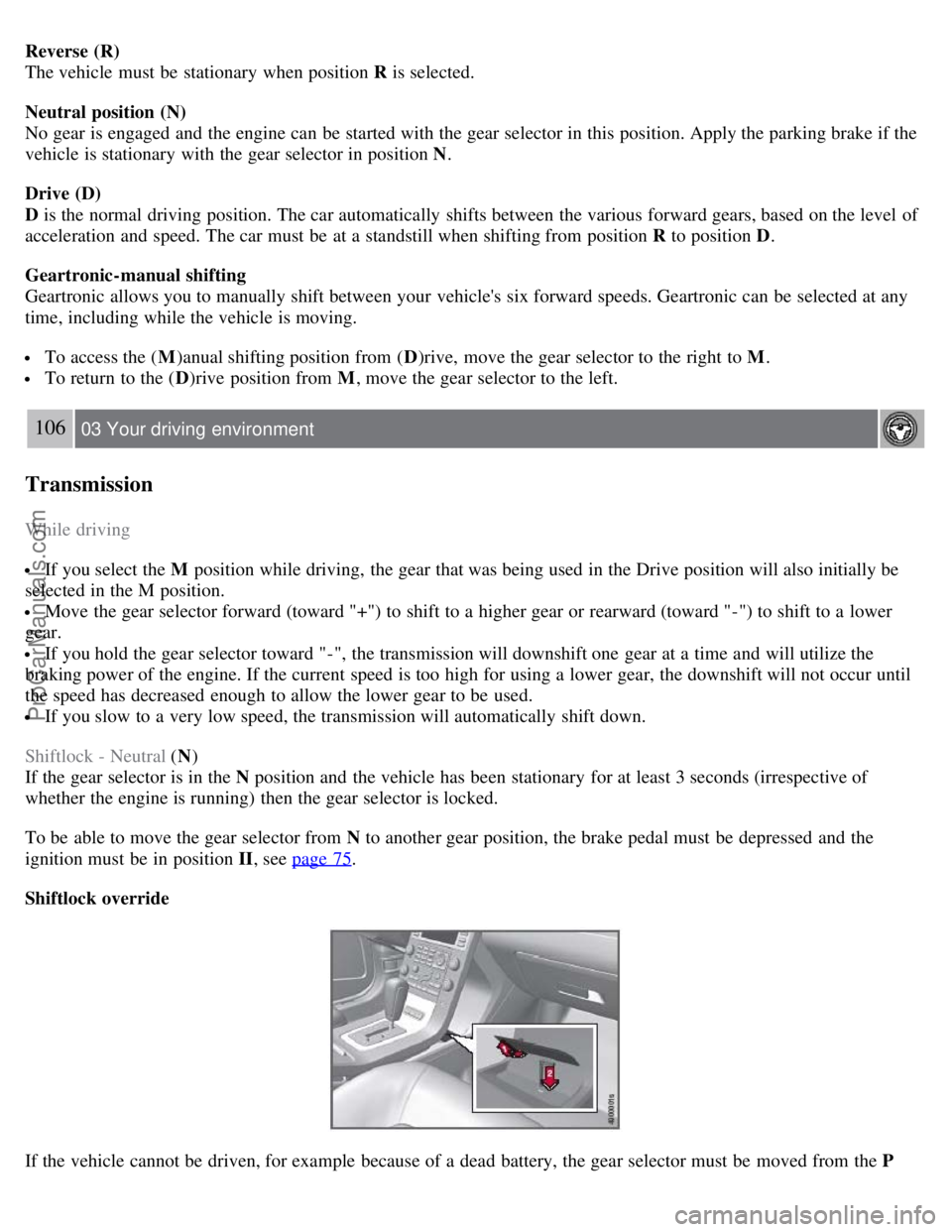
Shiftlock override
If the vehicle cannot be driven, for example because of a dead battery, the gear selector must be moved from the P
ProCarManuals.com
Page 101 of 251
Water on brake discs and brake pads affects braking
Driving in rain and slush or passing through an automatic car wash can cause water to collect on the brake discs and
pads. This will cause a delay in braking effect when the pedal is depressed. To avoid such a delay when the brakes are
needed, depress the pedal occasionally when driving through rain, slush, etc. This will remove the water from the
brakes. Check that brake application feels normal. This should also be done after washing or starting in very damp or
cold weather.
Severe strain on the brake system
The brakes will be subject to severe strain when driving in mountains or hilly areas, or when towing a trailer. Vehicle
speed is usually slower, which means that the cooling of the brakes is less efficient than when driving on level roads.
To reduce the strain on the brakes, shift into a lower gear and let the engine help with the braking. Do not forget that if
you are towing a trailer, the brakes will be subjected to a greater than normal load.
Anti-lock braking system
The Anti-lock Braking System (ABS) helps to improve vehicle control (stopping and steering) during severe braking
conditions by limiting brake lockup. When the system "senses" impending lockup, braking pressure is automatically
modulated in order to help prevent lockup that could lead to a skid.
The system performs a self -diagnostic test when the engine is started and when the vehicle first reaches a speed of
approximately 12 mph (20 km/h). The brake pedal will pulsate several times and a sound may be audible from the
ABS control module. This is normal.
108 03 Your driving environment
Brakes
Cleaning the brake discs
Coatings of dirt and water on the brake discs may result in delayed brake function. This delay is minimized by
cleaning the brake linings.
Cleaning the brake pads is advisable in wet weather, prior to long-term parking, and after the vehicle has been washed.
Do this by braking gently for a short period while the vehicle is moving.
Emergency Brake Assistance
EBA is designed to provide full brake effect immediately in the event of sudden, hard braking. The system is activated
by the speed with which the brake pedal is depressed.
When the EBA system is activated, the brake pedal will go down and pressure in the brake system immediately
increases to the maximum level. Maintain full pressure on the brake pedal in order to utilize the system completely.
EBA is automatically deactivated when the brake pedal is released.
NOTE
When the EBA system is activated, the brake pedal will go down and pressure in the brake system immediately
increases to the maximum level. You must maintain full pressure on the brake pedal in order to utilize the system
completely. There will be no braking effect if the pedal is released. EBA is automatically deactivated when the brake
pedal is released.
When the vehicle has been parked for some time, the brake pedal may sink more than usual when the engine is
started. This is normal and the pedal will return to its usual position when it is released.
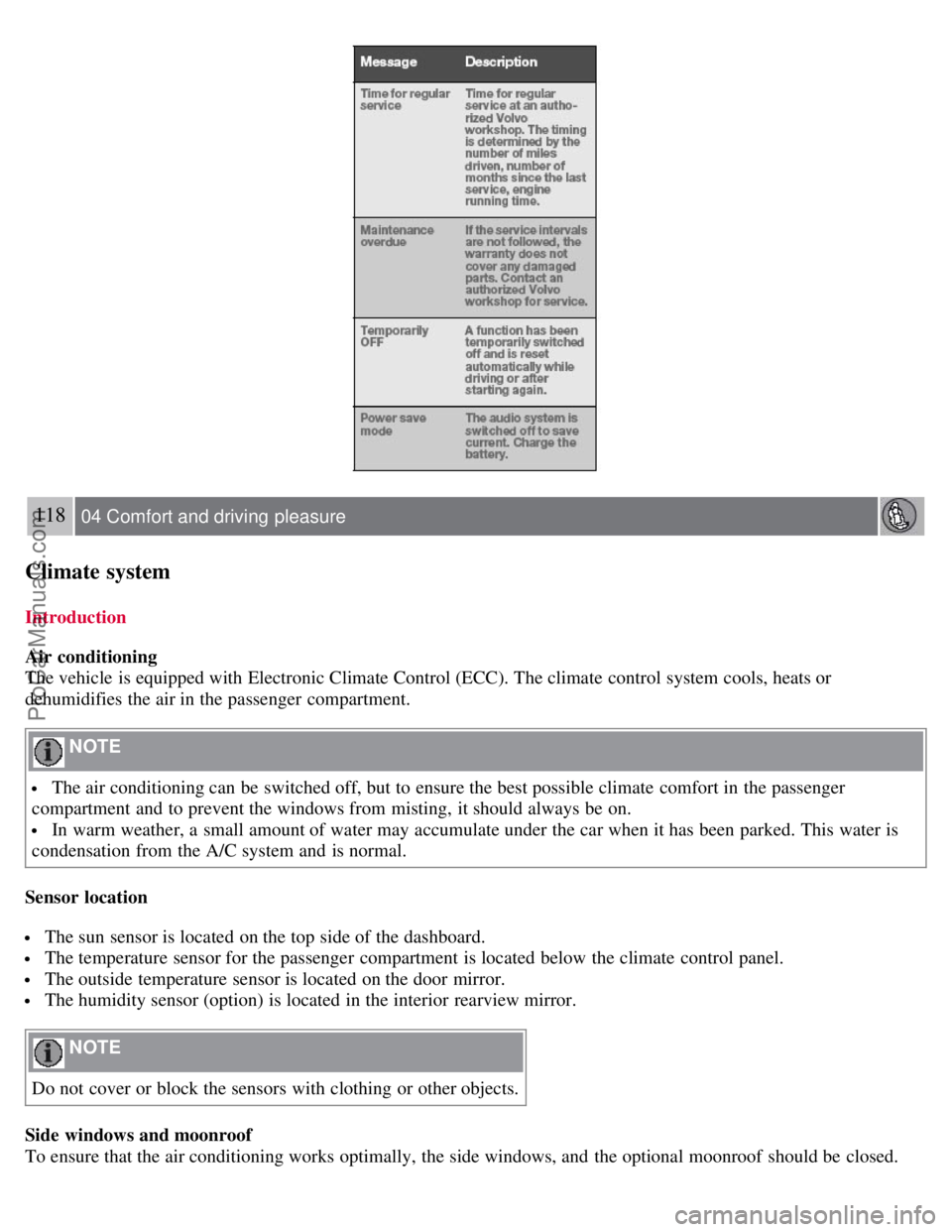
Symbols in the instrument panel
ProCarManuals.com
Page 108 of 251
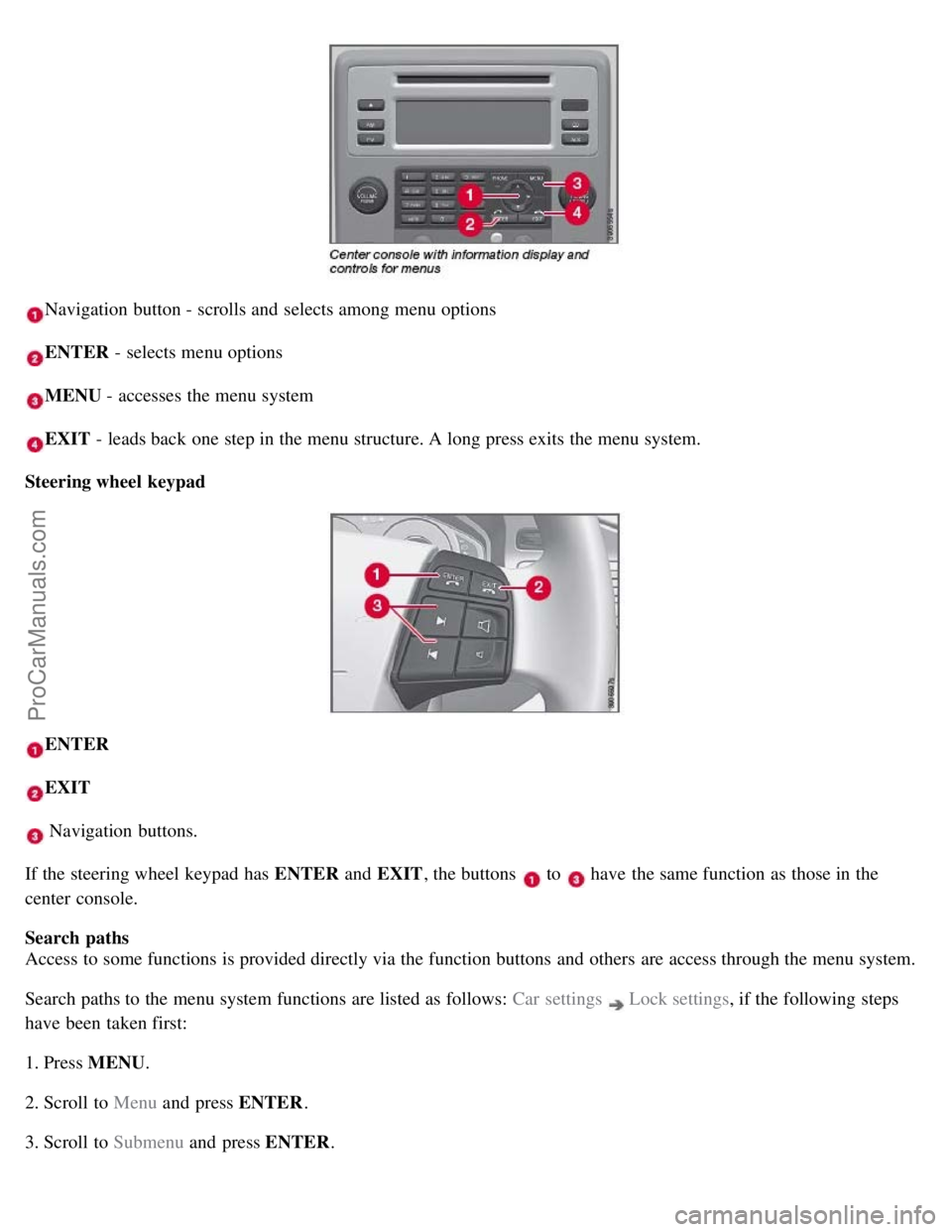
Navigation button - scrolls and selects among menu options
ENTER - selects menu options
MENU - accesses the menu system
EXIT - leads back one step in the menu structure. A long press exits the menu system.
Steering wheel keypad
ENTER
EXIT
Navigation buttons.
If the steering wheel keypad has ENTER and EXIT, the buttons
to have the same function as those in the
center console.
Search paths
Access to some functions is provided directly via the function buttons and others are access through the menu system.
Search paths to the menu system functions are listed as follows: Car settings
Lock settings , if the following steps
have been taken first:
1. Press MENU .
2. Scroll to Menu and press ENTER .
3. Scroll to Submenu and press ENTER.
ProCarManuals.com
Page 109 of 251
The navigation button can be used instead of ENTER and EXIT when navigating the menu hierarchy. The right arrow
is equal to ENTER and the left arrow to EXIT .
The menu options are numbered and can also be selected directly with the numerical keypad (1-9 only).
115 04 Comfort and driving pleasure
Menus and messages
Menu overview
Car key memory
Seat & mirror positions
Car settings
Fold mirr. when locking (option on certain markets only)
Collision warning settings (option)
Light settings
Lock settings
Parking camera settings (accessory)
Steering force level (option)
Information
Climate settings
Automatic blower adjust
Recirculation timer
Auto. rear defroster
Reset climate settings
Main menu AM
Audio settings
1
Sound stage
Equalizer, front
Equalizer, rear
Auto. volume control
Resets all audio settings.
Main menu FM
FM settings
Radio text
Advanced radio settings
Audio settings
Main menu CD
Random
Off
Folder
Disc
Single disc
All discs
CD settings
Disc text (option)
Audio settings
Main menu AUX
Volume, AUX input
ProCarManuals.com
Page 112 of 251
118 04 Comfort and driving pleasure
Climate system
Introduction
Air conditioning
The vehicle is equipped with Electronic Climate Control (ECC). The climate control system cools, heats or
dehumidifies the air in the passenger compartment.
NOTE
The air conditioning can be switched off, but to ensure the best possible climate comfort in the passenger
compartment and to prevent the windows from misting, it should always be on.
In warm weather, a small amount of water may accumulate under the car when it has been parked. This water is
condensation from the A/C system and is normal.
Sensor location
The sun sensor is located on the top side of the dashboard.
The temperature sensor for the passenger compartment is located below the climate control panel.
The outside temperature sensor is located on the door mirror.
The humidity sensor (option) is located in the interior rearview mirror.
NOTE
Do not cover or block the sensors with clothing or other objects.
Side windows and moonroof
To ensure that the air conditioning works optimally, the side windows, and the optional moonroof should be closed.
ProCarManuals.com
Page 116 of 251
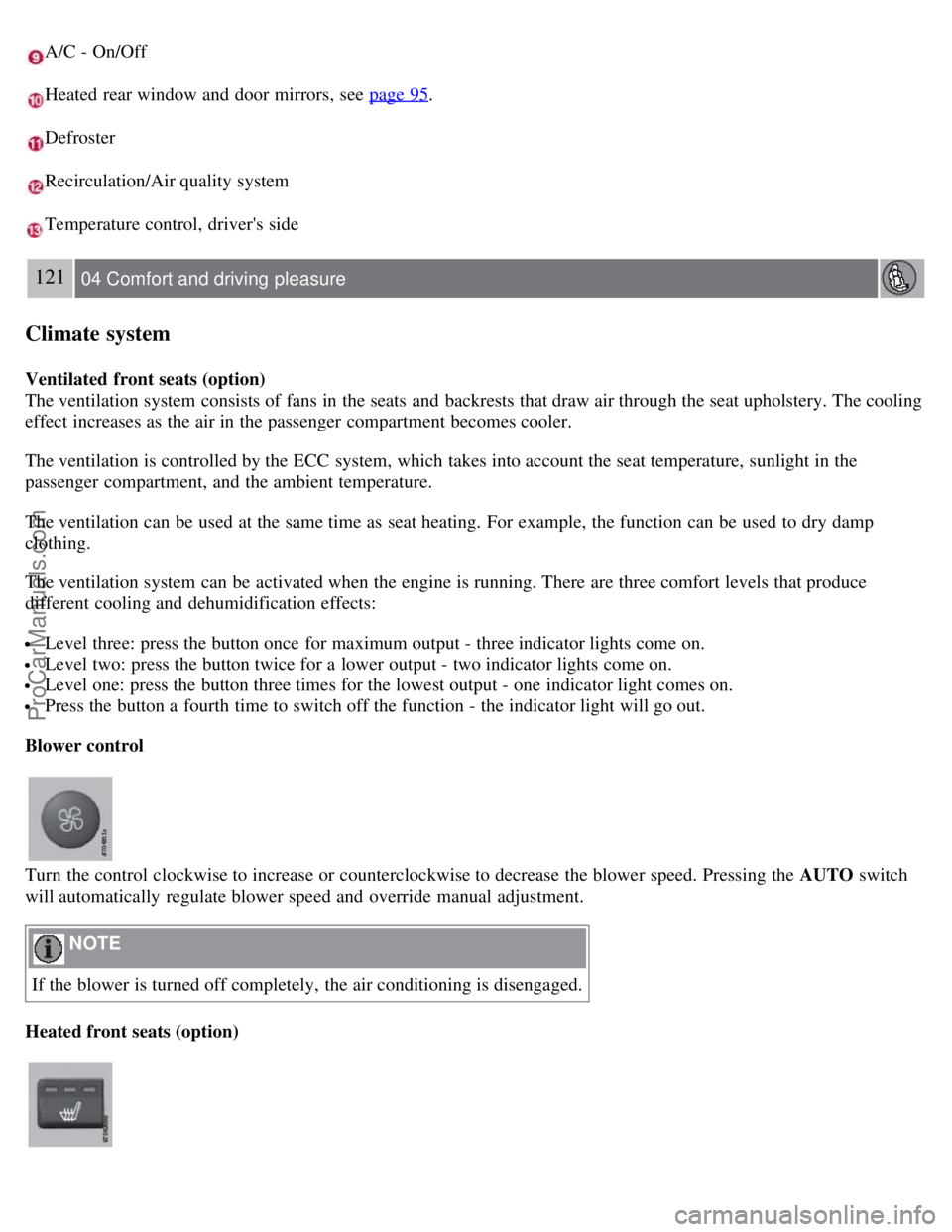
A/C - On/Off
Heated rear window and door mirrors, see page 95.
Defroster
Recirculation/Air quality system
Temperature control, driver's side
121 04 Comfort and driving pleasure
Climate system
Ventilated front seats (option)
The ventilation system consists of fans in the seats and backrests that draw air through the seat upholstery. The cooling
effect increases as the air in the passenger compartment becomes cooler.
The ventilation is controlled by the ECC system, which takes into account the seat temperature, sunlight in the
passenger compartment, and the ambient temperature.
The ventilation can be used at the same time as seat heating. For example, the function can be used to dry damp
clothing.
The ventilation system can be activated when the engine is running. There are three comfort levels that produce
different cooling and dehumidification effects:
Level three: press the button once for maximum output - three indicator lights come on.
Level two: press the button twice for a lower output - two indicator lights come on.
Level one: press the button three times for the lowest output - one indicator light comes on.
Press the button a fourth time to switch off the function - the indicator light will go out.
Blower control
Turn the control clockwise to increase or counterclockwise to decrease the blower speed. Pressing the AUTO switch
will automatically regulate blower speed and override manual adjustment.
NOTE
If the blower is turned off completely, the air conditioning is disengaged.
Heated front seats (option)
ProCarManuals.com
Page 129 of 251
1. Press Power to switch on the audio system (see pages 127 and 130 for information on the standard audio and radio
functions).
2. Press the MODE button repeatedly until Sirius 1 or 2 is displayed.
Activating Sirius radio
1. Tune to a satellite channel that has no audio, which means that the channel is unsubscribed and the text "Call 888-
539-SIRIUS TO SUBSCRIBE" is displayed (see also "Selecting a channel".
2. Call Sirius at 1-888-539-SIRIUS (7474).
3. When asked for the Sirius ID number press AUTO to display this number. It is also possible to retrieve the Sirius ID
from the menu.
4. UPDATING SUBSCRIPTION will be displayed while the subscription is being updated, after which the display
will return to the normal view.
SIRIUS ID
The SIRIUS ID is required when contacting the Sirius Call Center. It is used to activate your account and when making
any account transactions. The SIRIUS ID is sometimes referred to as the Electronic Serial Number (ESN).
Selecting a channel category
1. Select Sirius radio mode as described above.
2. Press ENTER .
3. Use the up/down arrow keys to scroll through the list of categories.
4. Press ENTER or the right arrow key to select a category.
The first channel in the selected category will then be played.
NOTE
The category ALL is default, which enables you to scroll through the entire list of available satellite channels.
The channel categories are automatically updated several times a year. This takes approximately two minutes and
will interrupt normal broadcasting. A message will be displayed while updating is in progress. Information on
channel or feature updates is available at www.sirius.com
.
Selecting a channel
There are three ways of tuning in a channel:
Using the left and right arrow keys
By turning the tuning control
Through direct channel entry.
NOTE
The numbers of skipped or locked channels will not be displayed.
If a channel is locked, the access code must be entered before the channel can be selected. See "Unlocking a
channel" on page 134
.
133 04 Comfort and driving pleasure
ProCarManuals.com
Page 131 of 251
2. Scroll to Song seek
3. Press ENTER to activate or deactivate the function.
NOTE
When the song has ended, the radio will remain tuned to the channel on which the song was played.
Radio text
The text that is displayed about the song that is currently playing can be changed. Use the AUTO button or the menu
to display the Artist, Title, Composer, or switch radio text off.
134 04 Comfort and driving pleasure
Audio system
Advanced settings
This menu function enables you to make settings on certain Sirius satellite radio functions.
To access this menu:
1. Press MENU .
2. Scroll to the Sirius menu.
3. Select Advanced Sirius settings .
WARNING
Settings should be made when the vehicle is at a standstill.
The following settings can be made in the Sirius menu:
The list of saved songs can be displayed
Channel skip settings can be made
Channel lock settings can be made
The channel access code can be displayed or changed
Your Sirius ID can be displayed
Skip options
This function is used to remove a channel from the list of available channels.
Skipping a channel
1. Select CHANNEL SKIP LIST and press ENTER.
2. Select a category in the list and press ENTER .
3. Skip channels in the list presented by pressing ENTER or right arrow key.
Unskip all channels
This permanently removes all channels from the skip list and makes them available for selection.
ProCarManuals.com
Page 132 of 251
Temp. unskip all ch.
This function will temporarily unskip all channels and make them available for selection. The channels remain on the
skip list and will again be skipped the next time the ignition is switched on.
Channel lock
Access to specific channels can be restricted (locked). A locked channel will not provide audio, song titles, or artist
information.
NOTE
All channels are initially unlocked.
Locking a channel:
1. Select Sirius ID in the menu and select LOCK OPTIONS and press ENTER.
2. Select CHANNEL LOCK LIST and press ENTER
3. Enter the channel access code
1 and press ENTER .
4. Select a category in the list and press ENTER .
5. Lock channels in the list presented by pressing ENTER or right arrow.
The channel is now locked and a checked box will be displayed to indicate this. It will be necessary to enter the
channel access code
1 in order to listen to a locked channel.
Unlocking a channel
A channel's access code
1 is required to unlock a channel.
Unlock all channels
This permanently removes all channels from the locked list and makes them available for selection.
Temp. unlock all ch.
This function will temporarily unlock all channels and make them available for selection. The channels remain on the
locked list and will again be locked the next time the ignition is switched on.
1The default code is 0000. If you have changed the code and forgotten it, see the section "If you have forgotten the access code."
135 04 Comfort and driving pleasure
Audio system
CHANGE CODE
This function makes it possible to change the channel access code. The default code is 0000.
To change the code:
1. Select CHANGE CODE and press ENTER.
2. Enter the current code and press ENTER .
3. Enter the new code and press ENTER .
ProCarManuals.com
Page 140 of 251
Adjusting the set speed
After a speed has been set, it can be increased or decreased by using the
or buttons.
Press and hold down or until the vehicle reaches the desired speed. This will become the set speed when the
button is released.
Press or r for approximately a half second and release the button to increase or decrease vehicle speed by
approximately 1 mph (1.6 km/h).
NOTE
A temporary increase in speed, for less than 1 minute (e.g. when passing another car), does not affect the current
cruise control setting. The vehicle will automatically return to the previously set speed when the accelerator pedal is
released.
If one of the cruise control buttons is kept depressed for more than approx. 1 minute cruise control is disengaged.
The engine must then be switched off in order to reset cruise control.
Automatic deactivation
Cruise control is automatically deactivated temporarily if one of the following occurs:
If the speed drops below approximately 20 mph (30 km/h).
When the brake pedal is depressed.
If the gear selector is moved to position N.
During wheel spin or wheel lock-up.
If the vehicle's speed is increased by using the accelerator pedal for more than 1 minute.
The currently set speed will be saved in the system's memory.
143 04 Comfort and driving pleasure
Cruise control
Temporary deactivation
The driver can temporarily deactivate cruise control by pressing 0. The saved speed is shown in brackets in the
information display.
Resume set speed
If cruise control has been deactivated temporarily, it can be reactivated by pressing
. The vehicle's speed returns to
the most recently set speed.
WARNING
There may be a significant increase in speed after the
button has been pressed.
Deactivation
Cruise control is disengaged with CRUISE , by putting the gear selector in Neutral, or by switching off the engine. The
set speed is cleared.
WARNING
ProCarManuals.com