parking brake VOLVO S80 2007 Owners Manual
[x] Cancel search | Manufacturer: VOLVO, Model Year: 2007, Model line: S80, Model: VOLVO S80 2007Pages: 251, PDF Size: 5.7 MB
Page 3 of 251
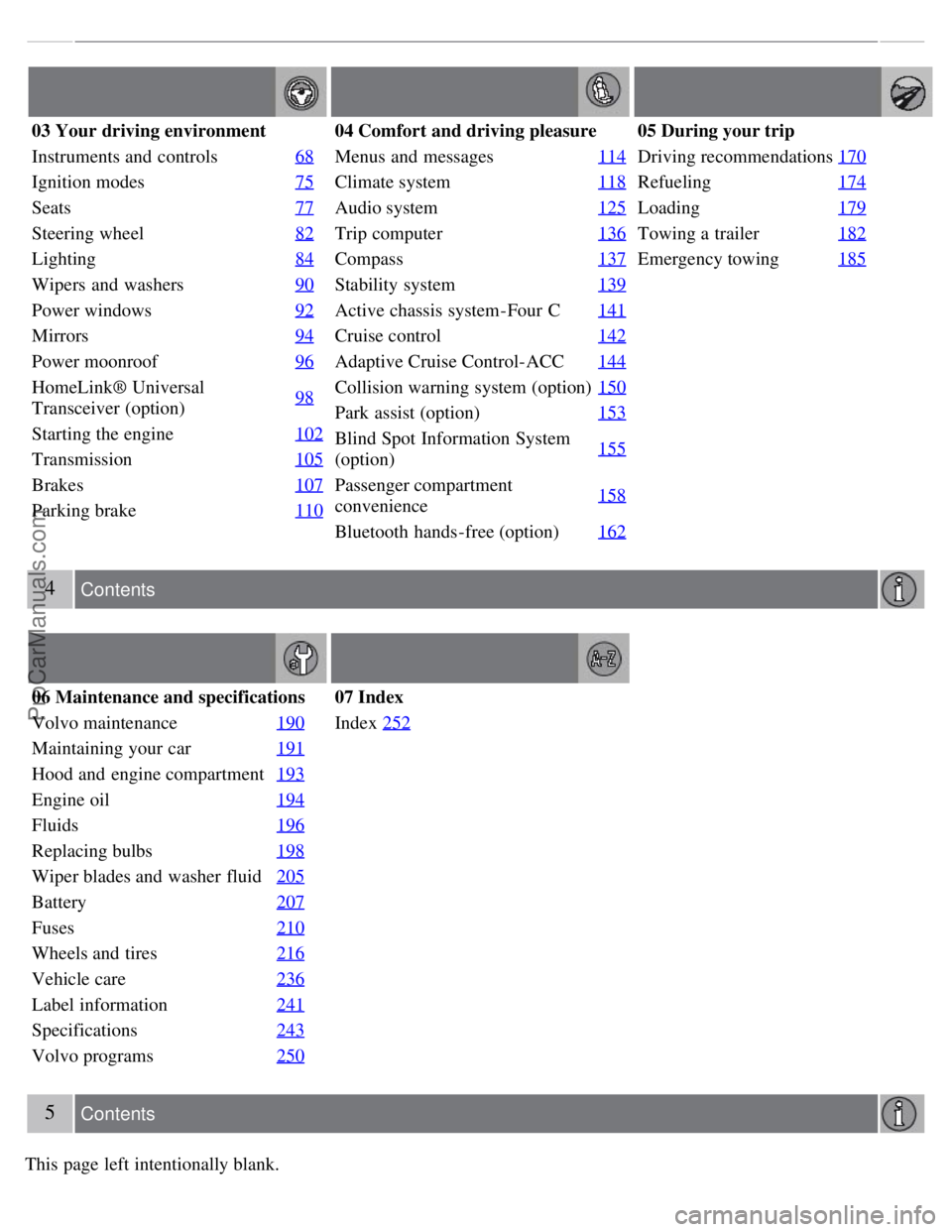
03 Your driving environment
Instruments and controls68
Ignition modes75
Seats77
Steering wheel82
Lighting84
Wipers and washers90
Power windows92
Mirrors94
Power moonroof96
HomeLink® Universal
Transceiver (option)98
Starting the engine
102
Transmission105
Brakes107
Parking brake110
04 Comfort and driving pleasure
Menus and messages114
Climate system118
Audio system125
Trip computer136
Compass137
Stability system139
Active chassis system-Four C141
Cruise control142
Adaptive Cruise Control-ACC144
Collision warning system (option)150
Park assist (option)153
Blind Spot Information System
(option)155
Passenger compartment
convenience158
Bluetooth hands-free (option)
162
05 During your trip
Driving recommendations170
Refueling174
Loading179
Towing a trailer182
Emergency towing185
4 Contents
06 Maintenance and specifications
Volvo maintenance 190
Maintaining your car191
Hood and engine compartment193
Engine oil194
Fluids196
Replacing bulbs198
Wiper blades and washer fluid205
Battery207
Fuses210
Wheels and tires216
Vehicle care236
Label information241
Specifications243
Volvo programs250
07 Index
Index252
5 Contents
This page left intentionally blank.
ProCarManuals.com
Page 59 of 251
2 0 0 7
VOLVO S80
66 03 Your driving environment
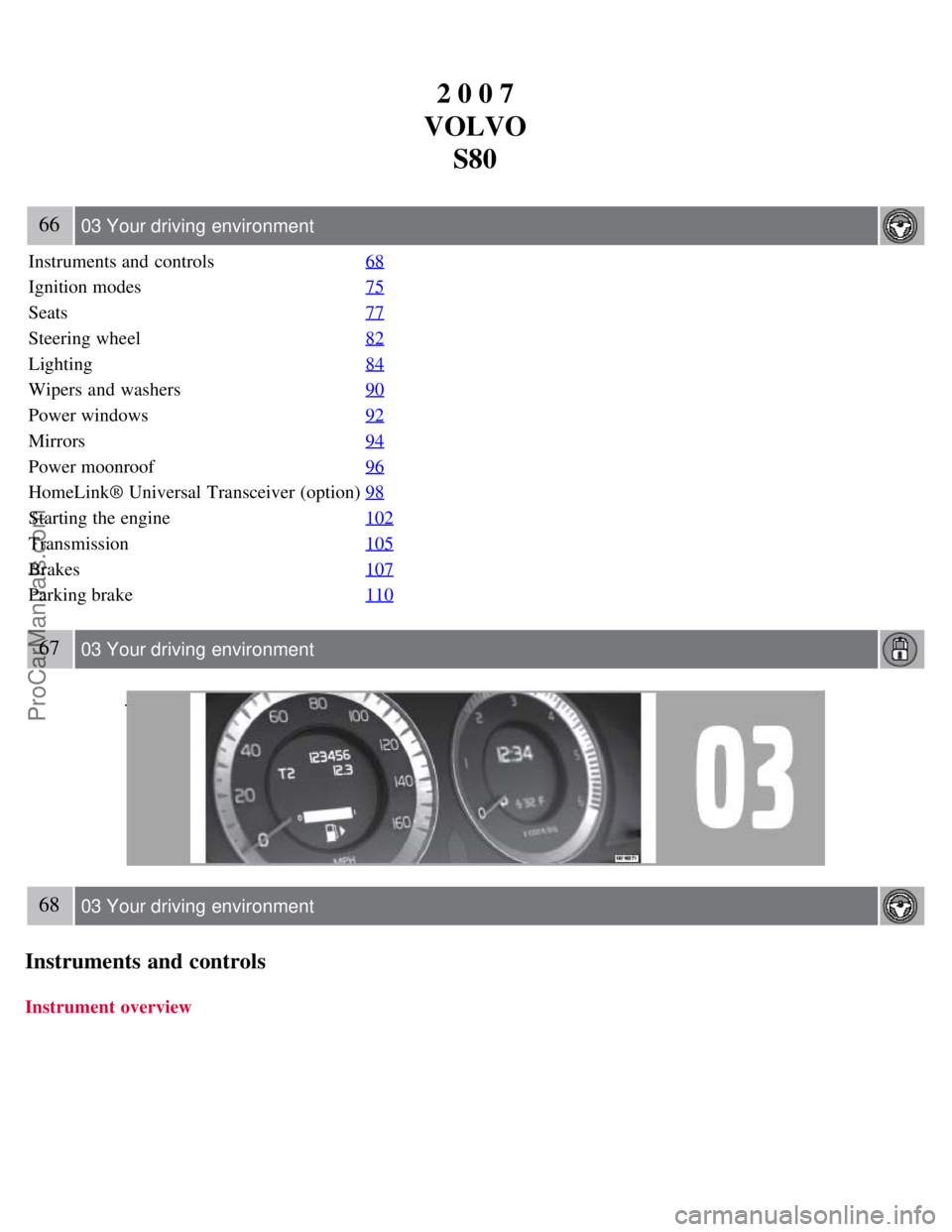
Instruments and controls 68
Ignition modes75
Seats77
Steering wheel82
Lighting84
Wipers and washers90
Power windows92
Mirrors94
Power moonroof96
HomeLink® Universal Transceiver (option)98
Starting the engine102
Transmission105
Brakes107
Parking brake110
67 03 Your driving environment
68 03 Your driving environment
Instruments and controls
Instrument overview
ProCarManuals.com
Page 62 of 251
Indicator and warning symbols
High beam and turn signal indicators
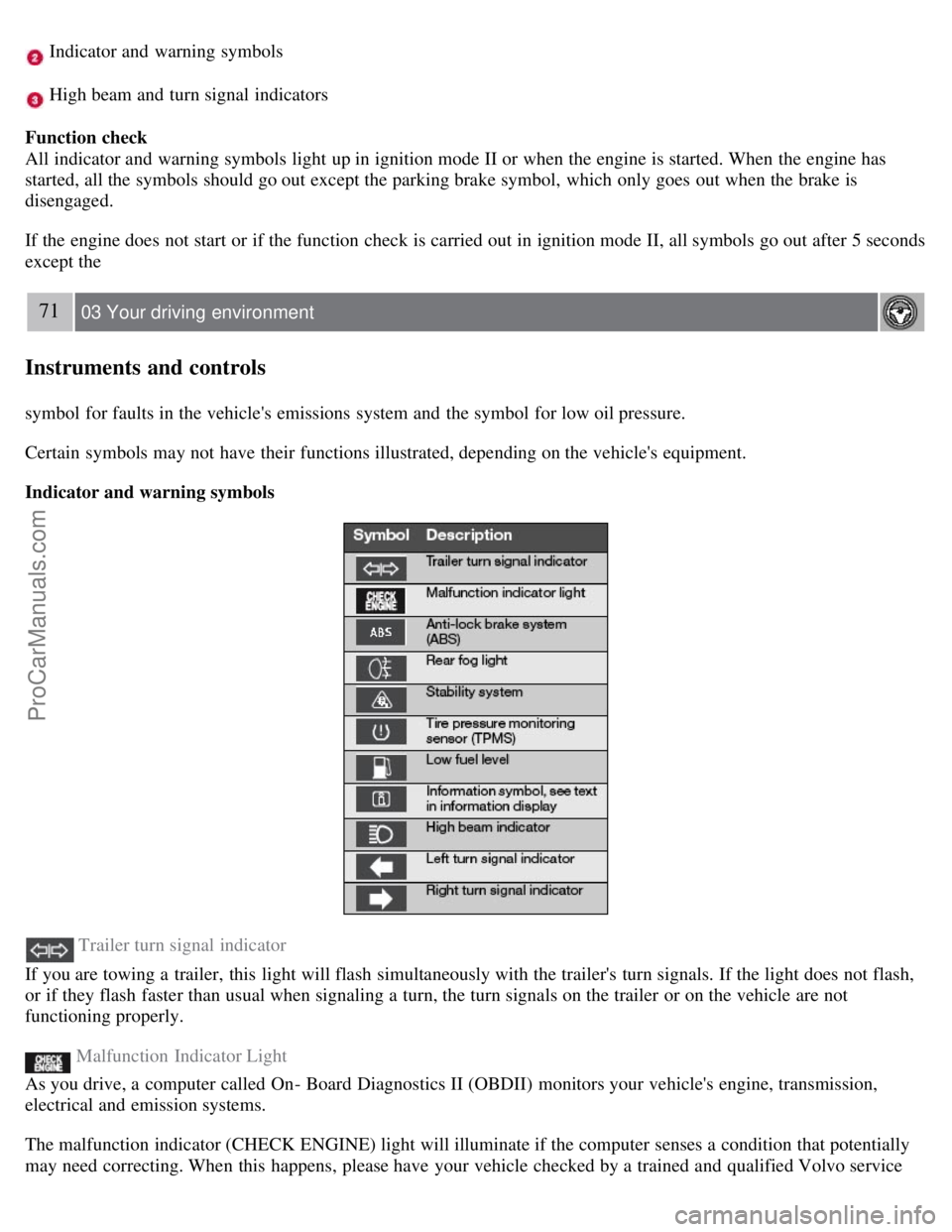
Function check
All indicator and warning symbols light up in ignition mode II or when the engine is started. When the engine has
started, all the symbols should go out except the parking brake symbol, which only goes out when the brake is
disengaged.
If the engine does not start or if the function check is carried out in ignition mode II, all symbols go out after 5 seconds
except the
71 03 Your driving environment
Instruments and controls
symbol for faults in the vehicle's emissions system and the symbol for low oil pressure.
Certain symbols may not have their functions illustrated, depending on the vehicle's equipment.
Indicator and warning symbols
Trailer turn signal indicator
If you are towing a trailer, this light will flash simultaneously with the trailer's turn signals. If the light does not flash,
or if they flash faster than usual when signaling a turn, the turn signals on the trailer or on the vehicle are not
functioning properly.
Malfunction Indicator Light
As you drive, a computer called On- Board Diagnostics II (OBDII) monitors your vehicle's engine, transmission,
electrical and emission systems.
The malfunction indicator (CHECK ENGINE) light will illuminate if the computer senses a condition that potentially
may need correcting. When this happens, please have your vehicle checked by a trained and qualified Volvo service
ProCarManuals.com
Page 64 of 251
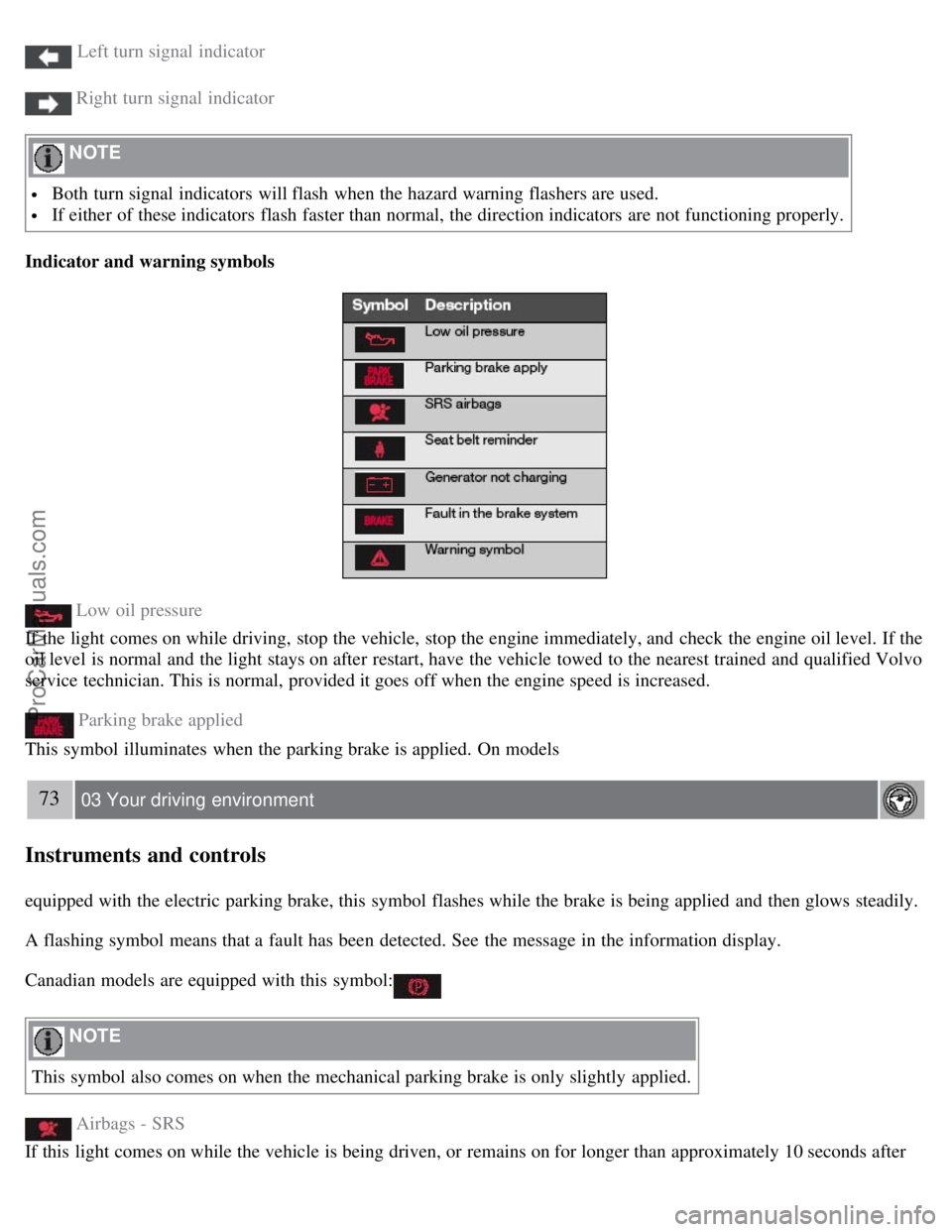
Left turn signal indicator
Right turn signal indicator
NOTE
Both turn signal indicators will flash when the hazard warning flashers are used.
If either of these indicators flash faster than normal, the direction indicators are not functioning properly.
Indicator and warning symbols
Low oil pressure
If the light comes on while driving, stop the vehicle, stop the engine immediately, and check the engine oil level. If the
oil level is normal and the light stays on after restart, have the vehicle towed to the nearest trained and qualified Volvo
service technician. This is normal, provided it goes off when the engine speed is increased.
Parking brake applied
This symbol illuminates when the parking brake is applied. On models
73 03 Your driving environment
Instruments and controls
equipped with the electric parking brake, this symbol flashes while the brake is being applied and then glows steadily.
A flashing symbol means that a fault has been detected. See the message in the information display.
Canadian models are equipped with this symbol:
NOTE
This symbol also comes on when the mechanical parking brake is only slightly applied.
Airbags - SRS
If this light comes on while the vehicle is being driven, or remains on for longer than approximately 10 seconds after
ProCarManuals.com
Page 73 of 251
WARNING
When the backrest is returned to the upright position, check that it is properly locked in place. Return the head
restraints to the upright position.
Long loads should always be securely anchored to help avoid injury in the event of a sudden stop.
Always turn the engine off and apply the parking brake when loading/unloading the vehicle.
Place the transmission in the (P)ark position to help prevent inadvertent movement of the gear selector.
The vehicle features a 60/40 split fold-down rear seat. The backrest(s) can be folded down by pulling the release
control handles inside the trunk.
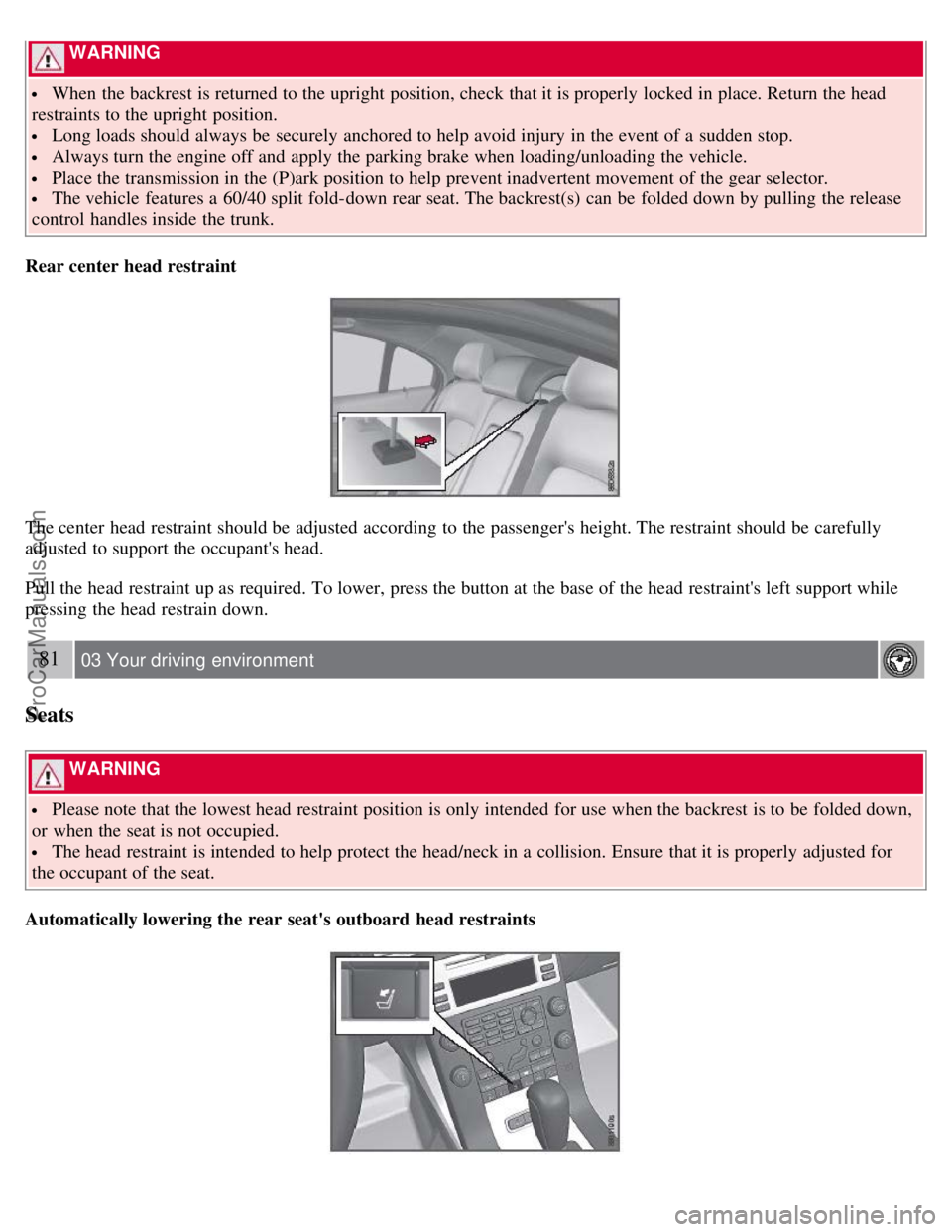
Rear center head restraint
The center head restraint should be adjusted according to the passenger's height. The restraint should be carefully
adjusted to support the occupant's head.
Pull the head restraint up as required. To lower, press the button at the base of the head restraint's left support while
pressing the head restrain down.
81 03 Your driving environment
Seats
WARNING
Please note that the lowest head restraint position is only intended for use when the backrest is to be folded down,
or when the seat is not occupied.
The head restraint is intended to help protect the head/neck in a collision. Ensure that it is properly adjusted for
the occupant of the seat.
Automatically lowering the rear seat's outboard head restraints
ProCarManuals.com
Page 78 of 251
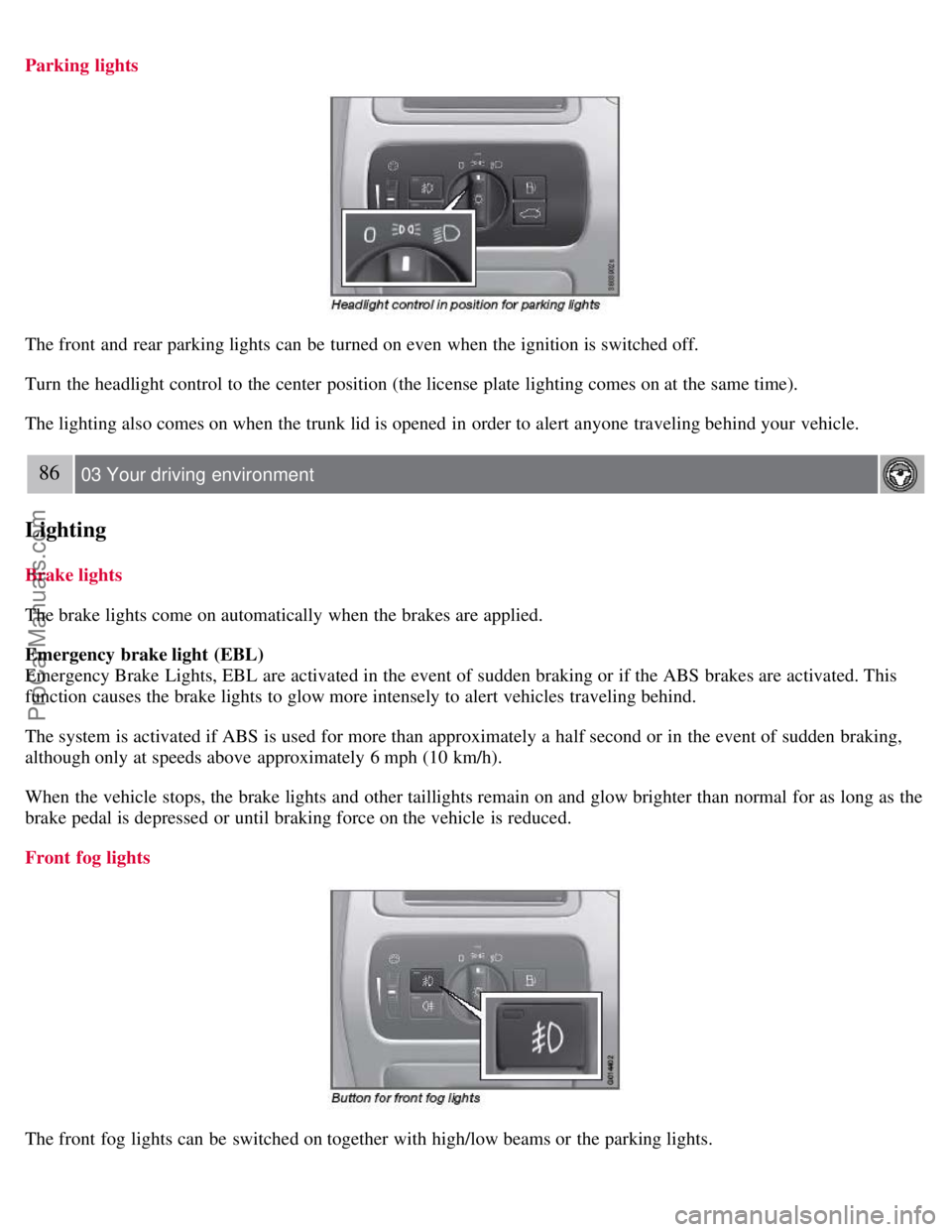
Parking lights
The front and rear parking lights can be turned on even when the ignition is switched off.
Turn the headlight control to the center position (the license plate lighting comes on at the same time).
The lighting also comes on when the trunk lid is opened in order to alert anyone traveling behind your vehicle.
86 03 Your driving environment
Lighting
Brake lights
The brake lights come on automatically when the brakes are applied.
Emergency brake light (EBL)
Emergency Brake Lights, EBL are activated in the event of sudden braking or if the ABS brakes are activated. This
function causes the brake lights to glow more intensely to alert vehicles traveling behind.
The system is activated if ABS is used for more than approximately a half second or in the event of sudden braking,
although only at speeds above approximately 6 mph (10 km/h).
When the vehicle stops, the brake lights and other taillights remain on and glow brighter than normal for as long as the
brake pedal is depressed or until braking force on the vehicle is reduced.
Front fog lights
The front fog lights can be switched on together with high/low beams or the parking lights.
ProCarManuals.com
Page 95 of 251
Starting the engine
Starting the engine
1. Fasten the seat belt.
WARNING
Before starting the engine, check that the seat, steering wheel and mirrors are adjusted properly. Make sure the brake
pedal can be depressed completely. Adjust the seat if necessary.
1. Insert the remote key into the ignition slot. Press the key until it is drawn into the slot
1.
NOTE
The remote key should be inserted into the ignition slot with the key blade end of the remote pointing out. See the
illustration on page 75
.
2. Depress the brake pedal
2.
WARNING
An extra mat on the driver's floor can cause the accelerator and/or brake pedal to catch. Check that the movement of
these pedals is not impeded. Not more than one protective floor covering may be used at one time.
1On vehicles with the optional keyless drive, it is only necessary to have a remote control in the passenger's compartment.
2If the vehicle is moving, it is only necessary to press the start/stop button to start the vehicle.
3. Press and release the start/stop button. The autostart function will operate the starter motor until the engine starts.
The starter motor operates for a maximum of 10 seconds. If the engine has not started, repeat the procedure.
WARNING
Always remove the remote key from the ignition slot when leaving the vehicle, especially if there are children in
the vehicle.
Never remove the remote key from the ignition slot while driving or when the vehicle is being towed. The
steering lock could otherwise be activated, making it impossible to steer the vehicle. Never remove the remote key
with keyless drive function (option) from the vehicle while driving or during towing.
Always place the gear selector in Park and apply the parking brake before leaving the vehicle. Never leave the
vehicle unattended with the engine running.
Always open garage doors fully before starting the engine inside a garage to ensure adequate ventilation. The
exhaust gases contain carbon monoxide, which is invisible and odorless but very poisonous.
NOTE
The idling speed can be noticeably higher than normal during cold starts. This is to enable emission control system
can reach normal operating temperature as quickly as possible, which helps reduce exhaust emissions.
Keylock: Your vehicle is equipped with a keylock system. When the engine is switched off, the gear selector must
be in the Park position before the key can be removed
1 from the ignition slot.
ProCarManuals.com
Page 98 of 251
105 03 Your driving environment
Transmission
Automatic transmission
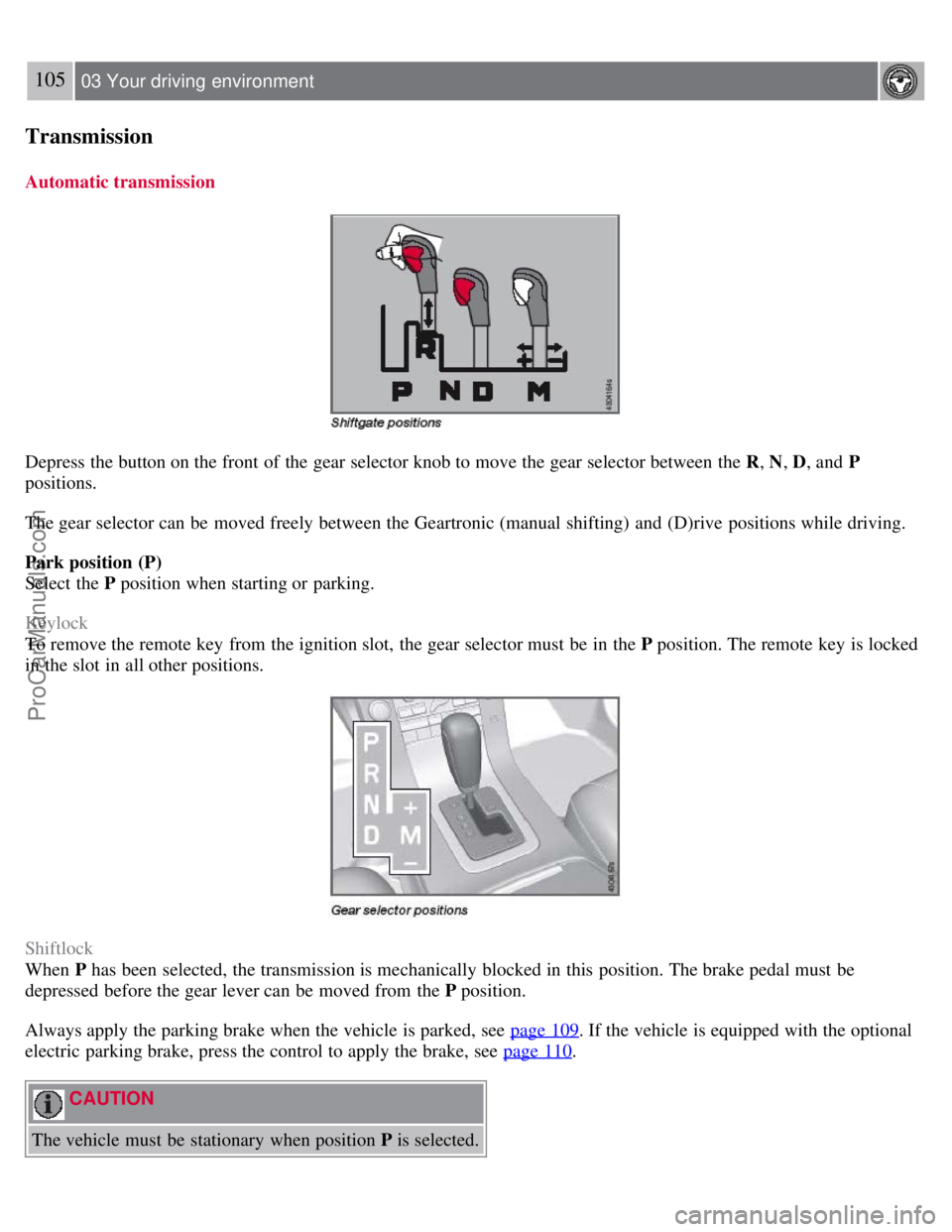
Depress the button on the front of the gear selector knob to move the gear selector between the R, N, D, and P
positions.
The gear selector can be moved freely between the Geartronic (manual shifting) and (D)rive positions while driving.
Park position (P)
Select the P position when starting or parking.
Keylock
To remove the remote key from the ignition slot, the gear selector must be in the P position. The remote key is locked
in the slot in all other positions.
Shiftlock
When P has been selected, the transmission is mechanically blocked in this position. The brake pedal must be
depressed before the gear lever can be moved from the P position.
Always apply the parking brake when the vehicle is parked, see page 109
. If the vehicle is equipped with the optional
electric parking brake, press the control to apply the brake, see page 110
.
CAUTION
The vehicle must be stationary when position P is selected.
ProCarManuals.com
Page 99 of 251
Reverse (R)
The vehicle must be stationary when position R is selected.
Neutral position (N)
No gear is engaged and the engine can be started with the gear selector in this position. Apply the parking brake if the
vehicle is stationary with the gear selector in position N .
Drive (D)
D is the normal driving position. The car automatically shifts between the various forward gears, based on the level of
acceleration and speed. The car must be at a standstill when shifting from position R to position D.
Geartronic-manual shifting
Geartronic allows you to manually shift between your vehicle's six forward speeds. Geartronic can be selected at any
time, including while the vehicle is moving.
To access the ( M)anual shifting position from ( D)rive, move the gear selector to the right to M .
To return to the (D)rive position from M , move the gear selector to the left.
106 03 Your driving environment
Transmission
While driving
If you select the M position while driving, the gear that was being used in the Drive position will also initially be
selected in the M position.
Move the gear selector forward (toward "+") to shift to a higher gear or rearward (toward "-") to shift to a lower
gear.
If you hold the gear selector toward "-", the transmission will downshift one gear at a time and will utilize the
braking power of the engine. If the current speed is too high for using a lower gear, the downshift will not occur until
the speed has decreased enough to allow the lower gear to be used.
If you slow to a very low speed, the transmission will automatically shift down.
Shiftlock - Neutral (N )
If the gear selector is in the N position and the vehicle has been stationary for at least 3 seconds (irrespective of
whether the engine is running) then the gear selector is locked.
To be able to move the gear selector from N to another gear position, the brake pedal must be depressed and the
ignition must be in position II , see page 75
.
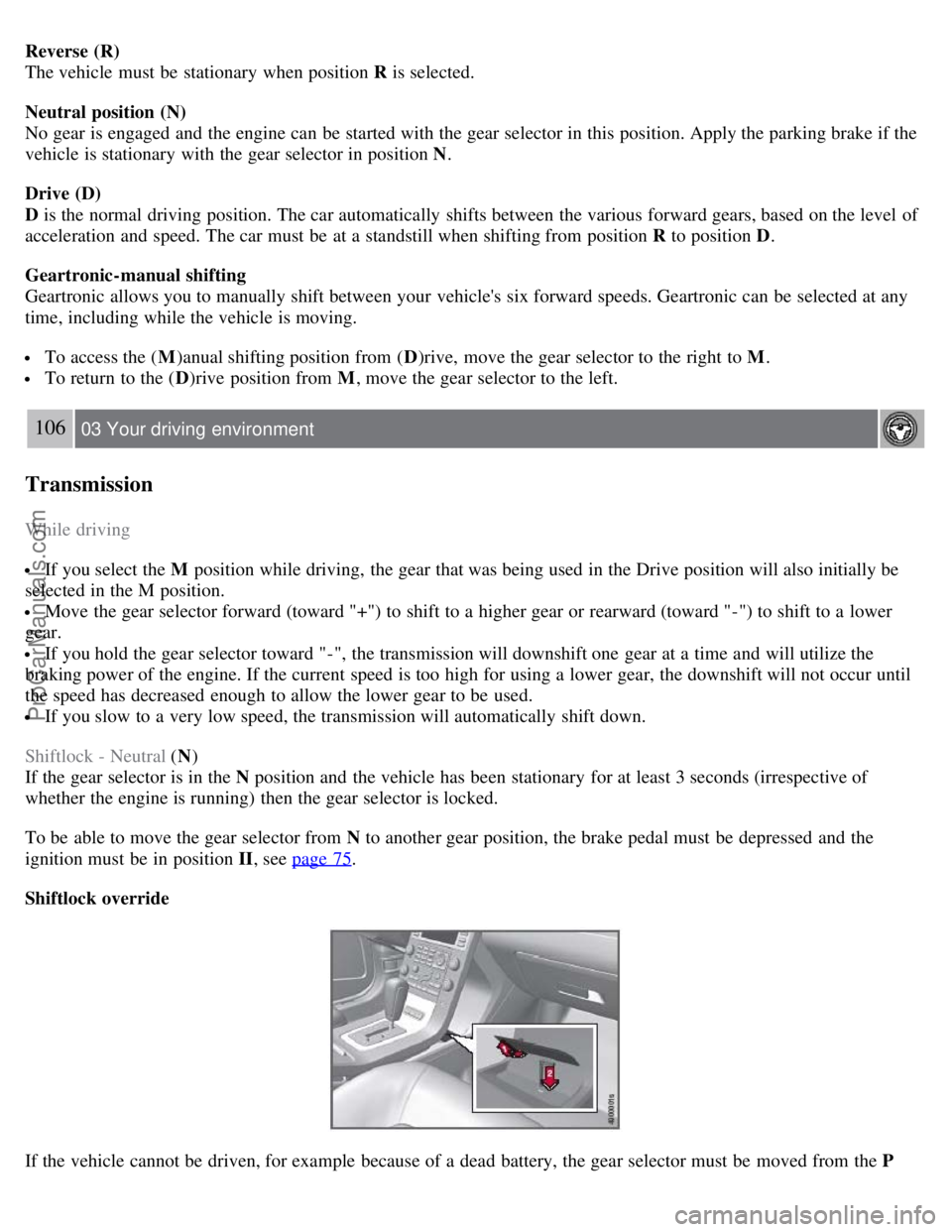
Shiftlock override
If the vehicle cannot be driven, for example because of a dead battery, the gear selector must be moved from the P
ProCarManuals.com
Page 100 of 251
position so that the vehicle can be moved1.
Lift away the rubber mat on the floor of the storage compartment behind the center console and open the hatch.
Insert the key blade into the opening as far as possible. Press the key blade down and keep it held down. Move the
gear selector from the P position. For information on the key blade, see page 48
.
All Wheel Drive - AWD
2
Your Volvo can be equipped with permanent All Wheel Drive, which means that power is distributed automatically
between the front and rear wheels. Under normal driving conditions, most of the engine's power is directed to the front
wheels. However, if there is any tendency for the front wheels to spin, an electronically controlled coupling distributes
power to the wheels that have the best traction.
1If the battery is dead, the optional electric parking brake cannot be applied or released. Connect an auxiliary battery if the battery voltage is too
low, see page 104
.
2Standard on certain models.
107 03 Your driving environment
Brakes
Brake system
The brake system is a hydraulic system consisting of two separate brake circuits. If a problem should occur in one of
these circuits, it is still possible to stop the vehicle with the other brake circuit.
If the brake pedal must be depressed farther than normal and requires greater foot pressure, the stopping distance will
be longer.
A warning light in the instrument panel will light up to warn the driver that a fault has occurred.
If this light comes on while driving or braking, stop immediately and check the brake fluid level in the reservoir.
NOTE
Press the brake pedal hard and maintain pressure on the pedal - do not pump the brakes.
WARNING
If the fluid level is below the MIN mark in the reservoir or if a brake system message is shown in the information
display: DO NOT DRIVE. Have the vehicle towed to a trained and qualified Volvo service technician and have the
brake system inspected.
Power brakes function only when the engine is running
The power brakes utilize vacuum pressure which is only created when the engine is running. Never let the vehicle roll
to a stop with the engine switched off.
If the power brakes are not working, the brake pedal must be pressed approximately five times harder than usual to
make up for the lack of power assistance. This can happen for example when towing your vehicle or if the engine is
switched off when the vehicle is rolling. The brake pedal feels harder than usual.
ProCarManuals.com