lights VOLVO S80 2008 User Guide
[x] Cancel search | Manufacturer: VOLVO, Model Year: 2008, Model line: S80, Model: VOLVO S80 2008Pages: 275, PDF Size: 7.17 MB
Page 89 of 275
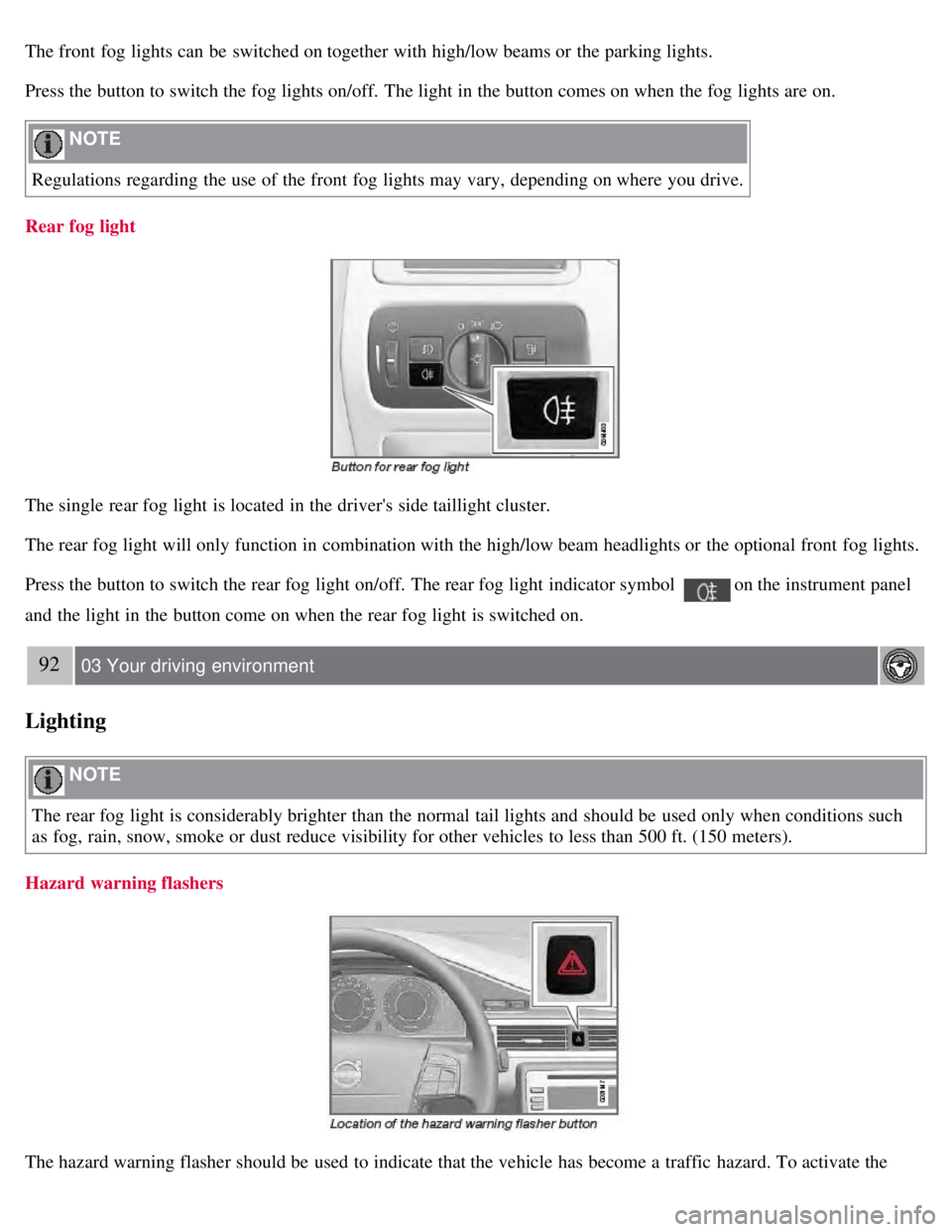
The front fog lights can be switched on together with high/low beams or the parking lights.
Press the button to switch the fog lights on/off. The light in the button comes on when the fog lights are on.
NOTE
Regulations regarding the use of the front fog lights may vary, depending on where you drive.
Rear fog light
The single rear fog light is located in the driver's side taillight cluster.
The rear fog light will only function in combination with the high/low beam headlights or the optional front fog lights.
Press the button to switch the rear fog light on/off. The rear fog light indicator symbol
on the instrument panel
and the light in the button come on when the rear fog light is switched on.
92 03 Your driving environment
Lighting
NOTE
The rear fog light is considerably brighter than the normal tail lights and should be used only when conditions such
as fog, rain, snow, smoke or dust reduce visibility for other vehicles to less than 500 ft. (150 meters).
Hazard warning flashers
The hazard warning flasher should be used to indicate that the vehicle has become a traffic hazard. To activate the
Page 91 of 275
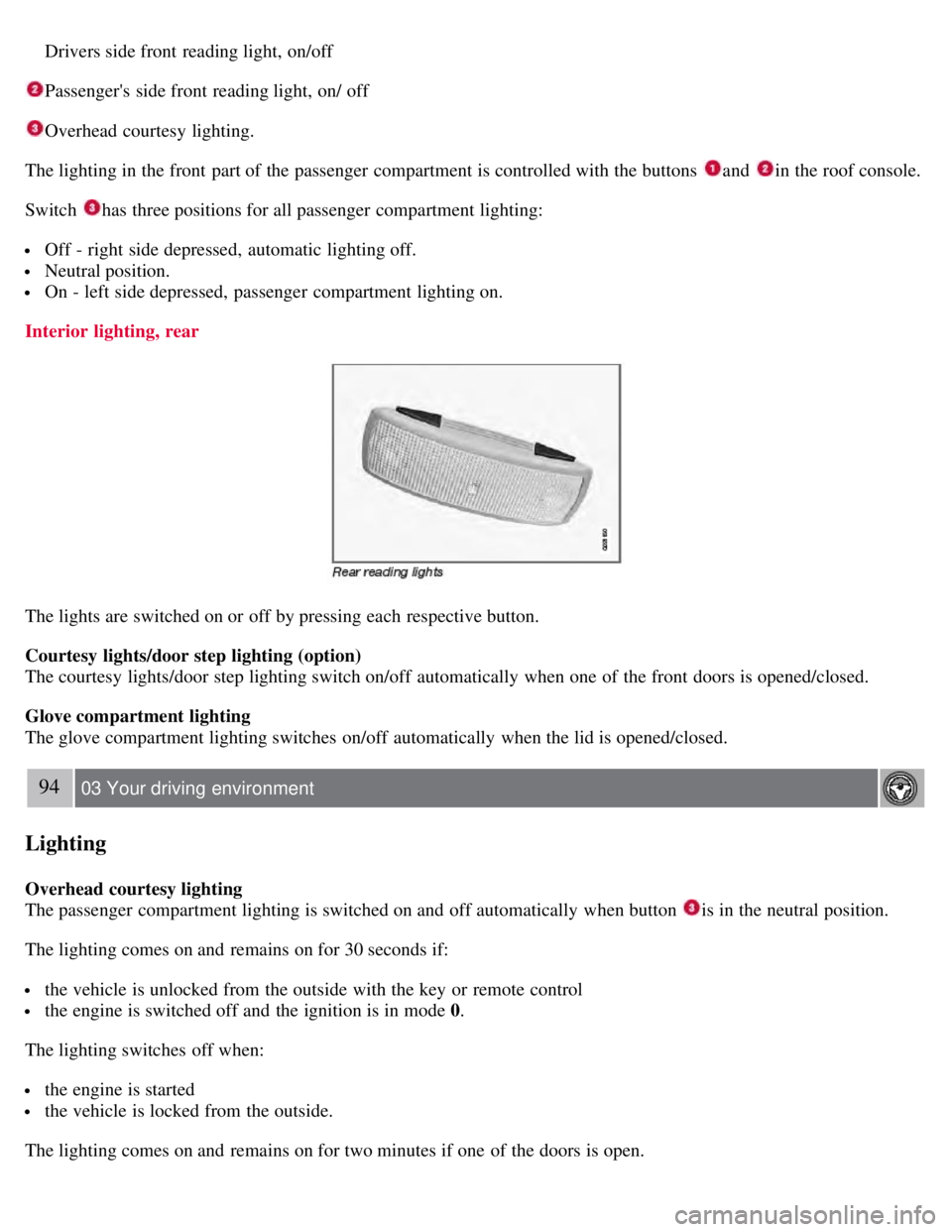
Drivers side front reading light, on/off
Passenger's side front reading light, on/ off
Overhead courtesy lighting.
The lighting in the front part of the passenger compartment is controlled with the buttons
and in the roof console.
Switch
has three positions for all passenger compartment lighting:
Off - right side depressed, automatic lighting off.
Neutral position.
On - left side depressed, passenger compartment lighting on.
Interior lighting, rear
The lights are switched on or off by pressing each respective button.
Courtesy lights/door step lighting (option)
The courtesy lights/door step lighting switch on/off automatically when one of the front doors is opened/closed.
Glove compartment lighting
The glove compartment lighting switches on/off automatically when the lid is opened/closed.
94 03 Your driving environment
Lighting
Overhead courtesy lighting
The passenger compartment lighting is switched on and off automatically when button
is in the neutral position.
The lighting comes on and remains on for 30 seconds if:
the vehicle is unlocked from the outside with the key or remote control
the engine is switched off and the ignition is in mode 0.
The lighting switches off when:
the engine is started
the vehicle is locked from the outside.
The lighting comes on and remains on for two minutes if one of the doors is open.
Page 92 of 275
The passenger compartment lighting can be switched on and off manually within 30 minutes after the vehicle has been
unlocked.
If the lighting is switched on manually and the vehicle is locked, the courtesy lighting will switch off automatically
after one minute.
Home safe lighting
When you leave your vehicle at night, you can make use of the home safe lighting function to illuminate the area in
front of the vehicle.
1. Remove the key from the ignition slot.
2. Pull the direction indicator lever as far as possible towards the steering wheel and release it.
3. Exit the vehicle and lock the doors.
The headlights, parking lights, turn signals, lights in the door mirrors, license plate lights, and footwell lighting will
illuminate and remain on for 30
1, 60 or 90 seconds. The time interval can be set under Car settingsLight settings
Home safe lighting. For a description of the menu system, see page 123.
1Factory setting
Approach lighting
Approach lighting is activated by pressing the approach light button on the remote key (see the illustration on page 54
).
When the function has been activated, the parking lights, indicator lights, door mirror lights, license plate lighting,
dome lighting and door step lighting come on.
The time interval for this lighting can be set under Car settings
Light settings Approach lighting . For a description
of the menu system, see page 123
.
Contents | Top of Page
Page 95 of 275
High-pressure headlight washing (option)
High-pressure headlight washing consumes a large quantity of washer fluid. To save fluid, the headlights are washed
using two alternatives:
Low/high beam headlights on
The headlights will be washed the first time the windshield is washed. Thereafter, the headlights will only be washed
once for every five times the windshield is washed within a 10-minute period.
Parking lights on
Optional Active Bi -Xenon® headlights will be washed once for every five times the windshield is washed. Normal
halogen headlights will not be washed.
CAUTION
Use ample washer fluid when washing the windshield. The windshield should be thoroughly wet when the wipers
are in operation.
NOTE
One headlight is washed at a time.
97 03 Your driving environment
Power windows
Power windows
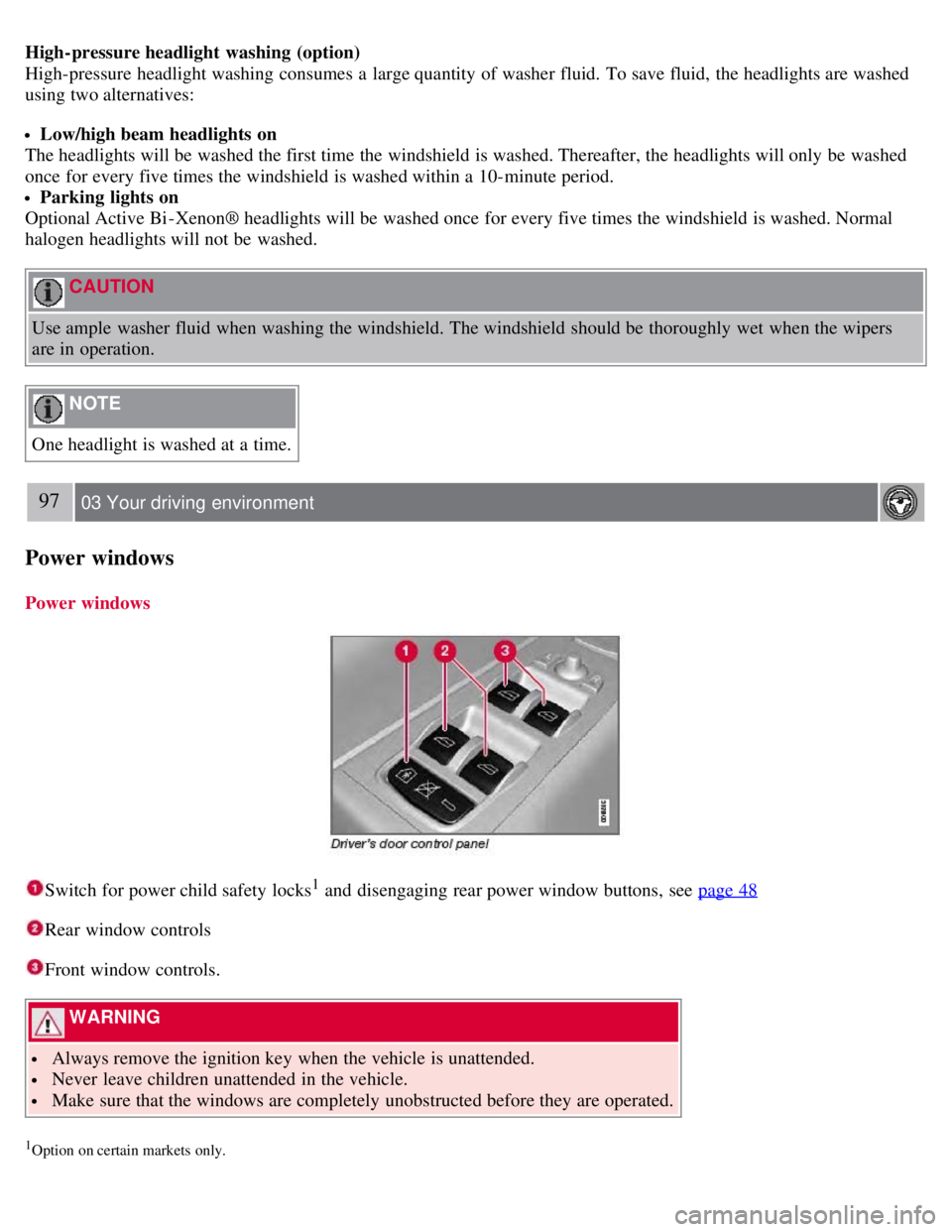
Switch for power child safety locks1 and disengaging rear power window buttons, see page 48
Rear window controls
Front window controls.
WARNING
Always remove the ignition key when the vehicle is unattended.
Never leave children unattended in the vehicle.
Make sure that the windows are completely unobstructed before they are operated.
1Option on certain markets only.
Page 99 of 275
temperature.
The rear window is demisted/de-iced automatically if the vehicle is started in an outside temperature lower than + 7°C.
Defrosting can be selected under Climate settings
Auto. rear defroster. Select between On or Off.
Interior rearview mirror
Auto-dim function
An integrated sensor reacts to headlights from following traffic and automatically reduces glare in the mirror.
101 03 Your driving environment
Power moonroof
Power moonroof
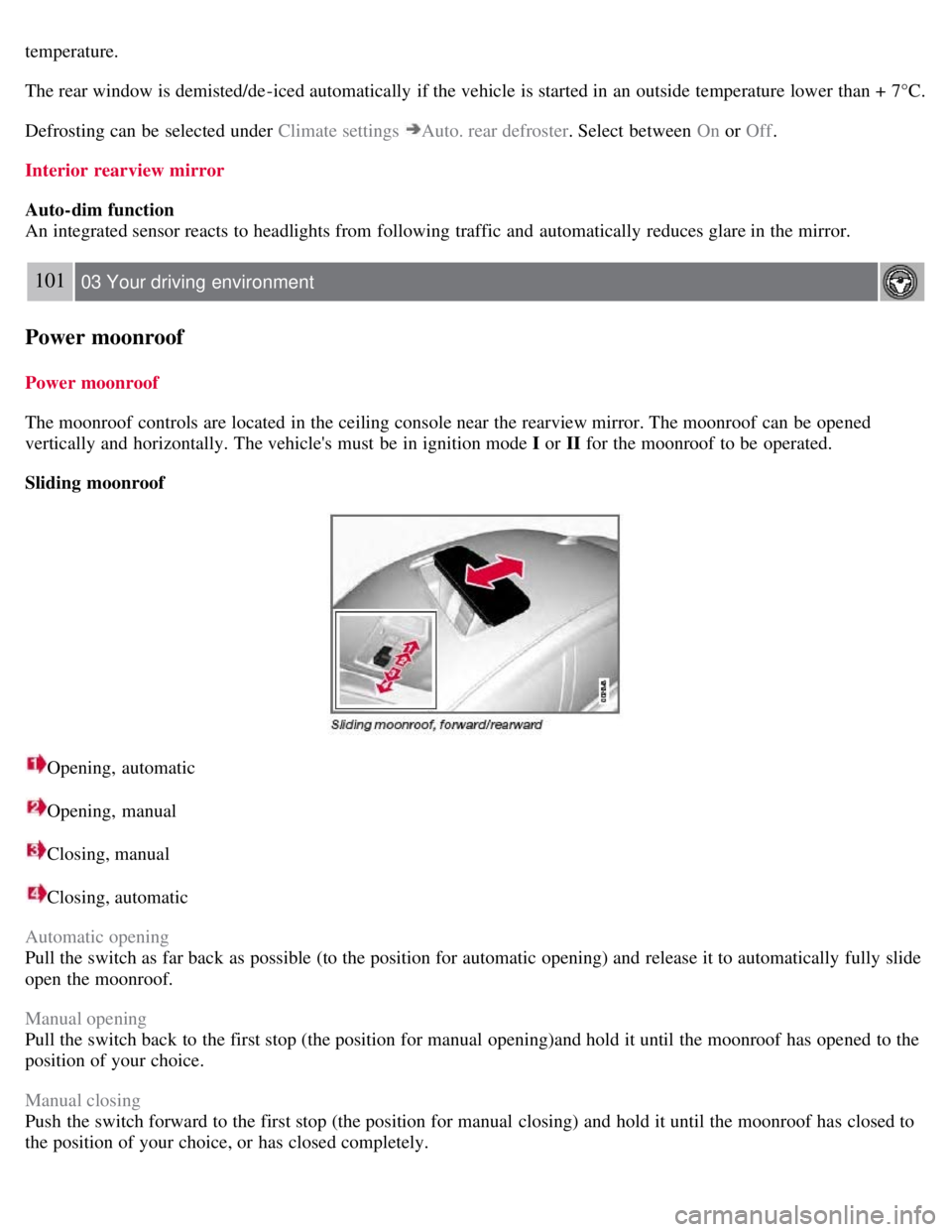
The moonroof controls are located in the ceiling console near the rearview mirror. The moonroof can be opened
vertically and horizontally. The vehicle's must be in ignition mode I or II for the moonroof to be operated.
Sliding moonroof
Opening, automatic
Opening, manual
Closing, manual
Closing, automatic
Automatic opening
Pull the switch as far back as possible (to the position for automatic opening) and release it to automatically fully slide
open the moonroof.
Manual opening
Pull the switch back to the first stop (the position for manual opening)and hold it until the moonroof has opened to the
position of your choice.
Manual closing
Push the switch forward to the first stop (the position for manual closing) and hold it until the moonroof has closed to
the position of your choice, or has closed completely.
Page 127 of 275
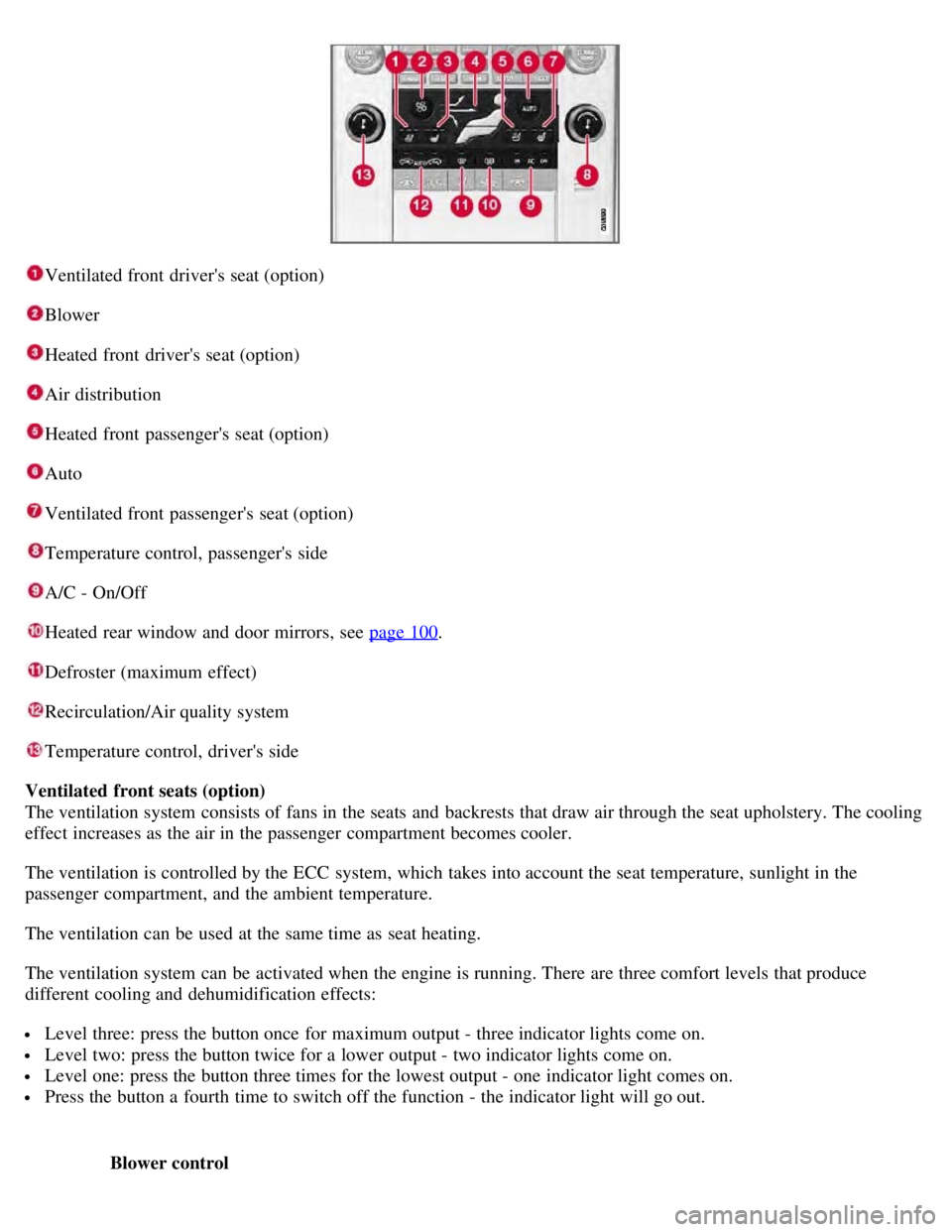
Ventilated front driver's seat (option)
Blower
Heated front driver's seat (option)
Air distribution
Heated front passenger's seat (option)
Auto
Ventilated front passenger's seat (option)
Temperature control, passenger's side
A/C - On/Off
Heated rear window and door mirrors, see page 100.
Defroster (maximum effect)
Recirculation/Air quality system
Temperature control, driver's side
Ventilated front seats (option)
The ventilation system consists of fans in the seats and backrests that draw air through the seat upholstery. The cooling
effect increases as the air in the passenger compartment becomes cooler.
The ventilation is controlled by the ECC system, which takes into account the seat temperature, sunlight in the
passenger compartment, and the ambient temperature.
The ventilation can be used at the same time as seat heating.
The ventilation system can be activated when the engine is running. There are three comfort levels that produce
different cooling and dehumidification effects:
Level three: press the button once for maximum output - three indicator lights come on.
Level two: press the button twice for a lower output - two indicator lights come on.
Level one: press the button three times for the lowest output - one indicator light comes on.
Press the button a fourth time to switch off the function - the indicator light will go out.
Blower control
Page 128 of 275
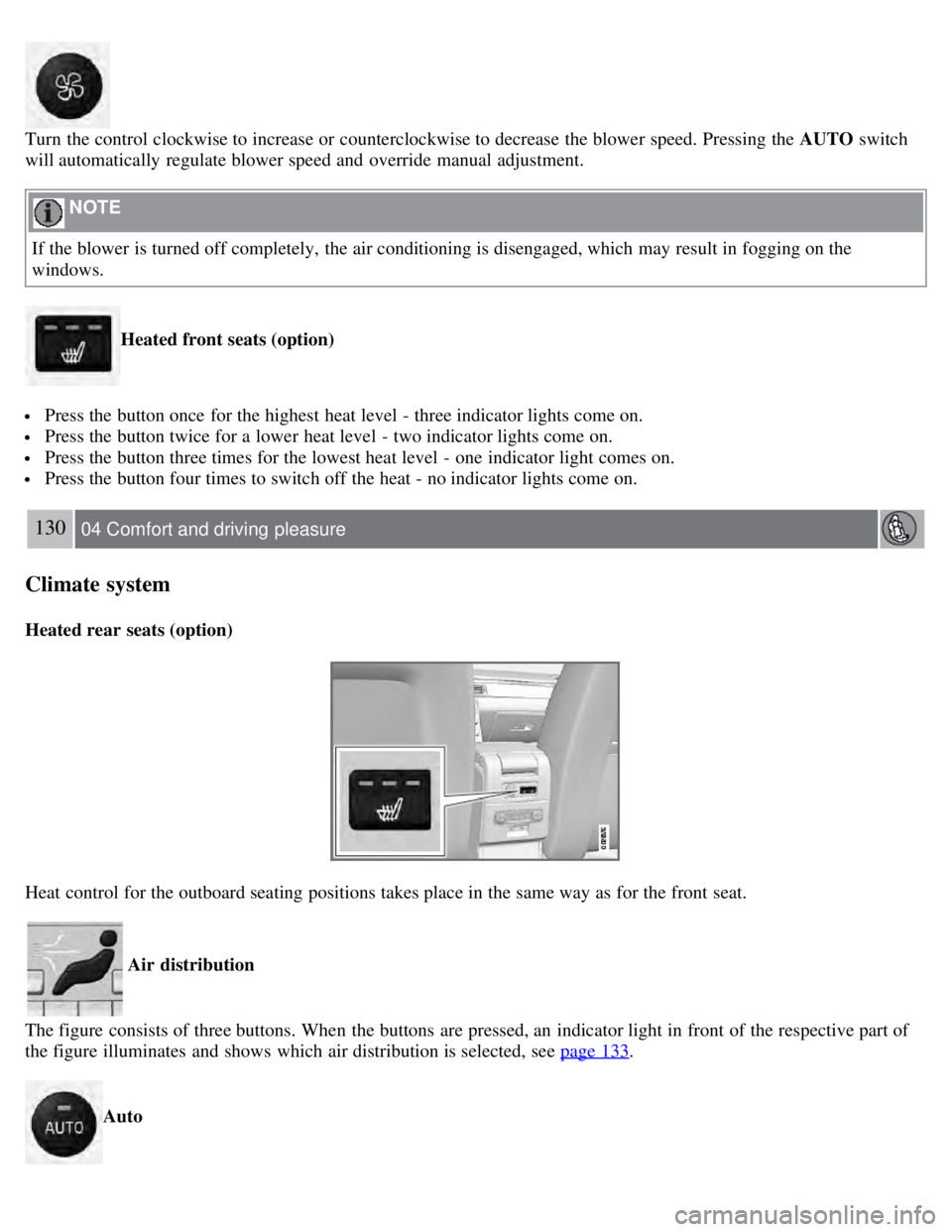
Turn the control clockwise to increase or counterclockwise to decrease the blower speed. Pressing the AUTO switch
will automatically regulate blower speed and override manual adjustment.
NOTE
If the blower is turned off completely, the air conditioning is disengaged, which may result in fogging on the
windows.
Heated front seats (option)
Press the button once for the highest heat level - three indicator lights come on.
Press the button twice for a lower heat level - two indicator lights come on.
Press the button three times for the lowest heat level - one indicator light comes on.
Press the button four times to switch off the heat - no indicator lights come on.
130 04 Comfort and driving pleasure
Climate system
Heated rear seats (option)
Heat control for the outboard seating positions takes place in the same way as for the front seat.
Air distribution
The figure consists of three buttons. When the buttons are pressed, an indicator light in front of the respective part of
the figure illuminates and shows which air distribution is selected, see page 133
.
Auto
Page 129 of 275
The function automatically regulates cooling, heating, blower speed, recirculation, and air distribution to maintain the
chosen temperature. If you select one or more manual functions, the other functions continue to be controlled
automatically. The air quality sensor is engaged and all manual settings are switched off when AUTO is pressed. The
display shows AUTO CLIMATE.
Blower speed in automatic mode can be set under Climate settings
Automatic blower adjust . Choose between Low,
Normal or High.
NOTE
Selecting the lowest blower speed may increases the risk of fog forming on the windows.
For a description of the menu system, see page 123
.
Temperature control
The temperatures on the driver and passenger sides can be set independently. When the vehicle is started, the most
recent setting is resumed.
NOTE
Heating or cooling cannot be speeded up by selecting a higher/lower temperature than the actual temperature
required.
A/C - ON/OFF
The air conditioning is controlled automatically by the system when the ON light is on. This cools/heats and
dehumidifies the incoming air. When the OFF light is on, the air conditioning is always disengaged. Other functions
are still controlled automatically. When defroster is selected, the air conditioning system is set for maximum blower
speed and dehumidification.
131 04 Comfort and driving pleasure
Climate system
Defroster
This function defrosts/deices the windshield and front side windows. The indicator light in the defroster button lights
when the function is active.
Blower speed increases automatically and the air conditioning will switch on (if not already on and if the passenger
compartment blower is not turned off) to dehumidify the air in the passenger compartment. Air conditioning can be
switched off by pressing the AC button.
Recirculation will not function while defrost is engaged.
The climate system will return to its previous settings when the defroster function is switched off.
Page 174 of 275
178 04 Comfort and driving pleasure
Park assist (option)
Front park assist
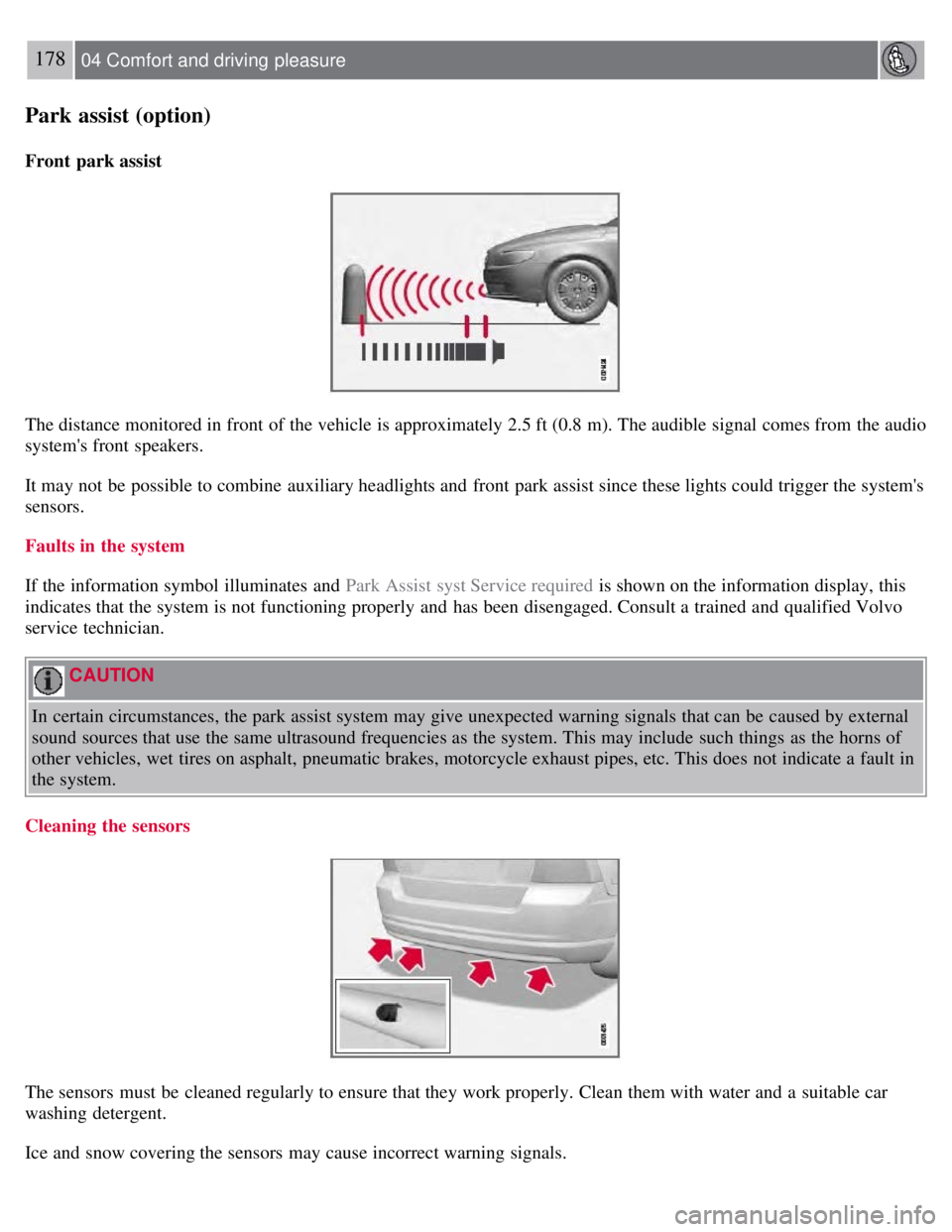
The distance monitored in front of the vehicle is approximately 2.5 ft (0.8 m). The audible signal comes from the audio
system's front speakers.
It may not be possible to combine auxiliary headlights and front park assist since these lights could trigger the system's
sensors.
Faults in the system
If the information symbol illuminates and Park Assist syst Service required is shown on the information display, this
indicates that the system is not functioning properly and has been disengaged. Consult a trained and qualified Volvo
service technician.
CAUTION
In certain circumstances, the park assist system may give unexpected warning signals that can be caused by external
sound sources that use the same ultrasound frequencies as the system. This may include such things as the horns of
other vehicles, wet tires on asphalt, pneumatic brakes, motorcycle exhaust pipes, etc. This does not indicate a fault in
the system.
Cleaning the sensors
The sensors must be cleaned regularly to ensure that they work properly. Clean them with water and a suitable car
washing detergent.
Ice and snow covering the sensors may cause incorrect warning signals.
Page 176 of 275
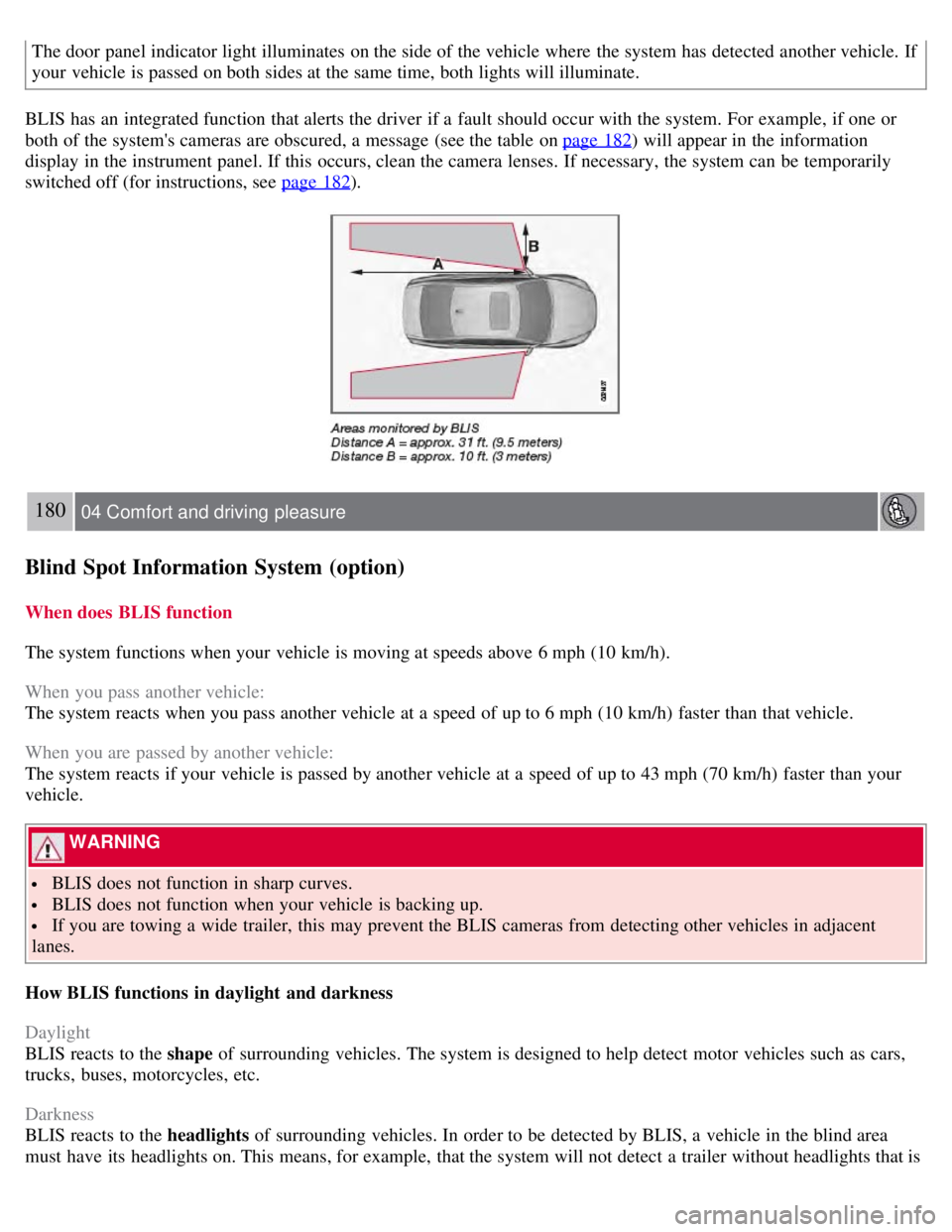
The door panel indicator light illuminates on the side of the vehicle where the system has detected another vehicle. If
your vehicle is passed on both sides at the same time, both lights will illuminate.
BLIS has an integrated function that alerts the driver if a fault should occur with the system. For example, if one or
both of the system's cameras are obscured, a message (see the table on page 182
) will appear in the information
display in the instrument panel. If this occurs, clean the camera lenses. If necessary, the system can be temporarily
switched off (for instructions, see page 182
).
180 04 Comfort and driving pleasure
Blind Spot Information System (option)
When does BLIS function
The system functions when your vehicle is moving at speeds above 6 mph (10 km/h).
When you pass another vehicle:
The system reacts when you pass another vehicle at a speed of up to 6 mph (10 km/h) faster than that vehicle.
When you are passed by another vehicle:
The system reacts if your vehicle is passed by another vehicle at a speed of up to 43 mph (70 km/h) faster than your
vehicle.
WARNING
BLIS does not function in sharp curves.
BLIS does not function when your vehicle is backing up.
If you are towing a wide trailer, this may prevent the BLIS cameras from detecting other vehicles in adjacent
lanes.
How BLIS functions in daylight and darkness
Daylight
BLIS reacts to the shape of surrounding vehicles. The system is designed to help detect motor vehicles such as cars,
trucks, buses, motorcycles, etc.
Darkness
BLIS reacts to the headlights of surrounding vehicles. In order to be detected by BLIS, a vehicle in the blind area
must have its headlights on. This means, for example, that the system will not detect a trailer without headlights that is