lights VOLVO S80 2008 Owners Manual
[x] Cancel search | Manufacturer: VOLVO, Model Year: 2008, Model line: S80, Model: VOLVO S80 2008Pages: 275, PDF Size: 7.17 MB
Page 16 of 275
already in our vehicles. You can help. We would appreciate hearing your suggestions about improving automobile
safety. We also want to know if you ever have a safety concern with your vehicle. Call us in the U.S. at: 1-800-458-
1552 or in Canada at: 1-800-663-8255.
Occupant safety reminders
How safely you drive doesn't depend on how old you are but rather on:
How well you see.
Your ability to concentrate.
How quickly you make decisions under stress to avoid an accident.
The following suggestions are intended to help you cope with the ever changing traffic environment.
Never drink and drive.
If you are taking any medication, consult your physician about its potential effects on your driving abilities.
Take a driver-retraining course.
Have your eyes checked regularly.
Keep your windshield and headlights clean.
Replace wiper blades when they start to leave streaks.
Take into account the traffic, road, and weather conditions, particularly with regard to stopping distance.
15 01 Safety
Reporting safety defects
Reporting safety defects in the U.S.
If you believe that your vehicle has a defect which could cause a crash or could cause injury or death, you should
immediately inform the National Highway Traffic Safety Administration (NHTSA) in addition to notifying Volvo Cars
of North America, LLC. If NHTSA receives similar complaints, it may open an investigation, and if it finds that a
safety defect exists in a group of vehicles, it may order a recall and remedy campaign. However, NHTSA cannot
become involved in individual problems between you, your retailer, or Volvo Cars of North America, LLC. To contact
NHTSA, you may either call the Auto Safety Hotline toll-free at
1-888-327-4236
(TTY: 1-800-424-9153) or write to:
NHTSA, U.S. Department of Transportation, Washington D.C. 20590.
You can also obtain other information about motor vehicle safety from:
http://www.safercar.gov
Volvo strongly recommends that if your vehicle is covered under a service campaign, safety or emission recall or
similar action, it should be completed as soon as possible. Please check with your local retailer or Volvo Cars of North
America, LLC if your vehicle is covered under these conditions.
NHTSA can be reached at:
Internet: http://www.nhtsa.gov
Telephone:1-888-DASH-2-DOT (1-888-327-4236).
Reporting safety defects in Canada
Page 52 of 275
Approach lighting - As you approach the vehicle, press button on the remote control to light the interior lighting,
parking lights, license plate lighting and the lights in the door mirrors (option).
55 02 Locks and alarm
Remote key and key blade
These lights will switch off automatically after 30, 60 or 90 seconds. See page 123 for more information.
Unlock/open trunk
Press once: This unlocks but does not open the trunk. If the trunk is not opened within two minutes it will
automatically relock and the alarm will be rearmed.
Press twice: This both unlocks the trunk and pops it open several inches.
NOTE
Any excess weight (snow, etc.) on the trunk lid may prevent it from opening.
Press the button once to disarm the alarm system and optional movement sensor (the alarm indicator light on the
dashboard will go out), and unlock only the trunk. See also page 65
for information on opening the trunk from the
inside.
NOTE
As an added safety precaution, the parking lights will come on automatically for a short period when the trunk has
been opened.
After closing, the trunk will not automatically relock. Press Lock to relock it and rearm the alarm.
Panic alarm - This button can be used to attract attention during emergency situations.
To activate the panic alarm, press and hold button
for at least 3 seconds or press it twice within 3 seconds. The turn
signals and horn will be activated. The panic alarm will stop automatically after 2 minutes and 45 seconds.
To deactivate, wait approximately 5 seconds and press the button again.
Range
The remote key has a range of approximately 60 ft. (20 m) from the vehicle.
NOTE
This button will not unlock the vehicle.
Buildings or other obstacles may interfere with the function of the remote key. The vehicle can also be locked or
unlocked with the key blade, see page 57
.
Functions - PCC
Page 53 of 275
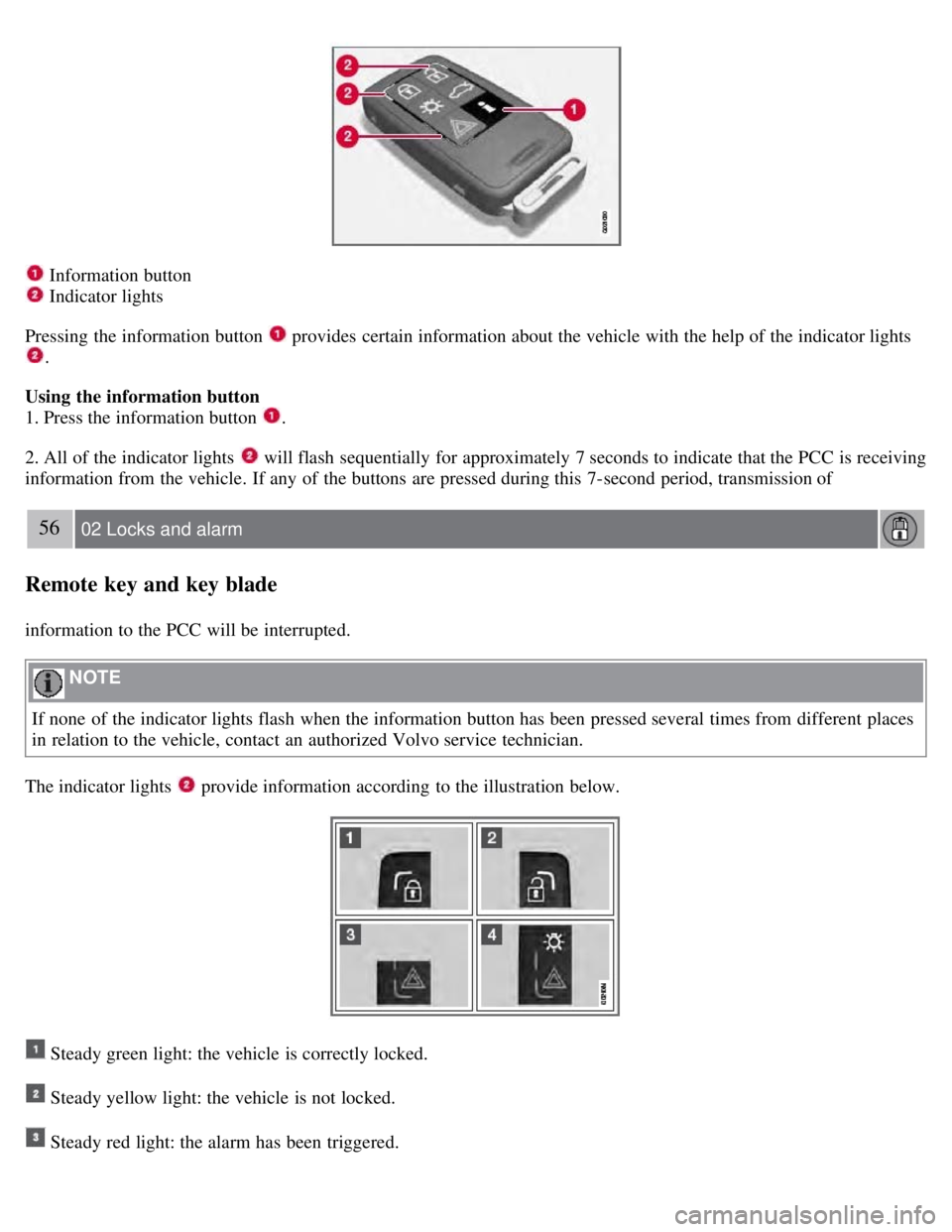
Information button
Indicator lights
Pressing the information button
provides certain information about the vehicle with the help of the indicator lights
.
Using the information button
1. Press the information button
.
2. All of the indicator lights
will flash sequentially for approximately 7 seconds to indicate that the PCC is receiving
information from the vehicle. If any of the buttons are pressed during this 7-second period, transmission of
56 02 Locks and alarm
Remote key and key blade
information to the PCC will be interrupted.
NOTE
If none of the indicator lights flash when the information button has been pressed several times from different places
in relation to the vehicle, contact an authorized Volvo service technician.
The indicator lights
provide information according to the illustration below.
Steady green light: the vehicle is correctly locked.
Steady yellow light: the vehicle is not locked.
Steady red light: the alarm has been triggered.
Page 54 of 275
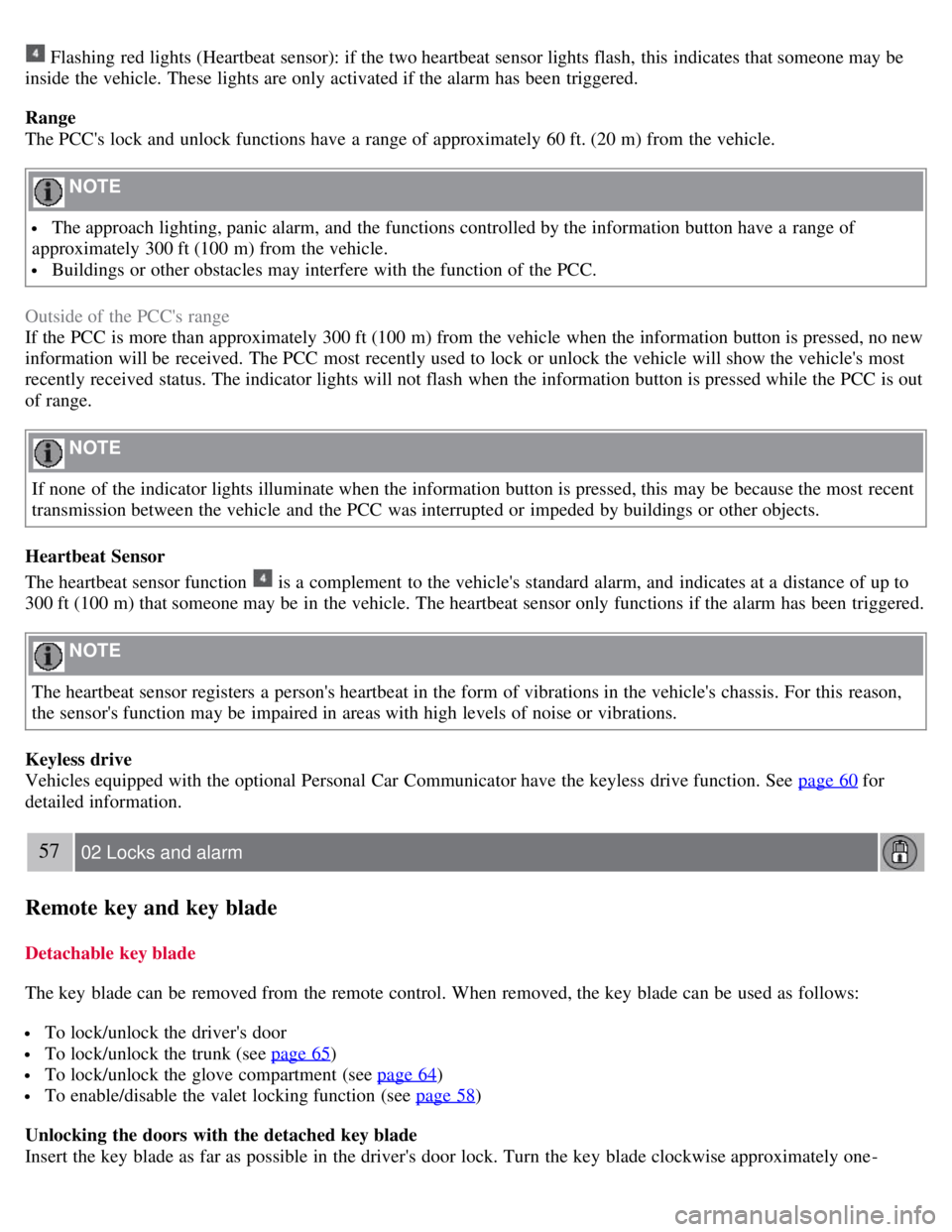
Flashing red lights (Heartbeat sensor): if the two heartbeat sensor lights flash, this indicates that someone may be
inside the vehicle. These lights are only activated if the alarm has been triggered.
Range
The PCC's lock and unlock functions have a range of approximately 60 ft. (20 m) from the vehicle.
NOTE
The approach lighting, panic alarm, and the functions controlled by the information button have a range of
approximately 300 ft (100 m) from the vehicle.
Buildings or other obstacles may interfere with the function of the PCC.
Outside of the PCC's range
If the PCC is more than approximately 300 ft (100 m) from the vehicle when the information button is pressed, no new
information will be received. The PCC most recently used to lock or unlock the vehicle will show the vehicle's most
recently received status. The indicator lights will not flash when the information button is pressed while the PCC is out
of range.
NOTE
If none of the indicator lights illuminate when the information button is pressed, this may be because the most recent
transmission between the vehicle and the PCC was interrupted or impeded by buildings or other objects.
Heartbeat Sensor
The heartbeat sensor function
is a complement to the vehicle's standard alarm, and indicates at a distance of up to
300 ft (100 m) that someone may be in the vehicle. The heartbeat sensor only functions if the alarm has been triggered.
NOTE
The heartbeat sensor registers a person's heartbeat in the form of vibrations in the vehicle's chassis. For this reason,
the sensor's function may be impaired in areas with high levels of noise or vibrations.
Keyless drive
Vehicles equipped with the optional Personal Car Communicator have the keyless drive function. See page 60
for
detailed information.
57 02 Locks and alarm
Remote key and key blade
Detachable key blade
The key blade can be removed from the remote control. When removed, the key blade can be used as follows:
To lock/unlock the driver's door
To lock/unlock the trunk (see page 65)
To lock/unlock the glove compartment (see page 64)
To enable/disable the valet locking function (see page 58)
Unlocking the doors with the detached key blade
Insert the key blade as far as possible in the driver's door lock. Turn the key blade clockwise approximately one -
Page 64 of 275
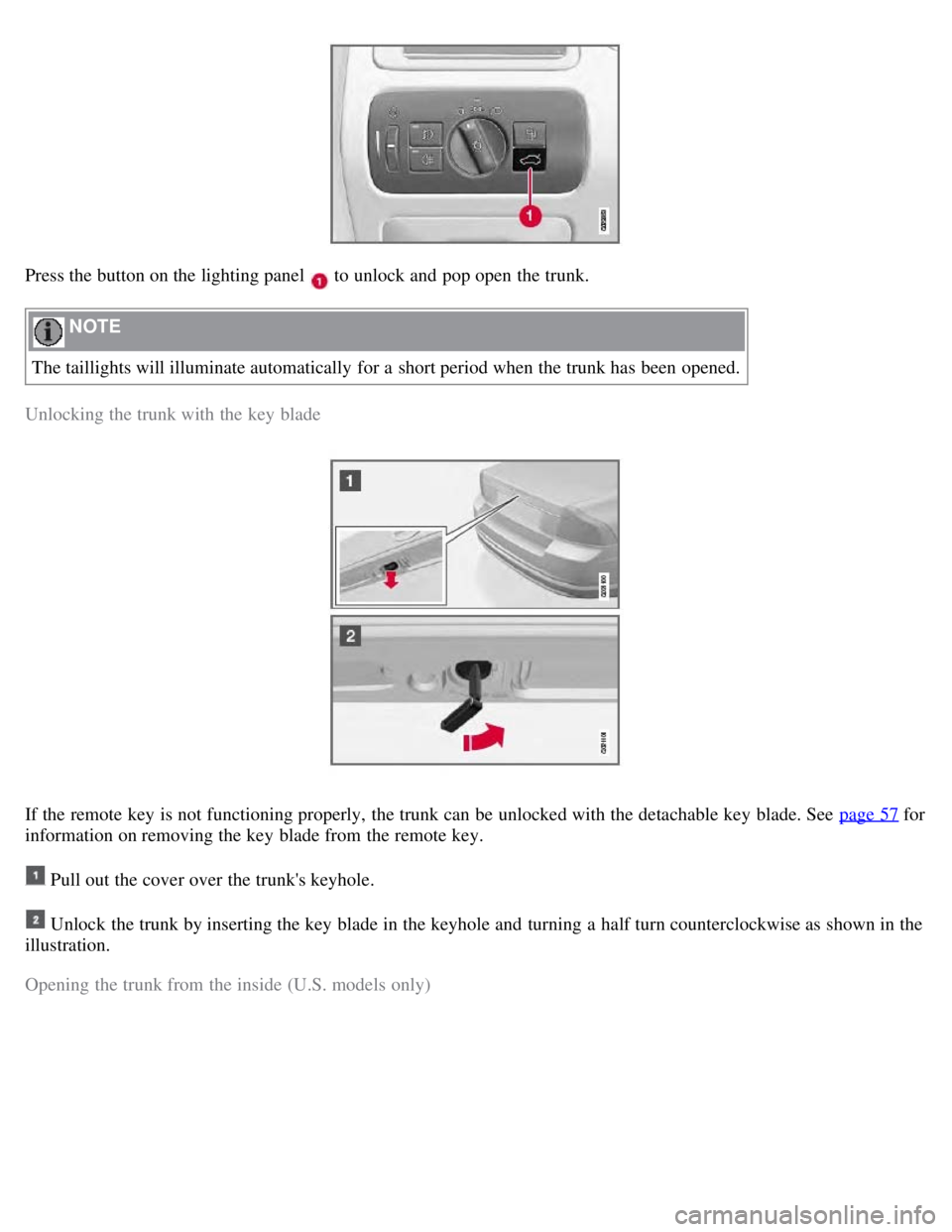
Press the button on the lighting panel to unlock and pop open the trunk.
NOTE
The taillights will illuminate automatically for a short period when the trunk has been opened.
Unlocking the trunk with the key blade
If the remote key is not functioning properly, the trunk can be unlocked with the detachable key blade. See page 57 for
information on removing the key blade from the remote key.
Pull out the cover over the trunk's keyhole.
Unlock the trunk by inserting the key blade in the keyhole and turning a half turn counterclockwise as shown in the
illustration.
Opening the trunk from the inside (U.S. models only)
Page 74 of 275
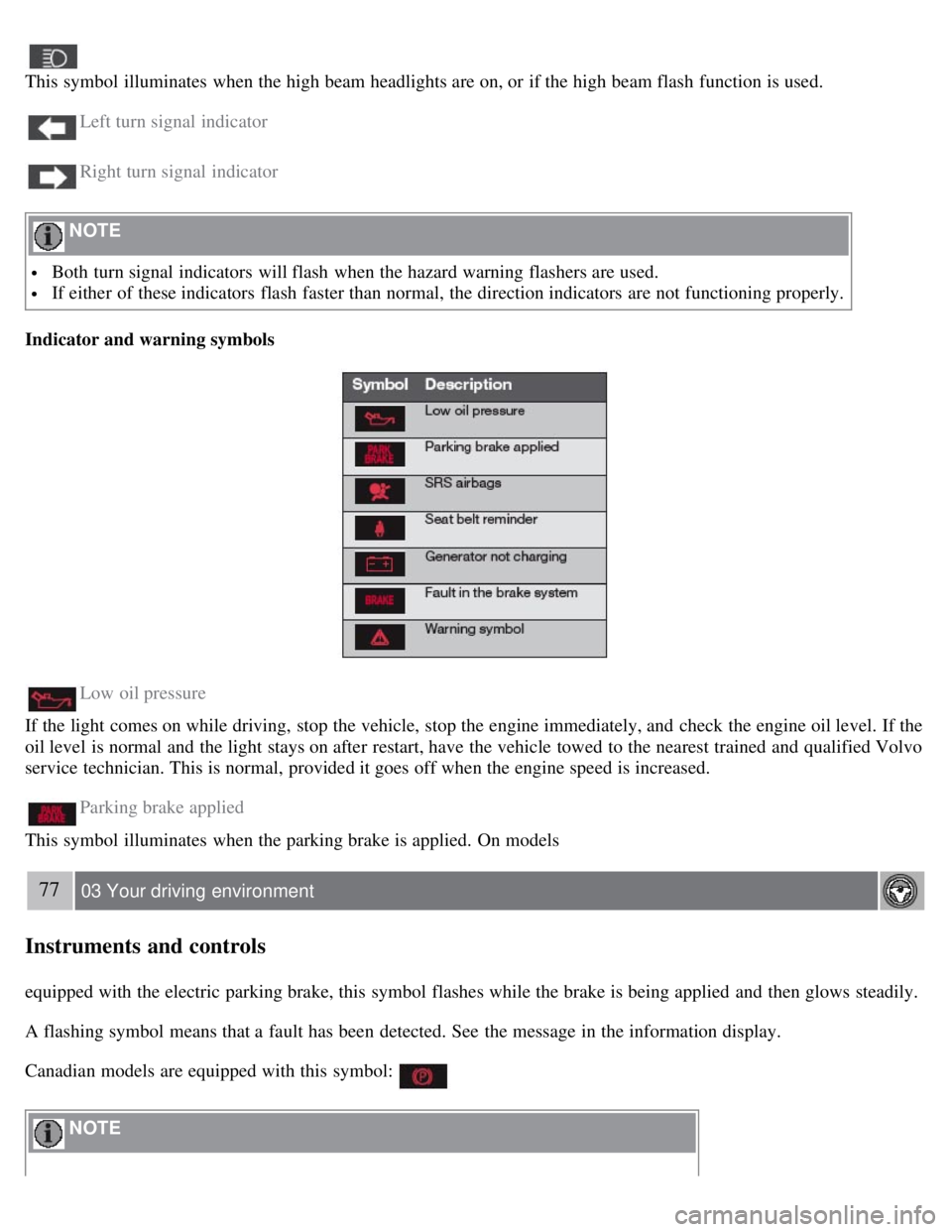
This symbol illuminates when the high beam headlights are on, or if the high beam flash function is used.
Left turn signal indicator
Right turn signal indicator
NOTE
Both turn signal indicators will flash when the hazard warning flashers are used.
If either of these indicators flash faster than normal, the direction indicators are not functioning properly.
Indicator and warning symbols
Low oil pressure
If the light comes on while driving, stop the vehicle, stop the engine immediately, and check the engine oil level. If the
oil level is normal and the light stays on after restart, have the vehicle towed to the nearest trained and qualified Volvo
service technician. This is normal, provided it goes off when the engine speed is increased.
Parking brake applied
This symbol illuminates when the parking brake is applied. On models
77 03 Your driving environment
Instruments and controls
equipped with the electric parking brake, this symbol flashes while the brake is being applied and then glows steadily.
A flashing symbol means that a fault has been detected. See the message in the information display.
Canadian models are equipped with this symbol:
NOTE
Page 75 of 275
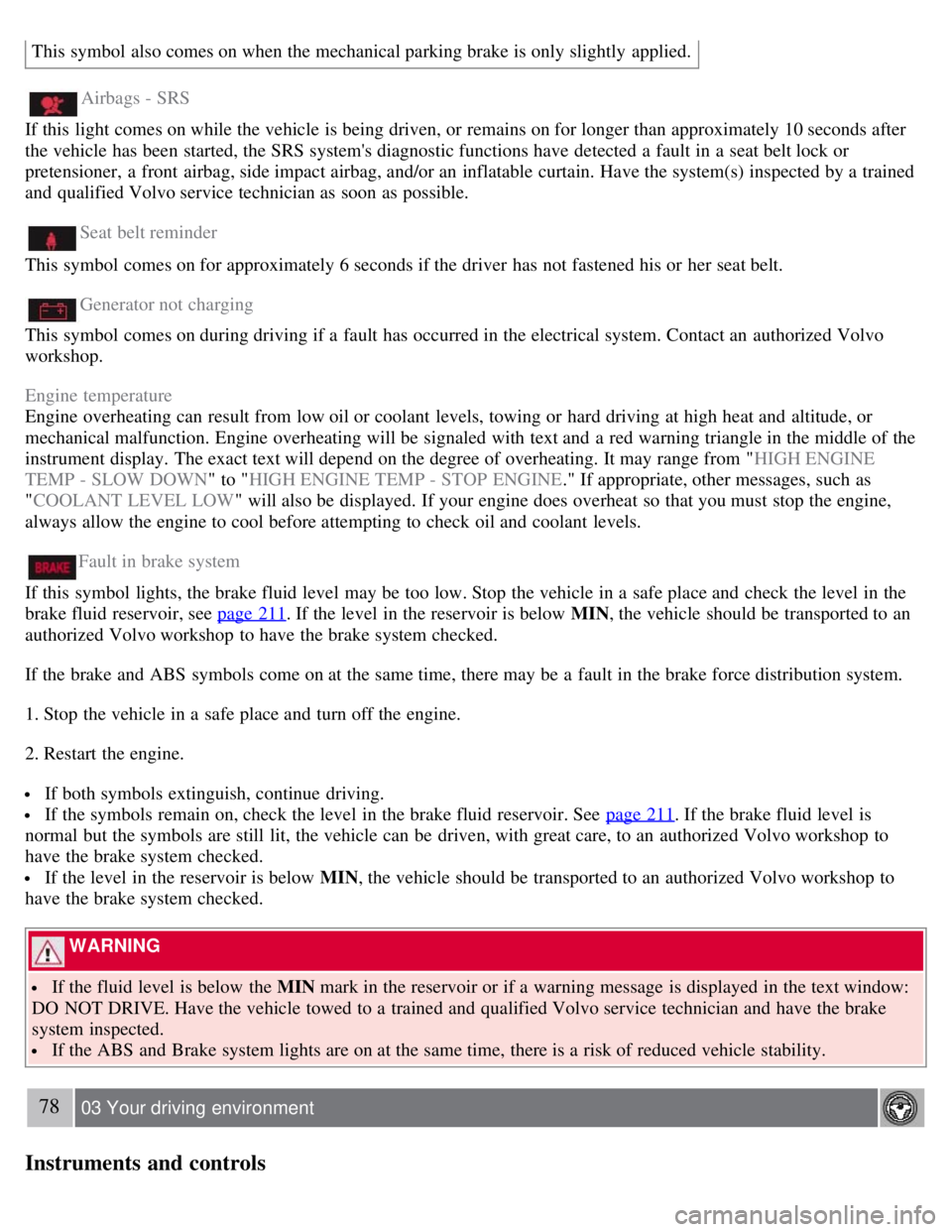
This symbol also comes on when the mechanical parking brake is only slightly applied.
Airbags - SRS
If this light comes on while the vehicle is being driven, or remains on for longer than approximately 10 seconds after
the vehicle has been started, the SRS system's diagnostic functions have detected a fault in a seat belt lock or
pretensioner, a front airbag, side impact airbag, and/or an inflatable curtain. Have the system(s) inspected by a trained
and qualified Volvo service technician as soon as possible.
Seat belt reminder
This symbol comes on for approximately 6 seconds if the driver has not fastened his or her seat belt.
Generator not charging
This symbol comes on during driving if a fault has occurred in the electrical system. Contact an authorized Volvo
workshop.
Engine temperature
Engine overheating can result from low oil or coolant levels, towing or hard driving at high heat and altitude, or
mechanical malfunction. Engine overheating will be signaled with text and a red warning triangle in the middle of the
instrument display. The exact text will depend on the degree of overheating. It may range from " HIGH ENGINE
TEMP - SLOW DOWN " to "HIGH ENGINE TEMP - STOP ENGINE ." If appropriate, other messages, such as
" COOLANT LEVEL LOW " will also be displayed. If your engine does overheat so that you must stop the engine,
always allow the engine to cool before attempting to check oil and coolant levels.
Fault in brake system
If this symbol lights, the brake fluid level may be too low. Stop the vehicle in a safe place and check the level in the
brake fluid reservoir, see page 211
. If the level in the reservoir is below MIN , the vehicle should be transported to an
authorized Volvo workshop to have the brake system checked.
If the brake and ABS symbols come on at the same time, there may be a fault in the brake force distribution system.
1. Stop the vehicle in a safe place and turn off the engine.
2. Restart the engine.
If both symbols extinguish, continue driving.
If the symbols remain on, check the level in the brake fluid reservoir. See page 211. If the brake fluid level is
normal but the symbols are still lit, the vehicle can be driven, with great care, to an authorized Volvo workshop to
have the brake system checked.
If the level in the reservoir is below MIN , the vehicle should be transported to an authorized Volvo workshop to
have the brake system checked.
WARNING
If the fluid level is below the MIN mark in the reservoir or if a warning message is displayed in the text window:
DO NOT DRIVE. Have the vehicle towed to a trained and qualified Volvo service technician and have the brake
system inspected.
If the ABS and Brake system lights are on at the same time, there is a risk of reduced vehicle stability.
78 03 Your driving environment
Instruments and controls
Page 86 of 275
Lighting
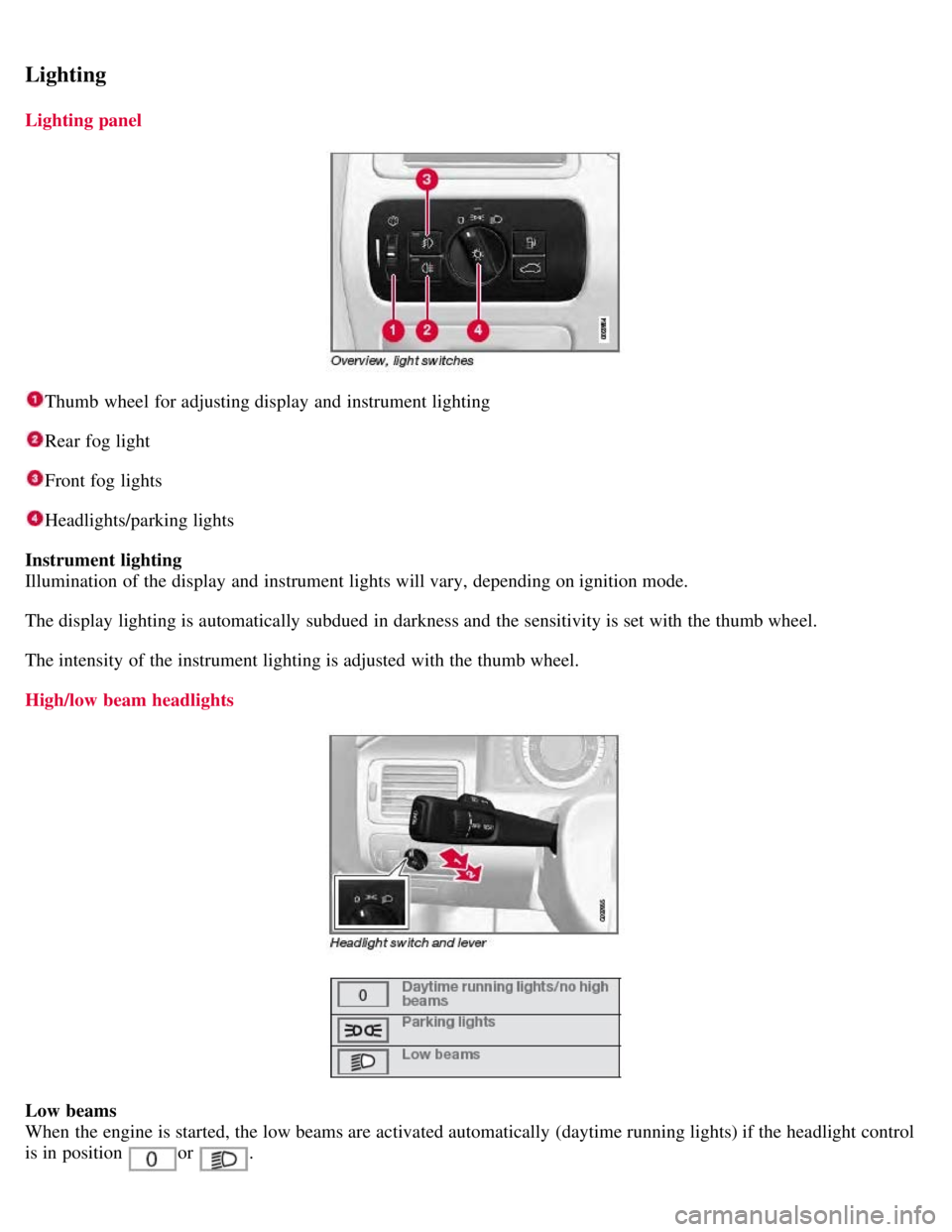
Lighting panel
Thumb wheel for adjusting display and instrument lighting
Rear fog light
Front fog lights
Headlights/parking lights
Instrument lighting
Illumination of the display and instrument lights will vary, depending on ignition mode.
The display lighting is automatically subdued in darkness and the sensitivity is set with the thumb wheel.
The intensity of the instrument lighting is adjusted with the thumb wheel.
High/low beam headlights
Low beams
When the engine is started, the low beams are activated automatically (daytime running lights) if the headlight control
is in position
or .
Page 87 of 275
Daytime running lights can be deactivated by an authorized Volvo workshop.
NOTE
The use of daytime running lights is mandatory in Canada.
Continuous high beams cannot be activated when the headlight switch is in position or . High beam
flash will function in these positions.
High beam flash
Move the lever toward the steering wheel to position
. The high beams come on until the lever is released.
High/low beam headlights
Continuous high beams
Set the ignition to mode II.
With the light switch in position
, pull the turn signal lever toward the steering wheel to position to toggle
between high and low beams (this also applies on models equipped with the optional Active Bi -Xenon® headlights).
The
symbol illuminates in the instrument panel to indicate that the high beams are on.
90 03 Your driving environment
Lighting
Active Bi -Xenon® Lights (ABL)-option
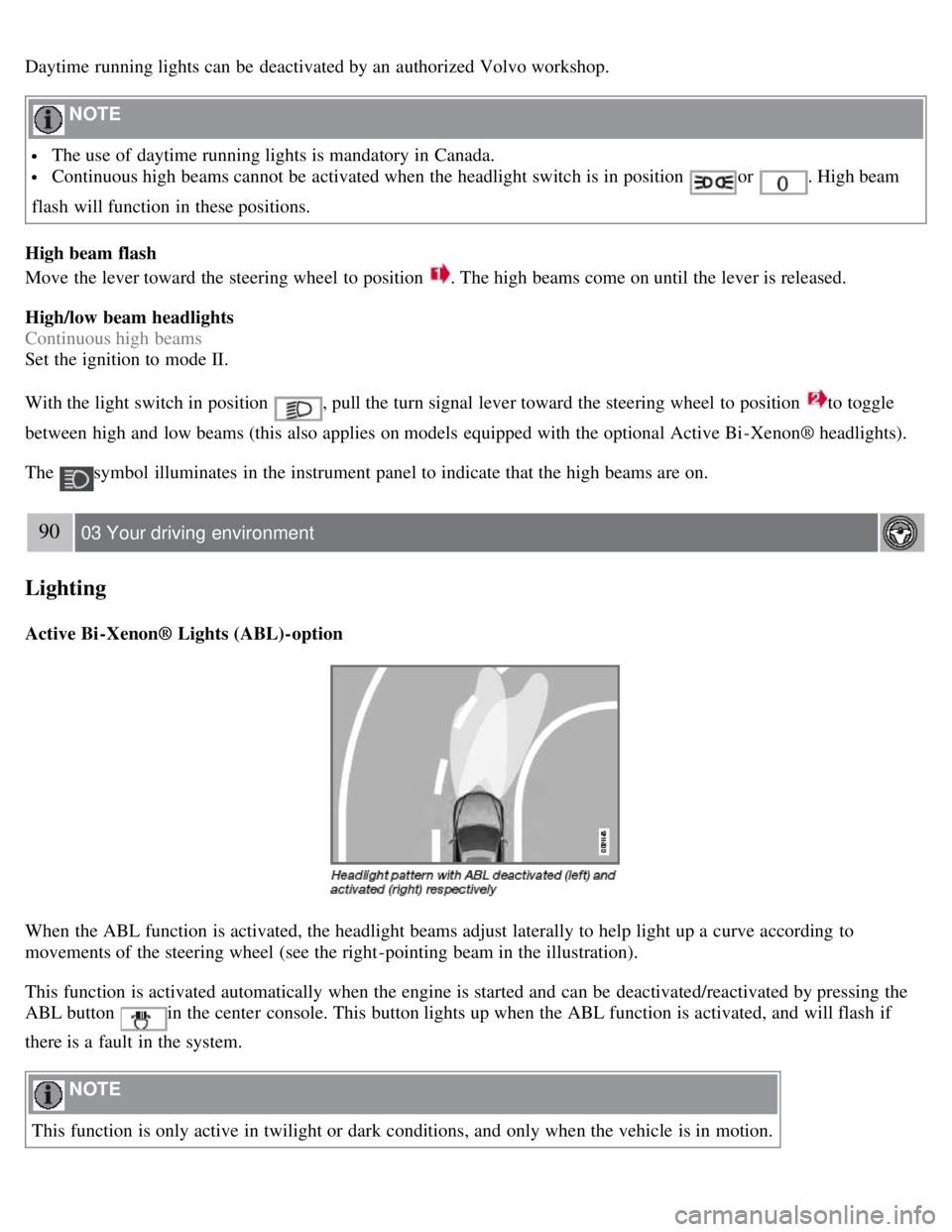
When the ABL function is activated, the headlight beams adjust laterally to help light up a curve according to
movements of the steering wheel (see the right-pointing beam in the illustration).
This function is activated automatically when the engine is started and can be deactivated/reactivated by pressing the
ABL button
in the center console. This button lights up when the ABL function is activated, and will flash if
there is a fault in the system.
NOTE
This function is only active in twilight or dark conditions, and only when the vehicle is in motion.
Page 88 of 275
Parking lights
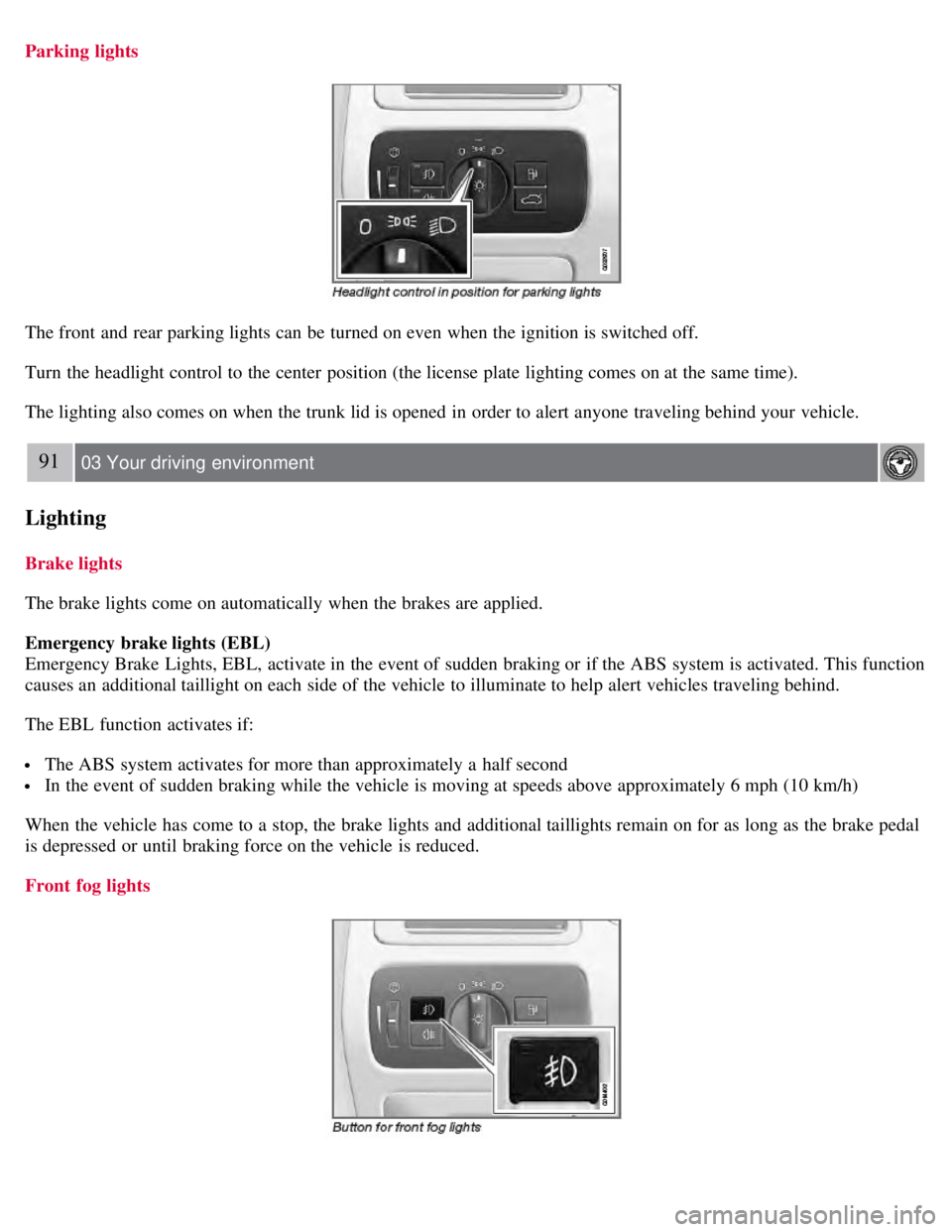
The front and rear parking lights can be turned on even when the ignition is switched off.
Turn the headlight control to the center position (the license plate lighting comes on at the same time).
The lighting also comes on when the trunk lid is opened in order to alert anyone traveling behind your vehicle.
91 03 Your driving environment
Lighting
Brake lights
The brake lights come on automatically when the brakes are applied.
Emergency brake lights (EBL)
Emergency Brake Lights, EBL, activate in the event of sudden braking or if the ABS system is activated. This function
causes an additional taillight on each side of the vehicle to illuminate to help alert vehicles traveling behind.
The EBL function activates if:
The ABS system activates for more than approximately a half second
In the event of sudden braking while the vehicle is moving at speeds above approximately 6 mph (10 km/h)
When the vehicle has come to a stop, the brake lights and additional taillights remain on for as long as the brake pedal
is depressed or until braking force on the vehicle is reduced.
Front fog lights