key VOLVO S80 2008 Owner's Manual
[x] Cancel search | Manufacturer: VOLVO, Model Year: 2008, Model line: S80, Model: VOLVO S80 2008Pages: 275, PDF Size: 7.17 MB
Page 65 of 275
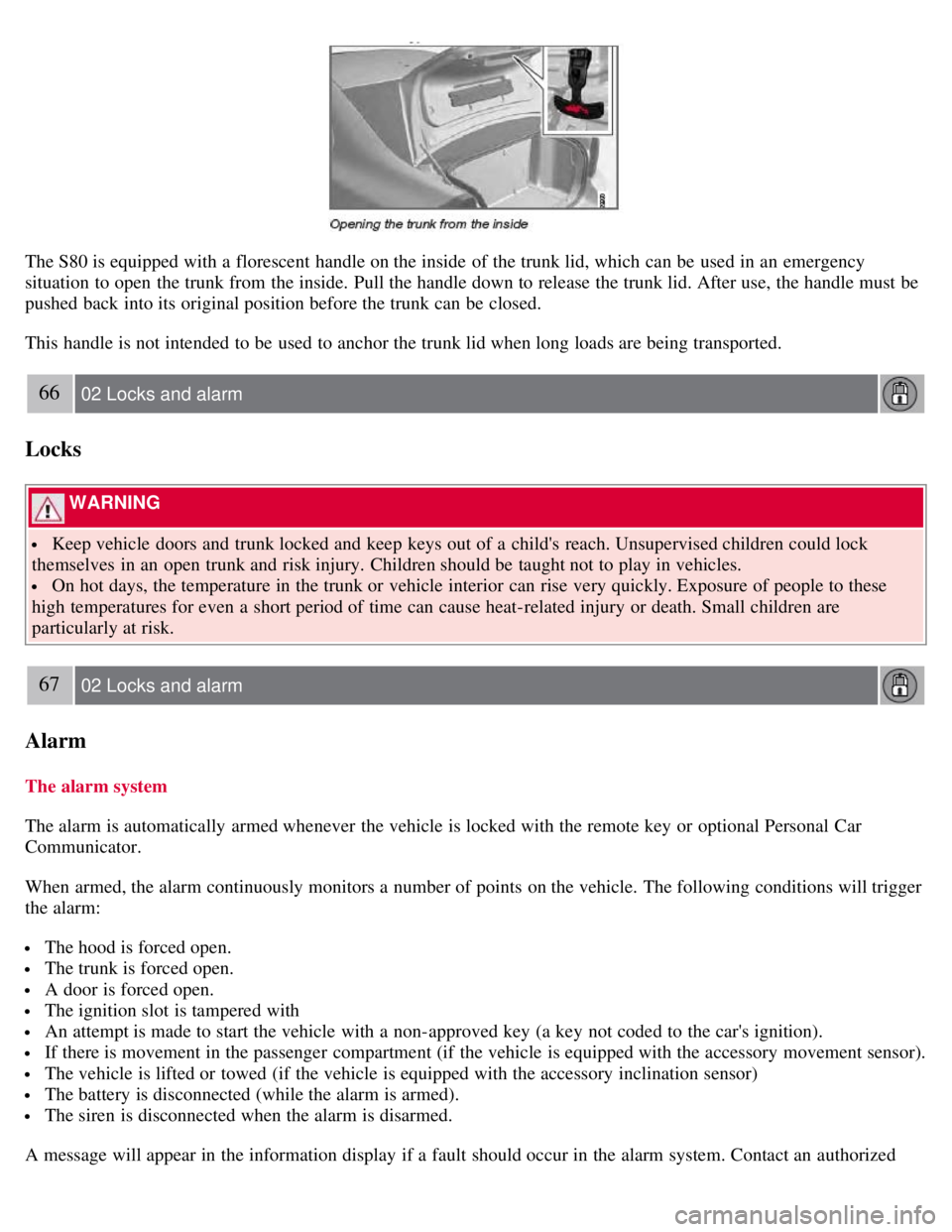
The S80 is equipped with a florescent handle on the inside of the trunk lid, which can be used in an emergency
situation to open the trunk from the inside. Pull the handle down to release the trunk lid. After use, the handle must be
pushed back into its original position before the trunk can be closed.
This handle is not intended to be used to anchor the trunk lid when long loads are being transported.
66 02 Locks and alarm
Locks
WARNING
Keep vehicle doors and trunk locked and keep keys out of a child's reach. Unsupervised children could lock
themselves in an open trunk and risk injury. Children should be taught not to play in vehicles.
On hot days, the temperature in the trunk or vehicle interior can rise very quickly. Exposure of people to these
high temperatures for even a short period of time can cause heat-related injury or death. Small children are
particularly at risk.
67 02 Locks and alarm
Alarm
The alarm system
The alarm is automatically armed whenever the vehicle is locked with the remote key or optional Personal Car
Communicator.
When armed, the alarm continuously monitors a number of points on the vehicle. The following conditions will trigger
the alarm:
The hood is forced open.
The trunk is forced open.
A door is forced open.
The ignition slot is tampered with
An attempt is made to start the vehicle with a non-approved key (a key not coded to the car's ignition).
If there is movement in the passenger compartment (if the vehicle is equipped with the accessory movement sensor).
The vehicle is lifted or towed (if the vehicle is equipped with the accessory inclination sensor)
The battery is disconnected (while the alarm is armed).
The siren is disconnected when the alarm is disarmed.
A message will appear in the information display if a fault should occur in the alarm system. Contact an authorized
Page 66 of 275

Volvo service technician.
NOTE
Do not attempt to repair any of the components in the alarm system yourself. This could affect the insurance policy
on the vehicle.
The alarm indicator light
The status of the alarm system is indicated by the indicator light on the dashboard (see illustration):
Indicator light off - the alarm is not armed
The indicator light flashes at one -second intervals - the alarm is armed
The indicator light flashes rapidly before the remote key is inserted in the ignition slot - the alarm has been
triggered.
Arming the alarm
Press the Lock button on the remote key. One long flash of the turn signals will confirm that the alarm is armed.
Alarm confirmation settings can be changed under Car settings
Lock settings Keyless entry . See page 123 for a
description of the menu system.
USA FCC ID: MAYDA 5823(3)
This device complies with part 15 of the FCC rules. Operation is subject to the following conditions: (1) This device
may not cause harmful interference, and (2) this device must accept any interference received, including interference
that may cause undesired operation.
Canada IC: 4405A-DA 5823(3)
Movement sensor DA5823 by Dynex Operation is subject to the following conditions: (1) this device may not cause
interference, and (2) this device must accept any interference, including interference that may cause undesired
operation of the device.
68 02 Locks and alarm
Alarm
Disarming the alarm
Page 67 of 275
Press the Unlock button on the remote key. Two short flashes from the car's direction indicators confirm that the alarm
has been deactivated and that all doors are unlocked.
Turning off (stopping) the alarm
If the alarm is sounding, it can be stopped by pressing the Unlock button on the remote control or by inserting the
remote key in the ignition slot. Two short flashes from the car's direction indicators confirm that the alarm has been
turned off.
Other alarm-related functions
Automatic re-arming
If the doors are unlocked, the locks will automatically reengage (re-lock) and the alarm will re-arm after 2 minutes
unless a door or the trunk has been opened.
Audible/visual alarm signal
An audible alarm signal is given by a battery powered siren. The alarm cycle lasts for 30 seconds.
The visual alarm signal is given by flashing all turn signals for approximately 5 minutes or until the alarm is turned
off.
Remote key not functioning
If the remote key is not functioning properly, the alarm can be turned off and the vehicle can be started as follows:
1. Open the driver's door with the key blade. This will trigger the alarm.
2. Insert the remote key into the ignition slot. This will turn off the alarm.
69 02 Locks and alarm
Alarm
Reduced alarm function
Turning off the accessory alarm sensor(s)
In certain situations it may be desirable to turn off the accessory inclination and movement alarm sensors if, for
example, you drive your vehicle onto a ferry where the rocking of the boat could trigger the alarm or if a pet is left in
the vehicle with the doors locked.
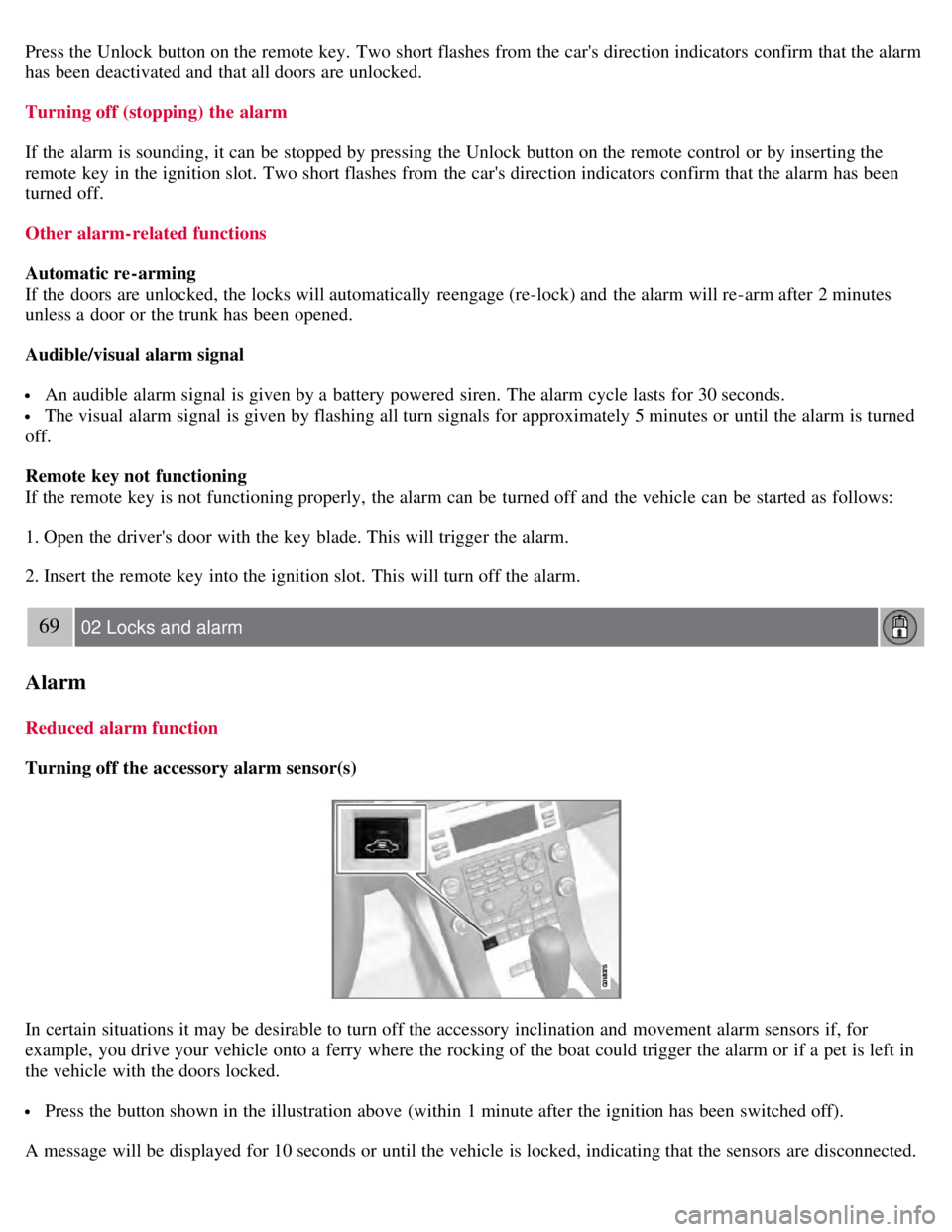
Press the button shown in the illustration above (within 1 minute after the ignition has been switched off).
A message will be displayed for 10 seconds or until the vehicle is locked, indicating that the sensors are disconnected.
Page 77 of 275
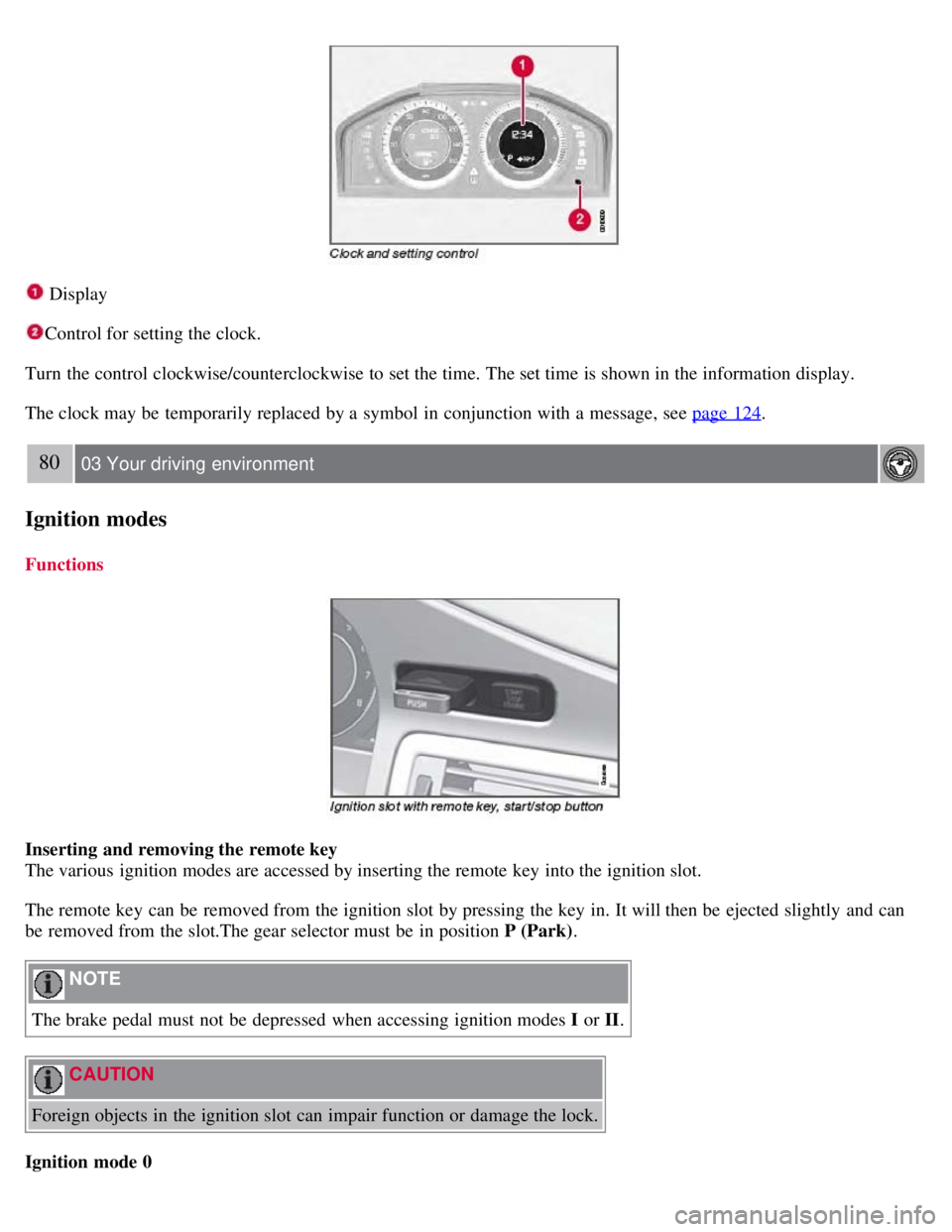
Display
Control for setting the clock.
Turn the control clockwise/counterclockwise to set the time. The set time is shown in the information display.
The clock may be temporarily replaced by a symbol in conjunction with a message, see page 124
.
80 03 Your driving environment
Ignition modes
Functions
Inserting and removing the remote key
The various ignition modes are accessed by inserting the remote key into the ignition slot.
The remote key can be removed from the ignition slot by pressing the key in. It will then be ejected slightly and can
be removed from the slot.The gear selector must be in position P (Park) .
NOTE
The brake pedal must not be depressed when accessing ignition modes I or II.
CAUTION
Foreign objects in the ignition slot can impair function or damage the lock.
Ignition mode 0
Page 78 of 275
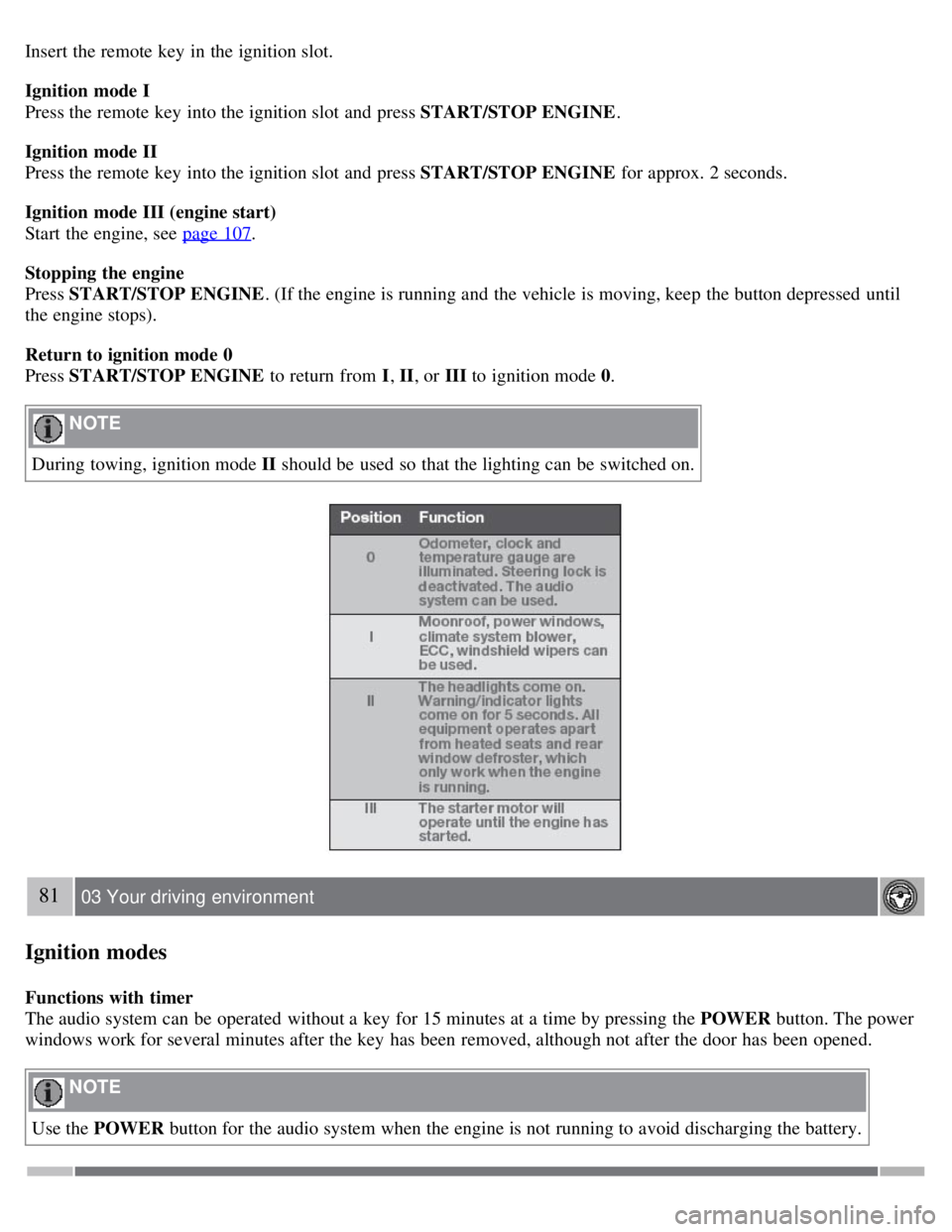
Insert the remote key in the ignition slot.
Ignition mode I
Press the remote key into the ignition slot and press START/STOP ENGINE.
Ignition mode II
Press the remote key into the ignition slot and press START/STOP ENGINE for approx. 2 seconds.
Ignition mode III (engine start)
Start the engine, see page 107
.
Stopping the engine
Press START/STOP ENGINE . (If the engine is running and the vehicle is moving, keep the button depressed until
the engine stops).
Return to ignition mode 0
Press START/STOP ENGINE to return from I, II, or III to ignition mode 0.
NOTE
During towing, ignition mode II should be used so that the lighting can be switched on.
81 03 Your driving environment
Ignition modes
Functions with timer
The audio system can be operated without a key for 15 minutes at a time by pressing the POWER button. The power
windows work for several minutes after the key has been removed, although not after the door has been opened.
NOTE
Use the POWER button for the audio system when the engine is not running to avoid discharging the battery.
Page 80 of 275
Adjust the backrest to an upright position.
Lift the catches on the rear of the backrest.
Without releasing the catches, push the backrest forward.
Move the seat as far forward as possible so that the head restraint slides under the glove compartment.
WARNING
Cover sharp edges on the load to help prevent injury to occupants. Secure the load to help prevent shifting during
sudden stops.
83 03 Your driving environment
Seats
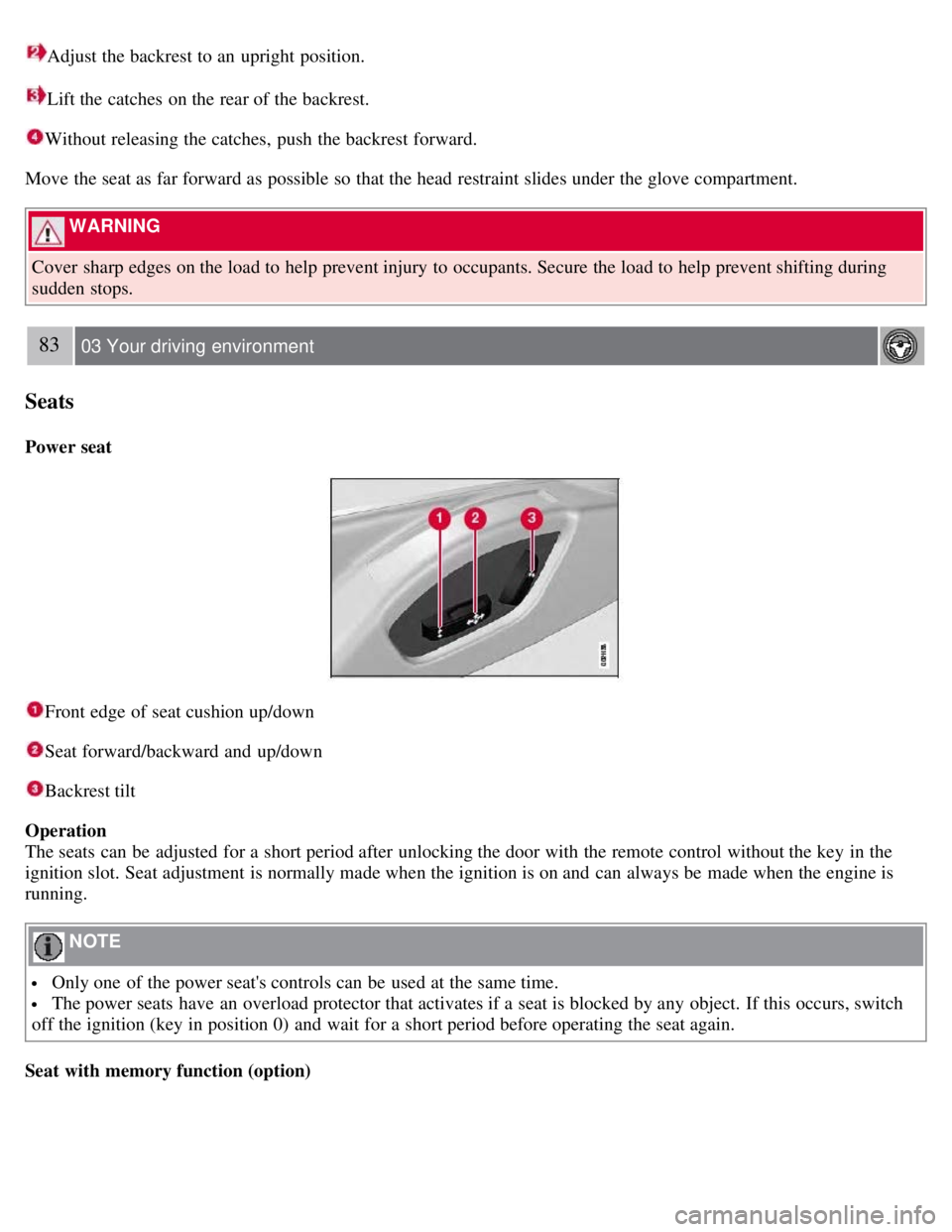
Power seat
Front edge of seat cushion up/down
Seat forward/backward and up/down
Backrest tilt
Operation
The seats can be adjusted for a short period after unlocking the door with the remote control without the key in the
ignition slot. Seat adjustment is normally made when the ignition is on and can always be made when the engine is
running.
NOTE
Only one of the power seat's controls can be used at the same time.
The power seats have an overload protector that activates if a seat is blocked by any object. If this occurs, switch
off the ignition (key in position 0) and wait for a short period before operating the seat again.
Seat with memory function (option)
Page 81 of 275
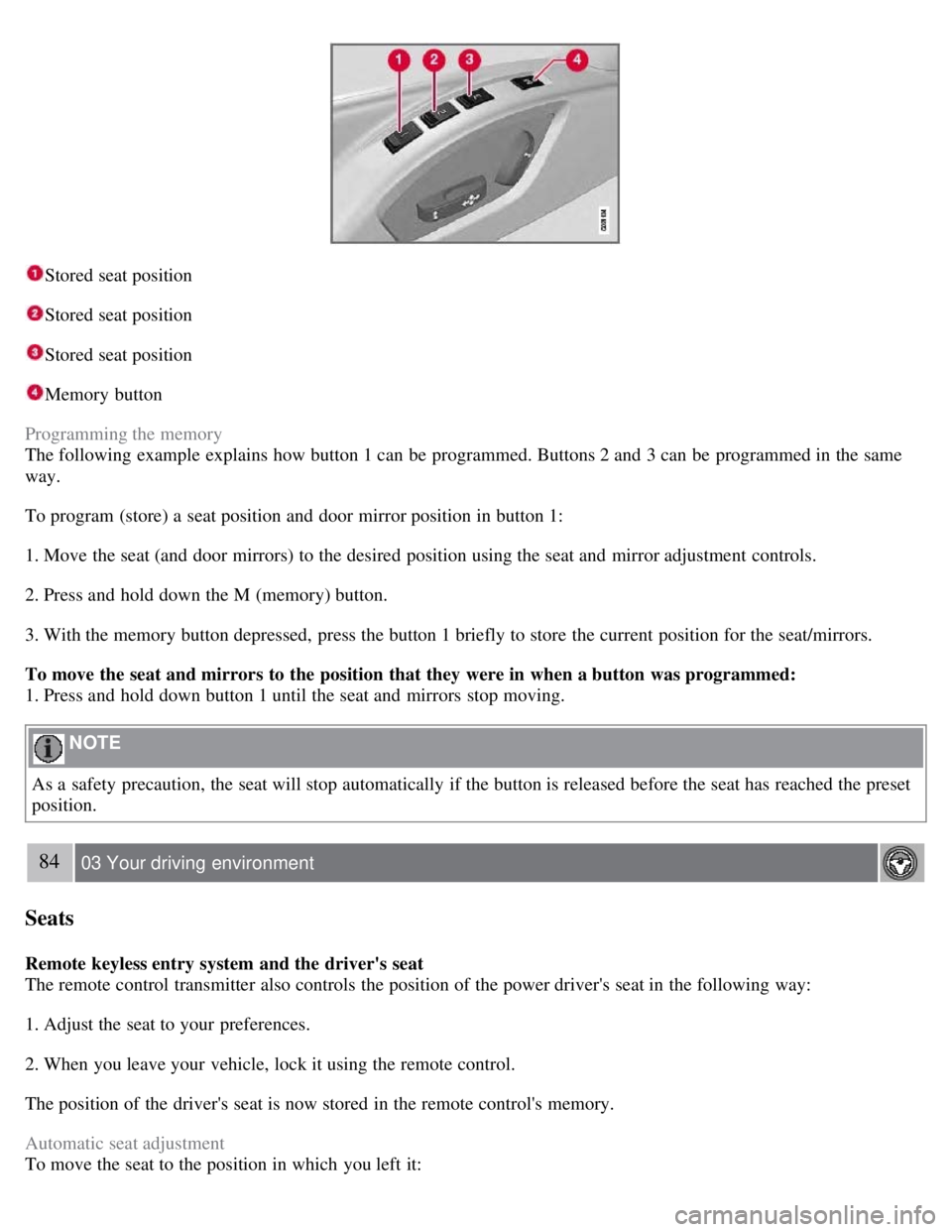
Stored seat position
Stored seat position
Stored seat position
Memory button
Programming the memory
The following example explains how button 1 can be programmed. Buttons 2 and 3 can be programmed in the same
way.
To program (store) a seat position and door mirror position in button 1:
1. Move the seat (and door mirrors) to the desired position using the seat and mirror adjustment controls.
2. Press and hold down the M (memory) button.
3. With the memory button depressed, press the button 1 briefly to store the current position for the seat/mirrors.
To move the seat and mirrors to the position that they were in when a button was programmed:
1. Press and hold down button 1 until the seat and mirrors stop moving.
NOTE
As a safety precaution, the seat will stop automatically if the button is released before the seat has reached the preset
position.
84 03 Your driving environment
Seats
Remote keyless entry system and the driver's seat
The remote control transmitter also controls the position of the power driver's seat in the following way:
1. Adjust the seat to your preferences.
2. When you leave your vehicle, lock it using the remote control.
The position of the driver's seat is now stored in the remote control's memory.
Automatic seat adjustment
To move the seat to the position in which you left it:
Page 82 of 275
1. Unlock the driver's door with the same remote control (the one used to lock the doors)
2. Open the driver's door within 2 minutes.
The driver's seat will automatically move to the position in which you left it.
NOTE
The key memory is independent of the seat memory.
The seat will Move to this position even if someone else has moved it to a different seating position and locked
the vehicle with a different remote control.
This feature will work in the same way with all of the remote control transmitters that you use with your vehicle.
The function can be activated/deactivated under Car key memory
Seat & mirror positions . For a description of the
menu system, see the information beginning on page 123
.
Emergency stop
If the seat accidentally begins to move, press one of the buttons to stop the seat.
WARNING
Because the driver's seat can be adjusted with the ignition off, children should never be left unattended in the
vehicle.
Movement of the seat can be STOPPED at any time by pressing any button on the power seat control panel.
Do not adjust the seat while driving. The seat should be adjusted so that the brake pedal can be depressed fully. In
addition, position the seat as far rearward as comfort and control allow.
The seat rails on the floor must not be obstructed in any way when the seat is in motion.
Heated/ventilated seats (option)
See page 129
.
85 03 Your driving environment
Seats
Rear seats
Folding down the rear seat backrests
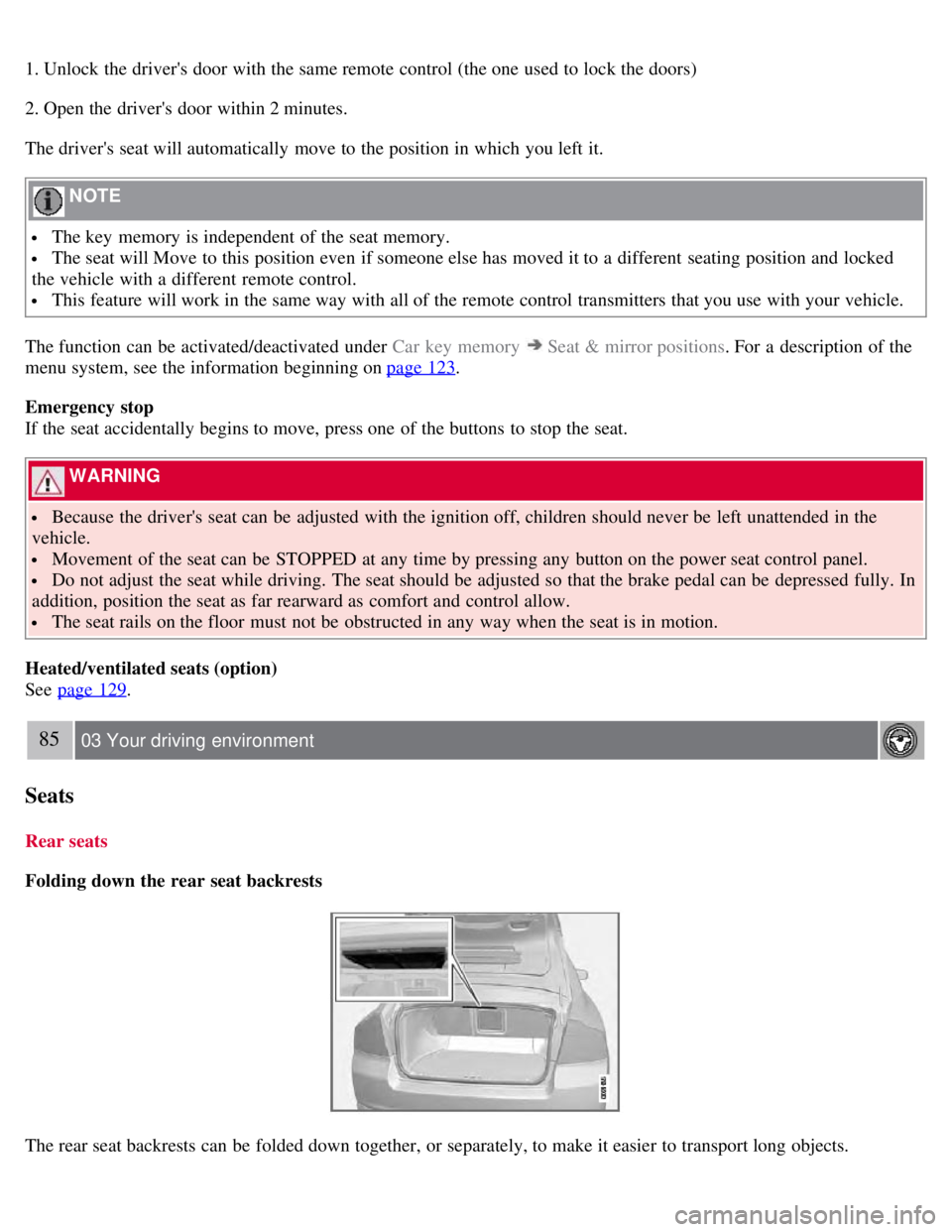
The rear seat backrests can be folded down together, or separately, to make it easier to transport long objects.
Page 83 of 275
1. Pull the release control handle(s).
2. Fold the backrest forward. Adjust the center seat head restraint if necessary.
NOTE
The outboard head restraints must be folded up (in the upright position) before lowering the backrests.
WARNING
Keep vehicle doors and the trunk locked and keep keys out of a child's reach. Unsupervised children could lock
themselves in an open trunk and risk injury. Children should be taught not to play in vehicles.
On hot days, the temperature in the trunk or vehicle interior can rise very quickly. Exposure of people to these
high temperatures for even a short period of time can cause heat-related injury or death. Small children are
particularly at risk.
WARNING
When the backrest is returned to the upright position, check that it is properly locked in place. Return the head
restraints to the upright position.
Long loads should always be securely anchored to help avoid injury in the event of a sudden stop.
Always turn the engine off and apply the parking brake when loading/unloading the vehicle.
Place the transmission in the Park ( P) position to help prevent inadvertent movement of the gear selector.
The vehicle features a 60/40 split fold-down rear seat. The backrest(s) can be folded down by pulling the release
control handles inside the trunk.
Rear center head restraint
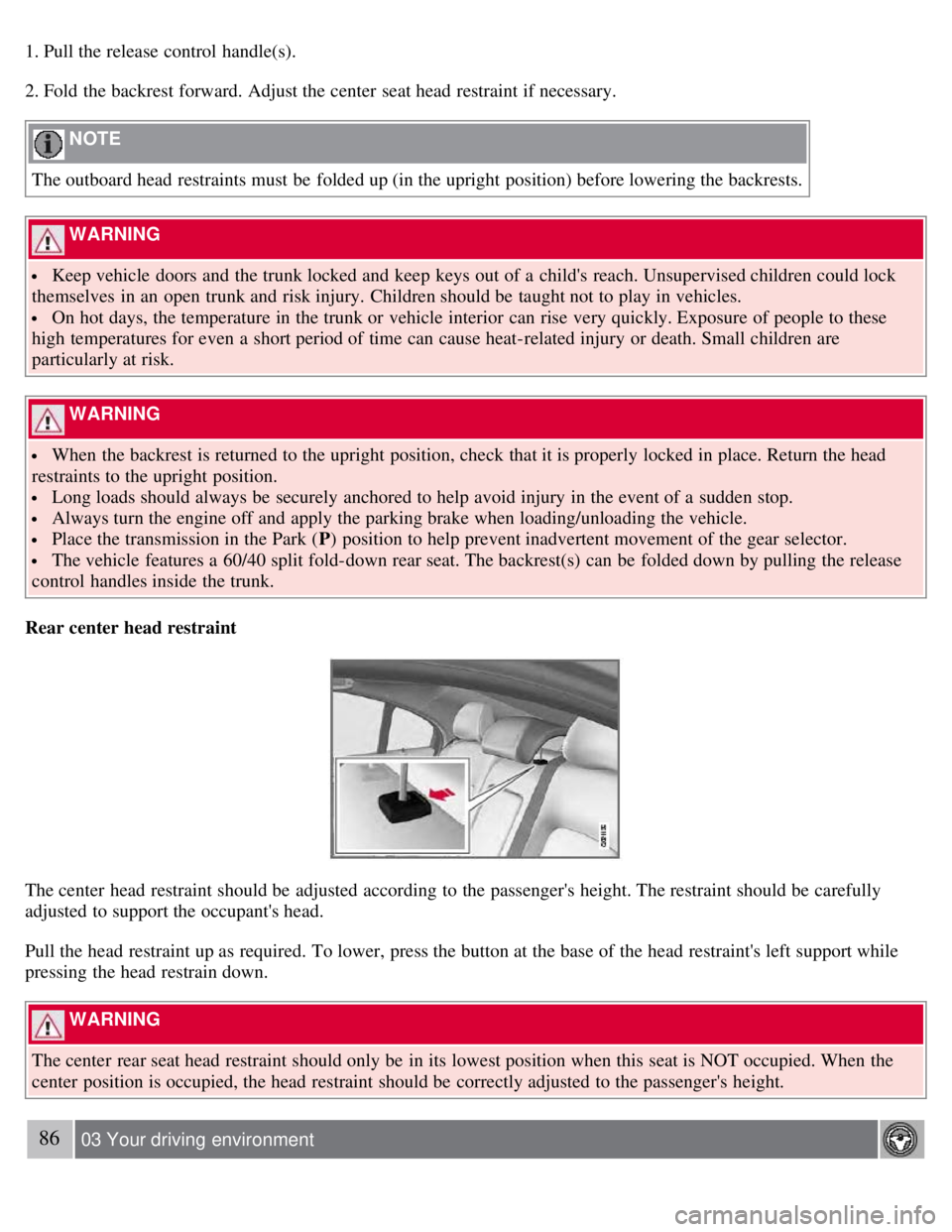
The center head restraint should be adjusted according to the passenger's height. The restraint should be carefully
adjusted to support the occupant's head.
Pull the head restraint up as required. To lower, press the button at the base of the head restraint's left support while
pressing the head restrain down.
WARNING
The center rear seat head restraint should only be in its lowest position when this seat is NOT occupied. When the
center position is occupied, the head restraint should be correctly adjusted to the passenger's height.
86 03 Your driving environment
Page 85 of 275
1. Pull the lever toward you to release the steering wheel.
2. Adjust the steering wheel to the position that suits you.
3. Push back the lever to fix the steering wheel in place. If the lever is difficult to push into place, press the steering
wheel lightly at the same time as you push the lever.
WARNING
Never adjust the steering wheel while driving.
With speed-dependent power steering (option) the level of steering force can be adjusted, see page 153
.
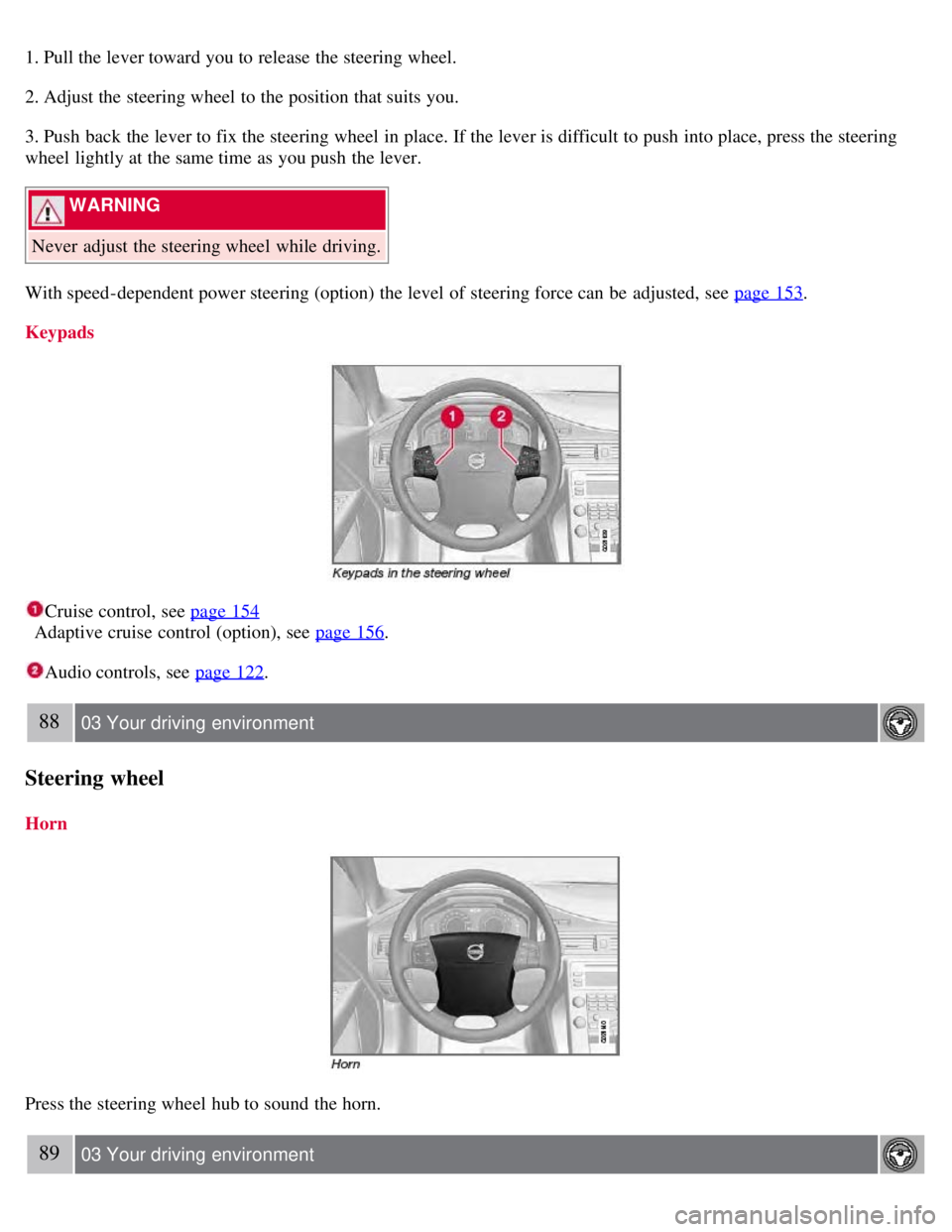
Keypads
Cruise control, see page 154
Adaptive cruise control (option), see page 156
.
Audio controls, see page 122.
88 03 Your driving environment
Steering wheel
Horn
Press the steering wheel hub to sound the horn.
89 03 Your driving environment