wheel VOLVO S80 2008 Owner's Manual
[x] Cancel search | Manufacturer: VOLVO, Model Year: 2008, Model line: S80, Model: VOLVO S80 2008Pages: 275, PDF Size: 7.17 MB
Page 114 of 275
A faint sound from the parking brake's electric motor can be heard when the parking brake is being applied. This
sound can also be heard during the automatic function check of the parking brake.
The brake pedal will move slightly when the electric parking brake is applied or released.
Low battery voltage
If the battery voltage is too low, the parking brake cannot be applied or released. Connect an auxiliary battery if the
battery voltage is too low, see page 109
.
1The electric parking brake is available as an option on certain models.
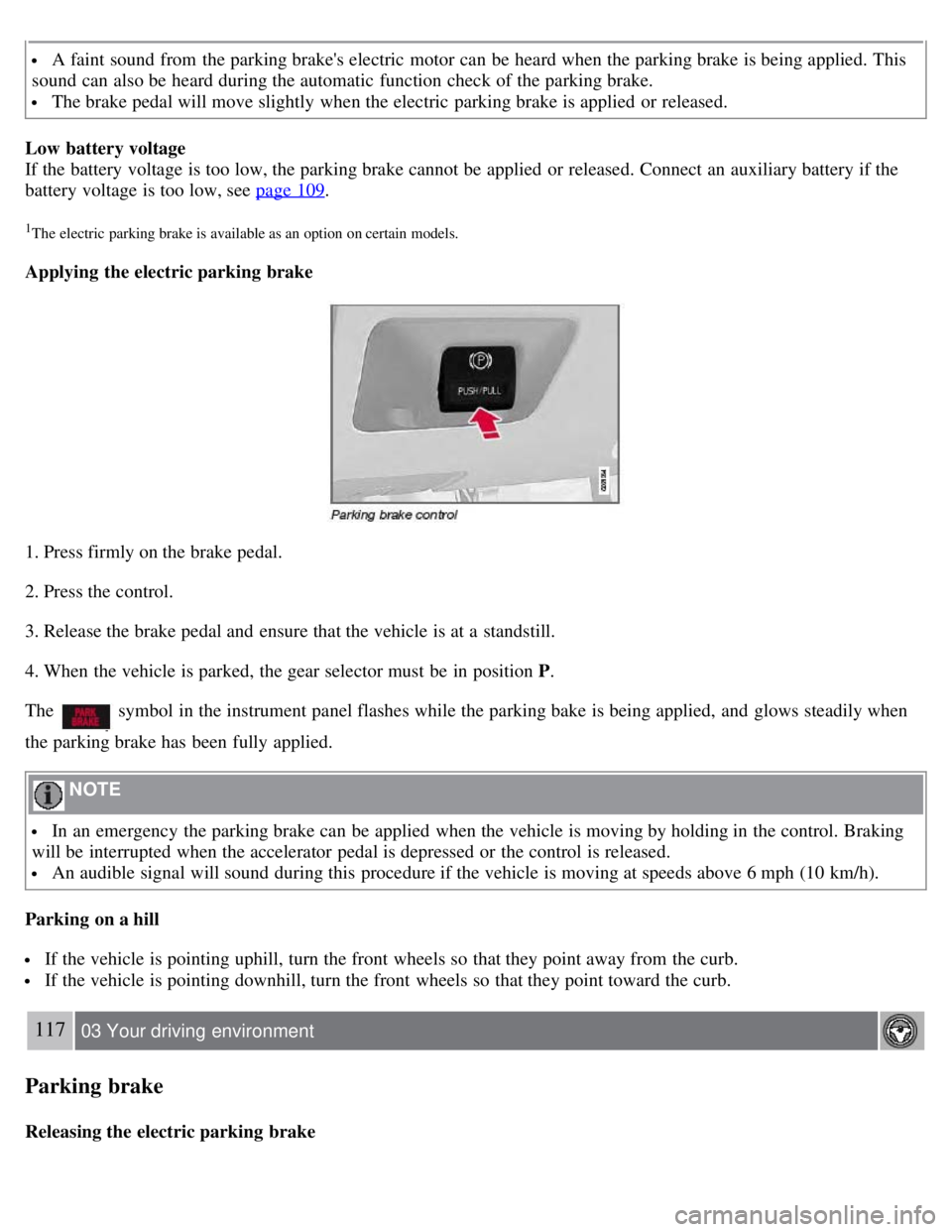
Applying the electric parking brake
1. Press firmly on the brake pedal.
2. Press the control.
3. Release the brake pedal and ensure that the vehicle is at a standstill.
4. When the vehicle is parked, the gear selector must be in position P .
The
symbol in the instrument panel flashes while the parking bake is being applied, and glows steadily when
the parking brake has been fully applied.
NOTE
In an emergency the parking brake can be applied when the vehicle is moving by holding in the control. Braking
will be interrupted when the accelerator pedal is depressed or the control is released.
An audible signal will sound during this procedure if the vehicle is moving at speeds above 6 mph (10 km/h).
Parking on a hill
If the vehicle is pointing uphill, turn the front wheels so that they point away from the curb.
If the vehicle is pointing downhill, turn the front wheels so that they point toward the curb.
117 03 Your driving environment
Parking brake
Releasing the electric parking brake
Page 116 of 275
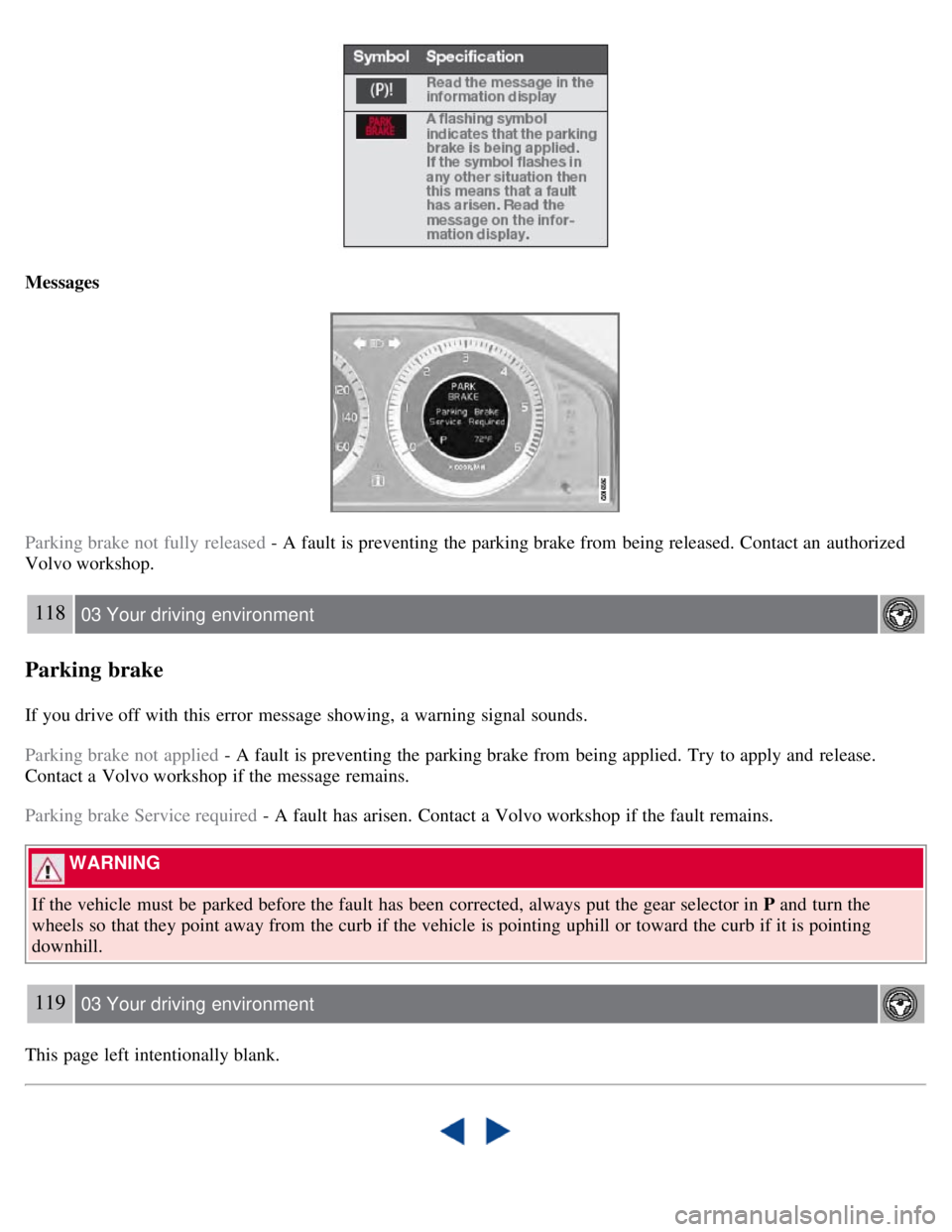
Messages
Parking brake not fully released - A fault is preventing the parking brake from being released. Contact an authorized
Volvo workshop.
118 03 Your driving environment
Parking brake
If you drive off with this error message showing, a warning signal sounds.
Parking brake not applied - A fault is preventing the parking brake from being applied. Try to apply and release.
Contact a Volvo workshop if the message remains.
Parking brake Service required - A fault has arisen. Contact a Volvo workshop if the fault remains.
WARNING
If the vehicle must be parked before the fault has been corrected, always put the gear selector in P and turn the
wheels so that they point away from the curb if the vehicle is pointing uphill or toward the curb if it is pointing
downhill.
119 03 Your driving environment
This page left intentionally blank.
Page 118 of 275
2 0 0 8
VOLVO S80
120 04 Comfort and driving pleasure
Menus and messages 122
Climate system126
Audio system134
Trip computer147
Compass149
Stability system151
Active chassis system-Four C153
Cruise control154
Adaptive Cruise Control-ACC156
Distance Alert163
Collision Warning with Auto-brake (option)166
Driver Alert System -option171
Park assist (option)176
Blind Spot Information System (option)179
Passenger compartment convenience183
121 04 Comfort and driving pleasure
122 04 Comfort and driving pleasure
Menus and messages
Center console
Certain functions are controlled from the center console via the menu system or from the optional keypad in the
steering wheel. Each function is described under its respective section.
The current menu level is shown at the top right of display in the center console.
Page 119 of 275
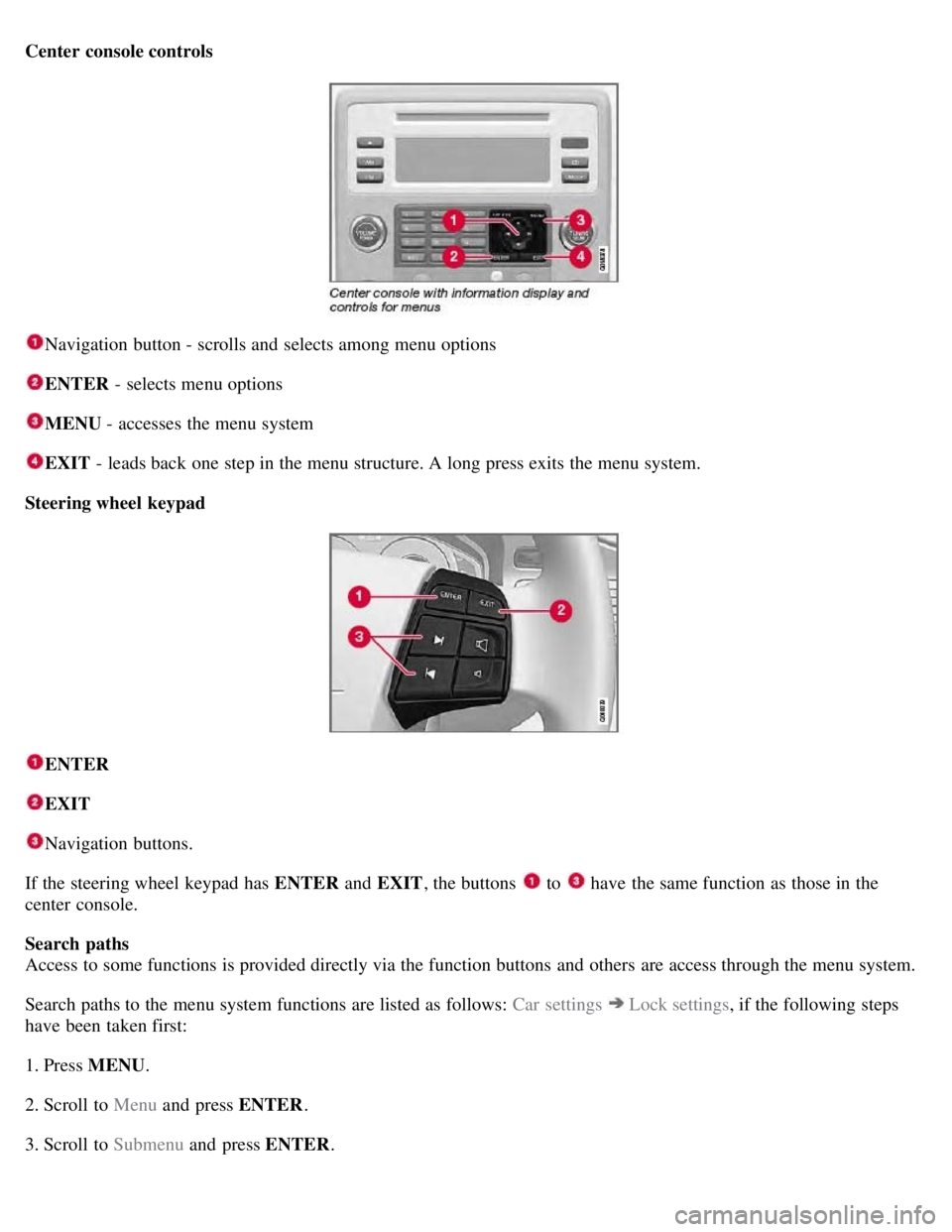
Center console controls
Navigation button - scrolls and selects among menu options
ENTER - selects menu options
MENU - accesses the menu system
EXIT - leads back one step in the menu structure. A long press exits the menu system.
Steering wheel keypad
ENTER
EXIT
Navigation buttons.
If the steering wheel keypad has ENTER and EXIT, the buttons
to have the same function as those in the
center console.
Search paths
Access to some functions is provided directly via the function buttons and others are access through the menu system.
Search paths to the menu system functions are listed as follows: Car settings
Lock settings , if the following steps
have been taken first:
1. Press MENU .
2. Scroll to Menu and press ENTER .
3. Scroll to Submenu and press ENTER.
Page 122 of 275
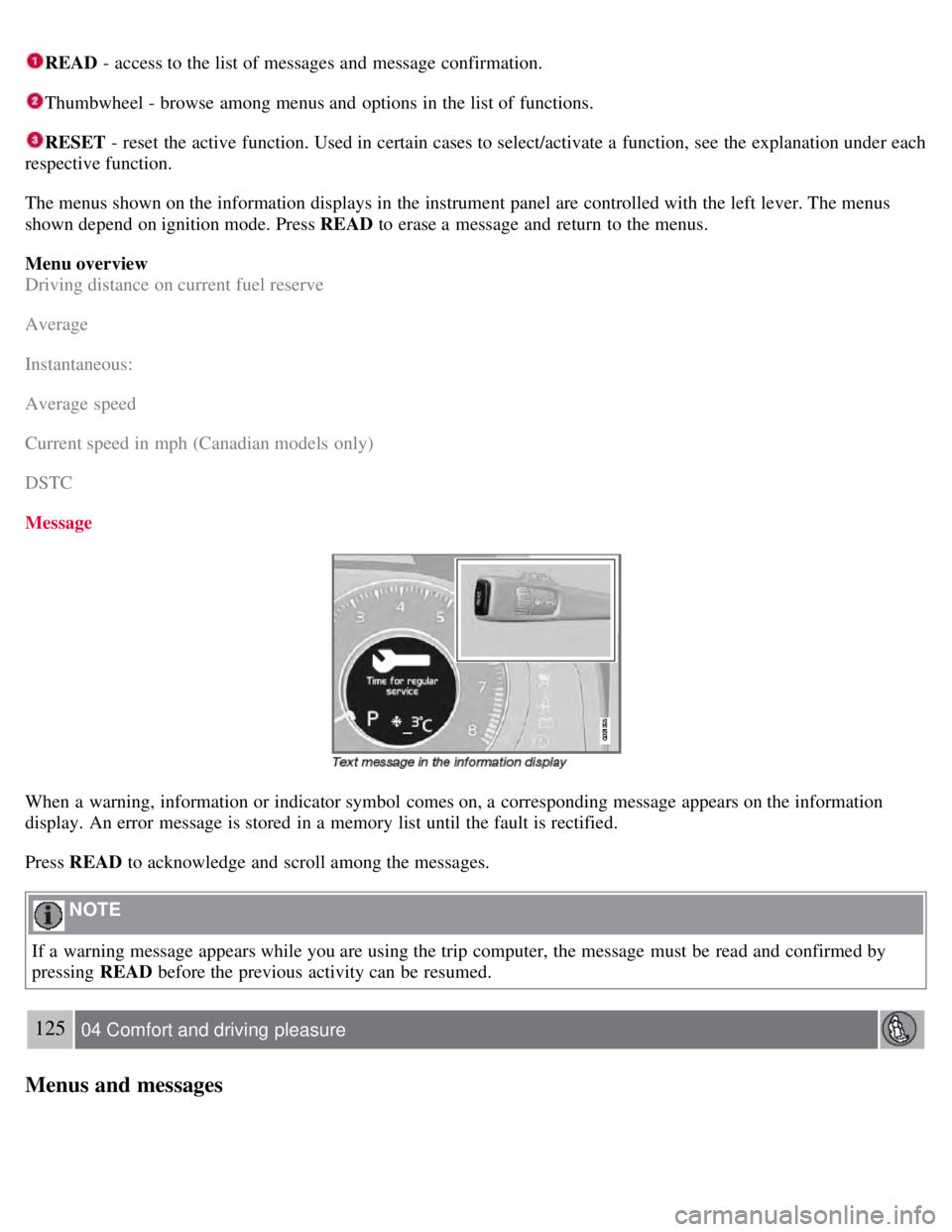
READ - access to the list of messages and message confirmation.
Thumbwheel - browse among menus and options in the list of functions.
RESET - reset the active function. Used in certain cases to select/activate a function, see the explanation under each
respective function.
The menus shown on the information displays in the instrument panel are controlled with the left lever. The menus
shown depend on ignition mode. Press READ to erase a message and return to the menus.
Menu overview
Driving distance on current fuel reserve
Average
Instantaneous:
Average speed
Current speed in mph (Canadian models only)
DSTC
Message
When a warning, information or indicator symbol comes on, a corresponding message appears on the information
display. An error message is stored in a memory list until the fault is rectified.
Press READ to acknowledge and scroll among the messages.
NOTE
If a warning message appears while you are using the trip computer, the message must be read and confirmed by
pressing READ before the previous activity can be resumed.
125 04 Comfort and driving pleasure
Menus and messages
Page 132 of 275
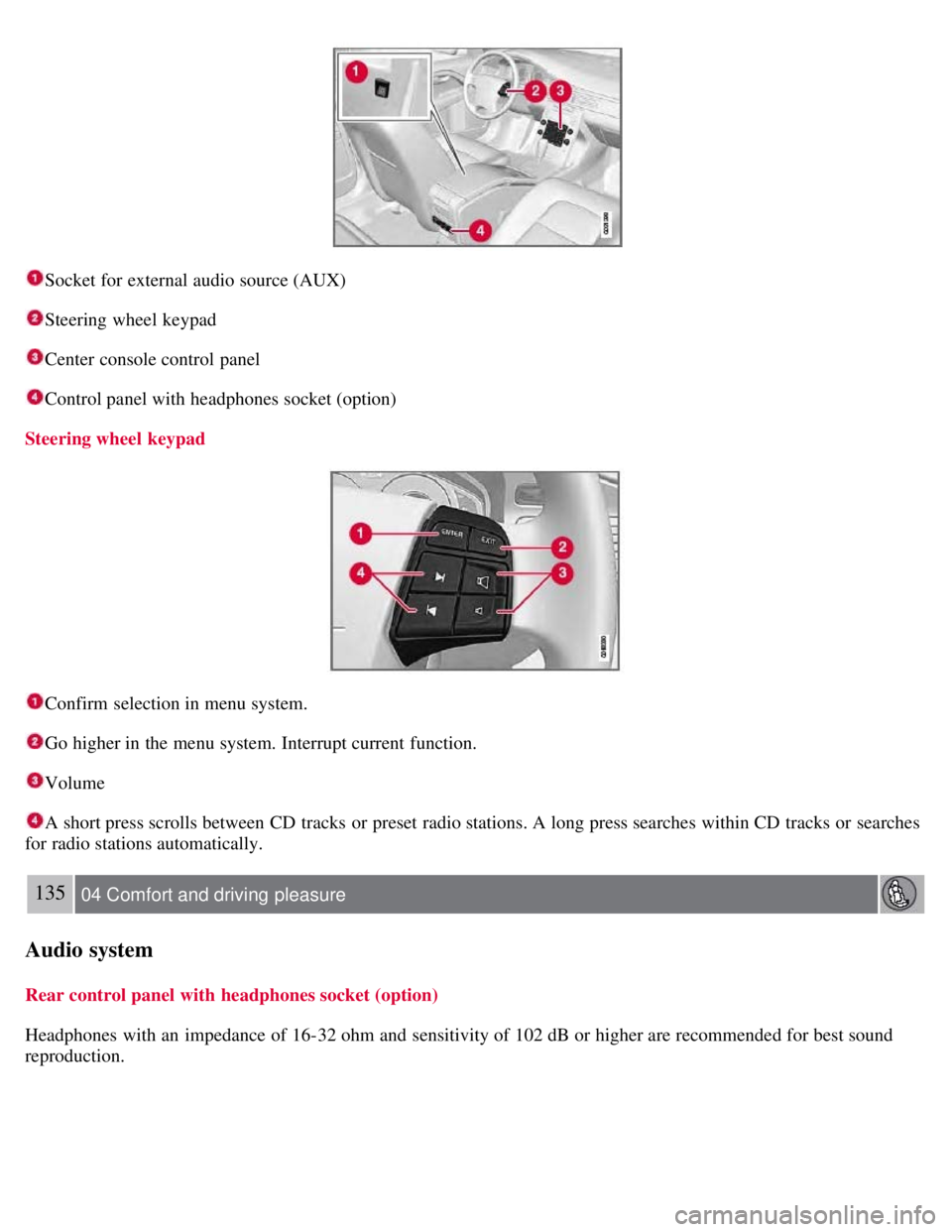
Socket for external audio source (AUX)
Steering wheel keypad
Center console control panel
Control panel with headphones socket (option)
Steering wheel keypad
Confirm selection in menu system.
Go higher in the menu system. Interrupt current function.
Volume
A short press scrolls between CD tracks or preset radio stations. A long press searches within CD tracks or searches
for radio stations automatically.
135 04 Comfort and driving pleasure
Audio system
Rear control panel with headphones socket (option)
Headphones with an impedance of 16-32 ohm and sensitivity of 102 dB or higher are recommended for best sound
reproduction.
Page 138 of 275
Fast-forward/change CD tracks and sound files
Short presses
/ on the navigation button are used to scroll between CD tracks/sound files. Long presses are used
to search within CD tracks/sound files. TUNING (or the steering wheel keypad) can also be used for this purpose.
Scan CD
This function plays the first ten seconds of each CD track/sound file. Press SCAN to activate. Interrupt with EXIT or
SCAN to continue playing the current CD track/sound file.
Random
This function plays the tracks in random order (shuffle). The random CD tracks/sound files can be scrolled through in
the normal way.
NOTE
It is only possible to scroll between random CD tracks on the current disc.
Different messages are displayed depending on which random function has been selected:
RANDOM means that the tracks from only one music CD are played
RND ALL means that all tracks on all music CDs in the optional CD changer are played.
RANDOM FOLDER means that the sound files in a directory on the current CD are played.
CD player
If a normal music CD is being played, activate/deactivate under Random .
If a disc with sound files is being played, activate/deactivate under Random
Folder .
140 04 Comfort and driving pleasure
Audio system
CD changer
If a normal music CD is being played under Random
Single disc or Random All discs. The option All discs only
applies to the music CDs in the changer.
If a CD with sound files is being played, activate/deactivate instead under Random
Folder . If you select another CD
the function is deactivated.
Disc text
If title information is stored on a music CD it can be shown on the display
1. Activate/deactivate in CD mode under CD
settings
Disc text.
1Only applies to the CD changer.
141 04 Comfort and driving pleasure
Audio system
Radio functions
Page 145 of 275
If you have forgotten the access code:
1. Select SIRIUS ID in the Sirius settings menu and press ENTER .
2. Press and hold the ENTER button for 2 seconds.
3. The current code will be displayed.
Your Volvo retailer can also provide you with assistance.
SIRIUS ID
This function displays the 12-digit Sirius activation ID.
147 04 Comfort and driving pleasure
Trip computer
Introduction
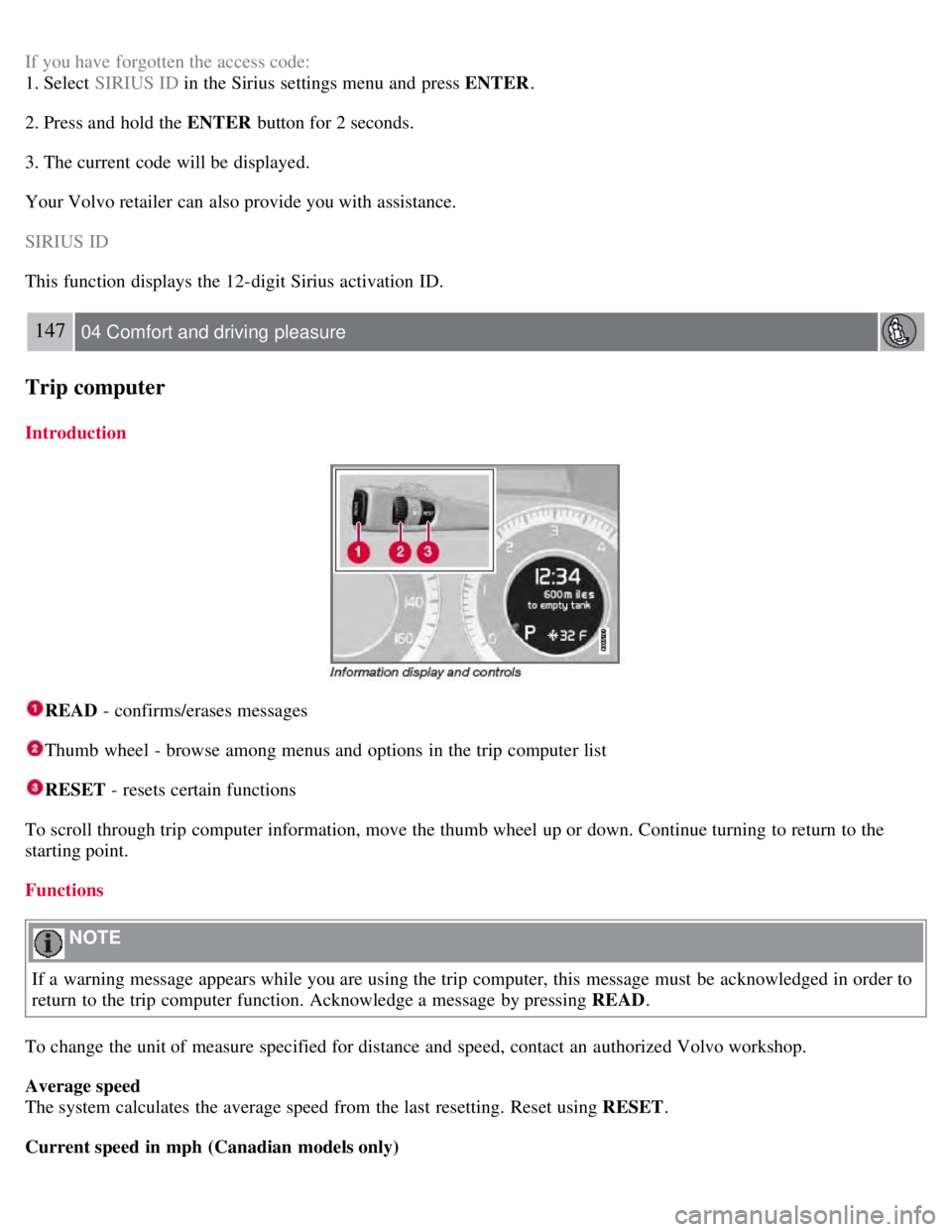
READ - confirms/erases messages
Thumb wheel - browse among menus and options in the trip computer list
RESET - resets certain functions
To scroll through trip computer information, move the thumb wheel up or down. Continue turning to return to the
starting point.
Functions
NOTE
If a warning message appears while you are using the trip computer, this message must be acknowledged in order to
return to the trip computer function. Acknowledge a message by pressing READ .
To change the unit of measure specified for distance and speed, contact an authorized Volvo workshop.
Average speed
The system calculates the average speed from the last resetting. Reset using RESET .
Current speed in mph (Canadian models only)
Page 148 of 275
150 04 Comfort and driving pleasure
Compass
4. The display will revert to showing the compass direction after several seconds.
151 04 Comfort and driving pleasure
Stability system
Introduction
The Dynamic Stability and Traction Control system (DSTC) consists of a number of functions designed help reduce
wheel spin, counteract skidding, and to generally help improve directional stability.
CAUTION
A pulsating sound will be audible when the system is actively operating and is normal.
Traction control (TC)
This function is designed to help reduce wheel spin by transferring power from a drive wheel that begins to lose
traction to the wheel on the opposite side of the vehicle (on the same axle).
TC is most active at low speeds.
This is one of DSTC's permanent functions and cannot be switched off.
Active Yaw Control (AYC)
This function helps maintain directional stability, for example when cornering, by braking one or more of the wheels if
the vehicle shows a tendency to skid or slide laterally.
This is one of DSTC's permanent functions and cannot be switched off.
Spin control (SC)
The spin control function is designed to help prevent the drive wheels from spinning while the vehicle is accelerating.
Under certain circumstances, such as when driving with snow chains, or driving in deep snow or loose sand, it may be
advisable to temporarily switch off this function for maximum tractive force.
WARNING
The car's handling and stability characteristics will be altered if the spin control function has been disabled.
Operation
Page 149 of 275
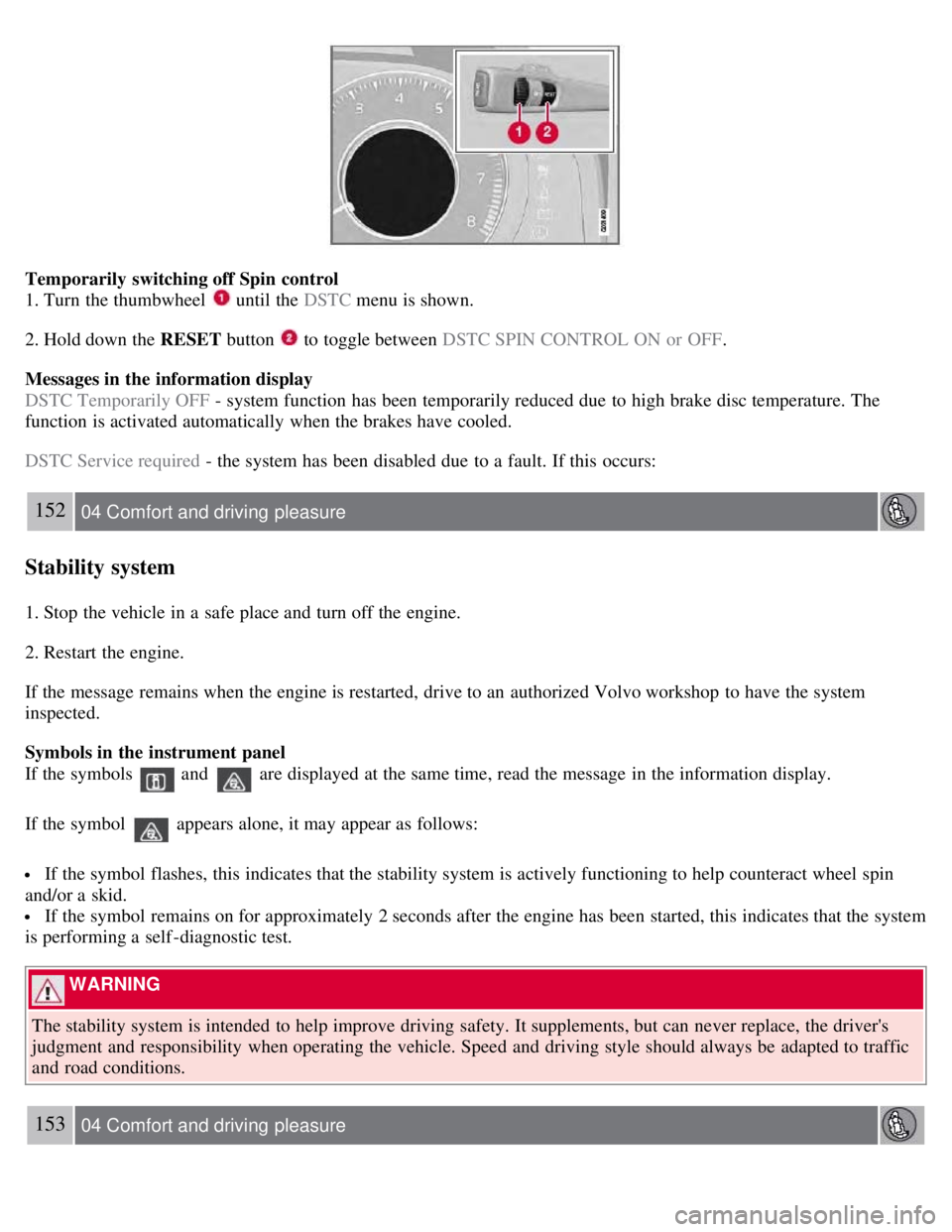
Temporarily switching off Spin control
1. Turn the thumbwheel
until the DSTC menu is shown.
2. Hold down the RESET button
to toggle between DSTC SPIN CONTROL ON or OFF .
Messages in the information display
DSTC Temporarily OFF - system function has been temporarily reduced due to high brake disc temperature. The
function is activated automatically when the brakes have cooled.
DSTC Service required - the system has been disabled due to a fault. If this occurs:
152 04 Comfort and driving pleasure
Stability system
1. Stop the vehicle in a safe place and turn off the engine.
2. Restart the engine.
If the message remains when the engine is restarted, drive to an authorized Volvo workshop to have the system
inspected.
Symbols in the instrument panel
If the symbols
and are displayed at the same time, read the message in the information display.
If the symbol
appears alone, it may appear as follows:
If the symbol flashes, this indicates that the stability system is actively functioning to help counteract wheel spin
and/or a skid.
If the symbol remains on for approximately 2 seconds after the engine has been started, this indicates that the system
is performing a self -diagnostic test.
WARNING
The stability system is intended to help improve driving safety. It supplements, but can never replace, the driver's
judgment and responsibility when operating the vehicle. Speed and driving style should always be adapted to traffic
and road conditions.
153 04 Comfort and driving pleasure