wheel VOLVO S80 2008 Owner's Guide
[x] Cancel search | Manufacturer: VOLVO, Model Year: 2008, Model line: S80, Model: VOLVO S80 2008Pages: 275, PDF Size: 7.17 MB
Page 152 of 275
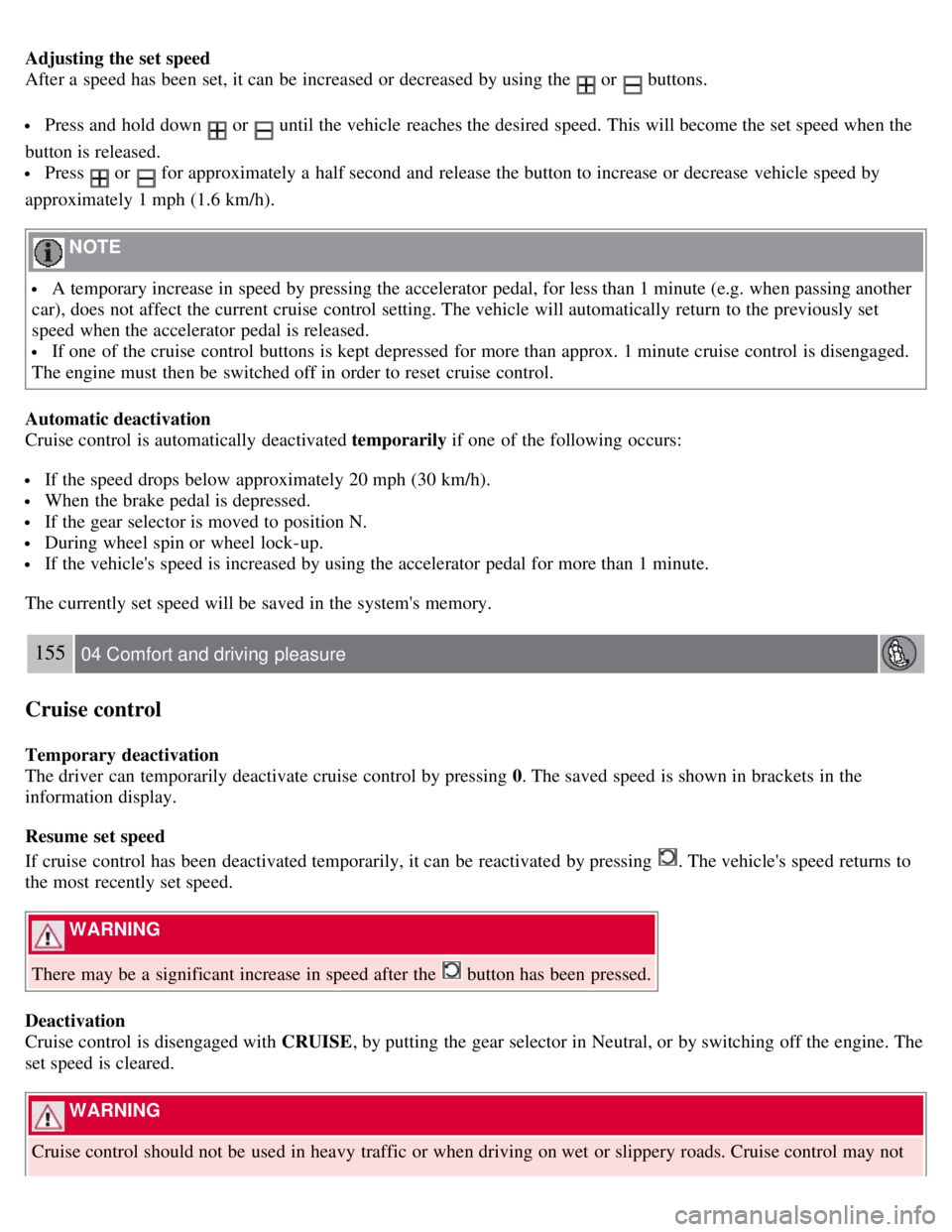
Adjusting the set speed
After a speed has been set, it can be increased or decreased by using the
or buttons.
Press and hold down or until the vehicle reaches the desired speed. This will become the set speed when the
button is released.
Press or for approximately a half second and release the button to increase or decrease vehicle speed by
approximately 1 mph (1.6 km/h).
NOTE
A temporary increase in speed by pressing the accelerator pedal, for less than 1 minute (e.g. when passing another
car), does not affect the current cruise control setting. The vehicle will automatically return to the previously set
speed when the accelerator pedal is released.
If one of the cruise control buttons is kept depressed for more than approx. 1 minute cruise control is disengaged.
The engine must then be switched off in order to reset cruise control.
Automatic deactivation
Cruise control is automatically deactivated temporarily if one of the following occurs:
If the speed drops below approximately 20 mph (30 km/h).
When the brake pedal is depressed.
If the gear selector is moved to position N.
During wheel spin or wheel lock-up.
If the vehicle's speed is increased by using the accelerator pedal for more than 1 minute.
The currently set speed will be saved in the system's memory.
155 04 Comfort and driving pleasure
Cruise control
Temporary deactivation
The driver can temporarily deactivate cruise control by pressing 0. The saved speed is shown in brackets in the
information display.
Resume set speed
If cruise control has been deactivated temporarily, it can be reactivated by pressing
. The vehicle's speed returns to
the most recently set speed.
WARNING
There may be a significant increase in speed after the
button has been pressed.
Deactivation
Cruise control is disengaged with CRUISE , by putting the gear selector in Neutral, or by switching off the engine. The
set speed is cleared.
WARNING
Cruise control should not be used in heavy traffic or when driving on wet or slippery roads. Cruise control may not
Page 157 of 275
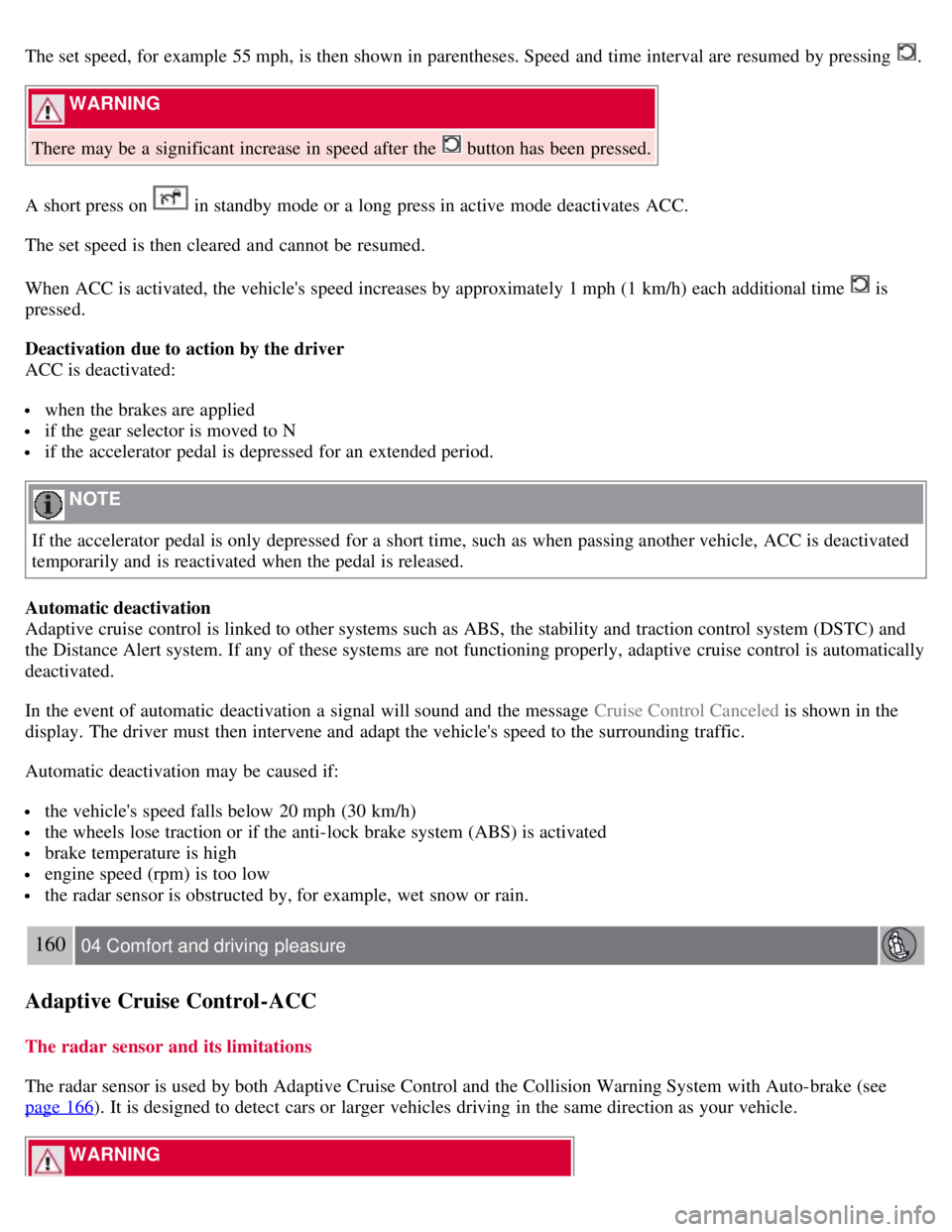
The set speed, for example 55 mph, is then shown in parentheses. Speed and time interval are resumed by pressing .
WARNING
There may be a significant increase in speed after the
button has been pressed.
A short press on
in standby mode or a long press in active mode deactivates ACC.
The set speed is then cleared and cannot be resumed.
When ACC is activated, the vehicle's speed increases by approximately 1 mph (1 km/h) each additional time
is
pressed.
Deactivation due to action by the driver
ACC is deactivated:
when the brakes are applied
if the gear selector is moved to N
if the accelerator pedal is depressed for an extended period.
NOTE
If the accelerator pedal is only depressed for a short time, such as when passing another vehicle, ACC is deactivated
temporarily and is reactivated when the pedal is released.
Automatic deactivation
Adaptive cruise control is linked to other systems such as ABS, the stability and traction control system (DSTC) and
the Distance Alert system. If any of these systems are not functioning properly, adaptive cruise control is automatically
deactivated.
In the event of automatic deactivation a signal will sound and the message Cruise Control Canceled is shown in the
display. The driver must then intervene and adapt the vehicle's speed to the surrounding traffic.
Automatic deactivation may be caused if:
the vehicle's speed falls below 20 mph (30 km/h)
the wheels lose traction or if the anti-lock brake system (ABS) is activated
brake temperature is high
engine speed (rpm) is too low
the radar sensor is obstructed by, for example, wet snow or rain.
160 04 Comfort and driving pleasure
Adaptive Cruise Control-ACC
The radar sensor and its limitations
The radar sensor is used by both Adaptive Cruise Control and the Collision Warning System with Auto-brake (see
page 166
). It is designed to detect cars or larger vehicles driving in the same direction as your vehicle.
WARNING
Page 161 of 275
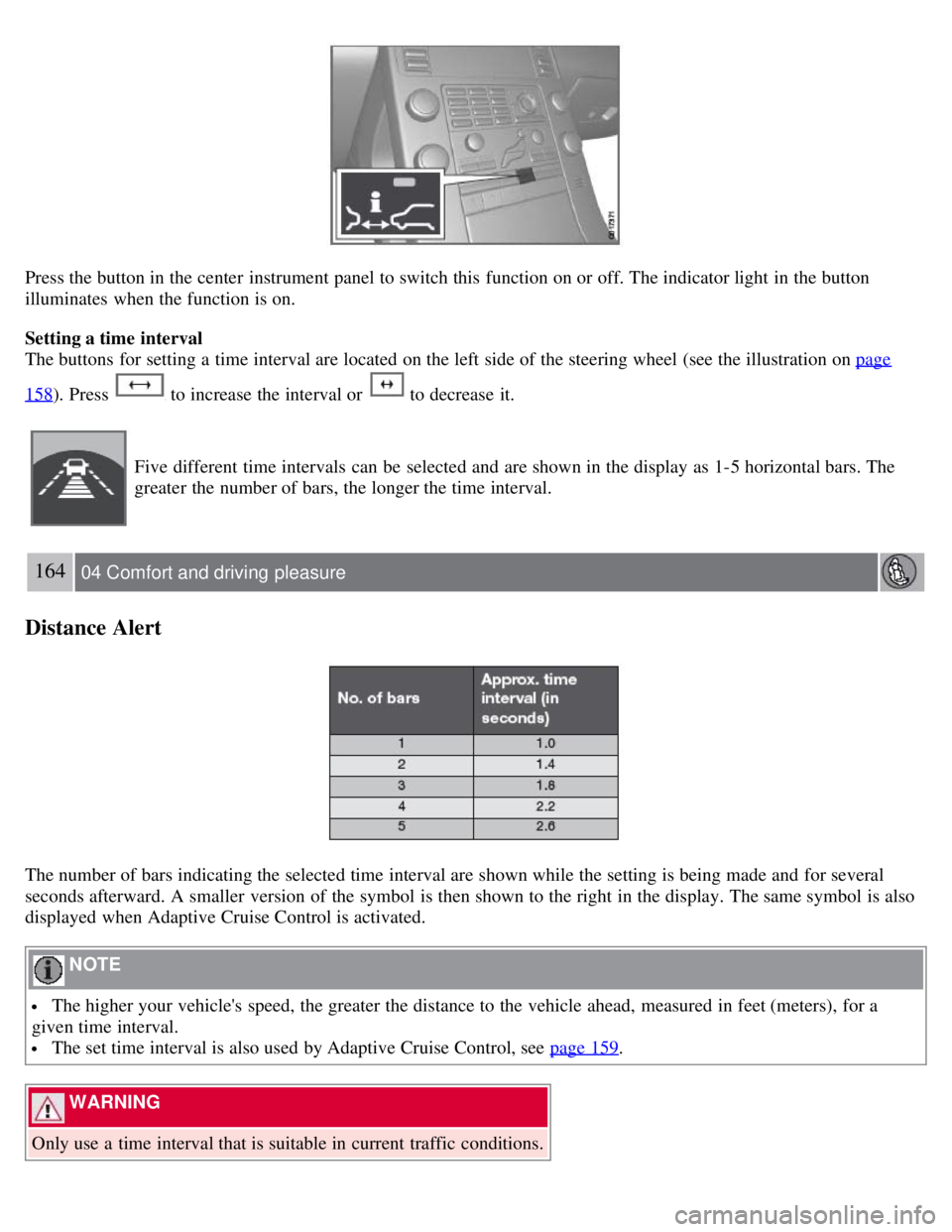
Press the button in the center instrument panel to switch this function on or off. The indicator light in the button
illuminates when the function is on.
Setting a time interval
The buttons for setting a time interval are located on the left side of the steering wheel (see the illustration on page
158). Press to increase the interval or to decrease it.
Five different time intervals can be selected and are shown in the display as 1-5 horizontal bars. The
greater the number of bars, the longer the time interval.
164 04 Comfort and driving pleasure
Distance Alert
The number of bars indicating the selected time interval are shown while the setting is being made and for several
seconds afterward. A smaller version of the symbol is then shown to the right in the display. The same symbol is also
displayed when Adaptive Cruise Control is activated.
NOTE
The higher your vehicle's speed, the greater the distance to the vehicle ahead, measured in feet (meters), for a
given time interval.
The set time interval is also used by Adaptive Cruise Control, see page 159.
WARNING
Only use a time interval that is suitable in current traffic conditions.
Page 165 of 275
Checking settings
The current Collision Warning settings can be checked by going into the menu system at
168 04 Comfort and driving pleasure
Collision Warning with Auto-brake (option)
Car settings Collision warning settings. See page 122 for more information on the menu system.
Limitations
Strong sunlight, reflections, extreme light contrasts, the use of sunglasses, or if the driver is not looking straight ahead
may make the visual warning signal in the windshield difficult to see. For this reason, always activate the audible
warning signal in such conditions.
NOTE
The visual warning signal may be temporarily disengaged in the event of high passenger compartment temperature
due to strong sunlight, etc. If this occurs, the audible warning signal will be used, even if it has been deactivated in
the menu system.
Warnings may not appear if the distance to the vehicle ahead is very small or if steering wheel and pedal movements
are great, for example, due to a very active driving style.
WARNING
In certain situations, the system cannot provide warnings or warning may be delayed if traffic conditions or other
external factors make it impossible for the radar sensor or camera to detect the vehicle ahead.
Warnings may not be provided if the distance to the vehicle ahead is short, or if movements of the steering
wheel/brake pedal are great, such as during active driving.
The sensor system has a limited range for stationary or slow-moving vehicles and may therefore give delayed or
no warnings if your vehicle's speed is above approximately 45 mph (70 km/h).
Warnings for stationary or slow-moving vehicles may not be provided in dark conditions.
The Collision Warning system uses the same radar sensors as Adaptive Cruise Control. For more information on the
radar sensor and its limitations, see page 160
.
If no warning is given, or if a warning is delayed, Auto-brake will also not be provided or will be delayed.
NOTE
If warnings are given too frequently, the warning distance can be reduced (see "Setting a warning distance" on page
167). This causes the system to provide later warnings, which decreases the total number of warnings provided.
The camera's limitations
The camera is used by Collision Warning with Auto-brake, Driver Alert Control (see page 171
), and Lane Departure
Warning (see page 174
).
NOTE
Keep the section of the windshield in front of the camera clean and free of ice, snow, or condensation.
Page 168 of 275
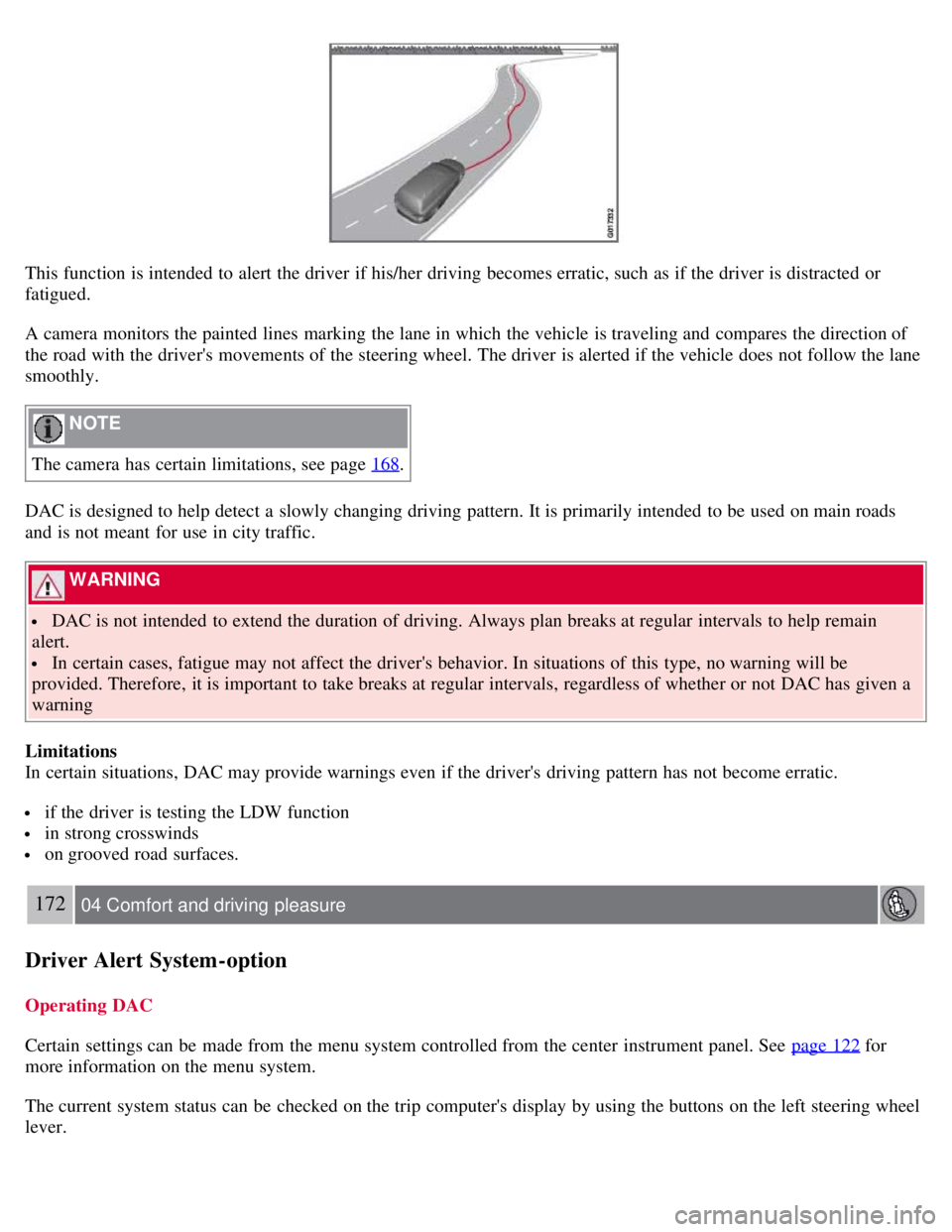
This function is intended to alert the driver if his/her driving becomes erratic, such as if the driver is distracted or
fatigued.
A camera monitors the painted lines marking the lane in which the vehicle is traveling and compares the direction of
the road with the driver's movements of the steering wheel. The driver is alerted if the vehicle does not follow the lane
smoothly.
NOTE
The camera has certain limitations, see page 168
.
DAC is designed to help detect a slowly changing driving pattern. It is primarily intended to be used on main roads
and is not meant for use in city traffic.
WARNING
DAC is not intended to extend the duration of driving. Always plan breaks at regular intervals to help remain
alert.
In certain cases, fatigue may not affect the driver's behavior. In situations of this type, no warning will be
provided. Therefore, it is important to take breaks at regular intervals, regardless of whether or not DAC has given a
warning
Limitations
In certain situations, DAC may provide warnings even if the driver's driving pattern has not become erratic.
if the driver is testing the LDW function
in strong crosswinds
on grooved road surfaces.
172 04 Comfort and driving pleasure
Driver Alert System -option
Operating DAC
Certain settings can be made from the menu system controlled from the center instrument panel. See page 122
for
more information on the menu system.
The current system status can be checked on the trip computer's display by using the buttons on the left steering wheel
lever.
Page 169 of 275
![VOLVO S80 2008 Owners Guide Thumb wheel. Turn this wheel until Driver Alert is displayed. The second line shows the alternative Off,
Unavailable , or [-----], i.e., the number of bars.
READ button. Confirms and erases a me](/img/45/59287/w960_59287-168.png "VOLVO S80 2008 Owners Guide Thumb wheel. Turn this wheel until Driver Alert is displayed. The second line shows the alternative Off,
Unavailable , or [-----], i.e., the number of bars.
READ button. Confirms and erases a me")
Thumb wheel. Turn this wheel until Driver Alert is displayed. The second line shows the alternative Off,
Unavailable , or [-----], i.e., the number of bars.
READ button. Confirms and erases a message in the display.
Activating DAC
In the center instrument panel, go to Car settings
Driver Alert . Select On.
The function is activated when the vehicle exceeds a speed of 40 mph (65 km/h). The display will
show level markings of 1-5 bars, where a low number of bars indicates erratic driving. A high number
of bars indicates stable driving.
If the vehicle is being driven erratically, the driver will be alerted by an audible signal and the message Driver Alert,
Time for a break is displayed. The warning will be repeated after a short time if the driving pattern remains the same.
WARNING
An alert should be taken seriously since it is sometimes difficult for a driver to realize that he/she is fatigued.
In the event of a warning or if the driver feels fatigued, stop as soon as possible in a safe place and rest.
173 04 Comfort and driving pleasure
Driver Alert System -option
Symbols and messages in the display
Page 171 of 275
The throttle pedal is pressed quickly
If the steering wheel is moved quickly
In sharp turns that cause the vehicle's body to sway.
The camera also has certain limitations. See page 168
for information.
WARNING
The driver will only be warned once for each time the wheels cross a marker line. No alarm will be given if a marker
line is between the wheels.
1A warning will be given even when Increased sensitivity has been selected. See page 123 for more information
175 04 Comfort and driving pleasure
Driver Alert System -option
Symbols and messages in the display
Settings
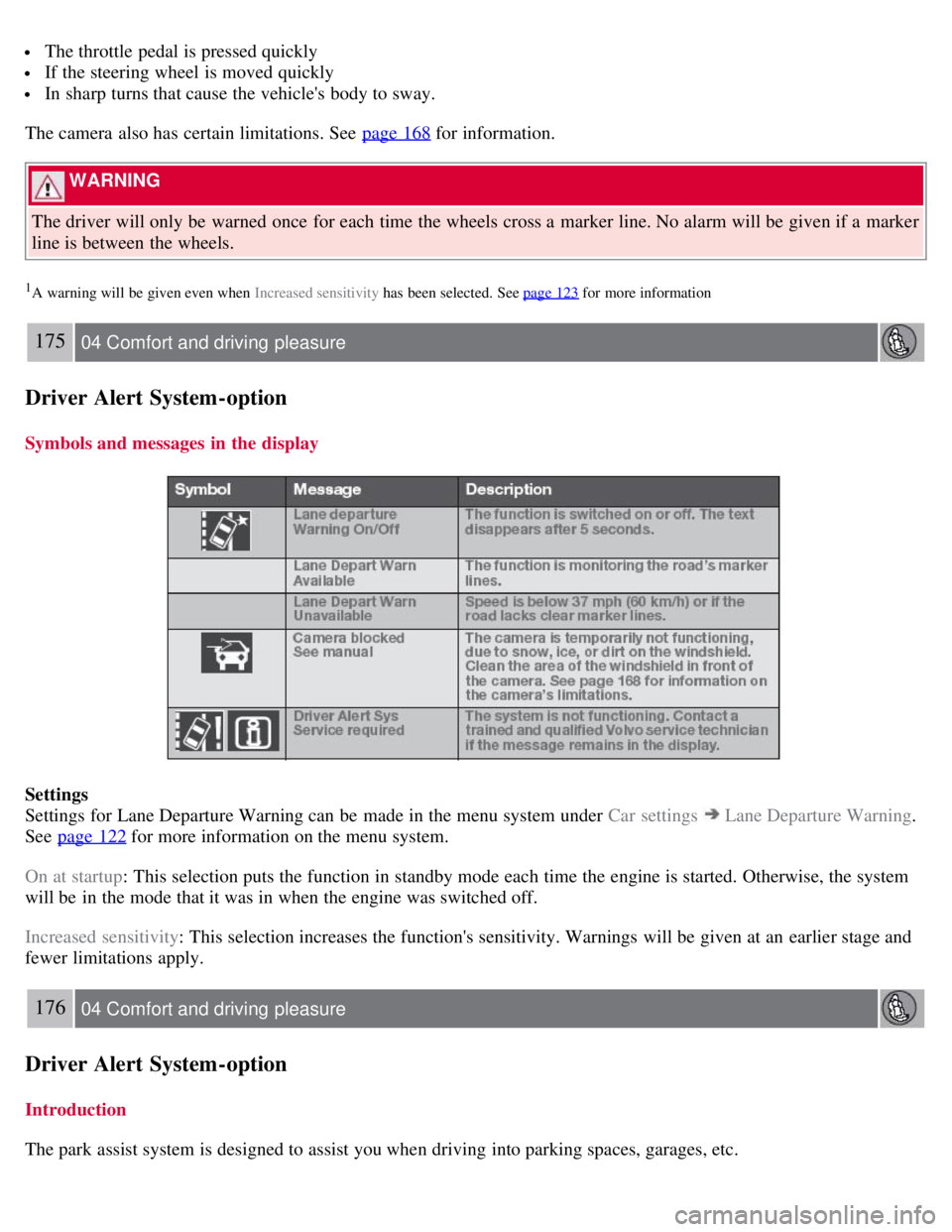
Settings for Lane Departure Warning can be made in the menu system under Car settings
Lane Departure Warning.
See page 122
for more information on the menu system.
On at startup : This selection puts the function in standby mode each time the engine is started. Otherwise, the system
will be in the mode that it was in when the engine was switched off.
Increased sensitivity : This selection increases the function's sensitivity. Warnings will be given at an earlier stage and
fewer limitations apply.
176 04 Comfort and driving pleasure
Driver Alert System -option
Introduction
The park assist system is designed to assist you when driving into parking spaces, garages, etc.
Page 183 of 275
At highway driving speeds, fuel consumption will be lower with the air conditioning on and the windows closed
than with the air conditioning off and the windows open.
Using the onboard trip computer's fuel consumption modes can help you learn how to drive more economically.
Other factors that decrease gas mileage are:
Dirty air cleaner
Dirty engine oil and clogged oil filter
Dragging brakes
Incorrect front end alignment
Some of the above mentioned items and others are checked at the standard maintenance intervals.
WARNING
Driving with the trunk open : Driving with the trunk open could lead to poisonous exhaust gases entering the
passenger compartment. If the trunk must be kept open for any reason, proceed as follows:
Close the windows
Set the ventilation system control to air flow to floor, windshield and side windows and the blower control to its
highest setting.
Weight distribution affects handling
At the specified curb weight your vehicle has a tendency to understeer, which means that the steering wheel has to be
turned more than might seem appropriate for the curvature of a bend. This ensures good stability and reduces the risk
of rear wheel skid. Remember that these properties can alter with the vehicle load. The heavier the load in the cargo
area, the less the tendency to understeer.
Handling, roadholding
Vehicle load, tire design and inflation pressure all affect vehicle handling. Therefore, check that the tires are inflated to
the recommended pressure according to the vehicle load. See the "Tire pressure" section. Loads should be distributed
so that capacity weight
189 05 During your trip
Driving recommendations
or maximum permissible axle loads are not exceeded.
Driving through water
The vehicle can be driven through water up to a depth of approximately 9 in. (25 cm), at a maximum speed of 6 mph
(10 km/h).
Take particular care when driving through flowing water.
Clean the electrical connections for trailer wiring after driving in mud or water.
When driving through water, maintain low speed and do not stop in the water.
WARNING
After driving through water, press lightly on the brake pedal to ensure that the brakes are functioning normally.
Water or mud can make the brake linings slippery, resulting in delayed braking effect.
Page 185 of 275

Examine tires carefully (the spare tire as well), and replace those that are worn. Check tire pressures.
The brakes, front wheel alignment, and steering gear should be checked by a trained and qualified Volvo service
technician only.
Check all lights, including high beams.
Reflective warning triangles are legally required in some states/provinces.
Have a word with a trained and qualified Volvo service technician if you intend to drive in countries where it may
be difficult to obtain the correct fuel.
Consider your destination. If you will be driving through an area where snow or ice are likely to occur, consider
snow tires.
Cold weather precautions
If you wish to check your vehicle before the approach of cold weather, the following advice is worth noting:
Make sure that the engine coolant contains 50 percent antifreeze. Any other mixture will reduce freeze protection.
This gives protection against freezing down to - 31°F (-35°C). The use of "recycled" antifreeze is not approved by
Volvo. Different types of antifreeze must not be mixed.
Volvo recommends using only genuine Volvo antifreeze in your vehicle's radiator.
Try to keep the fuel tank well filled - this helps prevent the formation of condensation in the tank. In addition, in
extremely cold weather conditions it is worthwhile to add fuel line de -icer before refueling.
The viscosity of the engine oil is important. Oil with low viscosity (thinner oil) improves cold-weather starting as
well as decreasing fuel consumption while the engine is warming up. For winter use, 5W -30 oil, particularly the
synthetic type, is recommended. Be sure to use good quality oil but do not use cold-weather oil for hard driving or in
warm weather. See page 272
for more information on engine oil.
NOTE
Synthetic oil is not used when the oil is changed at the normal maintenance intervals except at owner request and at
additional charge.
The load placed on the battery is greater during the winter since the windshield wipers, lighting, etc. are used more
often. Moreover, the capacity of the battery decreases as the temperature drops. In very cold weather, a poorly charged
battery can freeze and be damaged. It is therefore advisable to check the state of charge more frequently and spray an
anti-rust oil on the battery posts.
Volvo recommends the use of snow tires on all four wheels for winter driving. See the information on page 250.
To prevent the washer fluid reservoir from freezing, add washer solvents containing antifreeze. This is important
since dirt is often splashed on the windshield during winter driving, requiring the frequent use of the washers and
wipers. Volvo Washer Solvent should be diluted as follows: Down to 14° F (-10° C): 1 part washer solvent and 4 parts
water Down to 5° F (-15° C):
191 05 During your trip
Driving recommendations
1 part washer solvent and 3 parts water Down to 0° F (-18° C): 1 part washer solvent and 2 parts water Down to -18°
F (-28° C): 1 part washer solvent and 1 part water.
Use Volvo Teflon Lock Spray in the locks.
Avoid using de -icing sprays as they can cause damage to the locks.
192 05 During your trip
Refueling
Page 195 of 275
When parking the vehicle with a trailer on a hill, apply the parking brake before putting the gear selector in P.
Always follow the trailer manufacturer's recommendations for wheel chocking.
When starting on a hill, put the gear selector in D before releasing the parking brake. See also page 117 for more
detailed information about starting off on a hill while towing a trailer.
If you use the manual (Geartronic) shift positions while towing a trailer, make sure the gear you select does not
put too much strain on the engine (using too high a gear).
The drawbar assembly/trailer hitch may be rated for trailers heavier than the vehicle is designed to tow. Please
adhere to Volvo's recommended trailer weights.
Avoid driving with a trailer on inclines of more than 15 %.
Trailer cable
An adapter is required if the vehicle's trailer hitch has a 13-pin connector and the trailer has 7 pins. Use an adapter
cable approved by Volvo. Make sure the cable does not drag on the ground.
203 05 During your trip
Towing a trailer
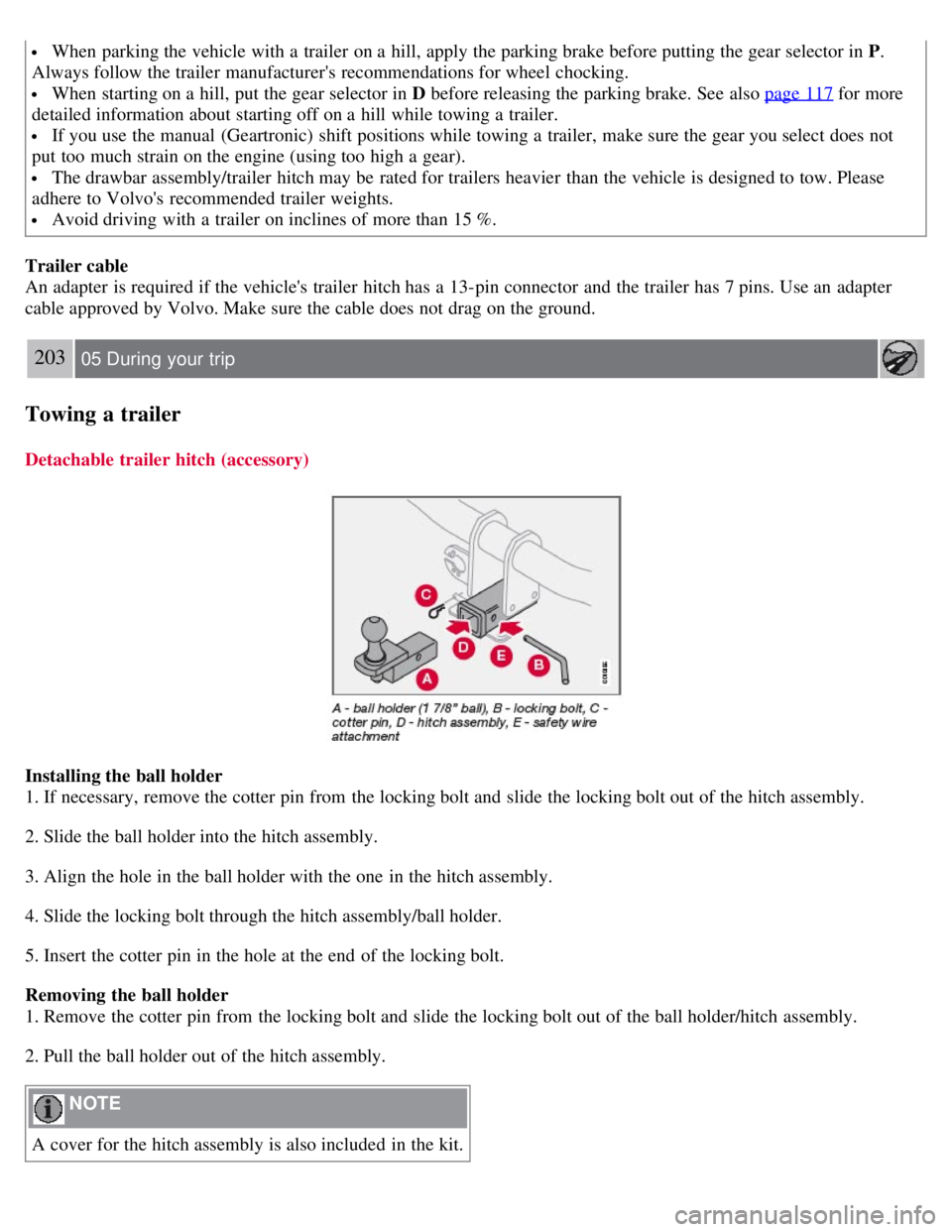
Detachable trailer hitch (accessory)
Installing the ball holder
1. If necessary, remove the cotter pin from the locking bolt and slide the locking bolt out of the hitch assembly.
2. Slide the ball holder into the hitch assembly.
3. Align the hole in the ball holder with the one in the hitch assembly.
4. Slide the locking bolt through the hitch assembly/ball holder.
5. Insert the cotter pin in the hole at the end of the locking bolt.
Removing the ball holder
1. Remove the cotter pin from the locking bolt and slide the locking bolt out of the ball holder/hitch assembly.
2. Pull the ball holder out of the hitch assembly.
NOTE
A cover for the hitch assembly is also included in the kit.