1Premium Sound
2Certain audio systems
138 04 Comfort and driving pleasure
Audio system
seat. Select one of the options under Audio settings Soundstage.
Optimal sound reproduction
The audio system is calibrated for optimal sound reproduction using digital signal processing.
This calibration takes into account factors such as the speakers, amplifier, cabin acoustics, the listeners' seating
positions, etc., for each combination of vehicle/audio system.
There is also a dynamic calibration that takes into consideration the volume level, radio reception, and the speed of the
vehicle.
The settings that are described in this manual, such as Bass , Treble, and Equalizer are only intended to enable the user
to adapt sound reproduction to his/her personal tastes.
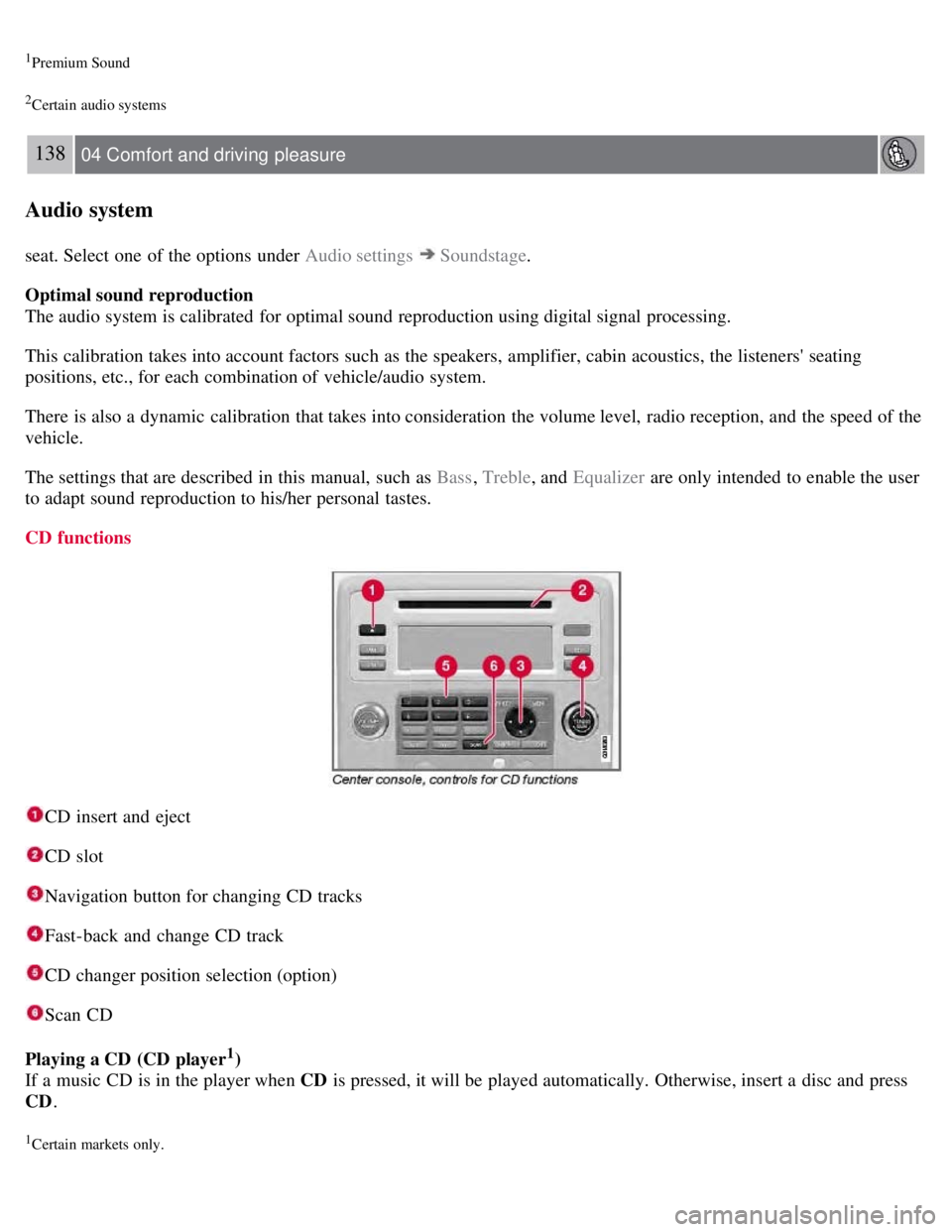
CD functions
CD insert and eject
CD slot
Navigation button for changing CD tracks
Fast-back and change CD track
CD changer position selection (option)
Scan CD
Playing a CD (CD player
1)
If a music CD is in the player when CD is pressed, it will be played automatically. Otherwise, insert a disc and press
CD .
1Certain markets only.
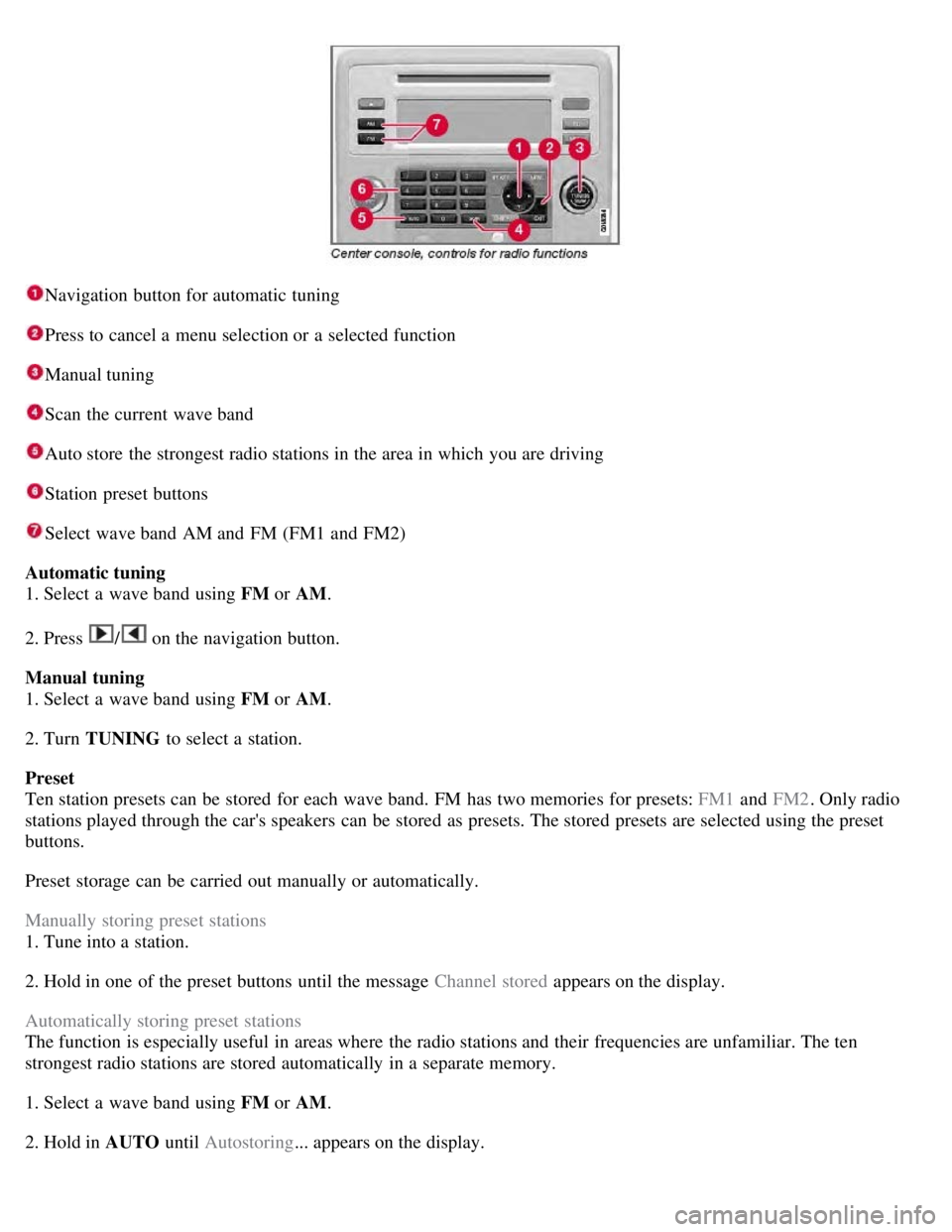
Navigation button for automatic tuning
Press to cancel a menu selection or a selected function
Manual tuning
Scan the current wave band
Auto store the strongest radio stations in the area in which you are driving
Station preset buttons
Select wave band AM and FM (FM1 and FM2)
Automatic tuning
1. Select a wave band using FM or AM.
2. Press
/ on the navigation button.
Manual tuning
1. Select a wave band using FM or AM.
2. Turn TUNING to select a station.
Preset
Ten station presets can be stored for each wave band. FM has two memories for presets: FM1 and FM2. Only radio
stations played through the car's speakers can be stored as presets. The stored presets are selected using the preset
buttons.
Preset storage can be carried out manually or automatically.
Manually storing preset stations
1. Tune into a station.
2. Hold in one of the preset buttons until the message Channel stored appears on the display.
Automatically storing preset stations
The function is especially useful in areas where the radio stations and their frequencies are unfamiliar. The ten
strongest radio stations are stored automatically in a separate memory.
1. Select a wave band using FM or AM.
2. Hold in AUTO until Autostoring... appears on the display.