window VOLVO S90 2017 Owner´s Manual
[x] Cancel search | Manufacturer: VOLVO, Model Year: 2017, Model line: S90, Model: VOLVO S90 2017Pages: 548, PDF Size: 11.42 MB
Page 108 of 548
||
INSTRUMENTS AND CONTROLS
* Option/accessory.
106
Sun shadeThe moonroof has a sun shade that can be opened and closed manually. The sun shadeopens automatically along with the moonroof. Toclose it, grasp its handle and pull forward.
Pinch protection (auto-stop)The moonroof has a pinch protection feature thatis triggered if the moonroof is blocked in any waywhen it is being closed. In this case, the moon-roof will stop and reverse automatically approxi-mately 2 in. (5 cm) from the point at which it wasblocked (or will open fully to the tilt position). The pinch protection feature also functions when the moonroof is being opened.
WARNING
If the pinch protection (auto-stop) feature has been triggered, the moonroof can still be operated once more within 10 seconds with-
out pinch protection . Pinch protection can
be overridden if the closing procedure has been interrupted (e.g., due to ice around themoonroof) by pressing and holding the con-trol forward/downward until the moonroof isclosed.
Related information
• Moonroof
* (p. 103)
• Locking/unlocking from outside the vehicle (p. 223)
• Ignition modes (p. 370)
Power windows
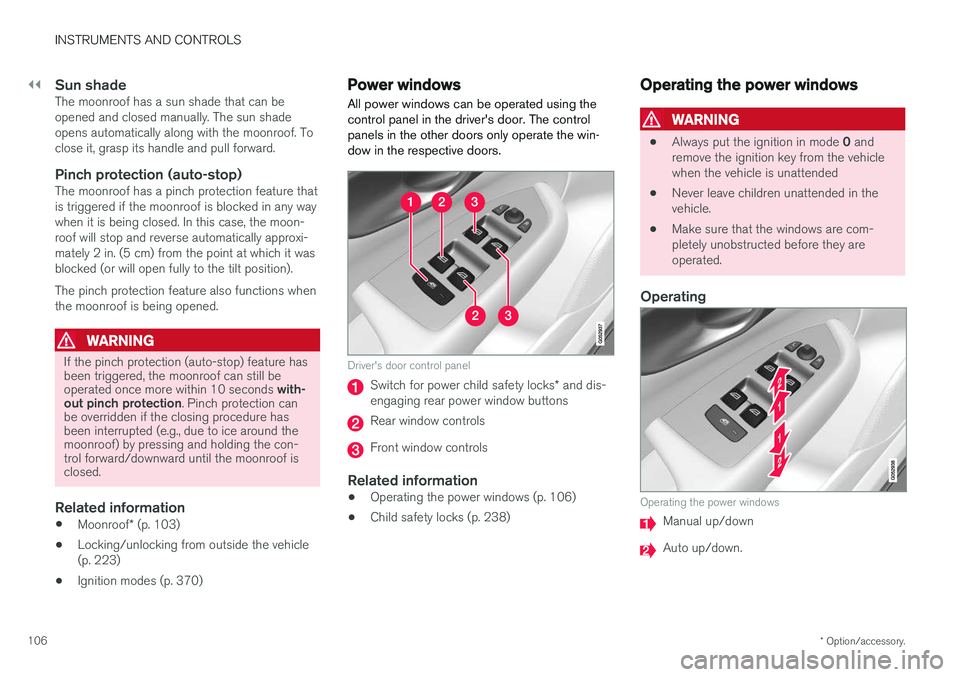
All power windows can be operated using the control panel in the driver's door. The controlpanels in the other doors only operate the win-dow in the respective doors.
Driver's door control panel
Switch for power child safety locks * and dis-
engaging rear power window buttons
Rear window controls
Front window controls
Related information
• Operating the power windows (p. 106)
• Child safety locks (p. 238)
Operating the power windows
WARNING
•
Always put the ignition in mode
0 and
remove the ignition key from the vehicle when the vehicle is unattended
• Never leave children unattended in thevehicle.
• Make sure that the windows are com-pletely unobstructed before they areoperated.
Operating
Operating the power windows
Manual up/down
Auto up/down.
Page 109 of 548

INSTRUMENTS AND CONTROLS
}}
107
For the power windows to function, the ignition must be in at least mode
I. When the vehicle has
been running, the power windows can be oper- ated for several minutes after the ignition hasbeen switched off, or until a door has beenopened.
NOTE
• Movement of the windows will stop if they are obstructed in any way. If this happenstwice in succession, the automatic func-tion will not work for several minutes andthe window can be closed by holding thebutton up.
• To reduce buffeting wind noise if the rearwindows are opened, also open the frontwindows slightly.
Manual up/down
–Move one of the controls up/down slightly.
> The power windows move up/down as
long as the control is held in position.
Auto up/down
–Move one of the controls up/down as far as possible and release it.
> The window will open or close completely.
ResettingIf the battery has been disconnected, the auto open function must be reset so that it will workproperly
1. Gently raise the front section of the button to close the window and hold it for one second.
2. Release the button briefly.
3. Raise the front section of the button again for one second.
Related information
• Child safety locks (p. 238)
Rearview mirror The interior rearview mirror has an auto-dim function that helps reduce glare from followingvehicle's headlights.
Auto-dim functionThe auto-dim function is controlled by two sen- sors: one pointing forward (located on the for-ward-facing side of the mirror, which monitors theamount of ambient light) and one pointing rear-ward (located on the side of the mirror facing thedriver at the upper edge, which senses thestrength of following vehicles' headlights), andwork together to help eliminate glare.
NOTE
Obstructing the sensors with e.g., parking stickers, transponders, etc., or by placingobjects on the seats or parcel shelf in such away that light is prevented from reaching thesensors will reduce the auto-dim function inthe interior rearview mirror and optional auto-dim function in the door mirrors.
The auto-dim function is always active while the vehicle is being driven except when the reversegear has been selected. The level of sensitivityfor this function can be set to three levels, whichaffect the rearview mirror and door mirrors.
Page 110 of 548
||
INSTRUMENTS AND CONTROLS
* Option/accessory.
108
NOTE
When the level of sensitivity is changed, this change will not be noticeable immediately butwill take effect after a short period of time.
The level of sensitivity is set from the center dis- play: 1.
Tap
Settings in Top view.
2. Tap
My CarMirrors.
3. Under
Auto Dim Mirrors, select Normal,Dark or Light.
Related information
• Adjusting the power door mirrors (p. 102)
Using sun curtains
*
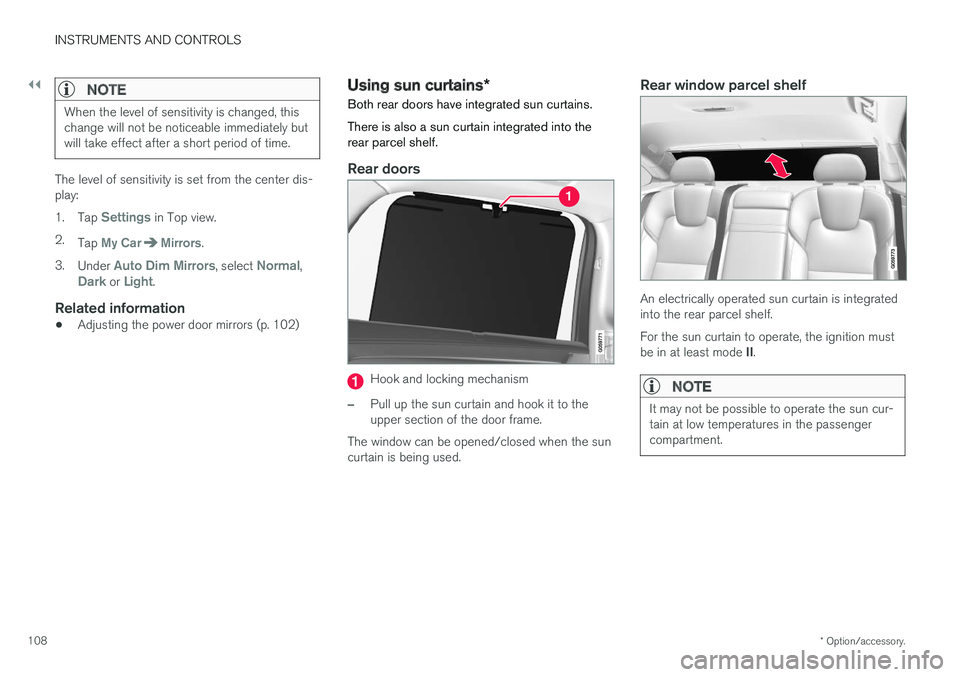
Both rear doors have integrated sun curtains. There is also a sun curtain integrated into the rear parcel shelf.
Rear doors
Hook and locking mechanism
–Pull up the sun curtain and hook it to the upper section of the door frame.
The window can be opened/closed when the suncurtain is being used.
Rear window parcel shelf
An electrically operated sun curtain is integrated into the rear parcel shelf. For the sun curtain to operate, the ignition must be in at least mode II.
NOTE
It may not be possible to operate the sun cur- tain at low temperatures in the passengercompartment.
Page 111 of 548
INSTRUMENTS AND CONTROLS
}}
109
Operation
In the center display's Function view, tap Rear Sun Curtain to
fully open or close the sun cur- tain. If the sun curtain is obstructed in any way while it is moving, it
will stop or close automatically.
Related information
• Power windows (p. 106)
• Ignition modes (p. 370)
Settings view
The center display's Settings view is used to make many of the vehicle's function settings andto display vehicle-related information.
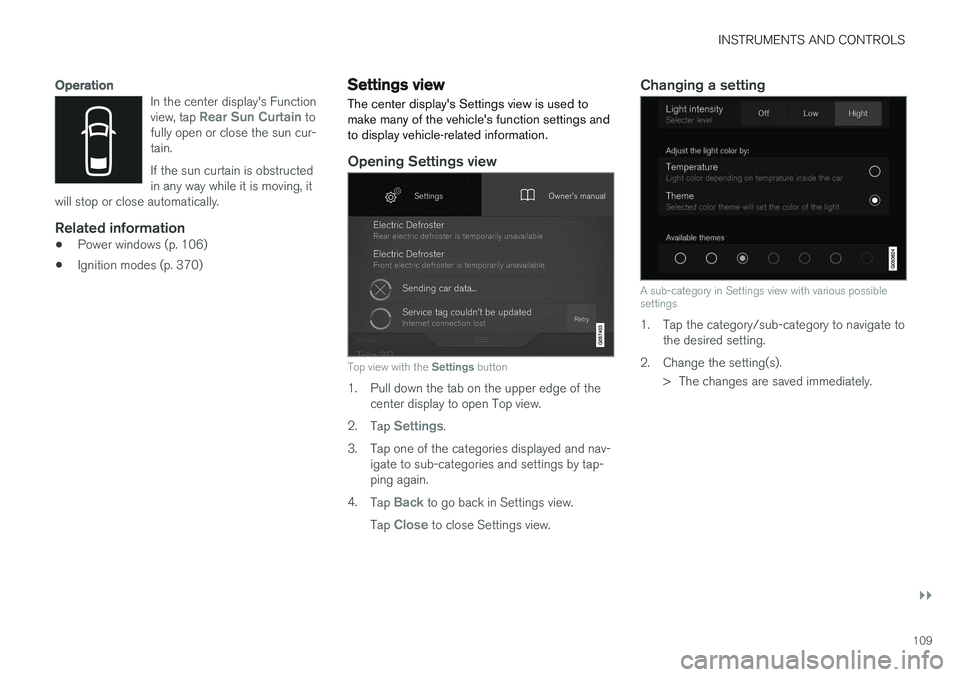
Opening Settings view
Top view with the Settings button
1. Pull down the tab on the upper edge of the
center display to open Top view.
2. Tap
Settings.
3. Tap one of the categories displayed and nav- igate to sub-categories and settings by tap- ping again.
4. Tap
Back to go back in Settings view.
Tap
Close to close Settings view.
Changing a setting
A sub-category in Settings view with various possible settings
1. Tap the category/sub-category to navigate to the desired setting.
2. Change the setting(s). > The changes are saved immediately.
Page 121 of 548
INSTRUMENTS AND CONTROLS
}}
* Option/accessory.119
Voice control
Voice commands make it possible for the driver to voice-control certain functions in the mediaplayer, a Bluetooth-connected cell phone, cli- mate system and the Volvo navigation system *.
Voice control offers convenience and enables the driver to keep his/her hands on the steeringwheel and concentrate on driving and the trafficsituation around the vehicle.
WARNING
As the driver, you have full responsibility for operating the vehicle safely and adhering toall applicable traffic regulations.
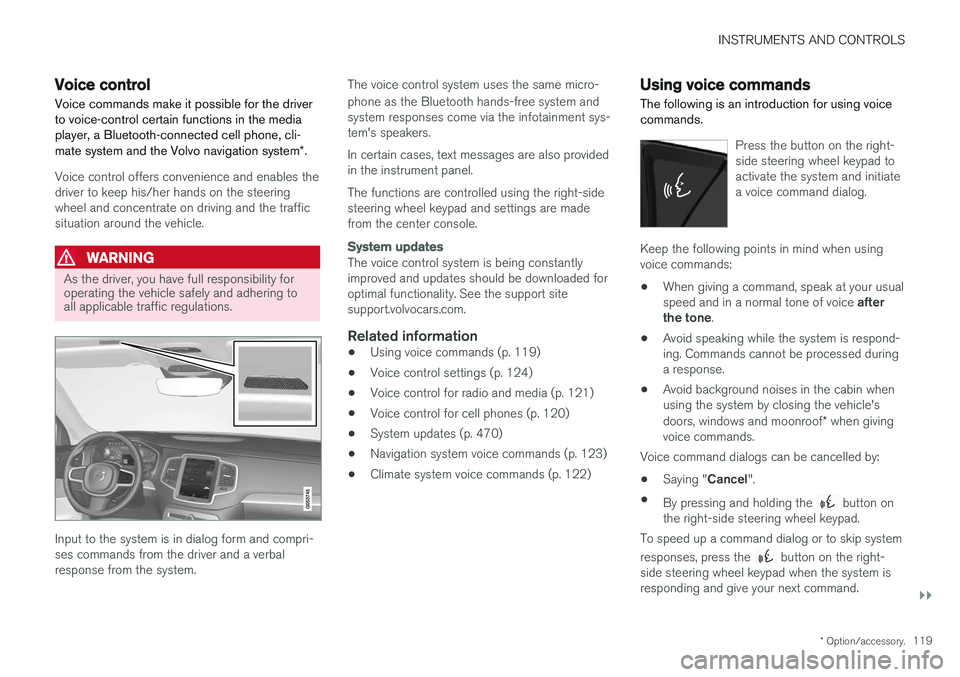
Input to the system is in dialog form and compri- ses commands from the driver and a verbalresponse from the system. The voice control system uses the same micro- phone as the Bluetooth hands-free system and system responses come via the infotainment sys-tem's speakers. In certain cases, text messages are also provided in the instrument panel. The functions are controlled using the right-side steering wheel keypad and settings are madefrom the center console.
System updates
The voice control system is being constantly improved and updates should be downloaded foroptimal functionality. See the support sitesupport.volvocars.com.
Related information
•
Using voice commands (p. 119)
• Voice control settings (p. 124)
• Voice control for radio and media (p. 121)
• Voice control for cell phones (p. 120)
• System updates (p. 470)
• Navigation system voice commands (p. 123)
• Climate system voice commands (p. 122)
Using voice commands
The following is an introduction for using voice commands.
Press the button on the right- side steering wheel keypad toactivate the system and initiatea voice command dialog.
Keep the following points in mind when using voice commands:
• When giving a command, speak at your usual speed and in a normal tone of voice
after
the tone .
• Avoid speaking while the system is respond- ing. Commands cannot be processed duringa response.
• Avoid background noises in the cabin whenusing the system by closing the vehicle's doors, windows and moonroof
* when giving
voice commands.
Voice command dialogs can be cancelled by:
• Saying "
Cancel".
• By pressing and holding the
button on
the right-side steering wheel keypad.
To speed up a command dialog or to skip system responses, press the
button on the right-
side steering wheel keypad when the system is responding and give your next command.
Page 124 of 548
INSTRUMENTS AND CONTROLS
* Option/accessory.
122
Climate system voice commands Voice commands can be used to control the cli- mate system to e.g., change the temperature, activate seat heating * or change blower (fan)
speed.
To use the voice control system, press the on the right-side steering wheel keypad and say one of the following commands after the tone:
• "
Climate": starts a command dialog and
provides examples of commands that can be used.
• "
Set temperature to X degrees": sets the
desired temperature.
• "
Raise temperature"/"Lower
temperature": raises/lowers the tempera-
ture.
• "
Sync temperature": synchronizes the tem-
perature in all of the vehicle's climate zones with the one set for the driver's side.
• "
Air on feet"/"Air on body": opens the
desired air vent.
• "
Air on feet off"/"Air on body off": closes
the desired air vent.
• "
Set fan to max"/"Turn off fan": changes
the blower speed to Max/Off.
• "
Raise fan speed"/"Lower fan speed":
raises/lowers the blower speed.
• "
Turn on auto": activates automatic climate
control. •
"
Air condition on"/"Air condition off":
activates/deactivates the air conditioning.
• "
Recirculation on"/"Recirculation off":
activates/deactivates recirculation.
• "
Turn on defroster "/"Turn off defroster":
activates/deactivates window and door mirror defrosting.
• "
Turn on max defroster"/"Turn off max
defroster": activates/deactivates max
defroster.
• "
Turn on electric defroster"/"Turn off
electric defroster": activates/deactivates
the electrically heated windshield *.
• "
Turn on rear defroster"/"Turn off rear
defroster": activates/deactivates the electri-
cally heated rear window and door mirrors.
• "
Turn steering wheel heat on"/"Turn
steering wheel heat off": activates/deacti-
vates the electrically heated steering wheel *.
• "
Raise steering wheel heat"/"Lower
steering wheel heat": raises/lowers the
heating level for the electrically heated steer- ing wheel *.
• "
Turn on seat heat"/"Turn off seat heat":
activates/deactivates the electrically heated seats *.
• "
Raise seat heat"/"Lower seat heat": rai-
ses/lowers the heating level for the electri- cally heated seats *. •
"
Turn on seat ventilation"/"Turn off seat
ventilation": activates/deactivates seat ven-
tilation *.
• "
Raise seat ventilation"/"Lower seat
ventilation": raises/lowers the level for seat
ventilation *.
Related information
• Climate system controls (p. 182)
• Voice control (p. 119)
• Using voice commands (p. 119)
Page 138 of 548
||
INSTRUMENTS AND CONTROLS
136
SymbolMeaning
Oil pressure If the symbol illuminates during driving, stop the vehicle, theengine oil level is too low. Stop theengine immediately and check theengine oil level. Add oil if neces-sary. If the oil level is normal andthe symbol remains illuminated,have the vehicle towed to thenearest authorized Volvo work-shop or trained and qualified Volvoservice technician.
Generator not charging This symbol illuminates during driving if a fault has occurred inthe electrical system. Contact anauthorized Volvo workshop ortrained and qualified Volvo servicetechnician.
A
US models
B Canadian models
WARNING
• If the fluid level is below the
MIN mark in
the brake fluid reservoir or if a warning message is displayed in the text window: DO NOT DRIVE . Have the vehicle towed
to a trained and qualified Volvo service technician and have the brake systeminspected.
• If the
BRAKE and ABS symbols illumi-
nate at the same time, there is a risk ofreduced vehicle stability.
Door/hood/trunk/fuel filler door reminder
It a door, trunk, the hood or the fuel filler door are not closed properly, the information or warningsymbol will illuminate and a graphic will be dis-played in the instrument panel.
Related information
• Instrument panel (p. 124)
• Indicator symbols in the instrument panel(p. 127)
Compass
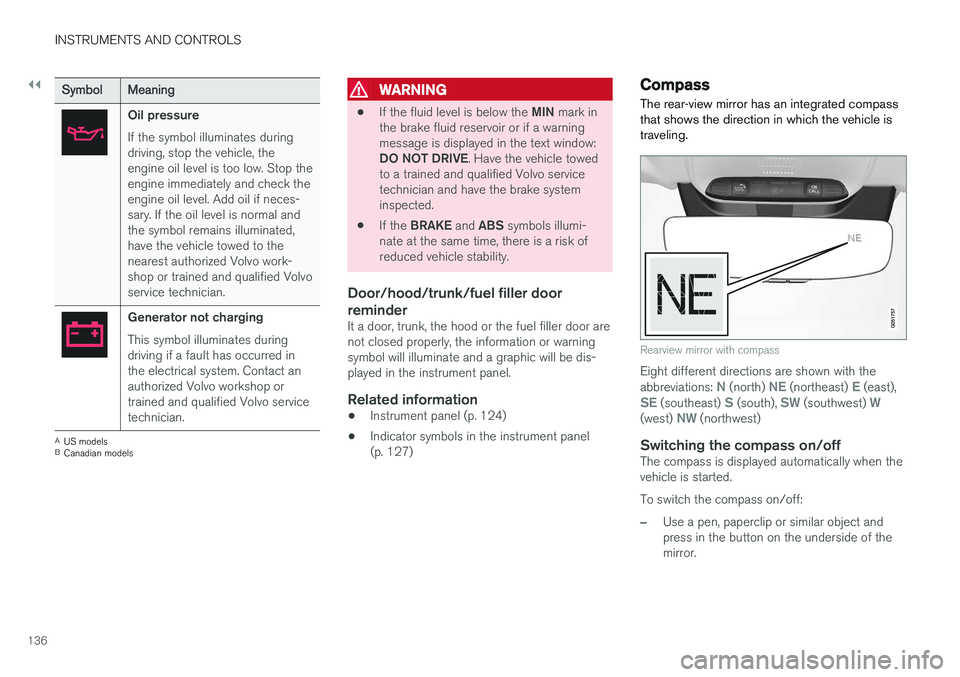
The rear-view mirror has an integrated compass that shows the direction in which the vehicle istraveling.
Rearview mirror with compass
Eight different directions are shown with the abbreviations: N (north) NE (northeast) E (east),SE (southeast) S (south), SW (southwest) W(west) NW (northwest)
Switching the compass on/offThe compass is displayed automatically when the vehicle is started. To switch the compass on/off:
–Use a pen, paperclip or similar object and press in the button on the underside of themirror.
Page 140 of 548
||
INSTRUMENTS AND CONTROLS
1388. Repeat the calibration procedure if neces-
sary.
Related information
• Defrosting windows and mirrors (p. 190)
• Compass (p. 136)
Lighting panel and controls
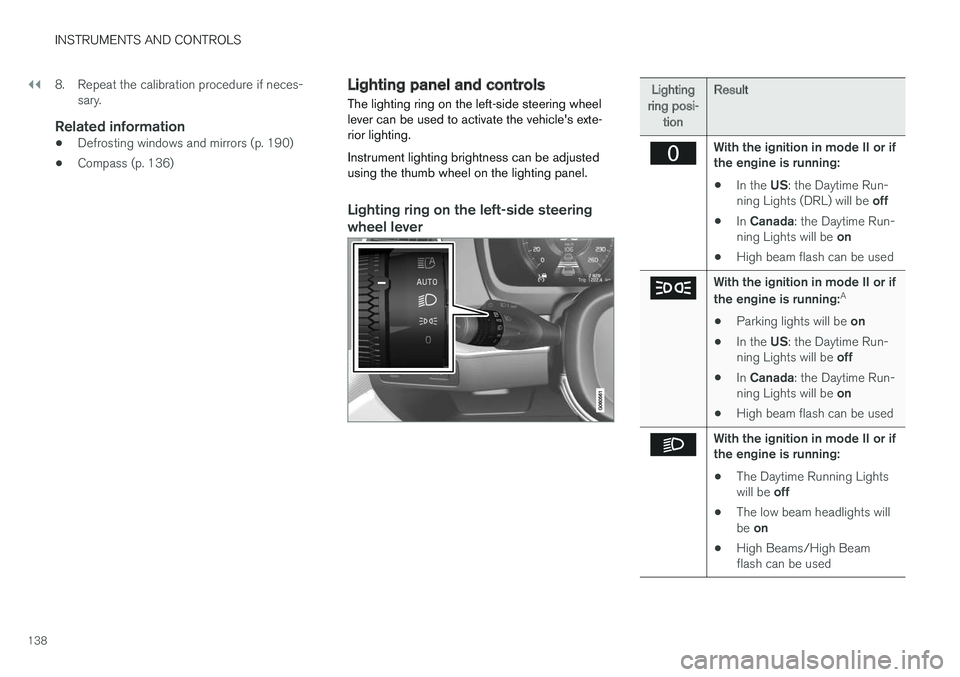
The lighting ring on the left-side steering wheel lever can be used to activate the vehicle's exte-rior lighting. Instrument lighting brightness can be adjusted using the thumb wheel on the lighting panel.
Lighting ring on the left-side steering
wheel lever
Lighting
ring posi- tion Result
With the ignition in mode II or if the engine is running:
• In the
US: the Daytime Run-
ning Lights (DRL) will be off
• In
Canada : the Daytime Run-
ning Lights will be on
• High beam flash can be used
With the ignition in mode II or if the engine is running: A
• Parking lights will be
on
• In the
US: the Daytime Run-
ning Lights will be off
• In
Canada : the Daytime Run-
ning Lights will be on
• High beam flash can be used
With the ignition in mode II or if the engine is running:
• The Daytime Running Lights will be
off
• The low beam headlights willbe
on
• High Beams/High Beam flash can be used
Page 154 of 548
||
INSTRUMENTS AND CONTROLS
152
Pop-up messages
Messages are sometimes displayed in pop-up windows. Messages of this type have higher pri-ority than ones in the status bar and must beconfirmed or action must be taken before theydisappear. Messages that need to be stored are saved under
My car messages in Top view.
Related information
•Instrument panel (p. 124)
• Center display overview (p. 28)
Handling messages in the instrument panel and center display
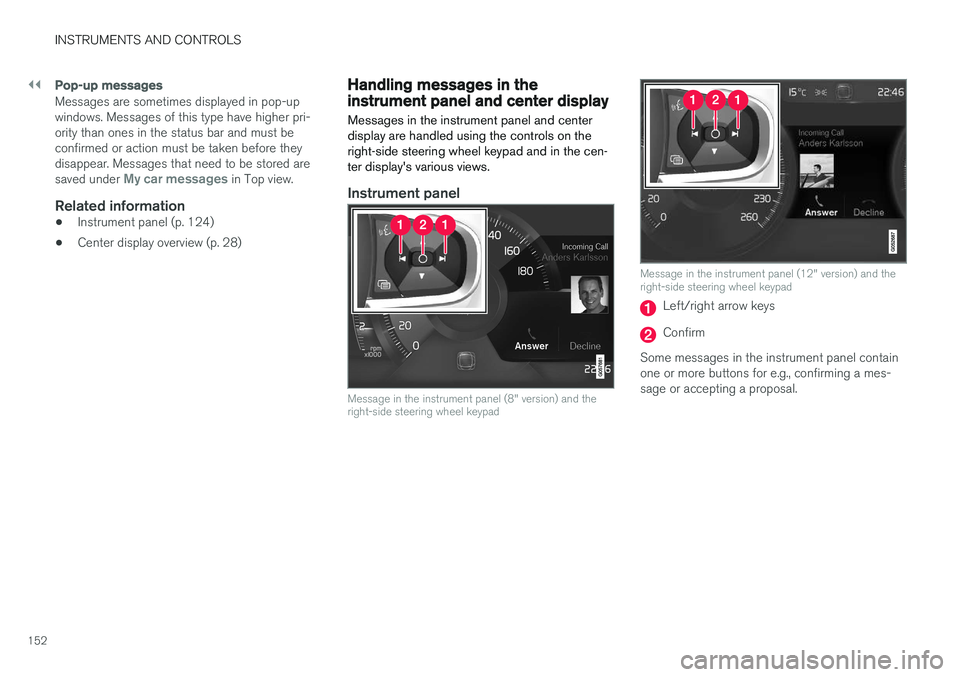
Messages in the instrument panel and center display are handled using the controls on theright-side steering wheel keypad and in the cen-ter display's various views.
Instrument panel
Message in the instrument panel (8" version) and the right-side steering wheel keypad
Message in the instrument panel (12" version) and the right-side steering wheel keypad
Left/right arrow keys
Confirm
Some messages in the instrument panel contain one or more buttons for e.g., confirming a mes-sage or accepting a proposal.
Page 175 of 548
INSTRUMENTS AND CONTROLS
173
4.
Tap
Confirm.
> The new driver profile has now been selected and the system will load the set- tings stored in that profile.
Related information
• Driver profiles (p. 172)
• Editing a driver profile (p. 173)
• Linking a remote key to a driver profile(p. 174)
Editing a driver profile
The names of the driver profiles created for the vehicle can be changed.
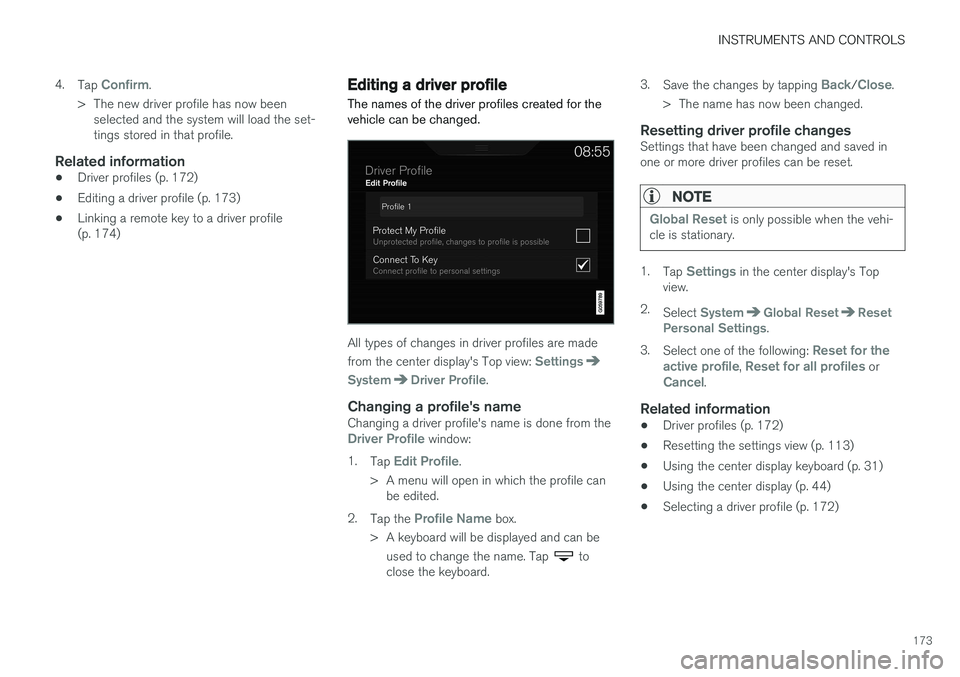
All types of changes in driver profiles are made from the center display's Top view:
Settings
SystemDriver Profile.
Changing a profile's nameChanging a driver profile's name is done from theDriver Profile window:
1. Tap
Edit Profile.
> A menu will open in which the profile can be edited.
2. Tap the
Profile Name box.
> A keyboard will be displayed and can be used to change the name. Tap
to
close the keyboard. 3.
Save the changes by tapping
Back/Close.
> The name has now been changed.
Resetting driver profile changesSettings that have been changed and saved in one or more driver profiles can be reset.
NOTE
Global Reset is only possible when the vehi-
cle is stationary.
1. Tap Settings in the center display's Top
view.
2. Select
SystemGlobal ResetReset
Personal Settings.
3. Select one of the following:
Reset for the
active profile, Reset for all profiles orCancel.
Related information
• Driver profiles (p. 172)
• Resetting the settings view (p. 113)
• Using the center display keyboard (p. 31)
• Using the center display (p. 44)
• Selecting a driver profile (p. 172)