ECU VOLVO S90 2017 Owner´s Manual
[x] Cancel search | Manufacturer: VOLVO, Model Year: 2017, Model line: S90, Model: VOLVO S90 2017Pages: 548, PDF Size: 11.42 MB
Page 209 of 548

LOADING AND STORAGE
}}
* Option/accessory.207
NOTE
One of the alarm sensors, which is sensitive to metallic objects, is located under the tunnelconsole cup holders. Avoid leaving coins,keys, etc., in the cup holders because theymay inadvertently trigger the alarm.
Related information
•Passenger compartment storage spaces (p. 204)
• Electrical sockets (p. 209)
• Alarm (p. 236)
• Rear climate system controls on the tunnel console
* (p. 185)
Grocery bag holder
The grocery bag holders (hooks) help keep shopping bags in place.
On the sides of the cargo compartment
There is a hook on each side of the trunk.
CAUTION
The grocery bag holders (hooks) are only intended to hold weights less than approx.11 lbs (5 kg).
Load anchoring eyelets The eyelets in the trunk can be folded out to secure objects with straps, a net, etc.
Load anchoring eyelets
WARNING
• Cover sharp edges on long loads to help prevent injury to occupants. Secure theload to help prevent shifting during sud-den stops.
• Always secure large and heavy objectswith a seat belt or cargo retaining straps.
• Always secure the load to help prevent itfrom moving in the event of sudden stops.
• Switch off the engine, apply the parking brake and put the gear selector in
P
when loading and unloading the vehicle.
Page 235 of 548
LOCKS AND ALARM
}}
* Option/accessory.233
Operation
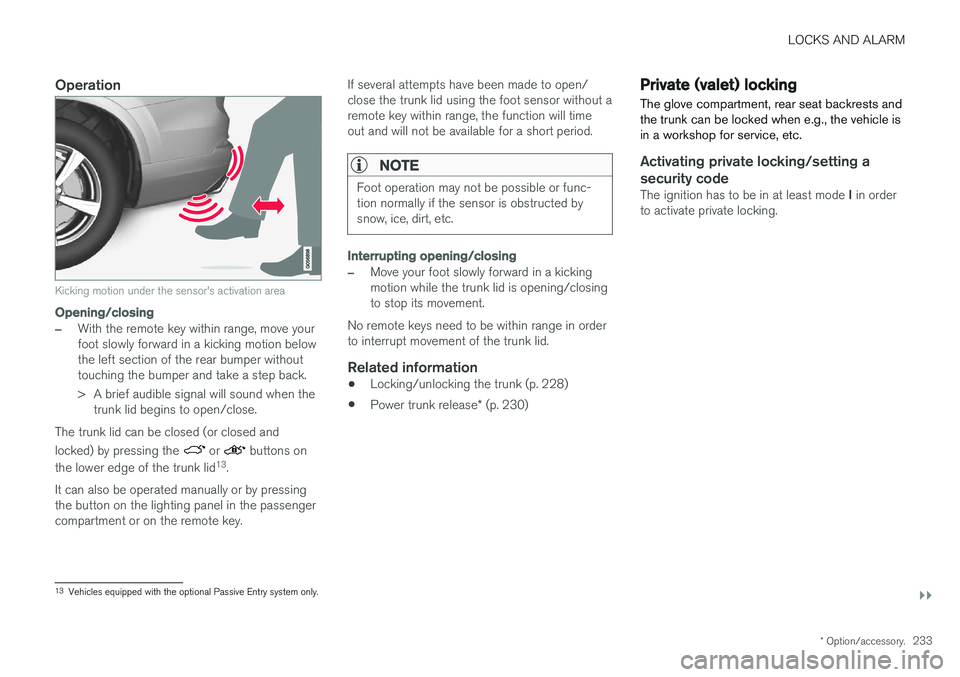
Kicking motion under the sensor's activation area
Opening/closing
–With the remote key within range, move your foot slowly forward in a kicking motion belowthe left section of the rear bumper withouttouching the bumper and take a step back.
> A brief audible signal will sound when the
trunk lid begins to open/close.
The trunk lid can be closed (or closed and locked) by pressing the
or buttons on
the lower edge of the trunk lid 13
.
It can also be operated manually or by pressing the button on the lighting panel in the passengercompartment or on the remote key. If several attempts have been made to open/close the trunk lid using the foot sensor without aremote key within range, the function will timeout and will not be available for a short period.
NOTE
Foot operation may not be possible or func- tion normally if the sensor is obstructed bysnow, ice, dirt, etc.
Interrupting opening/closing
–Move your foot slowly forward in a kicking motion while the trunk lid is opening/closingto stop its movement.
No remote keys need to be within range in orderto interrupt movement of the trunk lid.
Related information
• Locking/unlocking the trunk (p. 228)
• Power trunk release
* (p. 230)
Private (valet) locking
The glove compartment, rear seat backrests and the trunk can be locked when e.g., the vehicle isin a workshop for service, etc.
Activating private locking/setting a security code
The ignition has to be in at least mode I in order
to activate private locking.
13 Vehicles equipped with the optional Passive Entry system only.
Page 236 of 548
||
LOCKS AND ALARM
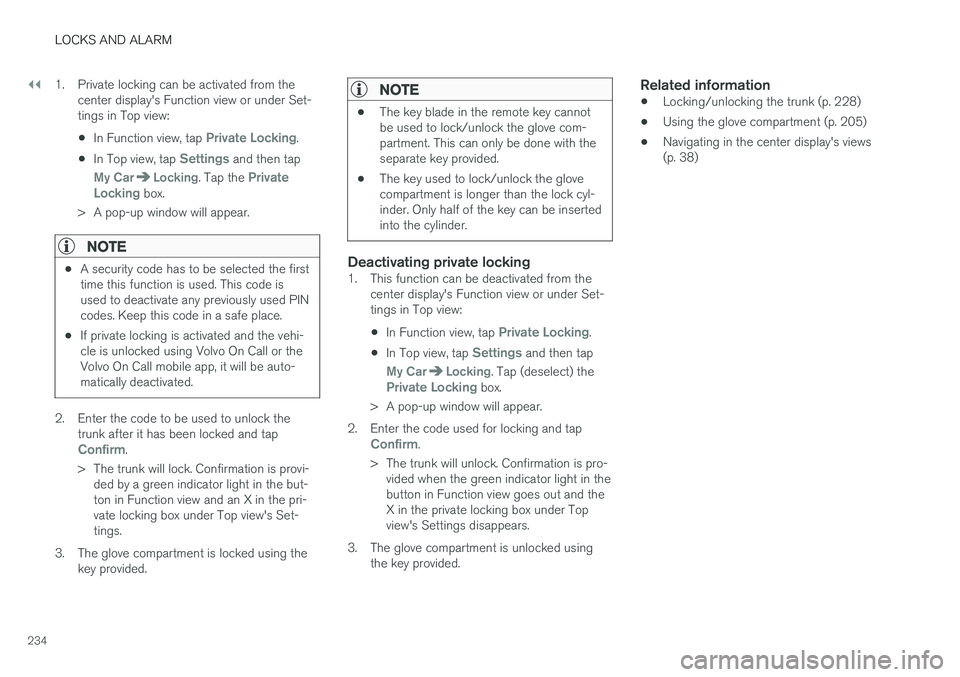
2341. Private locking can be activated from the
center display's Function view or under Set- tings in Top view:
• In Function view, tap
Private Locking.
• In Top view, tap
Settings and then tap
My CarLocking. Tap the Private
Locking box.
> A pop-up window will appear.
NOTE
• A security code has to be selected the first time this function is used. This code isused to deactivate any previously used PINcodes. Keep this code in a safe place.
• If private locking is activated and the vehi-cle is unlocked using Volvo On Call or theVolvo On Call mobile app, it will be auto-matically deactivated.
2. Enter the code to be used to unlock the
trunk after it has been locked and tap
Confirm.
> The trunk will lock. Confirmation is provi- ded by a green indicator light in the but- ton in Function view and an X in the pri-vate locking box under Top view's Set-tings.
3. The glove compartment is locked using the key provided.
NOTE
• The key blade in the remote key cannot be used to lock/unlock the glove com-partment. This can only be done with theseparate key provided.
• The key used to lock/unlock the glovecompartment is longer than the lock cyl-inder. Only half of the key can be insertedinto the cylinder.
Deactivating private locking1. This function can be deactivated from the
center display's Function view or under Set- tings in Top view:
• In Function view, tap
Private Locking.
• In Top view, tap
Settings and then tap
My CarLocking. Tap (deselect) thePrivate Locking box.
> A pop-up window will appear.
2. Enter the code used for locking and tap
Confirm.
> The trunk will unlock. Confirmation is pro- vided when the green indicator light in the button in Function view goes out and theX in the private locking box under Topview's Settings disappears.
3. The glove compartment is unlocked using the key provided.
Related information
• Locking/unlocking the trunk (p. 228)
• Using the glove compartment (p. 205)
• Navigating in the center display's views(p. 38)
Page 273 of 548
DRIVER SUPPORT
* Option/accessory.271
Adaptive Cruise Control (ACC) - troubleshooting
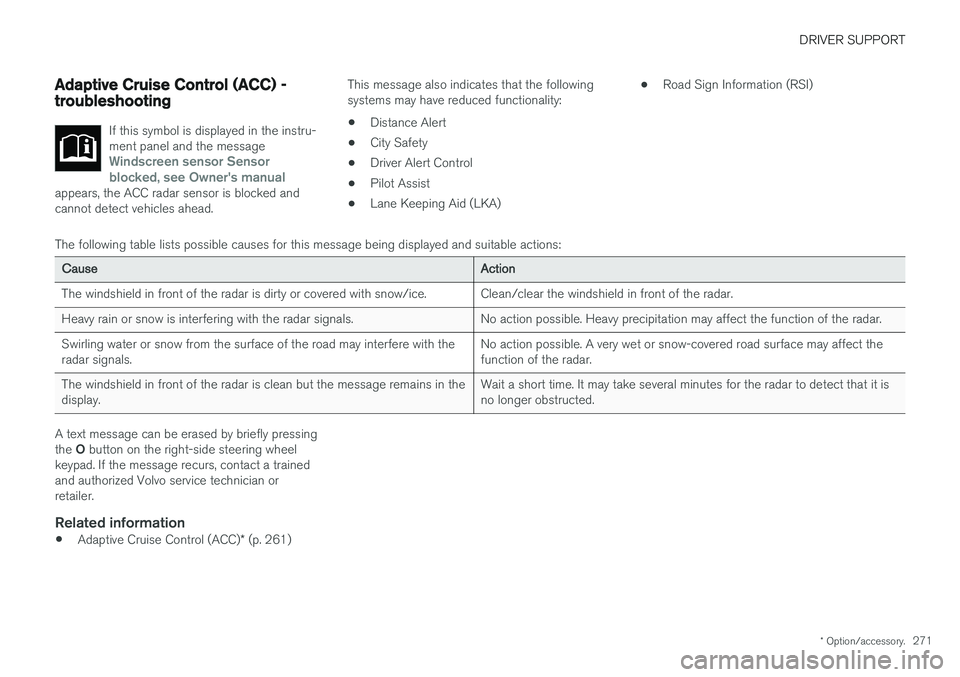
If this symbol is displayed in the instru- ment panel and the message
Windscreen sensor Sensor
blocked, see Owner's manual
appears, the ACC radar sensor is blocked and cannot detect vehicles ahead.
This message also indicates that the following systems may have reduced functionality:
• Distance Alert
• City Safety
• Driver Alert Control
• Pilot Assist
• Lane Keeping Aid (LKA) •
Road Sign Information (RSI)
The following table lists possible causes for this message being displayed and suitable actions:
Cause Action
The windshield in front of the radar is dirty or covered with snow/ice. Clean/clear the windshield in front of the radar.
Heavy rain or snow is interfering with the radar signals. No action possible. Heavy precipitation may affect the function of the radar.Swirling water or snow from the surface of the road may interfere with the radar signals. No action possible. A very wet or snow-covered road surface may affect thefunction of the radar.
The windshield in front of the radar is clean but the message remains in thedisplay. Wait a short time. It may take several minutes for the radar to detect that it isno longer obstructed.
A text message can be erased by briefly pressing the
O button on the right-side steering wheel
keypad. If the message recurs, contact a trained and authorized Volvo service technician orretailer.
Related information
• Adaptive Cruise Control (ACC)
* (p. 261)
Page 276 of 548
||
DRIVER SUPPORT
* Option/accessory.
274
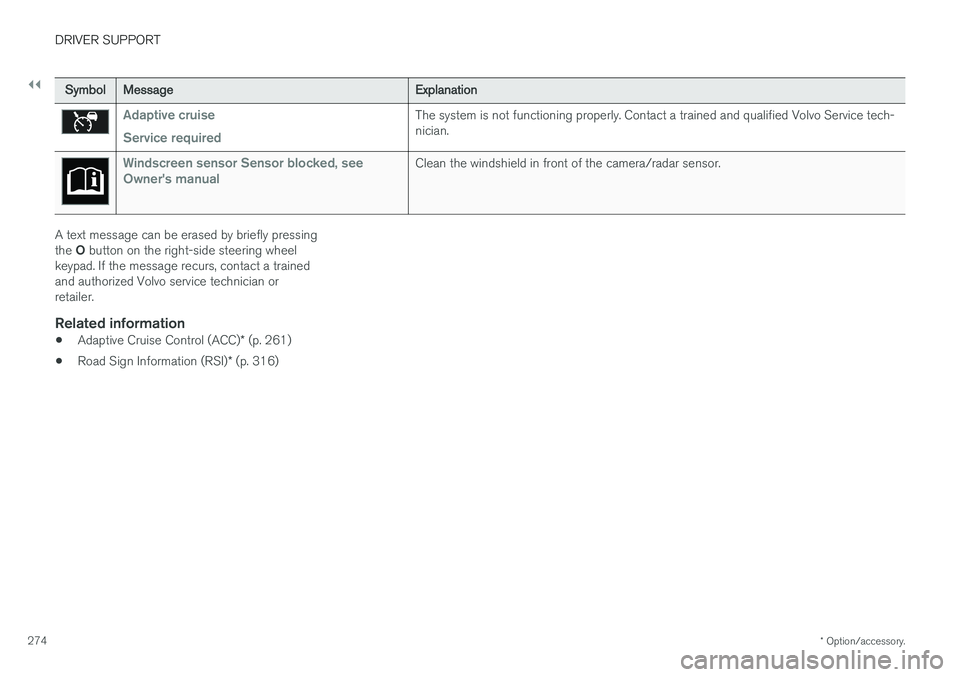
Symbol Message Explanation
Adaptive cruise Service requiredThe system is not functioning properly. Contact a trained and qualified Volvo Service tech- nician.
Windscreen sensor Sensor blocked, see
Owner's manualClean the windshield in front of the camera/radar sensor.
A text message can be erased by briefly pressing the O button on the right-side steering wheel
keypad. If the message recurs, contact a trained and authorized Volvo service technician orretailer.
Related information
• Adaptive Cruise Control (ACC)
* (p. 261)
• Road Sign Information (RSI)
* (p. 316)
Page 309 of 548
DRIVER SUPPORT
307
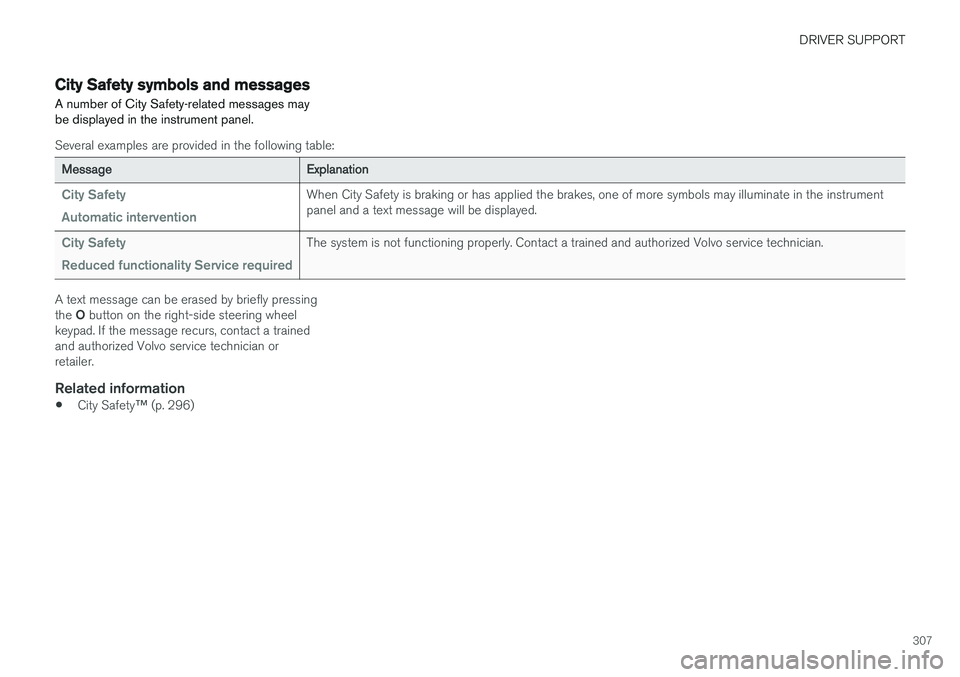
City Safety symbols and messages
A number of City Safety-related messages may be displayed in the instrument panel.
Several examples are provided in the following table:
Message Explanation
City Safety Automatic interventionWhen City Safety is braking or has applied the brakes, one of more symbols may illuminate in the instrument panel and a text message will be displayed.
City Safety Reduced functionality Service requiredThe system is not functioning properly. Contact a trained and authorized Volvo service technician.
A text message can be erased by briefly pressing the O button on the right-side steering wheel
keypad. If the message recurs, contact a trained and authorized Volvo service technician orretailer.
Related information
• City Safety
™ (p. 296)
Page 317 of 548
DRIVER SUPPORT
* Option/accessory.315
Blind Spot Information (BLIS) * with
Cross Traffic Alert (CTA) * symbols
and messages
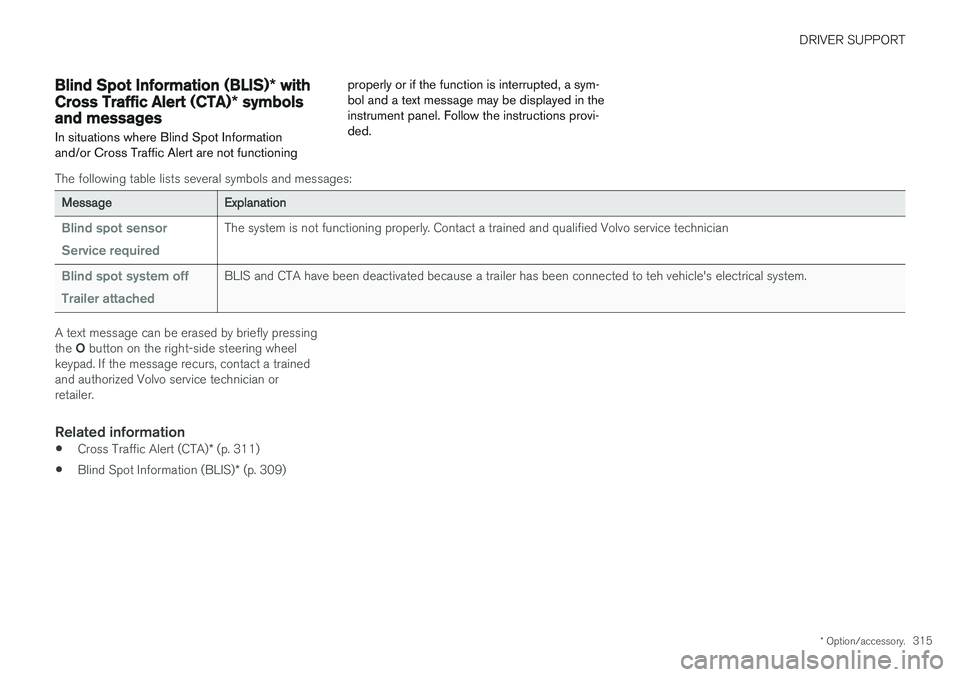
In situations where Blind Spot Information and/or Cross Traffic Alert are not functioning properly or if the function is interrupted, a sym-bol and a text message may be displayed in theinstrument panel. Follow the instructions provi-ded.
The following table lists several symbols and messages:
Message
Explanation
Blind spot sensor Service requiredThe system is not functioning properly. Contact a trained and qualified Volvo service technician
Blind spot system off Trailer attachedBLIS and CTA have been deactivated because a trailer has been connected to teh vehicle's electrical system.
A text message can be erased by briefly pressing the O button on the right-side steering wheel
keypad. If the message recurs, contact a trained and authorized Volvo service technician orretailer.
Related information
• Cross Traffic Alert (CTA)
* (p. 311)
• Blind Spot Information (BLIS)
* (p. 309)
Page 326 of 548
||
DRIVER SUPPORT
324
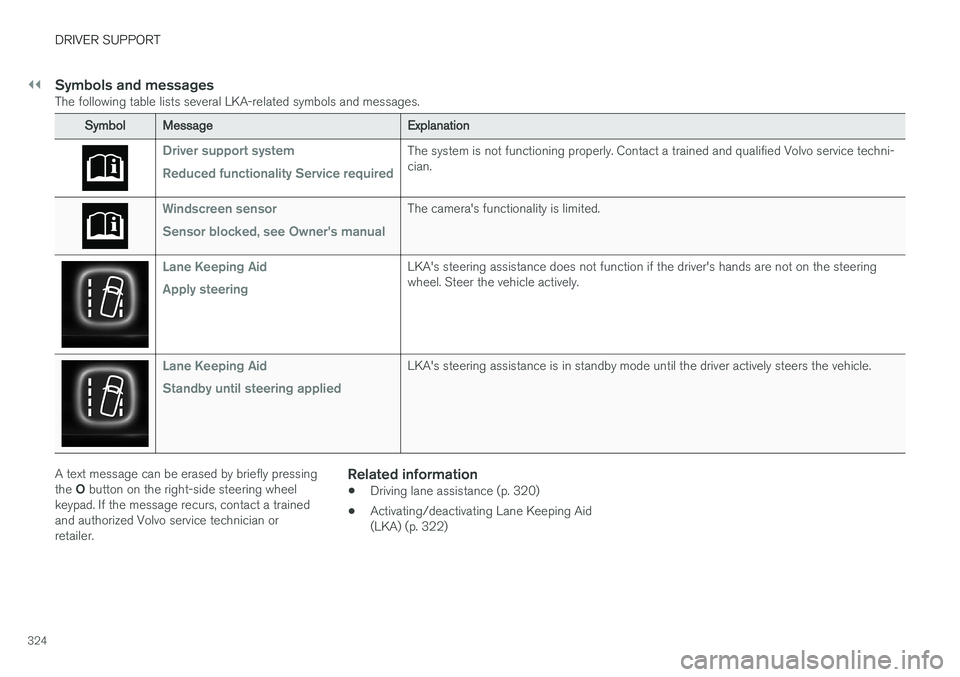
Symbols and messagesThe following table lists several LKA-related symbols and messages.
SymbolMessage Explanation
Driver support system Reduced functionality Service requiredThe system is not functioning properly. Contact a trained and qualified Volvo service techni- cian.
Windscreen sensor Sensor blocked, see Owner's manualThe camera's functionality is limited.
Lane Keeping Aid Apply steeringLKA's steering assistance does not function if the driver's hands are not on the steering wheel. Steer the vehicle actively.
Lane Keeping Aid Standby until steering appliedLKA's steering assistance is in standby mode until the driver actively steers the vehicle.
A text message can be erased by briefly pressing the O button on the right-side steering wheel
keypad. If the message recurs, contact a trained and authorized Volvo service technician orretailer.Related information
• Driving lane assistance (p. 320)
• Activating/deactivating Lane Keeping Aid(LKA) (p. 322)
Page 333 of 548
DRIVER SUPPORT
* Option/accessory.331
Park assist symbols and messages
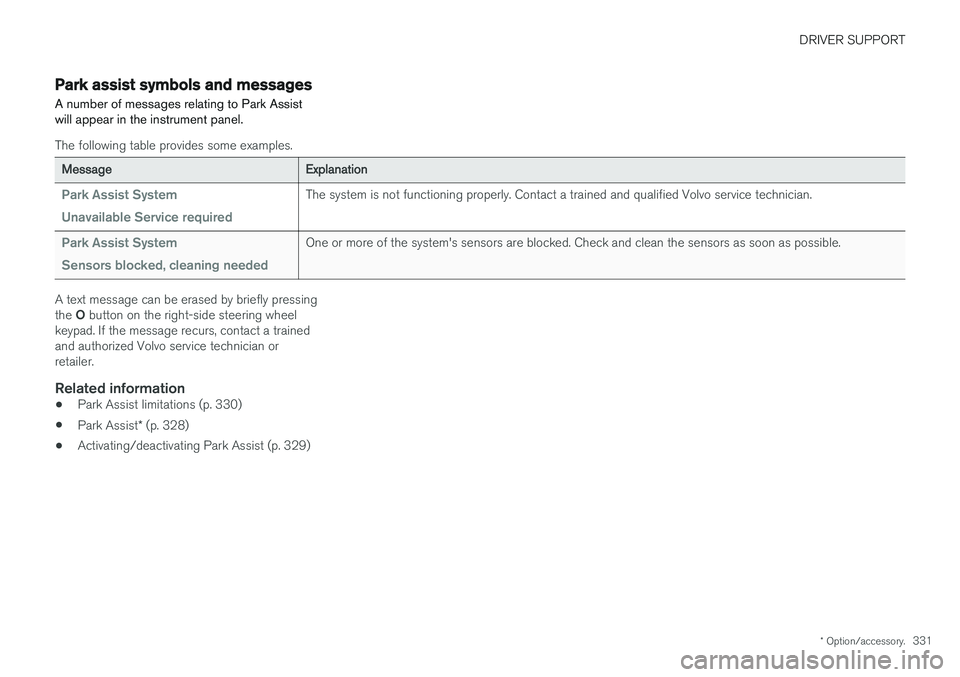
A number of messages relating to Park Assist will appear in the instrument panel.
The following table provides some examples.
Message Explanation
Park Assist System Unavailable Service requiredThe system is not functioning properly. Contact a trained and qualified Volvo service technician.
Park Assist System Sensors blocked, cleaning neededOne or more of the system's sensors are blocked. Check and clean the sensors as soon as possible.
A text message can be erased by briefly pressing the O button on the right-side steering wheel
keypad. If the message recurs, contact a trained and authorized Volvo service technician orretailer.
Related information
• Park Assist limitations (p. 330)
• Park Assist
* (p. 328)
• Activating/deactivating Park Assist (p. 329)
Page 346 of 548
DRIVER SUPPORT
* Option/accessory.
344
Park Assist Pilot (PAP) * symbols
and messages
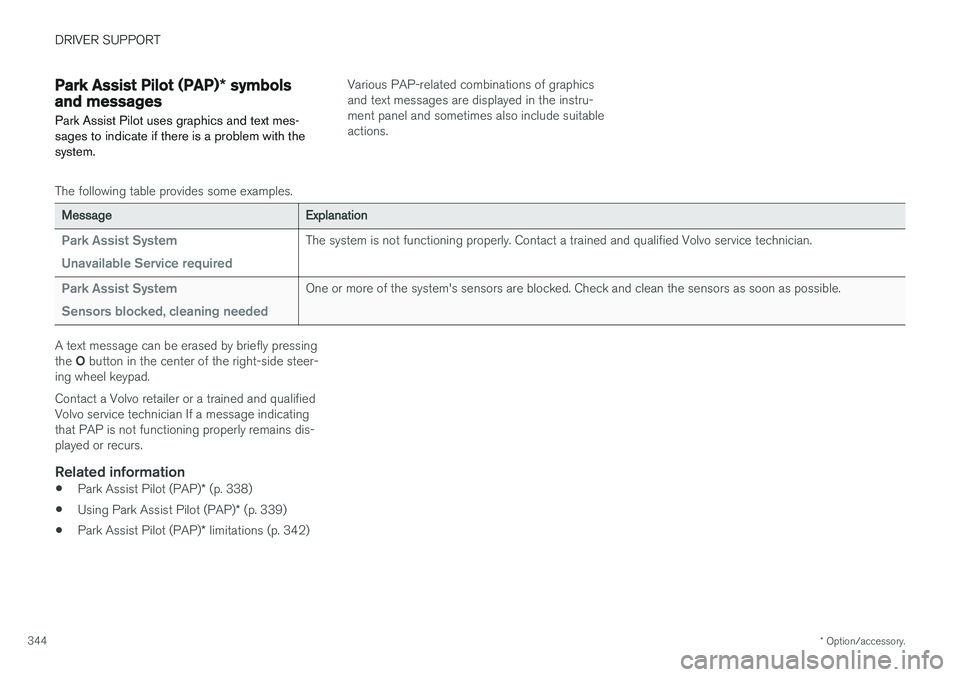
Park Assist Pilot uses graphics and text mes- sages to indicate if there is a problem with thesystem.Various PAP-related combinations of graphics and text messages are displayed in the instru-ment panel and sometimes also include suitableactions.
The following table provides some examples.
Message Explanation
Park Assist System Unavailable Service requiredThe system is not functioning properly. Contact a trained and qualified Volvo service technician.
Park Assist System Sensors blocked, cleaning neededOne or more of the system's sensors are blocked. Check and clean the sensors as soon as possible.
A text message can be erased by briefly pressing the O button in the center of the right-side steer-
ing wheel keypad. Contact a Volvo retailer or a trained and qualified Volvo service technician If a message indicatingthat PAP is not functioning properly remains dis-played or recurs.
Related information
• Park Assist Pilot (PAP)
* (p. 338)
• Using Park Assist Pilot (PAP)
* (p. 339)
• Park Assist Pilot (PAP)
* limitations (p. 342)