mirror VOLVO S90 2017 Owner´s Manual
[x] Cancel search | Manufacturer: VOLVO, Model Year: 2017, Model line: S90, Model: VOLVO S90 2017Pages: 548, PDF Size: 11.42 MB
Page 181 of 548
CLIMATE
}}
* Option/accessory.179
Climate system sensors The climate system's sensors help regulate the passenger compartment temperature, humiditylevel, etc.
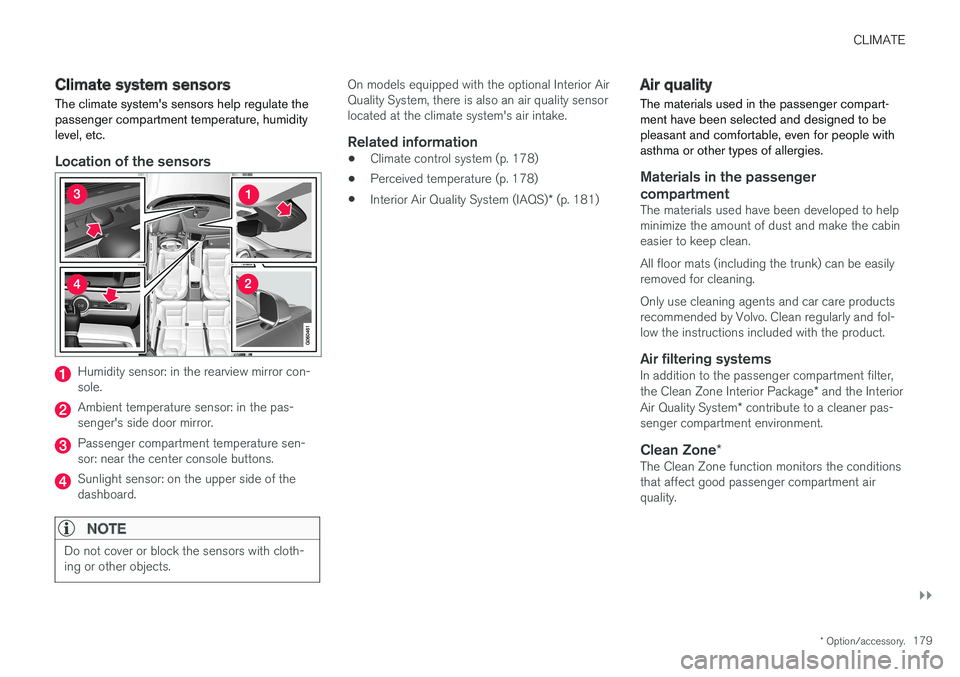
Location of the sensors
Humidity sensor: in the rearview mirror con- sole.
Ambient temperature sensor: in the pas- senger's side door mirror.
Passenger compartment temperature sen- sor: near the center console buttons.
Sunlight sensor: on the upper side of the dashboard.
NOTE
Do not cover or block the sensors with cloth- ing or other objects.
On models equipped with the optional Interior Air Quality System, there is also an air quality sensorlocated at the climate system's air intake.
Related information
•Climate control system (p. 178)
• Perceived temperature (p. 178)
• Interior Air Quality System (IAQS)
* (p. 181)
Air quality
The materials used in the passenger compart- ment have been selected and designed to bepleasant and comfortable, even for people withasthma or other types of allergies.
Materials in the passenger compartment
The materials used have been developed to help minimize the amount of dust and make the cabineasier to keep clean. All floor mats (including the trunk) can be easily removed for cleaning. Only use cleaning agents and car care products recommended by Volvo. Clean regularly and fol-low the instructions included with the product.
Air filtering systemsIn addition to the passenger compartment filter, the Clean Zone Interior Package * and the Interior
Air Quality System * contribute to a cleaner pas-
senger compartment environment.
Clean Zone *The Clean Zone function monitors the conditions that affect good passenger compartment airquality.
Page 185 of 548
CLIMATE
}}
* Option/accessory.183
•
Rear climate system controls on the tunnel console
* (p. 185)
• Defrosting windows and mirrors (p. 190)
• Climate system voice commands (p. 122)
• Air quality (p. 179)
Climate system controls in the center display
All climate system functions can be controlled from the center display's climate bar and Cli-mate view.
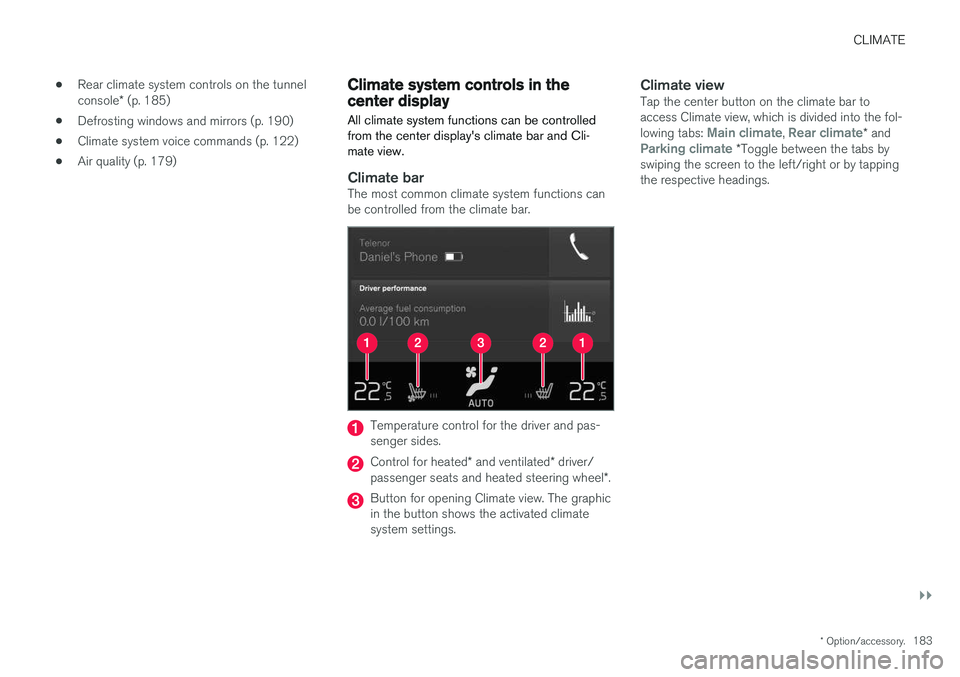
Climate barThe most common climate system functions can be controlled from the climate bar.
Temperature control for the driver and pas- senger sides.
Control for heated * and ventilated * driver/
passenger seats and heated steering wheel *.
Button for opening Climate view. The graphic in the button shows the activated climatesystem settings.
Climate viewTap the center button on the climate bar toaccess Climate view, which is divided into the fol- lowing tabs:
Main climate, Rear climate* andParking climate *Toggle between the tabs by
swiping the screen to the left/right or by tapping the respective headings.
Page 186 of 548
||
CLIMATE
* Option/accessory.
184
Main climate settings
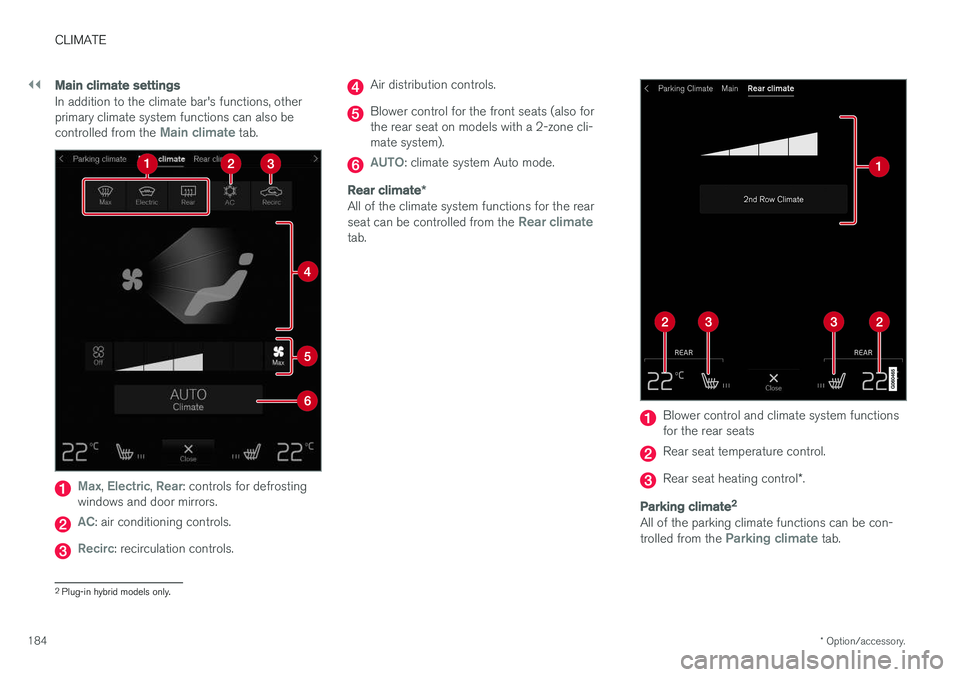
In addition to the climate bar's functions, other primary climate system functions can also be controlled from the
Main climate tab.
Max, Electric, Rear: controls for defrosting
windows and door mirrors.
AC: air conditioning controls.
Recirc: recirculation controls.
Air distribution controls.
Blower control for the front seats (also for the rear seat on models with a 2-zone cli-mate system).
AUTO: climate system Auto mode.
Rear climate *
All of the climate system functions for the rear seat can be controlled from the Rear climatetab.
Blower control and climate system functions for the rear seats
Rear seat temperature control.
Rear seat heating control *.
Parking climate 2
All of the parking climate functions can be con- trolled from the Parking climate tab.
2
Plug-in hybrid models only.
Page 187 of 548
CLIMATE
}}
* Option/accessory.185
Related information
•Climate system controls (p. 182)
• Defrosting windows and mirrors (p. 190)
• Air conditioning (p. 193)
• Adjusting air distribution (p. 198)
• Setting the temperature (p. 187)
• Setting the blower speed (p. 185)
• Automatic climate control (p. 182)
• Turning steering wheel heating
* on and off
(p. 192)
• Turning seat heating
* on and off (p. 194)
Rear climate system controls on the tunnel console *
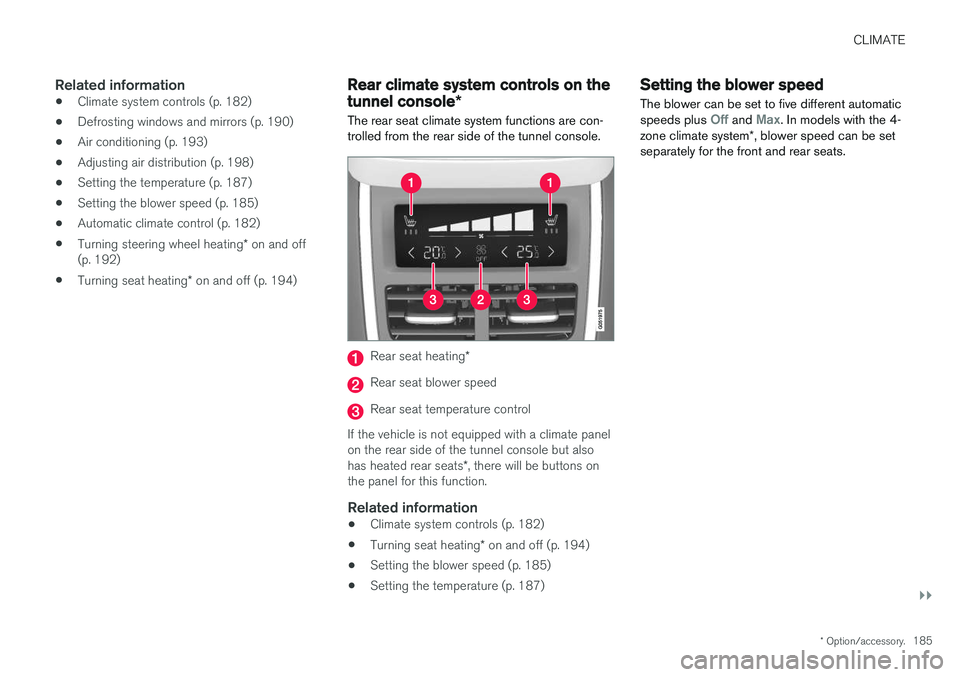
The rear seat climate system functions are con- trolled from the rear side of the tunnel console.
Rear seat heating *
Rear seat blower speed
Rear seat temperature control
If the vehicle is not equipped with a climate panel on the rear side of the tunnel console but also has heated rear seats *, there will be buttons on
the panel for this function.
Related information
• Climate system controls (p. 182)
• Turning seat heating
* on and off (p. 194)
• Setting the blower speed (p. 185)
• Setting the temperature (p. 187)
Setting the blower speed The blower can be set to five different automatic speeds plus
Off and Max. In models with the 4-
zone climate system *, blower speed can be set
separately for the front and rear seats.
Page 192 of 548
||
CLIMATE
* Option/accessory.
190
Activating/deactivating the recirculation timer
With the timer activated, recirculation will switch off automatically after 20 minutes. 1.
Tap
Settings in the center display's Top
view.
2. Tap
Climate.
3. Activate/deactivate the timer by selecting/ deselecting the box for
Recirculation
Timer.
Related information
• Climate system controls in the center display (p. 183)
Defrosting windows and mirrors
The max. defroster, heated windshield * and
heated rear window/door mirror functions are used to remove ice or condensation.
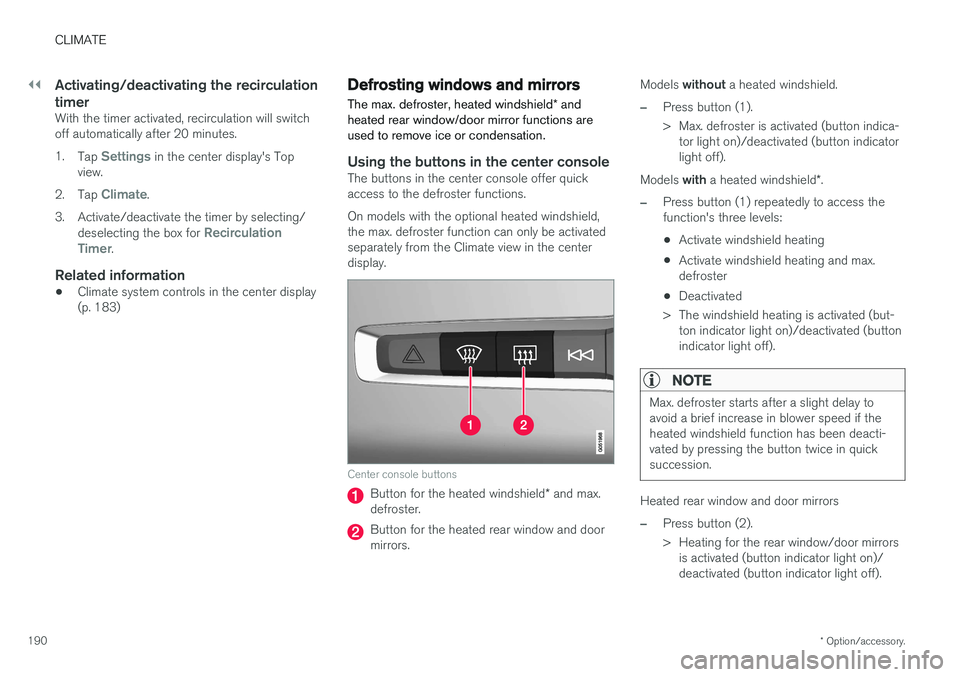
Using the buttons in the center consoleThe buttons in the center console offer quick access to the defroster functions. On models with the optional heated windshield, the max. defroster function can only be activatedseparately from the Climate view in the centerdisplay.
Center console buttons
Button for the heated windshield * and max.
defroster.
Button for the heated rear window and door mirrors. Models
without a heated windshield.
–Press button (1).
> Max. defroster is activated (button indica-
tor light on)/deactivated (button indicator light off).
Models with a heated windshield *.
–Press button (1) repeatedly to access the function's three levels:
• Activate windshield heating
• Activate windshield heating and max.defroster
• Deactivated
> The windshield heating is activated (but- ton indicator light on)/deactivated (buttonindicator light off).
NOTE
Max. defroster starts after a slight delay to avoid a brief increase in blower speed if theheated windshield function has been deacti-vated by pressing the button twice in quicksuccession.
Heated rear window and door mirrors
–Press button (2).
> Heating for the rear window/door mirrorsis activated (button indicator light on)/ deactivated (button indicator light off).
Page 193 of 548
CLIMATE
}}
* Option/accessory.191
From the center display's Climate view
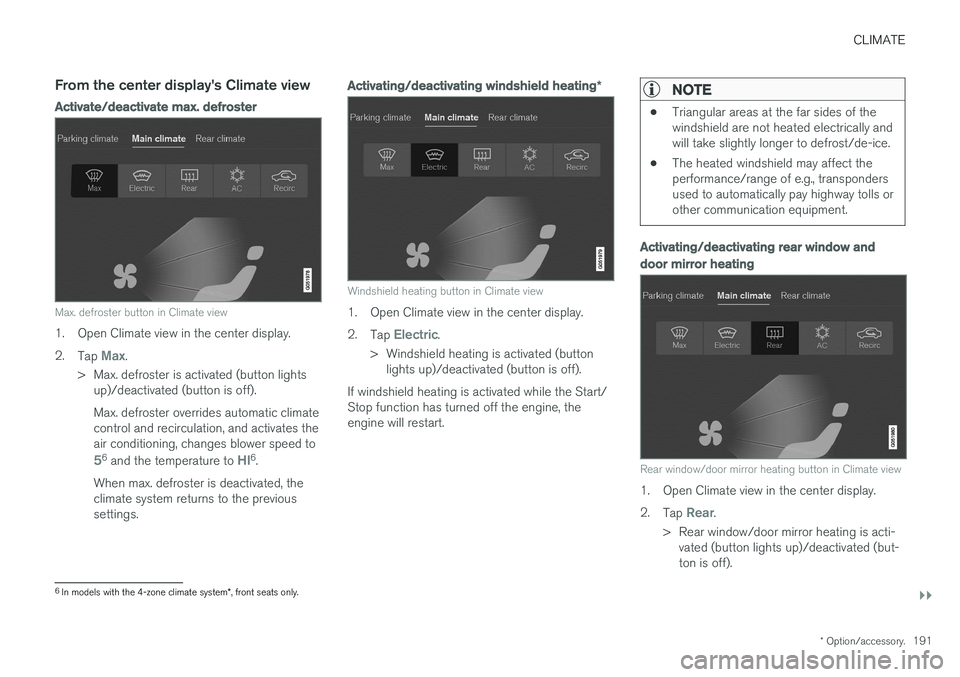
Activate/deactivate max. defroster
Max. defroster button in Climate view
1. Open Climate view in the center display. 2.
Tap
Max.
> Max. defroster is activated (button lights up)/deactivated (button is off). Max. defroster overrides automatic climate control and recirculation, and activates theair conditioning, changes blower speed to
56 and the temperature to HI6.
When max. defroster is deactivated, the climate system returns to the previoussettings.
Activating/deactivating windshield heating *
Windshield heating button in Climate view
1. Open Climate view in the center display. 2.
Tap
Electric.
> Windshield heating is activated (button lights up)/deactivated (button is off).
If windshield heating is activated while the Start/ Stop function has turned off the engine, theengine will restart.
NOTE
• Triangular areas at the far sides of the windshield are not heated electrically andwill take slightly longer to defrost/de-ice.
• The heated windshield may affect theperformance/range of e.g., transpondersused to automatically pay highway tolls orother communication equipment.
Activating/deactivating rear window and door mirror heating
Rear window/door mirror heating button in Climate view
1. Open Climate view in the center display. 2.
Tap
Rear.
> Rear window/door mirror heating is acti- vated (button lights up)/deactivated (but- ton is off).
6In models with the 4-zone climate system *, front seats only.
Page 194 of 548
||
CLIMATE
* Option/accessory.
192
Automatically activating/deactivating the window heating function when theengine is started
The rear window/door mirror/windshield heating *
can be set to start automatically when the engine is started. The heating function switches off auto-matically when the glass surfaces are sufficientlywarm and the condensation/ice has disappeared. 1. Tap
Settings in the center display's Top
view and select Climate.
2. Activate/deactivate the respective defroster functions when the engine is started by selecting/deselecting the boxes for
Auto
Electric Front Defroster and Auto Electric
Rear Defroster.
The heating function will switch off automatically
when the window/mirror is sufficiently warm and the ice/condensation has disappeared.
Related information
• Climate system controls (p. 182)
• Climate system controls in the center display(p. 183)
• Defrosting windows and mirrors (p. 190)
• Air conditioning (p. 193)
• Turning recirculation on and off (p. 189)
• Adjusting air distribution (p. 198)
• Setting the blower speed (p. 185)
• Automatic climate control (p. 182) •
Turning front seat ventilation
* on and off
(p. 195)
• Turning steering wheel heating
* on and off
(p. 192)
Turning steering wheel heating * on
and off
The steering wheel can be heated electrically for added comfort in cold weather.
Activating/deactivating steering wheel
heating
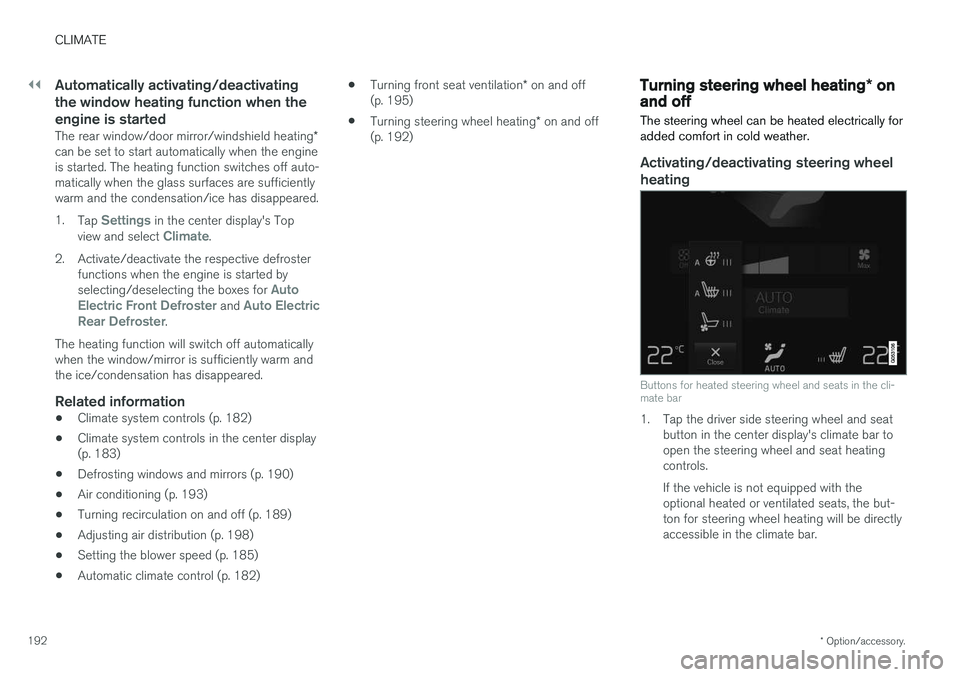
Buttons for heated steering wheel and seats in the cli- mate bar
1. Tap the driver side steering wheel and seat button in the center display's climate bar to open the steering wheel and seat heatingcontrols. If the vehicle is not equipped with the optional heated or ventilated seats, the but-ton for steering wheel heating will be directlyaccessible in the climate bar.
Page 210 of 548
||
LOADING AND STORAGE
208
Related information
•Loading (p. 202)
• Grocery bag holder (p. 207)
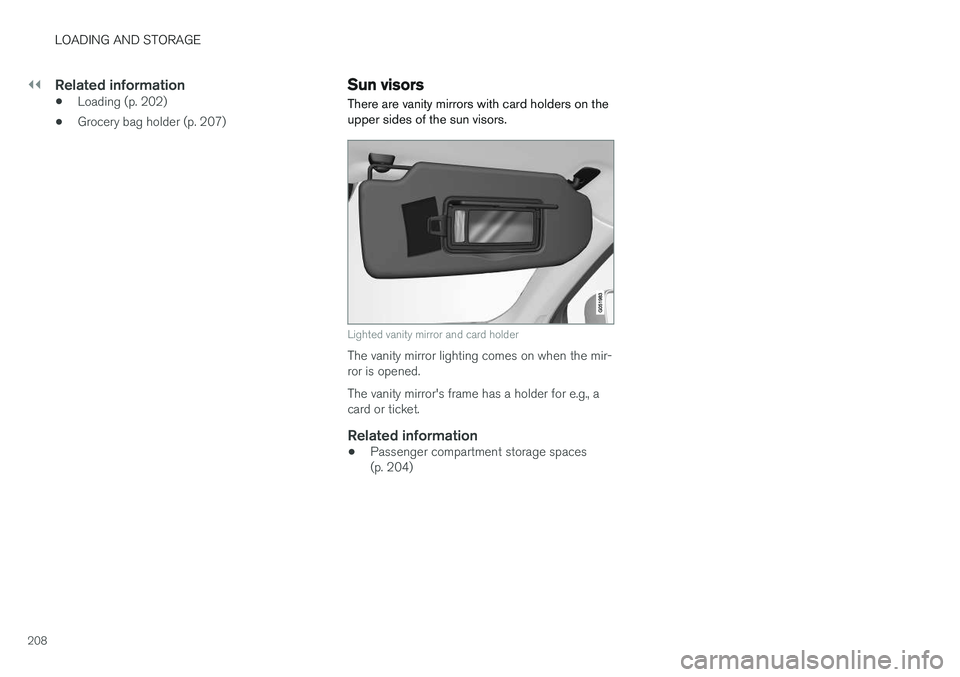
Sun visors There are vanity mirrors with card holders on the upper sides of the sun visors.
Lighted vanity mirror and card holder
The vanity mirror lighting comes on when the mir- ror is opened. The vanity mirror's frame has a holder for e.g., a card or ticket.
Related information
• Passenger compartment storage spaces(p. 204)
Page 228 of 548
||
LOCKS AND ALARM
226
WARNING
People with implanted pacemakers should not allow the pacemaker to come closer than9 inches (22 cm) to any of the Passive Entrysystem's antennas. This is to help preventinterference between the pacemaker and thePassive Entry system.
Related information
•Remote key (p. 217)
• Remote key's range (p. 219)
Locking and unlocking confirmation
The turn signals can be used to indicate that the vehicle has been locked/unlocked with theremote key. These settings can also be changedin the center display's Top view by going to:
SettingsMy CarLockingLocking and
Unlocking Feedback.
Exterior confirmation
• Locking: the turn signals flash once and the door mirrors will fold in (retract) 8
• Unlocking: the turn signals flash twice andthe door mirrors will fold out 8
When the vehicle is locked, confirmation will only be given if all doors/trunk and the hood areclosed. If the vehicle is locked while only the driver's door is closed 9
, all doors/trunk will lock but confirma-
tion will only be given when all doors/trunk/hood are closed.
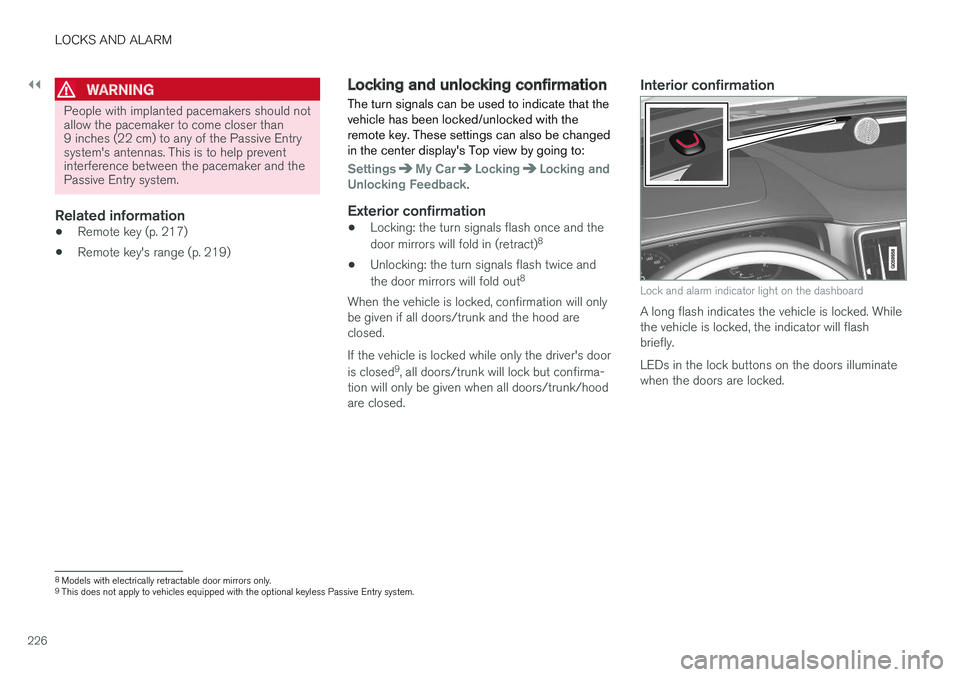
Interior confirmation
Lock and alarm indicator light on the dashboard
A long flash indicates the vehicle is locked. While the vehicle is locked, the indicator will flashbriefly. LEDs in the lock buttons on the doors illuminate when the doors are locked.
8 Models with electrically retractable door mirrors only.
9 This does not apply to vehicles equipped with the optional keyless Passive Entry system.
Page 229 of 548
LOCKS AND ALARM
227
Indicators in the interior lock buttons
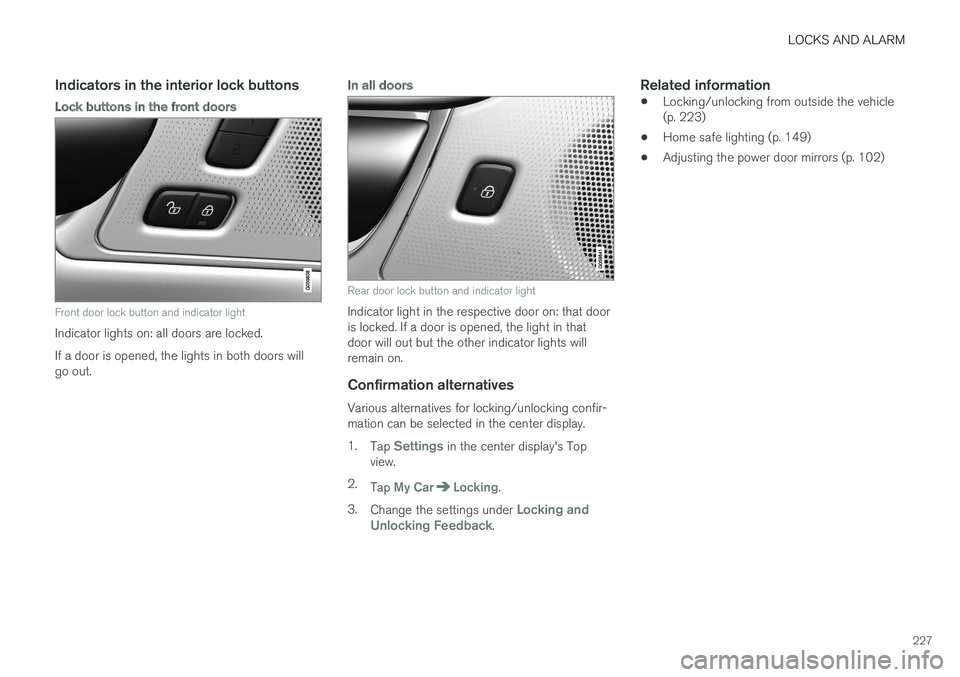
Lock buttons in the front doors
Front door lock button and indicator light
Indicator lights on: all doors are locked. If a door is opened, the lights in both doors will go out.
In all doors
Rear door lock button and indicator light
Indicator light in the respective door on: that door is locked. If a door is opened, the light in thatdoor will out but the other indicator lights willremain on.
Confirmation alternatives
Various alternatives for locking/unlocking confir-mation can be selected in the center display. 1.Tap
Settings in the center display's Top
view.
2. Tap
My CarLocking.
3. Change the settings under
Locking and
Unlocking Feedback.
Related information
• Locking/unlocking from outside the vehicle (p. 223)
• Home safe lighting (p. 149)
• Adjusting the power door mirrors (p. 102)