trunk VOLVO S90 2017 Owner´s Manual
[x] Cancel search | Manufacturer: VOLVO, Model Year: 2017, Model line: S90, Model: VOLVO S90 2017Pages: 548, PDF Size: 11.42 MB
Page 219 of 548
LOCKS AND ALARM
}}
217
Put the rear cover in position and press
down until it clicks into place.
Slide the cover into place as indicated by
arrow 2 in the illustration.
> Another click indicates that it is correctly in position and closed.
Press the front cover (with the Volvo
logo) until it clicks into place.
Slide the cover into position as indicated
by arrow 2 in the illustration.
> Another click indicates that it is correctly in position and closed.
Related information
• Remote key (p. 217)
Remote key
The remote key is used to lock/unlock the vehi- cle and must be in the passenger compartmentin order to start the engine.
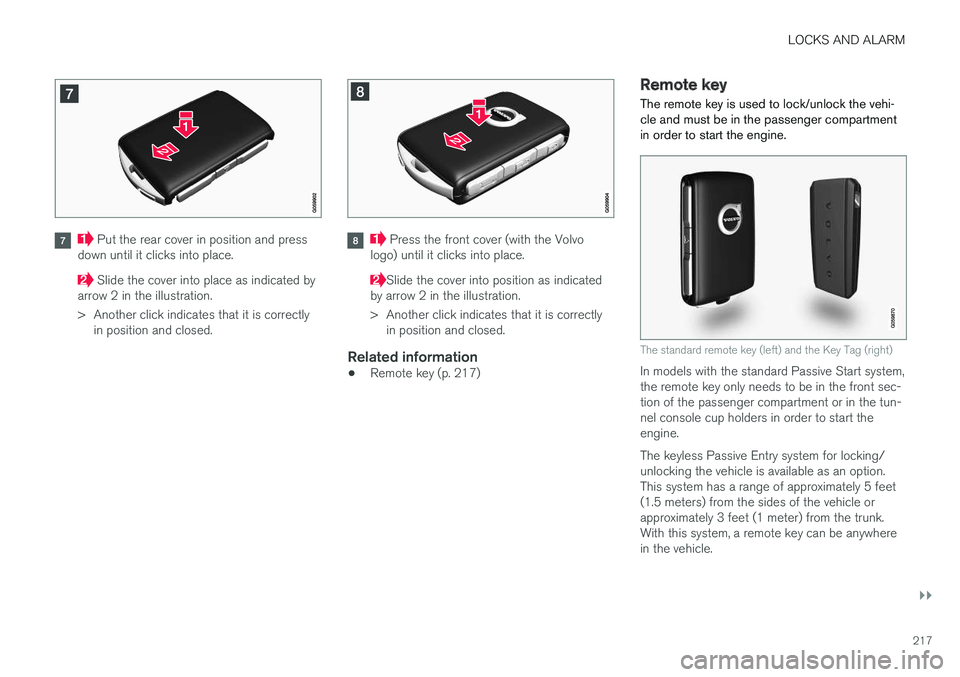
The standard remote key (left) and the Key Tag (right)
In models with the standard Passive Start system, the remote key only needs to be in the front sec-tion of the passenger compartment or in the tun-nel console cup holders in order to start theengine. The keyless Passive Entry system for locking/ unlocking the vehicle is available as an option.This system has a range of approximately 5 feet(1.5 meters) from the sides of the vehicle orapproximately 3 feet (1 meter) from the trunk.With this system, a remote key can be anywherein the vehicle.
Page 220 of 548
||
LOCKS AND ALARM
* Option/accessory.
218 Each of the remote keys provided with the vehicle can be linked to a driver profile containing uniquepersonal settings that will be applied when thatparticular key is used. See also the article "Driverprofile" for additional information.
NOTE
Avoid placing the remote key closer than approx. (4-6 in.) (10-15 cm) to any metallicobjects or electronic devices such as cellphones, tablets, laptops or chargers.
If interference persists, unlock the vehicle with the detachable key blade and place the remotekey in the backup key reader in the tunnel con-sole cup holder to disarm the alarm.
WARNING
Always remove the remote key from the pas- senger compartment when leaving the vehicle and ensure that the ignition in mode
0, espe-
cially if there are children in the vehicle.
Key TagIn addition to the two remote keys provided, a smaller third key, called a Key Tag, is also provi-ded for vehicles equipped with the optionalPassive Entry system. This key functions in the same way as a standardremote key but does not have a detachable keyblade and its battery cannot be replaced; a newKey Tag has to be ordered.
Ordering new keysTwo remote keys are provided with the vehicle (a Key Tag
2
is also included for vehicles equipped
with the optional Passive Entry system). Addi- tional keys (a total of 12) can be ordered andused with the vehicle.
The remote key's buttons
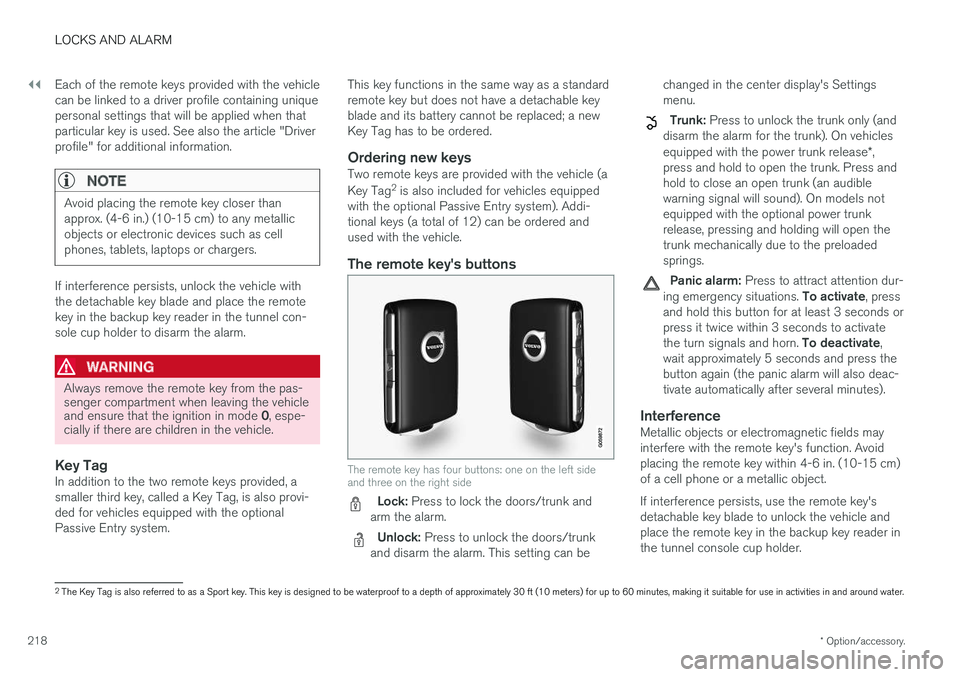
The remote key has four buttons: one on the left side and three on the right side
Lock: Press to lock the doors/trunk and
arm the alarm.
Unlock: Press to unlock the doors/trunk
and disarm the alarm. This setting can be changed in the center display's Settings menu.
Trunk: Press to unlock the trunk only (and
disarm the alarm for the trunk). On vehicles equipped with the power trunk release *,
press and hold to open the trunk. Press and hold to close an open trunk (an audiblewarning signal will sound). On models notequipped with the optional power trunkrelease, pressing and holding will open thetrunk mechanically due to the preloadedsprings.
Panic alarm: Press to attract attention dur-
ing emergency situations. To activate, press
and hold this button for at least 3 seconds or press it twice within 3 seconds to activate the turn signals and horn. To deactivate,
wait approximately 5 seconds and press the button again (the panic alarm will also deac-tivate automatically after several minutes).
InterferenceMetallic objects or electromagnetic fields mayinterfere with the remote key's function. Avoidplacing the remote key within 4-6 in. (10-15 cm)of a cell phone or a metallic object. If interference persists, use the remote key's detachable key blade to unlock the vehicle andplace the remote key in the backup key reader inthe tunnel console cup holder.
2 The Key Tag is also referred to as a Sport key. This key is designed to be waterproof to a depth of approximately 30 ft (10 meters) for up to 60 minutes, making it suitable for use in activities in and around water.
Page 222 of 548
||
LOCKS AND ALARM
* Option/accessory.
220
Keyless use 3
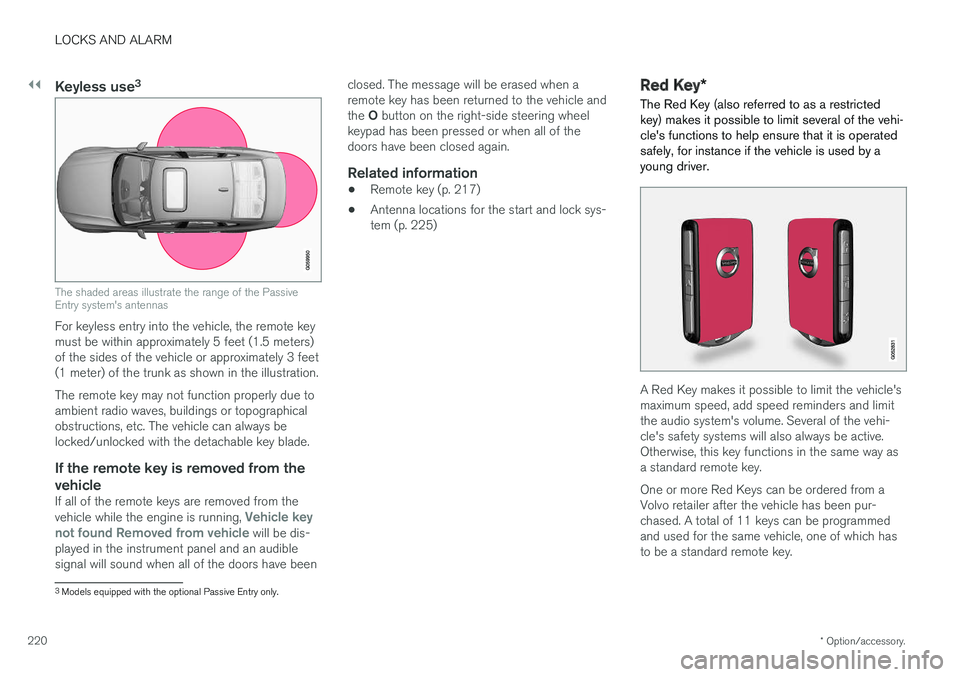
The shaded areas illustrate the range of the Passive Entry system's antennas
For keyless entry into the vehicle, the remote key must be within approximately 5 feet (1.5 meters)of the sides of the vehicle or approximately 3 feet(1 meter) of the trunk as shown in the illustration. The remote key may not function properly due to ambient radio waves, buildings or topographicalobstructions, etc. The vehicle can always belocked/unlocked with the detachable key blade.
If the remote key is removed from the
vehicle
If all of the remote keys are removed from the vehicle while the engine is running, Vehicle key
not found Removed from vehicle will be dis-
played in the instrument panel and an audible signal will sound when all of the doors have been closed. The message will be erased when aremote key has been returned to the vehicle and the
O button on the right-side steering wheel
keypad has been pressed or when all of the doors have been closed again.
Related information
• Remote key (p. 217)
• Antenna locations for the start and lock sys-tem (p. 225)
Red Key
*
The Red Key (also referred to as a restricted key) makes it possible to limit several of the vehi-cle's functions to help ensure that it is operatedsafely, for instance if the vehicle is used by ayoung driver.
A Red Key makes it possible to limit the vehicle's maximum speed, add speed reminders and limitthe audio system's volume. Several of the vehi-cle's safety systems will also always be active.Otherwise, this key functions in the same way asa standard remote key. One or more Red Keys can be ordered from a Volvo retailer after the vehicle has been pur-chased. A total of 11 keys can be programmedand used for the same vehicle, one of which hasto be a standard remote key.
3 Models equipped with the optional Passive Entry only.
Page 225 of 548
LOCKS AND ALARM
}}
* Option/accessory.223
Locking/unlocking from outside the vehicle The buttons on the remote key can be used to lock or unlock all doors and the trunk at thesame time. This can also be done without press-ing the remote key buttons on models equippedwith the optional keyless Passive Entry system. The power trunk* can also be opened/closed by
moving your foot under a sensor beneath the rear bumper.
Locking and unlockingThe lock/unlock settings can be changed in the center display's Top view. Go to:
SettingsMy CarRemote Unlockand select Unlock All Doors or Driver Door
Only.
In order to lock the vehicle, the driver's door must be closed. If the trunk or any of the other doorsare open, they will be locked and the alarm will bearmed when they are closed.
NOTE
Be sure the remote key is outside of the vehi- cle before the other doors/trunk are closed tohelp avoid locking the remote inside the vehi-cle.
The settings made for the Remote Unlock func-
tion also affect the central locking system when a door is opened from inside the vehicle using a door handle. See also the article "Locking/unlocking from inside the vehicle" for additionalinformation. If the locks repeatedly do not react when the unlock button is pressed, begin by moving closerto the vehicle. However, it may be necessary toreplace the battery in the remote. In this case, thedriver's door can be unlocked with the detacha-ble key blade. See also the article "Detachablekey blade" for additional information.
Keyless Passive Entry
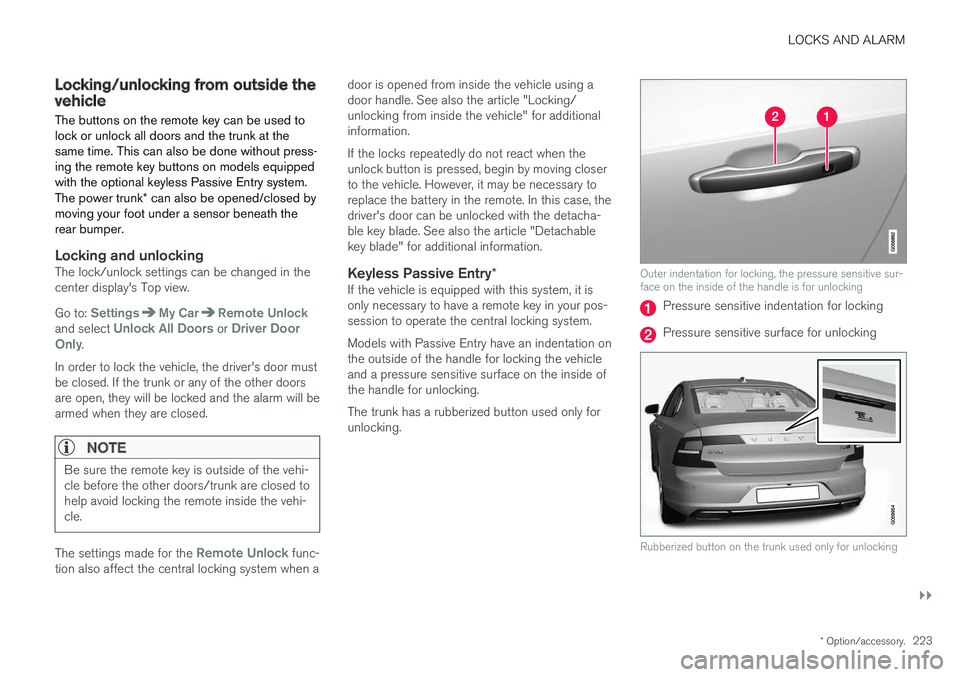
*If the vehicle is equipped with this system, it isonly necessary to have a remote key in your pos-session to operate the central locking system. Models with Passive Entry have an indentation on the outside of the handle for locking the vehicleand a pressure sensitive surface on the inside ofthe handle for unlocking. The trunk has a rubberized button used only for unlocking.
Outer indentation for locking, the pressure sensitive sur- face on the inside of the handle is for unlocking
Pressure sensitive indentation for locking
Pressure sensitive surface for unlocking
Rubberized button on the trunk used only for unlocking
Page 226 of 548
||
LOCKS AND ALARM
* Option/accessory.
224
Locking
All of the doors have to be closed before the vehicle can be locked but the trunk can be open. Lock the doors and trunk by pressing the pres- sure sensitive indentation on the outside of anyof the door handles. The lock indicator light onthe dashboard will begin to flash to show that thevehicle is locked and the alarm has been armed.
NOTE
Only one of a door handle's lock/unlock sur- faces should be pressed at a time. If bothareas are pressed simultaneously, the desiredlocking/unlocking action may not occur ormay be delayed.
To close windows or the moonroof * when locking
the vehicle, hold the pressure sensitive surface on the outside of a door handle until the win-dow(s)/moonroof have closed completely. Thewindows/moonroof will stop if the button isreleased before they are fully closed.
Unlocking
Pull a door handle to unlock and open the door or press the rubberized button under the trunkopening control. The lock indicator light on thedashboard will go out to show that the vehicle isunlocked and the alarm has been disarmed. The lock/unlock settings can be changed in the center display's Top view: Go to:
SettingsMy CarKeyless Unlockand select All Doors or Single Door.
Automatic relockingIf no door or the trunk is opened within two minutes after being unlocked, the vehicle willautomatically relock.
Remote door unlockThe vehicle can be unlocked using the Volvo OnCall app.
Related information
•
Remote key (p. 217)
• Remote key's range (p. 219)
• Detachable key blade (p. 221)
• Alarm (p. 236)
• Locking/unlocking from inside the vehicle(p. 224)
• Foot movement trunk operation
* (p. 232)
• Locking/unlocking the trunk (p. 228)
Locking/unlocking from inside the vehicle The lock buttons on either of the front doors can be used to lock or unlock all doors and the trunkat the same time. The rear doors can be locked using their respective lock buttons
*.
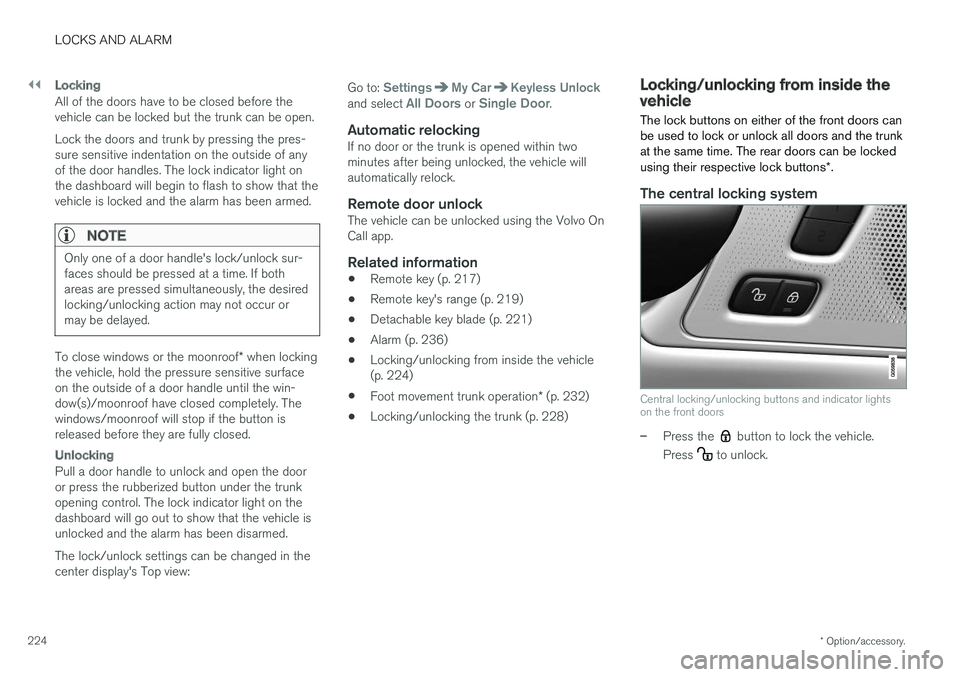
The central locking system
Central locking/unlocking buttons and indicator lights on the front doors
–Press the button to lock the vehicle.
Press
to unlock.
Page 227 of 548
LOCKS AND ALARM
}}
* Option/accessory.225
Unlocking
•
Press the button to unlock all doors and
the trunk.
• Pull the door opening handle on either of the front doors. This will unlock the vehicle com- pletely 5
and the door will open.
Locking
–Press the button on either of the front
doors to lock the vehicle (both front doors must be closed).
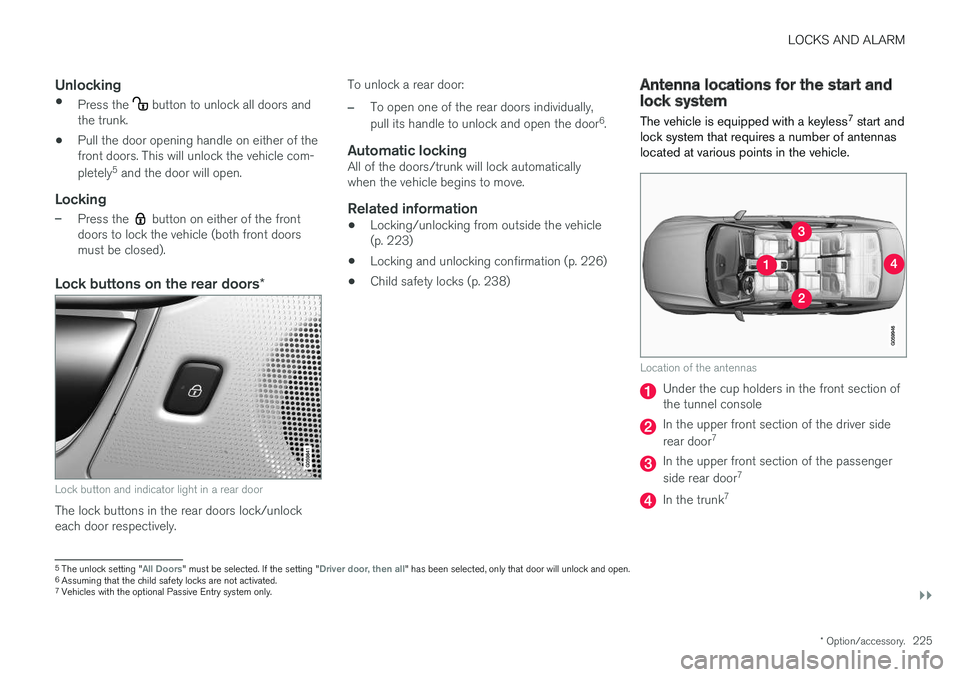
Lock buttons on the rear doors *
Lock button and indicator light in a rear door
The lock buttons in the rear doors lock/unlock each door respectively. To unlock a rear door:
–To open one of the rear doors individually, pull its handle to unlock and open the door
6
.
Automatic lockingAll of the doors/trunk will lock automatically when the vehicle begins to move.
Related information
• Locking/unlocking from outside the vehicle(p. 223)
• Locking and unlocking confirmation (p. 226)
• Child safety locks (p. 238)
Antenna locations for the start and lock system
The vehicle is equipped with a keyless 7
start and
lock system that requires a number of antennas located at various points in the vehicle.
Location of the antennas
Under the cup holders in the front section of the tunnel console
In the upper front section of the driver side rear door 7
In the upper front section of the passenger side rear door 7
In the trunk7
5
The unlock setting "All Doors" must be selected. If the setting "Driver door, then all" has been selected, only that door will unlock and open.
6 Assuming that the child safety locks are not activated.
7 Vehicles with the optional Passive Entry system only.
Page 228 of 548
||
LOCKS AND ALARM
226
WARNING
People with implanted pacemakers should not allow the pacemaker to come closer than9 inches (22 cm) to any of the Passive Entrysystem's antennas. This is to help preventinterference between the pacemaker and thePassive Entry system.
Related information
•Remote key (p. 217)
• Remote key's range (p. 219)
Locking and unlocking confirmation
The turn signals can be used to indicate that the vehicle has been locked/unlocked with theremote key. These settings can also be changedin the center display's Top view by going to:
SettingsMy CarLockingLocking and
Unlocking Feedback.
Exterior confirmation
• Locking: the turn signals flash once and the door mirrors will fold in (retract) 8
• Unlocking: the turn signals flash twice andthe door mirrors will fold out 8
When the vehicle is locked, confirmation will only be given if all doors/trunk and the hood areclosed. If the vehicle is locked while only the driver's door is closed 9
, all doors/trunk will lock but confirma-
tion will only be given when all doors/trunk/hood are closed.
Interior confirmation
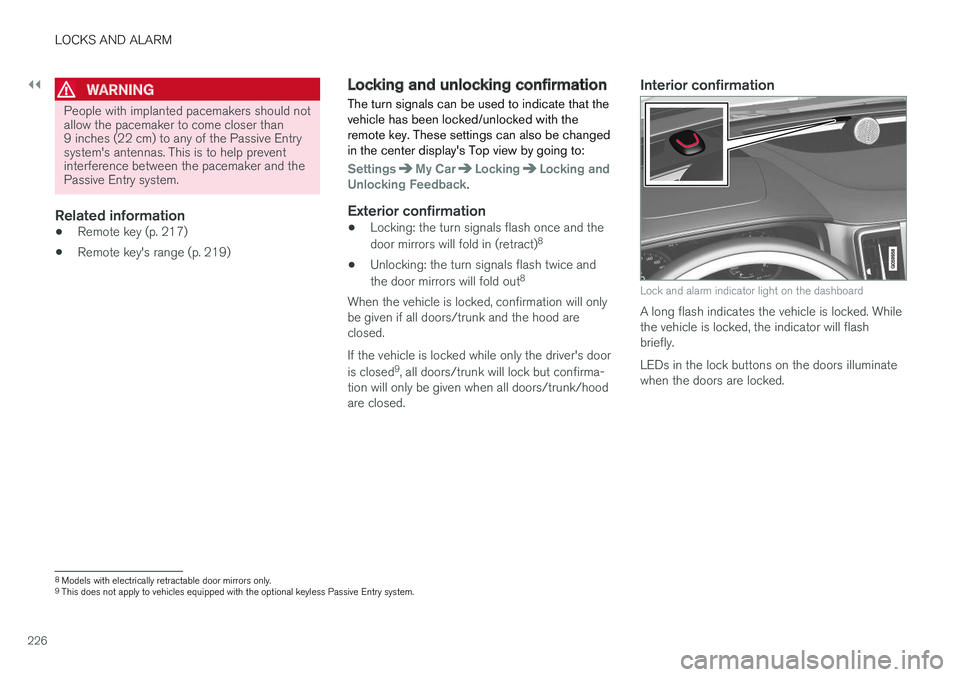
Lock and alarm indicator light on the dashboard
A long flash indicates the vehicle is locked. While the vehicle is locked, the indicator will flashbriefly. LEDs in the lock buttons on the doors illuminate when the doors are locked.
8 Models with electrically retractable door mirrors only.
9 This does not apply to vehicles equipped with the optional keyless Passive Entry system.
Page 230 of 548
LOCKS AND ALARM
* Option/accessory.
228
Locking/unlocking the trunk The trunk can be locked, unlocked and opened in several ways.
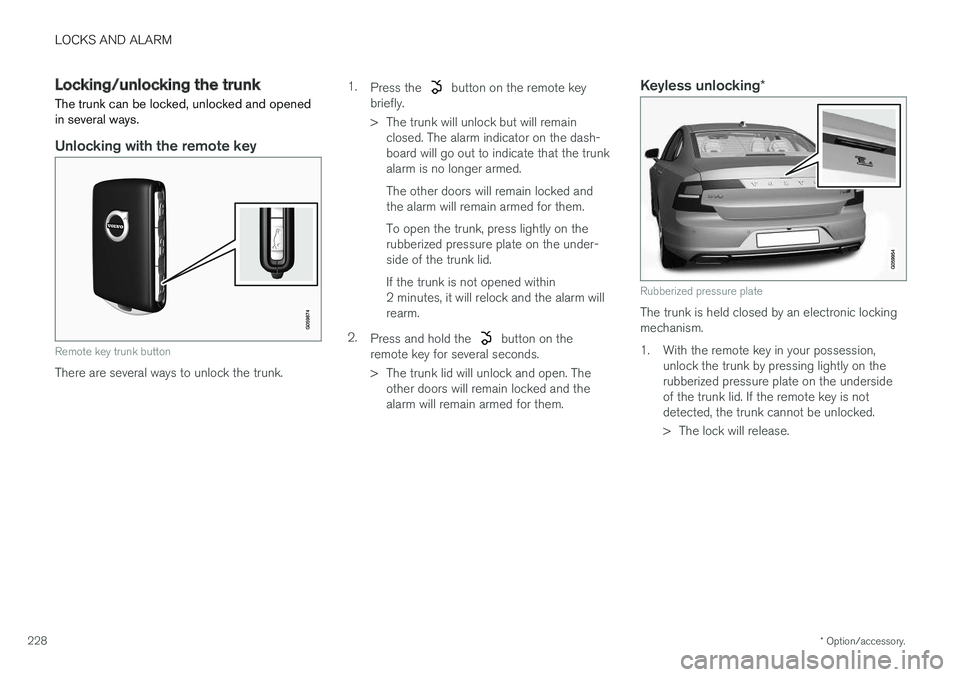
Unlocking with the remote key
Remote key trunk button
There are several ways to unlock the trunk. 1.
Press the
button on the remote key
briefly.
> The trunk will unlock but will remain closed. The alarm indicator on the dash- board will go out to indicate that the trunkalarm is no longer armed. The other doors will remain locked and the alarm will remain armed for them. To open the trunk, press lightly on the rubberized pressure plate on the under-side of the trunk lid. If the trunk is not opened within 2 minutes, it will relock and the alarm willrearm.
2. Press and hold the
button on the
remote key for several seconds.
> The trunk lid will unlock and open. The other doors will remain locked and the alarm will remain armed for them.
Keyless unlocking *
Rubberized pressure plate
The trunk is held closed by an electronic locking mechanism.
1. With the remote key in your possession, unlock the trunk by pressing lightly on therubberized pressure plate on the undersideof the trunk lid. If the remote key is notdetected, the trunk cannot be unlocked.
> The lock will release.
Page 231 of 548
LOCKS AND ALARM
}}
* Option/accessory.229
2. Lift to open the trunk completely.
CAUTION
•
When pressing the rubberized pressure plate, only light pressure is necessary torelease the trunk's electronic lockingmechanism.
• When opening the trunk, pull it up usingthe handle. Too much pressure on the rub-berized pressure plate can damage itselectrical connections.
WARNING
Driving with the trunk open:
Driving with the
trunk open could lead to poisonous exhaust gases entering the passenger compartment. Ifthe trunk must be kept open for any reason,proceed as follows:
• Close the windows
• Set the ventilation system control to air flow to floor, windshield and side windowsand the blower control to its highest set-ting.
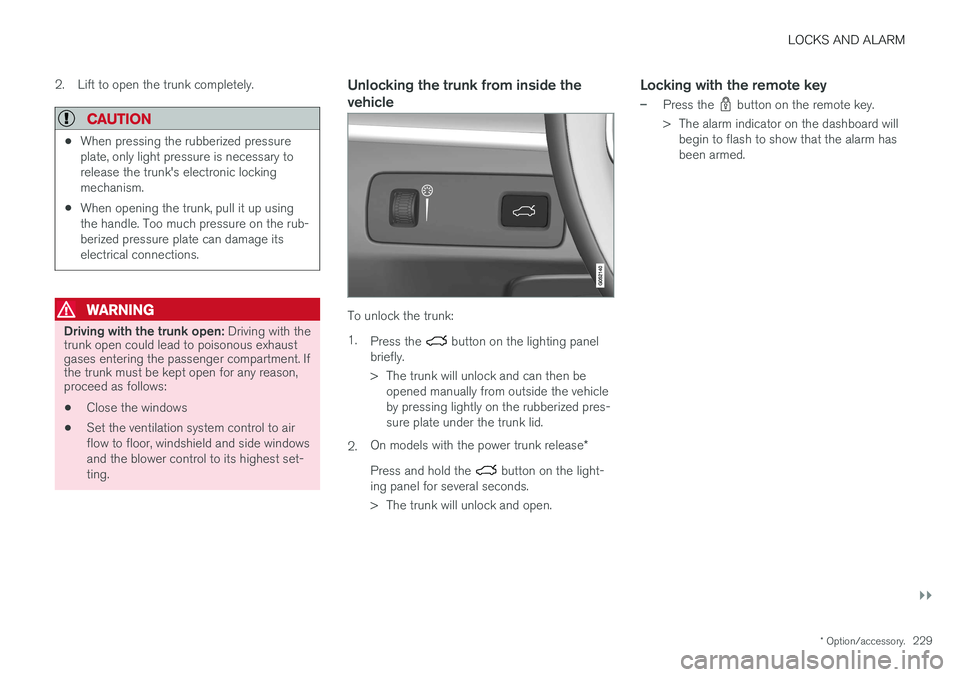
Unlocking the trunk from inside the vehicle
To unlock the trunk: 1.
Press the
button on the lighting panel
briefly.
> The trunk will unlock and can then be opened manually from outside the vehicle by pressing lightly on the rubberized pres-sure plate under the trunk lid.
2. On models with the power trunk release
*
Press and hold the
button on the light-
ing panel for several seconds.
> The trunk will unlock and open.
Locking with the remote key
–Press the button on the remote key.
> The alarm indicator on the dashboard will begin to flash to show that the alarm has been armed.
Page 232 of 548
||
LOCKS AND ALARM
* Option/accessory.
230
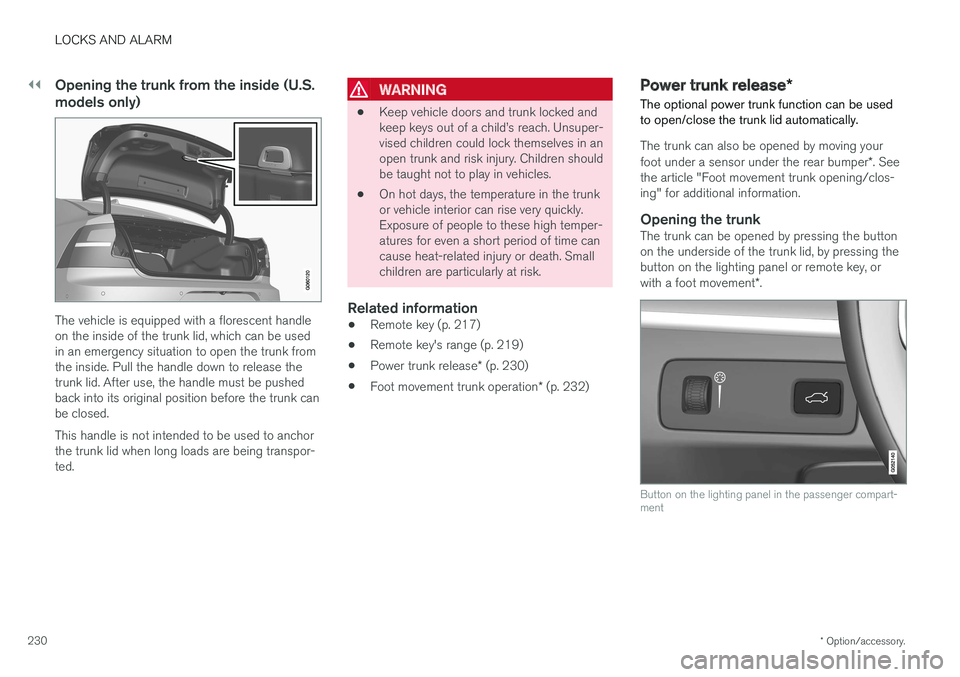
Opening the trunk from the inside (U.S. models only)
The vehicle is equipped with a florescent handle on the inside of the trunk lid, which can be usedin an emergency situation to open the trunk fromthe inside. Pull the handle down to release thetrunk lid. After use, the handle must be pushedback into its original position before the trunk canbe closed. This handle is not intended to be used to anchor the trunk lid when long loads are being transpor-ted.
WARNING
• Keep vehicle doors and trunk locked and keep keys out of a child