instrument panel VOLVO S90 2017 Owner´s Manual
[x] Cancel search | Manufacturer: VOLVO, Model Year: 2017, Model line: S90, Model: VOLVO S90 2017Pages: 548, PDF Size: 11.42 MB
Page 238 of 548
||
LOCKS AND ALARM
236
NOTE
If the child safety locks are activated for the rear doors and the mechanical locking mech-anism has also been activated with the keyblade, it will not be possible to open thesedoors from the inside or the outside. To unlock, use the central unlocking button on either of the front doors or the unlock but-ton on the remote key.
Related information
•Detachable key blade (p. 221)
Automatically arming/disarming the alarm
Automatically arming the alarm helps prevent inadvertently leaving the vehicle without alarmprotection.
If the vehicle has been unlocked with the remote key (and the alarm has been disarmed) but nodoor or the trunk has been opened within2 minutes, the vehicle will automatically relockand the alarm will re-arm. In certain markets, the alarm will be re-armed automatically after a slight delay after the driver'sdoor has been opened and closed without beinglocked.
Related information
• Alarm (p. 236)
• Deactivating the alarm without a functioningremote key (p. 238)
Alarm
The alarm system provides a warning if an attempt is made to break into the vehicle.
The following conditions will trigger the alarm:
• a door/hood/trunk are opened
• the battery is disconnected
• the alarm siren is disconnected
If a problem is detected in the alarm system, this symbol and
Alarm
system failure Service required will
be displayed in the instrument panel.
Do not attempt to repair any of the components in the alarm system yourself; this could affect theinsurance policy on the vehicle. Contact a trainedand qualified Volvo service technician.
NOTE
One of the alarm sensors, which is sensitive to metallic objects, is located under the tunnelconsole cup holders. Avoid leaving coins,keys, etc., in the cup holders because theymay inadvertently trigger the alarm.
Page 240 of 548
LOCKS AND ALARM
* Option/accessory.
238
Deactivating the alarm without a functioning remote key
If the remote key is not functioning properly, the alarm can be turned off and the vehicle can bestarted as follows:
1. Unlock and open the driver's door with the detachable key blade.
> This will trigger the alarm.
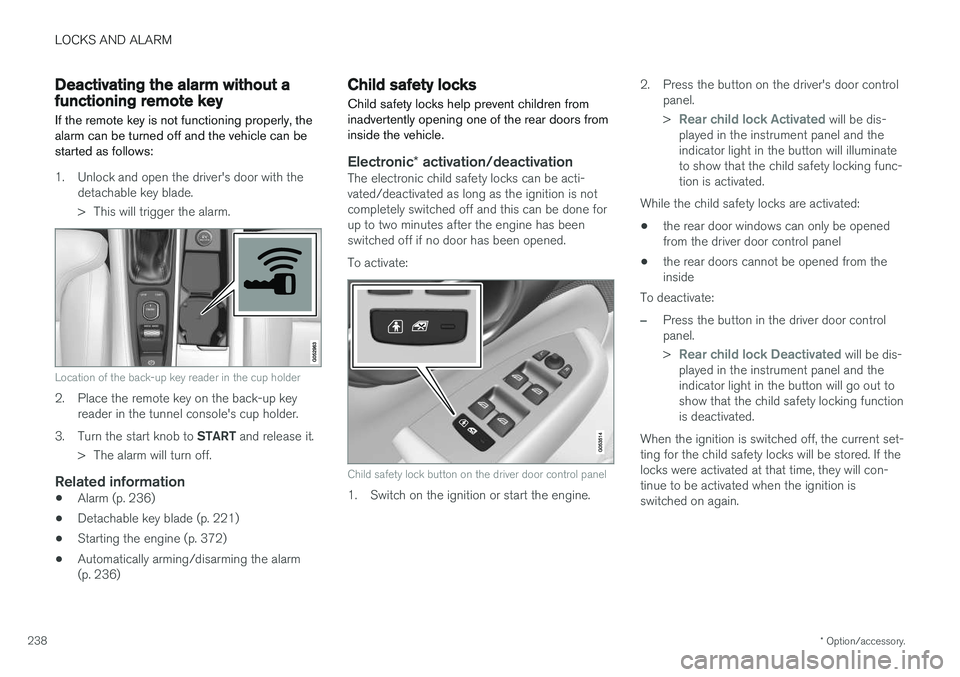
Location of the back-up key reader in the cup holder
2. Place the remote key on the back-up keyreader in the tunnel console's cup holder.
3. Turn the start knob to START and release it.
> The alarm will turn off.
Related information
• Alarm (p. 236)
• Detachable key blade (p. 221)
• Starting the engine (p. 372)
• Automatically arming/disarming the alarm (p. 236)
Child safety locks
Child safety locks help prevent children from inadvertently opening one of the rear doors frominside the vehicle.
Electronic * activation/deactivationThe electronic child safety locks can be acti- vated/deactivated as long as the ignition is notcompletely switched off and this can be done forup to two minutes after the engine has beenswitched off if no door has been opened. To activate:
Child safety lock button on the driver door control panel
1. Switch on the ignition or start the engine. 2. Press the button on the driver's door control
panel. >
Rear child lock Activated will be dis-
played in the instrument panel and the indicator light in the button will illuminateto show that the child safety locking func-tion is activated.
While the child safety locks are activated:
• the rear door windows can only be openedfrom the driver door control panel
• the rear doors cannot be opened from theinside
To deactivate:
–Press the button in the driver door control panel. >
Rear child lock Deactivated will be dis-
played in the instrument panel and the indicator light in the button will go out toshow that the child safety locking functionis deactivated.
When the ignition is switched off, the current set-ting for the child safety locks will be stored. If thelocks were activated at that time, they will con-tinue to be activated when the ignition isswitched on again.
Page 244 of 548

DRIVER SUPPORT
* Option/accessory.
242
Driver support systems
The vehicle is equipped with a number of driver support systems that help provide the driver withactive/passive support.
Some of these systems are standard while others are optional and they are designed to e.g., helpthe driver maintain a set speed or a set distanceto a vehicle ahead, or warn the driver of a poten-tial collision situation and in certain cases applythe brakes if necessary. Certain optional systemscan also assist in various parking situations.
Related information
• Adjustable steering force
* (p. 242)
• Electronic Stability Control (ESC) (p. 243)
• Roll stability control (RSC) (p. 247)
• Speed limiter (SL)
* (p. 247)
• Distance Alert
* (p. 259)
• Cruise Control (CC) (p. 254)
• Adaptive Cruise Control (ACC)
* (p. 261)
• Pilot Assist
* (p. 275)
• Driver support system radar sensor (p. 288)
• Driver support system camera (p. 292)
• City Safety
™ (p. 296)
• Blind Spot Information (BLIS)
* (p. 309)
• Cross Traffic Alert (CTA)
* (p. 311)
• Road Sign Information (RSI)
* (p. 316) •
Driver Alert Control (DAC) (p. 318)
• Driving lane assistance (p. 320)
• Run-off Mitigation (p. 325)
• Park Assist
* (p. 328)
• Park Assist Camera (PAC)
* (p. 332)
• Park Assist Pilot (PAP)
* (p. 338)
Adjustable steering force *
Steering force increases with the speed of the vehicle to give the driver an enhanced sense ofcontrol and stability. At low speed the vehicle iseasier to steer in order to facilitate parking, etc.
Changing the steering force levelTo change the level of steering force, see theinformation under the heading "individual" in arti-cle "Drive modes" for additional information. On models not equipped with the drive mode control in the center console, the selection ismade in the center display's Top view under:
SettingsMy CarDrive ModesSteering force
NOTE
•This steering force level menu function cannot be accessed when the vehicle isin motion.
• In certain situations, the power steeringfunction may become too hot and mustbe temporarily cooled. During cooling,power steering effect will be reduced andmore force may be necessary to turn thesteering wheel and a message will bedisplayed in the instrument panel.
Page 246 of 548
||
DRIVER SUPPORT
* Option/accessory.
244
Related information
• Detachable trailer hitch
* (p. 368)
• Driving with a trailer (p. 366)
• Trailer Stability Assist (TSA) (p. 369)
• Electronic Stability Control (ESC) sport mode (p. 244)
• Electronic Stability Control (ESC) symbolsand messages (p. 245)
Electronic Stability Control (ESC) sport mode
ESC is always activated and cannot be switched off.
However, the driver can select Sport mode,
which offers more active driving characteristics. In Sport mode, the engine management system
monitors movement of the accelerator pedal and steering wheel for sportier driving and allowsmore lateral movement of the rear wheels beforeESC is triggered. Under certain circumstances, such as when driv- ing with snow chains, or driving in deep snow orloose sand, it may be advisable to temporarily use Sport mode for maximum tractive force.
If the driver releases pressure on the accelerator pedal, ETC will also activate to help stabilize thevehicle.
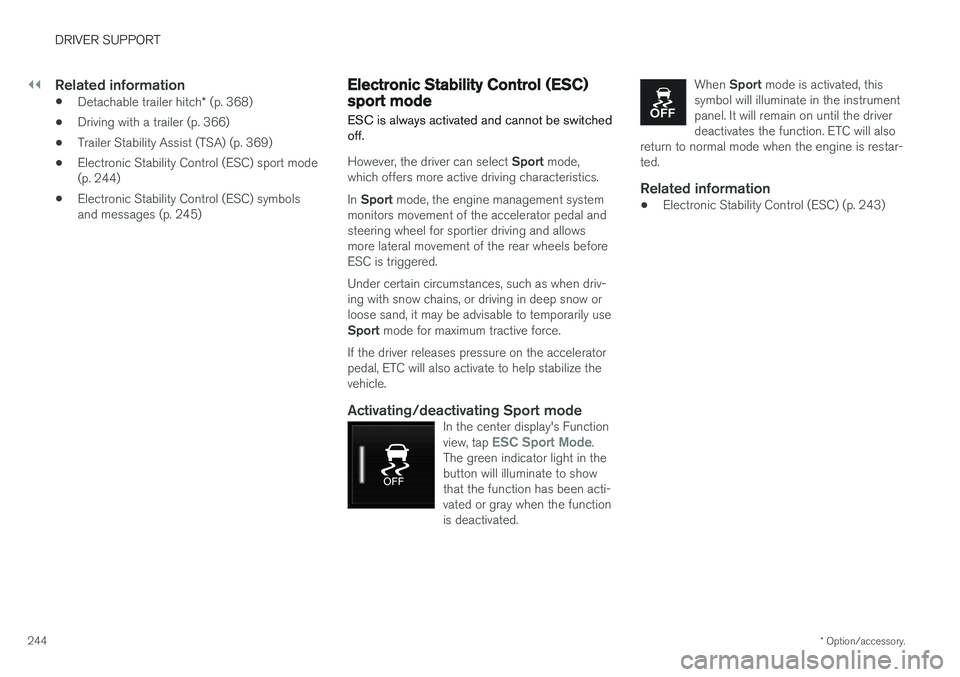
Activating/deactivating Sport modeIn the center display's Function view, tap ESC Sport Mode.
The green indicator light in the button will illuminate to showthat the function has been acti-vated or gray when the functionis deactivated.
When Sport mode is activated, this
symbol will illuminate in the instrument panel. It will remain on until the driverdeactivates the function. ETC will also
return to normal mode when the engine is restar-ted.
Related information
• Electronic Stability Control (ESC) (p. 243)
Page 247 of 548
DRIVER SUPPORT
}}
245
Electronic Stability Control (ESC) symbols and messages
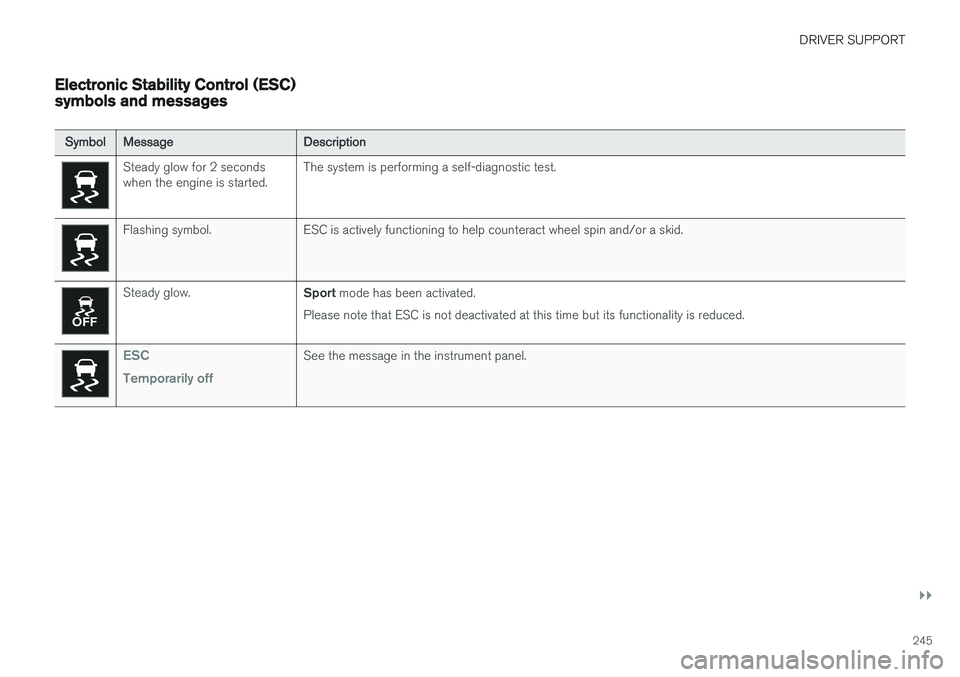
SymbolMessage Description
Steady glow for 2 seconds when the engine is started.The system is performing a self-diagnostic test.
Flashing symbol. ESC is actively functioning to help counteract wheel spin and/or a skid.
Steady glow.
Sport mode has been activated.
Please note that ESC is not deactivated at this time but its functionality is reduced.
ESC Temporarily offSee the message in the instrument panel.
Page 250 of 548
||
DRIVER SUPPORT
* Option/accessory.
248
Related information
• Starting and activating the Speed Limiter (SL)
* (p. 248)
• Deactivating/reactivating the Speed Limiter
*
(p. 252)
• Changing a Speed Limiter (SL)
* maximum
speed (p. 249)
• Automatic Speed Limiter (ASL)
* (p. 249)
• Activating/deactivating the Automatic SpeedLimiter (ASL)
* (p. 251)
• Changing tolerance for the Automatic Speed Limiter (p. 251)
• Turning the Speed Limiter
* off (p. 253)
Starting and activating the Speed Limiter (SL) *
The Speed Limiter (SL) is a feature that has to be selected and activated in order to set a maxi-mum speed.
Selecting SL (putting it in standby mode)
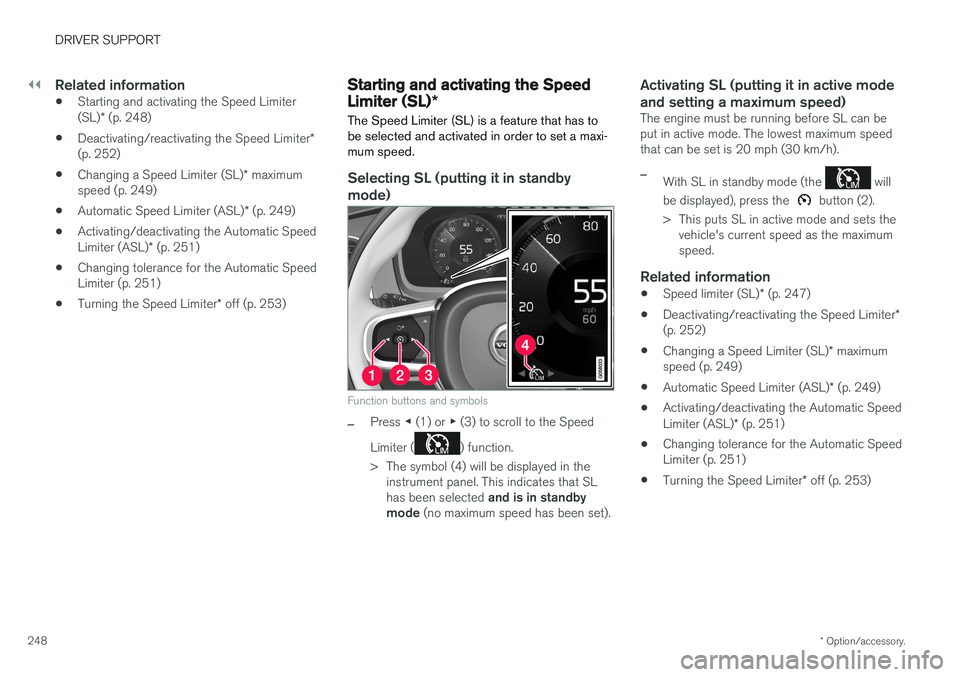
Function buttons and symbols
–Press ◀ (1) or ▶ (3) to scroll to the Speed
Limiter (
) function.
> The symbol (4) will be displayed in the instrument panel. This indicates that SL has been selected and is in standby
mode (no maximum speed has been set).
Activating SL (putting it in active mode and setting a maximum speed)
The engine must be running before SL can be put in active mode. The lowest maximum speedthat can be set is 20 mph (30 km/h).
–With SL in standby mode (the will
be displayed), press the
button (2).
> This puts SL in active mode and sets the vehicle's current speed as the maximum speed.
Related information
• Speed limiter (SL)
* (p. 247)
• Deactivating/reactivating the Speed Limiter
*
(p. 252)
• Changing a Speed Limiter (SL)
* maximum
speed (p. 249)
• Automatic Speed Limiter (ASL)
* (p. 249)
• Activating/deactivating the Automatic Speed Limiter (ASL)
* (p. 251)
• Changing tolerance for the Automatic Speed Limiter (p. 251)
• Turning the Speed Limiter
* off (p. 253)
Page 251 of 548
DRIVER SUPPORT
}}
* Option/accessory.249
Changing a Speed Limiter (SL) *
maximum speed
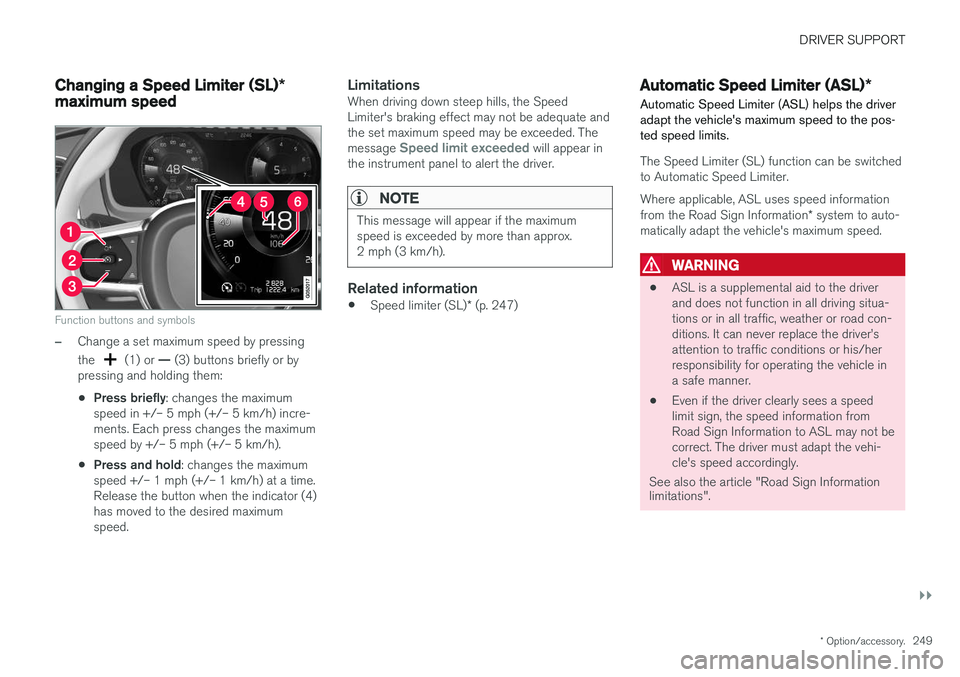
Function buttons and symbols
–Change a set maximum speed by pressing the
(1) or — (3) buttons briefly or by
pressing and holding them: • Press briefly
: changes the maximum
speed in +/– 5 mph (+/– 5 km/h) incre- ments. Each press changes the maximumspeed by +/– 5 mph (+/– 5 km/h).
• Press and hold
: changes the maximum
speed +/– 1 mph (+/– 1 km/h) at a time.Release the button when the indicator (4)has moved to the desired maximumspeed.
LimitationsWhen driving down steep hills, the SpeedLimiter's braking effect may not be adequate andthe set maximum speed may be exceeded. The message
Speed limit exceeded will appear in
the instrument panel to alert the driver.
NOTE
This message will appear if the maximum speed is exceeded by more than approx.2 mph (3 km/h).
Related information
• Speed limiter (SL)
* (p. 247)
Automatic Speed Limiter (ASL) *
Automatic Speed Limiter (ASL) helps the driver adapt the vehicle's maximum speed to the pos-ted speed limits.
The Speed Limiter (SL) function can be switched to Automatic Speed Limiter.
Where applicable, ASL uses speed information from the Road Sign Information * system to auto-
matically adapt the vehicle's maximum speed.
WARNING
• ASL is a supplemental aid to the driver and does not function in all driving situa-tions or in all traffic, weather or road con-ditions. It can never replace the driver
Page 252 of 548
||
DRIVER SUPPORT
* Option/accessory.
250
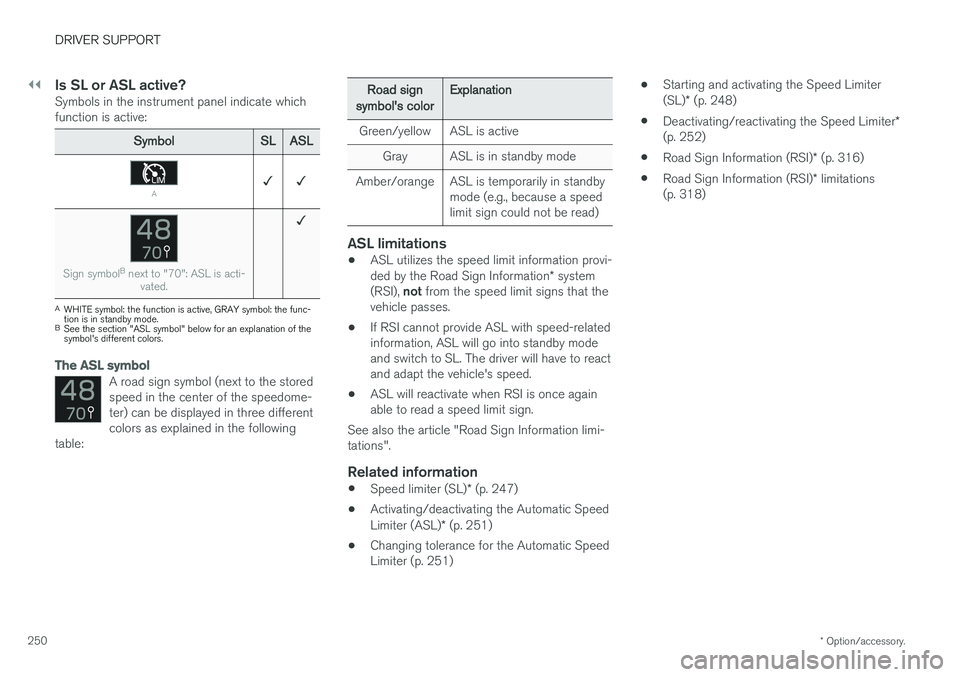
Is SL or ASL active?Symbols in the instrument panel indicate which function is active:
Symbol SLASL
A✓ ✓
Sign symbol B
next to "70": ASL is acti-
vated.
✓
AWHITE symbol: the function is active, GRAY symbol: the func- tion is in standby mode.
B See the section "ASL symbol" below for an explanation of thesymbol's different colors.
The ASL symbol
A road sign symbol (next to the stored speed in the center of the speedome-ter) can be displayed in three differentcolors as explained in the following
table:
Road sign
symbol's color Explanation
Green/yellow ASL is active Gray ASL is in standby mode
Amber/orange ASL is temporarily in standby mode (e.g., because a speed limit sign could not be read)
ASL limitations
•ASL utilizes the speed limit information provi- ded by the Road Sign Information
* system
(RSI), not from the speed limit signs that the
vehicle passes.
• If RSI cannot provide ASL with speed-related information, ASL will go into standby modeand switch to SL. The driver will have to reactand adapt the vehicle's speed.
• ASL will reactivate when RSI is once againable to read a speed limit sign.
See also the article "Road Sign Information limi-tations".
Related information
• Speed limiter (SL)
* (p. 247)
• Activating/deactivating the Automatic Speed Limiter (ASL)
* (p. 251)
• Changing tolerance for the Automatic Speed Limiter (p. 251) •
Starting and activating the Speed Limiter (SL)
* (p. 248)
• Deactivating/reactivating the Speed Limiter
*
(p. 252)
• Road Sign Information (RSI)
* (p. 316)
• Road Sign Information (RSI)
* limitations
(p. 318)
Page 254 of 548
||
DRIVER SUPPORT
* Option/accessory.
252
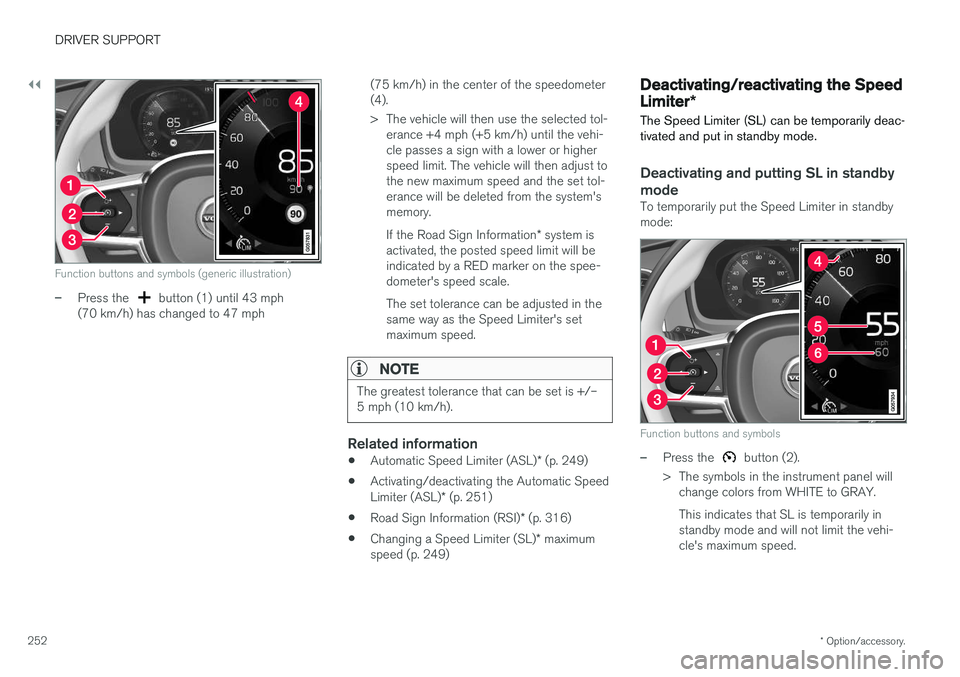
Function buttons and symbols (generic illustration)
–Press the button (1) until 43 mph
(70 km/h) has changed to 47 mph (75 km/h) in the center of the speedometer (4).
> The vehicle will then use the selected tol-
erance +4 mph (+5 km/h) until the vehi- cle passes a sign with a lower or higherspeed limit. The vehicle will then adjust tothe new maximum speed and the set tol-erance will be deleted from the system'smemory. If the Road Sign Information * system is
activated, the posted speed limit will be indicated by a RED marker on the spee-dometer's speed scale. The set tolerance can be adjusted in the same way as the Speed Limiter's setmaximum speed.
NOTE
The greatest tolerance that can be set is +/– 5 mph (10 km/h).
Related information
• Automatic Speed Limiter (ASL)
* (p. 249)
• Activating/deactivating the Automatic Speed Limiter (ASL)
* (p. 251)
• Road Sign Information (RSI)
* (p. 316)
• Changing a Speed Limiter (SL)
* maximum
speed (p. 249)
Deactivating/reactivating the Speed Limiter *
The Speed Limiter (SL) can be temporarily deac- tivated and put in standby mode.
Deactivating and putting SL in standby
mode
To temporarily put the Speed Limiter in standby mode:
Function buttons and symbols
–Press the button (2).
> The symbols in the instrument panel will change colors from WHITE to GRAY. This indicates that SL is temporarily in standby mode and will not limit the vehi-cle's maximum speed.
Page 255 of 548
DRIVER SUPPORT
* Option/accessory.253
Reactivating SL from standby modeTo reactivate SL after it has temporarily been put in standby mode:
–Press the button (1).
> The maximum speed marker (4) and sym- bols will change colors to WHITE and the vehicle's maximum speed will be limited tothe previously set maximum speed.
or
–Press the button (2).
> The symbols will change colors from GRAY to WHITE and the vehicle's current speed will be set as the maximum speed.
Increasing the speed with the accelerator pedal
The set maximum speed can be temporarily exceeded using the accelerator pedal withoutputting SL in standby mode, for instance whenquick acceleration is required.
1. Press the accelerator pedal as far down as possible and release it when the vehicle has reached the desired speed.
> SL remains activated (the symbols in theinstrument panel will remain WHITE).
2. Release the accelerator pedal when the tem- porary acceleration is completed.
> The vehicle will slow down and its speedwill remain under the set maximum speed.
Related information
• Speed limiter (SL)
* (p. 247)
• Starting and activating the Speed Limiter (SL)
* (p. 248)
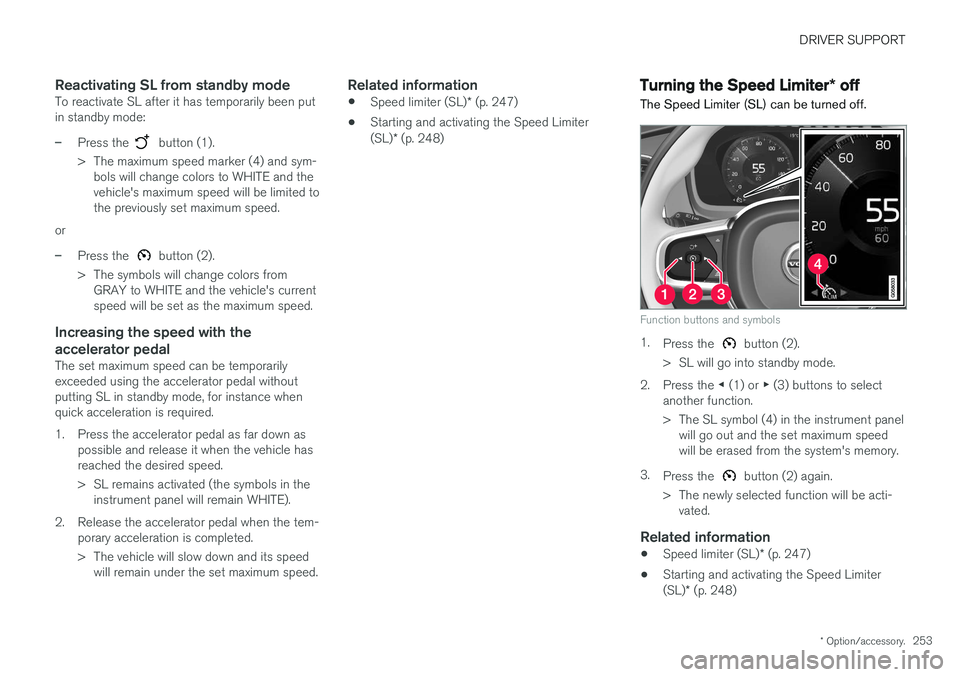
Turning the Speed Limiter * off
The Speed Limiter (SL) can be turned off.
Function buttons and symbols
1. Press the button (2).
> SL will go into standby mode.
2. Press the ◀ (1) or ▶ (3) buttons to select
another function.
> The SL symbol (4) in the instrument panel will go out and the set maximum speed will be erased from the system's memory.
3. Press the
button (2) again.
> The newly selected function will be acti- vated.
Related information
• Speed limiter (SL)
* (p. 247)
• Starting and activating the Speed Limiter (SL)
* (p. 248)