climate settings VOLVO S90 2018 Owner´s Manual
[x] Cancel search | Manufacturer: VOLVO, Model Year: 2018, Model line: S90, Model: VOLVO S90 2018Pages: 640, PDF Size: 11.37 MB
Page 221 of 640
CLIMATE CONTROL
}}
* Option/accessory.219
NOTE
If windshield heating is activated when the Start/Stop function auto-stops the engine,the engine will be restarted.
Related information
•Climate system controls (p. 208)
• Activating and deactivating automatic wind- shield heating
* (p. 219)
Activating and deactivating
automatic windshield heating *
Windshield heating is used to quickly remove condensation and ice from the windshield.
Windshield heating can be set to automatically activate when the engine is started. With auto-matic start activated, heating will be activatedwhen there is a risk of ice or condensation on thewindows or mirrors. Heating is automaticallyswitched off when the window or door mirror issufficiently warm and the condensation or ice isgone. 1. Tap
Settings in the Top view in the center
display.
2. Tap
Climate.
3. Select
Auto Front Defroster to activate/
deactivate automatic windshield heating.
Related information
• Activating and deactivating the heated wind- shield
* (p. 218)
Activating and deactivating theheated rear window and doormirrors The heated rear window and door mirrors are used to quickly remove condensation and icefrom the glass.
Activating and deactivating the heated rear window and door mirrors from thecenter console
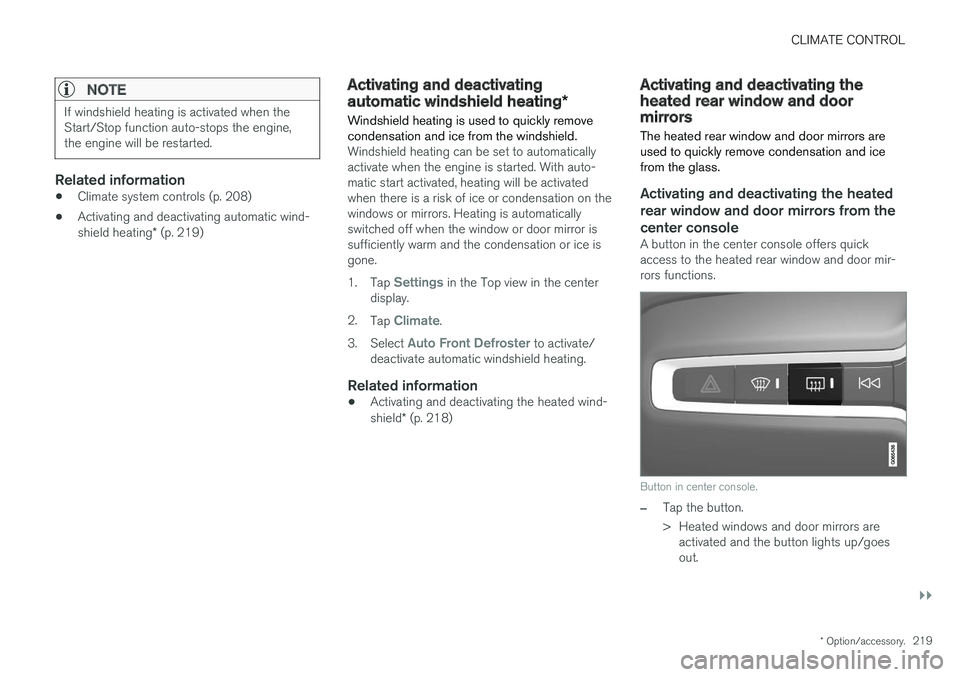
A button in the center console offers quick access to the heated rear window and door mir-rors functions.
Button in center console.
–Tap the button.
> Heated windows and door mirrors are
activated and the button lights up/goes out.
Page 222 of 640
||
CLIMATE CONTROL
220
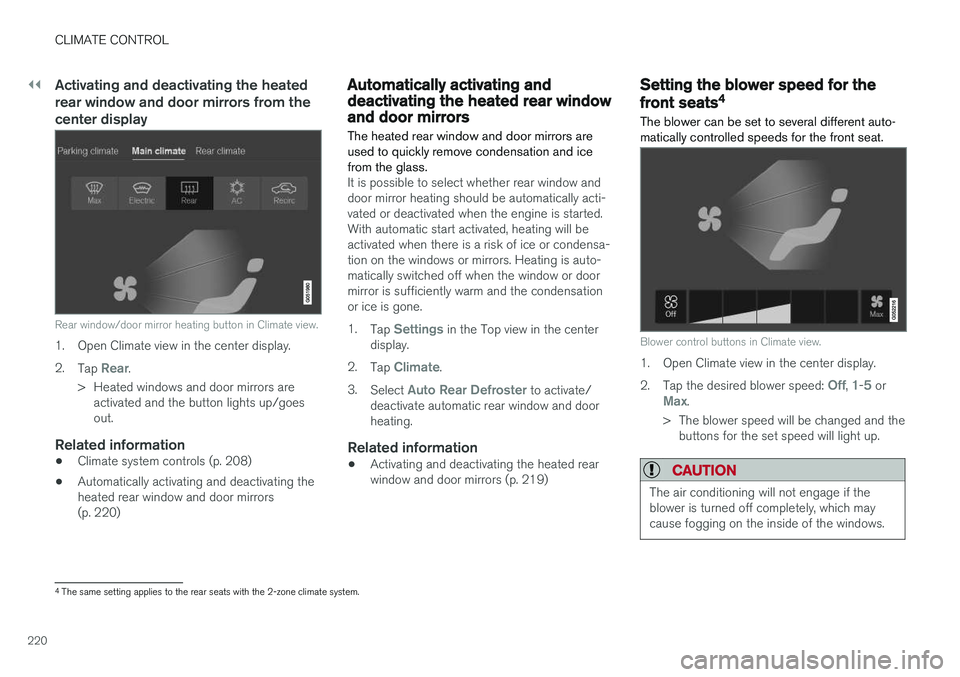
Activating and deactivating the heated rear window and door mirrors from thecenter display
Rear window/door mirror heating button in Climate view.
1. Open Climate view in the center display. 2.Tap
Rear.
> Heated windows and door mirrors are activated and the button lights up/goes out.
Related information
• Climate system controls (p. 208)
• Automatically activating and deactivating theheated rear window and door mirrors(p. 220)
Automatically activating anddeactivating the heated rear windowand door mirrors
The heated rear window and door mirrors are used to quickly remove condensation and icefrom the glass.
It is possible to select whether rear window and door mirror heating should be automatically acti-vated or deactivated when the engine is started.With automatic start activated, heating will beactivated when there is a risk of ice or condensa-tion on the windows or mirrors. Heating is auto-matically switched off when the window or doormirror is sufficiently warm and the condensationor ice is gone. 1. Tap
Settings in the Top view in the center
display.
2. Tap
Climate.
3. Select
Auto Rear Defroster to activate/
deactivate automatic rear window and door heating.
Related information
• Activating and deactivating the heated rearwindow and door mirrors (p. 219)
Setting the blower speed for the
front seats4
The blower can be set to several different auto- matically controlled speeds for the front seat.
Blower control buttons in Climate view.
1. Open Climate view in the center display. 2. Tap the desired blower speed:
Off, 1-5 orMax.
> The blower speed will be changed and the buttons for the set speed will light up.
CAUTION
The air conditioning will not engage if the blower is turned off completely, which maycause fogging on the inside of the windows.
4The same setting applies to the rear seats with the 2-zone climate system.
Page 415 of 640
STARTING AND DRIVING
}}
* Option/accessory.413
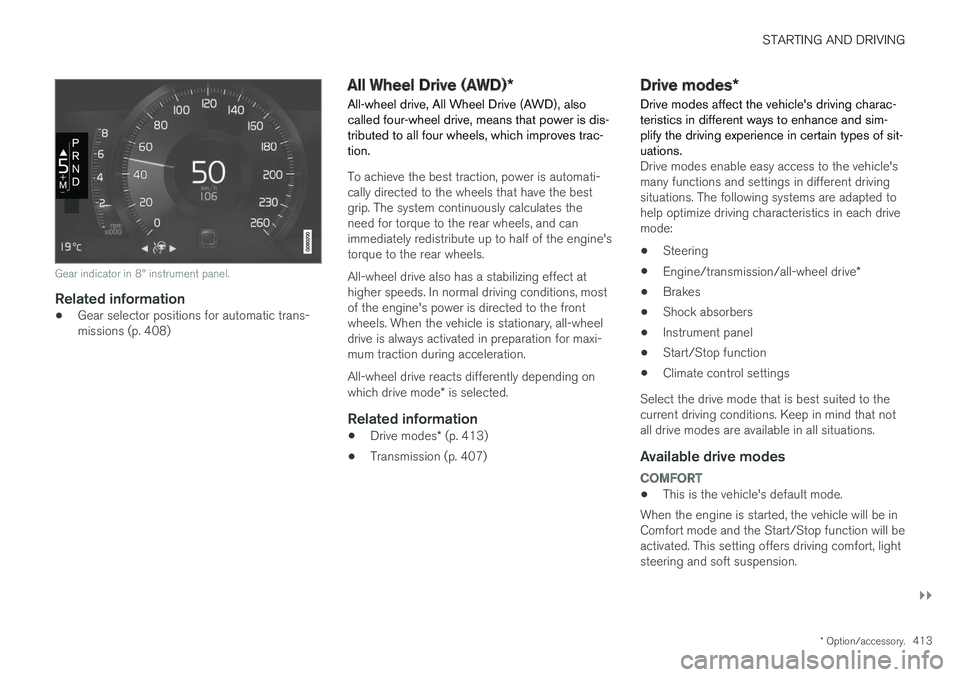
Gear indicator in 8" instrument panel.
Related information
•Gear selector positions for automatic trans- missions (p. 408)
All Wheel Drive (AWD)
*
All-wheel drive, All Wheel Drive (AWD), also called four-wheel drive, means that power is dis-tributed to all four wheels, which improves trac-tion.
To achieve the best traction, power is automati- cally directed to the wheels that have the bestgrip. The system continuously calculates theneed for torque to the rear wheels, and canimmediately redistribute up to half of the engine'storque to the rear wheels. All-wheel drive also has a stabilizing effect at higher speeds. In normal driving conditions, mostof the engine's power is directed to the frontwheels. When the vehicle is stationary, all-wheeldrive is always activated in preparation for maxi-mum traction during acceleration. All-wheel drive reacts differently depending on which drive mode * is selected.
Related information
• Drive modes
* (p. 413)
• Transmission (p. 407)
Drive modes
*
Drive modes affect the vehicle's driving charac- teristics in different ways to enhance and sim-plify the driving experience in certain types of sit-uations.
Drive modes enable easy access to the vehicle's many functions and settings in different drivingsituations. The following systems are adapted tohelp optimize driving characteristics in each drivemode: • Steering
• Engine/transmission/all-wheel drive
*
• Brakes
• Shock absorbers
• Instrument panel
• Start/Stop function
• Climate control settings
Select the drive mode that is best suited to the current driving conditions. Keep in mind that notall drive modes are available in all situations.
Available drive modes
COMFORT
• This is the vehicle's default mode.
When the engine is started, the vehicle will be in Comfort mode and the Start/Stop function will beactivated. This setting offers driving comfort, lightsteering and soft suspension.
Page 416 of 640
||
STARTING AND DRIVING
* Option/accessory.
414
ECO
• Adapt the vehicle for more fuel-efficient and eco-friendly driving with Eco mode.
In this mode, the Start/Stop function is activatedand certain climate settings are reduced. The instrument panel has an ECO gauge to facili- tate fuel-efficient driving.
DYNAMIC
• Dynamic mode is designed to provide sport- ier driving characteristics and a faster accel-eration response.
Gear shifting will be faster and more distinct andthe transmission will prioritize gears with a highertraction force. Steering response is faster and suspension is stiffer 3
to help reduce body roll when cornering.
The Start/Stop function is deactivated.
INDIVIDUAL
• Customizes drive mode to personal preferen- ces.
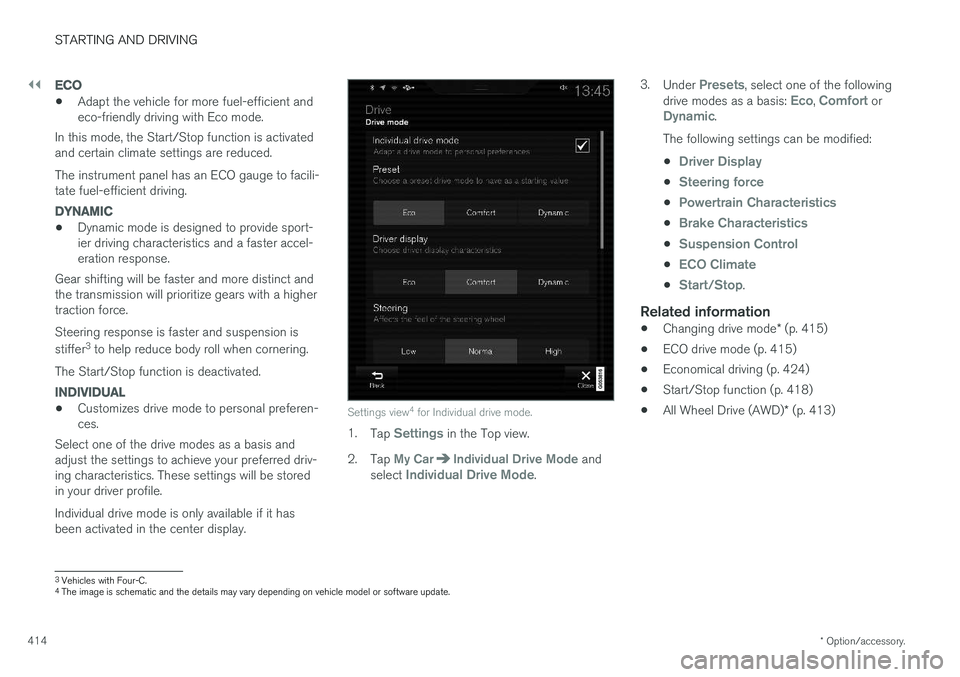
Select one of the drive modes as a basis andadjust the settings to achieve your preferred driv- ing characteristics. These settings will be stored in your driver profile. Individual drive mode is only available if it has been activated in the center display.Settings view 4
for Individual drive mode.
1. Tap Settings in the Top view.
2. Tap
My CarIndividual Drive Mode and
select Individual Drive Mode. 3.
Under
Presets, select one of the following
drive modes as a basis: Eco, Comfort orDynamic.
The following settings can be modified: •
Driver Display
•Steering force
•Powertrain Characteristics
•Brake Characteristics
•Suspension Control
•ECO Climate
•Start/Stop.
Related information
• Changing drive mode
* (p. 415)
• ECO drive mode (p. 415)
• Economical driving (p. 424)
• Start/Stop function (p. 418)
• All Wheel Drive (AWD)
* (p. 413)
3
Vehicles with Four-C.
4 The image is schematic and the details may vary depending on vehicle model or software update.
Page 417 of 640
STARTING AND DRIVING
}}
* Option/accessory.415
Changing drive mode *
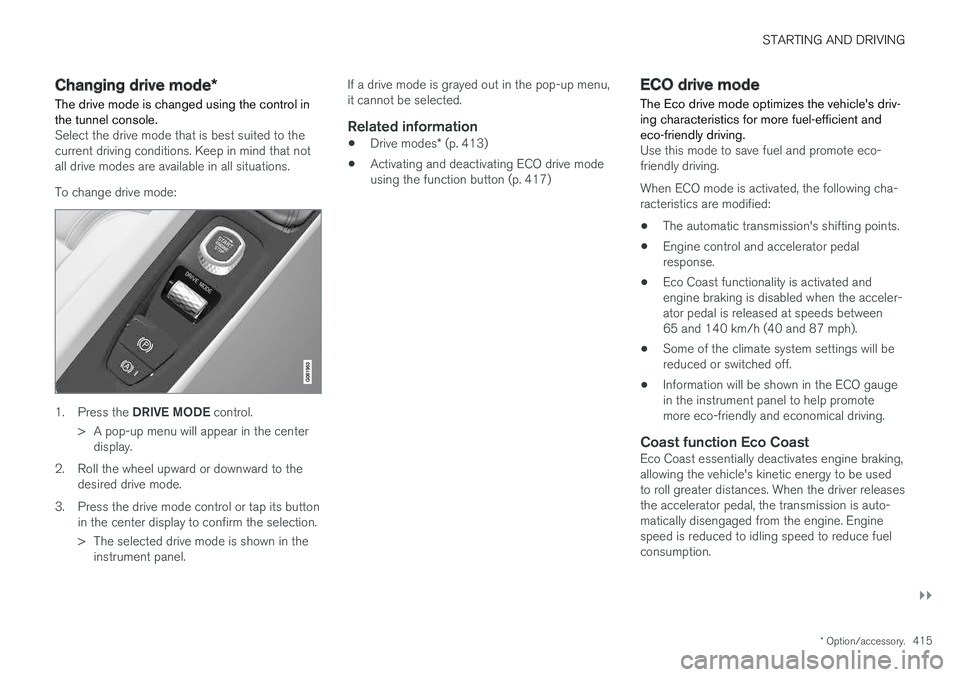
The drive mode is changed using the control in the tunnel console.
Select the drive mode that is best suited to the current driving conditions. Keep in mind that notall drive modes are available in all situations. To change drive mode:
1. Press the DRIVE MODE control.
> A pop-up menu will appear in the center display.
2. Roll the wheel upward or downward to the desired drive mode.
3. Press the drive mode control or tap its button in the center display to confirm the selection.
> The selected drive mode is shown in theinstrument panel. If a drive mode is grayed out in the pop-up menu, it cannot be selected.
Related information
•
Drive modes
* (p. 413)
• Activating and deactivating ECO drive modeusing the function button (p. 417)
ECO drive mode
The Eco drive mode optimizes the vehicle's driv- ing characteristics for more fuel-efficient andeco-friendly driving.
Use this mode to save fuel and promote eco- friendly driving. When ECO mode is activated, the following cha- racteristics are modified:
• The automatic transmission's shifting points.
• Engine control and accelerator pedalresponse.
• Eco Coast functionality is activated andengine braking is disabled when the acceler-ator pedal is released at speeds between65 and 140 km/h (40 and 87 mph).
• Some of the climate system settings will bereduced or switched off.
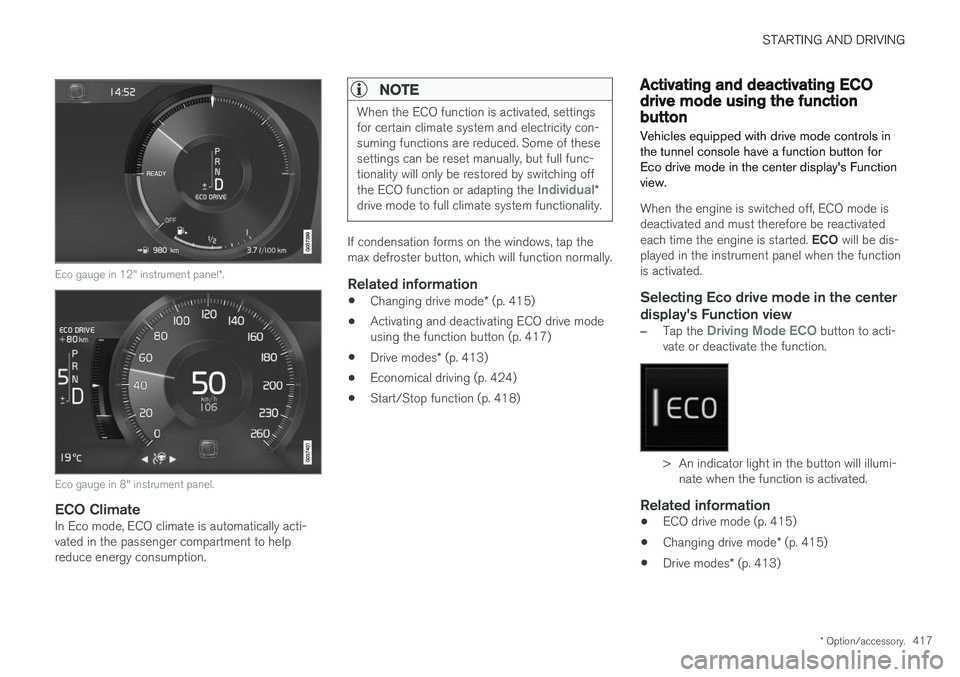
• Information will be shown in the ECO gaugein the instrument panel to help promotemore eco-friendly and economical driving.
Coast function Eco CoastEco Coast essentially deactivates engine braking,allowing the vehicle's kinetic energy to be used to roll greater distances. When the driver releases the accelerator pedal, the transmission is auto- matically disengaged from the engine. Enginespeed is reduced to idling speed to reduce fuelconsumption.
Page 419 of 640
STARTING AND DRIVING
* Option/accessory.417
Eco gauge in 12" instrument panel *.
Eco gauge in 8" instrument panel.
ECO ClimateIn Eco mode, ECO climate is automatically acti- vated in the passenger compartment to helpreduce energy consumption.
NOTE
When the ECO function is activated, settings for certain climate system and electricity con-suming functions are reduced. Some of thesesettings can be reset manually, but full func-tionality will only be restored by switching off the ECO function or adapting the
Individual*
drive mode to full climate system functionality.
If condensation forms on the windows, tap the max defroster button, which will function normally.
Related information
• Changing drive mode
* (p. 415)
• Activating and deactivating ECO drive modeusing the function button (p. 417)
• Drive modes
* (p. 413)
• Economical driving (p. 424)
• Start/Stop function (p. 418)
Activating and deactivating ECOdrive mode using the functionbutton
Vehicles equipped with drive mode controls in the tunnel console have a function button forEco drive mode in the center display's Functionview.
When the engine is switched off, ECO mode is deactivated and must therefore be reactivated each time the engine is started. ECO will be dis-
played in the instrument panel when the function is activated.
Selecting Eco drive mode in the center
display's Function view
–Tap the Driving Mode ECO button to acti-
vate or deactivate the function.
> An indicator light in the button will illumi- nate when the function is activated.
Related information
• ECO drive mode (p. 415)
• Changing drive mode
* (p. 415)
• Drive modes
* (p. 413)
Page 422 of 640
STARTING AND DRIVING
420
Conditions for the Start/Stopfunction Certain conditions must be met for Start/Stop to function.
If any condition is not met, this will be indicated in the instrument panel.
The engine does not auto-stopThe engine will not auto-stop if: •the vehicle has not reached a speed of ca 10 km/h (6 mph) after starting.
• after several auto-stops, the speed mustagain exceed approximately ca 10 km/h(6 mph) before the next auto-stop.
• the driver's seat belt is unbuckled.
• the start battery's charge is below the mini-mum level.
• the engine is not running at its normal oper-ating temperature.
• the ambient temperature is under approxi-mately -5 °C (23 °F) or over approximately30 °C (86 °F).
• windshield heating is activated.
• the climate system settings and the actualclimate in the passenger compartment differ.
• the vehicle is backing up.
• the start battery's temperature is above orbelow the permitted limits.
• the driver is turning the steering wheel hard. •
the road gradient is very steep.
• the hood is open.
• driving at high altitude and the engine hasnot reached its normal operating tempera-ture.
• ABS has been activated.
• hard braking (even if the ABS system hasnot been activated).
• many starts during a short period of timehave triggered the starter motor's overheat-ing protection.
• a trailer's electrical system is connected tothe vehicle's electrical system.
• the transmission is not running at its normaloperating temperature.
• The gear selector is in mode
M (±).
The engine does not auto-startThe engine will not auto-start after an auto-stopif: • the driver is not wearing a seat belt, the gear selector is in the
P position and the driver's
door is open. The engine must be started normally.
The engine auto-starts while the brake
pedal is depressed
In the following situations, the engine will auto-start even if the brake pedal is depressed: •
High levels of condensation on the inside ofthe windows.
• the climate system settings and the actualclimate in the passenger compartment differ.
• Electrical current consumption is temporarilyhigh or the start battery's charge is below theminimum level.
• The brake pedal is pumped repeatedly.
• The hood is open.
• The vehicle begins to roll or increases speedslightly if the engine auto-stopped before thevehicle was at a standstill.
• The driver's seat belt is unbuckled with the gear selector in the
D or N positions.
• The gear selector is moved from
D to R or M
( ± ).
• The driver's door is opened with the gearselector in
D. An audible signal and a text
message informs the driver that the ignition is on.
WARNING
Do not open the hood if the engine has auto- stopped. Turn off the engine by switching offthe ignition before lifting the hood.
Page 626 of 640
INDEX
624
B
Backrestfront seat, adjusting 184, 185, 188, 189 , 190
rear seat, adjusting 192
Battery jump-start 433
Maintenance 573
start 573
support 576
symbols on the battery 577
warning symbols 577
BLIS 337, 338, 339, 340 Blower adjusting 220, 221
air distribution 202
air vents 203
Bluetooth connect 471
connecting vehicle to Internet 489
phone 478
settings 487
Book service and repair 552
Booster cushions 71Brake assist after collision 407
Brake fluidgrade 619
Brake functions 398
Brake light 159
Brakes 399 anti-lock brakes, ABS 399
automatic when stationary 405
Brake Assist System, BAS 400
brake lights 159
brake system 398
emergency brake lights 159
handbrake 401
Maintenance 401
on salted roads 401
on wet roads 400
brake system fluid 619
C
Camera sensor 333
Camera unit 320
Capacity weight 536, 615
Cargo compartment 543
attachment points 545
Car wash 595, 596, 598, 599, 600, 601
Catalytic converter 431 recovery 434
CD player 469
Cell phone, see Phone 479
Center console 539Center display change appearance 129
cleaning 590
climate controls 208
Function view 120
keyboard 124
messages 138, 139, 140
operation 110, 113, 117, 122
overview 107
settings 130, 131, 132
switch off and change volume 129
symbols in status bar 122
views 113
Central locking 247
Change of owner 132
Changing a wheel 522
Checking engine oil level 561
Child restraints 63, 65 booster cushions 71
convertible seats 69
infant seats 67
ISOFIX/LATCH anchors 74
lower attachment points 73
Page 629 of 640
INDEX
627
F
Federal Clean Air Act 548
Ferry transport 422
Flat tire 530
Flooded road 426
Fluids, volumes 606, 620
Fluids and oils 619, 620 Fog lightsfront 157
rear 158
Four-C 422 Front seat blower 220
climate 208
heating 210, 211
temperature 222
ventilation 212
Front seat manual 184
Front seats, power 185 adjusting passenger seat from driver's
seat 191
adjusting seat 185
Lumbar support 190
massage 188, 189
memory function 186, 187
multifunction control 188, 189, 190
Side bolsters 190
Fuel 428Travel Link service 463
Fuel filling 427
Fuel gauge 85
Fuel requirements 428, 429Fuel tank volume 620
Fuse box 578Fuses below the glove compartment 583
general 578
in engine compartment 580
in trunk 586
replacing 579
G
Gasoline grade 428 Gauge
fuel gauge 85
Gear indicator 412Gear selector positions automatic transmission 408
Glass laminated/reinforced 166
Glove compartment 541
Gracenote ® 469
Grocery bag holders 544
Gross vehicle weight 615
GSI - Gear shift indicator 412
Guide lines for Park Assist Camera 377
H
Handbrake 401, 402
Hand wash 596Hard disk space 496
Hazard warning flashers 160
HD radio 452
Head-up display 140 activate and deactivate 142
cleaning 591
replacing windshield 558
settings 142
Heated washer nozzles 180 Heating Seats 210, 211
steering wheel 214, 215
windows 218, 219
high beams 154, 155
High engine temperature 431
Page 633 of 640
INDEX
631
Passing assistance 293, 310
personal information (Privacy Policy) 34
Phone 478
changing to another 482
connect 479
connect automatically 481
connect manually 481
delete 483
disconnect 482
phone call 483, 485
text message 484
voice control 145
Pilot Assist 300, 303, 304, 305, 306, 308, 310, 311, 312, 313
pass 310
pinch protection 166 resetting 167
PIN code 491
Polishing 596
Position lights 152
Power 617
Power folding door mirrors 173
Power panoramic roof 174
Power save mode 432
Power seats 185
Power trunk lid 251
Power windows 168, 169 pinch protection 166
Pressure wash 599
Privacy Policy 34
Private locking 255 activation/deactivation 255
PROPOSITION 65 WARNING 433
R
Radar sensor 287, 315 limitations 316
Radar unit 315
Radio 448 changing radio waveband and radio sta-
tion 449
HD radio 452
RBDS 452
search radio station 450
settings 451 SiriusXM ® Satellite radio 456, 457, 458
start 449
voice control 146
Radio favorites 451
Rain sensor 180, 181
Rain sensor's memory function 181
Rear camera 375, 376, 377, 379, 380, 382, 383
Rear door sun shade 170
Rear seat adjusting backrest tilt 192 Adjusting passenger seat from rear
seat 192
blower 221
climate 208
heating 211
temperature 223
ventilation 213
Rear sensors 370, 371, 372, 373, 374 Rearview/door mirrors dimming 172
heating 219
interior 171
Rearview mirror 171 dimming 172
Rear window heating 219
sun shade 170
Recalls 45
Recommendations when driving 425
Recommendations when loading 543
Recovery 437