key VOLVO S90 2018 Owner´s Manual
[x] Cancel search | Manufacturer: VOLVO, Model Year: 2018, Model line: S90, Model: VOLVO S90 2018Pages: 640, PDF Size: 11.37 MB
Page 146 of 640
||
DISPLAYS AND VOICE CONTROL
* Option/accessory.
144 Voice control is carried out as a dialog, with spo- ken commands from the user and verbal respon-ses from the system. The voice control systemuses the same microphone as devices connectedwith Bluetooth, and the voice control systemresponds through the vehicle's loudspeakers. Incertain cases, text messages will also be dis-played in the instrument panel. The functions arecontrolled using the right-side steering wheelkeypad and settings are made in the center dis-play.
System updates
The voice control system is continuously improved. For optimal functionality, always down-load the latest update at support.volvocars.com.
Related information
•
Using voice commands (p. 144)
• Voice control for cellular phones (p. 145)
• Voice control for radio and media (p. 146)
• Climate control system voice commands(p. 198)
• Voice control settings (p. 146)
Using voice commands20
Press the button for voice con- trol
on the right-side
steering wheel keypad to acti- vate the system and initiate avoice command dialog.
These may include:
• Wait until after the tone, and then speak in your normal voice at a normal speed.
• Do not speak while the system is responding(the system is unable to process commandsduring this time).
• Avoid background noises in the passengercompartment by keeping doors, windows and the panoramic roof
* closed.
Voice control can be canceled by:
• saying "
Cancel".
• pressing and holding the steering wheel key- pad's voice command button
.
To speed up the voice command dialog and skip system responses, press the voice command but- ton
while the system is responding and give
your next command.
Voice command examples
Press , say "Call [First name] [Last name]
[number category]" - calls the selected contact
from the phone book. If the contact has several phone numbers (e.g. home, cell, work), the rightcategory must also be given. Press
and say "Call Robyn Smith
cellular".
Commands/phrasesThe following commands can always be used: • "
Repeat" - repeats the most recent voice
command in the current dialog.
• "
Cancel" - cancels the dialog.
• "
Help" - initiates a help dialog. The system
responds with commands that can be used in the current situation, an instruction or anexample.
Commands for specific functions, such as phoneand audio, are described in the sections relatedto that function.
20 Certain markets only.
Page 162 of 640
LIGHTING
* Option/accessory.
160
Hazard warning flashers
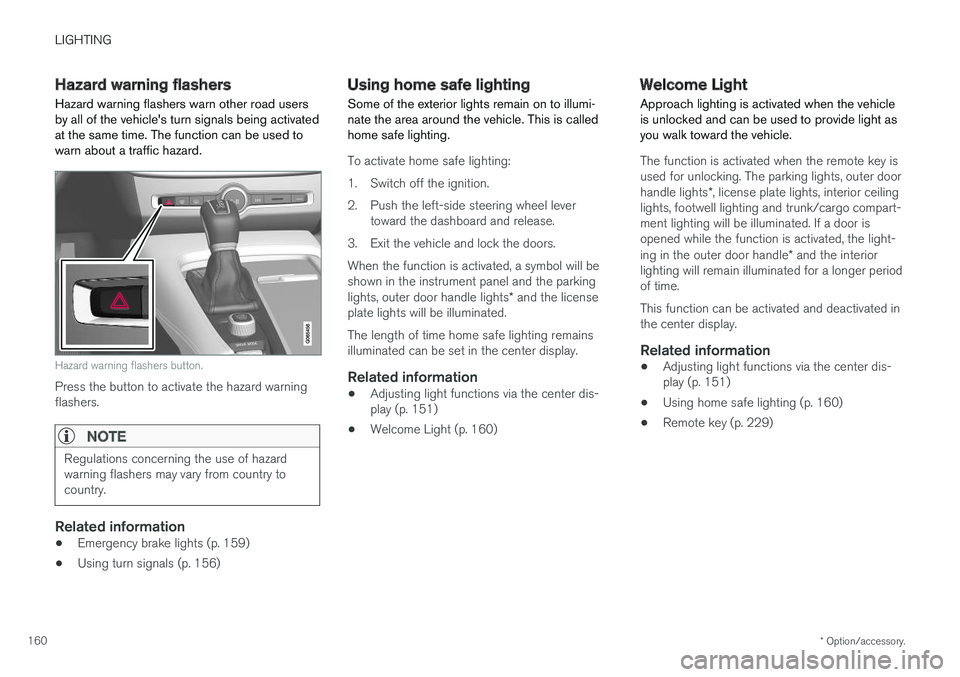
Hazard warning flashers warn other road users by all of the vehicle's turn signals being activatedat the same time. The function can be used towarn about a traffic hazard.
Hazard warning flashers button.
Press the button to activate the hazard warning flashers.
NOTE
Regulations concerning the use of hazard warning flashers may vary from country tocountry.
Related information
• Emergency brake lights (p. 159)
• Using turn signals (p. 156)
Using home safe lighting
Some of the exterior lights remain on to illumi- nate the area around the vehicle. This is calledhome safe lighting.
To activate home safe lighting:
1. Switch off the ignition.
2. Push the left-side steering wheel lever toward the dashboard and release.
3. Exit the vehicle and lock the doors.When the function is activated, a symbol will be shown in the instrument panel and the parking lights, outer door handle lights * and the license
plate lights will be illuminated. The length of time home safe lighting remains illuminated can be set in the center display.
Related information
• Adjusting light functions via the center dis-play (p. 151)
• Welcome Light (p. 160)
Welcome Light Approach lighting is activated when the vehicle is unlocked and can be used to provide light asyou walk toward the vehicle.
The function is activated when the remote key is used for unlocking. The parking lights, outer door handle lights
*, license plate lights, interior ceiling
lights, footwell lighting and trunk/cargo compart- ment lighting will be illuminated. If a door isopened while the function is activated, the light- ing in the outer door handle * and the interior
lighting will remain illuminated for a longer period of time. This function can be activated and deactivated in the center display.
Related information
• Adjusting light functions via the center dis-play (p. 151)
• Using home safe lighting (p. 160)
• Remote key (p. 229)
Page 170 of 640
WINDOWS, GLASS AND MIRRORS
* Option/accessory.
168
Power windows
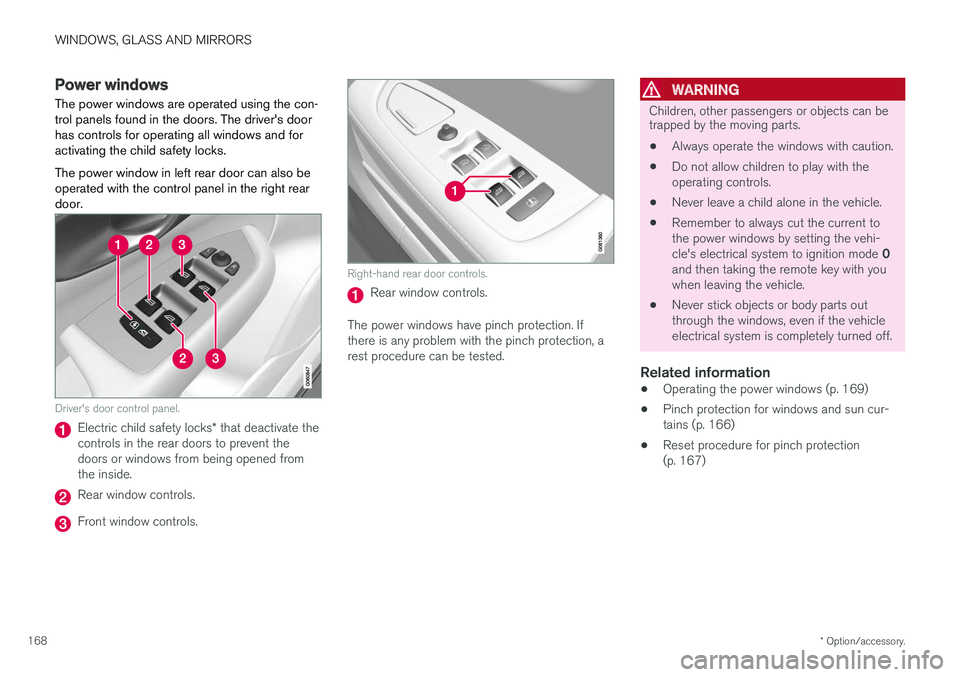
The power windows are operated using the con- trol panels found in the doors. The driver's doorhas controls for operating all windows and foractivating the child safety locks. The power window in left rear door can also be operated with the control panel in the right reardoor.
Driver's door control panel.
Electric child safety locks * that deactivate the
controls in the rear doors to prevent the doors or windows from being opened fromthe inside.
Rear window controls.
Front window controls.
Right-hand rear door controls.
Rear window controls.
The power windows have pinch protection. If there is any problem with the pinch protection, arest procedure can be tested.
WARNING
Children, other passengers or objects can be trapped by the moving parts.
• Always operate the windows with caution.
• Do not allow children to play with the operating controls.
• Never leave a child alone in the vehicle.
• Remember to always cut the current tothe power windows by setting the vehi- cle's electrical system to ignition mode
0
and then taking the remote key with you when leaving the vehicle.
• Never stick objects or body parts outthrough the windows, even if the vehicleelectrical system is completely turned off.
Related information
•Operating the power windows (p. 169)
• Pinch protection for windows and sun cur-tains (p. 166)
• Reset procedure for pinch protection(p. 167)
Page 171 of 640
WINDOWS, GLASS AND MIRRORS
* Option/accessory.169
Operating the power windows
All power windows can be operated using the control panel in the driver's door. The controlpanels in the other doors can be used to oper-ate that particular door. The power window in left rear door can also be operated with the control panel in the right reardoor.
The power windows have pinch protection. If there is any problem with the pinch protection, arest procedure can be tested.
WARNING
Children, other passengers or objects can be trapped by the moving parts.
• Always operate the windows with caution.
• Do not allow children to play with the operating controls.
• Never leave a child alone in the vehicle.
• Remember to always cut the current tothe power windows by setting the vehi- cle's electrical system to ignition mode
0
and then taking the remote key with you when leaving the vehicle.
• Never stick objects or body parts outthrough the windows, even if the vehicle electrical system is completely turned off.
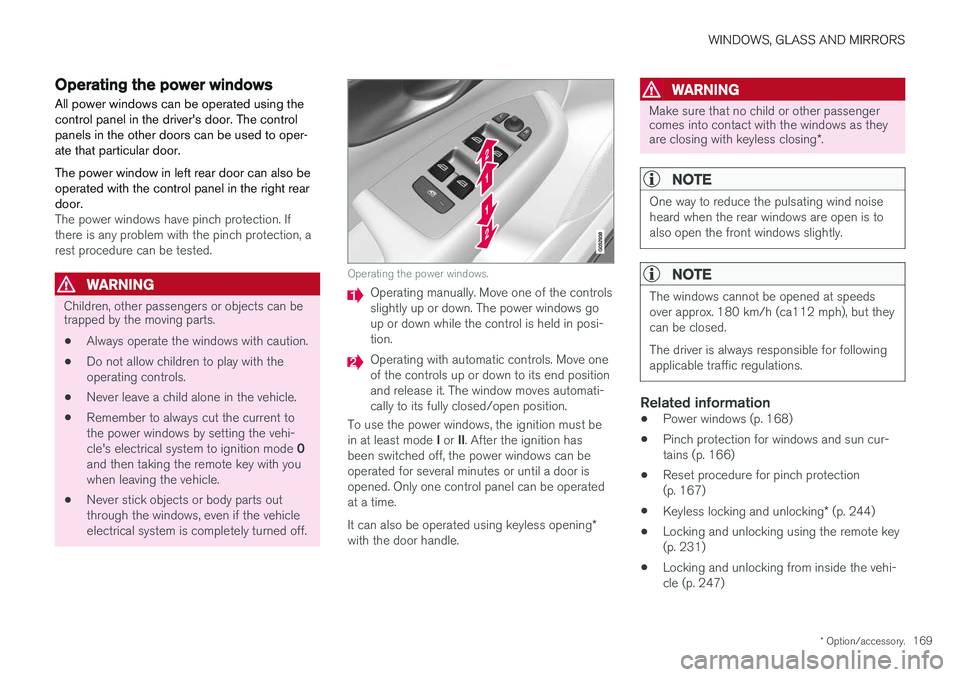
Operating the power windows.
Operating manually. Move one of the controls slightly up or down. The power windows goup or down while the control is held in posi-tion.
Operating with automatic controls. Move one of the controls up or down to its end positionand release it. The window moves automati-cally to its fully closed/open position.
To use the power windows, the ignition must be in at least mode I or II. After the ignition has
been switched off, the power windows can be operated for several minutes or until a door isopened. Only one control panel can be operatedat a time. It can also be operated using keyless opening *
with the door handle.
WARNING
Make sure that no child or other passenger comes into contact with the windows as they are closing with keyless closing *.
NOTE
One way to reduce the pulsating wind noise heard when the rear windows are open is toalso open the front windows slightly.
NOTE
The windows cannot be opened at speeds over approx. 180 km/h (ca112 mph), but theycan be closed. The driver is always responsible for following applicable traffic regulations.
Related information
• Power windows (p. 168)
• Pinch protection for windows and sun cur- tains (p. 166)
• Reset procedure for pinch protection(p. 167)
• Keyless locking and unlocking
* (p. 244)
• Locking and unlocking using the remote key(p. 231)
• Locking and unlocking from inside the vehi-cle (p. 247)
Page 176 of 640
||
WINDOWS, GLASS AND MIRRORS
* Option/accessory.
174
Automatic folding when the vehicle is locked *
The door mirrors automatically fold in when the vehicle is locked and open when the vehicle isunlocked using the remote key. 1.
Tap
Settings in the center display's Top
view.
2. Tap
My CarMirrors and Convenience.
3. Select
Fold Mirror When Locked to acti-
vate/deactivate.
Related information
• Rearview/door mirrors (p. 171)
• Adjusting the rearview mirror dimming func- tion (p. 172)
• Storing memory settings in power front seats
* (p. 186)
• Activating and deactivating the heated rear window and door mirrors (p. 219)
Panoramic roof
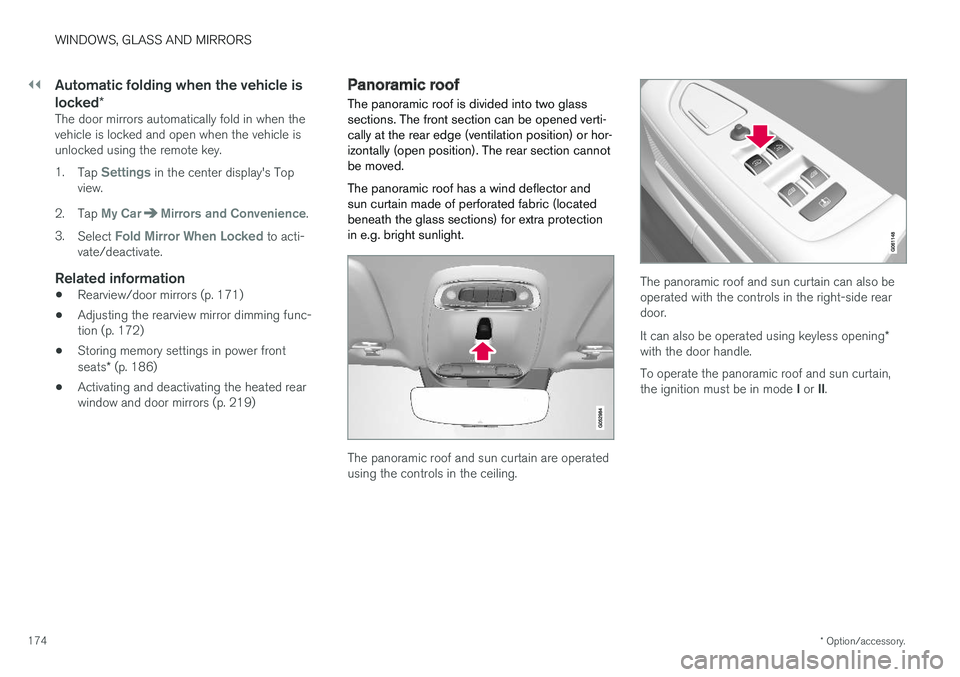
The panoramic roof is divided into two glass sections. The front section can be opened verti-cally at the rear edge (ventilation position) or hor-izontally (open position). The rear section cannotbe moved. The panoramic roof has a wind deflector and sun curtain made of perforated fabric (locatedbeneath the glass sections) for extra protectionin e.g. bright sunlight.
The panoramic roof and sun curtain are operated using the controls in the ceiling.
The panoramic roof and sun curtain can also be operated with the controls in the right-side reardoor. It can also be operated using keyless opening *
with the door handle. To operate the panoramic roof and sun curtain, the ignition must be in mode I or II.
Page 177 of 640
WINDOWS, GLASS AND MIRRORS
}}
* Option/accessory.175
WARNING
Children, other passengers or objects can be trapped by the moving parts.
• Always operate the windows with caution.
• Do not allow children to play with the operating controls.
• Never leave a child alone in the vehicle.
• Remember to always cut the current tothe power windows by setting the vehi- cle's electrical system to ignition mode
0
and then taking the remote key with you when leaving the vehicle.
• Never stick objects or body parts outthrough the windows, even if the vehicleelectrical system is completely turned off.
CAUTION
•Do not open the panoramic roof when load carriers are installed.
• Never place heavy objects on the panor-amic roof.
CAUTION
• Remove ice and snow before opening the panoramic roof.
• Do not operate the panoramic roof if it isfrozen in place.
Wind blocker
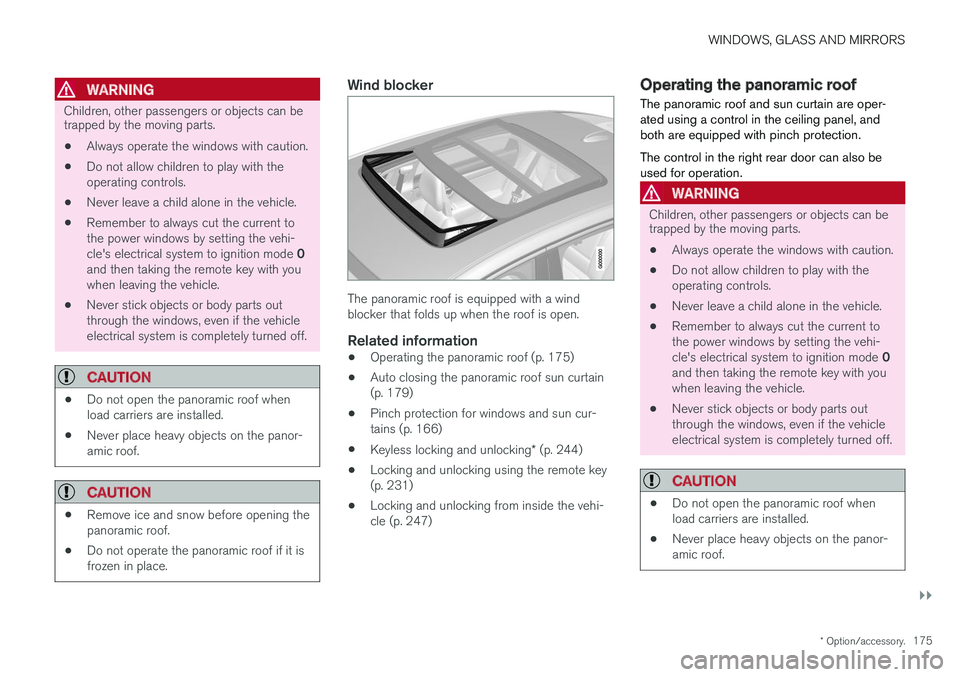
The panoramic roof is equipped with a wind blocker that folds up when the roof is open.
Related information
•Operating the panoramic roof (p. 175)
• Auto closing the panoramic roof sun curtain(p. 179)
• Pinch protection for windows and sun cur-tains (p. 166)
• Keyless locking and unlocking
* (p. 244)
• Locking and unlocking using the remote key(p. 231)
• Locking and unlocking from inside the vehi-cle (p. 247)
Operating the panoramic roof
The panoramic roof and sun curtain are oper- ated using a control in the ceiling panel, andboth are equipped with pinch protection. The control in the right rear door can also be used for operation.
WARNING
Children, other passengers or objects can be trapped by the moving parts.
• Always operate the windows with caution.
• Do not allow children to play with the operating controls.
• Never leave a child alone in the vehicle.
• Remember to always cut the current tothe power windows by setting the vehi- cle's electrical system to ignition mode
0
and then taking the remote key with you when leaving the vehicle.
• Never stick objects or body parts outthrough the windows, even if the vehicleelectrical system is completely turned off.
CAUTION
• Do not open the panoramic roof when load carriers are installed.
• Never place heavy objects on the panor-amic roof.
Page 178 of 640
||
WINDOWS, GLASS AND MIRRORS
* Option/accessory.
176
CAUTION
• Remove ice and snow before opening the panoramic roof.
• Do not operate the panoramic roof if it isfrozen in place.
To operate the panoramic roof and sun curtain, the ignition must be in mode
I or II.
It can also be operated using keyless opening *
with the door handle.
WARNING
Make sure that no child or other passenger comes into contact with the windows as they are closing with keyless closing *.
CAUTION
Check that the panoramic roof is properly closed when closing.
The movement of the roof will stop if the control is released during manual operation or when theglass has reached the fully open/closed position.The movement of both the panoramic roof andthe sun curtain is also stopped if the control inthe ceiling is operated again in the directionopposite that of the current direction of move-ment. Movement will also stop if the control in theright rear door is moved again in any direction. The panoramic roof and sun curtain are alsoequipped with pinch protection.
NOTE
For manual opening, the sun curtain must be completely open before the panoramic roofcan be opened. For the reverse procedure,the panoramic roof must be completelyclosed before the sun curtain can be com-pletely closed.
Opening and closing ventilation position
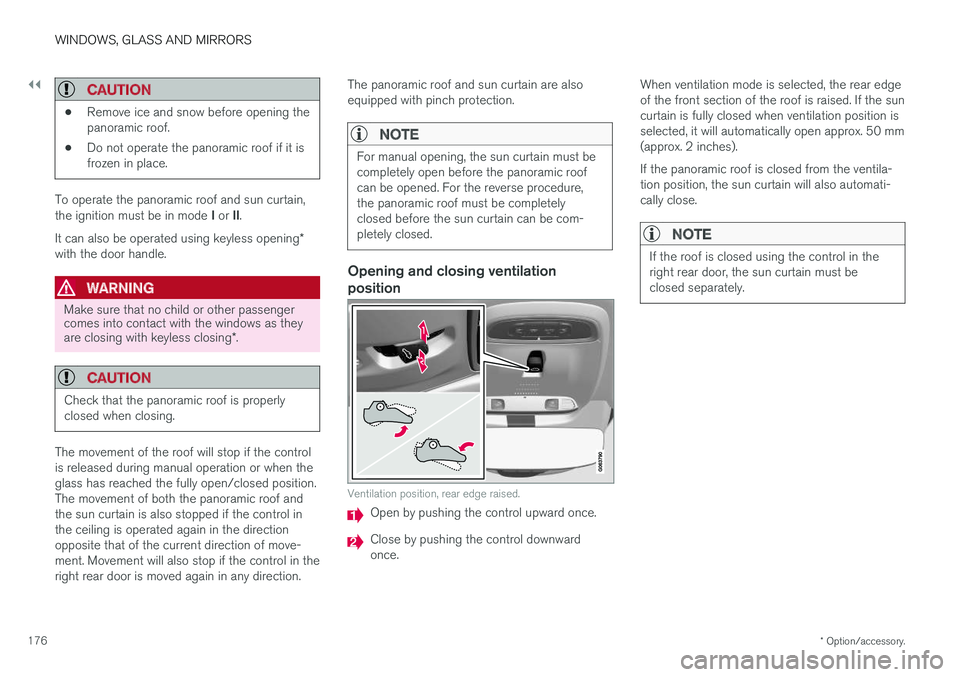
Ventilation position, rear edge raised.
Open by pushing the control upward once.
Close by pushing the control downward once.
When ventilation mode is selected, the rear edgeof the front section of the roof is raised. If the suncurtain is fully closed when ventilation position isselected, it will automatically open approx. 50 mm(approx. 2 inches). If the panoramic roof is closed from the ventila- tion position, the sun curtain will also automati-cally close.
NOTE
If the roof is closed using the control in the right rear door, the sun curtain must beclosed separately.
Page 180 of 640
||
WINDOWS, GLASS AND MIRRORS
* Option/accessory.
178
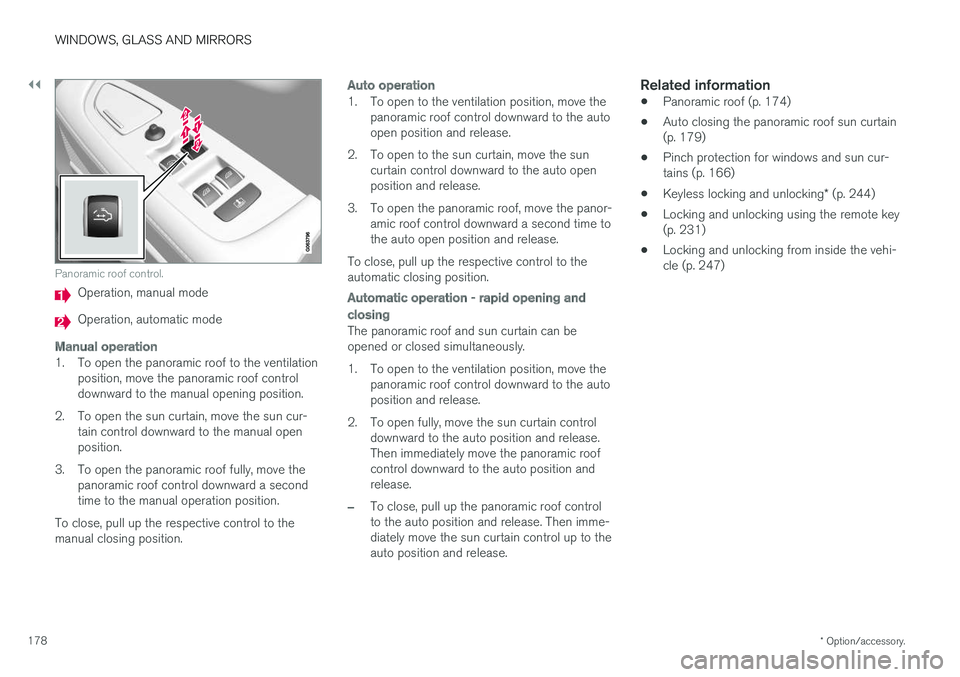
Panoramic roof control.
Operation, manual mode
Operation, automatic mode
Manual operation
1. To open the panoramic roof to the ventilation
position, move the panoramic roof control downward to the manual opening position.
2. To open the sun curtain, move the sun cur- tain control downward to the manual openposition.
3. To open the panoramic roof fully, move the panoramic roof control downward a secondtime to the manual operation position.
To close, pull up the respective control to themanual closing position.
Auto operation
1. To open to the ventilation position, move the panoramic roof control downward to the auto open position and release.
2. To open to the sun curtain, move the sun curtain control downward to the auto openposition and release.
3. To open the panoramic roof, move the panor- amic roof control downward a second time tothe auto open position and release.
To close, pull up the respective control to theautomatic closing position.
Automatic operation - rapid opening and
closing
The panoramic roof and sun curtain can be opened or closed simultaneously.
1. To open to the ventilation position, move the panoramic roof control downward to the auto position and release.
2. To open fully, move the sun curtain control downward to the auto position and release.Then immediately move the panoramic roofcontrol downward to the auto position andrelease.
–To close, pull up the panoramic roof control to the auto position and release. Then imme-diately move the sun curtain control up to theauto position and release.
Related information
• Panoramic roof (p. 174)
• Auto closing the panoramic roof sun curtain(p. 179)
• Pinch protection for windows and sun cur-tains (p. 166)
• Keyless locking and unlocking
* (p. 244)
• Locking and unlocking using the remote key(p. 231)
• Locking and unlocking from inside the vehi-cle (p. 247)
Page 181 of 640
WINDOWS, GLASS AND MIRRORS
}}
* Option/accessory.179
Auto closing the panoramic roofsun curtain
With this function, the sun curtain closes auto- matically 15 minutes after the car has beenlocked if it is parked in hot weather. This is doneto lower the passenger compartment tempera-ture and protect the upholstery against beingbleached by the sun.
The function is deactivated as the default factory setting and can be activated or deactivated usingthe center display. 1. Tap
Settings in the Top view in the center
display.
2. Tap
My CarLocking.
Select
Auto Close Sunroof Curtain to
activate/deactivate.
NOTE
The sun curtain also closes when all windows are closed with keyless closing *.
Related information
• Panoramic roof (p. 174)
• Operating the panoramic roof (p. 175)
• Pinch protection for windows and sun cur- tains (p. 166)
• Keyless locking and unlocking
* (p. 244) •
Locking and unlocking using the remote key(p. 231)
• Locking and unlocking from inside the vehi-cle (p. 247)
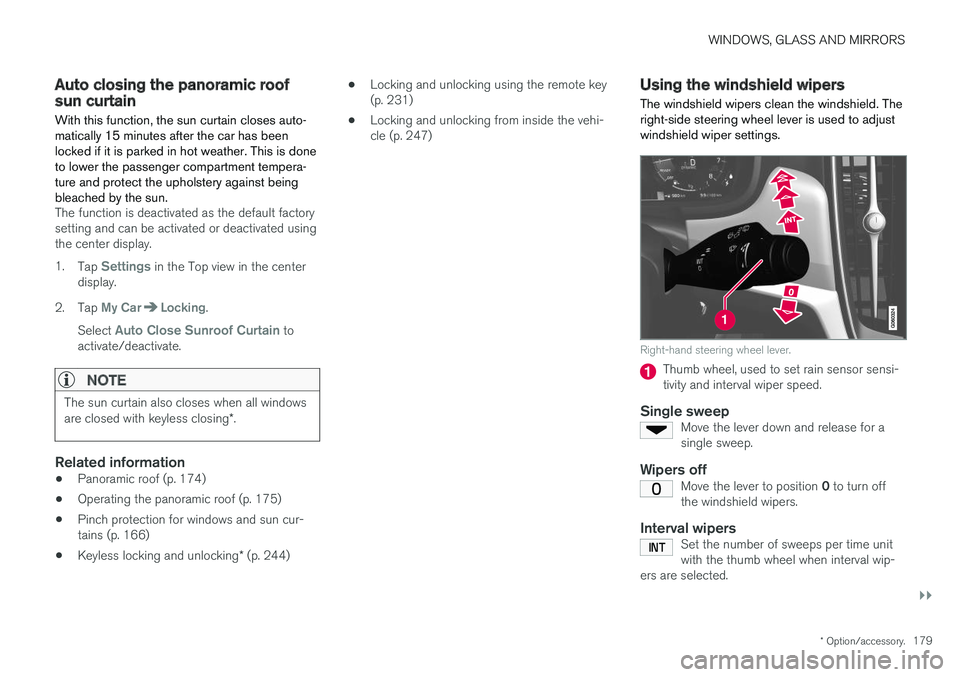
Using the windshield wipers
The windshield wipers clean the windshield. The right-side steering wheel lever is used to adjustwindshield wiper settings.
Right-hand steering wheel lever.
Thumb wheel, used to set rain sensor sensi- tivity and interval wiper speed.
Single sweepMove the lever down and release for asingle sweep.
Wipers offMove the lever to position 0 to turn off
the windshield wipers.
Interval wipersSet the number of sweeps per time unit with the thumb wheel when interval wip-
ers are selected.
Page 194 of 640
SEATS AND STEERING WHEEL
* Option/accessory.
192 •
Adjusting front seat side bolster settings
*
(p. 190)
• Adjusting front seat lumbar support
* (p. 190)
Adjusting the passenger seat fromthe rear seat
The front passenger seat can be adjusted using the control in the right-hand rear door.
Using the functions
Control right-hand rear door.
Move the front passenger seat forward.
Move the front passenger seat backrest rear- ward.
Move the front passenger seat rearward.
Move the front passenger seat backrest for- ward.
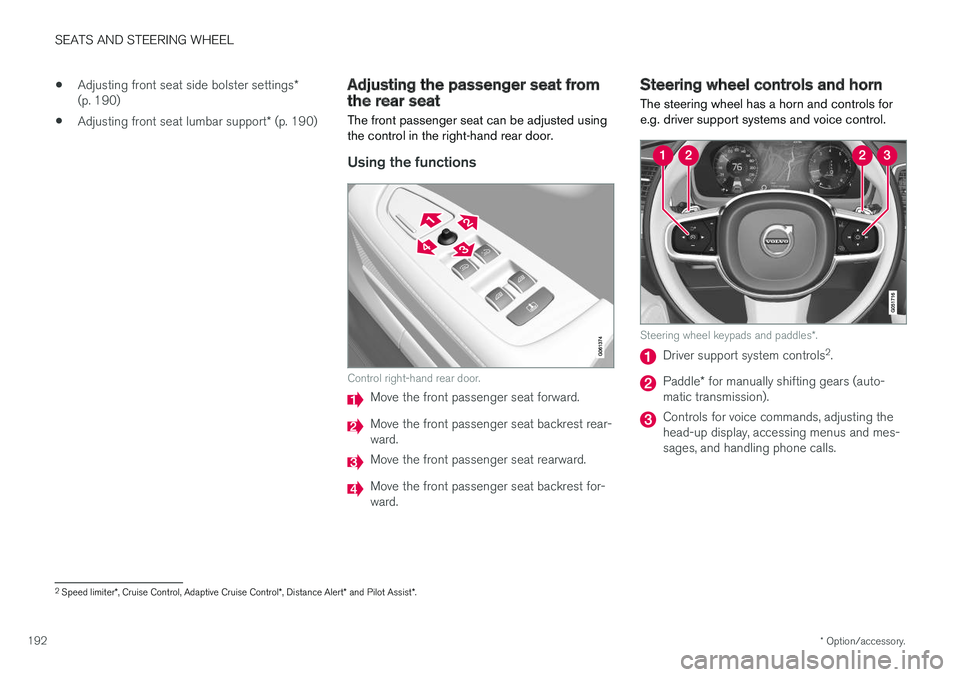
Steering wheel controls and horn The steering wheel has a horn and controls for e.g. driver support systems and voice control.
Steering wheel keypads and paddles *.
Driver support system controls 2
.
Paddle * for manually shifting gears (auto-
matic transmission).
Controls for voice commands, adjusting the head-up display, accessing menus and mes-sages, and handling phone calls.
2 Speed limiter *, Cruise Control, Adaptive Cruise Control *, Distance Alert * and Pilot Assist *.