brakes VOLVO S90 2018 Owner´s Manual
[x] Cancel search | Manufacturer: VOLVO, Model Year: 2018, Model line: S90, Model: VOLVO S90 2018Pages: 640, PDF Size: 11.37 MB
Page 402 of 640
||
STARTING AND DRIVING
400
WARNING
•If both symbols illuminate at the same time and the brake level is below the
MIN
mark in the reservoir or if a brake system- related message is shown in the instru-ment panel: DO NOT DRIVE. Have thevehicle towed to a trained and qualifiedVolvo service technician and have thebrake system inspected.
• If both symbols illuminate at the sametime and the brake level is normal (notbelow the MIN mark in the reservoir) or ifa brake system-related message isshown in the instrument panel: drive thevehicle carefully to an authorized Volvoworkshop and have the brake systeminspected by a trained and qualified Volvoservice technician.
Related information
• Brake Assist System (p. 400)
• Auto-hold brakes (p. 405)
• Hill Start Assist (p. 406)
• Braking on wet roads (p. 400)
• Braking on salted roads (p. 401)
• Maintenance of the brake system (p. 401)
• Brake lights (p. 159)
Brake Assist System
The brake enhancing system, Brake Assist
System (BAS), helps increase braking force andthereby reduce braking distance.
The system monitors the driver's braking habits and increases braking force when necessary.Braking force can be increased up to the point atwhich the ABS intervenes. The function is deacti-vated when pressure on the brake pedal isdecreased.
NOTE
When BAS is activated, the brake pedal will go down slightly more than usual. Press(hold) down the brake pedal as long as nec-essary. When the brake pedal is released, all braking ceases.
Related information
• Brakes (p. 399)
Braking on wet roads
Prolonged driving in heavy rain without braking may cause braking effect to be slightly delayedthe first time the brakes are applied.
This may also occur after washing the vehicle. It will then be necessary to apply greater pressureto the brake pedal. You should therefore maintaina greater distance to the vehicle ahead. Firmly apply the brakes after washing the vehicle or driving on wet roads. This helps warm up thebrake discs, enabling them to dry more quicklyand protecting them against corrosion. Considerthe current traffic situation when braking.
Related information
• Brakes (p. 399)
• Braking on salted roads (p. 401)
Page 403 of 640
STARTING AND DRIVING
}}
401
Braking on salted roads When driving on salted roads, a layer of salt may form on the brake discs and brake pads.
This could increase stopping distance. Maintain an extra large safety distance to the vehicleahead. Make sure to also:
• Apply the brakes from time to time to helpremove salt. Make sure braking does notpose a risk to any other road users.
• Gently apply the brakes when you have fin-ished driving and before driving again.
Related information
• Brakes (p. 399)
• Braking on wet roads (p. 400)
Maintenance of the brake system
Regularly check the brake system components for wear.
To keep the vehicle as safe and reliable as possi- ble, follow the Volvo service schedule specified inthe Warranty and Maintenance Records Informa-tion booklet. New and replaced brake pads andbrake discs do not provide optimal braking effectuntil they are "broken in" by driving a few hun-dred kilometers (miles). Compensate for thereduced braking effect by applying greater pres-sure to the brake pedal. Volvo recommends onlyusing brake pads approved for your Volvo.
CAUTION
The brake system's components should be regularly checked for wear. Contact a workshop for advice on how to do this or let a workshop perform the inspection- an authorized Volvo workshop is recom-mended.
Related information
• Brakes (p. 399)
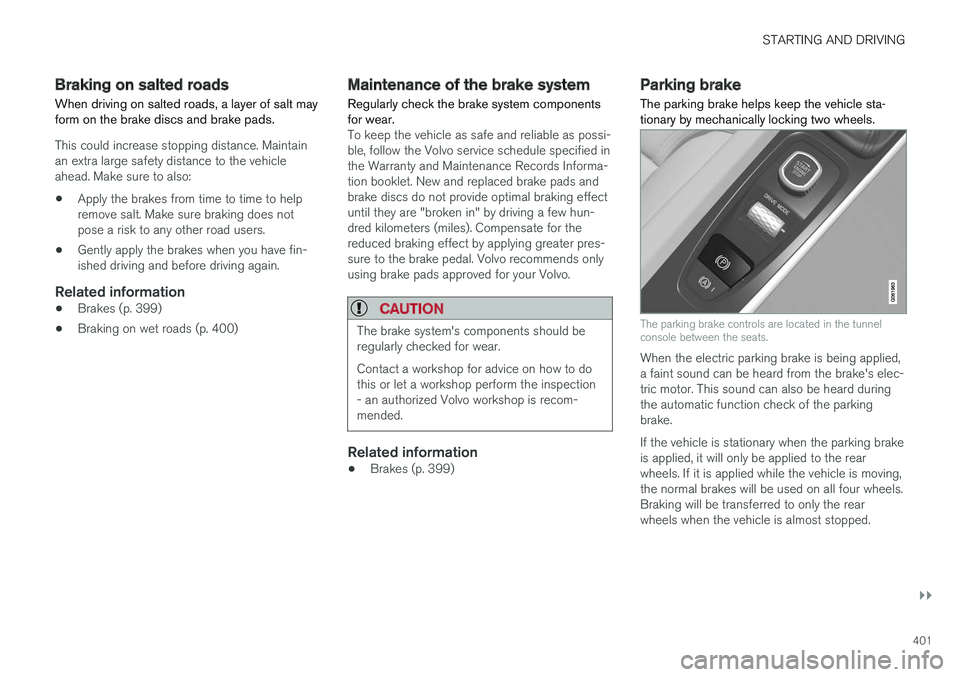
Parking brake The parking brake helps keep the vehicle sta- tionary by mechanically locking two wheels.
The parking brake controls are located in the tunnel console between the seats.
When the electric parking brake is being applied, a faint sound can be heard from the brake's elec-tric motor. This sound can also be heard duringthe automatic function check of the parkingbrake. If the vehicle is stationary when the parking brake is applied, it will only be applied to the rearwheels. If it is applied while the vehicle is moving,the normal brakes will be used on all four wheels.Braking will be transferred to only the rearwheels when the vehicle is almost stopped.
Page 404 of 640
||
STARTING AND DRIVING
402
Related information
•Activating and deactivating the parking brake (p. 402)
• Parking on a hill (p. 404)
• Parking brake malfunction (p. 404)
• Auto-hold brakes (p. 405)
Activating and deactivating theparking brake Use the parking brake to help keep the vehicle stationary when it is parked.
Activating the parking brake
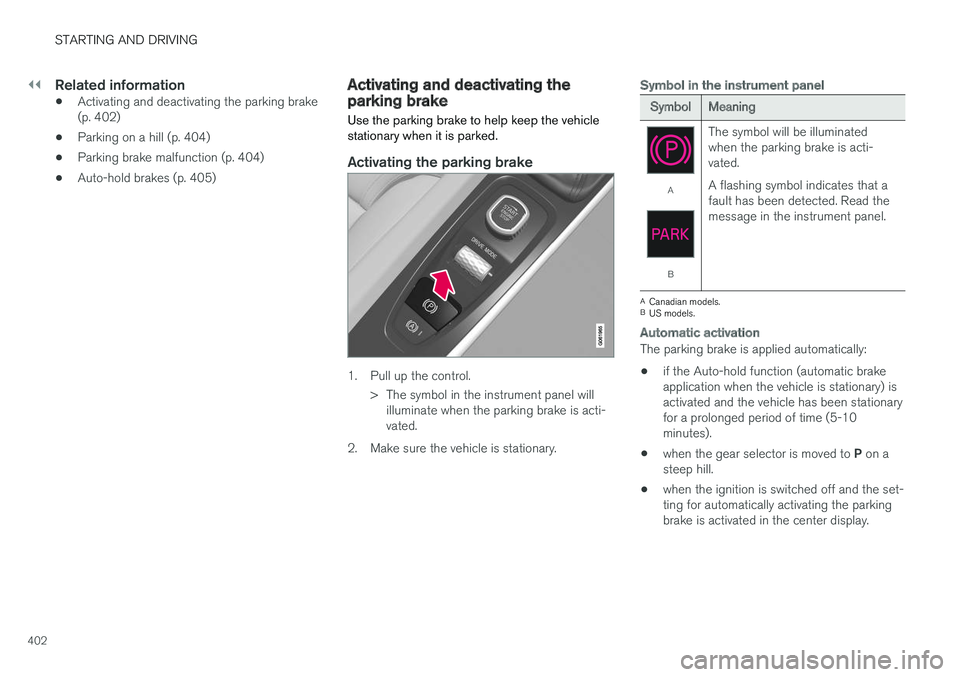
1. Pull up the control.
> The symbol in the instrument panel willilluminate when the parking brake is acti- vated.
2. Make sure the vehicle is stationary.
Symbol in the instrument panel
SymbolMeaning
A
B The symbol will be illuminated when the parking brake is acti-vated. A flashing symbol indicates that a fault has been detected. Read themessage in the instrument panel.
A
Canadian models.
B US models.
Automatic activation
The parking brake is applied automatically:
• if the Auto-hold function (automatic brake application when the vehicle is stationary) isactivated and the vehicle has been stationaryfor a prolonged period of time (5-10minutes).
• when the gear selector is moved to
P on a
steep hill.
• when the ignition is switched off and the set-ting for automatically activating the parkingbrake is activated in the center display.
Page 407 of 640
STARTING AND DRIVING
405
Related information
•Activating and deactivating the parking brake (p. 402)
• Start battery (p. 573)
• Volvo's service program (p. 548)
Auto-hold brakes
With the Auto-hold brake function, the driver can release the brake pedal and the brakes willremain applied, for example, when the vehiclehas stopped at a traffic light or intersection.
When the vehicle stops, the brakes are activated automatically. The function can use either thenormal brakes or the parking brakes to keep thevehicle stationary and works on flat surfaces orhills. When driving off, the brakes will be automat-ically released if the driver's seat belt is buckled.
NOTE
When braking to a stop on an uphill or down- hill gradient, depress the brake pedal withslightly more force than usual before releas-ing to ensure that the vehicle cannot move atall.
The parking brake is activated if: • the vehicle is switched off
• the driver's door is opened
• the driver's seat belt is removed
• the vehicle has been stationary for a pro- longed period of time (5-10 minutes)
Symbols in the instrument panel
SymbolMeaning
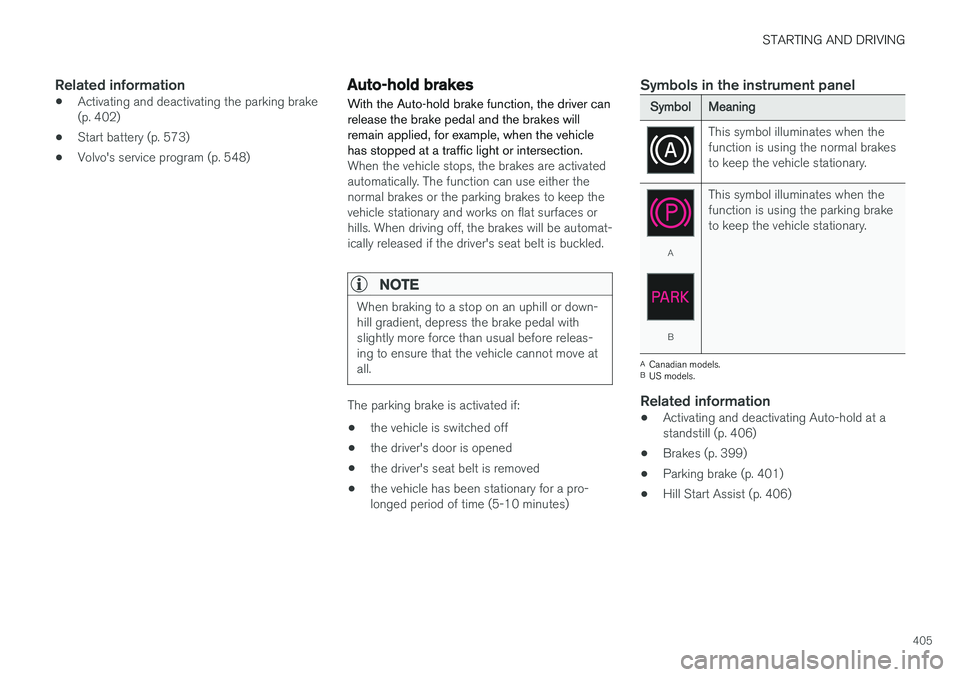
This symbol illuminates when the function is using the normal brakesto keep the vehicle stationary.
A
B This symbol illuminates when the function is using the parking braketo keep the vehicle stationary.
A
Canadian models.
B US models.
Related information
• Activating and deactivating Auto-hold at a standstill (p. 406)
• Brakes (p. 399)
• Parking brake (p. 401)
• Hill Start Assist (p. 406)
Page 408 of 640
STARTING AND DRIVING
406
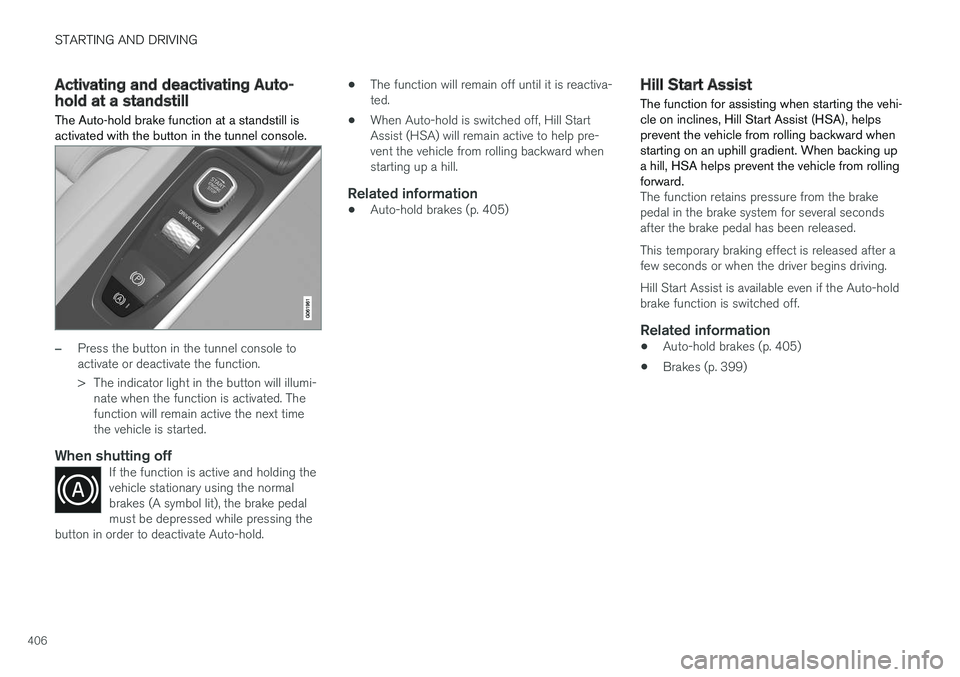
Activating and deactivating Auto-hold at a standstill The Auto-hold brake function at a standstill is activated with the button in the tunnel console.
–Press the button in the tunnel console to activate or deactivate the function.
> The indicator light in the button will illumi-nate when the function is activated. The function will remain active the next timethe vehicle is started.
When shutting offIf the function is active and holding thevehicle stationary using the normalbrakes (A symbol lit), the brake pedalmust be depressed while pressing the
button in order to deactivate Auto-hold.
• The function will remain off until it is reactiva- ted.
• When Auto-hold is switched off, Hill StartAssist (HSA) will remain active to help pre-vent the vehicle from rolling backward whenstarting up a hill.
Related information
•Auto-hold brakes (p. 405)
Hill Start Assist
The function for assisting when starting the vehi- cle on inclines, Hill Start Assist (HSA), helpsprevent the vehicle from rolling backward whenstarting on an uphill gradient. When backing upa hill, HSA helps prevent the vehicle from rollingforward.
The function retains pressure from the brake pedal in the brake system for several secondsafter the brake pedal has been released. This temporary braking effect is released after a few seconds or when the driver begins driving. Hill Start Assist is available even if the Auto-hold brake function is switched off.
Related information
• Auto-hold brakes (p. 405)
• Brakes (p. 399)
Page 409 of 640
STARTING AND DRIVING
}}
* Option/accessory.407
Braking assist after a collision In a collision in which the activation level is reached for the pyrotechnic seat belt tensionersor airbags, or if a collision with a large animal isdetected, the vehicle's brakes will be automati-cally activated. This function is intended to helpprevent or reduce the effects of any subsequentcollision.
After a serious collision, it may no longer be pos- sible to control and steer the vehicle. In order toavoid or mitigate a possible further collision witha vehicle or an object in the vehicle's path, thebrake assist system is activated automatically tohelp stop the vehicle safely. The brake lights and hazard warning flashers are activated during braking. When the vehicle has stopped, the hazard warning flashers will con-tinue to flash and the parking brake will beapplied. If braking is not appropriate, e.g. if there is a risk of being hit by passing traffic, the driver can over-ride the system by depressing the acceleratorpedal. This function assumes that the brake system is intact after a collision. Brake assist is part of the Rear Collision Warning and Blind Spot Information safety systems.
Related information
•Rear Collision Warning (p. 336)
• BLIS
* (p. 337)
• Brake functions (p. 398)
Transmission The transmission is part of the vehicle's driveline (power transmission) between the engine andthe drive wheels. The function of the transmis-sion is to change gears depending on speedand power needs.
The vehicle has an 8-speed automatic transmis- sion. The number of gears allows the engine'storque and power band to be effectively utilized.Two of the gears are overdrive gears that savefuel when driving at a constant engine speed.Manual shifting is also possible. The instrumentpanel shows the gear currently in use.
CAUTION
Check the operating temperature of the transmission to help avoid damage to any ofthe drive system components. If there is a riskof overheating, a warning symbol will appearin the instrument panel and a text messagewill be displayed. Follow the recommenda-tions given.
Symbols in the instrument panelIf a problem should occur with the transmission, a symbol and a message will appear in the instru-ment panel.
Page 415 of 640
STARTING AND DRIVING
}}
* Option/accessory.413
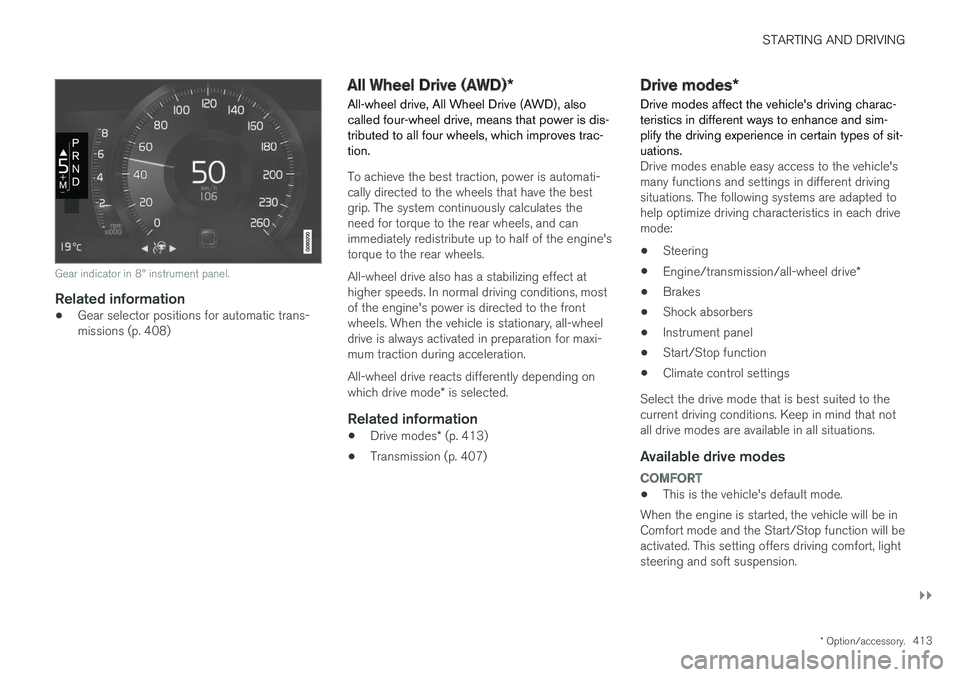
Gear indicator in 8" instrument panel.
Related information
•Gear selector positions for automatic trans- missions (p. 408)
All Wheel Drive (AWD)
*
All-wheel drive, All Wheel Drive (AWD), also called four-wheel drive, means that power is dis-tributed to all four wheels, which improves trac-tion.
To achieve the best traction, power is automati- cally directed to the wheels that have the bestgrip. The system continuously calculates theneed for torque to the rear wheels, and canimmediately redistribute up to half of the engine'storque to the rear wheels. All-wheel drive also has a stabilizing effect at higher speeds. In normal driving conditions, mostof the engine's power is directed to the frontwheels. When the vehicle is stationary, all-wheeldrive is always activated in preparation for maxi-mum traction during acceleration. All-wheel drive reacts differently depending on which drive mode * is selected.
Related information
• Drive modes
* (p. 413)
• Transmission (p. 407)
Drive modes
*
Drive modes affect the vehicle's driving charac- teristics in different ways to enhance and sim-plify the driving experience in certain types of sit-uations.
Drive modes enable easy access to the vehicle's many functions and settings in different drivingsituations. The following systems are adapted tohelp optimize driving characteristics in each drivemode: • Steering
• Engine/transmission/all-wheel drive
*
• Brakes
• Shock absorbers
• Instrument panel
• Start/Stop function
• Climate control settings
Select the drive mode that is best suited to the current driving conditions. Keep in mind that notall drive modes are available in all situations.
Available drive modes
COMFORT
• This is the vehicle's default mode.
When the engine is started, the vehicle will be in Comfort mode and the Start/Stop function will beactivated. This setting offers driving comfort, lightsteering and soft suspension.
Page 418 of 640
||
STARTING AND DRIVING
* Option/accessory.
416 This function is most effective in driving situa- tions where the vehicle can roll freely for a longdistance, e.g. on roads with slight downgrades orwhen a decrease in speed is anticipated, such aswhen approaching an area with a lower speedlimit.
Activating Eco Coast
The function is activated when the accelerator pedal is fully released and the following condi-tions are met:
• Eco drive mode is activated.
• The gear selector is in
D.
• The vehicle's speed is approximately65-140 km/h (40-87 mph).
• The gradient of the downgrade is less thanapproximately 6%.
COASTING will be displayed in the instrument
panel when Eco Coast is being used.
Limitations
Eco Coast is not available if:
• The engine and/or transmission are not at normal working temperatures.
• The gear selector is moved from
D to manual
shifting mode.
• The vehicle's speed is not within the65-140 km/h (40-87 mph) range.
• The gradient of the downgrade is more thanapproximately 6%. •
The steering wheel paddles
* are being used
for manual shifting.
Deactivating and turning off Eco Coast
In certain situations, it may be advisable to deac- tivate or turn off Eco Coast so that engine brak-ing can be used. These situations might includedriving down steep hills or before passinganother vehicle to help ensure this can be doneas safely as possible. Deactivate Eco Coast by:
• Pressing the accelerator or brake pedal.
• Moving the gear selector to manual mode.
• Using the steering wheel paddles
* to shift.
Turn off Eco Coast by:
• Switching drive mode
* or switching off drive
mode Eco in Function view.
It is possible to roll short distances even without Eco Coast in order to help conserve fuel. How-ever, for the best fuel economy, Eco Coast shouldbe activated and used to roll longer distances.
Cruise control Eco CruiseWhen cruise control is activated in the Eco drivemode, the vehicle's acceleration and decelerationwill be slower than in other drive modes to helpfurther conserve fuel. Because of this, the vehi-cle's actual speed may be slightly above or belowthe set speed. •
On a level road, the vehicle's actual speedmay differ from the set speed when cruisecontrol is active and the vehicle is coasting.
• On a steep uphill gradient, the vehicle'sspeed is reduced until the transmissiondownshifts. Reduced acceleration is then ini-tiated in order to reach the set speed.
• On a downhill gradient in which the vehicle iscoasting, the vehicle's actual speed may beslightly above or below the set speed. Thefunction uses engine braking to keep the setspeed. If necessary, the normal brakes arealso applied.
ECO gauge in the instrument panelThe ECO gauge indicates how economical cur-rent driving is:
• A low reading in the green area of the gaugeindicates economical driving.
• A high reading is shown when driving is noteconomical, e.g. heavy braking or rapid accel-eration.
The ECO gauge also has an indicator showinghow a reference driver would drive in the samedriving situation. This is shown by the shortpointer in the gauge.
Page 420 of 640
STARTING AND DRIVING
* Option/accessory.
418
Start/Stop function
Start/Stop is a function that temporarily switches off the engine when the vehicle has stopped,e.g. at a traffic light or in heavy traffic, and thenstarts it again automatically when the brakepedal is released.
The Start/Stop function reduces fuel consump- tion, which helps to reduce exhaust emissions. The system makes it possible to drive more eco- nomically and climate-smart by letting the engineauto-stop when appropriate.
Related information
• Driving with the Start/Stop function (p. 418)
• Conditions for the Start/Stop function(p. 420)
• Drive modes
* (p. 413)
Driving with the Start/Stop function
Start/Stop is a function that temporarily turns off the engine when the vehicle is stationary andthen automatically starts it again when the vehi-cle starts moving.
The Start/Stop function is available when the engine is started and can be activated if certainconditions are met. The instrument panel indi-cates if the function is available, active or notavailable. All of the vehicle's ordinary systems, such as lighting, radio, etc. function normally when theengine has been auto-stopped. Certain functionsmay be temporarily reduced, however, such asthe climate system's blower speed or extremelyhigh audio system volume.
Auto-stopTo auto-stop the engine:
• Stop the vehicle by applying the brakes andkeep the brake pedal depressed. The enginewill auto-stop.
In Eco or Comfort 5
drive mode, the engine may
auto-stop before the vehicle has completely stop-ped. With Adaptive Cruise Control or Pilot Assist acti- vated, the engine will auto-stop after approxi-mately three seconds.
Auto-startThe following conditions must be met for theengine to auto-start. • Release the brake pedal. The engine will auto-start and the vehicle can be driven. Onan uphill gradient, Hill Start Assist (HSA) willactivate to help prevent the vehicle from roll-ing backward.
• When Auto-hold is activated, auto-start willbe delayed until the accelerator is pressed.
• When Adaptive Cruise Control or Pilot Assistare activated, the engine will auto-start whenthe accelerator pedal is depressed or the
button on the left-side steering wheel
keypad is pressed.
• Maintain pressure on the brake pedal and press the accelerator pedal. The engine willauto-start.
• On a downhill gradient: Release the brakepedal slightly so that the vehicle begins toroll. The engine will auto-start after a slightincrease in speed.
5
Normal start mode.
Page 421 of 640
STARTING AND DRIVING
* Option/accessory.419
Symbols in the instrument panel
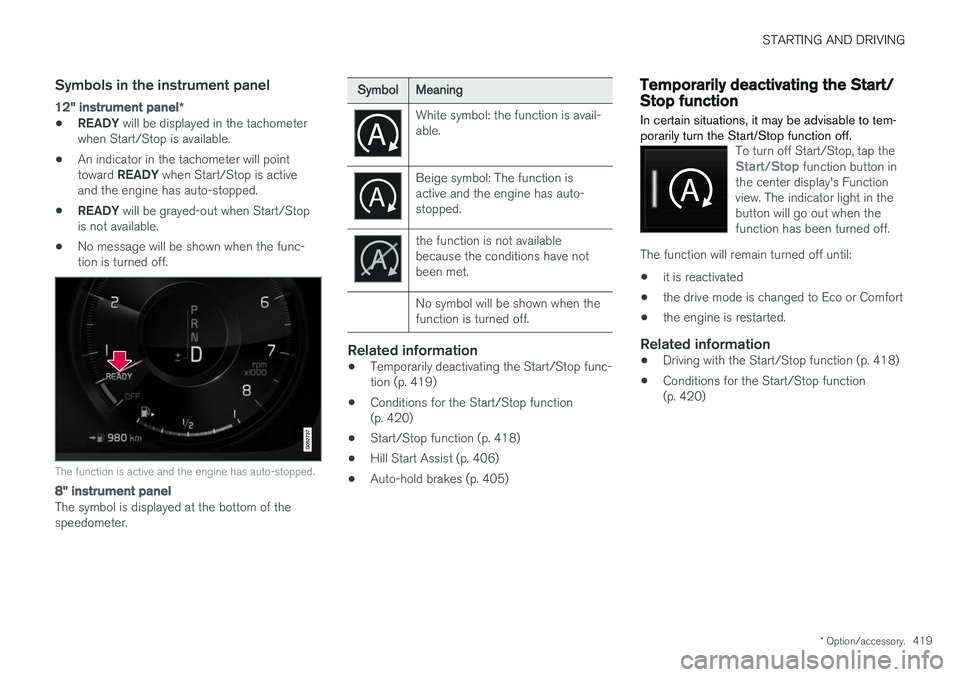
12" instrument panel *
•READY
will be displayed in the tachometer
when Start/Stop is available.
• An indicator in the tachometer will point toward
READY when Start/Stop is active
and the engine has auto-stopped.
• READY
will be grayed-out when Start/Stop
is not available.
• No message will be shown when the func- tion is turned off.
The function is active and the engine has auto-stopped.
8" instrument panel
The symbol is displayed at the bottom of the speedometer.
SymbolMeaning
White symbol: the function is avail- able.
Beige symbol: The function is active and the engine has auto-stopped.
the function is not available because the conditions have notbeen met. No symbol will be shown when the function is turned off.
Related information
•Temporarily deactivating the Start/Stop func- tion (p. 419)
• Conditions for the Start/Stop function(p. 420)
• Start/Stop function (p. 418)
• Hill Start Assist (p. 406)
• Auto-hold brakes (p. 405)
Temporarily deactivating the Start/Stop function
In certain situations, it may be advisable to tem- porarily turn the Start/Stop function off.
To turn off Start/Stop, tap theStart/Stop function button in
the center display's Function view. The indicator light in thebutton will go out when thefunction has been turned off.
The function will remain turned off until:
• it is reactivated
• the drive mode is changed to Eco or Comfort
• the engine is restarted.
Related information
•
Driving with the Start/Stop function (p. 418)
• Conditions for the Start/Stop function (p. 420)