lock VOLVO S90 TWIN ENGINE 2019 Owners Manual
[x] Cancel search | Manufacturer: VOLVO, Model Year: 2019, Model line: S90 TWIN ENGINE, Model: VOLVO S90 TWIN ENGINE 2019Pages: 669, PDF Size: 14.33 MB
Page 423 of 669

HYBRID INFORMATION
* Option/accessory.421
Stopping hybrid battery charging
To stop charging of the hybrid battery, unlockthe vehicle, unplug the charging cable from thevehicle's charging socket and then unplug thecable from the 120/240 V outlet (alternatingcurrent).
CAUTION
Before the charging cable is removed fromthe vehicle's charging socket, the vehiclemust be unlocked using the unlock button onthe remote key. This must be done even if thevehicle's doors are already unlocked. If thevehicle is not unlocked using the unlock but-ton, the charging cable or system may bedamaged.
NOTE
Always unlock the vehicle so that charging iscut off before the connection to the120/240 V outlet (AC, alternating current) isdisconnected. Note that the charging cablemust be disconnected from the vehicle'scharging socket before it is disconnectedfrom the 120/240 V outlet, partly to preventdamage to the system and party to preventunintentional interruption of charging.
Unlock the vehicle with the remote key.Charging will stop.
Press the lock button on the chargingcable's handle. The handle will be released/unlocked. Unplug the cable from the vehi-cle's charging socket and close the chargerdoor.
Unplug the cable from the 120/240 V outlet.
Stow the charging cable in the storage com-partment on the right side of the trunk.
Charging cable automatically locks
If the charging cable cannot be removed from thecharging socket, it will automatically lock intoplace again after unlocking to maximize chargingand range and to enable preconditioning beforedriving. The charging cable can be removed againif the vehicle is unlocked using the remote key.For vehicles with Passive Entry*, the handle canbe used to lock and unlock.
Related information
Opening and closing the charging socketcover (p. 414)
Charge cable (p. 411)
Charging the hybrid battery (p. 409)
Initiating hybrid battery charging (p. 415)
Page 428 of 669

STARTING AND DRIVING
* Option/accessory.426
Starting the vehicle
The vehicle can be started using the start knobin the tunnel console when the remote key is inthe passenger compartment.
Start knob in the tunnel console.
WARNING
Before starting:
Buckle your seat belt.
Adjust the seat, steering wheel and mir-rors.
Make sure you can fully depress thebrake pedal.
The remote key is not physically used to start theignition because the vehicle is equipped with thekeyless Passive Start system.
To start the vehicle:
1.The remote key must be inside the vehicle.For vehicles with Passive Start, the key mustbe in the front section of the passengercompartment. With the optional keyless lock-ing/unlocking function*, the key can be any-where in the vehicle.
2. Press and hold down the brake pedal1 as faras possible.
3. Turn the start knob clockwise and release.The control will automatically return to theoriginal position.
WARNING
Never use more than one inlay mat at atime on the driver's floor. If any other typeof floor mat is used, remove the originalmat from the driver's seat floor beforedriving. All types of mats must be securelyanchored in the attachment points in thefloor. Make sure the floor mat does notimpede the movement of the brake pedalor accelerator pedal in any way, as thiscould be a serious safety hazard.
Volvo's floor mats are specially manufac-tured for your vehicle. They must be prop-erly secured in the attachment points inthe floor to help ensure they cannot slideand become trapped under the pedals.
The starter motor will crank until the enginestarts or until overheating protection is triggered.
During normal start conditions, the vehicle's elec-tric motor will be prioritized and the gasolineengine will remain off. This means that once thestart knob is turned clockwise, the electric motorhas been "started" and the vehicle is ready to bedriven. The warning and information symbols inthe instrument panel will go out and the selectedtheme will be displayed to indicate that the elec-tric motor is activated.
1If the vehicle is moving, it is only necessary to turn the start knob clockwise to start the engine.
Page 429 of 669

STARTING AND DRIVING
}}
427
In some situations, such as in cold weather or ifthe hybrid battery's charge level is too low, thegasoline engine will start instead.
The vehicle should not be started with the charg-ing cable connected. However, if the cable can-not be pulled out or if the vehicle incorrectlydetects a cable that is not connected, the vehiclecan be started using an override procedure:
1.Press the brake pedal and turn the startknob clockwise.
2.Charge cable Remove before start willappear in the instrument panel.
3. Turn the start knob clockwise again.
4.Removed? Turn and hold start knob 7swill appear. Turn the knob clockwise and holdit for 7 seconds to start the vehicle.
Location of the backup reader in the tunnel console.
If the Vehicle key not found message is shownin the instrument panel at start, place the remotekey at the backup reader and then make a newstart attempt.
NOTE
When the remote key is placed in the backupreader, make sure that no other vehicle keys,metal objects or electronic devices (e.g. cellu-lar phones, tablets, laptops or chargers) are inthe backup reader. Multiple vehicle keys closeto each other in the backup reader can dis-rupt their functionality.
If Vehicle start System check, wait is dis-played in the instrument panel while attemptingto start the vehicle, wait until the message disap-pears and try again to start the vehicle.
CAUTION
If the engine has not responded after 3attempts – wait for 3 minutes before startinga new attempt. Starting capability increases ifthe starter battery is given time to recover.
NOTE
The vehicle cannot be started if the hybridbattery is discharged.
WARNING
Never remove the remote control key fromthe vehicle while driving.
WARNING
Always remove the remote key from thepassenger compartment when you leavethe vehicle and make sure the ignition isin mode 0.
Always put the gear selector in P andapply the parking brake before leavingthe vehicle. Never leave the vehicle unsu-pervised while the engine is running.
Always open the garage door fully andmake sure that ventilation is very goodbefore starting the engine in a garage.The exhaust fumes produced by the vehi-cle contain carbon monoxide, which isinvisible and odorless but very toxic.
NOTE
With a cold start, idling speed may be consid-erably higher than normal for certain enginetypes. This is done to get the emissions sys-tem up to normal operating temperature asquickly as possible, which minimizes exhaustemissions and protects the environment.
Page 430 of 669

||
STARTING AND DRIVING
428
CAUTION
When starting in cold weather, the auto-matic transmission may shift up at slightlyhigher engine speeds than normal untilthe automatic transmission fluid reachesnormal operating temperature.
Do not race a cold engine immediatelyafter starting. This could prevent fluidsfrom properly lubricating vital compo-nents in the engine before it has reachedthe proper operating temperature.
The engine should be idling when thegear selector is moved. Never accelerateuntil the gear is fully engaged. Accelerat-ing rapidly before a gear is properlyengaged could lead to harder wear ofcomponents.
To help prevent the transmission oil fromoverheating, select P or N when idling ata standstill for prolonged periods of time.
Related information
Switching off the vehicle (p. 428)
Ignition modes (p. 429)
Adjusting the steering wheel (p. 193)
Jump starting using another battery (p. 466)
Selecting ignition mode (p. 430)
Switching off the vehicle
The vehicle can be switched off using the startknob in the tunnel console.
Start knob in the tunnel console.
To switch off the vehicle:
–Turn the start knob clockwise and release toswitch off the vehicle. The control will auto-matically return to the original position.
If the vehicle rolls:
–Turn clockwise and hold the knob until thevehicle switches off.
Related information
Starting the vehicle (p. 426)
Ignition modes (p. 429)
Adjusting the steering wheel (p. 193)
Jump starting using another battery (p. 466)
Selecting ignition mode (p. 430)
Page 431 of 669

STARTING AND DRIVING
* Option/accessory.429
Ignition modes
The vehicle's ignition can be put in variousmodes (levels) to make different functions availa-ble.
To enable the use of a limited number of func-tions when the engine is not running, the ignitioncan be put in one of three different levels: 0, Iand II. These levels are referred to as "ignitionmodes" in the Owner's Manual.
The following table shows which functions areavailable in each ignition mode:
Mode Functions
0The odometer, clock and tem-
perature gauge are illuminatedA.
The power* seats can beadjusted.
The power windows can be used.
The center display is activated
and can be usedA.
The infotainment system can be
usedA.
In this mode, the functions are availa-ble for a limited time and then switchoff automatically.
IThe panoramic roof, power win-dows, 12-volt electrical socket inthe passenger compartment,Bluetooth, navigation, phone,blower and windshield wipers canbe used.
The power seats can be adjusted.
The 12-volt electrical socket* inthe trunk can be used.
Electrical current will be takenfrom the battery in this ignitionmode.
Mode Functions
IIThe headlights illuminate.
Warning/indicator lights illumi-nate for 5 seconds.
A number of other systems areactivated. However, seat and rearwindow heating can only be acti-vated when the engine is running.
This ignition mode uses a lot ofcurrent from the battery andshould be avoided whenever pos-sible!
AAlso activated when the door is opened.
Related information
Starting the vehicle (p. 426)
Adjusting the steering wheel (p. 193)
Jump starting using another battery (p. 466)
Selecting ignition mode (p. 430)
Page 432 of 669

STARTING AND DRIVING
430
Selecting ignition mode
The vehicle's ignition can be put in variousmodes (levels) to make different functions availa-ble.
Selecting an ignition mode
Start knob in the tunnel console.
Ignition mode 0 - Unlock the vehicle andkeep the remote key in the passenger com-partment.
NOTE
To set level I or II without engine start – donot depress the brake pedal (or clutch pedalfor vehicles with manual transmission) whenselecting this ignition mode.
Ignition mode I - Turn the start knob clock-wise and release it. The control will automati-cally return to the original position.
Ignition mode II - Turn the start knob clock-wise and hold it there for approx. 5 seconds.Release the knob, which will automaticallyreturn to its original position.
Back to ignition mode 0 - To return to igni-tion mode 0 from mode I and II, turn the startknob clockwise and release it. The controlwill automatically return to the original posi-tion.
Related information
Starting the vehicle (p. 426)
Switching off the vehicle (p. 428)
Ignition modes (p. 429)
Adjusting the steering wheel (p. 193)
Jump starting using another battery (p. 466)
Brake functions
The vehicle's brakes are used to reduce speedor prevent the vehicle from rolling.
In addition to the wheel brakes and parkingbrakes, the vehicle is also equipped with a num-ber of automatic brake assist functions. Thesesystems help the driver by e.g. keeping the vehi-cle stationary when the brake pedal is notdepressed (e.g. at a traffic light or intersection),when starting up a hill or when driving down a hill.
Depending on how the vehicle is equipped, thefollowing brake assist functions may be included:
Auto-hold brakes (Auto Hold)
Hill Start Assist (Hill Start Assist)
Braking assist after a collision
City Safety
Related information
Brakes (p. 431)
Parking brake (p. 434)
Auto-hold brakes (p. 437)
Braking assist after a collision (p. 439)
Hill Start Assist (p. 439)
City Safety™ (p. 333)
Page 433 of 669

STARTING AND DRIVING
}}
431
Brakes
The brake pedal is used to apply the vehicle'sregular brakes, which are part of the brake sys-tem.
The vehicle is equipped with two brake circuits. Ifone brake circuit is damaged, the brake pedal willgo down further when depressed. More pressurewill then be required from the driver for normalbraking effect.
WARNING
The power brakes only work when the electricmotor or combustion engine is running.
If the brake pedal is used when the engine isswitched off, greater pressure must be applied tobrake the vehicle.
In very hilly areas or when driving with a heavyload, gear position B can be used to augment thebrakes with engine braking.
Anti-lock brakes
The vehicle is equipped with an Anti-lock BrakingSystem (ABS), which helps prevent the wheelsfrom locking and helps maintain steering controlwhen braking. Vibrations may be felt from thebrake pedal when ABS is operating, which is nor-mal.
After the vehicle is started, a brief test of theABS system is automatically performed when the
driver releases the brake pedal. An additionalautomatic test of the system may be performedwhen the vehicle is traveling at a low speed. Dur-ing the test, the brake pedal may feel as though itis pulsating.
Light braking charges the hybrid battery
When the brakes are applied lightly, the electricmotor braking function is used. This converts thevehicle's kinetic energy into electrical energy,which is used to charge the hybrid battery. Whenthe battery is being charged with the electricmotor braking function, this will be indicated inthe instrument panel.
When the battery is being charged with the electricmotor braking function, this will be indicated in theinstrument panel.
This function is active at speeds in the range of150-5 km/h (93-3 mph). When braking atspeeds outside of this range, or during harderbraking, the hydraulic braking system is used to
augment braking. This is indicated in the instru-ment panel with the pointer down in the red area.
Symbols in the instrument panel
Symbol Meaning
A
B
Check the brake fluid level. If thelevel is low, fill brake fluid andcheck to determine the reason forthe loss of brake fluid.
A
B
Fault in pedal sensor.
Page 436 of 669

STARTING AND DRIVING
434
Parking brake
The parking brake helps keep the vehicle sta-tionary by mechanically locking two wheels.
The parking brake controls are located in the tunnelconsole between the seats.
When the electric parking brake is being applied,a faint sound can be heard from the brake's elec-tric motor. This sound can also be heard duringthe automatic function check of the parkingbrake.
If the vehicle is stationary when the parking brakeis applied, it will only be applied to the rearwheels. If it is applied while the vehicle is moving,the normal brakes will be used on all four wheels.Braking will be transferred to only the rearwheels when the vehicle is almost stopped.
Related information
Activating and deactivating the parking brake(p. 434)
Parking on a hill (p. 436)
Parking brake malfunction (p. 436)
Auto-hold brakes (p. 437)
Activating and deactivating theparking brake
Use the parking brake to help keep the vehiclestationary when it is parked.
Activating the parking brake
1. Pull up the control.
> The symbol in the instrument panel willilluminate when the parking brake is acti-vated.
2.Make sure the vehicle is stationary.
Page 443 of 669

STARTING AND DRIVING
}}
441
Select gears by moving the spring-loaded, non-locking gear selector forward or backward.
Gear selector positions
Park - P
Park is activated using the P button located nextto the gear selector.
Select P when the vehicle is parked or when star-ting the engine. The vehicle must be stationarywhen Park is selected.
To move to another gear from Park, the brakepedal must be depressed and the ignition inmode II.
When parking – apply the parking brake beforeshifting to Park.
WARNING
Always apply the parking brake when parkingon an incline. Selecting a gear or putting theautomatic transmission in P may not be suffi-cient to keep the vehicle stationary in all sit-uations.
NOTE
The gear selector must be in the P positionbefore the vehicle can be locked and thealarm set.
Help functions
The system will automatically shift to P:
if the ignition is switched off while D or R isselected.
if the driver unbuckles the seat belt andopens the driver's door while the vehicle isrunning with the gear selector in a gear otherthan P.
To park a vehicle with an unbuckled seat belt andopen door – end P mode by shifting to R or Dagain.
The system will not automatically shift to P if theignition is switched off while the gear selector isin the neutral position (N). This is to make it pos-sible to wash the vehicle in an automatic carwash in which the vehicle is pulled forward onrolling wheels.
Reverse - R
Select R when backing up. The vehicle must bestationary when Reverse is selected.
Neutral - N
No gear is selected and the engine can bestarted. Apply the parking brake if the vehicle isstationary with the gear selector in N.
To move the gear selector from Neutral toanother gear, the brake pedal must be depressedand the ignition in mode II.
D drive mode
D is the normal driving gear position. The trans-mission shifts up or down automatically depend-ing on acceleration and speed. The vehicle mustbe stationary when the gear selector is movedfrom R to D.
Page 444 of 669
||
STARTING AND DRIVING
* Option/accessory.442
Brake - B
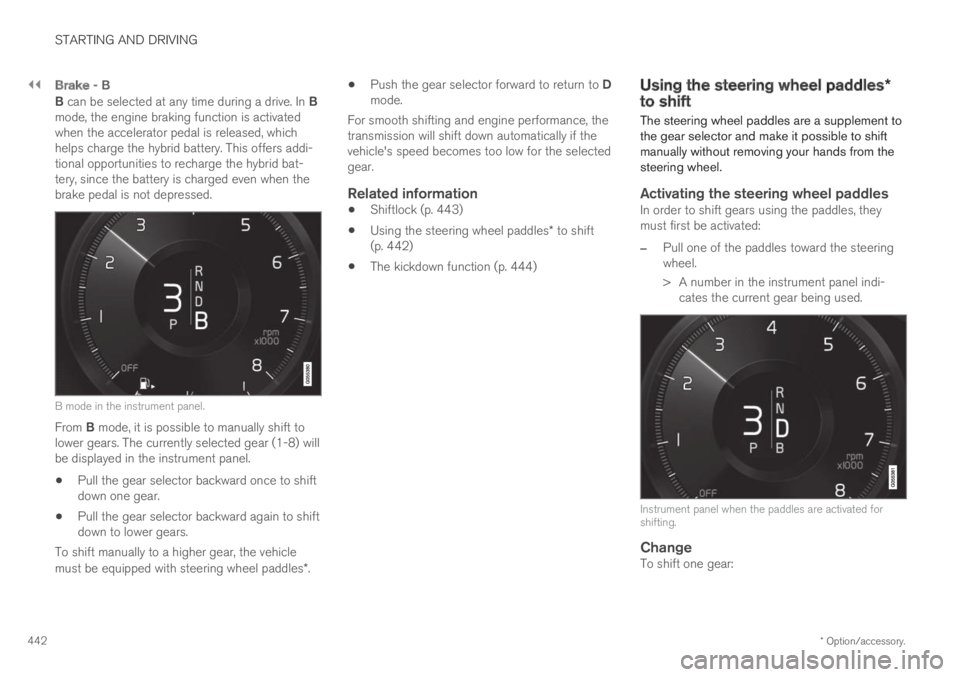
B can be selected at any time during a drive. In Bmode, the engine braking function is activatedwhen the accelerator pedal is released, whichhelps charge the hybrid battery. This offers addi-tional opportunities to recharge the hybrid bat-tery, since the battery is charged even when thebrake pedal is not depressed.
B mode in the instrument panel.
From B mode, it is possible to manually shift tolower gears. The currently selected gear (1-8) willbe displayed in the instrument panel.
Pull the gear selector backward once to shiftdown one gear.
Pull the gear selector backward again to shiftdown to lower gears.
To shift manually to a higher gear, the vehiclemust be equipped with steering wheel paddles*.
Push the gear selector forward to return to Dmode.
For smooth shifting and engine performance, thetransmission will shift down automatically if thevehicle's speed becomes too low for the selectedgear.
Related information
Shiftlock (p. 443)
Using the steering wheel paddles* to shift(p. 442)
The kickdown function (p. 444)
Using the steering wheel paddles*to shift
The steering wheel paddles are a supplement tothe gear selector and make it possible to shiftmanually without removing your hands from thesteering wheel.
Activating the steering wheel paddles
In order to shift gears using the paddles, theymust first be activated:
–Pull one of the paddles toward the steeringwheel.
> A number in the instrument panel indi-cates the current gear being used.
Instrument panel when the paddles are activated forshifting.
Change
To shift one gear: