light VOLVO S90 TWIN ENGINE 2019 Repair Manual
[x] Cancel search | Manufacturer: VOLVO, Model Year: 2019, Model line: S90 TWIN ENGINE, Model: VOLVO S90 TWIN ENGINE 2019Pages: 669, PDF Size: 14.33 MB
Page 222 of 669
CLIMATE CONTROL
220
Setting the blower speed for therear seats
The blower can be set to several different auto-matically controlled speeds for the rear seat.
Setting blower speed for the rear seats
from the front seats
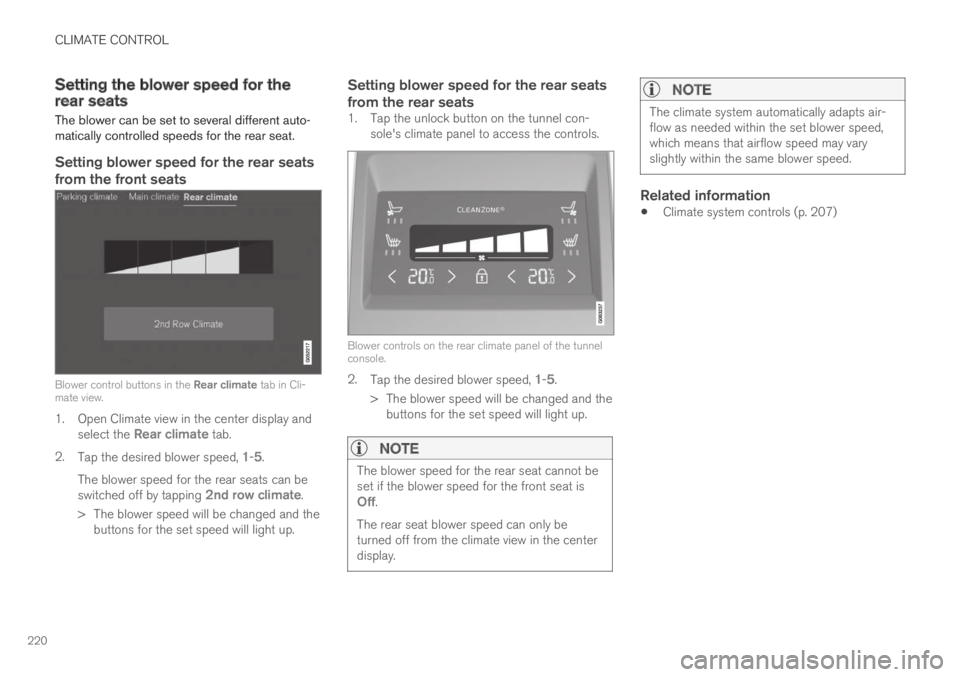
Blower control buttons in the Rear climate tab in Cli-mate view.
1. Open Climate view in the center display andselect the Rear climate tab.
2.Tap the desired blower speed, 1-5.
The blower speed for the rear seats can beswitched off by tapping 2nd row climate.
> The blower speed will be changed and thebuttons for the set speed will light up.
Setting blower speed for the rear seats
from the rear seats
1. Tap the unlock button on the tunnel con-sole's climate panel to access the controls.
Blower controls on the rear climate panel of the tunnelconsole.
2.Tap the desired blower speed, 1-5.
> The blower speed will be changed and thebuttons for the set speed will light up.
NOTE
The blower speed for the rear seat cannot beset if the blower speed for the front seat isOff.
The rear seat blower speed can only beturned off from the climate view in the centerdisplay.
NOTE
The climate system automatically adapts air-flow as needed within the set blower speed,which means that airflow speed may varyslightly within the same blower speed.
Related information
Climate system controls (p. 207)
Page 225 of 669
CLIMATE CONTROL
223
Related information
Climate system controls (p. 207)Activating and deactivating airconditioning
The air conditioning cools and dehumidifiesincoming air as needed.
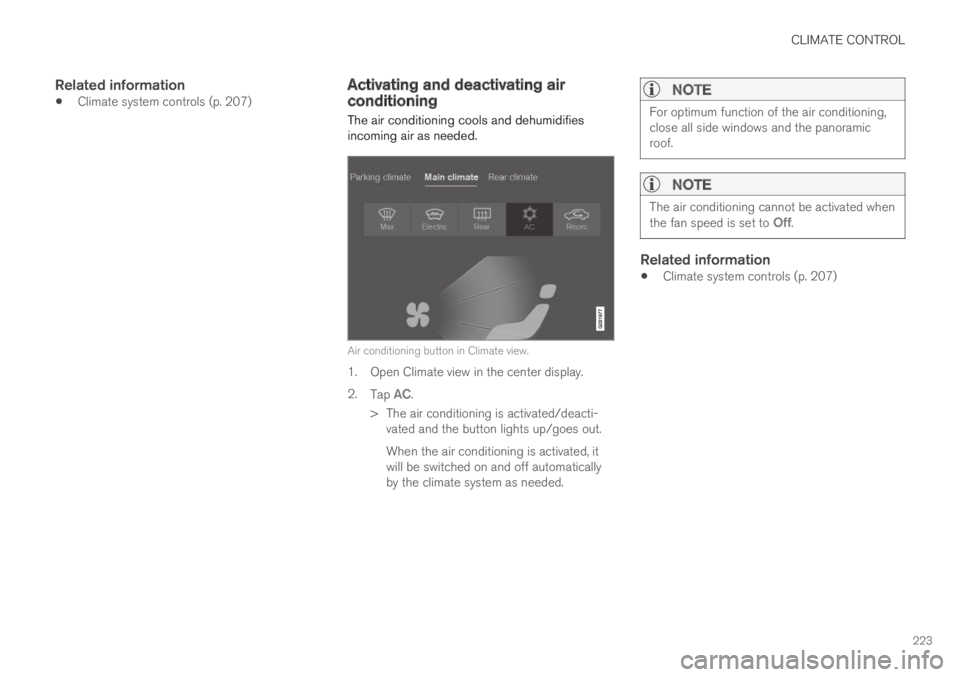
Air conditioning button in Climate view.
1. Open Climate view in the center display.
2.Tap AC.
> The air conditioning is activated/deacti-vated and the button lights up/goes out.
When the air conditioning is activated, itwill be switched on and off automaticallyby the climate system as needed.
NOTE
For optimum function of the air conditioning,close all side windows and the panoramicroof.
NOTE
The air conditioning cannot be activated whenthe fan speed is set to Off.
Related information
Climate system controls (p. 207)
Page 227 of 669

CLIMATE CONTROL
}}
225
NOTE
Preconditioning is only available when the caris connected to an electrical outlet. A charg-ing post that is not always active, for examplebecause of a timer, can cause loss of functionfor preconditioning.
If the car is not connected to an electricalsocket it is still possible in a warm climate toachieve brief cooling of the passenger com-partment by direct starting preconditioning.
NOTE
During preconditioning of the passengercompartment, the vehicle works to reach acomfortable temperature and not the tem-perature set in the climate system.
Related information
Parking climate (p. 224)
Starting and stopping preconditioning(p. 225)
Preconditioning timer (p. 226)
Starting and stoppingpreconditioning
Preconditioning heats or cools the passengercompartment before driving. Preconditioningcan be started in the center display or from acellular phone.
Starting and stopping from the vehicle
Preconditioning button in the Parking climate tab inClimate view.
1. Open Climate view in the center display.
2.Select the Parking climate tab.
Window for seat/steering wheel heating in the Parkingclimate tab in Climate view.
3. Tap the boxes to select if seat/steeringwheel heating should be activated along withpreconditioning.
4.Tap Preconditioning.
> Preconditioning starts/stops and the but-ton lights up/goes out.
Page 230 of 669

CLIMATE CONTROL
228
Activating and deactivatingpreconditioning timer
Timer settings in the preconditioning timer canbe activated or deactivated as needed.
Timer buttons in the Parking climate tab in Climateview.
1. Open Climate view in the center display.
2.Select the Parking climate tab.
3. Activate/deactivate a timer setting by tap-ping the timer button to the right of the set-ting.
>The timer setting is activated/deactivatedand the button lights up/goes out.
Related information
Preconditioning (p. 224)
Preconditioning timer (p. 226)
Adding and editing timer settings for precon-ditioning (p. 227)
Deleting preconditioning timer settings(p. 228)
Deleting preconditioning timersettings
A preconditioning timer setting that is no longerneeded can be deleted.
The button for editing a list/deleting a timer setting inthe Parking climate tab in Climate view.
1. Open Climate view in the center display.
2.Select the Parking climate tab.
3.Tap Edit list.
4. Tap the editing icon to the right in the list.
>The icon will change to the text Delete.
5.Tap Delete to confirm.
> The timer setting will be deleted from thelist.
Page 231 of 669

CLIMATE CONTROL
}}
229
Related information
Preconditioning (p. 224)
Preconditioning timer (p. 226)
Adding and editing timer settings for precon-ditioning (p. 227)
Activating and deactivating preconditioningtimer (p. 228)
Climate comfort retaining function
The climate in the passenger compartment canbe maintained when the vehicle is parked, e.g. ifthe engine is turned off but the driver or passen-gers remain in the vehicle.
This function can only be direct-started.
The function utilizes several of the vehicle's sys-tems:
Residual heat from the engine is used tohelp heat the passenger compartment to acomfortable temperature.
In warm weather, the ventilation system coolsthe passenger compartment by blowing air infrom outside.
NOTE
Climate comfort maintenance will be deacti-vated if the vehicle is locked from the outsidein order to avoid using residual engine heatunnecessarily. This function is intended to beused to maintain climate comfort when thedriver or a passenger remains in the vehicleafter the engine is turned off.
Related information
Parking climate (p. 224)
Starting and switching off the climate retain-ing function when parking (p. 229)
Starting and switching off theclimate retaining function whenparking
The climate retaining function maintains the cli-mate settings in the vehicle after the engine hasbeen switched off. The function can be activatedin the center display.
Button for retaining climate comfort in the Parkingclimate tab in Climate view.
1. Open Climate view in the center display.
2.Select the Parking climate tab.
3.Tap Keep climate comfort.
> The climate comfort retaining function willbe activated/deactivated and the buttonlight will go on/off.
Page 238 of 669
KEY, LOCKS AND ALARM
* Option/accessory.236
Lock indication
When the vehicle is locked or unlocked, the turnsignals will flash to indicate that the vehicle hasbeen locked or unlocked correctly.
Exterior confirmation
Locking
The turn signals will flash once and the door
mirrors will fold in1 to confirm the vehicle islocked.
Unlocking
The turn signals will flash twice and the door
mirrors will fold out1 to confirm the vehicle isunlocked.
All doors, trunk lid and hood must be closed forconfirmation to be given. If only the driver's door
is closed when the vehicle is locked2, the vehiclewill be locked but the turn signals will only flashto indicate locking when all doors and the hoodand trunk lid have been closed.
Lock and alarm indicator
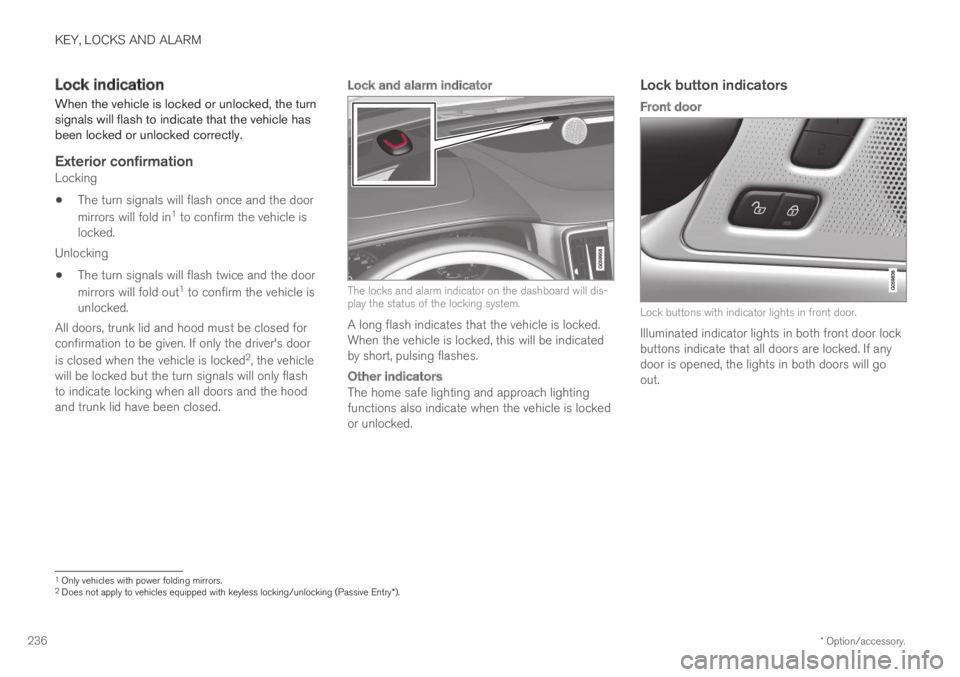
The locks and alarm indicator on the dashboard will dis-play the status of the locking system.
A long flash indicates that the vehicle is locked.When the vehicle is locked, this will be indicatedby short, pulsing flashes.
Other indicators
The home safe lighting and approach lightingfunctions also indicate when the vehicle is lockedor unlocked.
Lock button indicators
Front door
Lock buttons with indicator lights in front door.
Illuminated indicator lights in both front door lockbuttons indicate that all doors are locked. If anydoor is opened, the lights in both doors will goout.
1Only vehicles with power folding mirrors.2Does not apply to vehicles equipped with keyless locking/unlocking (Passive Entry*).
Page 239 of 669
KEY, LOCKS AND ALARM
}}
* Option/accessory.237
In rear door *
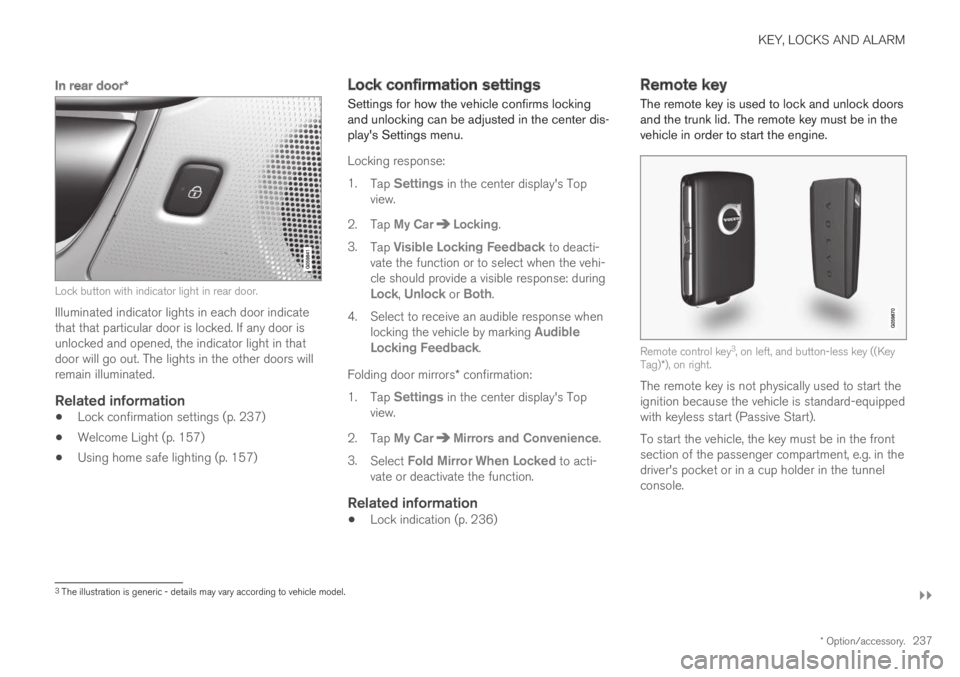
Lock button with indicator light in rear door.
Illuminated indicator lights in each door indicatethat that particular door is locked. If any door isunlocked and opened, the indicator light in thatdoor will go out. The lights in the other doors willremain illuminated.
Related information
Lock confirmation settings (p. 237)
Welcome Light (p. 157)
Using home safe lighting (p. 157)
Lock confirmation settings
Settings for how the vehicle confirms lockingand unlocking can be adjusted in the center dis-play's Settings menu.
Locking response:
1.Tap Settings in the center display's Topview.
2. Tap My CarLocking.
3.Tap Visible Locking Feedback to deacti-vate the function or to select when the vehi-cle should provide a visible response: duringLock, Unlock or Both.
4. Select to receive an audible response whenlocking the vehicle by marking AudibleLocking Feedback.
Folding door mirrors* confirmation:
1.Tap Settings in the center display's Topview.
2. Tap My CarMirrors and Convenience.
3.Select Fold Mirror When Locked to acti-vate or deactivate the function.
Related information
Lock indication (p. 236)
Remote key
The remote key is used to lock and unlock doorsand the trunk lid. The remote key must be in thevehicle in order to start the engine.
Remote control key3, on left, and button-less key ((KeyTag)*), on right.
The remote key is not physically used to start theignition because the vehicle is standard-equippedwith keyless start (Passive Start).
To start the vehicle, the key must be in the frontsection of the passenger compartment, e.g. in thedriver's pocket or in a cup holder in the tunnelconsole.
3The illustration is generic - details may vary according to vehicle model.
Page 240 of 669
||
KEY, LOCKS AND ALARM
* Option/accessory.238
The keyless system for locking/unlocking thedoors and trunk lid (Passive Entry*) is available asan option. This system has a range in a semicirclewith a radius of approximately 1.5 meter (5 feet)out from the driver's door and approx. 1 meter(3 feet) out from the trunk lid.
With keyless start in combination with keylesslocking and unlocking, the remote key can belocated anywhere in the passenger compartmentor trunk in order to start the engine.
Each remote key supplied with the vehicle can belinked to a driver profile with unique settings forthe vehicle. When a key with a specific profile isused, the vehicle settings are adjusted accordingto that profile.
Buttonless key, Key Tag
For vehicles equipped with keyless locking andunlocking*, a smaller, lighter and button-less key
(Key Tag4) is also provided. It works the sameway as the regular remote key as regard keylessstart and keyless locking and unlocking. The keyis waterproof up to a depth of approx. 10 meters(30 feet) for up to 60 minutes. It does not have adetachable key blade and its battery cannot bereplaced.
Remote key buttons
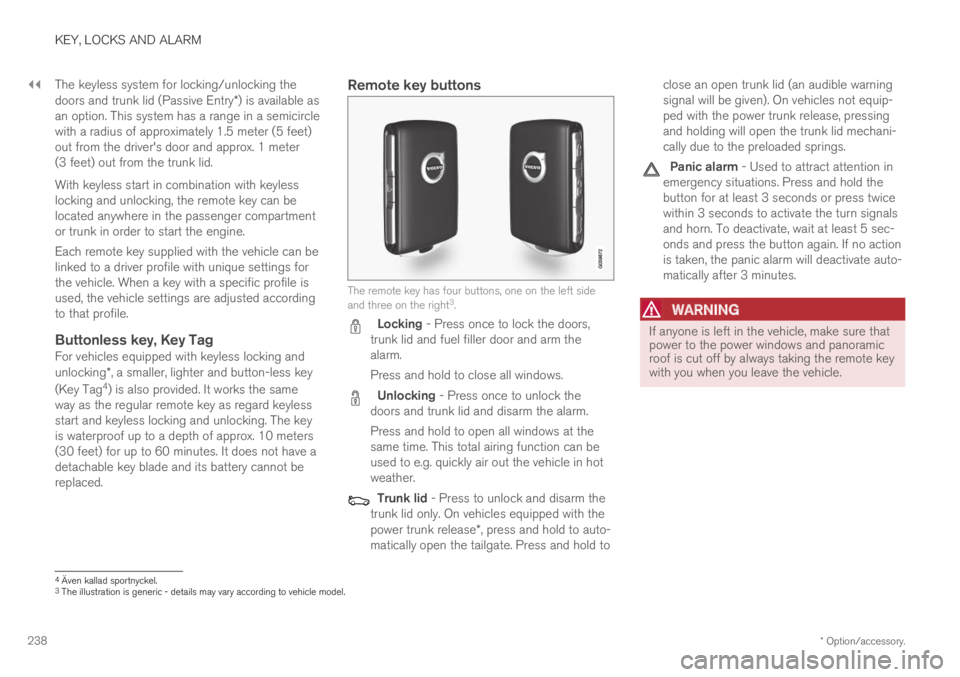
The remote key has four buttons, one on the left sideand three on the right3.
Locking - Press once to lock the doors,trunk lid and fuel filler door and arm thealarm.
Press and hold to close all windows.
Unlocking - Press once to unlock thedoors and trunk lid and disarm the alarm.
Press and hold to open all windows at thesame time. This total airing function can beused to e.g. quickly air out the vehicle in hotweather.
Trunk lid - Press to unlock and disarm thetrunk lid only. On vehicles equipped with thepower trunk release*, press and hold to auto-matically open the tailgate. Press and hold to
close an open trunk lid (an audible warningsignal will be given). On vehicles not equip-ped with the power trunk release, pressingand holding will open the trunk lid mechani-cally due to the preloaded springs.
Panic alarm - Used to attract attention inemergency situations. Press and hold thebutton for at least 3 seconds or press twicewithin 3 seconds to activate the turn signalsand horn. To deactivate, wait at least 5 sec-onds and press the button again. If no actionis taken, the panic alarm will deactivate auto-matically after 3 minutes.
WARNING
If anyone is left in the vehicle, make sure thatpower to the power windows and panoramicroof is cut off by always taking the remote keywith you when you leave the vehicle.
4Även kallad sportnyckel.3The illustration is generic - details may vary according to vehicle model.
Page 243 of 669
KEY, LOCKS AND ALARM
* Option/accessory.241
Settings for remote and inside doorunlock
Several different sequences are available forremote unlocking.
1.Tap Settings in the center display's Topview.
2.Tap My CarLockingRemote andInterior Unlock.
3. Select alternative:
All Doors
- unlocks all doors at the same time.
Single Door
- unlocks the driver's door. Press the remotekey unlock button twice to unlock all doors.
The settings made here also affect central lock-ing using the inside door handle.
Related information
Locking and unlocking using the remote key(p. 240)
Locking and unlocking from inside the vehi-cle (p. 256)
Unlocking the trunk lid using theremote key
The remote key can be used to unlock only thetrunk lid.
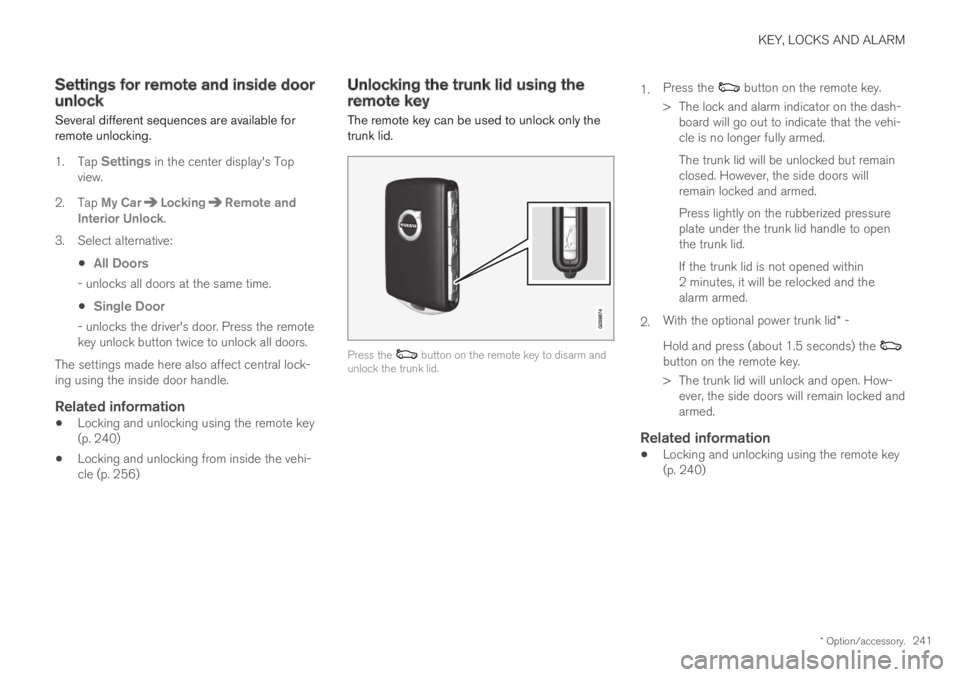
Press the button on the remote key to disarm andunlock the trunk lid.
1.Press the button on the remote key.
> The lock and alarm indicator on the dash-board will go out to indicate that the vehi-cle is no longer fully armed.
The trunk lid will be unlocked but remainclosed. However, the side doors willremain locked and armed.
Press lightly on the rubberized pressureplate under the trunk lid handle to openthe trunk lid.
If the trunk lid is not opened within2 minutes, it will be relocked and thealarm armed.
2.With the optional power trunk lid* -
Hold and press (about 1.5 seconds) the button on the remote key.
> The trunk lid will unlock and open. How-ever, the side doors will remain locked andarmed.
Related information
Locking and unlocking using the remote key(p. 240)
Page 245 of 669
KEY, LOCKS AND ALARM
}}
* Option/accessory.243
Replacing the remote key's battery
The battery in the remote key must be replacedwhen it is discharged.
NOTE
All batteries have a limited service life andmust eventually be replaced (does not applyfor Key Tag). The battery's service life variesdepending on how often the vehicle/key isused.
The remote key battery should be replaced if:
the information symbol illuminates andthe message Vehicle key bat. lowSee Owner's manual is displayed inthe instrument panel
and/or
the locks do not react after several attemptsto lock or unlock the vehicle using theremote key within approx. 20 meter (65 feet)from the vehicle.
NOTE
Move closer to the vehicle and try to unlock itagain.
The battery in the smaller key without buttons9
(the Key Tag) cannot be replaced. A new key canbe ordered from an authorized Volvo workshop.
CAUTION
An end-of-life Key Tag must be turned in toan authorized Volvo workshop. The key mustbe deleted from the vehicle because it canstill be used to start the vehicle via backupstart.
Opening the key and replacing the
battery
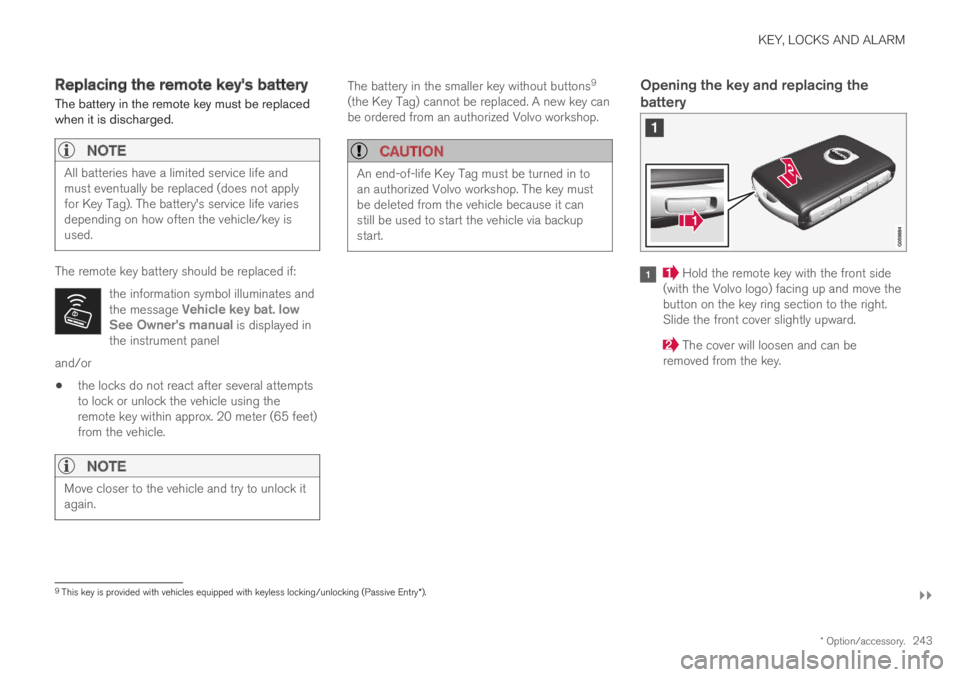
Hold the remote key with the front side(with the Volvo logo) facing up and move thebutton on the key ring section to the right.Slide the front cover slightly upward.
The cover will loosen and can beremoved from the key.
9This key is provided with vehicles equipped with keyless locking/unlocking (Passive Entry*).