light VOLVO S90 TWIN ENGINE 2019 Owner's Manual
[x] Cancel search | Manufacturer: VOLVO, Model Year: 2019, Model line: S90 TWIN ENGINE, Model: VOLVO S90 TWIN ENGINE 2019Pages: 669, PDF Size: 14.33 MB
Page 129 of 669
DISPLAYS AND VOICE CONTROL
127
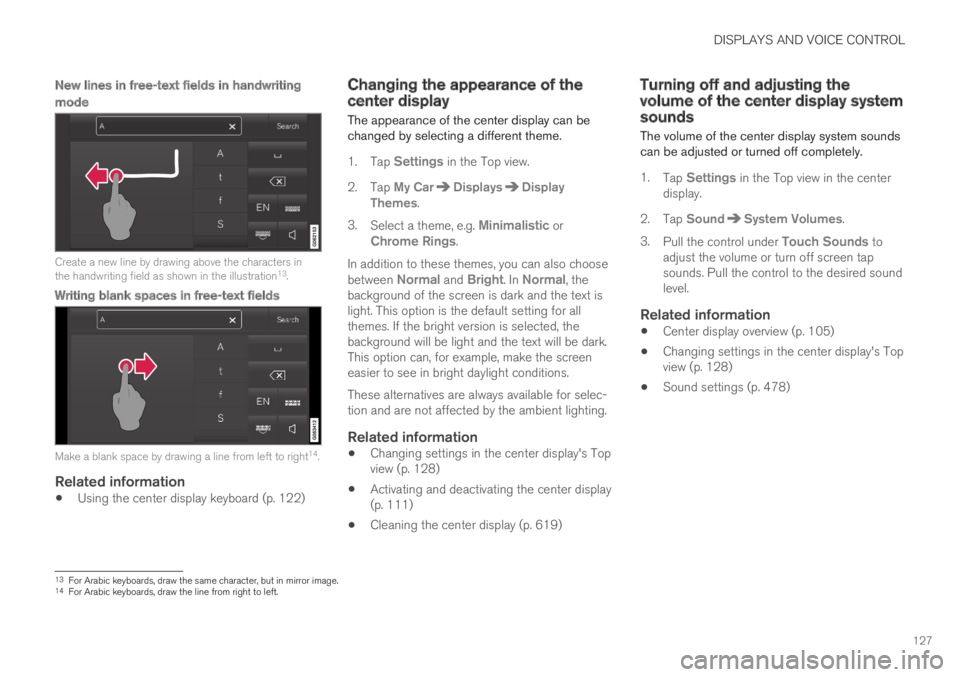
New lines in free-text fields in handwriting
mode
Create a new line by drawing above the characters inthe handwriting field as shown in the illustration13.
Writing blank spaces in free-text fields
Make a blank space by drawing a line from left to right14.
Related information
Using the center display keyboard (p. 122)
Changing the appearance of thecenter display
The appearance of the center display can bechanged by selecting a different theme.
1.Tap Settings in the Top view.
2. Tap My CarDisplaysDisplayThemes.
3.Select a theme, e.g. Minimalistic orChrome Rings.
In addition to these themes, you can also choosebetween Normal and Bright. In Normal, thebackground of the screen is dark and the text islight. This option is the default setting for allthemes. If the bright version is selected, thebackground will be light and the text will be dark.This option can, for example, make the screeneasier to see in bright daylight conditions.
These alternatives are always available for selec-tion and are not affected by the ambient lighting.
Related information
Changing settings in the center display's Topview (p. 128)
Activating and deactivating the center display(p. 111)
Cleaning the center display (p. 619)
Turning off and adjusting thevolume of the center display systemsounds
The volume of the center display system soundscan be adjusted or turned off completely.
1.Tap Settings in the Top view in the centerdisplay.
2. Tap SoundSystem Volumes.
3.Pull the control under Touch Sounds toadjust the volume or turn off screen tapsounds. Pull the control to the desired soundlevel.
Related information
Center display overview (p. 105)
Changing settings in the center display's Topview (p. 128)
Sound settings (p. 478)
13For Arabic keyboards, draw the same character, but in mirror image.14For Arabic keyboards, draw the line from right to left.
Page 133 of 669
DISPLAYS AND VOICE CONTROL
}}
* Option/accessory.131
Table of settings in the centerdisplay
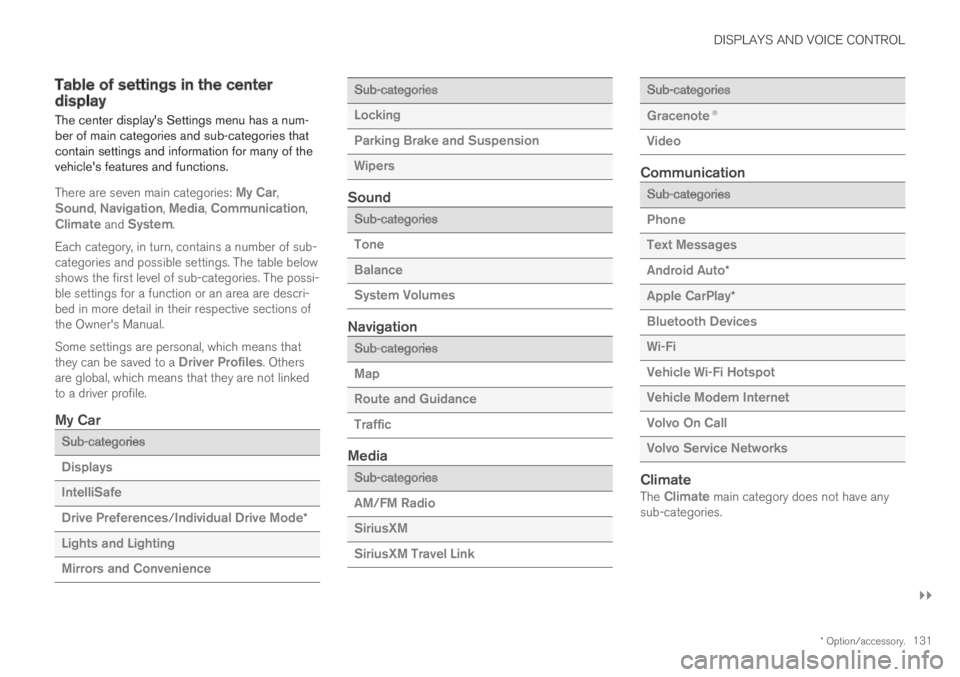
The center display's Settings menu has a num-ber of main categories and sub-categories thatcontain settings and information for many of thevehicle's features and functions.
There are seven main categories: My Car,Sound, Navigation, Media, Communication,Climate and System.
Each category, in turn, contains a number of sub-categories and possible settings. The table belowshows the first level of sub-categories. The possi-ble settings for a function or an area are descri-bed in more detail in their respective sections ofthe Owner's Manual.
Some settings are personal, which means thatthey can be saved to a Driver Profiles. Othersare global, which means that they are not linkedto a driver profile.
My Car
Sub-categories
Displays
IntelliSafe
Drive Preferences/Individual Drive Mode*
Lights and Lighting
Mirrors and Convenience
Sub-categories
Locking
Parking Brake and Suspension
Wipers
Sound
Sub-categories
Tone
Balance
System Volumes
Navigation
Sub-categories
Map
Route and Guidance
Traffic
Media
Sub-categories
AM/FM Radio
SiriusXM
SiriusXM Travel Link
Sub-categories
Gracenote®
Video
Communication
Sub-categories
Phone
Text Messages
Android Auto*
Apple CarPlay*
Bluetooth Devices
Wi-Fi
Vehicle Wi-Fi Hotspot
Vehicle Modem Internet
Volvo On Call
Volvo Service Networks
Climate
The Climate main category does not have anysub-categories.
Page 140 of 669

DISPLAYS AND VOICE CONTROL
* Option/accessory.138
Head-up display*
The head-up display is a complement to theinstrument panel and projects information fromthe instrument panel onto the windshield. Theprojected images can only be seen from the driv-er's seat.
Incoming phone calls.
The head-up display projects warnings and infor-mation related to speed, cruise control functions,navigation, etc. onto the windshield in the driver'sfield of vision. Traffic information and incomingphone calls can also be shown on the head-updisplay.
NOTE
The driver's ability to see information in thehead-up display may be impeded by:
the use of polarizing sunglasses
a driving posture in which the driver is notcentered in the seat
objects on the display unit's glass cover
unfavorable lighting conditions.
CAUTION
The information is projected from a displayunit located in the dashboard. To help preventdamage to the display unit's glass cover, donot place any objects on the glass and pre-vent objects from falling onto it.
Examples of what might be shown on the display.
Speed
Cruise control
Navigation
Road signs
A number of symbols may be projected temporar-ily onto the head-up display, including:
If the warning symbol appears, read thewarning message in the instrumentpanel.
If the information symbol appears, readthe warning message in the instrumentpanel.
Page 141 of 669
DISPLAYS AND VOICE CONTROL
* Option/accessory.139
The snowflake symbol will illuminate ifthere is a risk of slippery conditions.
NOTE
People with certain types of vision problemsmay experience headaches or eye strainwhen using the head-up display.
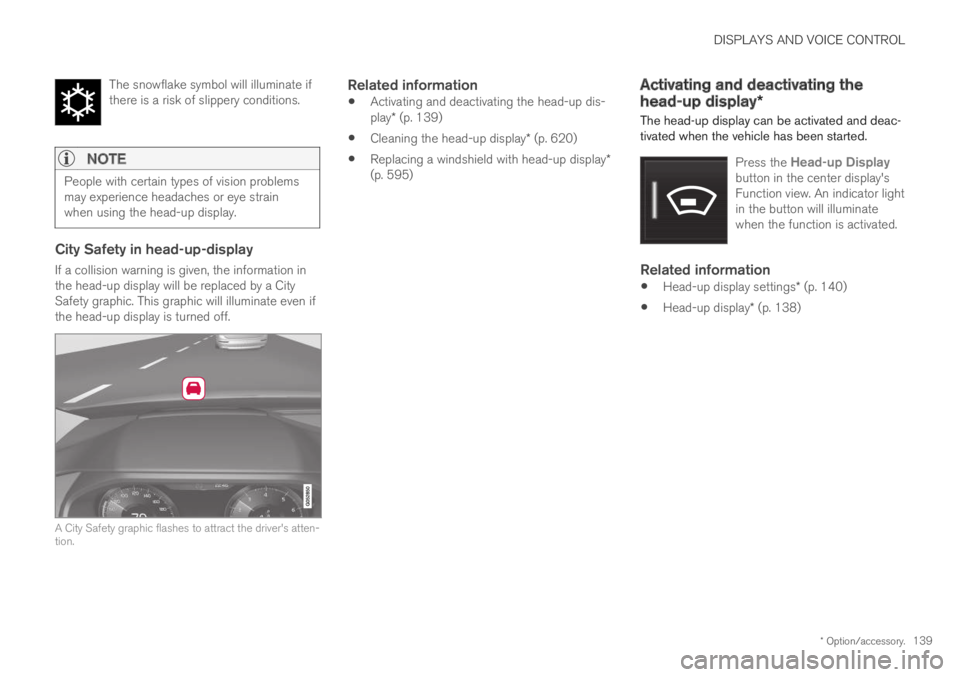
City Safety in head-up-display
If a collision warning is given, the information inthe head-up display will be replaced by a CitySafety graphic. This graphic will illuminate even ifthe head-up display is turned off.
A City Safety graphic flashes to attract the driver's atten-tion.
Related information
Activating and deactivating the head-up dis-play* (p. 139)
Cleaning the head-up display* (p. 620)
Replacing a windshield with head-up display*(p. 595)
Activating and deactivating the
head-up display*
The head-up display can be activated and deac-tivated when the vehicle has been started.
Press the Head-up Displaybutton in the center display'sFunction view. An indicator lightin the button will illuminatewhen the function is activated.
Related information
Head-up display settings* (p. 140)
Head-up display* (p. 138)
Page 142 of 669

DISPLAYS AND VOICE CONTROL
* Option/accessory.140
Head-up display settings*
Adjusting settings for the head-up display.
Settings can be adjusted when the vehicle isstarted and a projected image is displayed on thewindshield.
Selecting display options
Select the functions to be shown in the head-updisplay.
1.Tap Settings in the center display's Topview.
2. Tap My CarDisplaysHead-UpDisplay Options.
3. Select one or more functions:
Show Navigation
Show Road Sign Information
Show Driver Support
Show Phone.
This setting is stored as a personal setting in thedriver profile.
Adjusting brightness and height
position
1.Press the Head-up Display Adjustmentsbutton in the center display's Function view.
2. Adjust the brightness of the projected imageand the height position in the driver's field ofvision using the right-side steering wheellever.
Decreasing brightness
Increasing brightness
Raising position
Lowering position
Confirm
The brightness of the graphic is automaticallyadapted to the light conditions in its background.Brightness is also affected by adjustments to thebrightness of the other displays in the vehicle.
The height position can be stored in the frontpower seat's* memory function using the keypadin the driver's door.
Page 150 of 669

LIGHTING
* Option/accessory.148
Lighting panel and controls
The lighting panel and controls can be used toadjust both exterior and interior lighting. Thelighting ring on the left-side steering wheel levercan be used to activate and adjust the exteriorlighting. The brightness of the interior lightingcan be adjusted using the thumb wheel on thedashboard.
Exterior lighting
Lighting ring position.
When the vehicle's ignition is in mode II, thelighting ring positions have the following func-tions:
Position Meaning
US: Daytime running lights andparking lights are off.
Canada: Daytime running lights andparking lights are on.
High beam flash can be used.
Parking lights when the vehicle isparked.
US: Daytime running lights are off.
Canada: Daytime running lights areon.
High beam flash can be used.
Low beams and parking lights.
High beams can be activated.
High beam flash can be used.
Position Meaning
Daytime running lights and parking
lights in daylight conditions.A
Low beams and parking lights inweak daylight or dark conditions orwhen the front fog lights* and/orrear fog light are activated.
Active high beam can be activated.
High beams can be activated whenlow beams are on.
High beam flash can be used.
Active high beams on/off.
AUS models only: Daytime running lights and parking lights canbe deactivated in the center display.
NOTE
Volvo recommends use of Daytime RunningLights in the US. Its use is mandatory in Can-ada.
Volvo recommends using position whenthe vehicle is in motion.
Page 151 of 669
LIGHTING
* Option/accessory.149
WARNING
The vehicle lighting system cannot in all situa-tions determine when the daylight is too weakor not strong enough, e.g. when there is fogor rain.
The driver is always responsible for driving thevehicle with lighting that is safe for the trafficconditions and as specified by applicable traf-fic regulations.
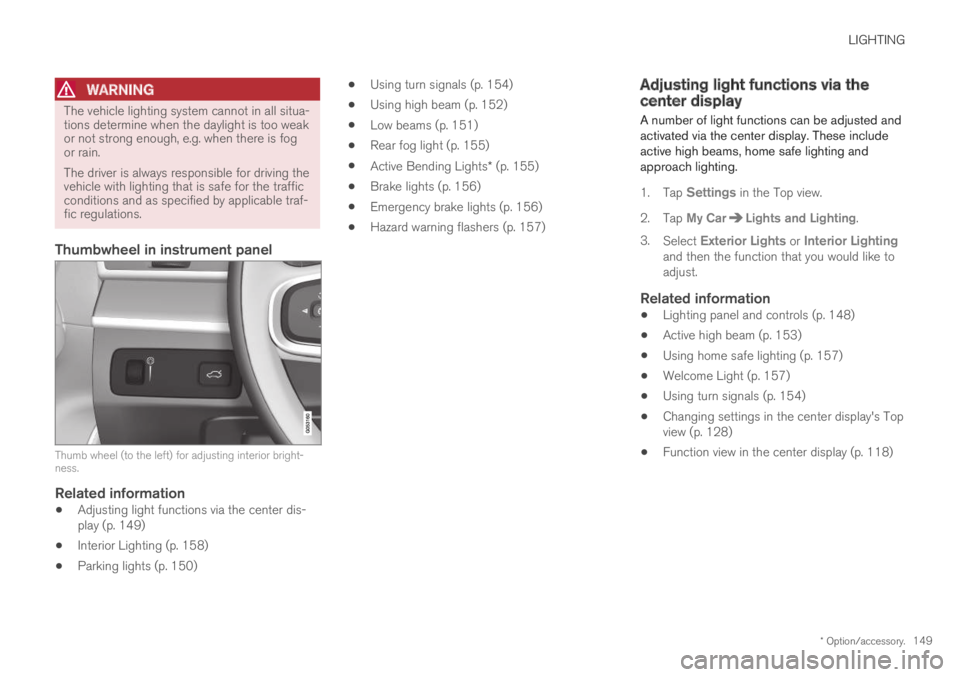
Thumbwheel in instrument panel
Thumb wheel (to the left) for adjusting interior bright-ness.
Related information
Adjusting light functions via the center dis-play (p. 149)
Interior Lighting (p. 158)
Parking lights (p. 150)
Using turn signals (p. 154)
Using high beam (p. 152)
Low beams (p. 151)
Rear fog light (p. 155)
Active Bending Lights* (p. 155)
Brake lights (p. 156)
Emergency brake lights (p. 156)
Hazard warning flashers (p. 157)
Adjusting light functions via thecenter display
A number of light functions can be adjusted andactivated via the center display. These includeactive high beams, home safe lighting andapproach lighting.
1.Tap Settings in the Top view.
2.Tap My CarLights and Lighting.
3.Select Exterior Lights or Interior Lightingand then the function that you would like toadjust.
Related information
Lighting panel and controls (p. 148)
Active high beam (p. 153)
Using home safe lighting (p. 157)
Welcome Light (p. 157)
Using turn signals (p. 154)
Changing settings in the center display's Topview (p. 128)
Function view in the center display (p. 118)
Page 152 of 669

LIGHTING
150
Parking lights
The parking lights can be used to help otherroad users see the vehicle if it is stopped orparked. Use the lighting ring on the steeringwheel lever to turn on the parking lights.
Lighting ring in the parking light position.
Turn the lighting ring to the position toturn on the parking lights (the license plate light-ing will also illuminate).
Canadian models: If the ignition is in the II posi-tion, the daytime running lights will illuminateinstead of the front parking lights. With the light-ing ring in this position, the parking lights willremain on regardless of what position the ignitionis in.
US models: When mode is selected, thedaytime running lights can be deactivated in thecenter display. The parking lights will also be
deactivated. In weak daylight or dark conditions,the parking lights and low beams will be illumi-nated.
In dark conditions, the rear parking lights alsoilluminate when the trunk lid is opened to alertfollowing traffic. This happens regardless of whatposition the lighting ring or ignition is in.
Related information
Lighting panel and controls (p. 148)
Ignition modes (p. 429)
Daytime running lights
The vehicle has sensors that detect ambientlighting conditions. With the lighting ring in the
position, the daytime running lights willalways be activated when the ignition is in modeII. In weak daylight or dark conditions, the head-lights automatically switch to low beams.
Lighting ring in AUTO position.
Page 153 of 669

LIGHTING
}}
* Option/accessory.151
With the steering wheel lever's lighting ring in the
position, the daytime running lights (DRL1)will illuminate when the vehicle is driven in day-light conditions. The headlights will switch auto-matically from daytime running lights to lowbeams in weak daylight or dark conditions. Theheadlights will also switch to low beams if thefront fog lights* and/or rear fog light are acti-vated.
US models: When mode is selected, thedaytime running lights can be deactivated in thecenter display. The parking lights will also bedeactivated. In weak daylight or dark conditions,the parking lights and low beams will be illumi-nated.
US models: With the lighting ring in the
or position, the daytime running lights willbe off.
Canadian models: With the lighting ring in the
or position, the daytime runninglights will be on.
NOTE
Volvo recommends use of Daytime RunningLights in the US. Its use is mandatory in Can-ada.
WARNING
The system is an energy saving aid – it cannotin all situations determine when the daylight istoo weak or not strong enough, e.g. whenthere is fog or rain.
The driver is always responsible for driving thevehicle with lighting that is safe for the trafficconditions and as specified by applicable traf-fic regulations.
Related information
Lighting panel and controls (p. 148)
Ignition modes (p. 429)
Low beams (p. 151)
Low beams
When driving with the lighting ring in the position, low beam will be automatically acti-vated in weak daylight or dark conditions, whenthe ignition is in the II position.
Lighting ring in AUTO position.
With the lighting ring in the position, thelow beams will also be automatically activated ifthe rear fog light is activated.
With the lighting ring in the position, lowbeams will always be on when the ignition is inthe II position.
1Daytime Running Lights
Page 154 of 669
||
LIGHTING
152
Tunnel detection
The vehicle will detect if it enters a tunnel andshift from daytime running lights to low beams.
Note that the left-hand steering wheel lever must
be in position for tunnel detection to work.
Related information
Lighting panel and controls (p. 148)
Ignition modes (p. 429)
Daytime running lights (p. 150)
Using high beam
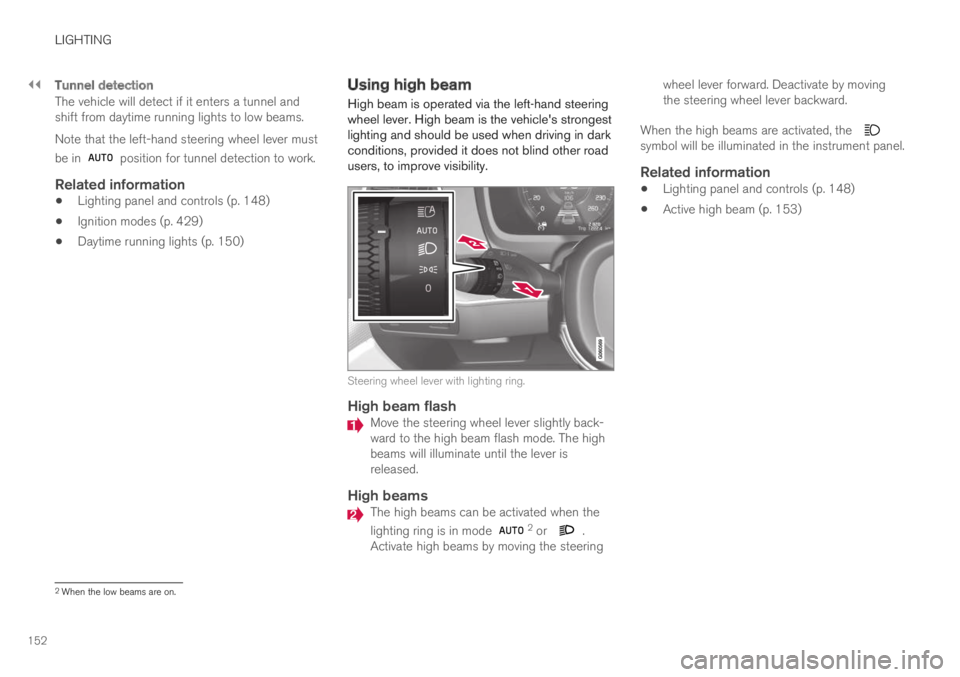
High beam is operated via the left-hand steeringwheel lever. High beam is the vehicle's strongestlighting and should be used when driving in darkconditions, provided it does not blind other roadusers, to improve visibility.
Steering wheel lever with lighting ring.
High beam flash
Move the steering wheel lever slightly back-ward to the high beam flash mode. The highbeams will illuminate until the lever isreleased.
High beams
The high beams can be activated when the
lighting ring is in mode 2 or .Activate high beams by moving the steering
wheel lever forward. Deactivate by movingthe steering wheel lever backward.
When the high beams are activated, the symbol will be illuminated in the instrument panel.
Related information
Lighting panel and controls (p. 148)
Active high beam (p. 153)
2When the low beams are on.