turn signal VOLVO S90 TWIN ENGINE 2019 Owners Manual
[x] Cancel search | Manufacturer: VOLVO, Model Year: 2019, Model line: S90 TWIN ENGINE, Model: VOLVO S90 TWIN ENGINE 2019Pages: 669, PDF Size: 14.33 MB
Page 6 of 669
4
Resetting user data when the vehiclechanges owners130
Resetting center display settings130
Table of settings in the center display131
Driver profiles132
Selecting a driver profile133
Changing a driver profile's name133
Protecting a driver profile134
Linking a remote key to a driver profile134
Resetting driver profile settings135
Messages in the center display136
Handling messages in the center display136
Handling messages saved from thecenter display137
Head-up display*138
Activating and deactivating the head-up display*139
Head-up display settings*140
Voice control141
Using voice commands142
Voice control for cellular phones143
Voice control for radio and media144
Voice control settings144
LIGHTING
Lighting panel and controls148
Adjusting light functions via the cen-ter display149
Parking lights150
Daytime running lights150
Low beams151
Using high beam152
Active high beam153
Using turn signals154
Active Bending Lights*155
Rear fog light155
Brake lights156
Emergency brake lights156
Hazard warning flashers157
Using home safe lighting157
Welcome Light157
Interior Lighting158
Adjusting interior lighting159
WINDOWS, GLASS AND MIRRORS
Windows, glass and mirrors162
Pinch protection for windows andsun curtains162
Reset procedure for pinch protection163
Power windows164
Operating the power windows165
Using sun curtains*166
Rearview/door mirrors167
Adjusting the rearview mirror dim-ming function168
Adjusting the door mirrors169
Panoramic roof170
Operating the panoramic roof171
Auto closing the panoramic roof suncurtain175
Wiper blades and washer fluid175
Using the windshield wipers176
Using the rain sensor176
Using the rain sensor's memory function177
Using the windshield and headlightwashers178
Page 80 of 669

DISPLAYS AND VOICE CONTROL
* Option/accessory.78
Instruments and controls in left-hand drive vehicles
The overviews show the location of the vehicle'sdisplays and controls.
Steering wheel and dashboard
Parking lights, daytime running lights, lowbeams, high beams, turn signals, rear foglight, trip computer reset
Steering wheel paddles for manual shifting*
Head-up display*
Instrument panel
Wipers and washers, rain sensor*
Right-side steering wheel keypad
Steering wheel adjustment
Horn
Left-side steering wheel keypad
Hood open
Display lighting, trunk lid unlock/open*/close*, halogen headlight height adjustment
Ceiling console
Front reading lights and courtesy lighting
Panoramic roof*
Ceiling console display ON CALL button
HomeLink®*
Center and tunnel console
Center display
Hazard warning flashers, defrosting, media
Gear selector
Start knob
Drive modes
Parking brake
Auto-hold brakes
Driver's door
Page 93 of 669

DISPLAYS AND VOICE CONTROL
}}
91
Symbol Meaning
A
B
Fault in ABS system
If this symbol is illuminated, theABS system is malfunctioning. Thevehicle's regular brakes will stillwork, but without the ABS function.
A
B
Auto-brake on
This symbol illuminates when thefunction is activated and the brakesor parking brakes are being used.The brakes hold the vehicle at astandstill after it has stopped.
Symbol Meaning
Tire pressure system
This symbol illuminates to indicatelow tire pressure. If there is a faultin the tire pressure system, thesymbol will first flash for approxi-mately 1 minute and then glowsteadily. This may occur if the sys-tem cannot detect or alert thedriver of low tire pressure asintended.
Emission control system
If this symbol illuminates after star-ting the engine, it could indicate afault in the vehicle's emission con-trol system. Have the vehiclechecked by a workshop. Volvo rec-ommends contacting an authorizedVolvo workshop.
Left/right turn signals
These symbols flash when the turnsignals are used.
Symbol Meaning
Parking lights
This symbol illuminates when theparking lights are on.
Fault in headlight system
This symbol illuminates if a faulthas been detected in the ABL(Active Bending Lights) function oranother fault in the headlight sys-tem.
Active high beams on
This symbol lights up in blue whenthe active high beams are on.
Active high beams off
This symbol lights up in white whenthe active high beams are off.
High beams on
This symbol illuminates when thehigh beams are on or flashed.
Active high beams on
This symbol lights up in blue whenthe active high beams are on. Park-ing lights are on.
Page 151 of 669
LIGHTING
* Option/accessory.149
WARNING
The vehicle lighting system cannot in all situa-tions determine when the daylight is too weakor not strong enough, e.g. when there is fogor rain.
The driver is always responsible for driving thevehicle with lighting that is safe for the trafficconditions and as specified by applicable traf-fic regulations.
Thumbwheel in instrument panel
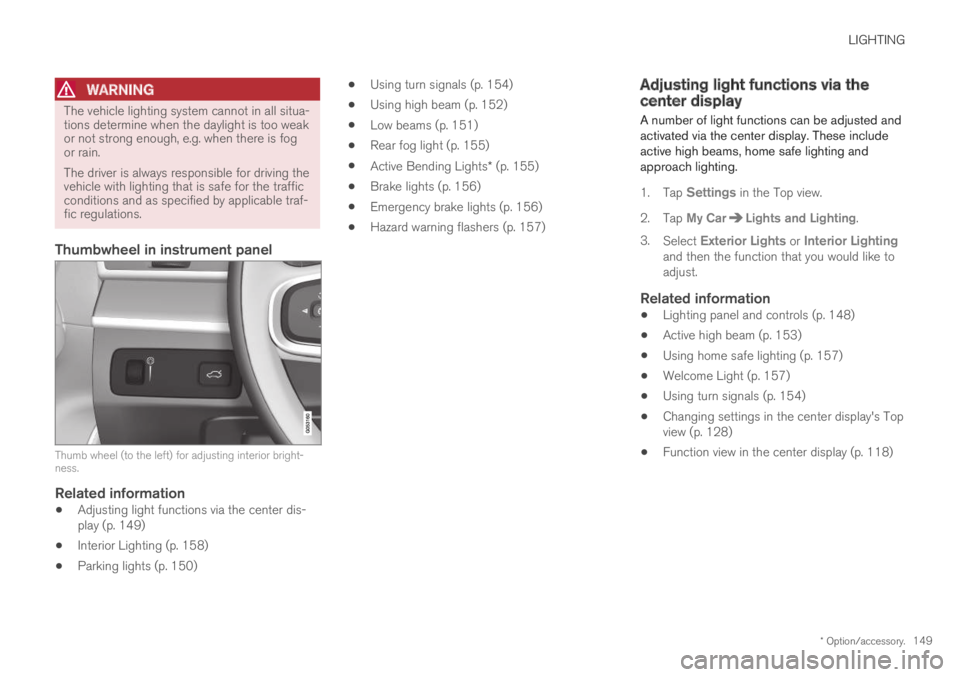
Thumb wheel (to the left) for adjusting interior bright-ness.
Related information
Adjusting light functions via the center dis-play (p. 149)
Interior Lighting (p. 158)
Parking lights (p. 150)
Using turn signals (p. 154)
Using high beam (p. 152)
Low beams (p. 151)
Rear fog light (p. 155)
Active Bending Lights* (p. 155)
Brake lights (p. 156)
Emergency brake lights (p. 156)
Hazard warning flashers (p. 157)
Adjusting light functions via thecenter display
A number of light functions can be adjusted andactivated via the center display. These includeactive high beams, home safe lighting andapproach lighting.
1.Tap Settings in the Top view.
2.Tap My CarLights and Lighting.
3.Select Exterior Lights or Interior Lightingand then the function that you would like toadjust.
Related information
Lighting panel and controls (p. 148)
Active high beam (p. 153)
Using home safe lighting (p. 157)
Welcome Light (p. 157)
Using turn signals (p. 154)
Changing settings in the center display's Topview (p. 128)
Function view in the center display (p. 118)
Page 156 of 669
||
LIGHTING
154
Related information
Lighting panel and controls (p. 148)
Using high beam (p. 152)
Camera limitations (p. 330)
Using turn signals
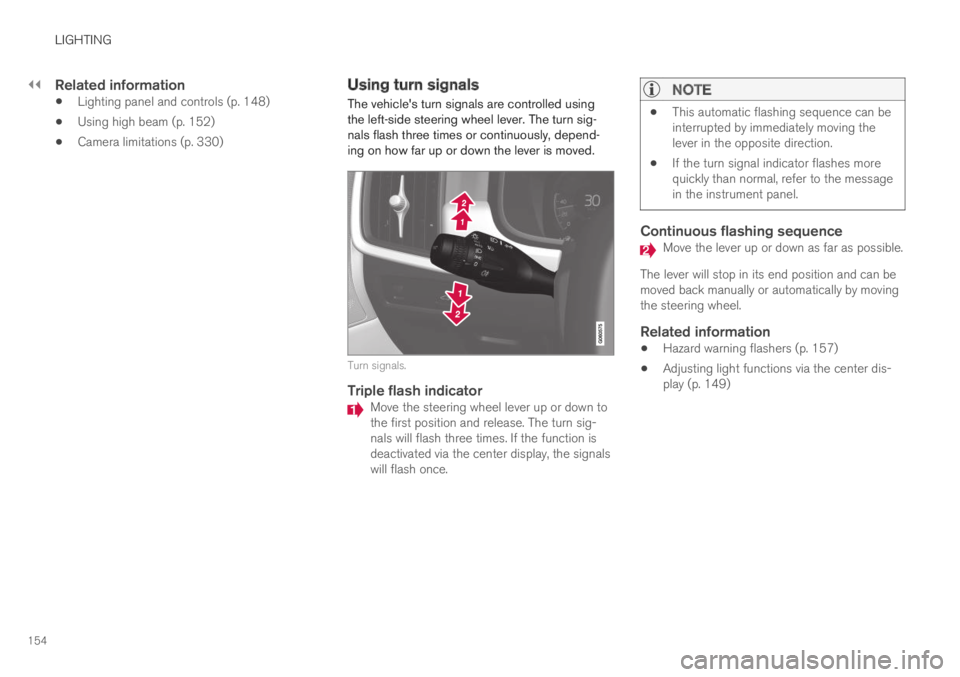
The vehicle's turn signals are controlled usingthe left-side steering wheel lever. The turn sig-nals flash three times or continuously, depend-ing on how far up or down the lever is moved.
Turn signals.
Triple flash indicator
Move the steering wheel lever up or down tothe first position and release. The turn sig-nals will flash three times. If the function isdeactivated via the center display, the signalswill flash once.
NOTE
This automatic flashing sequence can beinterrupted by immediately moving thelever in the opposite direction.
If the turn signal indicator flashes morequickly than normal, refer to the messagein the instrument panel.
Continuous flashing sequence
Move the lever up or down as far as possible.
The lever will stop in its end position and can bemoved back manually or automatically by movingthe steering wheel.
Related information
Hazard warning flashers (p. 157)
Adjusting light functions via the center dis-play (p. 149)
Page 159 of 669

LIGHTING
* Option/accessory.157
Hazard warning flashers
Hazard warning flashers warn other road usersby all of the vehicle's turn signals being activatedat the same time. The function can be used towarn about a traffic hazard.
Hazard warning flashers button.
Press the button to activate the hazard warningflashers.
NOTE
Regulations concerning the use of hazardwarning flashers may vary from country tocountry.
Related information
Emergency brake lights (p. 156)
Using turn signals (p. 154)
Using home safe lighting
Some of the exterior lights remain on to illumi-nate the area around the vehicle. This is calledhome safe lighting.
To activate home safe lighting:
1.Switch off the ignition.
2.Push the left-side steering wheel levertoward the dashboard and release.
3. Exit the vehicle and lock the doors.
When the function is activated, a symbol will beshown in the instrument panel and the parkinglights, outer door handle lights* and the licenseplate lights will be illuminated.
The length of time home safe lighting remainsilluminated can be set in the center display.
Related information
Adjusting light functions via the center dis-play (p. 149)
Welcome Light (p. 157)
Welcome Light
Approach lighting is activated when the vehicleis unlocked and can be used to provide light asyou walk toward the vehicle.
The function is activated when the remote key isused for unlocking. The parking lights, outer doorhandle lights*, license plate lights, interior ceilinglights, footwell lighting and trunk/cargo compart-ment lighting will be illuminated. If a door isopened while the function is activated, the light-ing in the outer door handle* and the interiorlighting will remain illuminated for a longer periodof time.
This function can be activated and deactivated inthe center display.
Related information
Adjusting light functions via the center dis-play (p. 149)
Using home safe lighting (p. 157)
Remote key (p. 237)
Page 238 of 669
KEY, LOCKS AND ALARM
* Option/accessory.236
Lock indication
When the vehicle is locked or unlocked, the turnsignals will flash to indicate that the vehicle hasbeen locked or unlocked correctly.
Exterior confirmation
Locking
The turn signals will flash once and the door
mirrors will fold in1 to confirm the vehicle islocked.
Unlocking
The turn signals will flash twice and the door
mirrors will fold out1 to confirm the vehicle isunlocked.
All doors, trunk lid and hood must be closed forconfirmation to be given. If only the driver's door
is closed when the vehicle is locked2, the vehiclewill be locked but the turn signals will only flashto indicate locking when all doors and the hoodand trunk lid have been closed.
Lock and alarm indicator
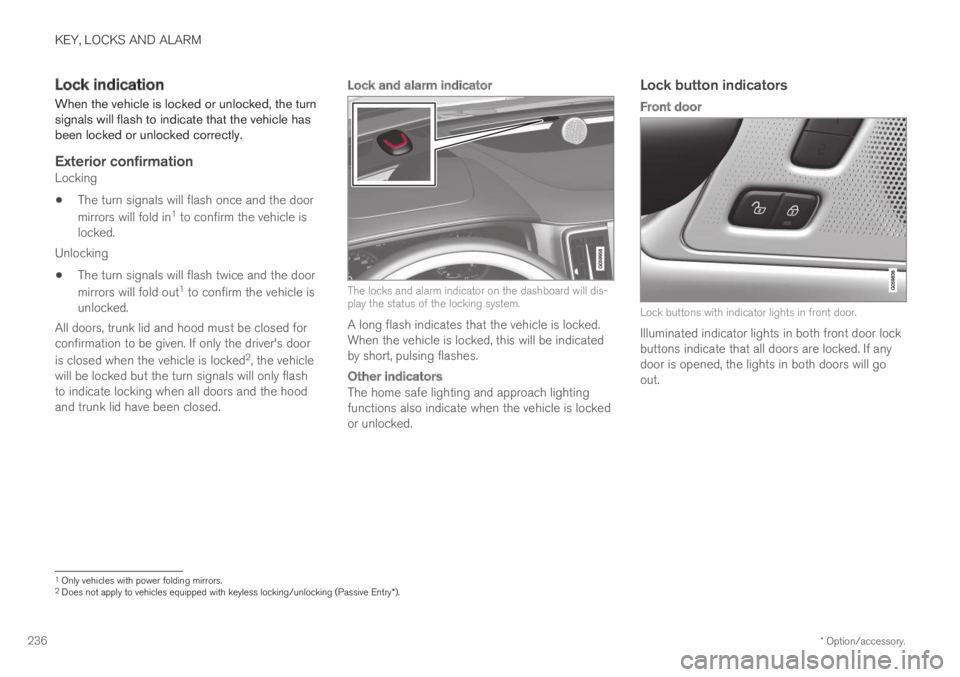
The locks and alarm indicator on the dashboard will dis-play the status of the locking system.
A long flash indicates that the vehicle is locked.When the vehicle is locked, this will be indicatedby short, pulsing flashes.
Other indicators
The home safe lighting and approach lightingfunctions also indicate when the vehicle is lockedor unlocked.
Lock button indicators
Front door
Lock buttons with indicator lights in front door.
Illuminated indicator lights in both front door lockbuttons indicate that all doors are locked. If anydoor is opened, the lights in both doors will goout.
1Only vehicles with power folding mirrors.2Does not apply to vehicles equipped with keyless locking/unlocking (Passive Entry*).
Page 240 of 669
||
KEY, LOCKS AND ALARM
* Option/accessory.238
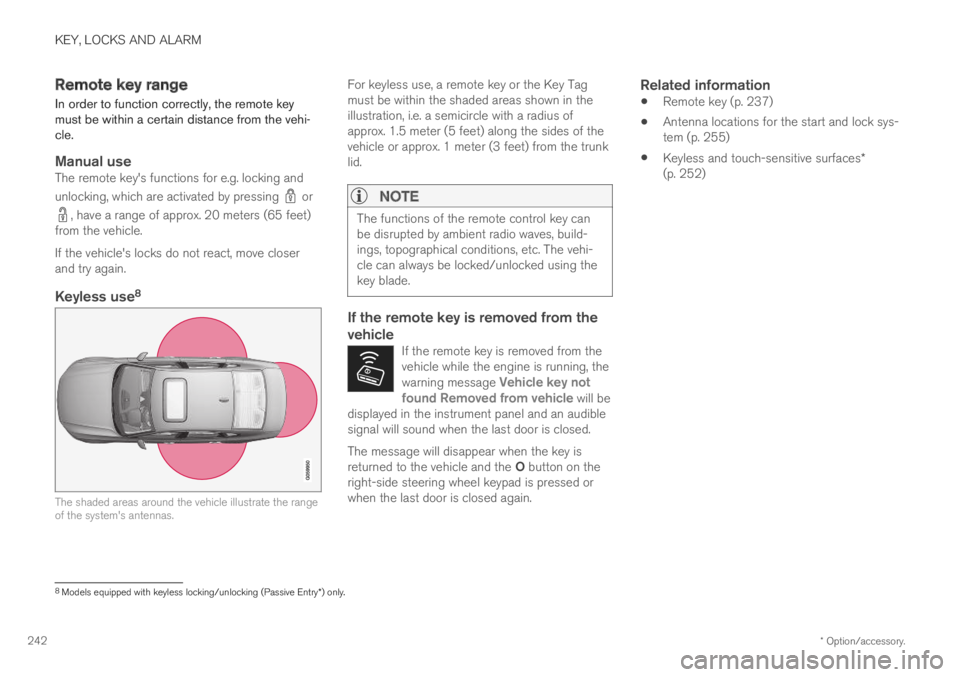
The keyless system for locking/unlocking thedoors and trunk lid (Passive Entry*) is available asan option. This system has a range in a semicirclewith a radius of approximately 1.5 meter (5 feet)out from the driver's door and approx. 1 meter(3 feet) out from the trunk lid.
With keyless start in combination with keylesslocking and unlocking, the remote key can belocated anywhere in the passenger compartmentor trunk in order to start the engine.
Each remote key supplied with the vehicle can belinked to a driver profile with unique settings forthe vehicle. When a key with a specific profile isused, the vehicle settings are adjusted accordingto that profile.
Buttonless key, Key Tag
For vehicles equipped with keyless locking andunlocking*, a smaller, lighter and button-less key
(Key Tag4) is also provided. It works the sameway as the regular remote key as regard keylessstart and keyless locking and unlocking. The keyis waterproof up to a depth of approx. 10 meters(30 feet) for up to 60 minutes. It does not have adetachable key blade and its battery cannot bereplaced.
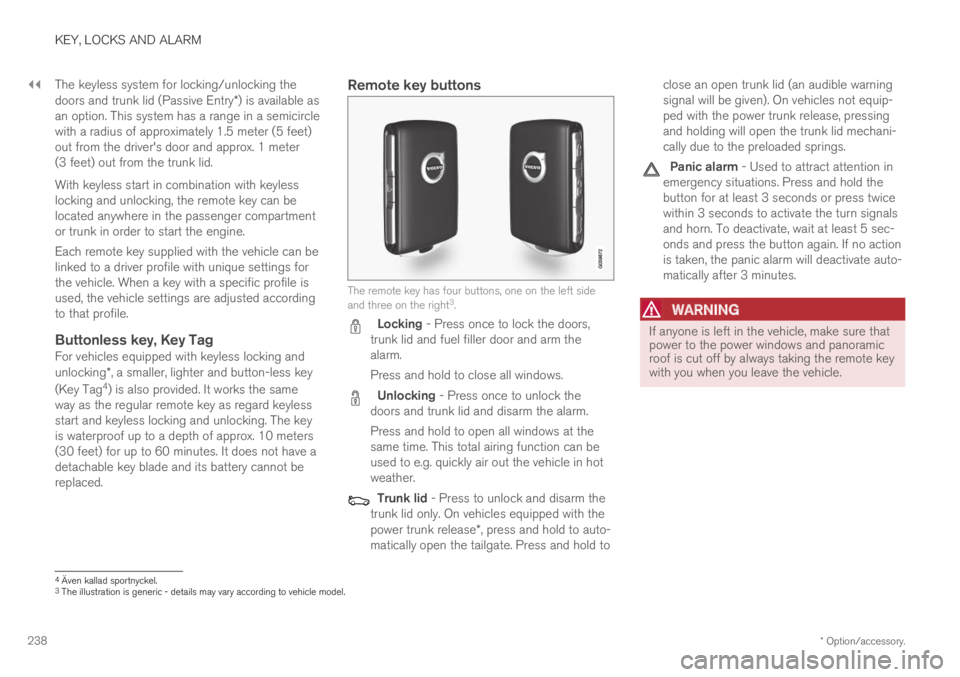
Remote key buttons
The remote key has four buttons, one on the left sideand three on the right3.
Locking - Press once to lock the doors,trunk lid and fuel filler door and arm thealarm.
Press and hold to close all windows.
Unlocking - Press once to unlock thedoors and trunk lid and disarm the alarm.
Press and hold to open all windows at thesame time. This total airing function can beused to e.g. quickly air out the vehicle in hotweather.
Trunk lid - Press to unlock and disarm thetrunk lid only. On vehicles equipped with thepower trunk release*, press and hold to auto-matically open the tailgate. Press and hold to
close an open trunk lid (an audible warningsignal will be given). On vehicles not equip-ped with the power trunk release, pressingand holding will open the trunk lid mechani-cally due to the preloaded springs.
Panic alarm - Used to attract attention inemergency situations. Press and hold thebutton for at least 3 seconds or press twicewithin 3 seconds to activate the turn signalsand horn. To deactivate, wait at least 5 sec-onds and press the button again. If no actionis taken, the panic alarm will deactivate auto-matically after 3 minutes.
WARNING
If anyone is left in the vehicle, make sure thatpower to the power windows and panoramicroof is cut off by always taking the remote keywith you when you leave the vehicle.
4Även kallad sportnyckel.3The illustration is generic - details may vary according to vehicle model.
Page 244 of 669
KEY, LOCKS AND ALARM
* Option/accessory.242
Remote key range
In order to function correctly, the remote keymust be within a certain distance from the vehi-cle.
Manual use
The remote key's functions for e.g. locking and
unlocking, which are activated by pressing or
, have a range of approx. 20 meters (65 feet)from the vehicle.
If the vehicle's locks do not react, move closerand try again.
Keyless use 8
The shaded areas around the vehicle illustrate the rangeof the system's antennas.
For keyless use, a remote key or the Key Tagmust be within the shaded areas shown in theillustration, i.e. a semicircle with a radius ofapprox. 1.5 meter (5 feet) along the sides of thevehicle or approx. 1 meter (3 feet) from the trunklid.
NOTE
The functions of the remote control key canbe disrupted by ambient radio waves, build-ings, topographical conditions, etc. The vehi-cle can always be locked/unlocked using thekey blade.
If the remote key is removed from the
vehicle
If the remote key is removed from thevehicle while the engine is running, thewarning message Vehicle key notfound Removed from vehicle will bedisplayed in the instrument panel and an audiblesignal will sound when the last door is closed.
The message will disappear when the key isreturned to the vehicle and the O button on theright-side steering wheel keypad is pressed orwhen the last door is closed again.
Related information
Remote key (p. 237)
Antenna locations for the start and lock sys-tem (p. 255)
Keyless and touch-sensitive surfaces*(p. 252)
8
Models equipped with keyless locking/unlocking (Passive Entry * ) only.
Page 251 of 669

KEY, LOCKS AND ALARM
}}
249
Locking and unlocking withdetachable key blade
The detachable key blade can be used to unlockthe vehicle from the outside, e.g. if the battery inthe remote key is discharged.
Unlocking
Pull the front left-hand door handle to its endposition to access the lock cylinder.
Put the key in the lock cylinder.
Turn the key clockwise 45 degrees so thatthe key blade is pointing straight rearward.
Turn the key blade back 45 degrees to itsoriginal position. Remove the key from thelock cylinder and release the handle so that itreturns to its original position against thevehicle.
5. Pull the door handle.
>The door will open.
Lock the door in the same way, but turn the key45 degrees counterclockwise in step (3).
Turning off the alarm
NOTE
When the door is unlocked using the detach-able key blade and then opened, the alarmwill be triggered.
Location of the backup key reader in the cup holder.
Turn off the alarm by:
1. Place the remote control key on the key sym-bol in the backup reader in the bottom of thecup holder in the tunnel console.
2.Turn the start knob clockwise and release it.
> The start knob will automatically return toits original position - the alarm signal willstop and the alarm will be turned off.
Locking
The vehicle can also be locked using the remotekey's detachable key blade, e.g. if either the vehi-cle's or remote key's batteries are discharged.
The left-hand front door can be locked by insert-ing the detachable key into the door's lock cylin-der.
This is the only door with a lock cylinder. Theother doors have lock mechanisms in the side ofthe door that must be pushed in using the keyblade. The door will then be locked mechanicallyand cannot be opened from the outside.
The doors can still be opened from inside.
Manual door lock. This is not the child lock.