light VOLVO V60 2012 Service Manual
[x] Cancel search | Manufacturer: VOLVO, Model Year: 2012, Model line: V60, Model: VOLVO V60 2012Pages: 400, PDF Size: 9.28 MB
Page 161 of 400
04 Comfort and driving pleasure
Climate control
04
* Option/accessory, for more information, see Introduction.159
NOTE
Heating or cooling cannot be hastened by
selecting a higher/lower temperature than
the actual temperature required.
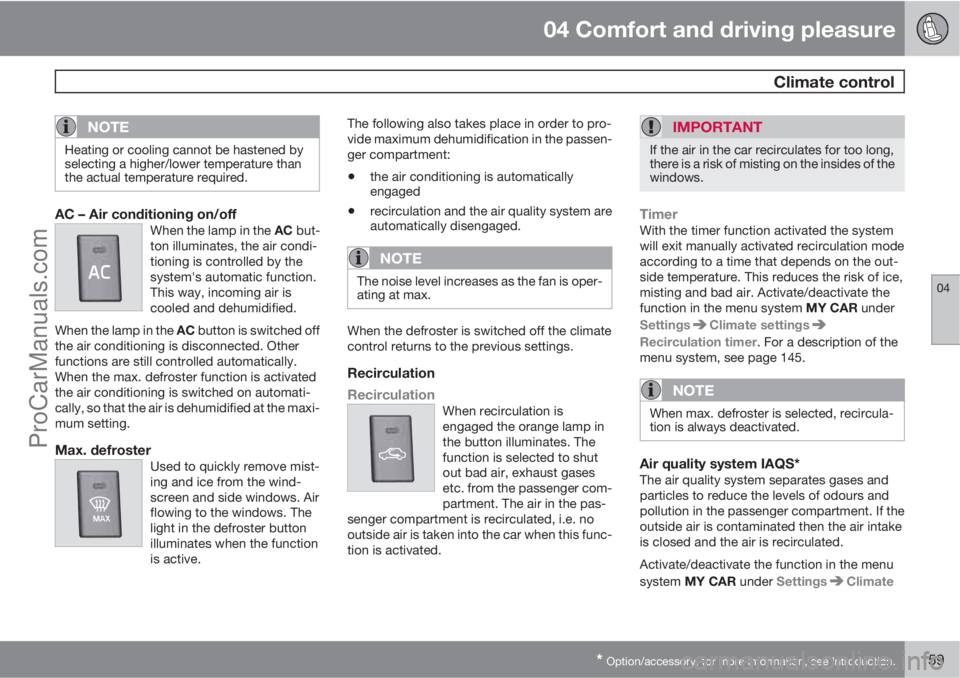
AC – Air conditioning on/offWhen the lamp in the AC but-
ton illuminates, the air condi-
tioning is controlled by the
system's automatic function.
This way, incoming air is
cooled and dehumidified.
When the lamp in the AC button is switched off
the air conditioning is disconnected. Other
functions are still controlled automatically.
When the max. defroster function is activated
the air conditioning is switched on automati-
cally, so that the air is dehumidified at the maxi-
mum setting.
Max. defrosterUsed to quickly remove mist-
ing and ice from the wind-
screen and side windows. Air
flowing to the windows. The
light in the defroster button
illuminates when the function
is active.
The following also takes place in order to pro-
vide maximum dehumidification in the passen-
ger compartment:
•the air conditioning is automatically
engaged
•recirculation and the air quality system are
automatically disengaged.
NOTE
The noise level increases as the fan is oper-
ating at max.
When the defroster is switched off the climate
control returns to the previous settings.
Recirculation
Recirculation
When recirculation is
engaged the orange lamp in
the button illuminates. The
function is selected to shut
out bad air, exhaust gases
etc. from the passenger com-
partment. The air in the pas-
senger compartment is recirculated, i.e. no
outside air is taken into the car when this func-
tion is activated.
IMPORTANT
If the air in the car recirculates for too long,
there is a risk of misting on the insides of the
windows.
TimerWith the timer function activated the system
will exit manually activated recirculation mode
according to a time that depends on the out-
side temperature. This reduces the risk of ice,
misting and bad air. Activate/deactivate the
function in the menu system MY CAR under
Settings
Climate settings
Recirculation timer. For a description of the
menu system, see page 145.
NOTE
When max. defroster is selected, recircula-
tion is always deactivated.
Air quality system IAQS*The air quality system separates gases and
particles to reduce the levels of odours and
pollution in the passenger compartment. If the
outside air is contaminated then the air intake
is closed and the air is recirculated.
Activate/deactivate the function in the menu
system MY CAR under Settings
Climate
ProCarManuals.com
Page 168 of 400
04 Comfort and driving pleasure
Trip computer
04
166* Option/accessory, for more information, see Introduction.
General
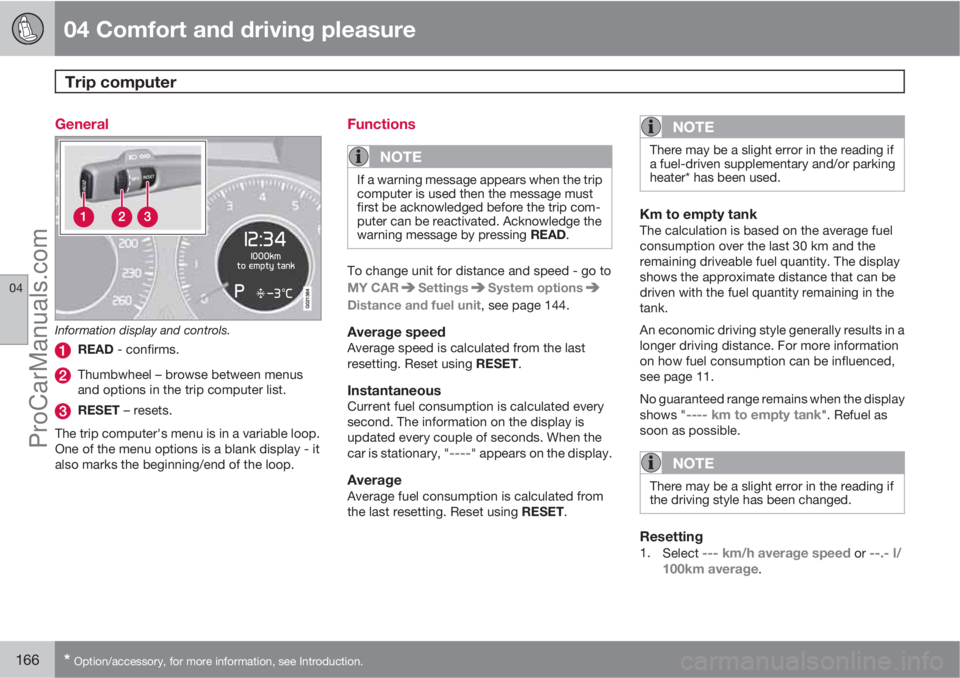
Information display and controls.
READ - confirms.
Thumbwheel – browse between menus
and options in the trip computer list.
RESET – resets.
The trip computer's menu is in a variable loop.
One of the menu options is a blank display - it
also marks the beginning/end of the loop.
Functions
NOTE
If a warning message appears when the trip
computer is used then the message must
first be acknowledged before the trip com-
puter can be reactivated. Acknowledge the
warning message by pressing READ.
To change unit for distance and speed - go to
MY CAR
SettingsSystem options
Distance and fuel unit, see page 144.
Average speedAverage speed is calculated from the last
resetting. Reset using RESET.
InstantaneousCurrent fuel consumption is calculated every
second. The information on the display is
updated every couple of seconds. When the
car is stationary, "
----" appears on the display.
AverageAverage fuel consumption is calculated from
the last resetting. Reset using RESET.
NOTE
There may be a slight error in the reading if
a fuel-driven supplementary and/or parking
heater* has been used.
Km to empty tankThe calculation is based on the average fuel
consumption over the last 30 km and the
remaining driveable fuel quantity. The display
shows the approximate distance that can be
driven with the fuel quantity remaining in the
tank.
An economic driving style generally results in a
longer driving distance. For more information
on how fuel consumption can be influenced,
see page 11.
No guaranteed range remains when the display
shows "
---- km to empty tank". Refuel as
soon as possible.
NOTE
There may be a slight error in the reading if
the driving style has been changed.
Resetting1.
Select --- km/h average speed or --.- l/
100km average.
ProCarManuals.com
Page 171 of 400
04 Comfort and driving pleasure
DSTC – Stability and traction control system
04
169 Symbols and messages in the display
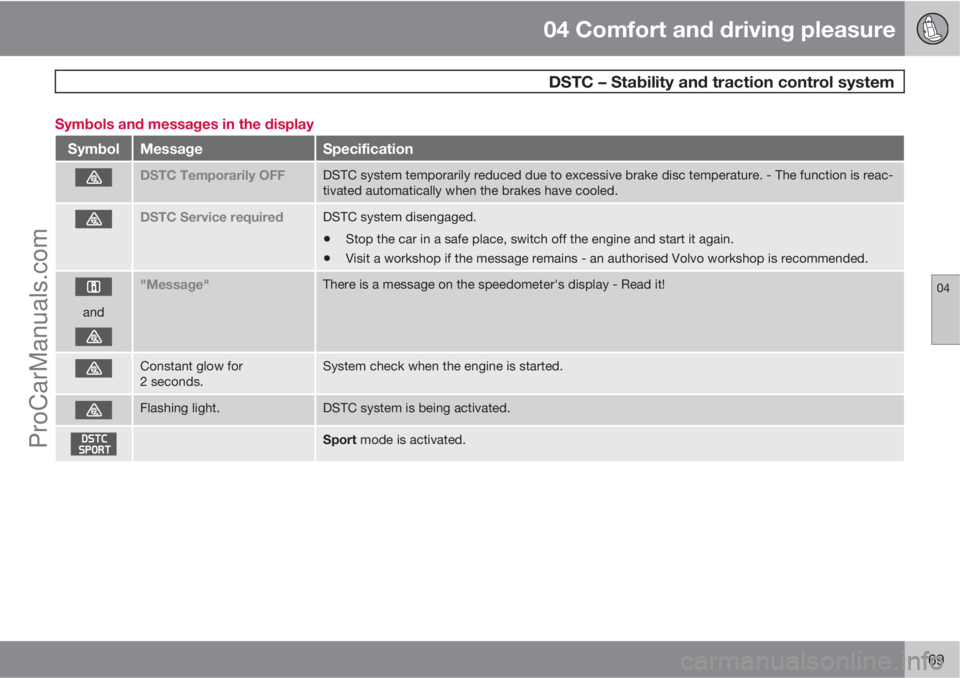
SymbolMessageSpecification
DSTC Temporarily OFFDSTC system temporarily reduced due to excessive brake disc temperature. - The function is reac-
tivated automatically when the brakes have cooled.
DSTC Service requiredDSTC system disengaged.
•Stop the car in a safe place, switch off the engine and start it again.
•Visit a workshop if the message remains - an authorised Volvo workshop is recommended.
and
"Message"There is a message on the speedometer's display - Read it!
Constant glow for
2 seconds.System check when the engine is started.
Flashing light.DSTC system is being activated.
Sport mode is activated.
ProCarManuals.com
Page 172 of 400
04 Comfort and driving pleasure
Adapting driving characteristics
04
170* Option/accessory, for more information, see Introduction.
Active chassis - Four-C*
Active chassis, Four-C (Continously Controlled
Chassis Concept), regulates the characteris-
tics of the shock absorbers so that the car's
driving characteristics can be adjusted. There
are three settings: Comfort, Sport and
Advanced.
ComfortThis setting means that the car is perceived as
being more comfortable on rough and uneven
road surfaces. Shock absorption is soft and the
movement of the body is smooth and gentle.
SportThis setting means that the car is perceived as
being more sporty and is recommended for
more active driving. Steering response is faster
than in the Comfort mode. Shock absorption is
harder and the body follows the road in order
to reduce rolling during cornering.
AdvancedThis setting is only recommended on very even
and smooth road surfaces.
The shock absorbers are optimised for maxi-
mum roadholding and rolling in bends is further
minimised.
Operation
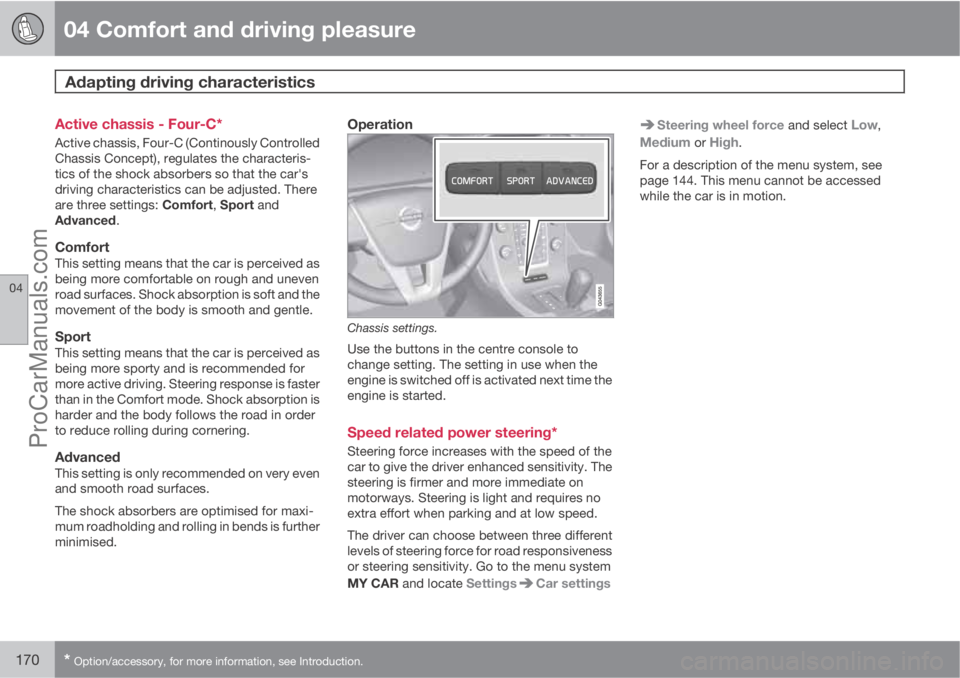
Chassis settings.
Use the buttons in the centre console to
change setting. The setting in use when the
engine is switched off is activated next time the
engine is started.
Speed related power steering*
Steering force increases with the speed of the
car to give the driver enhanced sensitivity. The
steering is firmer and more immediate on
motorways. Steering is light and requires no
extra effort when parking and at low speed.
The driver can choose between three different
levels of steering force for road responsiveness
or steering sensitivity. Go to the menu system
MY CAR and locate Settings
Car settings
Steering wheel force and select Low,
Medium or High.
For a description of the menu system, see
page 144. This menu cannot be accessed
while the car is in motion.
ProCarManuals.com
Page 178 of 400
04 Comfort and driving pleasure
Adaptive cruise control*
04
176* Option/accessory, for more information, see Introduction.
WARNING
Adaptive cruise control is not a collision
avoidance system. The driver must inter-
vene if the system does not detect a vehicle
in front.
The adaptive cruise control does not brake
for humans or animals, and not for small
vehicles such as bicycles and motorcycles.
Nor for oncoming, slow or stationary vehi-
cles and objects.
Do not use the adaptive cruise control, for
example, in city traffic, in dense traffic, at
junctions, on slippery surfaces, with a lot of
water or slush on the road, in heavy rain/
snow, in poor visibility, on winding roads or
on slip roads.
The distance to the vehicle ahead is mainly
measured by a radar sensor. Cruise control
regulates the speed with acceleration and
braking. It is normal for the brakes to emit a low
sound when they are being used by cruise con-
trol.
WARNING
The brake pedal moves when the cruise
control brakes. Do not rest your foot under
the brake pedal as it could become trapped.
The adaptive cruise control aims to follow the
vehicle ahead in the same lane at a time interval
set by the driver. If the radar sensor cannot see
any vehicle in front then the car will instead
maintain the cruise control's set speed. This
also happens if the speed of the vehicle in front
exceeds the cruise control's set speed.
The cruise control aims to control the speed in
a smooth way. In situations that demand sud-
den braking the driver must brake himself/her-
self. This applies with large differences in
speed, or if the vehicle in front brakes heavily.
Due to limitations in the radar sensor, braking
may come unexpectedly or not at all, see
page 181.
The adaptive cruise control can be activated to
follow another vehicle at speeds from
30 km/h
2 up to 200 km/h. If the speed falls
below 30 km/h or if the engine speed becomes
too low, the cruise control is set in standby
mode at which automatic braking ceases - the
driver must then take over himself/herself to
maintain a safe distance to the vehicle ahead.
Warning lamp - braking by driver
required
Adaptive cruise control has a braking capacity
that is equivalent to more than 40% of the car's
braking capacity.If the car needs to be braked more heavily than
cruise control capacity and the driver does not
brake, then the cruise control uses the collision
warning system's warning lamp and warning
sound (see page 193) to alert the driver that
immediate intervention is required.
NOTE
The warning lamp may be difficult to notice
in strong sunlight or when sunglasses are
being worn.
WARNING
Cruise control only warns of vehicles
detected by the radar sensor. Consequently
there may be no warning or it may be sub-
ject to a delay. Do not wait for a warning but
brake when it is necessary.
Steep roads and/or heavy loadBear in mind that the adaptive cruise control is
primarily intended for use when driving on level
road surfaces. The cruise control may have dif-
ficultly in keeping the correct distance from the
vehicle ahead when driving on steep roads,
with a heavy load or with a trailer - in which
case, be extra attentive and ready to slow
down.
2Queue Assistant (in cars with automatic gearbox) can operate in the range of 0-200 km/h, see page 179.
ProCarManuals.com
Page 180 of 400
04 Comfort and driving pleasure
Adaptive cruise control*
04
178* Option/accessory, for more information, see Introduction.
Changing the speedIn active mode the speed is adjusted 5 km/h
with each press on
or . In active mode
the button
has the same function as but
results in a lower increase in speed. The last
press is stored in the memory.
NOTE
If any cruise control button is held
depressed for more than approx. 1 minute
then cruise control is disengaged. The
engine must be switched off in order to reset
cruise control.
In certain situations, cruise control cannot
be activated. Then the display shows
Cruise control Unavailable, see
page 183.
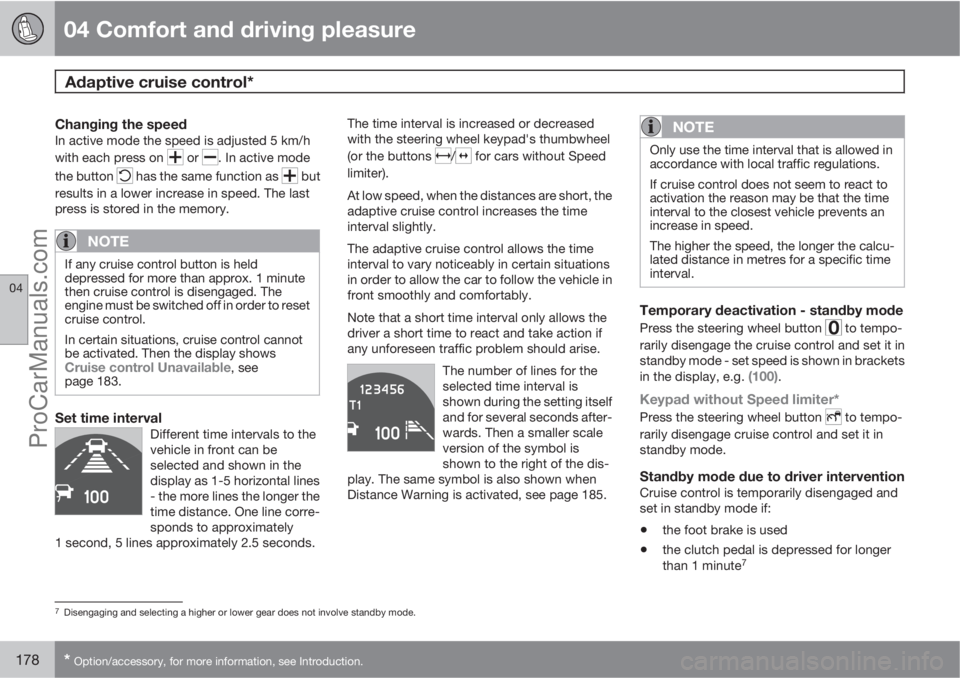
Set time intervalDifferent time intervals to the
vehicle in front can be
selected and shown in the
display as 1-5 horizontal lines
- the more lines the longer the
time distance. One line corre-
sponds to approximately
1 second, 5 lines approximately 2.5 seconds.
The time interval is increased or decreased
with the steering wheel keypad's thumbwheel
(or the buttons
/ for cars without Speed
limiter).
At low speed, when the distances are short, the
adaptive cruise control increases the time
interval slightly.
The adaptive cruise control allows the time
interval to vary noticeably in certain situations
in order to allow the car to follow the vehicle in
front smoothly and comfortably.
Note that a short time interval only allows the
driver a short time to react and take action if
any unforeseen traffic problem should arise.
The number of lines for the
selected time interval is
shown during the setting itself
and for several seconds after-
wards. Then a smaller scale
version of the symbol is
shown to the right of the dis-
play. The same symbol is also shown when
Distance Warning is activated, see page 185.
NOTE
Only use the time interval that is allowed in
accordance with local traffic regulations.
If cruise control does not seem to react to
activation the reason may be that the time
interval to the closest vehicle prevents an
increase in speed.
The higher the speed, the longer the calcu-
lated distance in metres for a specific time
interval.
Temporary deactivation - standby mode
Press the steering wheel button to tempo-
rarily disengage the cruise control and set it in
standby mode - set speed is shown in brackets
in the display, e.g.
(100).
Keypad without Speed limiter*
Press the steering wheel button to tempo-
rarily disengage cruise control and set it in
standby mode.
Standby mode due to driver interventionCruise control is temporarily disengaged and
set in standby mode if:
•the foot brake is used
•the clutch pedal is depressed for longer
than 1 minute7
7Disengaging and selecting a higher or lower gear does not involve standby mode.
ProCarManuals.com
Page 182 of 400
04 Comfort and driving pleasure
Adaptive cruise control*
04
180* Option/accessory, for more information, see Introduction.
NOTE
Activation of the cruise control below
30 km/h requires a vehicle in front within a
reasonable distance.
For shorter stops in connection with inching in
slow traffic or at traffic lights driving is auto-
matically resumed if the stops do not exceed
about 3 seconds - if it takes longer before the
car in front starts moving again then the cruise
control is set in standby mode. The driver must
then re-activate the cruise control in one of the
following ways:
•Press the steering wheel button .
or
•Press the accelerator pedal and accelerate
up to at least about 4 km/h (normal walking
pace).
The cruise control will then resume following
the vehicle in front.
NOTE
The cruise control can hold the car station-
ary for a maximum of 2 minutes - then the
parking brake is applied and the cruise con-
trol is disengaged.
•The driver has to release the parking
brake before the cruise control can be
reactivated.
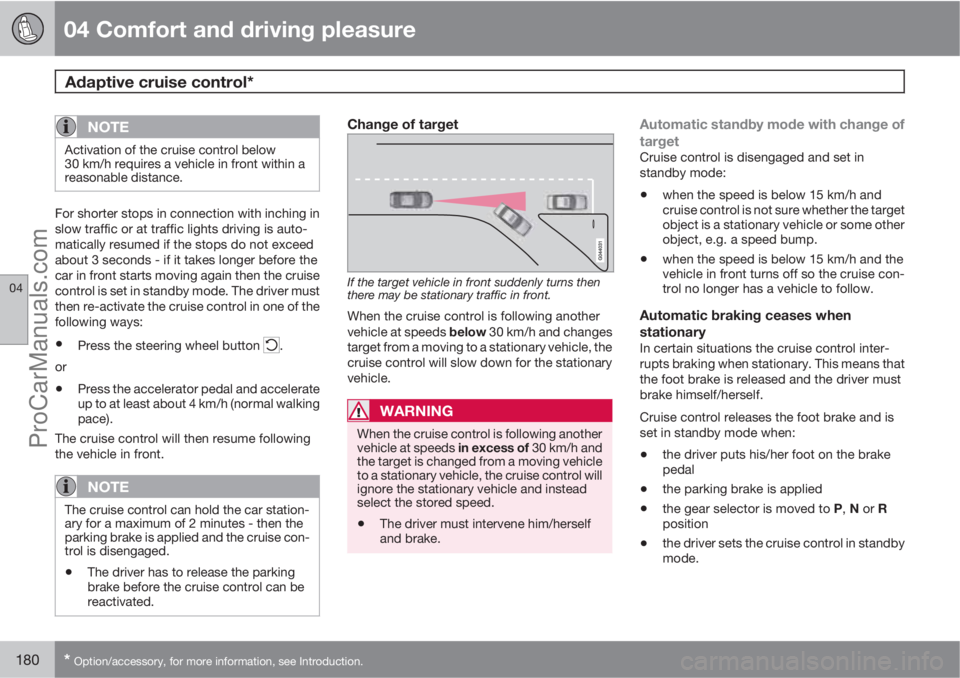
Change of target
If the target vehicle in front suddenly turns then
there may be stationary traffic in front.
When the cruise control is following another
vehicle at speeds below 30 km/h and changes
target from a moving to a stationary vehicle, the
cruise control will slow down for the stationary
vehicle.
WARNING
When the cruise control is following another
vehicle at speeds in excess of 30 km/h and
the target is changed from a moving vehicle
to a stationary vehicle, the cruise control will
ignore the stationary vehicle and instead
select the stored speed.
•The driver must intervene him/herself
and brake.
Automatic standby mode with change of
target
Cruise control is disengaged and set in
standby mode:
•when the speed is below 15 km/h and
cruise control is not sure whether the target
object is a stationary vehicle or some other
object, e.g. a speed bump.
•when the speed is below 15 km/h and the
vehicle in front turns off so the cruise con-
trol no longer has a vehicle to follow.
Automatic braking ceases when
stationary
In certain situations the cruise control inter-
rupts braking when stationary. This means that
the foot brake is released and the driver must
brake himself/herself.
Cruise control releases the foot brake and is
set in standby mode when:
•the driver puts his/her foot on the brake
pedal
•the parking brake is applied
•the gear selector is moved to P, N or R
position
•the driver sets the cruise control in standby
mode.
ProCarManuals.com
Page 188 of 400
04 Comfort and driving pleasure
Distance Warning*
04
186* Option/accessory, for more information, see Introduction.
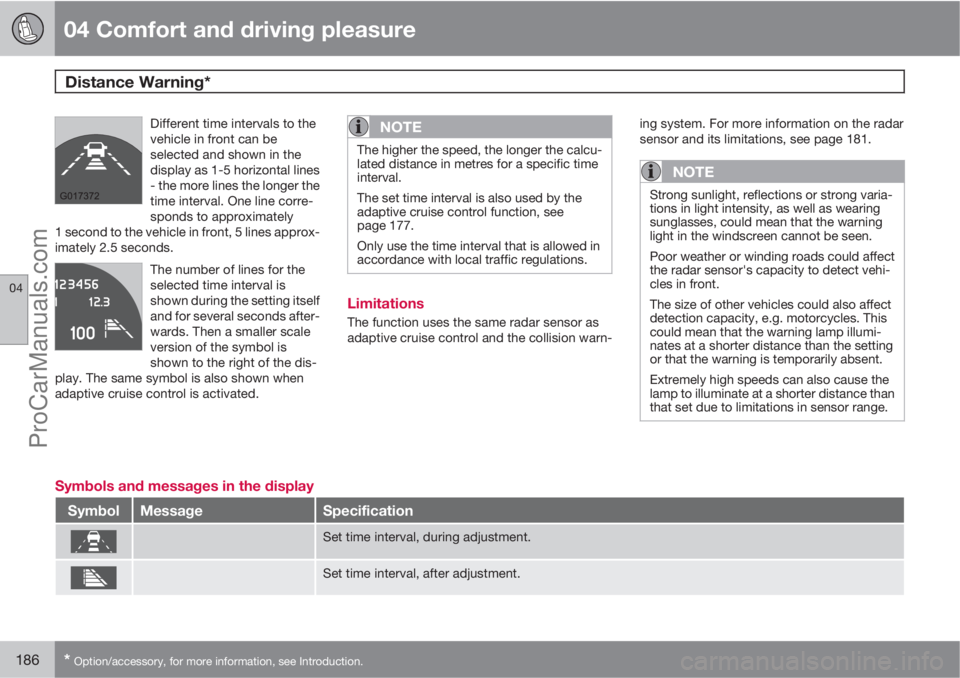
Different time intervals to the
vehicle in front can be
selected and shown in the
display as 1-5 horizontal lines
- the more lines the longer the
time interval. One line corre-
sponds to approximately
1 second to the vehicle in front, 5 lines approx-
imately 2.5 seconds.
The number of lines for the
selected time interval is
shown during the setting itself
and for several seconds after-
wards. Then a smaller scale
version of the symbol is
shown to the right of the dis-
play. The same symbol is also shown when
adaptive cruise control is activated.
NOTE
The higher the speed, the longer the calcu-
lated distance in metres for a specific time
interval.
The set time interval is also used by the
adaptive cruise control function, see
page 177.
Only use the time interval that is allowed in
accordance with local traffic regulations.
Limitations
The function uses the same radar sensor as
adaptive cruise control and the collision warn-ing system. For more information on the radar
sensor and its limitations, see page 181.
NOTE
Strong sunlight, reflections or strong varia-
tions in light intensity, as well as wearing
sunglasses, could mean that the warning
light in the windscreen cannot be seen.
Poor weather or winding roads could affect
the radar sensor's capacity to detect vehi-
cles in front.
The size of other vehicles could also affect
detection capacity, e.g. motorcycles. This
could mean that the warning lamp illumi-
nates at a shorter distance than the setting
or that the warning is temporarily absent.
Extremely high speeds can also cause the
lamp to illuminate at a shorter distance than
that set due to limitations in sensor range.
Symbols and messages in the display
SymbolMessageSpecification
Set time interval, during adjustment.
Set time interval, after adjustment.
ProCarManuals.com
Page 191 of 400
04 Comfort and driving pleasure
City Safety™
04
189
If the difference in speed between the vehicles
is greater than 15 km/h then City Safety™ may
not prevent the collision on its own. To obtain
full brake force, the driver must depress the
brake pedal. This could then make it possible
to prevent a collision, even at speed differen-
ces above 15 km/h.
When the function is activated and brakes, the
instrument panel display shows a message to
the effect that the function is/has been active.
NOTE
The brake lights come on when City
Safety™ brakes the car.
Operation
NOTE
The City Safety™ function is always ena-
bled after the engine has been started via
key position I and II (see page 80 on key
positions).
On and OffIn certain situations, it may advisable to disable
City Safety™, e.g. where leafy branches could
sweep over the bonnet and/or windscreen.
After starting the engine City Safety™ can be
deactivated as follows:Using MY CAR on the centre console display
screen with its menu system, search and locate
Settings
Car settingsDriving support
systems
City Safety. Select the Off option.
For more information on the menu system MY
CAR, see page 144).
However, the function will be enabled the next
time the engine is started, regardless of
whether the system was enabled or disabled
when the engine was switched off.
WARNING
The laser sensor also transmits laser light
when City Safety™ is disabled manually.
To enable City Safety™ again:
•Follow the same procedure as for disa-
bling, but select the On option.
Limitations
The sensor in City Safety™ is designed to
detect cars and other large vehicles in front of
the car irrespective of whether it is day or night.
However, the sensor has limitations and has
poorer functionality in e.g. heavy snowfall or
rain, dense fog, dust storms or snow flurries.
Mist, dirt, ice or snow on the windscreen may
disrupt the function.Low-hanging objects, e.g. a flag/pennant for
projecting load, or accessories such as auxili-
ary lamps and bull bars that are higher than the
bonnet limit the function.
The infrared light from the sensor in City
Safety™ measures how the light is reflected.
The sensor cannot detect objects with low
reflection capacity. The rear sections of the
vehicle generally reflect the light sufficiently
thanks to the number plate and rear light reflec-
tors.
On slippery road surfaces the braking distance
is extended, which may reduce the capacity of
City Safety™ to avoid a collision. In such sit-
uations the ABS and DSTC systems will pro-
vide best possible braking force with main-
tained stability.
When the car is reversing City Safety™ cannot
be activated.
City Safety™ is not activated at low speeds -
under 4 km/h, which is why the system does
not intervene in situations where a vehicle in
front is being approached very slowly, e.g.
when parking.
Driver commands are always prioritised, which
is why City Safety™ does not intervene in sit-
uations where the driver is steering, braking or
accelerating in a clear manner, even if a colli-
sion is unavoidable.
ProCarManuals.com
Page 192 of 400
04 Comfort and driving pleasure
City Safety™
04
190
When City Safety™ has prevented a collision
with a stationary object the car remains sta-
tionary for a maximum of 1.5 seconds. If the car
is braked for a vehicle in front that is moving,
then speed is reduced to the same speed as
that maintained by the vehicle in front.
On a car with manual gearbox the engine stops
when City Safety™ has stopped the car, unless
the driver manages to depress the clutch pedal
beforehand.
NOTE
•Keep the windscreen surface in front of
the laser sensor free from ice, snow and
dirt (see the illustration for sensor loca-
tion, page 188).
•Do not affix or mount anything on the
windscreen in front of the laser sensor
•Remove ice and snow from the bonnet
- snow and ice must not exceed a height
of 5 cm.
Fault tracing and action
If the message Windscreen Sensors
blocked is shown on the instrument panel dis-
play, it indicates that the laser sensor is
blocked and cannot detect vehicles in front of
the car. This means that City Safety™ is not
operational.The
Windscreen Sensors blocked message
is not shown for all situations in which the laser
sensor is blocked. The driver must therefore be
diligent about keeping the windscreen and
area in front of the laser sensor clean.
The following table presents possible causes
for the message being shown, along with sug-
gestions for appropriate action.
CauseAction
The windscreen sur-
face in front of the
laser sensor is dirty
or covered with ice
or snow.Clean the wind-
screen surface in
front of the sensor
from dirt, ice and
snow.
The laser sensor
field of vision is
blocked.Remove the block-
ing object.
IMPORTANT
If there are cracks, scratches or stone chips
in the windscreen in front of either of the
laser sensor's "windows" and they cover a
surface of approx. 0.5 x 3.0 mm (or larger),
then a workshop must be contacted for
repair or replacement of the windscreen
(see the illustration for sensor location, page
188) - an authorised Volvo workshop is rec-
ommended.
Failure to take action may result in reduced
performance for City Safety™.
To avoid the risk of reducing City Safety™
performance the following also applies:
•The same type or a Volvo-approved
windscreen must be fitted during
replacement
•The same type or Volvo-approved
windscreen wipers must be fitted during
replacement.
Laser sensor
The City Safety™ function includes a sensor
which transmits laser light. Contact a qualified
workshop in the event of a fault or if the laser
sensor needs servicing - an authorised Volvo
workshop is recommended.
ProCarManuals.com