clutch VOLVO V60 2013 User Guide
[x] Cancel search | Manufacturer: VOLVO, Model Year: 2013, Model line: V60, Model: VOLVO V60 2013Pages: 422, PDF Size: 9.59 MB
Page 136 of 422
03 Your driving environment
All-wheel drive – AWD*
03
134* Option/accessory, for more information, see Introduction.
All Wheel Drive is always available
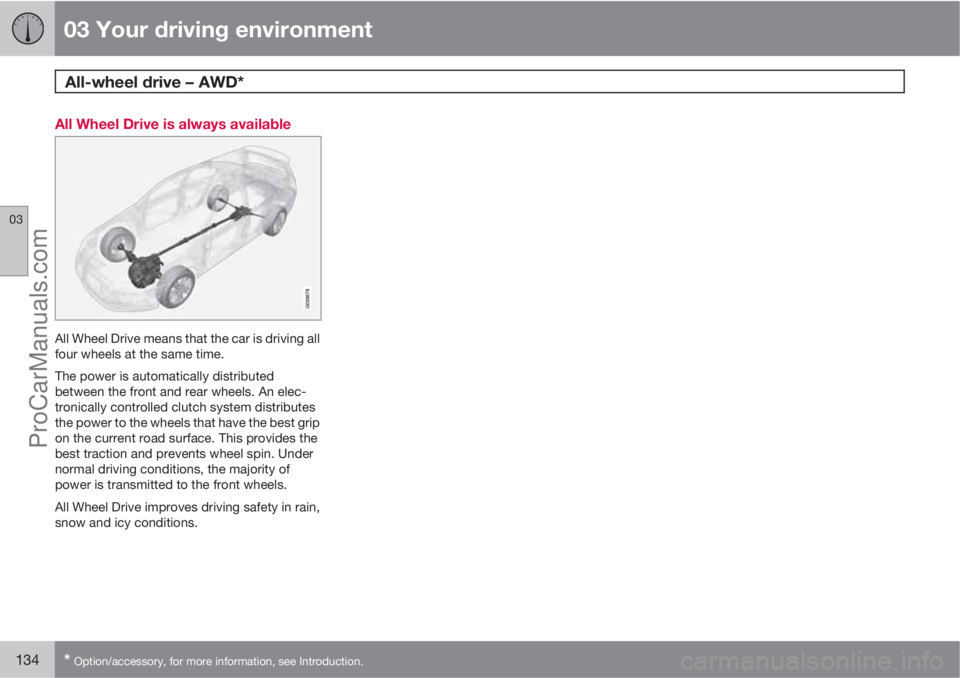
All Wheel Drive means that the car is driving all
four wheels at the same time.
The power is automatically distributed
between the front and rear wheels. An elec-
tronically controlled clutch system distributes
the power to the wheels that have the best grip
on the current road surface. This provides the
best traction and prevents wheel spin. Under
normal driving conditions, the majority of
power is transmitted to the front wheels.
All Wheel Drive improves driving safety in rain,
snow and icy conditions.
ProCarManuals.com
Page 140 of 422
03 Your driving environment
Parking brake
03
138
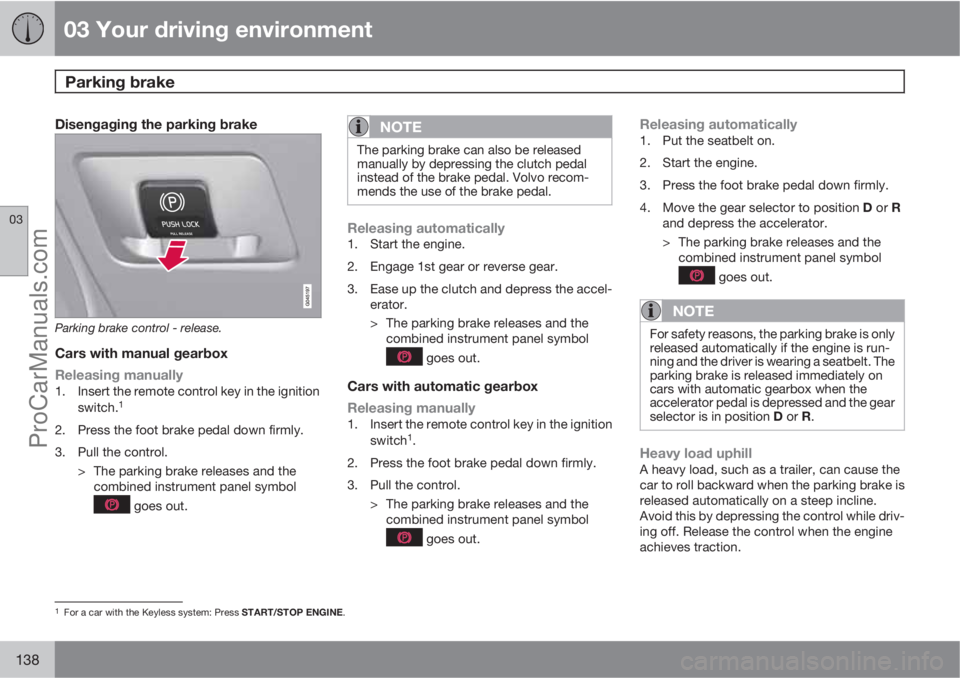
Disengaging the parking brake
Parking brake control - release.
Cars with manual gearbox
Releasing manually
1. Insert the remote control key in the ignition
switch.1
2. Press the foot brake pedal down firmly.
3. Pull the control.
> The parking brake releases and the
combined instrument panel symbol
goes out.
NOTE
The parking brake can also be released
manually by depressing the clutch pedal
instead of the brake pedal. Volvo recom-
mends the use of the brake pedal.
Releasing automatically1. Start the engine.
2. Engage 1st gear or reverse gear.
3. Ease up the clutch and depress the accel-
erator.
> The parking brake releases and the
combined instrument panel symbol
goes out.
Cars with automatic gearbox
Releasing manually
1. Insert the remote control key in the ignition
switch1.
2. Press the foot brake pedal down firmly.
3. Pull the control.
> The parking brake releases and the
combined instrument panel symbol
goes out.
Releasing automatically1. Put the seatbelt on.
2. Start the engine.
3. Press the foot brake pedal down firmly.
4.
Move the gear selector to position D or R
and depress the accelerator.
> The parking brake releases and the
combined instrument panel symbol
goes out.
NOTE
For safety reasons, the parking brake is only
released automatically if the engine is run-
ning and the driver is wearing a seatbelt. The
parking brake is released immediately on
cars with automatic gearbox when the
accelerator pedal is depressed and the gear
selector is in position D or R.
Heavy load uphillA heavy load, such as a trailer, can cause the
car to roll backward when the parking brake is
released automatically on a steep incline.
Avoid this by depressing the control while driv-
ing off. Release the control when the engine
achieves traction.
1For a car with the Keyless system: Press START/STOP ENGINE.
ProCarManuals.com
Page 155 of 422
04 Driver support
Cruise control*
04
* Option/accessory, for more information, see Introduction.153
>
The symbol illuminates in the display (5)
and the brackets around
(---) km/h show
that cruise control is set in standby mode.
To activate cruise control:
•At the required speed - press the steering
wheel button
or .
> Current speed is stored in the memory - the
display text
(---) km/h changes to show
the selected speed, e.g. 100 km/h, without
brackets.
NOTE
Cruise control cannot be engaged at
speeds below 30 km/h.
Changing the speedTo change the stored speed:
•Press briefly on the steering wheel button,
or - most recent presses are stored
in memory.
A temporary increase in speed with the accel-
erator pedal, e.g. during overtaking, does not
affect the cruise control setting - the car returns
to the set speed when the accelerator pedal is
released.
NOTE
If any of the Cruise Control buttons are held
down for more than approx. 1 minute, it is
blocked and disabled. To be able to reacti-
vate Cruise Control, the car must be stop-
ped and the engine restarted.
Temporary deactivation - standby modeTo temporarily disengage cruise control and
set it in standby mode:
•Press the steering wheel button .
> Set speed is shown in brackets in the dis-
play (5), e.g.
(100) km/h.
Automatic standby modeCruise control is temporarily disengaged and
set in standby mode if:
•wheels lose traction
•the foot brake is used
•speed falls below approx. 30 km/h
•the clutch pedal is depressed
•the gear selector is moved to neutral posi-
tion (automatic gearbox)
•the driver maintains a speed higher than
the set speed for longer than 1 minute.
The driver must then regulate the speed.
Resume set speedCruise control in standby mode is re-activated
with one press on the steering wheel button
- the speed is then set to the last stored
speed.
NOTE
A significant increase in speed may arise
after the speed has been resumed with .
DeactivateThe cruise control is switched off with the
steering wheel button (1) or by switching off the
engine - the set speed is deleted from the
memory and cannot be resumed with the
button.
ProCarManuals.com
Page 160 of 422
04 Driver support
Adaptive cruise control*
04
158* Option/accessory, for more information, see Introduction.
Keypad without Speed limiter*To temporarily disengage Cruise control and
set it in standby mode:
•Press the steering wheel button .
Standby mode due to driver interventionCruise control is temporarily disengaged and
set in standby mode if:
•the foot brake is used
•the clutch pedal is depressed for longer
than 1 minute6
•the gear selector is moved to N position
(automatic gearbox)
•the driver maintains a speed higher than
the set speed for longer than 1 minute.
The driver must then regulate the speed.
A temporary increase in speed with the accel-
erator pedal, e.g. during overtaking, does not
affect the cruise control setting - the car returns
to the last stored speed when the accelerator
pedal is released.
Automatic standby modeThe Adaptive cruise control is dependent on
other systems, e.g.. DSTC (see page 146). Ifany of these systems stop working then cruise
control is automatically deactivated.
In the event of automatic deactivation a signal
will sound and the message
Cruise control
Cancelled is shown in the display. The driver
must then intervene and adapt the speed and
distance to the vehicle ahead.
An automatic deactivation can be due to:
•engine speed is too low/high
•speed falls below 30 km/h7
•wheels lose traction
•brake temperature is high
•the radar sensor is covered e.g. by wet
snow or heavy rain (radar waves blocked).
Resume set speedCruise control in standby mode is re-activated
with one press on the steering wheel button
- the speed is then set to the last stored
speed.
NOTE
A significant increase in speed may arise
after the speed has been resumed with .
Overtaking another vehicleWhen the car is following another vehicle and
the driver indicates an imminent overtake with
the direction indicator
8, the Cruise control
helps to briefly accelerate the car towards the
vehicle in front.
The function is active at speeds
above 70 km/h.
WARNING
Be aware that this function can be activated
in more situations other than during over-
taking, e.g. when a direction indicator is
used to indicate a change of lane or exit to
another road - the car will then accelerate
briefly.
Deactivate
Keypad with Speed limiter
Adaptive cruise control is deactivated with the
steering wheel button
. The set speed is
cleared and cannot be resumed with the
button.
Keypad without Speed limiterWith a short press on the steering wheel button
the cruise control is set in standby mode.
6Disengaging and selecting a higher or lower gear does not involve standby mode.7Does not apply to a car with Queue Assistant - it manages right down to stationary.8On left flash only in left-hand drive car, or right flash in right-hand drive car.
ProCarManuals.com
Page 172 of 422
04 Driver support
City Safety™
04
170
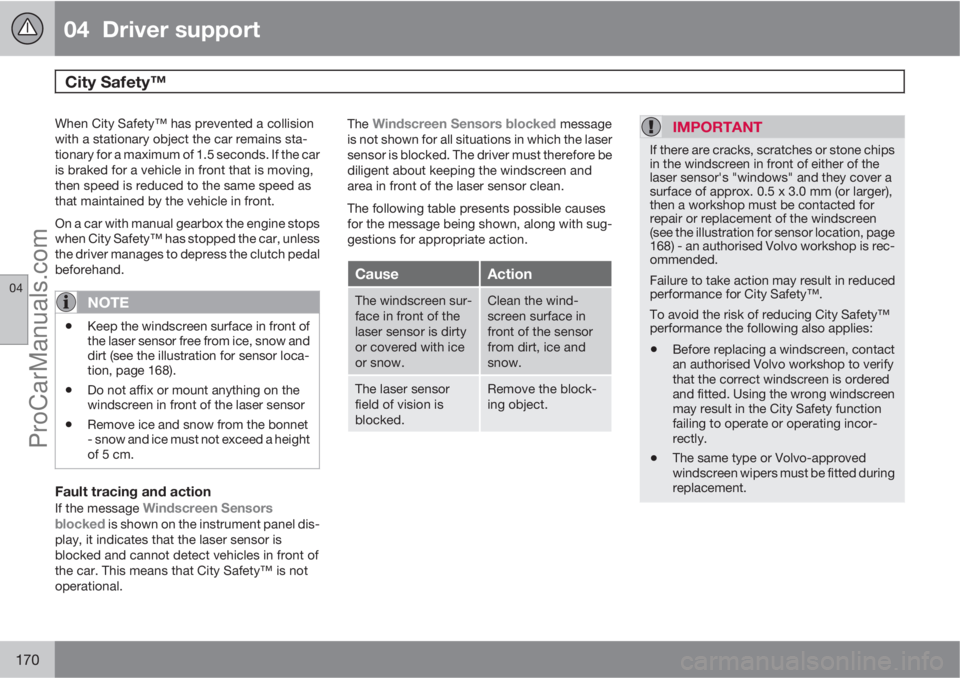
When City Safety™ has prevented a collision
with a stationary object the car remains sta-
tionary for a maximum of 1.5 seconds. If the car
is braked for a vehicle in front that is moving,
then speed is reduced to the same speed as
that maintained by the vehicle in front.
On a car with manual gearbox the engine stops
when City Safety™ has stopped the car, unless
the driver manages to depress the clutch pedal
beforehand.
NOTE
•Keep the windscreen surface in front of
the laser sensor free from ice, snow and
dirt (see the illustration for sensor loca-
tion, page 168).
•Do not affix or mount anything on the
windscreen in front of the laser sensor
•Remove ice and snow from the bonnet
- snow and ice must not exceed a height
of 5 cm.
Fault tracing and action
If the message Windscreen Sensors
blocked is shown on the instrument panel dis-
play, it indicates that the laser sensor is
blocked and cannot detect vehicles in front of
the car. This means that City Safety™ is not
operational.The
Windscreen Sensors blocked message
is not shown for all situations in which the laser
sensor is blocked. The driver must therefore be
diligent about keeping the windscreen and
area in front of the laser sensor clean.
The following table presents possible causes
for the message being shown, along with sug-
gestions for appropriate action.
CauseAction
The windscreen sur-
face in front of the
laser sensor is dirty
or covered with ice
or snow.Clean the wind-
screen surface in
front of the sensor
from dirt, ice and
snow.
The laser sensor
field of vision is
blocked.Remove the block-
ing object.
IMPORTANT
If there are cracks, scratches or stone chips
in the windscreen in front of either of the
laser sensor's "windows" and they cover a
surface of approx. 0.5 x 3.0 mm (or larger),
then a workshop must be contacted for
repair or replacement of the windscreen
(see the illustration for sensor location, page
168) - an authorised Volvo workshop is rec-
ommended.
Failure to take action may result in reduced
performance for City Safety™.
To avoid the risk of reducing City Safety™
performance the following also applies:
•Before replacing a windscreen, contact
an authorised Volvo workshop to verify
that the correct windscreen is ordered
and fitted. Using the wrong windscreen
may result in the City Safety function
failing to operate or operating incor-
rectly.
•The same type or Volvo-approved
windscreen wipers must be fitted during
replacement.
ProCarManuals.com
Page 180 of 422
04 Driver support
Collision Warning with Auto Brake & Pedestrian Protection*
04
178* Option/accessory, for more information, see Introduction.
Collision Warning with Auto Brake is tempo-
rarily deactivated with reverse gear engaged.
Collision Warning with Auto Brake is not acti-
vated at low speeds - under 4 km/h, which is
why the system does not intervene in situations
where the car is approaching a vehicle in front
very slowly, e.g. when parking.
In situations where the driver demonstrates
active, aware driving behaviour, a collision
warning may be postponed slightly in order to
keep unnecessary warnings to a minimum.
When Auto Brake has prevented a collision
with a stationary object the car remains sta-
tionary for a maximum of 1.5 seconds. If the car
is braked for a vehicle in front that is moving,
then speed is reduced to the same speed as
that maintained by the vehicle in front.
On a car with manual gearbox the engine stops
when Auto Brake has stopped the car, unless
the driver manages to depress the clutch pedal
beforehand.
Camera sensor limitationsThe car’s camera sensor is also used - as well
as by Collision Warning with Auto Brake - by
the functions:
•Automatic main/dipped beam dimming -
see page 88
•Road sign information - see page 148
•Driver Alert Control – see page 182
•Lane Departure Warning – see page 185.
NOTE
Keep the windscreen surface in front of the
camera sensor clean from ice, snow, mist
and dirt.
Do not attach or fit anything to the wind-
screen in front of the camera sensor, as this
could reduce or prevent the function of one
or more camera-dependent systems.
The camera sensors have limitations similar to
the human eye, i.e. they "see" worse in dark-
ness, heavy snowfall or rain and in thick fog for
example. Under such conditions the functions
of camera-dependent systems could be sig-
nificantly reduced or temporarily disengaged.
Strong oncoming light, reflections in the car-
riageway, snow or ice on the road surface, dirty
road surfaces or unclear lane markings could
also significantly reduce camera sensor func-
tion when it is used to scan the carriageway
and detect pedestrians and other vehicles.
The field of vision of the camera sensor is lim-
ited, which is why pedestrians and vehicles
cannot be detected in some situations, or they
are detected later than anticipated.
During very high temperatures the camera is
temporarily switched off for about 15 minutesafter the engine is started in order to protect
camera functionality.
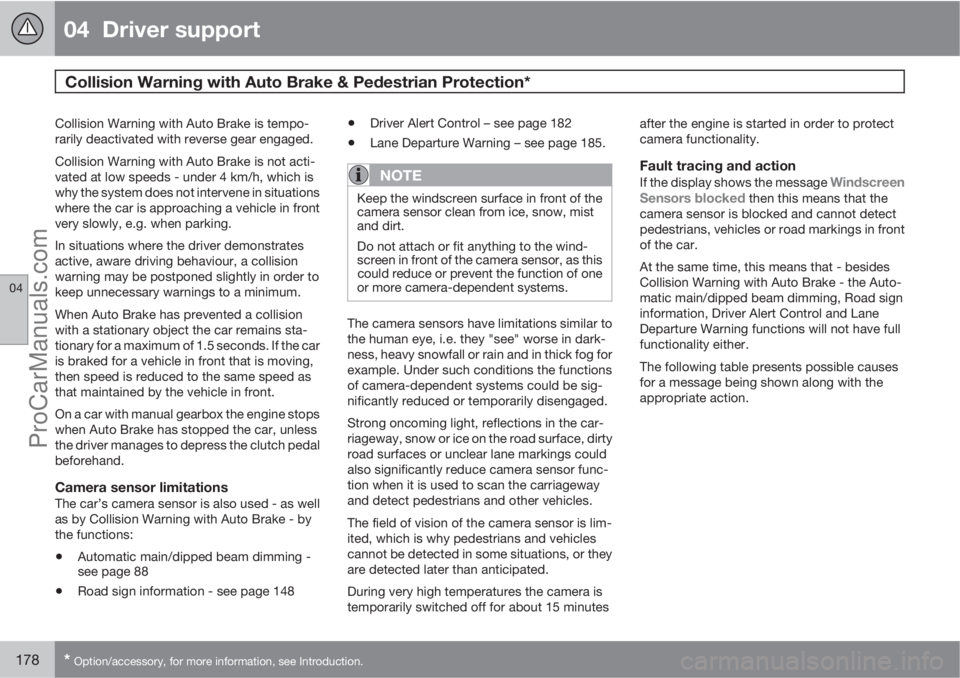
Fault tracing and action
If the display shows the message Windscreen
Sensors blocked then this means that the
camera sensor is blocked and cannot detect
pedestrians, vehicles or road markings in front
of the car.
At the same time, this means that - besides
Collision Warning with Auto Brake - the Auto-
matic main/dipped beam dimming, Road sign
information, Driver Alert Control and Lane
Departure Warning functions will not have full
functionality either.
The following table presents possible causes
for a message being shown along with the
appropriate action.
ProCarManuals.com
Page 292 of 422
07 During your journey
Fuel
07
290* Option/accessory, for more information, see Introduction.
tank may need to be vented in the workshop in
order to restart the engine after fuelling.
Once the engine has stopped due to fuel star-
vation, the fuel system needs a few moments
to carry out a check. Do this before starting the
engine, once the fuel tank has been filled with
diesel:
1. Insert the remote control key in the ignition
switch and push it in to the end position
(see page 78).
2.
Press the START button without depress-
ing the brake and/or clutch pedal.
3. Wait approx. 1 minute.
4. To start the engine: Depress the brake and/
or clutch pedal and then press the
START button again.
NOTE
Before filling with fuel in the event of fuel
shortage:
•Stop the car on as flat/level ground as
possible - if the car is tilting there is a
risk of air pockets in the fuel supply.
Draining condensation from the fuel filterThe fuel filter separates condensation from the
fuel. Condensation can disrupt engine opera-
tion.The fuel filter must be drained at the intervals
specified in the Service and Warranty Booklet
or if you suspect that the car has been filled
with contaminated fuel.
IMPORTANT
Certain special additives remove the water
separation in the fuel filter.
Diesel particle filter (DPF)Diesel cars are equipped with a particle filter,
which results in more efficient emission con-
trol. The particles in the exhaust gases are col-
lected in the filter during normal driving. So-
called "regeneration" is started in order to burn
away the particles and empty the filter. This
requires the engine to have reached normal
operating temperature.
Regeneration of the filter is automatic and nor-
mally takes 10-20 minutes. It may take a little
longer at a low average speed. Fuel consump-
tion may increase slightly during regeneration.
Regeneration in cold weatherIf the car is frequently driven short distances in
cold weather then the engine does not reach
normal operating temperature. This means that
regeneration of the diesel particle filter does
not take place and the filter is not emptied.When the filter has become approximately
80% full of particles, a warning triangle on the
instrument panel illuminates, and the message
Soot filter full See manual is shown on the
instrument panel display.
Start regeneration of the filter by driving the car
until the engine reaches normal operating tem-
perature, preferably on a main road or motor-
way. The car should then be driven for approx-
imately 20 minutes more.
NOTE
A smaller reduction of engine power may be
noticed temporarily during regeneration.
When regeneration is complete the warning
text is cleared automatically.
Use the parking heater* in cold weather so that
the engine reaches normal operating tempera-
ture more quickly.
IMPORTANT
If the filter fills up with particles then it can
be difficult to start the engine and the filter
will be incapable of functioning. Then there
is a risk that the filter will have to be
replaced.
ProCarManuals.com
Page 331 of 422
09 Maintenance and service
Engine compartment09
329
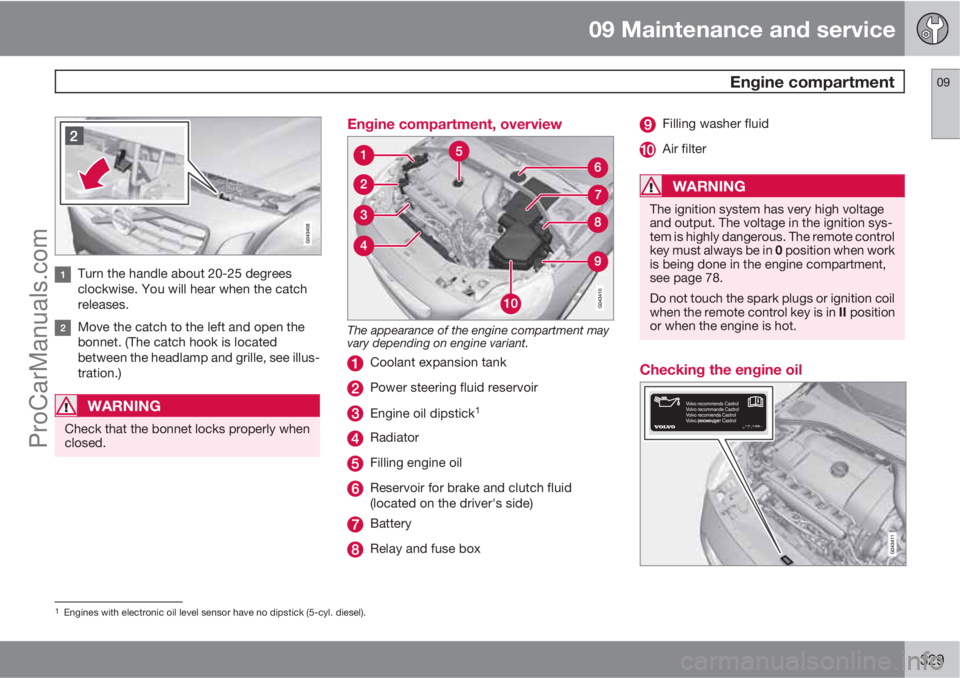
Turn the handle about 20-25 degrees
clockwise. You will hear when the catch
releases.
Move the catch to the left and open the
bonnet. (The catch hook is located
between the headlamp and grille, see illus-
tration.)
WARNING
Check that the bonnet locks properly when
closed.
Engine compartment, overview
The appearance of the engine compartment may
vary depending on engine variant.
Coolant expansion tank
Power steering fluid reservoir
Engine oil dipstick1
Radiator
Filling engine oil
Reservoir for brake and clutch fluid
(located on the driver's side)
Battery
Relay and fuse box
Filling washer fluid
Air filter
WARNING
The ignition system has very high voltage
and output. The voltage in the ignition sys-
tem is highly dangerous. The remote control
key must always be in 0 position when work
is being done in the engine compartment,
see page 78.
Do not touch the spark plugs or ignition coil
when the remote control key is in II position
or when the engine is hot.
Checking the engine oil
1Engines with electronic oil level sensor have no dipstick (5-cyl. diesel).
ProCarManuals.com
Page 335 of 422
09 Maintenance and service
Engine compartment09
333
For capacities and for standards regarding
water quality, see page 381.
Check the coolant regularlyThe level must lie between the MIN and MAX
marks on the expansion tank. If the system is
not filled sufficiently, high temperatures could
occur, causing a risk of damage to the engine.
IMPORTANT
•A high content of chlorine, chlorides
and other salts may cause corrosion in
the cooling system.
•Always use coolant with anti-corrosion
agent as recommended by Volvo.
•Ensure that the coolant mixture is 50%
water and 50% coolant.
•Mix the coolant with approved quality
tap water. In the event of any doubt
about water quality, used ready-mixed
coolant in accordance with Volvo rec-
ommendations.
•When changing coolant/replacing cool-
ing system components, flush the cool-
ing system clean with approved quality
tap water or flush with ready-mixed
coolant.
•The engine must only be run with a well-
filled cooling system. Otherwise, tem-
peratures that are too high may occur
resulting in the risk of damage (cracks)
in the cylinder head.
Brake and clutch fluid
Checking the levelBrake and clutch fluid have a common reser-
voir. The level must be between the MIN and
MAX marks that are visible inside the reservoir.
Check the level regularly.
Change the brake fluid every other year or at
every other regular service.
For capacities and recommended fluid grade,
see page 381. The fluid should be changed
annually on cars driven in conditions requiring
hard, frequent braking, such as driving in
mountains or tropical climates with high
humidity.
WARNING
If the brake fluid is under the MIN level in the
brake fluid reservoir, do not drive further
before topping up the brake fluid. Volvo rec-
ommends that the reason for the loss of
brake fluid is investigated by an authorised
Volvo workshop.
ProCarManuals.com
Page 350 of 422

09 Maintenance and service
Battery 09
348
NOTE
•The higher the current take-off in the car
(extra cooling/heating, etc.) the more
the batteries must be charged =
increased fuel consumption.
•When the capacity of the battery has
fallen below the lowest permissible level
then the Start/Stop function is disen-
gaged.
Temporarily reduced Start/Stop function due
to high current take-off means:
•The engine starts automatically2 without
the driver depressing the clutch pedal
(manual gearbox).
•The engine starts automatically without the
driver lifting his/her foot off the foot brake
pedal (automatic gearbox).
Location of the batteries
A: Left-hand drive car. B: Right-hand drive car. 1.
Battery for starting3 2. Support battery.
The support battery normally requires no more
service than the normal battery that is used for
starting. A workshop should be contacted in
the event of questions or problems - an author-
ised Volvo workshop is recommended.
IMPORTANT
If the following instruction is not observed
then the Start/Stop function may temporar-
ily cease to work after the connection of an
external battery or battery charger:
•The negative battery terminal on the
car's main battery must never be used
for connecting an external battery or
battery charger - only the car chassis
may be used as the grounding point.
See the section "Start assistance" - for a
description of how the cable clamps must
be attached.
2Automatic starting can only take place if the gear lever is in neutral position.3The battery for starting is described in detail on page 345.
ProCarManuals.com