park VOLVO V60 2013 User Guide
[x] Cancel search | Manufacturer: VOLVO, Model Year: 2013, Model line: V60, Model: VOLVO V60 2013Pages: 422, PDF Size: 9.59 MB
Page 96 of 422
03 Your driving environment
Lighting
03
94* Option/accessory, for more information, see Introduction.
Home safe light duration
Some of the exterior lighting can be kept
switched on to work as home safe lighting after
the car has been locked.
1. Remove the remote control key from the
ignition switch.
2. Move the left-hand stalk switch toward the
steering wheel to the end position and
release it. The function can be activated in
the same way as with main beam flash, see
page 87.
3. Get out of the car and lock the door.
When the function is activated, dipped beam,
parking lamps, door mirror lamps, number
plate lighting, interior roof lamps and courtesy
lighting are switched on.
The length of time for which the home safe
lighting should be kept on can be set in the
menu system MY CAR under Settings
Car
settings
Light settingsHome safe light
duration. For a description of the menu sys-
tem, see page 203.
Approach light duration
Approach lighting is switched on with the
remote control key, see page 45, and is used
to switch on the car's lighting at a distance.
When the function is activated with the remote
control, parking lamps, door mirror lamps,
number plate lighting, interior roof lamps and
courtesy lighting are switched on.
The length of time for which the approach light-
ing should be kept on can be set in the menu
system MY CAR under Settings
Car
settings
Light settingsApproach light
duration. For a description of the menu sys-
tem, see page 203.
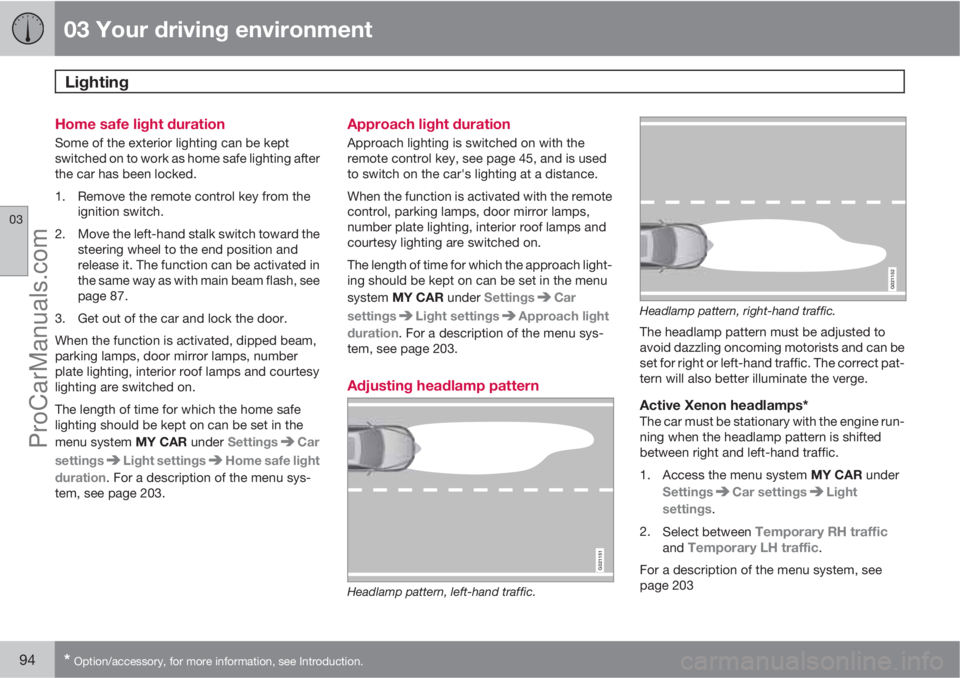
Adjusting headlamp pattern
G021151
Headlamp pattern, left-hand traffic.
G021152
Headlamp pattern, right-hand traffic.
The headlamp pattern must be adjusted to
avoid dazzling oncoming motorists and can be
set for right or left-hand traffic. The correct pat-
tern will also better illuminate the verge.
Active Xenon headlamps*The car must be stationary with the engine run-
ning when the headlamp pattern is shifted
between right and left-hand traffic.
1.
Access the menu system MY CAR under
Settings
Car settingsLight
settings.
2.
Select between
Temporary RH trafficand Temporary LH traffic.
For a description of the menu system, see
page 203
ProCarManuals.com
Page 105 of 422
03 Your driving environment
Windows, rearview and door mirrors
03
103
ResettingIf the battery is disconnected then the function
for automatic opening must be reset so that it
can work correctly.
1. Gently raise the front section of the button
to raise the window to its end position and
hold it there for one second.
2. Release the button briefly.
3. Raise the front section of the button again
for one second.
WARNING
Resetting must be carried out to ensure that
pinch protection works.
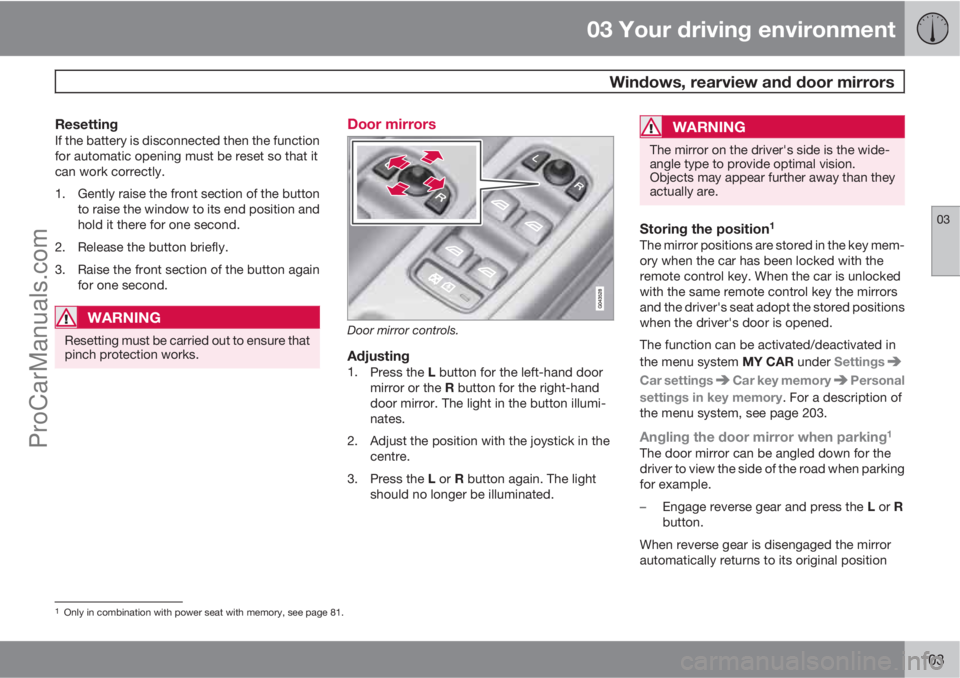
Door mirrors
Door mirror controls.
Adjusting1.
Press the L button for the left-hand door
mirror or the R button for the right-hand
door mirror. The light in the button illumi-
nates.
2. Adjust the position with the joystick in the
centre.
3.
Press the L or R button again. The light
should no longer be illuminated.
WARNING
The mirror on the driver's side is the wide-
angle type to provide optimal vision.
Objects may appear further away than they
actually are.
Storing the position1
The mirror positions are stored in the key mem-
ory when the car has been locked with the
remote control key. When the car is unlocked
with the same remote control key the mirrors
and the driver's seat adopt the stored positions
when the driver's door is opened.
The function can be activated/deactivated in
the menu system MY CAR under Settings
Car settingsCar key memoryPersonal
settings in key memory. For a description of
the menu system, see page 203.
Angling the door mirror when parking1
The door mirror can be angled down for the
driver to view the side of the road when parking
for example.
–
Engage reverse gear and press the L or R
button.
When reverse gear is disengaged the mirror
automatically returns to its original position
1Only in combination with power seat with memory, see page 81.
ProCarManuals.com
Page 106 of 422
03 Your driving environment
Windows, rearview and door mirrors
03
104* Option/accessory, for more information, see Introduction.
after approx. 10 seconds, or sooner by press-
ing the L and R button.
Automatic angling of the door mirror
when parking1
When reverse gear is engaged the door mirror
is automatically angled down so that the driver
can see the side of the road when parking for
example. When reverse gear is disengaged the
mirror automatically returns to its original posi-
tion after a short time.
The function can be activated/deactivated in
the menu system MY CAR under Settings
Car settingsSide mirror settingsTilt
left mirror or
Tilt right mirror. For a descrip-
tion of the menu system, see page 203.
Automatic retraction when locking1
When the car is locked/unlocked with the
remote control key the door mirrors are auto-
matically retracted/extended.
The function can be activated/deactivated in
the menu system MY CAR under Settings
Car settingsSide mirror settingsFold
mirrors. For a description of the menu system,
see page 203.
Resetting to neutralMirrors that have been moved out of position
by an external force must be reset electrically
to the neutral position for electric retracting/
extending to work correctly:
1.
Retract the mirrors with the L and R but-
tons.
2.
Fold them out again with the L and R but-
tons.
3. Repeat the above procedure as necessary.
The mirrors are now reset in neutral position.
Retractable power door mirrors*The mirrors can be retracted for parking/driving
in narrow spaces:
1.
Depress the L and R buttons simultane-
ously (key position must be at least I).
2. Release them after
approximately 1 second. The mirrors auto-
matically stop in the fully retracted posi-
tion.
Fold out the mirrors by pressing down the L
and R buttons simultaneously. The mirrors
automatically stop in the fully extended posi-
tion.
Home safe and approach lightingThe light on the door mirrors illuminates when
approach lighting or home safe lighting is
selected, see page 94.
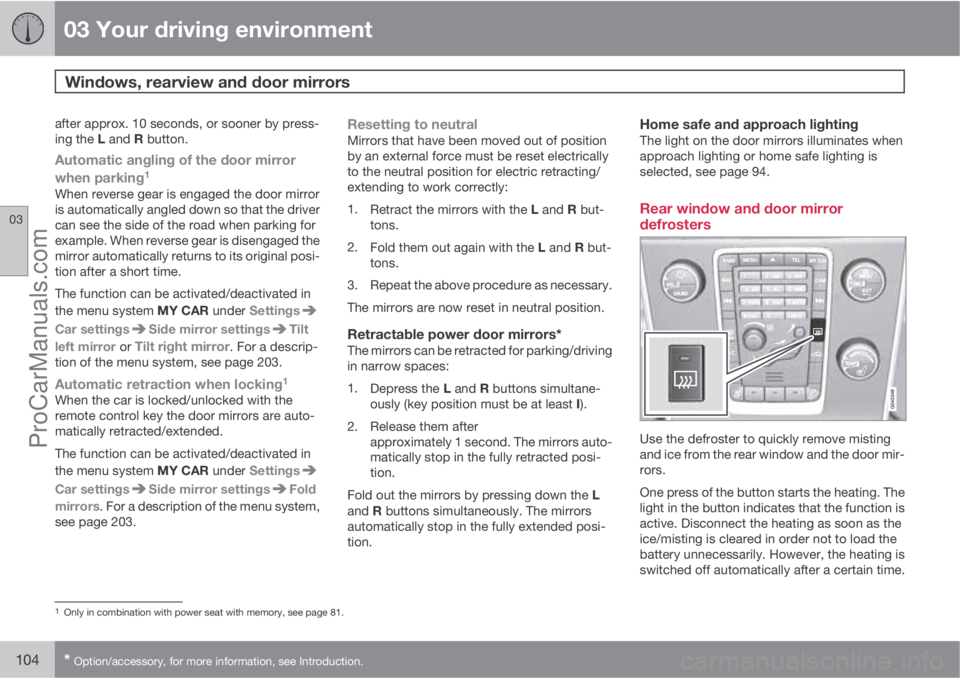
Rear window and door mirror
defrosters
Use the defroster to quickly remove misting
and ice from the rear window and the door mir-
rors.
One press of the button starts the heating. The
light in the button indicates that the function is
active. Disconnect the heating as soon as the
ice/misting is cleared in order not to load the
battery unnecessarily. However, the heating is
switched off automatically after a certain time.
1Only in combination with power seat with memory, see page 81.
ProCarManuals.com
Page 116 of 422
03 Your driving environment
Starting the engine
03
114* Option/accessory, for more information, see Introduction.
If the gear selector is not in P position or if the
car is moving:
•Press twice on START/STOP ENGINE or
hold the button depressed until the engine
stops.
Steering lockA mechanical noise can be perceived when the
steering lock unlocks or locks.
•The steering lock unlocks when the remote
control key is in the ignition switch2 and the
START/STOP ENGINE button is
depressed.
•The steering lock locks when the driver's
door is opened after the engine has been
switched off.
Key positionsFor information on the remote control key's dif-
ferent key positions - see page 78
Remote start - ERS*
General information on ERSRemote start (ERS – Engine Remote Start)
means that the car's engine can be started
remotely using the remote control key. This is
so that the passenger compartment can be
warmed up/cooled down before departure.
The climate control starts with the same set-
tings that were being used when the car was
parked.
An ERS-started engine is activated for a maxi-
mum of 15 minutes, then it is switched off. After
two ERS-activations the engine must be
started in the normal way before ERS can be
re-used.
The ERS option is only available on cars with
automatic gearbox.
NOTE
Follow local/national rules/regulations on
idling.
WARNING
To remote-start the engine, the following
criteria must be met:
•The car must be supervised
•There must be no people or animals
inside the car
•The car must not be parked in a closed,
unventilated area - the exhaust gases
may seriously injure humans and ani-
mals.
2Cars with Keyless drive must have a remote control key inside the passenger compartment.
ProCarManuals.com
Page 122 of 422
03 Your driving environment
Starting the engine – external battery
03
120
Jump starting
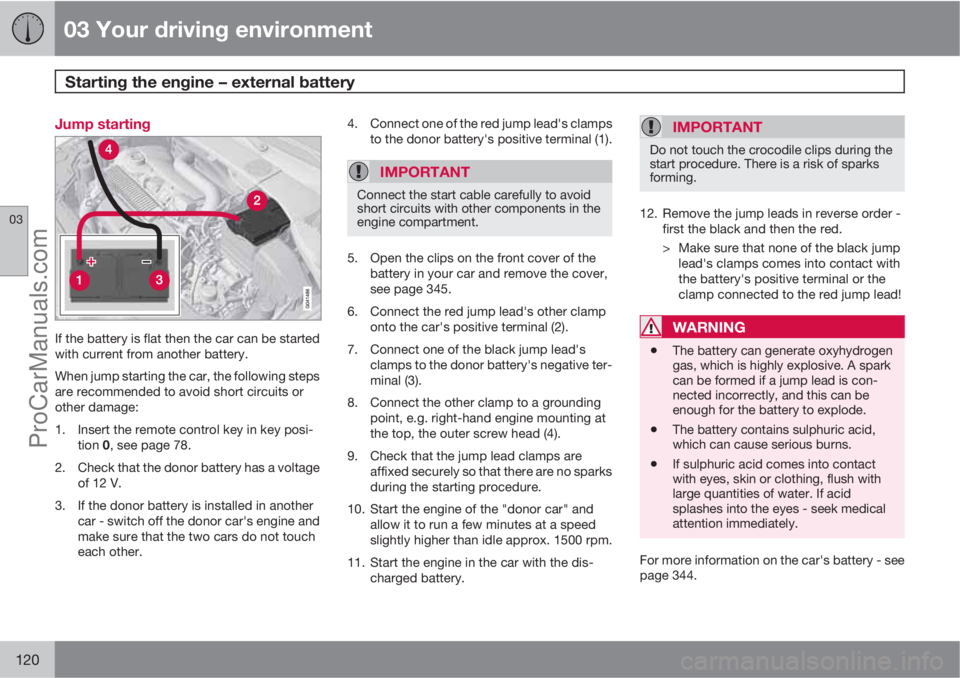
If the battery is flat then the car can be started
with current from another battery.
When jump starting the car, the following steps
are recommended to avoid short circuits or
other damage:
1. Insert the remote control key in key posi-
tion 0, see page 78.
2. Check that the donor battery has a voltage
of 12 V.
3. If the donor battery is installed in another
car - switch off the donor car's engine and
make sure that the two cars do not touch
each other.4. Connect one of the red jump lead's clamps
to the donor battery's positive terminal (1).
IMPORTANT
Connect the start cable carefully to avoid
short circuits with other components in the
engine compartment.
5. Open the clips on the front cover of the
battery in your car and remove the cover,
see page 345.
6. Connect the red jump lead's other clamp
onto the car's positive terminal (2).
7. Connect one of the black jump lead's
clamps to the donor battery's negative ter-
minal (3).
8. Connect the other clamp to a grounding
point, e.g. right-hand engine mounting at
the top, the outer screw head (4).
9. Check that the jump lead clamps are
affixed securely so that there are no sparks
during the starting procedure.
10. Start the engine of the "donor car" and
allow it to run a few minutes at a speed
slightly higher than idle approx. 1500 rpm.
11. Start the engine in the car with the dis-
charged battery.
IMPORTANT
Do not touch the crocodile clips during the
start procedure. There is a risk of sparks
forming.
12. Remove the jump leads in reverse order -
first the black and then the red.
> Make sure that none of the black jump
lead's clamps comes into contact with
the battery's positive terminal or the
clamp connected to the red jump lead!
WARNING
•The battery can generate oxyhydrogen
gas, which is highly explosive. A spark
can be formed if a jump lead is con-
nected incorrectly, and this can be
enough for the battery to explode.
•The battery contains sulphuric acid,
which can cause serious burns.
•If sulphuric acid comes into contact
with eyes, skin or clothing, flush with
large quantities of water. If acid
splashes into the eyes - seek medical
attention immediately.
For more information on the car's battery - see
page 344.
ProCarManuals.com
Page 123 of 422
03 Your driving environment
Gearboxes
03
121
IMPORTANT
The operating temperature of the gearbox is
checked in order to prevent damage to any
of the drive system's components. In the
event of a risk of overheating a warning
symbol illuminates on the instrument panel
combined with a text message - In which
case, follow the recommendation given.
Manual gearbox
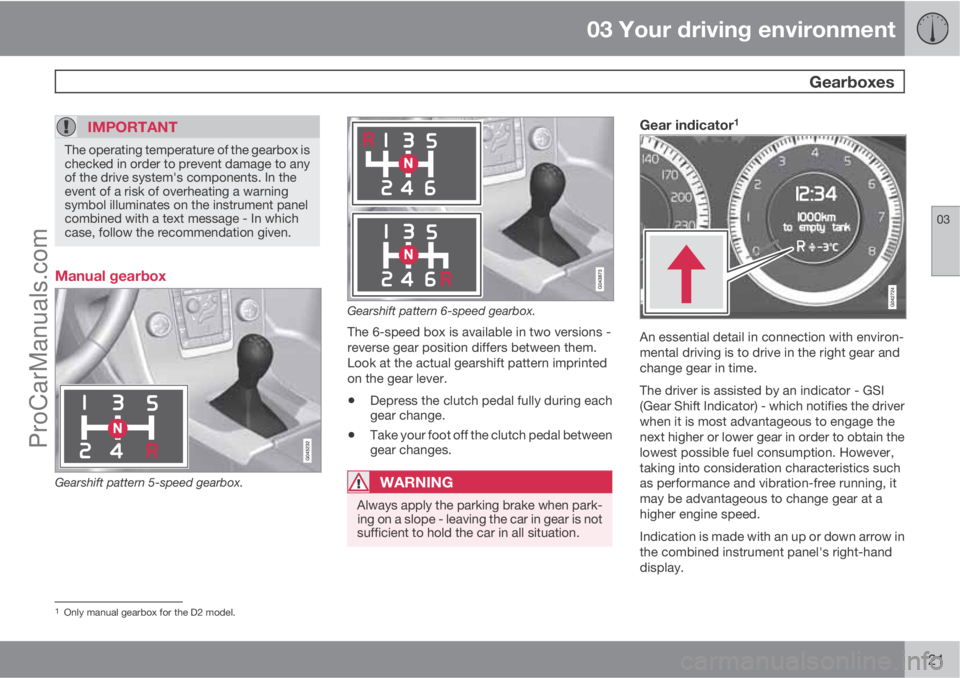
Gearshift pattern 5-speed gearbox.
Gearshift pattern 6-speed gearbox.
The 6-speed box is available in two versions -
reverse gear position differs between them.
Look at the actual gearshift pattern imprinted
on the gear lever.
•Depress the clutch pedal fully during each
gear change.
•Take your foot off the clutch pedal between
gear changes.
WARNING
Always apply the parking brake when park-
ing on a slope - leaving the car in gear is not
sufficient to hold the car in all situation.
Gear indicator1
An essential detail in connection with environ-
mental driving is to drive in the right gear and
change gear in time.
The driver is assisted by an indicator - GSI
(Gear Shift Indicator) - which notifies the driver
when it is most advantageous to engage the
next higher or lower gear in order to obtain the
lowest possible fuel consumption. However,
taking into consideration characteristics such
as performance and vibration-free running, it
may be advantageous to change gear at a
higher engine speed.
Indication is made with an up or down arrow in
the combined instrument panel's right-hand
display.
1Only manual gearbox for the D2 model.
ProCarManuals.com
Page 124 of 422
03 Your driving environment
Gearboxes
03
122* Option/accessory, for more information, see Introduction.
Reverse gear inhibitorThe reverse gear inhibitor hinders the possibil-
ity of mistakenly attempting to engage reverse
gear during normal forward travel.
•Follow the gearing pattern printed on the
gear lever and start from neutral position,
N before moving it to R position.
•Only engage reverse gear when the car is
stationary.
NOTE
With the upper variant of the shifting pattern
for 6-speed gearbox (see previous illustra-
tion) - first press down the gear lever in the
N position in order to engage reverse gear.
Automatic gearbox Geartronic*
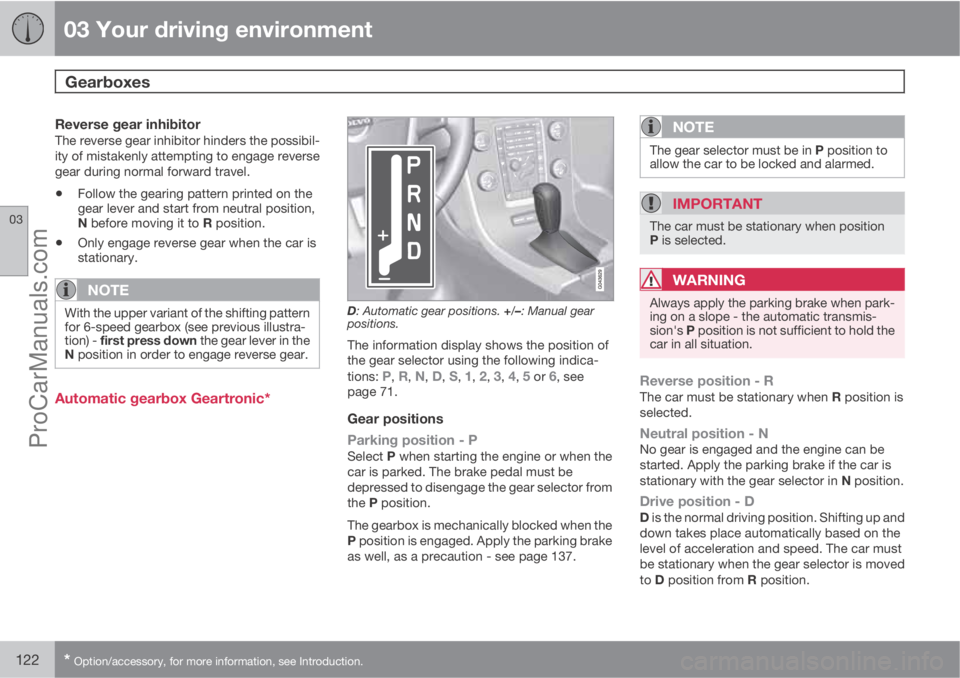
D: Automatic gear positions. +/–: Manual gear
positions.
The information display shows the position of
the gear selector using the following indica-
tions:
P, R, N, D, S, 1, 2, 3, 4, 5 or 6, see
page 71.
Gear positions
Parking position - P
Select P when starting the engine or when the
car is parked. The brake pedal must be
depressed to disengage the gear selector from
the P position.
The gearbox is mechanically blocked when the
P position is engaged. Apply the parking brake
as well, as a precaution - see page 137.
NOTE
The gear selector must be in P position to
allow the car to be locked and alarmed.
IMPORTANT
The car must be stationary when position
P is selected.
WARNING
Always apply the parking brake when park-
ing on a slope - the automatic transmis-
sion's P position is not sufficient to hold the
car in all situation.
Reverse position - RThe car must be stationary when R position is
selected.
Neutral position - NNo gear is engaged and the engine can be
started. Apply the parking brake if the car is
stationary with the gear selector in N position.
Drive position - DD is the normal driving position. Shifting up and
down takes place automatically based on the
level of acceleration and speed. The car must
be stationary when the gear selector is moved
to D position from R position.
ProCarManuals.com
Page 126 of 422
03 Your driving environment
Gearboxes
03
124
Geartronic does not permit downshifting/kick-
down which would result in an engine speed
high enough to damage the engine. Nothing
happens if the driver still tries to shift down in
this way at high engine speed – the original
gear remains engaged.
When kick-down is activated the car can
change one or more gears at a time depending
on engine speed. The car changes up when the
engine reaches its maximum speed in order to
prevent damage to the engine.
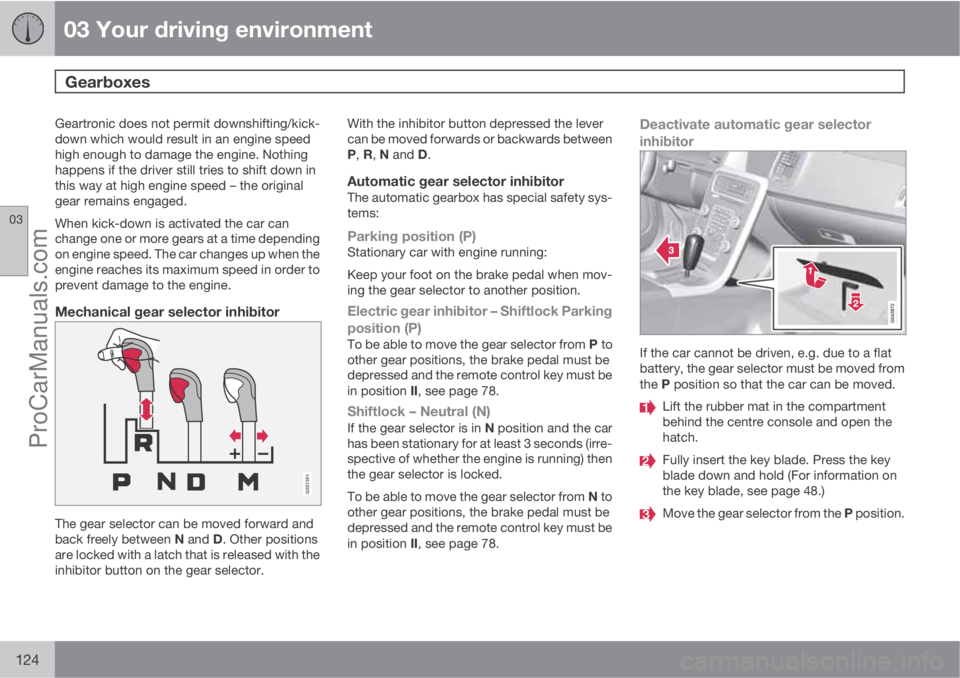
Mechanical gear selector inhibitor
G021351
The gear selector can be moved forward and
back freely between N and D. Other positions
are locked with a latch that is released with the
inhibitor button on the gear selector.With the inhibitor button depressed the lever
can be moved forwards or backwards between
P, R, N and D.
Automatic gear selector inhibitorThe automatic gearbox has special safety sys-
tems:
Parking position (P)Stationary car with engine running:
Keep your foot on the brake pedal when mov-
ing the gear selector to another position.
Electric gear inhibitor – Shiftlock Parking
position (P)
To be able to move the gear selector from P to
other gear positions, the brake pedal must be
depressed and the remote control key must be
in position II, see page 78.
Shiftlock – Neutral (N)If the gear selector is in N position and the car
has been stationary for at least 3 seconds (irre-
spective of whether the engine is running) then
the gear selector is locked.
To be able to move the gear selector from N to
other gear positions, the brake pedal must be
depressed and the remote control key must be
in position II, see page 78.
Deactivate automatic gear selector
inhibitor
If the car cannot be driven, e.g. due to a flat
battery, the gear selector must be moved from
the P position so that the car can be moved.
Lift the rubber mat in the compartment
behind the centre console and open the
hatch.
Fully insert the key blade. Press the key
blade down and hold (For information on
the key blade, see page 48.)
Move the gear selector from the P position.
ProCarManuals.com
Page 128 of 422
03 Your driving environment
Gearboxes
03
126
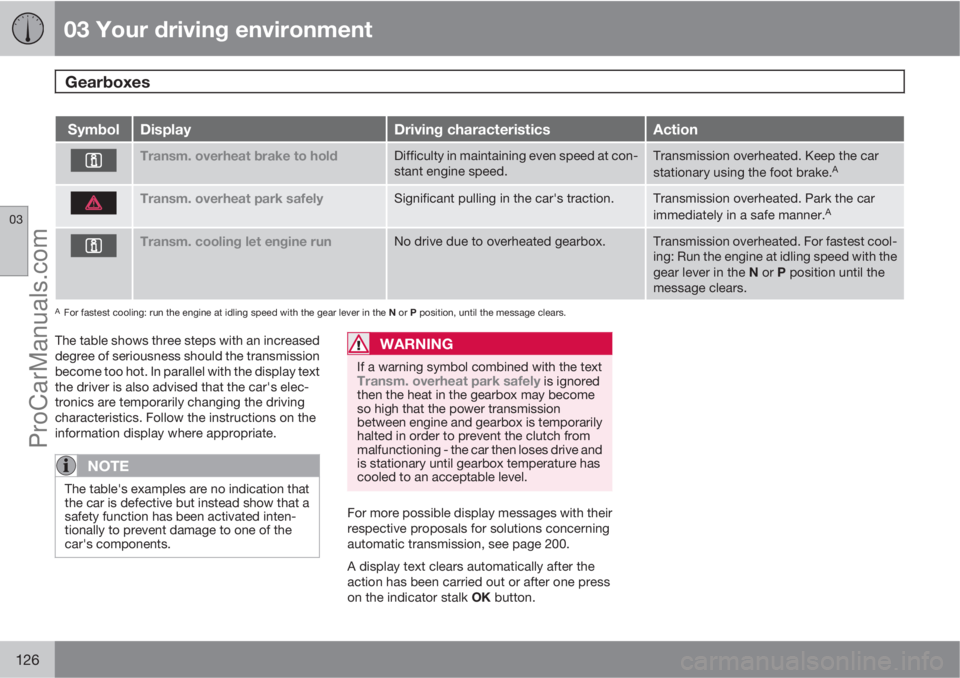
SymbolDisplayDriving characteristicsAction
Transm. overheat brake to holdDifficulty in maintaining even speed at con-
stant engine speed.Transmission overheated. Keep the car
stationary using the foot brake.A
Transm. overheat park safelySignificant pulling in the car's traction.Transmission overheated. Park the car
immediately in a safe manner.A
Transm. cooling let engine runNo drive due to overheated gearbox.Transmission overheated. For fastest cool-
ing: Run the engine at idling speed with the
gear lever in the N or P position until the
message clears.
AFor fastest cooling: run the engine at idling speed with the gear lever in the N or P position, until the message clears.
The table shows three steps with an increased
degree of seriousness should the transmission
become too hot. In parallel with the display text
the driver is also advised that the car's elec-
tronics are temporarily changing the driving
characteristics. Follow the instructions on the
information display where appropriate.
NOTE
The table's examples are no indication that
the car is defective but instead show that a
safety function has been activated inten-
tionally to prevent damage to one of the
car's components.
WARNING
If a warning symbol combined with the textTransm. overheat park safely is ignored
then the heat in the gearbox may become
so high that the power transmission
between engine and gearbox is temporarily
halted in order to prevent the clutch from
malfunctioning - the car then loses drive and
is stationary until gearbox temperature has
cooled to an acceptable level.
For more possible display messages with their
respective proposals for solutions concerning
automatic transmission, see page 200.
A display text clears automatically after the
action has been carried out or after one press
on the indicator stalk OK button.
ProCarManuals.com
Page 137 of 422
03 Your driving environment
Foot brake
03
135 General
The car is equipped with two brake circuits. If
one brake circuit is damaged then this will
mean that the brakes engage at a deeper level
and harder pressure on the pedal is needed to
produce the normal braking effect.
The driver's brake pedal pressure is assisted
by a brake servo.
WARNING
The brake servo only works when the engine
is running.
If the brake is used when the engine is switched
off then the pedal will feel stiff and more force
must be used to brake the car.
In very hilly terrain or when driving with a heavy
load the brakes can be relieved by using engine
braking. Engine braking is most efficiently used
if the same gear is used downhill as up.
For more general information on heavy loads
on the car, see page 378.
Anti-lock braking systemThe car is equipped with ABS (Anti-lock
Braking System) which prevents the wheels
from locking during braking. This means the
ability to steer is maintained and it is easier to
swerve to avoid a hazard for example. Vibrationmay be felt in the brake pedal when this is
engaged and this is normal.
A short test of the ABS system is made auto-
matically after the engine has been started
when the driver releases the brake pedal. A
further automatic test of the ABS system may
be made when the car reaches 10 km/h. The
test may be experienced as pulses in the brake
pedal.
Emergency brake lights and automatic
hazard warning flashers
Emergency brake lights are activated to alert
vehicles behind about sudden braking. The
function means that the brake light flashes
instead of - as in normal braking - shining with
a constant glow.
Emergency brake lights are activated at
speeds above 50 km/h if the ABS system is
working and/or in the event of sudden braking.
After the car's speed has been slowed below
10 km/h the brake light returns from flashing to
the normal constant glow - while at the same
time the hazard warning flashers are activated,
and they flash until the driver changes engine
speed with the accelerator pedal or they are
deactivated with their button, see page 92.
Cleaning the brake discsCoatings of dirt and water on the brake discs
may result in delayed brake function. This delay
is minimised by cleaning the brake linings.
Manual cleaning is advisable with wet road sur-
faces, prior to long-stay parking and after the
car has been washed. Carry this out by braking
gently during a short period while en route.
Emergency Brake AssistanceEmergency Brake Assistance EBA (Emergency
Brake Assist) helps to increase brake force and
so reduce braking distance. EBA detects the
driver's braking style and increases brake force
as necessary. The brake force can be rein-
forced up to the level when the ABS system is
engaged. The EBA function is interrupted when
the pressure on the brake pedal is reduced.
NOTE
When EBA is activated the brake pedal low-
ers slightly more than usual, depress (hold)
the brake pedal as long as necessary. If the
brake pedal is released then all braking
ceases.
MaintenanceTo keep the car as safe and reliable as possi-
ble, follow the Volvo service intervals as speci-
ProCarManuals.com