heating VOLVO V60 2013 Owners Manual
[x] Cancel search | Manufacturer: VOLVO, Model Year: 2013, Model line: V60, Model: VOLVO V60 2013Pages: 422, PDF Size: 9.59 MB
Page 75 of 422
03 Your driving environment
Instruments and controls
03
* Option/accessory, for more information, see Introduction.73
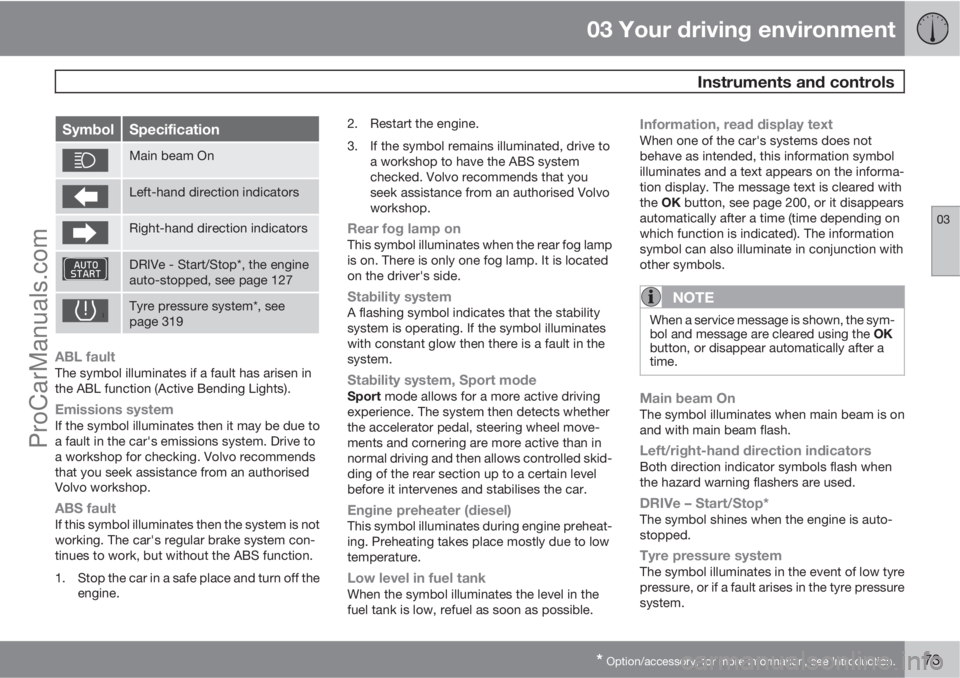
SymbolSpecification
Main beam On
Left-hand direction indicators
Right-hand direction indicators
DRIVe - Start/Stop*, the engine
auto-stopped, see page 127
Tyre pressure system*, see
page 319
ABL faultThe symbol illuminates if a fault has arisen in
the ABL function (Active Bending Lights).
Emissions systemIf the symbol illuminates then it may be due to
a fault in the car's emissions system. Drive to
a workshop for checking. Volvo recommends
that you seek assistance from an authorised
Volvo workshop.
ABS faultIf this symbol illuminates then the system is not
working. The car's regular brake system con-
tinues to work, but without the ABS function.
1. Stop the car in a safe place and turn off the
engine.2. Restart the engine.
3. If the symbol remains illuminated, drive to
a workshop to have the ABS system
checked. Volvo recommends that you
seek assistance from an authorised Volvo
workshop.
Rear fog lamp onThis symbol illuminates when the rear fog lamp
is on. There is only one fog lamp. It is located
on the driver's side.
Stability systemA flashing symbol indicates that the stability
system is operating. If the symbol illuminates
with constant glow then there is a fault in the
system.
Stability system, Sport modeSport mode allows for a more active driving
experience. The system then detects whether
the accelerator pedal, steering wheel move-
ments and cornering are more active than in
normal driving and then allows controlled skid-
ding of the rear section up to a certain level
before it intervenes and stabilises the car.
Engine preheater (diesel)This symbol illuminates during engine preheat-
ing. Preheating takes place mostly due to low
temperature.
Low level in fuel tankWhen the symbol illuminates the level in the
fuel tank is low, refuel as soon as possible.
Information, read display textWhen one of the car's systems does not
behave as intended, this information symbol
illuminates and a text appears on the informa-
tion display. The message text is cleared with
the OK button, see page 200, or it disappears
automatically after a time (time depending on
which function is indicated). The information
symbol can also illuminate in conjunction with
other symbols.
NOTE
When a service message is shown, the sym-
bol and message are cleared using the OK
button, or disappear automatically after a
time.
Main beam OnThe symbol illuminates when main beam is on
and with main beam flash.
Left/right-hand direction indicatorsBoth direction indicator symbols flash when
the hazard warning flashers are used.
DRIVe – Start/Stop*The symbol shines when the engine is auto-
stopped.
Tyre pressure systemThe symbol illuminates in the event of low tyre
pressure, or if a fault arises in the tyre pressure
system.
ProCarManuals.com
Page 80 of 422
03 Your driving environment
Key positions
03
78* Option/accessory, for more information, see Introduction.
Insert and remove the remote control
key
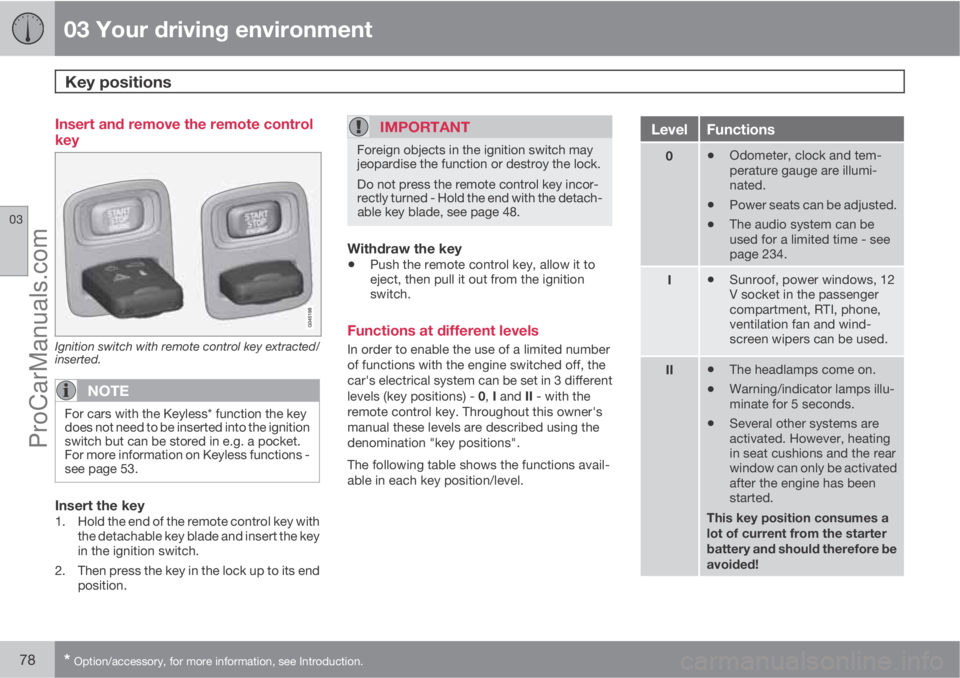
Ignition switch with remote control key extracted/
inserted.
NOTE
For cars with the Keyless* function the key
does not need to be inserted into the ignition
switch but can be stored in e.g. a pocket.
For more information on Keyless functions -
see page 53.
Insert the key1. Hold the end of the remote control key with
the detachable key blade and insert the key
in the ignition switch.
2. Then press the key in the lock up to its end
position.
IMPORTANT
Foreign objects in the ignition switch may
jeopardise the function or destroy the lock.
Do not press the remote control key incor-
rectly turned - Hold the end with the detach-
able key blade, see page 48.
Withdraw the key
•Push the remote control key, allow it to
eject, then pull it out from the ignition
switch.
Functions at different levels
In order to enable the use of a limited number
of functions with the engine switched off, the
car's electrical system can be set in 3 different
levels (key positions) - 0, I and II - with the
remote control key. Throughout this owner's
manual these levels are described using the
denomination "key positions".
The following table shows the functions avail-
able in each key position/level.
LevelFunctions
0•Odometer, clock and tem-
perature gauge are illumi-
nated.
•Power seats can be adjusted.
•The audio system can be
used for a limited time - see
page 234.
I•Sunroof, power windows, 12
V socket in the passenger
compartment, RTI, phone,
ventilation fan and wind-
screen wipers can be used.
II•The headlamps come on.
•Warning/indicator lamps illu-
minate for 5 seconds.
•Several other systems are
activated. However, heating
in seat cushions and the rear
window can only be activated
after the engine has been
started.
This key position consumes a
lot of current from the starter
battery and should therefore be
avoided!
ProCarManuals.com
Page 101 of 422
03 Your driving environment
Wipers and washing
03
* Option/accessory, for more information, see Introduction.99
The rain sensor is automatically deactivated
when the remote control key is removed from
the ignition switch or five minutes after the
engine has been switched off.
IMPORTANT
The windscreen wipers could start and be
damaged in an automatic car wash. Deac-
tivate the rain sensor while the car is running
or the remote control key is in position I or
II. The symbol in the combined instrument
panel and the lamp in the button go out.
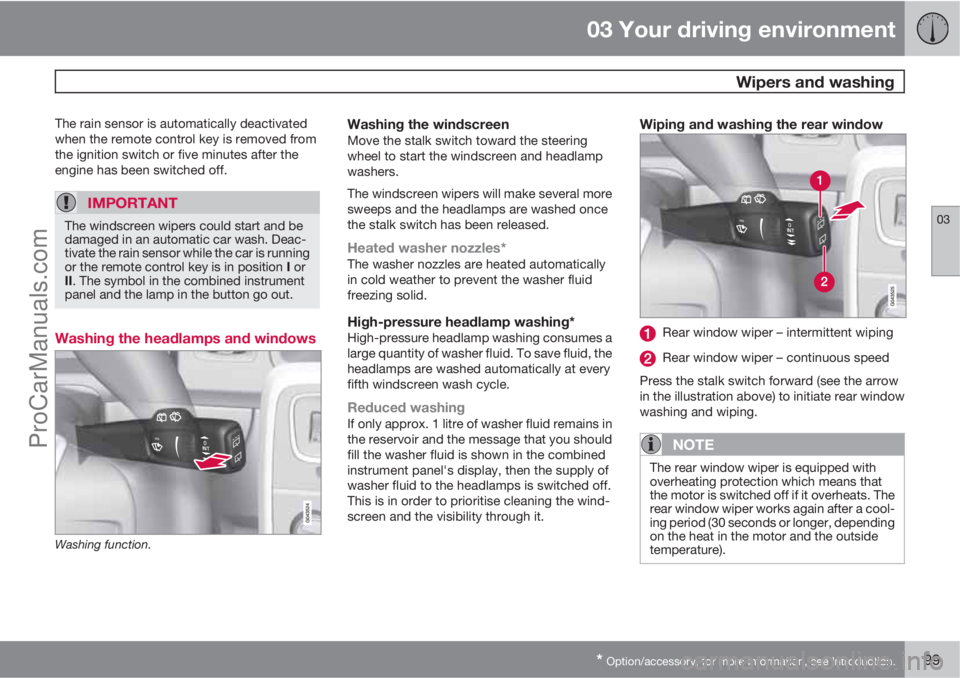
Washing the headlamps and windows
Washing function.
Washing the windscreenMove the stalk switch toward the steering
wheel to start the windscreen and headlamp
washers.
The windscreen wipers will make several more
sweeps and the headlamps are washed once
the stalk switch has been released.
Heated washer nozzles*The washer nozzles are heated automatically
in cold weather to prevent the washer fluid
freezing solid.
High-pressure headlamp washing*High-pressure headlamp washing consumes a
large quantity of washer fluid. To save fluid, the
headlamps are washed automatically at every
fifth windscreen wash cycle.
Reduced washingIf only approx. 1 litre of washer fluid remains in
the reservoir and the message that you should
fill the washer fluid is shown in the combined
instrument panel's display, then the supply of
washer fluid to the headlamps is switched off.
This is in order to prioritise cleaning the wind-
screen and the visibility through it.
Wiping and washing the rear window
Rear window wiper – intermittent wiping
Rear window wiper – continuous speed
Press the stalk switch forward (see the arrow
in the illustration above) to initiate rear window
washing and wiping.
NOTE
The rear window wiper is equipped with
overheating protection which means that
the motor is switched off if it overheats. The
rear window wiper works again after a cool-
ing period (30 seconds or longer, depending
on the heat in the motor and the outside
temperature).
ProCarManuals.com
Page 106 of 422
03 Your driving environment
Windows, rearview and door mirrors
03
104* Option/accessory, for more information, see Introduction.
after approx. 10 seconds, or sooner by press-
ing the L and R button.
Automatic angling of the door mirror
when parking1
When reverse gear is engaged the door mirror
is automatically angled down so that the driver
can see the side of the road when parking for
example. When reverse gear is disengaged the
mirror automatically returns to its original posi-
tion after a short time.
The function can be activated/deactivated in
the menu system MY CAR under Settings
Car settingsSide mirror settingsTilt
left mirror or
Tilt right mirror. For a descrip-
tion of the menu system, see page 203.
Automatic retraction when locking1
When the car is locked/unlocked with the
remote control key the door mirrors are auto-
matically retracted/extended.
The function can be activated/deactivated in
the menu system MY CAR under Settings
Car settingsSide mirror settingsFold
mirrors. For a description of the menu system,
see page 203.
Resetting to neutralMirrors that have been moved out of position
by an external force must be reset electrically
to the neutral position for electric retracting/
extending to work correctly:
1.
Retract the mirrors with the L and R but-
tons.
2.
Fold them out again with the L and R but-
tons.
3. Repeat the above procedure as necessary.
The mirrors are now reset in neutral position.
Retractable power door mirrors*The mirrors can be retracted for parking/driving
in narrow spaces:
1.
Depress the L and R buttons simultane-
ously (key position must be at least I).
2. Release them after
approximately 1 second. The mirrors auto-
matically stop in the fully retracted posi-
tion.
Fold out the mirrors by pressing down the L
and R buttons simultaneously. The mirrors
automatically stop in the fully extended posi-
tion.
Home safe and approach lightingThe light on the door mirrors illuminates when
approach lighting or home safe lighting is
selected, see page 94.
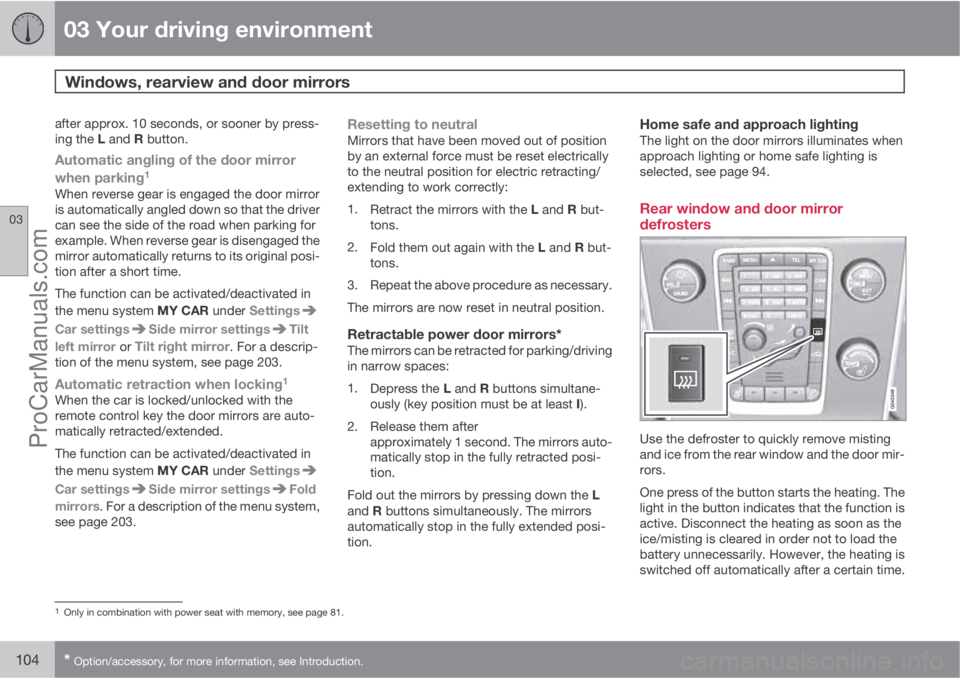
Rear window and door mirror
defrosters
Use the defroster to quickly remove misting
and ice from the rear window and the door mir-
rors.
One press of the button starts the heating. The
light in the button indicates that the function is
active. Disconnect the heating as soon as the
ice/misting is cleared in order not to load the
battery unnecessarily. However, the heating is
switched off automatically after a certain time.
1Only in combination with power seat with memory, see page 81.
ProCarManuals.com
Page 113 of 422
03 Your driving environment
Alcolock*
03
* Option/accessory, for more information, see Introduction.111 To bear in mind
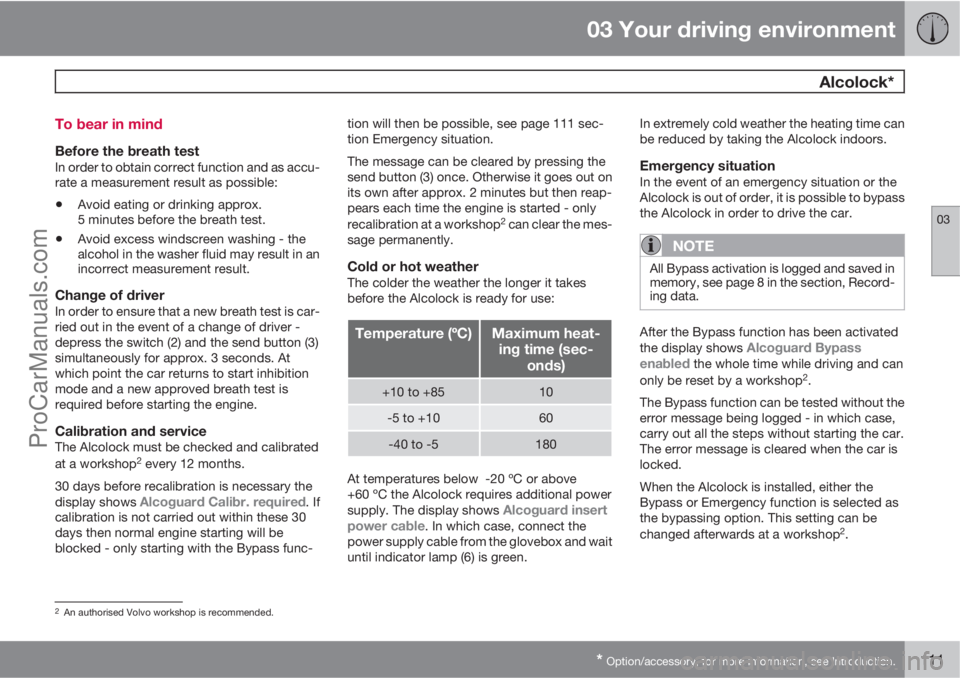
Before the breath testIn order to obtain correct function and as accu-
rate a measurement result as possible:
•Avoid eating or drinking approx.
5 minutes before the breath test.
•Avoid excess windscreen washing - the
alcohol in the washer fluid may result in an
incorrect measurement result.
Change of driverIn order to ensure that a new breath test is car-
ried out in the event of a change of driver -
depress the switch (2) and the send button (3)
simultaneously for approx. 3 seconds. At
which point the car returns to start inhibition
mode and a new approved breath test is
required before starting the engine.
Calibration and serviceThe Alcolock must be checked and calibrated
at a workshop2 every 12 months.
30 days before recalibration is necessary the
display shows
Alcoguard Calibr. required. If
calibration is not carried out within these 30
days then normal engine starting will be
blocked - only starting with the Bypass func-tion will then be possible, see page 111 sec-
tion Emergency situation.
The message can be cleared by pressing the
send button (3) once. Otherwise it goes out on
its own after approx. 2 minutes but then reap-
pears each time the engine is started - only
recalibration at a workshop
2 can clear the mes-
sage permanently.
Cold or hot weatherThe colder the weather the longer it takes
before the Alcolock is ready for use:
Temperature (ºC)Maximum heat-
ing time (sec-
onds)
+10 to +8510
-5 to +1060
-40 to -5180
At temperatures below -20 ºC or above
+60 ºC the Alcolock requires additional power
supply. The display shows
Alcoguard insert
power cable. In which case, connect the
power supply cable from the glovebox and wait
until indicator lamp (6) is green.In extremely cold weather the heating time can
be reduced by taking the Alcolock indoors.
Emergency situationIn the event of an emergency situation or the
Alcolock is out of order, it is possible to bypass
the Alcolock in order to drive the car.
NOTE
All Bypass activation is logged and saved in
memory, see page 8 in the section, Record-
ing data.
After the Bypass function has been activated
the display shows Alcoguard Bypass
enabled the whole time while driving and can
only be reset by a workshop2.
The Bypass function can be tested without the
error message being logged - in which case,
carry out all the steps without starting the car.
The error message is cleared when the car is
locked.
When the Alcolock is installed, either the
Bypass or Emergency function is selected as
the bypassing option. This setting can be
changed afterwards at a workshop
2.
2An authorised Volvo workshop is recommended.
ProCarManuals.com
Page 114 of 422
03 Your driving environment
Alcolock*
03
112* Option/accessory, for more information, see Introduction.
Activating the Bypass function
•Depress and hold the left-hand stalk
switch OK button and the button for haz-
ard warning flashers simultaneously for
approx. 5 seconds - the display first shows
Bypass activated Wait 1 minute and
then Alcoguard Bypass enabled - after
which the engine can be started.
This function can be activated several times.
The error message shown during driving can
only be cleared at a workshop
2.
Activating the Emergency function
•Depress and hold the left-hand stalk
switch OK button and the button for haz-
ard warning flashers simultaneously for
approx. 5 seconds - the display shows
Alcoguard Bypass enabled and the
engine can be started.
This function can be used once, after which a
reset must be made at a workshop
2.
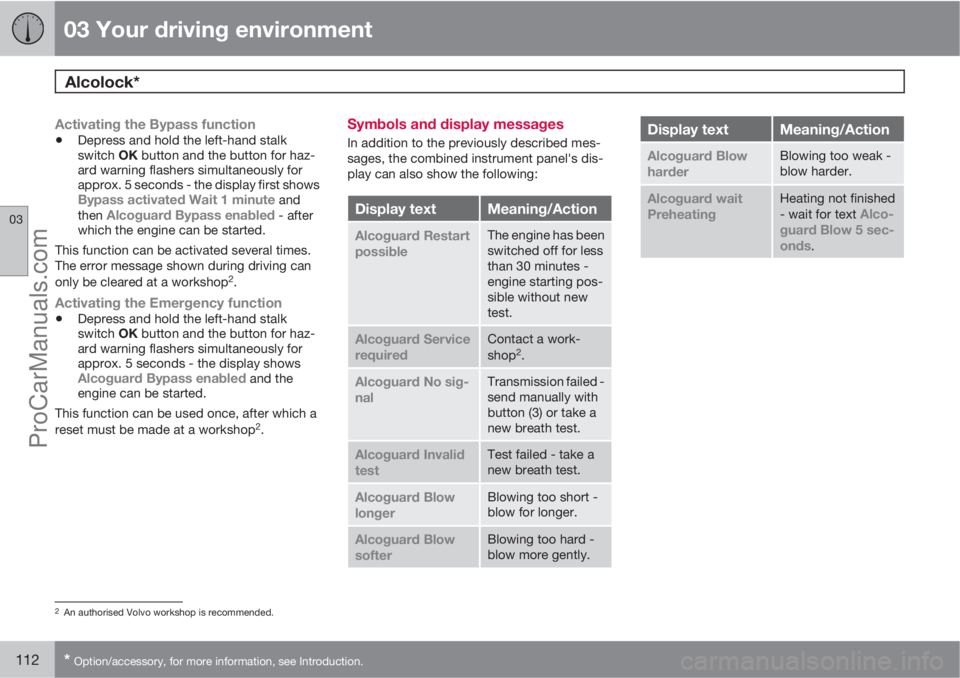
Symbols and display messages
In addition to the previously described mes-
sages, the combined instrument panel's dis-
play can also show the following:
Display textMeaning/Action
Alcoguard Restart
possibleThe engine has been
switched off for less
than 30 minutes -
engine starting pos-
sible without new
test.
Alcoguard Service
requiredContact a work-
shop2.
Alcoguard No sig-
nalTransmission failed -
send manually with
button (3) or take a
new breath test.
Alcoguard Invalid
testTest failed - take a
new breath test.
Alcoguard Blow
longerBlowing too short -
blow for longer.
Alcoguard Blow
softerBlowing too hard -
blow more gently.
Display textMeaning/Action
Alcoguard Blow
harderBlowing too weak -
blow harder.
Alcoguard wait
PreheatingHeating not finished
- wait for text Alco-
guard Blow 5 sec-
onds
.
2An authorised Volvo workshop is recommended.
ProCarManuals.com
Page 115 of 422
03 Your driving environment
Starting the engine
03
* Option/accessory, for more information, see Introduction.113 Petrol and diesel engines
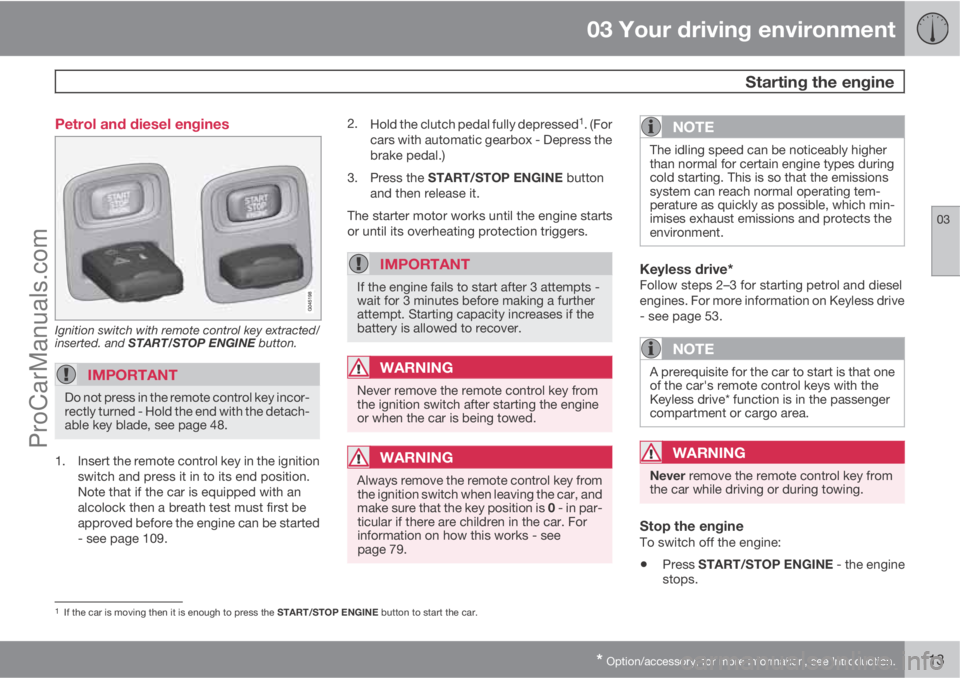
Ignition switch with remote control key extracted/
inserted. and START/STOP ENGINE button.
IMPORTANT
Do not press in the remote control key incor-
rectly turned - Hold the end with the detach-
able key blade, see page 48.
1. Insert the remote control key in the ignition
switch and press it in to its end position.
Note that if the car is equipped with an
alcolock then a breath test must first be
approved before the engine can be started
- see page 109.2.
Hold the clutch pedal fully depressed
1. (For
cars with automatic gearbox - Depress the
brake pedal.)
3.
Press the START/STOP ENGINE button
and then release it.
The starter motor works until the engine starts
or until its overheating protection triggers.
IMPORTANT
If the engine fails to start after 3 attempts -
wait for 3 minutes before making a further
attempt. Starting capacity increases if the
battery is allowed to recover.
WARNING
Never remove the remote control key from
the ignition switch after starting the engine
or when the car is being towed.
WARNING
Always remove the remote control key from
the ignition switch when leaving the car, and
make sure that the key position is 0 - in par-
ticular if there are children in the car. For
information on how this works - see
page 79.
NOTE
The idling speed can be noticeably higher
than normal for certain engine types during
cold starting. This is so that the emissions
system can reach normal operating tem-
perature as quickly as possible, which min-
imises exhaust emissions and protects the
environment.
Keyless drive*Follow steps 2–3 for starting petrol and diesel
engines. For more information on Keyless drive
- see page 53.
NOTE
A prerequisite for the car to start is that one
of the car's remote control keys with the
Keyless drive* function is in the passenger
compartment or cargo area.
WARNING
Never remove the remote control key from
the car while driving or during towing.
Stop the engineTo switch off the engine:
•Press START/STOP ENGINE - the engine
stops.
1If the car is moving then it is enough to press the START/STOP ENGINE button to start the car.
ProCarManuals.com
Page 123 of 422
03 Your driving environment
Gearboxes
03
121
IMPORTANT
The operating temperature of the gearbox is
checked in order to prevent damage to any
of the drive system's components. In the
event of a risk of overheating a warning
symbol illuminates on the instrument panel
combined with a text message - In which
case, follow the recommendation given.
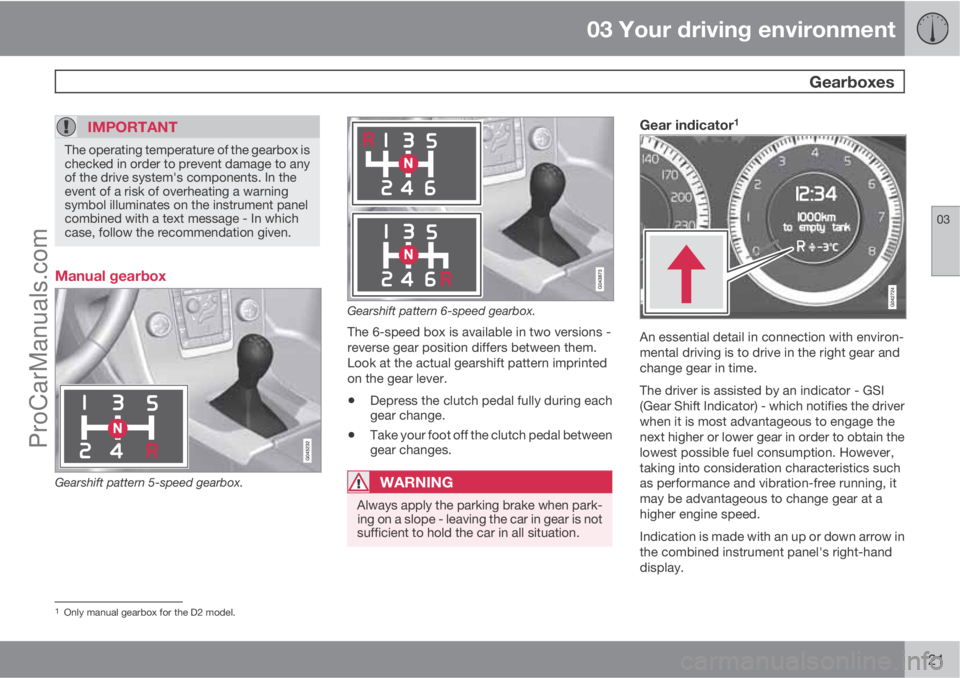
Manual gearbox
Gearshift pattern 5-speed gearbox.
Gearshift pattern 6-speed gearbox.
The 6-speed box is available in two versions -
reverse gear position differs between them.
Look at the actual gearshift pattern imprinted
on the gear lever.
•Depress the clutch pedal fully during each
gear change.
•Take your foot off the clutch pedal between
gear changes.
WARNING
Always apply the parking brake when park-
ing on a slope - leaving the car in gear is not
sufficient to hold the car in all situation.
Gear indicator1
An essential detail in connection with environ-
mental driving is to drive in the right gear and
change gear in time.
The driver is assisted by an indicator - GSI
(Gear Shift Indicator) - which notifies the driver
when it is most advantageous to engage the
next higher or lower gear in order to obtain the
lowest possible fuel consumption. However,
taking into consideration characteristics such
as performance and vibration-free running, it
may be advantageous to change gear at a
higher engine speed.
Indication is made with an up or down arrow in
the combined instrument panel's right-hand
display.
1Only manual gearbox for the D2 model.
ProCarManuals.com
Page 127 of 422
03 Your driving environment
Gearboxes
03
* Option/accessory, for more information, see Introduction.125 Automatic gearbox Powershift*
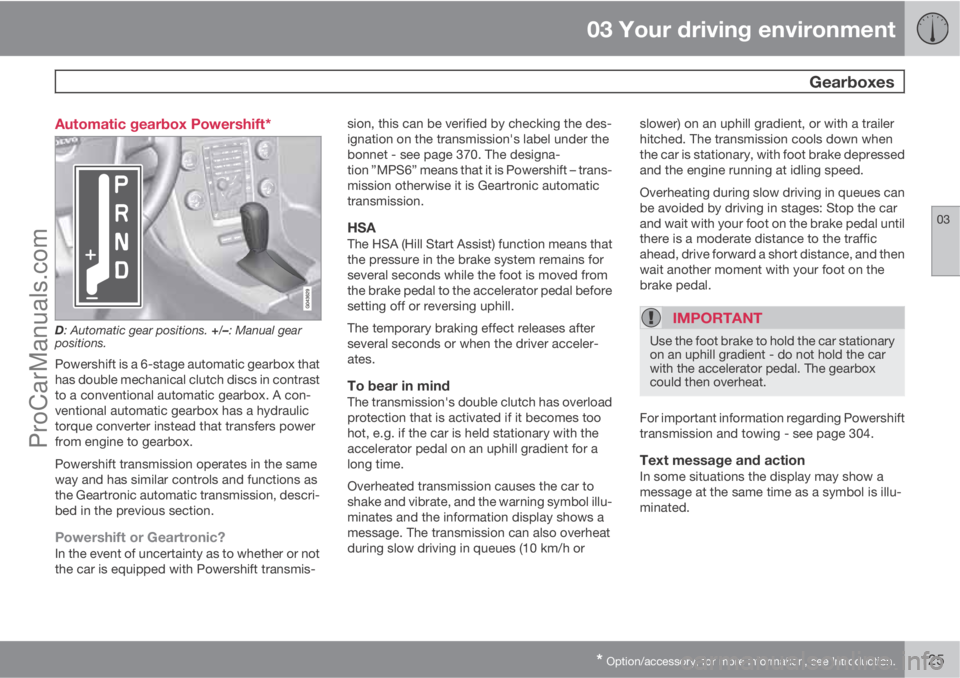
D: Automatic gear positions. +/–: Manual gear
positions.
Powershift is a 6-stage automatic gearbox that
has double mechanical clutch discs in contrast
to a conventional automatic gearbox. A con-
ventional automatic gearbox has a hydraulic
torque converter instead that transfers power
from engine to gearbox.
Powershift transmission operates in the same
way and has similar controls and functions as
the Geartronic automatic transmission, descri-
bed in the previous section.
Powershift or Geartronic?In the event of uncertainty as to whether or not
the car is equipped with Powershift transmis-sion, this can be verified by checking the des-
ignation on the transmission's label under the
bonnet - see page 370. The designa-
tion ”MPS6” means that it is Powershift – trans-
mission otherwise it is Geartronic automatic
transmission.
HSAThe HSA (Hill Start Assist) function means that
the pressure in the brake system remains for
several seconds while the foot is moved from
the brake pedal to the accelerator pedal before
setting off or reversing uphill.
The temporary braking effect releases after
several seconds or when the driver acceler-
ates.
To bear in mindThe transmission's double clutch has overload
protection that is activated if it becomes too
hot, e.g. if the car is held stationary with the
accelerator pedal on an uphill gradient for a
long time.
Overheated transmission causes the car to
shake and vibrate, and the warning symbol illu-
minates and the information display shows a
message. The transmission can also overheat
during slow driving in queues (10 km/h orslower) on an uphill gradient, or with a trailer
hitched. The transmission cools down when
the car is stationary, with foot brake depressed
and the engine running at idling speed.
Overheating during slow driving in queues can
be avoided by driving in stages: Stop the car
and wait with your foot on the brake pedal until
there is a moderate distance to the traffic
ahead, drive forward a short distance, and then
wait another moment with your foot on the
brake pedal.
IMPORTANT
Use the foot brake to hold the car stationary
on an uphill gradient - do not hold the car
with the accelerator pedal. The gearbox
could then overheat.
For important information regarding Powershift
transmission and towing - see page 304.
Text message and actionIn some situations the display may show a
message at the same time as a symbol is illu-
minated.
ProCarManuals.com
Page 219 of 422
05 Comfort and driving pleasure
Climate control
05
* Option/accessory, for more information, see Introduction.217
NOTE
Heating or cooling cannot be hastened by
selecting a higher/lower temperature than
the actual temperature required.
AC – Air conditioning on/offWhen the lamp in the AC but-
ton illuminates, the air condi-
tioning is controlled by the
system's automatic function.
This way, incoming air is
cooled and dehumidified.
When the lamp in the AC button is switched off
the air conditioning is disconnected. Other
functions are still controlled automatically.
When the max. defroster function is activated
the air conditioning is switched on automati-
cally, so that the air is dehumidified at the maxi-
mum setting.
Max. defrosterUsed to quickly remove mist-
ing and ice from the wind-
screen and side windows. Air
flowing to the windows. The
light in the defroster button
illuminates when the function
is active.
The following also takes place in order to pro-
vide maximum dehumidification in the passen-
ger compartment:
•the air conditioning is automatically
engaged
•recirculation and the air quality system are
automatically disengaged.
NOTE
The noise level increases as the fan is oper-
ating at max.
When the defroster is switched off the climate
control returns to the previous settings.
Recirculation
Recirculation
When recirculation is
engaged the orange lamp in
the button illuminates. The
function is selected to shut
out bad air, exhaust gases
etc. from the passenger com-
partment. The air in the pas-
senger compartment is recirculated, i.e. no
outside air is taken into the car when this func-
tion is activated.
IMPORTANT
If the air in the car recirculates for too long,
there is a risk of misting on the insides of the
windows.
TimerWith the timer function activated the system
will exit manually activated recirculation mode
according to a time that depends on the out-
side temperature. This reduces the risk of ice,
misting and bad air. Activate/deactivate the
function in the menu system MY CAR under
Settings
Climate settings
Recirculation timer. For a description of the
menu system, see page 203.
NOTE
When max. defroster is selected, recircula-
tion is always deactivated.
Air quality system IAQS*The air quality system separates gases and
particles to reduce the levels of odours and
pollution in the passenger compartment. If the
outside air is contaminated then the air intake
is closed and the air is recirculated.
Activate/deactivate the function in the menu
system MY CAR under Settings
Climate
ProCarManuals.com