roof VOLVO V60 2014 User Guide
[x] Cancel search | Manufacturer: VOLVO, Model Year: 2014, Model line: V60, Model: VOLVO V60 2014Pages: 442, PDF Size: 13.85 MB
Page 100 of 442
03 Instruments and controls
03
98* Option/accessory, for more information, see Introduction.
G030295
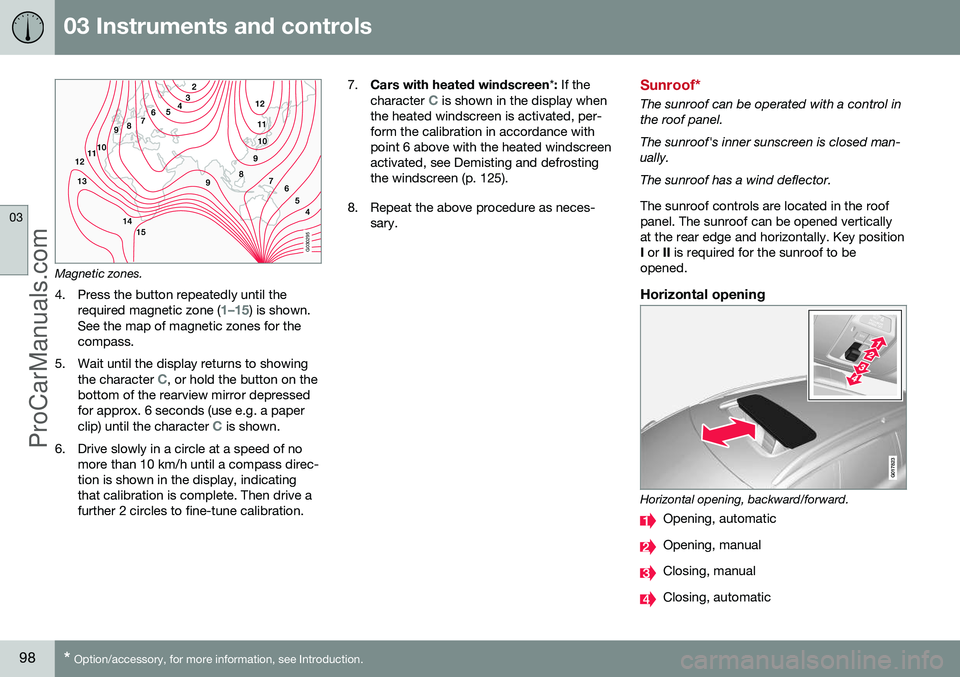
Magnetic zones.
4. Press the button repeatedly until the required magnetic zone (
1–15) is shown.
See the map of magnetic zones for the compass.
5. Wait until the display returns to showing the character
C, or hold the button on the
bottom of the rearview mirror depressed for approx. 6 seconds (use e.g. a paper clip) until the character
C is shown.
6. Drive slowly in a circle at a speed of no more than 10 km/h until a compass direc- tion is shown in the display, indicatingthat calibration is complete. Then drive afurther 2 circles to fine-tune calibration. 7.
Cars with heated windscreen *: If the
character
C is shown in the display when
the heated windscreen is activated, per- form the calibration in accordance withpoint 6 above with the heated windscreenactivated, see Demisting and defrostingthe windscreen (p. 125).
8. Repeat the above procedure as neces- sary.Sunroof*
The sunroof can be operated with a control in the roof panel. The sunroof's inner sunscreen is closed man- ually. The sunroof has a wind deflector. The sunroof controls are located in the roof panel. The sunroof can be opened verticallyat the rear edge and horizontally. Key positionI or II is required for the sunroof to be
opened.
Horizontal opening
G017823
Horizontal opening, backward/forward.
Opening, automatic
Opening, manual
Closing, manual
Closing, automatic
ProCarManuals.co’
Page 101 of 442

03 Instruments and controls
03
}}
99
OpeningFor maximum sunroof opening, move the control back to the position for automaticopening and release. Open manually by pulling the control back- wards to the point of resistance for manualopening. The sunroof moves to maximumopen position as long as the button is keptdepressed.
ClosingClose manually by pushing the control for-wards to the point of resistance for manualclosing. The sunroof moves to closed posi-tion as long as the button is kept depressed.
WARNING
Risk of crushing when the sunroof is closed. The sunroof's pinch-protectionfunction only operates during automaticclosing, not manual.
Close automatically by pressing the control to the position for automatic closing and thenrelease it. The power supply to the sunroof is switched off by selecting key position 0 and removing
the remote control key from the ignitionswitch.
WARNING
If there are children in the car: Remember to always switch off the power supply to the sunroof by selecting keyposition 0 and then take the remote con-
trol key with you when leaving the car. Forinformation on key positions - see Keypositions - functions at different levels (p.70).
Vertical opening
G028900
Vertical opening, raised at the rear edge.
Open by pressing the rear edge of the control upward.
Close by pulling the rear edge of the con- trol down.
Closing using the remote control key or central locking button
G021345
One long press on the lock button closes the sunroof and all the windows, see Remotecontrol key - functions (p. 151) and Locking/unlocking - from the inside (p. 165). Thedoors and the tailgate are locked. To interruptclosing, press the lock button again.
WARNING
If the sunroof is closed with the remote control key, check that no one risks beingtrapped.
SunscreenThe sunroof features a manual, sliding interior sunscreen. The sunscreen slides back auto-matically when the sunroof is opened. Gripthe handle and slide the screen forward toclose it.
ProCarManuals.co’
Page 102 of 442
||
03 Instruments and controls
03
100
Pinch protectionThe sunroof's pinch protection function is triggered if it is blocked by an object duringautomatic closing. If blocked, the sunroof willstop and automatically open to the previousposition.
Wind deflector
The sunroof has a wind deflector that is folded up when the sunroof is in the openposition.
Menu navigation - combined instrument panel
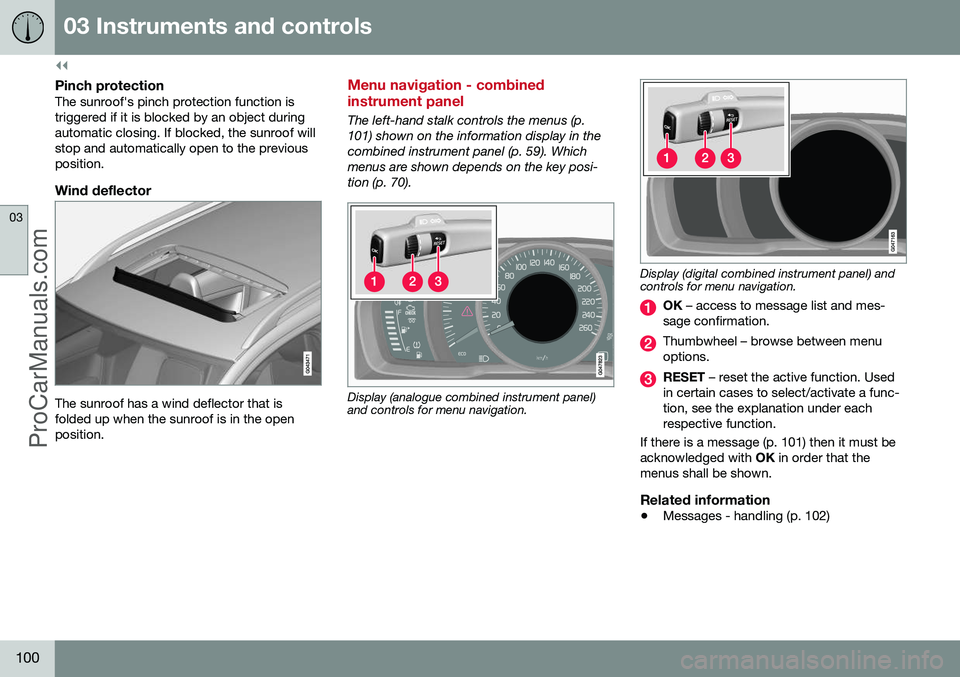
The left-hand stalk controls the menus (p. 101) shown on the information display in thecombined instrument panel (p. 59). Whichmenus are shown depends on the key posi-tion (p. 70).
Display (analogue combined instrument panel) and controls for menu navigation.
Display (digital combined instrument panel) and controls for menu navigation.
OK – access to message list and mes-
sage confirmation.
Thumbwheel – browse between menu options.
RESET – reset the active function. Used
in certain cases to select/activate a func- tion, see the explanation under eachrespective function.
If there is a message (p. 101) then it must beacknowledged with OK in order that the
menus shall be shown.
Related information
• Messages - handling (p. 102)
ProCarManuals.co’
Page 117 of 442
04 Climate control
04
* Option/accessory, for more information, see Introduction.115
General information on climate control
The car is equipped with electronic climate
control (p. 121). The climate control systemcools or heats as well as dehumidifies the airin the passenger compartment.
NOTE
Air conditioning (AC) (p. 124) can be switched off, but to ensure the best possi-ble climate comfort in the passenger com-partment, and to prevent the windowsfrom misting, it should always be switchedon.
To bear in mind
• To ensure that the air conditioning works optimally, the side windows and sunroof*should be closed.
• Total airing function (p. 166) opens/closes all side windows simultaneouslyand can be used for example to quicklyair the car during hot weather.
• Remove ice and snow from the climatecontrol system air intake (the grillebetween the bonnet and the windscreen).
• In warm weather, condensation from theair conditioning may drip under the car.This is normal.
• When the engine requires full power, e.g.for full acceleration or driving uphill with atrailer, the air conditioning can be tempo-rarily switched off. There may then be a temporary increase in temperature in thepassenger compartment.
• Remove misting on the insides of the win-dows primarily by using the defrosterfunction (p. 125). To reduce the risk ofmisting, keep the windows clean and usewindow cleaner.
Cars with Start/Stop*With an auto-stopped (p. 279) engine certain equipment may have its function temporarilyreduced, e.g. climate control fan speed (p.123).
Cars with ECO*Certain equipment may have its function tem-porarily reduced or deactivated when theECO (p. 288) function is activated, e.g. the airconditioning (p. 124).
NOTE
When the ECO function is activated, sev- eral parameters in the climate control sys-tem's settings are changed, and severalelectricity consumer functions are reduced- a press of the
AC button resets the cli-
mate control system, but then withreduced AC function.
Related information
• Actual temperature (p. 116)
• Menu settings - climate control (p. 118)
• Electronic climate control - ECC (p. 121) •
Air distribution in the passenger compart- ment (p. 119)
• Air cleaning (p. 116)
ProCarManuals.co’
Page 144 of 442
05 Loading and storage
05
142* Option/accessory, for more information, see Introduction.
Loading
Payload depends on the car's kerb weight. Payload depends on the car's kerb weight. The total of the weight of the passengers andall accessories reduces the car's payload bya corresponding weight. For more detailedinformation on weights, see Weights (p. 390).
The tailgate is opened via a buttonon the lighting panel or the remotecontrol key, see Locking/unlocking -
tailgate (p. 167).
WARNING
The car’s driving properties change depending on the weight and positioningof the load.
To bear in mind when loading
• Position the load firmly against the rear seat's backrest.
Note that objects must not prevent the func- tion of the WHIPS system for the front seats ifany of the rear seat's backrests is foldeddown, seeWHIPS - seating position (p. 35).
• Centre the load.
• Heavy objects should be placed as low as possible. Avoid placing heavy loads onlowered backrests.
• Cover sharp edges with something soft toavoid damaging the upholstery. •
Secure all loads to the load retaining eye-lets with straps or web lashings.
WARNING
A loose object weighing 20 kg can, in a frontal collision at a speed of 50 km/h,carry the impact of an item weighing1000 kg.
WARNING
The protection provided by the inflatable curtain in the headlining may be compro-mised or eliminated by high loads.
• Never load cargo above the backrest.
WARNING
Always secure the load. During heavy braking the load may otherwise shift, caus-ing injury to the car's occupants. Cover sharp edges and sharp corners with something soft. Switch off the engine and apply the park- ing brake when loading/unloading longitems. Otherwise you may accidentallyknock the gear lever or gear selector withthe load into a drive position - and the carcould then move off.
Related information
•
Load retaining eyelets (p. 143)
• Safety net* (p. 145) •
Loading - long load (p. 143)
• Roof load (p. 143)
ProCarManuals.co’
Page 145 of 442
05 Loading and storage
05
143
Loading - long load
To simplify loading (p. 142) in the cargo area, the rear seat backrest can be folded down.The passenger seat backrest can also be folded for an extra long load2
.
Lowering the rear seat backrestTo simplify loading in the cargo area, the rear seat backrest can be folded down, see Seats,rear (p. 74).
Roof load
The load carriers recommended for roof loads are the ones developed by Volvo. This is inorder to avoid damage to the car and in orderto achieve the maximum possible safety dur-ing a journey. Carefully follow the installation instructions supplied with the carriers.
• Check periodically that the load carriers and load are properly secured. Lash theload securely with retaining straps.
• Distribute the load evenly over the loadcarriers. Put the heaviest objects at thebottom.
• The size of the area exposed to the wind,and therefore fuel consumption, increasewith the size of the load.
• Drive gently. Avoid quick acceleration,heavy braking and hard cornering.
WARNING
The car's centre of gravity and driving cha- racteristics are altered by roof loads. Forinformation about the maximum allowableload on the roof, including load carriersand any space box, Weights (p. 390).
Related information
•
Loading (p. 142)
Load retaining eyelets
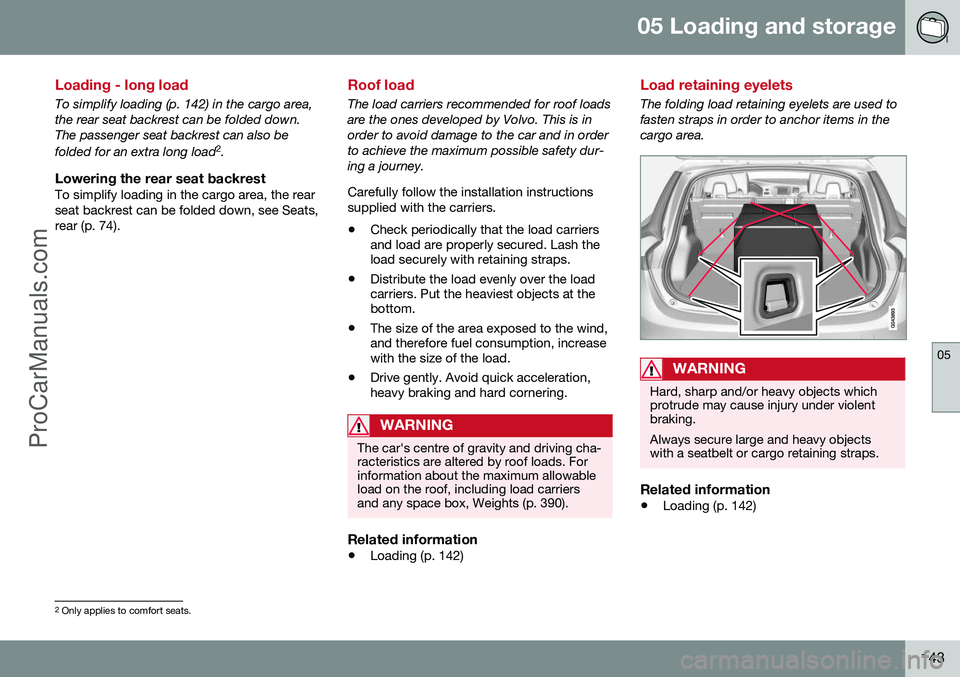
The folding load retaining eyelets are used to fasten straps in order to anchor items in thecargo area.
WARNING
Hard, sharp and/or heavy objects which protrude may cause injury under violentbraking. Always secure large and heavy objects with a seatbelt or cargo retaining straps.
Related information
• Loading (p. 142)
2
Only applies to comfort seats.
ProCarManuals.co’
Page 148 of 442
||
05 Loading and storage
05
146* Option/accessory, for more information, see Introduction.
Removing the net cassettes1. Roll the safety nets into the cassettes in
accordance with the procedure in the section entitled "Using the safety net",but in reverse.
2. Fold the whole backrest forward.
3. Slide the cassettes out until they loosen from the anchor rails.
Store the cassettes in their compartment under the cargo area floor hatch.
WARNING
Loads in the luggage compartment must be anchored well, and also using a cor-rectly fitted safety net.
Related information
• Loading (p. 142)
• Safety grille (p. 146)
Safety net* combined with cargo cover
A safety net prevents loads from being thrown
forward in the passenger compartment in the event of sudden braking.
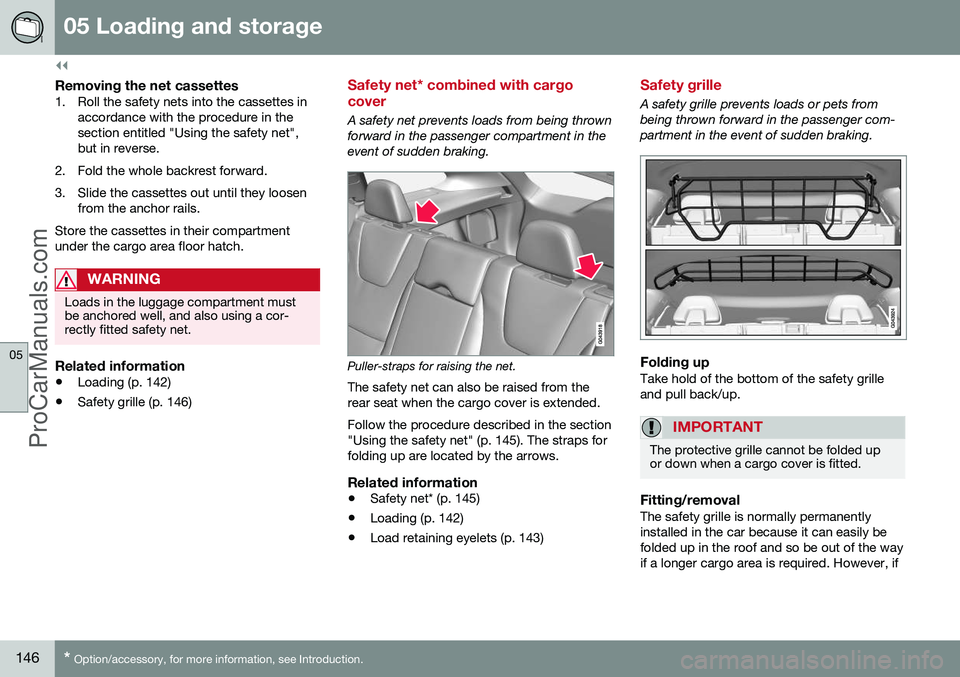
Puller-straps for raising the net.
The safety net can also be raised from the rear seat when the cargo cover is extended. Follow the procedure described in the section "Using the safety net" (p. 145). The straps forfolding up are located by the arrows.
Related information
• Safety net* (p. 145)
• Loading (p. 142)
• Load retaining eyelets (p. 143)
Safety grille
A safety grille prevents loads or pets from being thrown forward in the passenger com-partment in the event of sudden braking.
Folding upTake hold of the bottom of the safety grille and pull back/up.
IMPORTANT
The protective grille cannot be folded up or down when a cargo cover is fitted.
Fitting/removalThe safety grille is normally permanently installed in the car because it can easily befolded up in the roof and so be out of the wayif a longer cargo area is required. However, if
ProCarManuals.co’
Page 151 of 442
06 Locks and alarm
06
* Option/accessory, for more information, see Introduction.149
Remote control key with key blade
The remote control key is used to start the car and for locking and unlocking. It contains adetachable key blade (p. 155) made of metal.The visible section is available in two versionsso that it is possible to distinguish betweenthe remote control keys. The car is supplied with 2 remote control keys or PCCs* (Personal Car Communicator). Additional remote control keys can be ordered - up to 6 can be programmed andused for the same car.
WARNING
If there are children in the car: Remember to switch off the supply to the power windows and sunroof by removingthe remote control key if the driver leavesthe car.
Remote control key with PCC (p. 153) has increased functionality compared with theremote control key, see PCC* - unique func-tions (p. 153).
Related information
• Remote control key - functions (p. 151)
Remote control key - losing
If you lose a remote control key then a new one can be ordered at a workshop - anauthorised Volvo workshop is recommended. The remaining remote control keys must be taken to the Volvo workshop. The code of themissing remote control key must be erasedfrom the system as a theft prevention meas-ure. The current number of keys registered tothe car can be checked in the menu systemMY CAR
. For a description of the menu sys-
tem, see MY CAR (p. 103).
Related information
• Remote control key - functions (p. 151)
Key memory*
The key memory in the remote control key (p. 149) means that certain settings in the car canbe individually adapted for different people. The key memory function is available in com- bination with power seat and power rearviewand door mirrors. Settings for door mirrors,driver's seat and steering force can be savedin the key memory.
Key memory – door mirrors and driver's
seat
The settings are automatically connected toeach respective remote control key, see Keymemory* in remote control key (p. 74) andAdjustable steering force* (p. 257). Afterlocking with the remote control key the set-ting of the combined instrument panel'stheme is also saved in the key, see MY CAR(p. 103). The function can be activated/deactivated in the menu system MY CAR. For a description
of the menu system, see MY CAR (p. 103). For cars with the Keyless drive function, see Keyless drive* (p. 159).
ProCarManuals.co’
Page 154 of 442
||
06 Locks and alarm
06
152* Option/accessory, for more information, see Introduction.
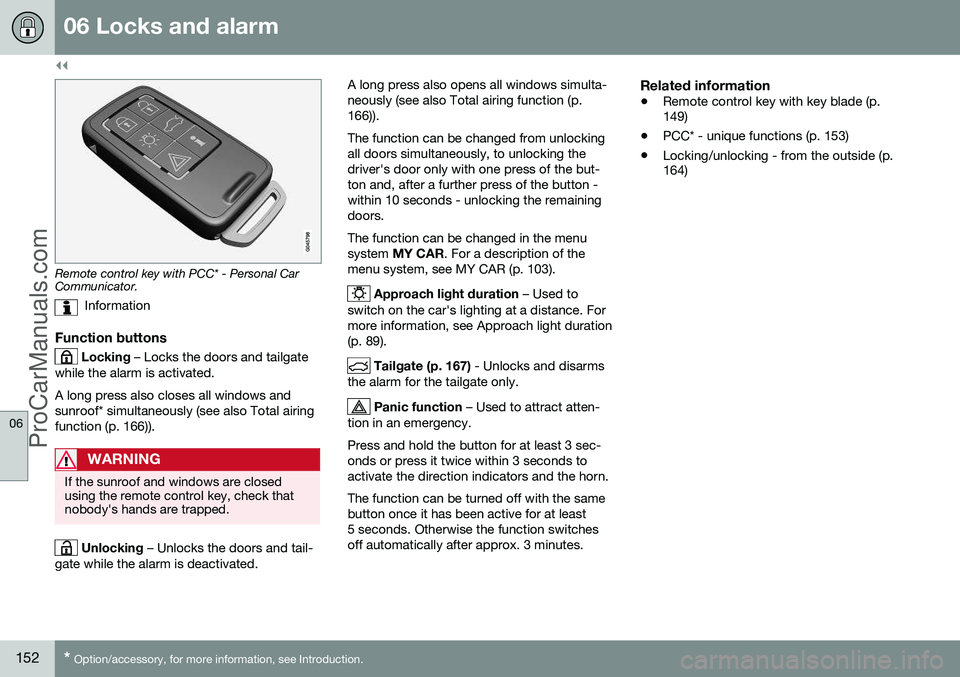
Remote control key with PCC* - Personal Car Communicator.
Information
Function buttons
Locking – Locks the doors and tailgate
while the alarm is activated. A long press also closes all windows and sunroof* simultaneously (see also Total airingfunction (p. 166)).
WARNING
If the sunroof and windows are closed using the remote control key, check thatnobody's hands are trapped.
Unlocking – Unlocks the doors and tail-
gate while the alarm is deactivated. A long press also opens all windows simulta- neously (see also Total airing function (p.166)). The function can be changed from unlocking all doors simultaneously, to unlocking thedriver's door only with one press of the but-ton and, after a further press of the button -within 10 seconds - unlocking the remainingdoors. The function can be changed in the menu system
MY CAR . For a description of the
menu system, see MY CAR (p. 103).
Approach light duration – Used to
switch on the car's lighting at a distance. For more information, see Approach light duration(p. 89).
Tailgate (p. 167) - Unlocks and disarms
the alarm for the tailgate only.
Panic function – Used to attract atten-
tion in an emergency. Press and hold the button for at least 3 sec- onds or press it twice within 3 seconds toactivate the direction indicators and the horn. The function can be turned off with the same button once it has been active for at least5 seconds. Otherwise the function switchesoff automatically after approx. 3 minutes.
Related information
• Remote control key with key blade (p. 149)
• PCC* - unique functions (p. 153)
• Locking/unlocking - from the outside (p.164)
ProCarManuals.co’
Page 168 of 442
||
06 Locks and alarm
06
166* Option/accessory, for more information, see Introduction.
• Pull the door handle and open the door - the door is unlocked and opened in oneoperation.
Lamp in lock buttonCentral locking is available in two variants - the lamp in the central locking button for thedriver's door has different meanings depend-ent on the variant. With central locking button only in the driver's door, other doors have no button:
• Illuminated lamp means that all doors are locked.
With central locking button on both front doors and electric lock button in each reardoor:
• Illuminated lamp means that only that particular door is locked. When all but-tons are illuminated all doors are locked.
Locking
•
Press the central locking button - all
closed doors are locked.
A long press also closes all side windows and sunroof simultaneously (see also Total airingfunction (p. 166)).
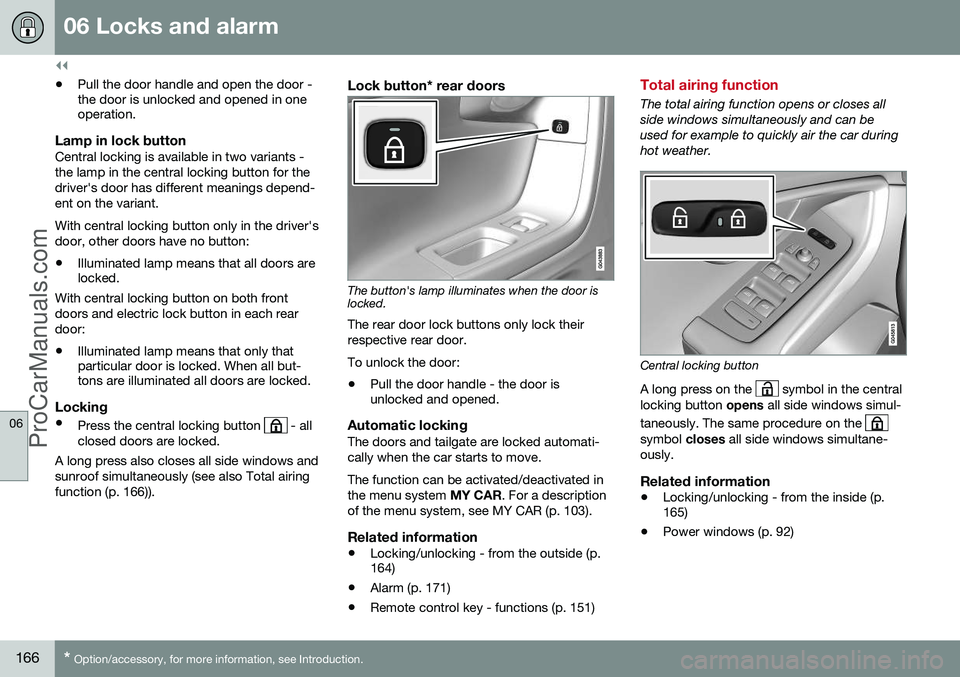
Lock button* rear doors
The button's lamp illuminates when the door is locked.
The rear door lock buttons only lock their respective rear door. To unlock the door:
• Pull the door handle - the door is unlocked and opened.
Automatic lockingThe doors and tailgate are locked automati- cally when the car starts to move. The function can be activated/deactivated in the menu system
MY CAR. For a description
of the menu system, see MY CAR (p. 103).
Related information
• Locking/unlocking - from the outside (p. 164)
• Alarm (p. 171)
• Remote control key - functions (p. 151)
Total airing function
The total airing function opens or closes all side windows simultaneously and can beused for example to quickly air the car duringhot weather.
Central locking button
A long press on the
symbol in the central
locking button opens all side windows simul-
taneously. The same procedure on the
symbol closes all side windows simultane-
ously.
Related information
• Locking/unlocking - from the inside (p. 165)
• Power windows (p. 92)
ProCarManuals.co’