lock VOLVO V60 2015 Owner´s Manual
[x] Cancel search | Manufacturer: VOLVO, Model Year: 2015, Model line: V60, Model: VOLVO V60 2015Pages: 414, PDF Size: 11.44 MB
Page 154 of 414
04 Driver support
Stability system
04
152
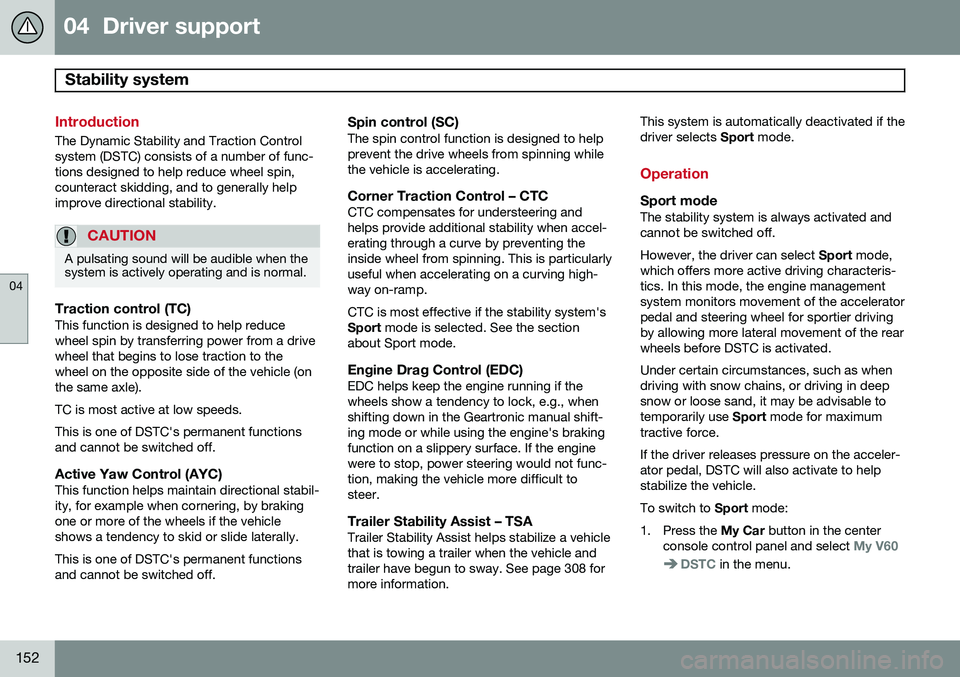
Introduction
The Dynamic Stability and Traction Control system (DSTC) consists of a number of func-tions designed to help reduce wheel spin,counteract skidding, and to generally helpimprove directional stability.
CAUTION
A pulsating sound will be audible when the system is actively operating and is normal.
Traction control (TC)This function is designed to help reduce wheel spin by transferring power from a drivewheel that begins to lose traction to thewheel on the opposite side of the vehicle (onthe same axle). TC is most active at low speeds.This is one of DSTC's permanent functions and cannot be switched off.
Active Yaw Control (AYC)This function helps maintain directional stabil-ity, for example when cornering, by brakingone or more of the wheels if the vehicleshows a tendency to skid or slide laterally. This is one of DSTC's permanent functions and cannot be switched off.
Spin control (SC)The spin control function is designed to helpprevent the drive wheels from spinning whilethe vehicle is accelerating.
Corner Traction Control – CTCCTC compensates for understeering andhelps provide additional stability when accel-erating through a curve by preventing theinside wheel from spinning. This is particularlyuseful when accelerating on a curving high-way on-ramp. CTC is most effective if the stability system's Sport mode is selected. See the section
about Sport mode.
Engine Drag Control (EDC)EDC helps keep the engine running if thewheels show a tendency to lock, e.g., whenshifting down in the Geartronic manual shift-ing mode or while using the engine's brakingfunction on a slippery surface. If the enginewere to stop, power steering would not func-tion, making the vehicle more difficult tosteer.
Trailer Stability Assist – TSATrailer Stability Assist helps stabilize a vehiclethat is towing a trailer when the vehicle andtrailer have begun to sway. See page 308 formore information. This system is automatically deactivated if thedriver selects
Sport mode.
Operation
Sport modeThe stability system is always activated and cannot be switched off. However, the driver can select Sport mode,
which offers more active driving characteris- tics. In this mode, the engine managementsystem monitors movement of the acceleratorpedal and steering wheel for sportier drivingby allowing more lateral movement of the rearwheels before DSTC is activated. Under certain circumstances, such as when driving with snow chains, or driving in deepsnow or loose sand, it may be advisable totemporarily use Sport mode for maximum
tractive force. If the driver releases pressure on the acceler- ator pedal, DSTC will also activate to helpstabilize the vehicle. To switch to Sport mode:
1. Press the My Car button in the center
console control panel and select
My V60
DSTC in the menu.
Page 160 of 414
04 Driver support
Cruise control
04
158
Automatic deactivationCruise control is automatically deactivated temporarily if one of the following occurs:
• If the speed drops below approximately 20 mph (30 km/h).
• When the brake pedal is depressed.
• If the gear selector is moved to positionN.
• During wheel spin or wheel lock-up.
• If the vehicle's speed is increased byusing the accelerator pedal for more than1 minute.
The currently set speed will be saved in the system's memory.
Temporary deactivationThe driver can temporarily deactivate cruisecontrol by pressing 0. The saved speed is
shown in brackets in the information display.
Resume set speedIf cruise control has been deactivated tempo- rarily, it can be reactivated by pressing
.
The vehicle's speed returns to the most recently set speed.
WARNING
There may be a significant increase in speed after the
button has been
pressed.
Deactivation
Cruise control is disengaged by pressing or by switching off the engine. The set speed is cleared.
WARNING
Cruise control should not be used in heavy traffic or when driving on wet or slipperyroads. Cruise control may not maintain setspeed on steep downgrades.
Page 169 of 414

04 Driver support
Adaptive Cruise Control (ACC)*
04
}}
* Option/accessory, for more information, see Introduction.167
Radar sensor's field of vision (shown in pink)
In certain situations, the radar sensor cannot detect vehicles at close quarters,for example a vehicle that suddenlyenters the lane between your vehicle andthe target vehicle.
Small vehicles, such as motorcycles, or vehicles not driving in the center of thelane may remain undetected.
In curves, the radar sensor may detect the wrong vehicle or lose sight of the tar-get vehicle.
WARNING
• Adaptive Cruise Control cannot cover all driving situations and traffic,weather and road conditions. The"Function" section provides informa-tion about limitations that the drivermust be aware of before using thisfeature.
• This system is designed to be a sup-plementary driving aid. It is not, how-ever, intended to replace the driver'sattention and judgement. The driver isresponsible for maintaining a safe dis-tance and speed and must intervene ifAdaptive Cruise Control does notmaintain a suitable speed or suitabledistance to the vehicle ahead.
• Maintenance of ACC components mayonly be performed by a trained andqualified Volvo technician.
WARNING
•Adaptive Cruise Control is not a colli- sion avoidance system. The driver isalways responsible for applying thebrakes if the system does not detectanother vehicle.
• Adaptive Cruise Control does not reactto people or animals, or small vehiclessuch as bicycles and motorcycles. Italso does not react to slow moving,parked or approaching vehicles, orstationary objects.
• Do not use Adaptive Cruise Control indemanding driving conditions such ascity driving or other heavy traffic situa-tions, in slippery conditions, whenthere is a great deal of water or slushon the road, during heavy rain orsnow, in poor visibility, on windingroads or on highway on- or off-ramps.
Fault tracing and actions
If the message Radar blocked See manualis displayed, this means that the radar signals from the sensor have been obstructed andthat a vehicle ahead cannot be detected. This, in turn, means that the functions of the ACC, Distance Alert, and Collision Warning
Page 171 of 414
04 Driver support
Adaptive Cruise Control (ACC)*
04
* Option/accessory, for more information, see Introduction.169
SymbolMessageDescription
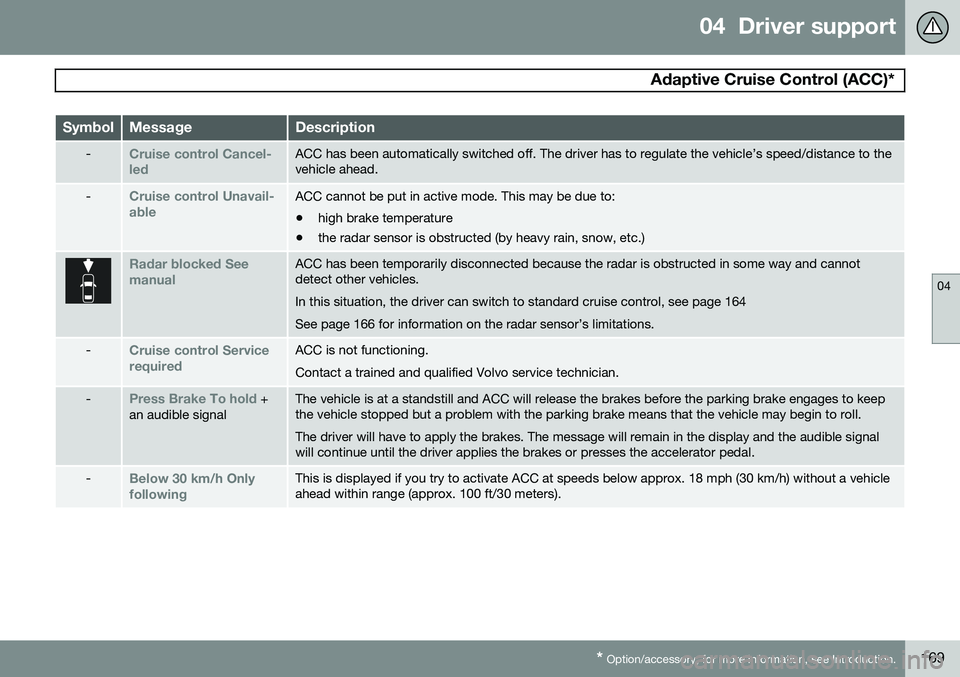
-Cruise control Cancel- ledACC has been automatically switched off. The driver has to regulate the vehicle’s speed/distance to the vehicle ahead.
-Cruise control Unavail- ableACC cannot be put in active mode. This may be due to: • high brake temperature
• the radar sensor is obstructed (by heavy rain, snow, etc.)
Radar blocked See manualACC has been temporarily disconnected because the radar is obstructed in some way and cannot detect other vehicles. In this situation, the driver can switch to standard cruise control, see page 164See page 166 for information on the radar sensor’s limitations.
-Cruise control Service requiredACC is not functioning. Contact a trained and qualified Volvo service technician.
-Press Brake To hold +
an audible signalThe vehicle is at a standstill and ACC will release the brakes before the parking brake engages to keep the vehicle stopped but a problem with the parking brake means that the vehicle may begin to roll. The driver will have to apply the brakes. The message will remain in the display and the audible signal will continue until the driver applies the brakes or presses the accelerator pedal.
-Below 30 km/h Only followingThis is displayed if you try to activate ACC at speeds below approx. 18 mph (30 km/h) without a vehicle ahead within range (approx. 100 ft/30 meters).
Page 174 of 414
04 Driver support
Distance Alert*
04
172* Option/accessory, for more information, see Introduction.
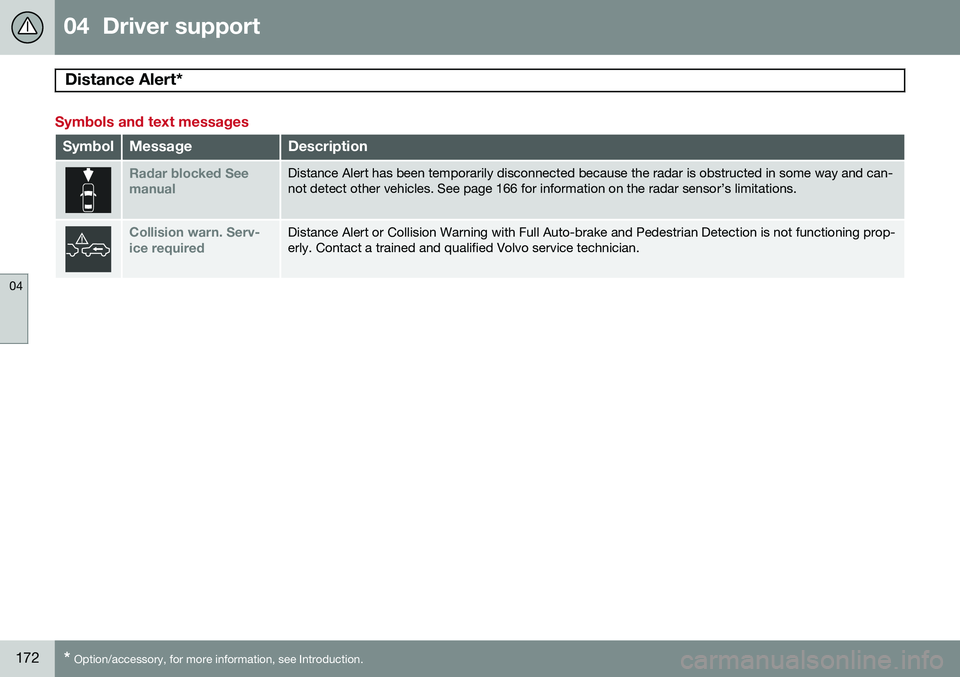
Symbols and text messages
SymbolMessageDescription
Radar blocked See manualDistance Alert has been temporarily disconnected because the radar is obstructed in some way and can- not detect other vehicles. See page 166 for information on the radar sensor’s limitations.
Collision warn. Serv- ice requiredDistance Alert or Collision Warning with Full Auto-brake and Pedestrian Detection is not functioning prop- erly. Contact a trained and qualified Volvo service technician.
Page 177 of 414
04 Driver support
City Safety™
04
}}
175
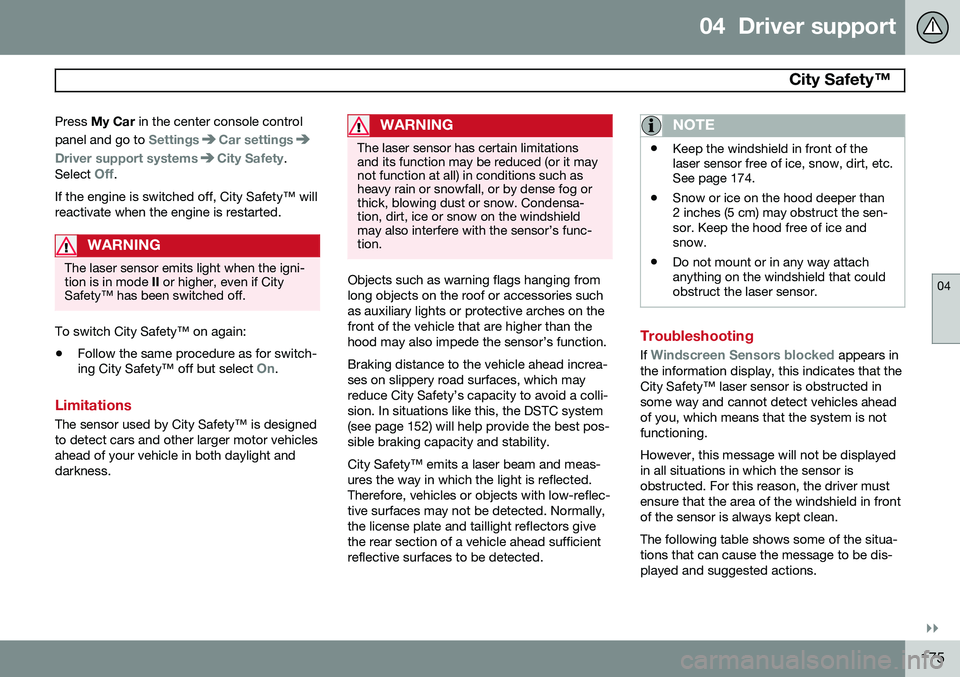
Press
My Car in the center console control
panel and go to
SettingsCar settings
Driver support systemsCity Safety.
Select
Off.
If the engine is switched off, City Safety™ will reactivate when the engine is restarted.
WARNING
The laser sensor emits light when the igni- tion is in mode II or higher, even if City
Safety™ has been switched off.
To switch City Safety™ on again:
• Follow the same procedure as for switch- ing City Safety™ off but select
On.
Limitations
The sensor used by City Safety™ is designed to detect cars and other larger motor vehiclesahead of your vehicle in both daylight anddarkness.
WARNING
The laser sensor has certain limitations and its function may be reduced (or it maynot function at all) in conditions such asheavy rain or snowfall, or by dense fog orthick, blowing dust or snow. Condensa-tion, dirt, ice or snow on the windshieldmay also interfere with the sensor’s func-tion.
Objects such as warning flags hanging from long objects on the roof or accessories suchas auxiliary lights or protective arches on thefront of the vehicle that are higher than thehood may also impede the sensor’s function. Braking distance to the vehicle ahead increa- ses on slippery road surfaces, which mayreduce City Safety’s capacity to avoid a colli-sion. In situations like this, the DSTC system(see page 152) will help provide the best pos-sible braking capacity and stability. City Safety™ emits a laser beam and meas- ures the way in which the light is reflected.Therefore, vehicles or objects with low-reflec-tive surfaces may not be detected. Normally,the license plate and taillight reflectors givethe rear section of a vehicle ahead sufficientreflective surfaces to be detected.
NOTE
•Keep the windshield in front of the laser sensor free of ice, snow, dirt, etc.See page 174.
• Snow or ice on the hood deeper than2 inches (5 cm) may obstruct the sen-sor. Keep the hood free of ice andsnow.
• Do not mount or in any way attachanything on the windshield that couldobstruct the laser sensor.
Troubleshooting
If Windscreen Sensors blocked appears in
the information display, this indicates that the City Safety™ laser sensor is obstructed insome way and cannot detect vehicles aheadof you, which means that the system is notfunctioning. However, this message will not be displayed in all situations in which the sensor isobstructed. For this reason, the driver mustensure that the area of the windshield in frontof the sensor is always kept clean. The following table shows some of the situa- tions that can cause the message to be dis-played and suggested actions.
Page 180 of 414
04 Driver support
City Safety™
04
178
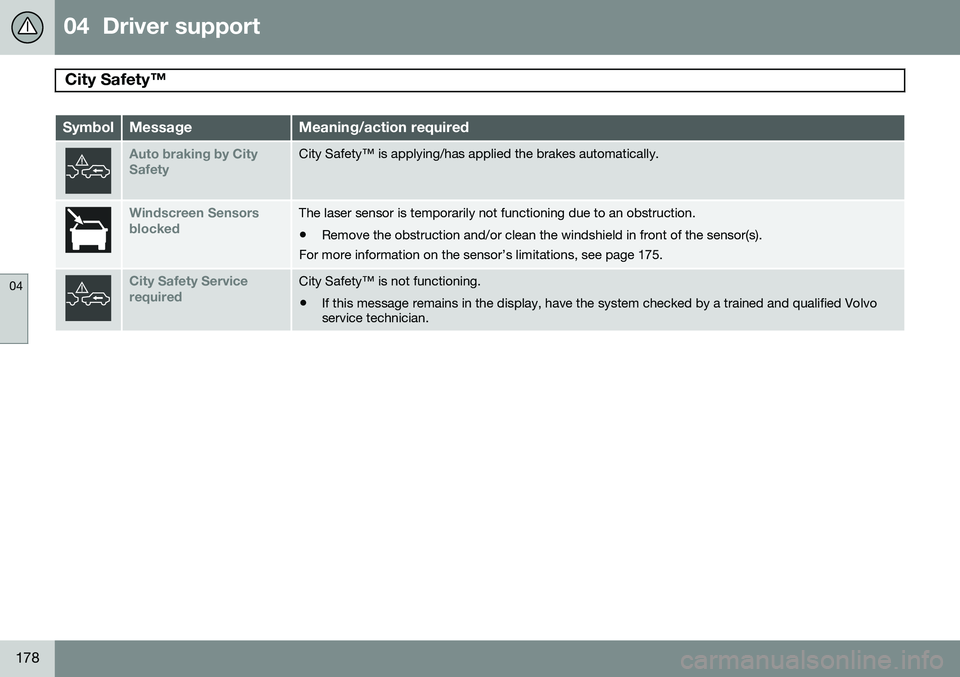
SymbolMessageMeaning/action required
Auto braking by City SafetyCity Safety™ is applying/has applied the brakes automatically.
Windscreen Sensors blockedThe laser sensor is temporarily not functioning due to an obstruction.
• Remove the obstruction and/or clean the windshield in front of the sensor(s).
For more information on the sensor’s limitations, see page 175.
City Safety Service requiredCity Safety™ is not functioning.
• If this message remains in the display, have the system checked by a trained and qualified Volvo service technician.
Page 186 of 414

04 Driver support
Pedestrian and Cyclist Detection with Full Auto Brake*
04
184* Option/accessory, for more information, see Introduction.
WARNING
• The camera has the same limitations as the human eye. In other words, its“vision is impaired” by adverseweather conditions such as heavysnowfall, dense fog, etc. These condi-tions may reduce the function of sys-tems that depend on the camera orcause these systems to temporarilystop functioning.
• Never place any objects, decals, etc.,on the windshield in front of the cam-era. This could reduce or block thecamera’s function, and could causeone or more of the systems that utilizethe camera to stop functioning.
• Strong sunlight, reflections from theroad surface, ice or snow covering theroad, a dirty road surface, or unclearlane marker lines may drasticallyreduce the camera’s capacity todetect the side of a lane, a pedestrian,a cyclist or another vehicle.
Pedestrian detection
The system cannot identify all pedestrians
The Pedestrian and Cyclist Detection with Full Auto Brake system can only identify anddetect a pedestrian who is standing upright.This person can be standing still, walking orrunning. This means that the system has to be able to identify a person's head, arms, shoulders,legs, the upper and lower parts of the bodyand a person's pattern of movement whenwalking or running. If parts of the body are not visible to the cam- era, the system cannot detect the pedestrian. The following conditions apply:
• In order to detect a pedestrian, the sys- tem must have a full view of the person's entire body and the person must be atleast 32 in. (80 cm) tall.
• The system cannot detect a pedestriancarrying a large object.
• The camera's capacity to see a pedes-trian at dawn or dusk is limited, much asit is for the human eye.
• The camera's function is deactivated andwill not detect a pedestrian in darkness orin tunnels, even if there is street lighting inthe area.WARNING
• Pedestrian and Cyclist Detection with Full Auto Brake is designed to be asupplementary driving aid. It is not,however, intended to replace the driv-er's attention and judgement. Thedriver is always responsible for operat-ing the vehicle in a safe manner.
• The system cannot detect all pedes-trians in all situations, such as in dark-ness/at night and cannot detect parti-ally hidden pedestrians, people whoare less than approx. 32 in. (80 cm)tall, or people wearing clothing thatobscures the contours of their bodies.
Page 188 of 414
04 Driver support
Pedestrian and Cyclist Detection with Full Auto Brake*
04
186* Option/accessory, for more information, see Introduction.
WARNING
Pedestrian and Cyclist Detection with Full Auto Brake is designed to be a supple-mentary driving aid. It is not, however,intended to replace the driver's attentionand judgement. The driver is alwaysresponsible for operating the vehicle in asafe manner. The system cannot detect a bike/cyclist if: • He/she is wearing loose-fitting clothing that may obscure body contours
• The bike is approaching your vehiclefrom the side
• The bike is not equipped with a rear-facing red reflector
• The bike is carrying large objects
• Most of the cyclist's body or the bikeitself cannot be "seen" by the system'scameraFault tracing and actions
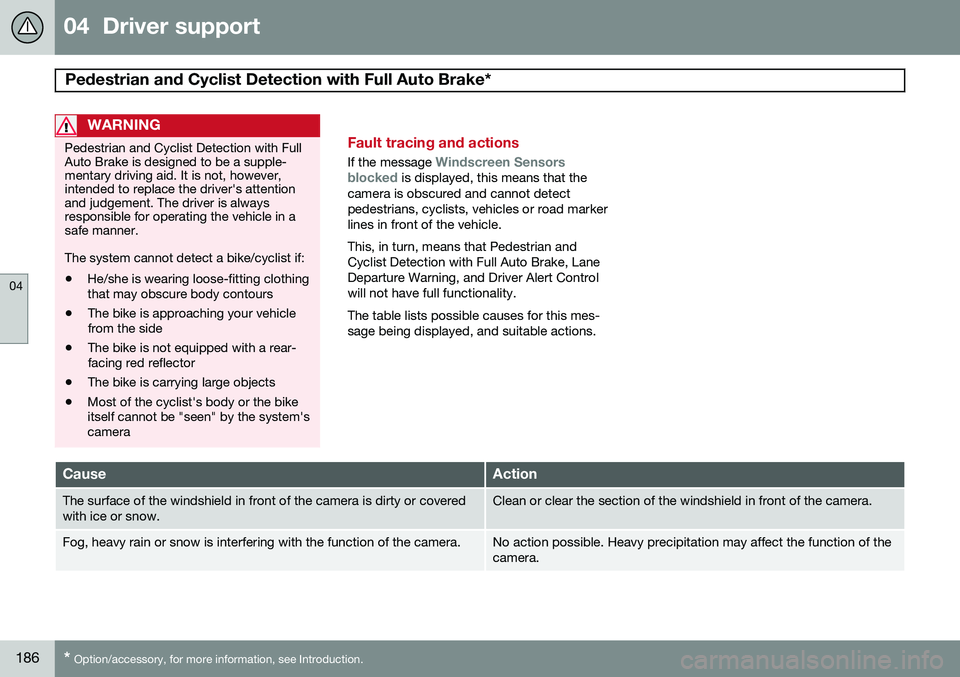
If the message Windscreen Sensors
blocked is displayed, this means that the
camera is obscured and cannot detect pedestrians, cyclists, vehicles or road markerlines in front of the vehicle. This, in turn, means that Pedestrian and Cyclist Detection with Full Auto Brake, LaneDeparture Warning, and Driver Alert Controlwill not have full functionality. The table lists possible causes for this mes- sage being displayed, and suitable actions.
CauseAction
The surface of the windshield in front of the camera is dirty or covered with ice or snow.Clean or clear the section of the windshield in front of the camera.
Fog, heavy rain or snow is interfering with the function of the camera.No action possible. Heavy precipitation may affect the function of the camera.
Page 189 of 414
04 Driver support
Pedestrian and Cyclist Detection with Full Auto Brake*
04
}}
* Option/accessory, for more information, see Introduction.187
CauseAction
The surface of the windshield is clean but the message remains in the display.Wait a short time. It may take several minutes for the camera to regis- ter visibility.
The surface between the inside of the windshield and the camera is dirty.Contact an authorized Volvo retailer or service technician to have this surface cleaned.
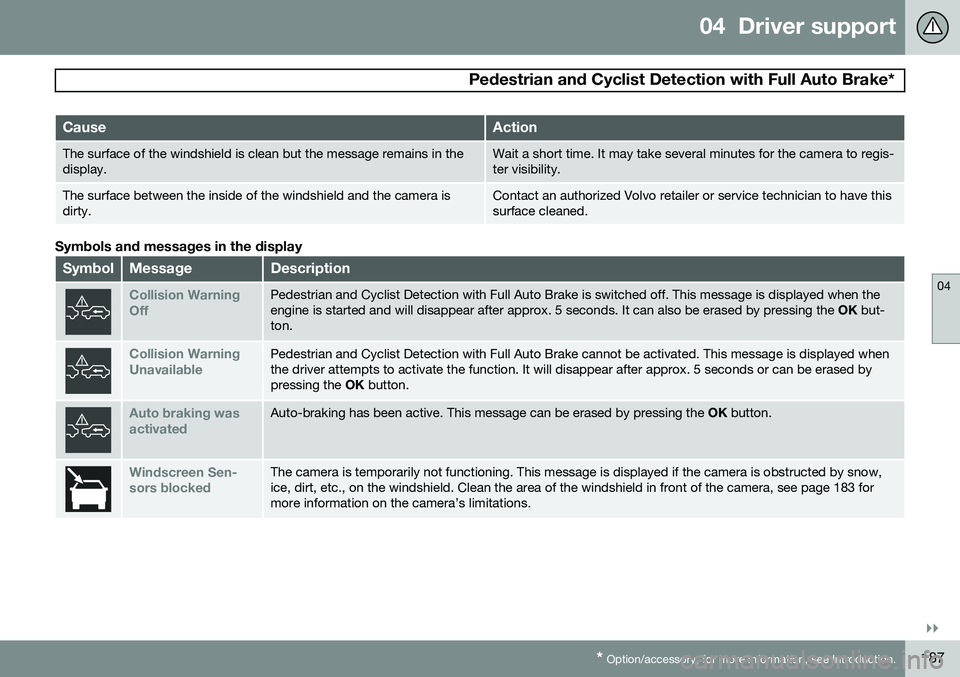
Symbols and messages in the display
SymbolMessageDescription
Collision Warning OffPedestrian and Cyclist Detection with Full Auto Brake is switched off. This message is displayed when the engine is started and will disappear after approx. 5 seconds. It can also be erased by pressing the OK but-
ton.
Collision Warning UnavailablePedestrian and Cyclist Detection with Full Auto Brake cannot be activated. This message is displayed when the driver attempts to activate the function. It will disappear after approx. 5 seconds or can be erased bypressing the OK button.
Auto braking was activatedAuto-braking has been active. This message can be erased by pressing the OK button.
Windscreen Sen- sors blockedThe camera is temporarily not functioning. This message is displayed if the camera is obstructed by snow, ice, dirt, etc., on the windshield. Clean the area of the windshield in front of the camera, see page 183 formore information on the camera’s limitations.