display VOLVO V60 2016 Owner´s Manual
[x] Cancel search | Manufacturer: VOLVO, Model Year: 2016, Model line: V60, Model: VOLVO V60 2016Pages: 402, PDF Size: 10.3 MB
Page 215 of 402
07 Driver support
07
}}
213
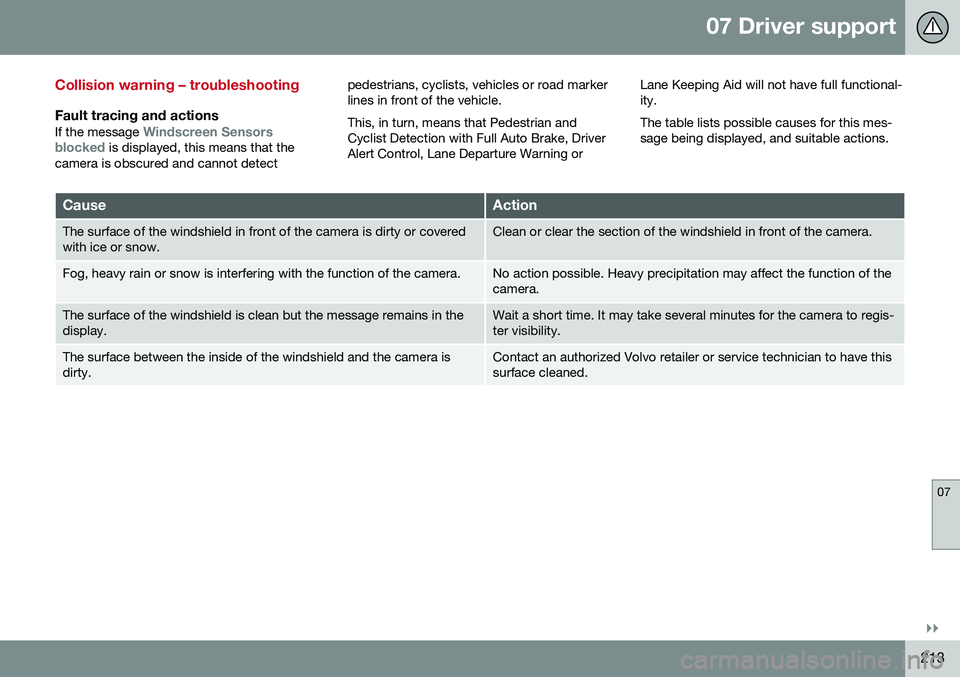
Collision warning – troubleshooting
Fault tracing and actions
If the message Windscreen Sensors
blocked is displayed, this means that the
camera is obscured and cannot detect pedestrians, cyclists, vehicles or road marker lines in front of the vehicle. This, in turn, means that Pedestrian and Cyclist Detection with Full Auto Brake, DriverAlert Control, Lane Departure Warning or
Lane Keeping Aid will not have full functional-ity. The table lists possible causes for this mes- sage being displayed, and suitable actions.
CauseAction
The surface of the windshield in front of the camera is dirty or covered with ice or snow.Clean or clear the section of the windshield in front of the camera.
Fog, heavy rain or snow is interfering with the function of the camera.No action possible. Heavy precipitation may affect the function of the camera.
The surface of the windshield is clean but the message remains in the display.Wait a short time. It may take several minutes for the camera to regis- ter visibility.
The surface between the inside of the windshield and the camera is dirty.Contact an authorized Volvo retailer or service technician to have this surface cleaned.
Page 217 of 402
07 Driver support
07
}}
215
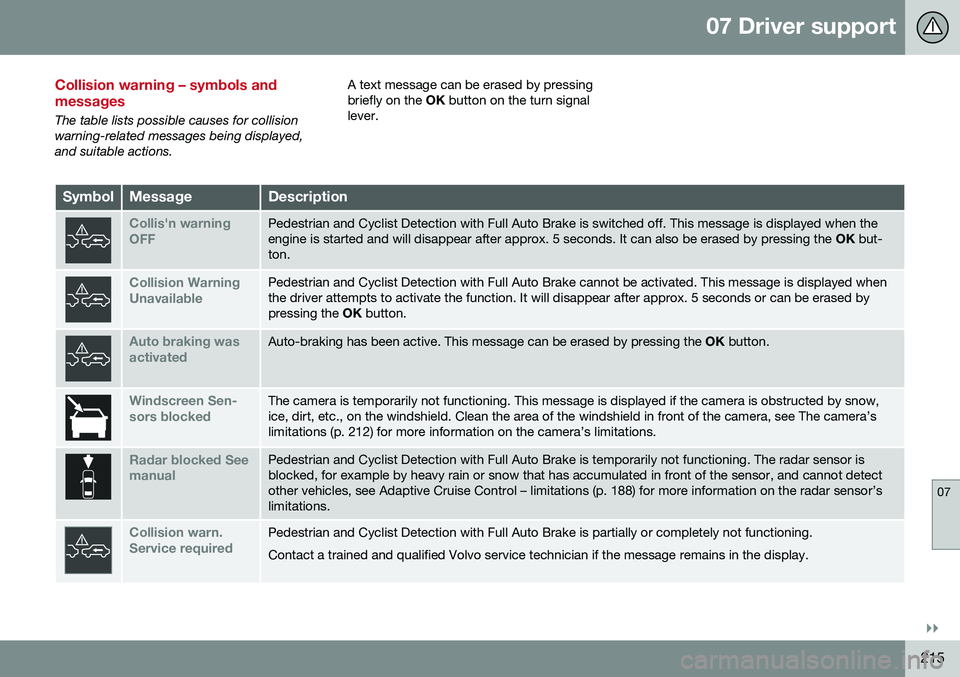
Collision warning – symbols and messages
The table lists possible causes for collision warning-related messages being displayed,and suitable actions.A text message can be erased by pressingbriefly on the
OK button on the turn signal
lever.
SymbolMessageDescription
Collis'n warning OFFPedestrian and Cyclist Detection with Full Auto Brake is switched off. This message is displayed when the engine is started and will disappear after approx. 5 seconds. It can also be erased by pressing the OK but-
ton.
Collision Warning UnavailablePedestrian and Cyclist Detection with Full Auto Brake cannot be activated. This message is displayed when the driver attempts to activate the function. It will disappear after approx. 5 seconds or can be erased bypressing the OK button.
Auto braking was activatedAuto-braking has been active. This message can be erased by pressing the OK button.
Windscreen Sen- sors blockedThe camera is temporarily not functioning. This message is displayed if the camera is obstructed by snow, ice, dirt, etc., on the windshield. Clean the area of the windshield in front of the camera, see The camera’slimitations (p. 212) for more information on the camera’s limitations.
Radar blocked See manualPedestrian and Cyclist Detection with Full Auto Brake is temporarily not functioning. The radar sensor is blocked, for example by heavy rain or snow that has accumulated in front of the sensor, and cannot detectother vehicles, see Adaptive Cruise Control – limitations (p. 188) for more information on the radar sensor’slimitations.
Collision warn. Service requiredPedestrian and Cyclist Detection with Full Auto Brake is partially or completely not functioning. Contact a trained and qualified Volvo service technician if the message remains in the display.
Page 220 of 402
||
07 Driver support
07
218
NOTE
The camera has certain limitations, see Adaptive Cruise Control – limitations(p. 188).
WARNING
•DAC is not intended to extend the duration of driving. Always plan breaksat regular intervals to help remain alert.
• A warning from DAC should not beignored. A driver may not be aware ofhow fatigued he/she has become.
• In certain cases, fatigue may not affectthe driver’s behavior. In situations ofthis type, no warning will be provided.Therefore, it is important to takebreaks at regular intervals, regardlessof whether or not DAC has given awarning.
Related information
•
Driver Alert Control (DAC) – function (p. 219)
• Driver Alert Control (DAC) – operation(p. 218)
• Driver Alert Control (DAC) – limitations(p. 219)
• Driver Alert Control (DAC) – symbols andmessages (p. 220)
• Driver Alert System (p. 217) •
Lane Departure Warning (LDW) – intro-duction (p. 222)
• Lane Keeping Aid (LKA) – introduction(p. 227)
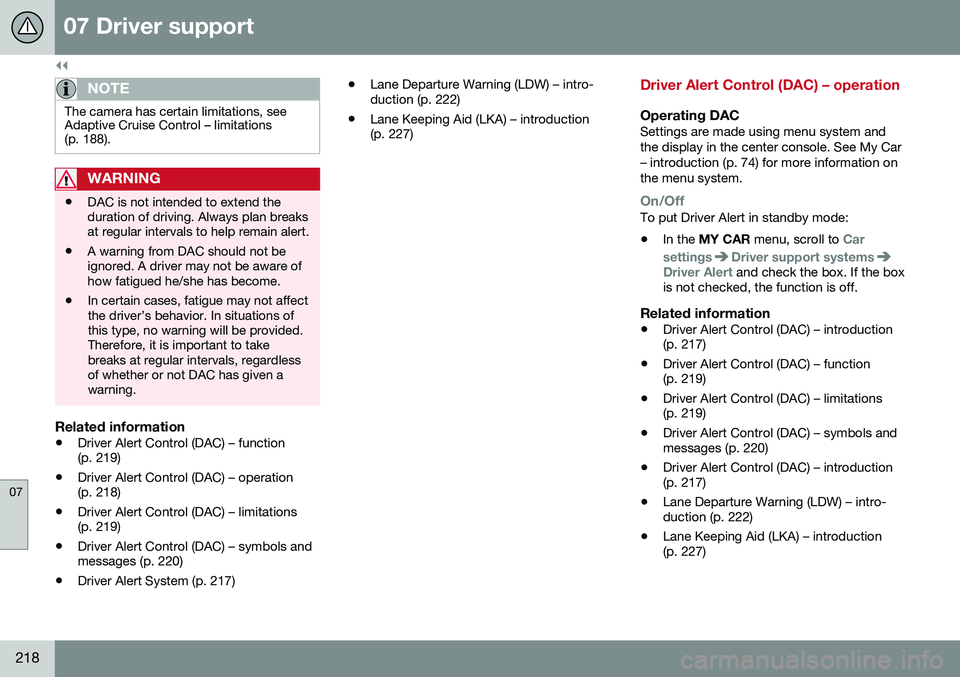
Driver Alert Control (DAC) – operation
Operating DACSettings are made using menu system and the display in the center console. See My Car– introduction (p. 74) for more information onthe menu system.
On/OffTo put Driver Alert in standby mode:
• In the
MY CAR menu, scroll to
Car
settings
Driver support systemsDriver Alert and check the box. If the box
is not checked, the function is off.
Related information
• Driver Alert Control (DAC) – introduction (p. 217)
• Driver Alert Control (DAC) – function(p. 219)
• Driver Alert Control (DAC) – limitations(p. 219)
• Driver Alert Control (DAC) – symbols andmessages (p. 220)
• Driver Alert Control (DAC) – introduction(p. 217)
• Lane Departure Warning (LDW) – intro-duction (p. 222)
• Lane Keeping Aid (LKA) – introduction(p. 227)
Page 221 of 402
07 Driver support
07
219
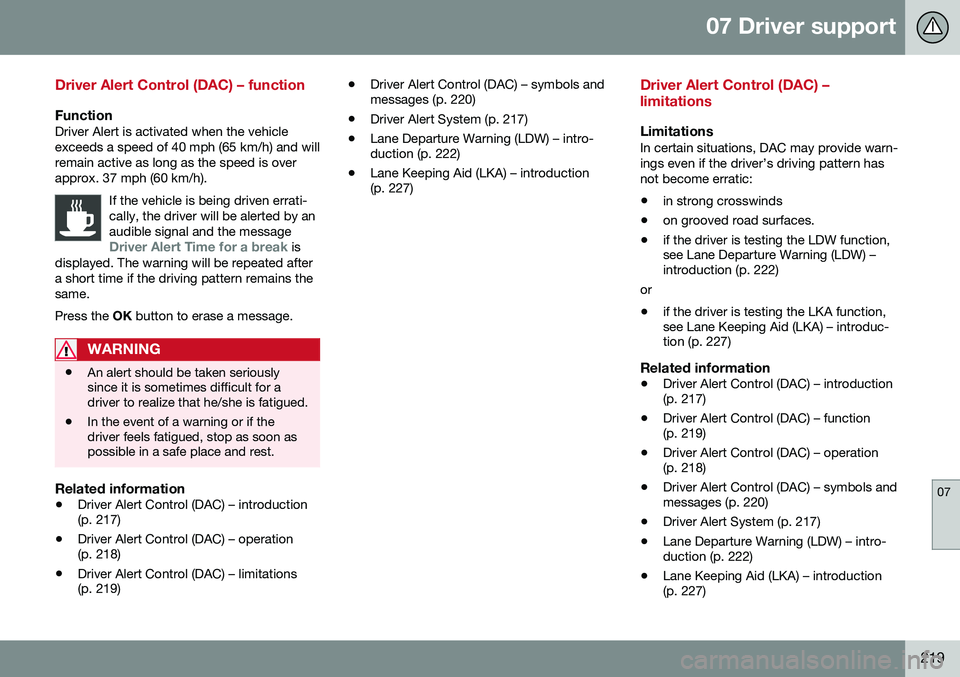
Driver Alert Control (DAC) – function
FunctionDriver Alert is activated when the vehicle exceeds a speed of 40 mph (65 km/h) and willremain active as long as the speed is overapprox. 37 mph (60 km/h).If the vehicle is being driven errati-cally, the driver will be alerted by anaudible signal and the message
Driver Alert Time for a break is
displayed. The warning will be repeated after a short time if the driving pattern remains thesame. Press the OK button to erase a message.
WARNING
• An alert should be taken seriously since it is sometimes difficult for adriver to realize that he/she is fatigued.
• In the event of a warning or if thedriver feels fatigued, stop as soon aspossible in a safe place and rest.
Related information
•
Driver Alert Control (DAC) – introduction (p. 217)
• Driver Alert Control (DAC) – operation(p. 218)
• Driver Alert Control (DAC) – limitations(p. 219) •
Driver Alert Control (DAC) – symbols andmessages (p. 220)
• Driver Alert System (p. 217)
• Lane Departure Warning (LDW) – intro-duction (p. 222)
• Lane Keeping Aid (LKA) – introduction(p. 227)
Driver Alert Control (DAC) – limitations
LimitationsIn certain situations, DAC may provide warn- ings even if the driver’s driving pattern hasnot become erratic:
• in strong crosswinds
• on grooved road surfaces.
• if the driver is testing the LDW function, see Lane Departure Warning (LDW) –introduction (p. 222)
or
• if the driver is testing the LKA function,see Lane Keeping Aid (LKA) – introduc-tion (p. 227)
Related information
•
Driver Alert Control (DAC) – introduction(p. 217)
• Driver Alert Control (DAC) – function(p. 219)
• Driver Alert Control (DAC) – operation(p. 218)
• Driver Alert Control (DAC) – symbols andmessages (p. 220)
• Driver Alert System (p. 217)
• Lane Departure Warning (LDW) – intro-duction (p. 222)
• Lane Keeping Aid (LKA) – introduction(p. 227)
Page 222 of 402
07 Driver support
07
220
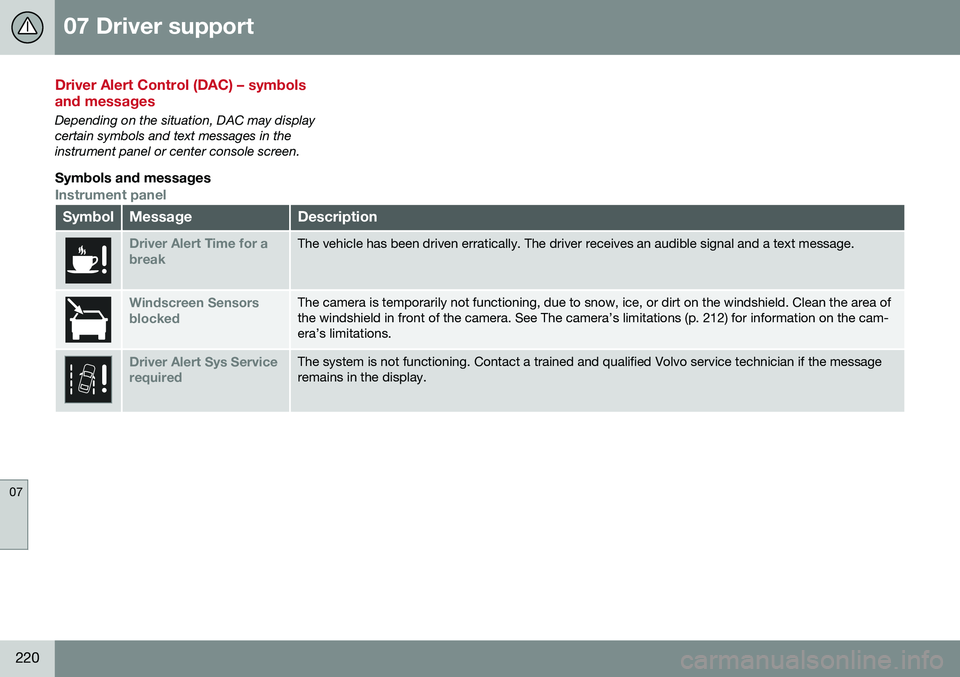
Driver Alert Control (DAC) – symbols and messages
Depending on the situation, DAC may display certain symbols and text messages in theinstrument panel or center console screen.
Symbols and messages
Instrument panel
SymbolMessageDescription
Driver Alert Time for a breakThe vehicle has been driven erratically. The driver receives an audible signal and a text message.
Windscreen Sensors blockedThe camera is temporarily not functioning, due to snow, ice, or dirt on the windshield. Clean the area of the windshield in front of the camera. See The camera’s limitations (p. 212) for information on the cam-era’s limitations.
Driver Alert Sys Service requiredThe system is not functioning. Contact a trained and qualified Volvo service technician if the message remains in the display.
Page 223 of 402
07 Driver support
07
221
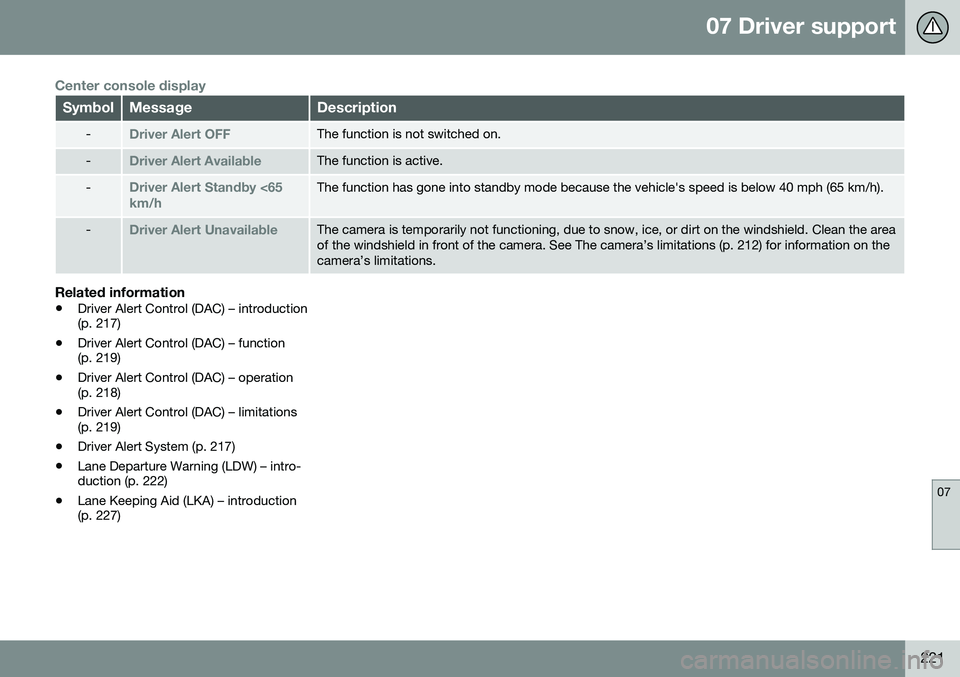
Center console display
SymbolMessageDescription
-Driver Alert OFFThe function is not switched on.
-Driver Alert AvailableThe function is active.
-Driver Alert Standby <65 km/hThe function has gone into standby mode because the vehicle's speed is below 40 mph (65 km/h).
-Driver Alert UnavailableThe camera is temporarily not functioning, due to snow, ice, or dirt on the windshield. Clean the area of the windshield in front of the camera. See The camera’s limitations (p. 212) for information on thecamera’s limitations.
Related information
•Driver Alert Control (DAC) – introduction (p. 217)
• Driver Alert Control (DAC) – function(p. 219)
• Driver Alert Control (DAC) – operation(p. 218)
• Driver Alert Control (DAC) – limitations(p. 219)
• Driver Alert System (p. 217)
• Lane Departure Warning (LDW) – intro-duction (p. 222)
• Lane Keeping Aid (LKA) – introduction(p. 227)
Page 224 of 402
07 Driver support
07
222
Lane Departure Warning (LDW) – introduction
The LDW function is designed to help reduce the risk of accidents in situations where thevehicle unintentionally leaves its lane andthere is a risk of driving off the road or into theopposite lane.
Lane Departure Warning (LDW)9Your vehicle may be equipped with LaneDeparture Warning (LDW) or Lane KeepingAid (LKA), depending on your choice of engine.
If you are uncertain as to which of
these optional systems is in your vehicle:
• Press the
MY CAR button on the center
console to open the menu system. Scroll to
SettingsDriver support system.
The system in your vehicle (Lane
Departure Warning or Lane Keeping
Aid) will be displayed there.
If your vehicle is equipped with Lane Keeping Aid (LKA), see Lane Keeping Aid (LKA) – intro-duction (p. 227) for detailed information.
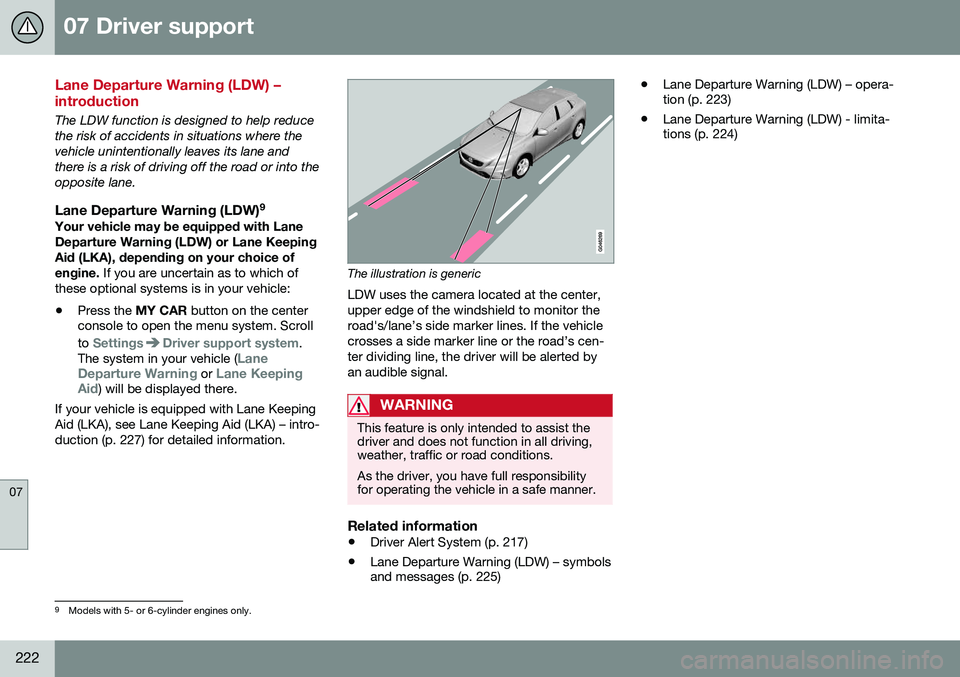
The illustration is generic
LDW uses the camera located at the center, upper edge of the windshield to monitor theroad's/lane’s side marker lines. If the vehiclecrosses a side marker line or the road’s cen-ter dividing line, the driver will be alerted byan audible signal.
WARNING
This feature is only intended to assist the driver and does not function in all driving,weather, traffic or road conditions. As the driver, you have full responsibility for operating the vehicle in a safe manner.
Related information
• Driver Alert System (p. 217)
• Lane Departure Warning (LDW) – symbols and messages (p. 225) •
Lane Departure Warning (LDW) – opera-tion (p. 223)
• Lane Departure Warning (LDW) - limita-tions (p. 224)
9
Models with 5- or 6-cylinder engines only.
Page 225 of 402
07 Driver support
07
}}
223
Lane Departure Warning (LDW) – operation
Operation and function
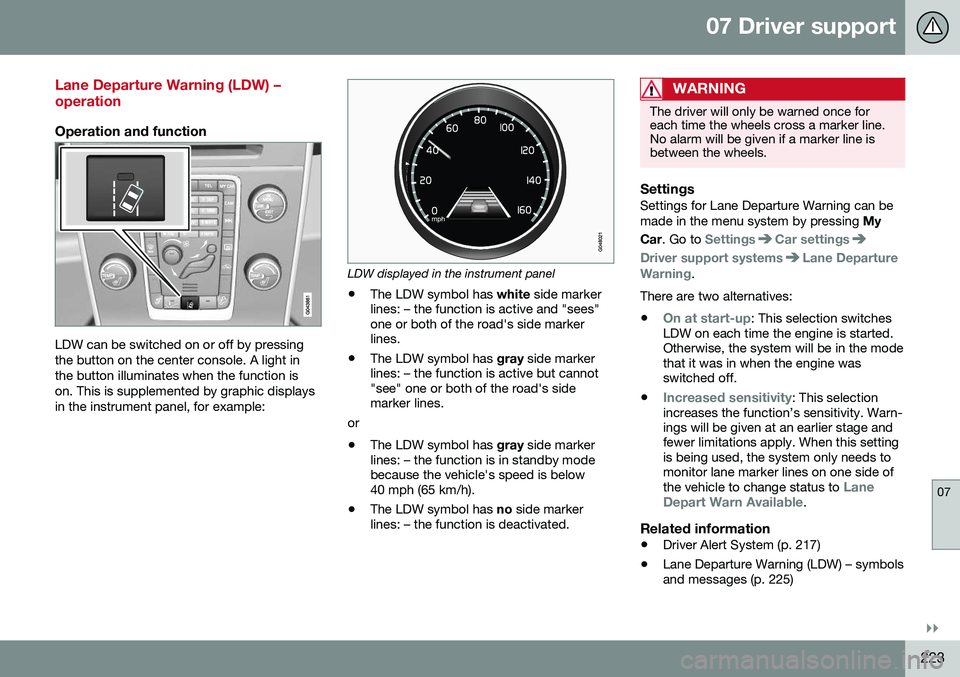
LDW can be switched on or off by pressing the button on the center console. A light inthe button illuminates when the function ison. This is supplemented by graphic displaysin the instrument panel, for example:
LDW displayed in the instrument panel
• The LDW symbol has
white side marker
lines: – the function is active and "sees" one or both of the road's side markerlines.
• The LDW symbol has
gray side marker
lines: – the function is active but cannot"see" one or both of the road's sidemarker lines.
or
• The LDW symbol has
gray side marker
lines: – the function is in standby modebecause the vehicle's speed is below40 mph (65 km/h).
• The LDW symbol has
no side marker
lines: – the function is deactivated.
WARNING
The driver will only be warned once for each time the wheels cross a marker line.No alarm will be given if a marker line isbetween the wheels.
SettingsSettings for Lane Departure Warning can be made in the menu system by pressing My
Car . Go to
SettingsCar settings
Driver support systemsLane Departure
Warning.
There are two alternatives:
•
On at start-up: This selection switches
LDW on each time the engine is started. Otherwise, the system will be in the modethat it was in when the engine wasswitched off.
•
Increased sensitivity: This selection
increases the function’s sensitivity. Warn- ings will be given at an earlier stage andfewer limitations apply. When this settingis being used, the system only needs tomonitor lane marker lines on one side of the vehicle to change status to
Lane
Depart Warn Available.
Related information
• Driver Alert System (p. 217)
• Lane Departure Warning (LDW) – symbols and messages (p. 225)
Page 227 of 402
07 Driver support
07
}}
225
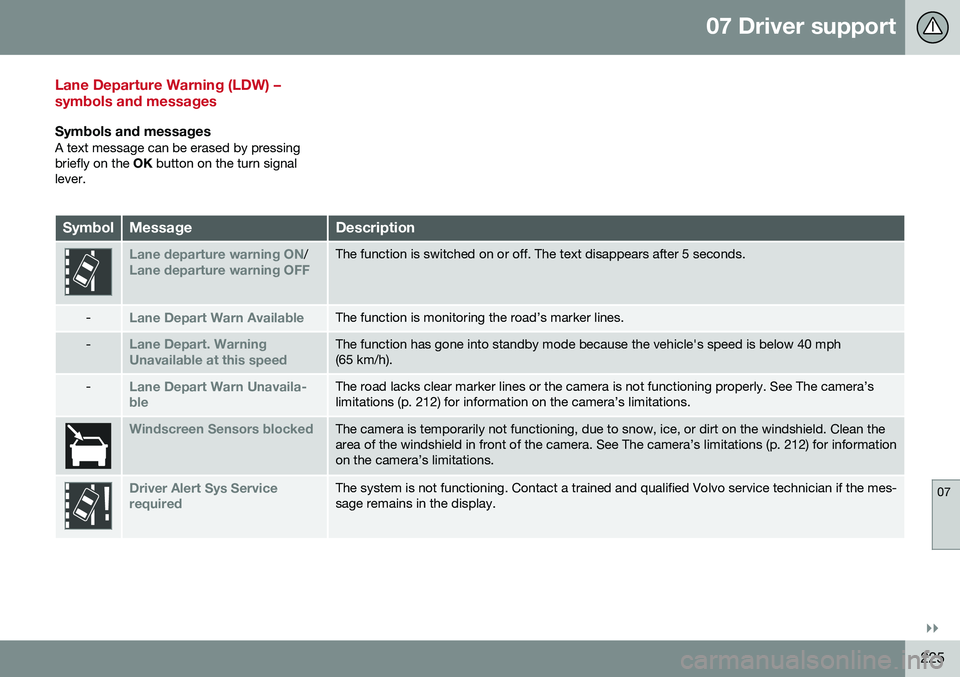
Lane Departure Warning (LDW) – symbols and messages
Symbols and messagesA text message can be erased by pressing briefly on the OK button on the turn signal
lever.
SymbolMessageDescription
Lane departure warning ON/Lane departure warning OFFThe function is switched on or off. The text disappears after 5 seconds.
-Lane Depart Warn AvailableThe function is monitoring the road’s marker lines.
-Lane Depart. Warning Unavailable at this speedThe function has gone into standby mode because the vehicle's speed is below 40 mph (65 km/h).
-Lane Depart Warn Unavaila- bleThe road lacks clear marker lines or the camera is not functioning properly. See The camera’s limitations (p. 212) for information on the camera’s limitations.
Windscreen Sensors blockedThe camera is temporarily not functioning, due to snow, ice, or dirt on the windshield. Clean the area of the windshield in front of the camera. See The camera’s limitations (p. 212) for informationon the camera’s limitations.
Driver Alert Sys Service requiredThe system is not functioning. Contact a trained and qualified Volvo service technician if the mes- sage remains in the display.
Page 229 of 402
07 Driver support
07
227
Lane Keeping Aid (LKA) – introduction
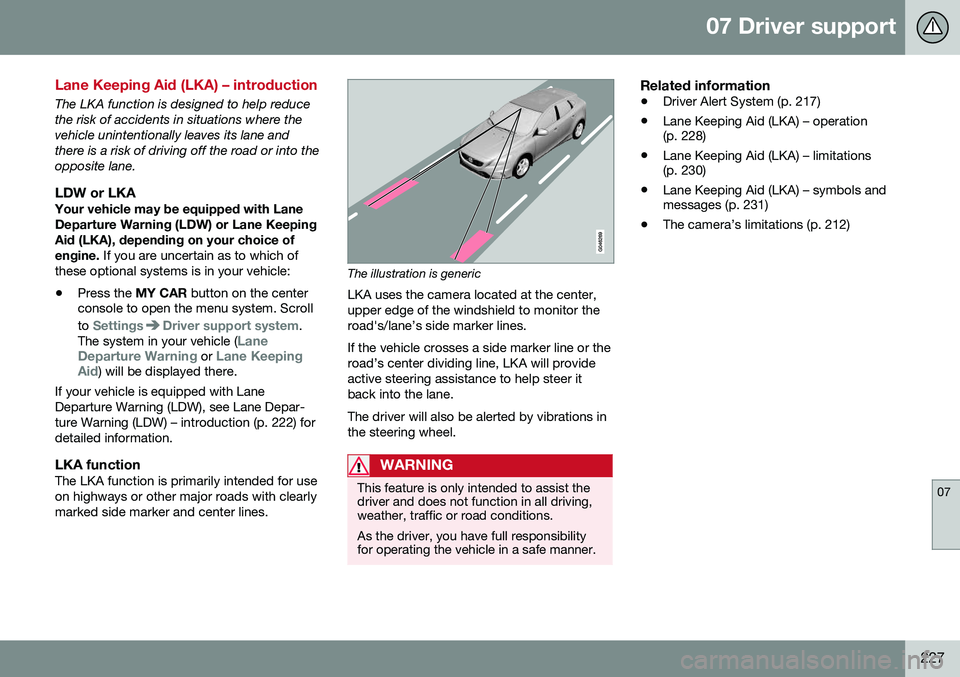
The LKA function is designed to help reduce the risk of accidents in situations where thevehicle unintentionally leaves its lane andthere is a risk of driving off the road or into theopposite lane.
LDW or LKAYour vehicle may be equipped with LaneDeparture Warning (LDW) or Lane KeepingAid (LKA), depending on your choice of engine. If you are uncertain as to which of
these optional systems is in your vehicle:
• Press the
MY CAR button on the center
console to open the menu system. Scroll to
SettingsDriver support system.
The system in your vehicle (Lane
Departure Warning or Lane Keeping
Aid) will be displayed there.
If your vehicle is equipped with Lane Departure Warning (LDW), see Lane Depar-ture Warning (LDW) – introduction (p. 222) fordetailed information.
LKA functionThe LKA function is primarily intended for useon highways or other major roads with clearlymarked side marker and center lines.
The illustration is generic
LKA uses the camera located at the center, upper edge of the windshield to monitor theroad's/lane’s side marker lines. If the vehicle crosses a side marker line or the road’s center dividing line, LKA will provideactive steering assistance to help steer itback into the lane. The driver will also be alerted by vibrations in the steering wheel.
WARNING
This feature is only intended to assist the driver and does not function in all driving,weather, traffic or road conditions. As the driver, you have full responsibility for operating the vehicle in a safe manner.
Related information
• Driver Alert System (p. 217)
• Lane Keeping Aid (LKA) – operation (p. 228)
• Lane Keeping Aid (LKA) – limitations(p. 230)
• Lane Keeping Aid (LKA) – symbols andmessages (p. 231)
• The camera’s limitations (p. 212)