turn signal VOLVO V60 2017 Owner´s Manual
[x] Cancel search | Manufacturer: VOLVO, Model Year: 2017, Model line: V60, Model: VOLVO V60 2017Pages: 406, PDF Size: 9.65 MB
Page 190 of 406
||
DRIVER SUPPORT
188
WARNING
The vehicle may accelerate quickly after has been pressed if its current speed is con- siderably lower than the set speed.
Standby mode due to action by the driver
ACC is temporarily deactivated and put in standby mode:• if the brakes are applied
• if the gear selector is moved to
N
• if the driver drives faster than the set speed for more than
1 minute.
In this happens, the driver will have to regulate
the vehicle's speed.
NOTE
If the accelerator pedal is only depressed for a short time, such as when passing anothervehicle, ACC is deactivated temporarily and isreactivated when the pedal is released.
Automatic standby modeACC is linked to other systems such as the sta- bility system. If this system is not functioningproperly, ACC will switch off automatically. In the event of automatic deactivation, an audible signal will sound and the message
Cruise control Cancelled
is shown in the instrument
panel. The driver must then intervene and adapt the vehicle's speed to the surrounding traffic andregulate the distance to the vehicle ahead. An automatic switch to standby mode may be caused if:
• engine speed (rpm) is too high/low
• The driver's door is opened
• The driver unbuckles his/her seat belt
• the vehicle's speed goes below 18 mph(30 km/h)
• the wheels lose traction
• brake temperature is high
• the radar sensor is obstructed by, for exam-ple, wet snow or rain.
Resuming the set speedIf ACC is in standby mode, it can be reactivated by pressing the
button on the steering wheel
keypad. The vehicle will return to the most recently set speed.
WARNING
The vehicle may accelerate quickly after has been pressed if its current speed is con- siderably lower than the set speed.
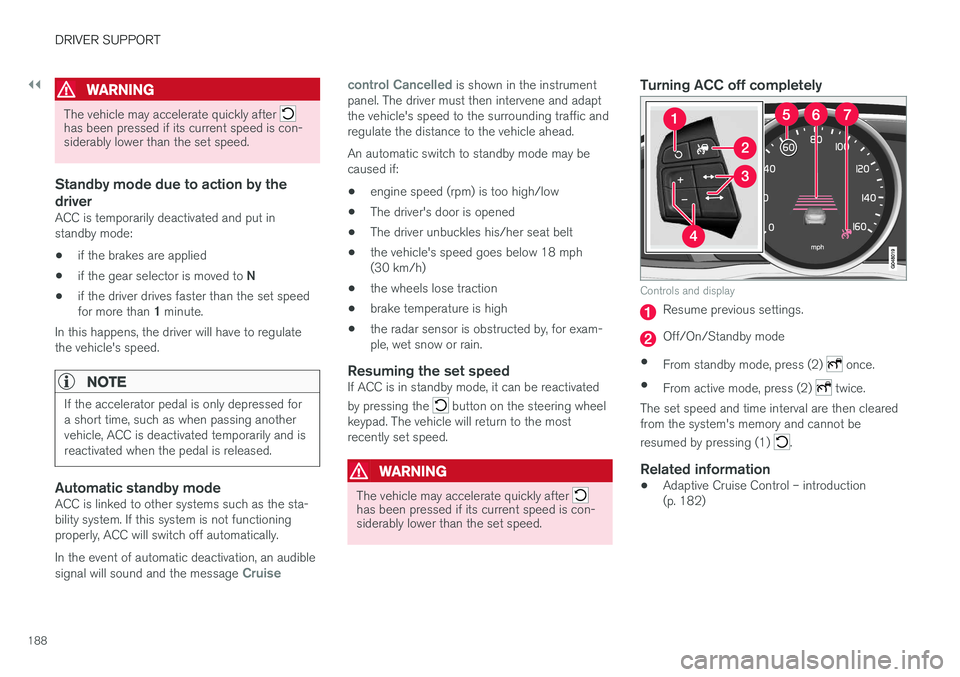
Turning ACC off completely
Controls and display
Resume previous settings.
Off/On/Standby mode
• From standby mode, press (2)
once.
• From active mode, press (2)
twice.
The set speed and time interval are then cleared from the system's memory and cannot be resumed by pressing (1)
.
Related information
• Adaptive Cruise Control – introduction (p. 182)
Page 196 of 406
DRIVER SUPPORT
194
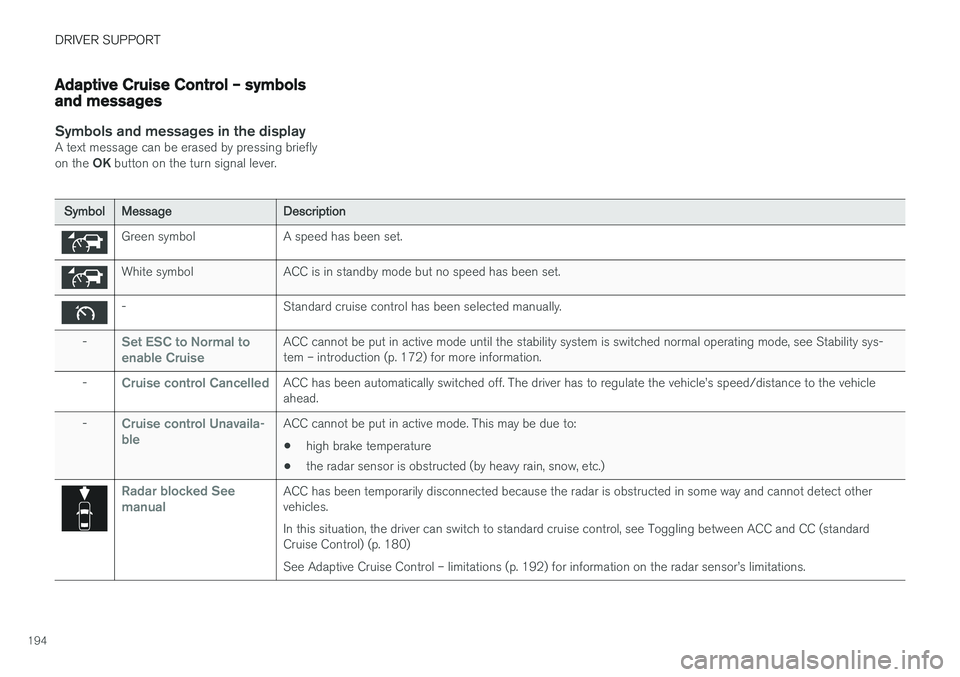
Adaptive Cruise Control – symbols and messages
Symbols and messages in the displayA text message can be erased by pressing briefly on the OK button on the turn signal lever.
SymbolMessageDescription
Green symbolA speed has been set.
White symbolACC is in standby mode but no speed has been set.
-Standard cruise control has been selected manually.
-Set ESC to Normal to enable CruiseACC cannot be put in active mode until the stability system is switched normal operating mode, see Stability sys- tem – introduction (p. 172) for more information.
-Cruise control CancelledACC has been automatically switched off. The driver has to regulate the vehicle
Page 198 of 406
DRIVER SUPPORT
196
Adaptive Cruise Control – troubleshooting
If the message Radar blocked See manual is
displayed, this means that the radar signals from the sensor have been obstructed and that a vehi- cle ahead cannot be detected. This, in turn, means that the functions of the ACC, Distance Alert, and Collision Warning Sys-
tem with Auto-brake and Pedestrian Detectionwill not function. The table lists possible causes for this message being displayed, and suitable actions.
CauseAction
The surface of the radar in the grille is dirty or obstructed in some way.Clean the radar surface, or remove the object causing the obstruction.
Heavy rain or snow is interfering with the radar signals.No action possible. Heavy precipitation may affect the function of the radar.
Swirling water or snow from the surface of the road may interfere with the radar signals.No action possible. A very wet or snow-covered road surface may affect the function of the radar.
The surface of the radar is clean but the message remains in the display.Wait a short time. It may take several minutes for the radar to detect that it is no longer obstructed.
Related information
•
Adaptive Cruise Control – introduction (p. 182)
Page 202 of 406
DRIVER SUPPORT
200
Distance Alert – symbols and messagesDistance Alert is part of Adaptive Cruise Control and is a function that provides information aboutthe time interval to the vehicle ahead.Symbols and text messagesA text message can be erased by pressing briefly on the OK button on the turn signal lever.
SymbolMessageDescription
Radar blocked See manualDistance Alert has been temporarily disconnected because the radar is obstructed in some way and cannot detect other vehicles. See Adaptive Cruise Control – limitations (p. 192) for information on the radar sensor
Page 208 of 406
DRIVER SUPPORT
206
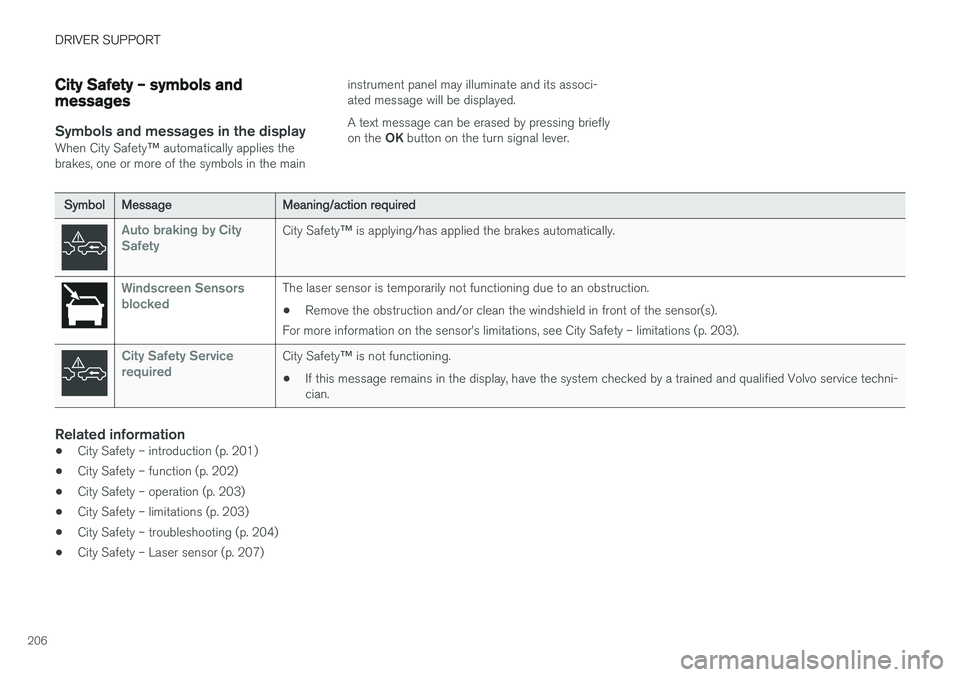
City Safety – symbols and messages
Symbols and messages in the display
When City Safety™ automatically applies the
brakes, one or more of the symbols in the main instrument panel may illuminate and its associ- ated message will be displayed. A text message can be erased by pressing briefly on the
OK button on the turn signal lever.
SymbolMessageMeaning/action required
Auto braking by City SafetyCity Safety ™ is applying/has applied the brakes automatically.
Windscreen Sensors blockedThe laser sensor is temporarily not functioning due to an obstruction.
• Remove the obstruction and/or clean the windshield in front of the sensor(s).
For more information on the sensor
Page 221 of 406
DRIVER SUPPORT
}}
219
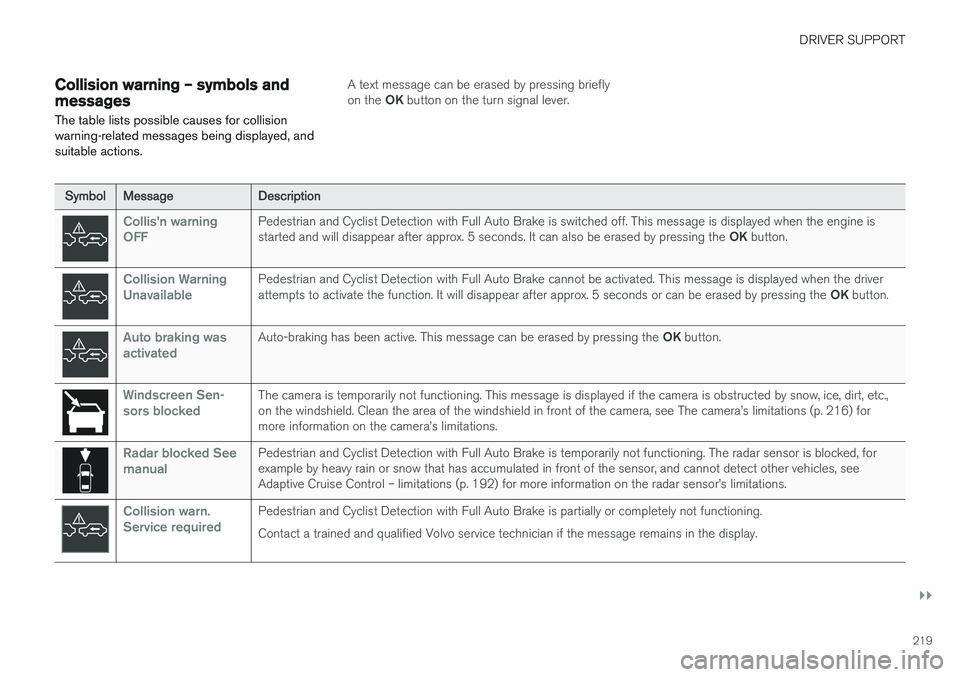
Collision warning – symbols and messages
The table lists possible causes for collision warning-related messages being displayed, andsuitable actions.A text message can be erased by pressing briefly on the OK button on the turn signal lever.
SymbolMessageDescription
Collis'n warning OFFPedestrian and Cyclist Detection with Full Auto Brake is switched off. This message is displayed when the engine is started and will disappear after approx. 5 seconds. It can also be erased by pressing the OK button.
Collision Warning UnavailablePedestrian and Cyclist Detection with Full Auto Brake cannot be activated. This message is displayed when the driver attempts to activate the function. It will disappear after approx. 5 seconds or can be erased by pressing the OK button.
Auto braking was activatedAuto-braking has been active. This message can be erased by pressing the OK button.
Windscreen Sen- sors blockedThe camera is temporarily not functioning. This message is displayed if the camera is obstructed by snow, ice, dirt, etc., on the windshield. Clean the area of the windshield in front of the camera, see The camera
Page 232 of 406
DRIVER SUPPORT
230
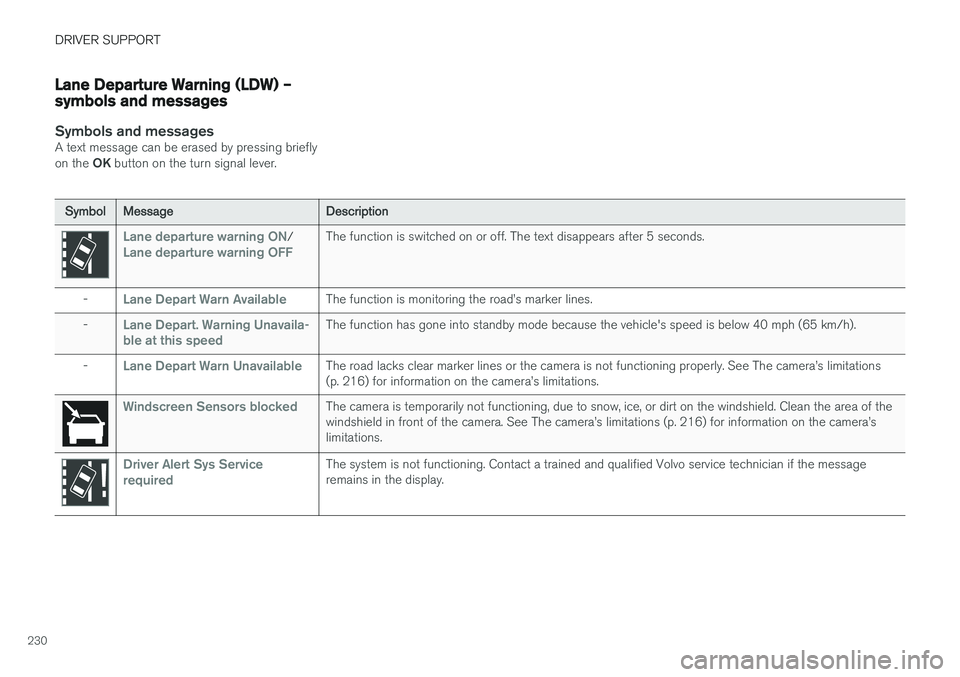
Lane Departure Warning (LDW) – symbols and messages
Symbols and messagesA text message can be erased by pressing briefly on the OK button on the turn signal lever.
SymbolMessageDescription
Lane departure warning ON/Lane departure warning OFFThe function is switched on or off. The text disappears after 5 seconds.
-Lane Depart Warn AvailableThe function is monitoring the road
Page 236 of 406
||
DRIVER SUPPORT
234
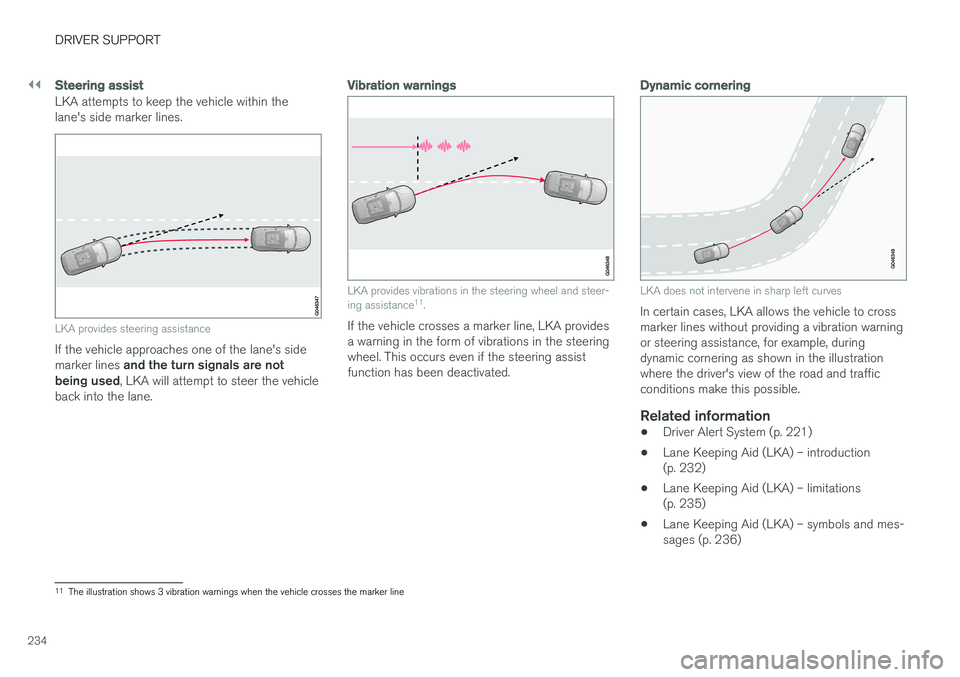
Steering assist
LKA attempts to keep the vehicle within the lane's side marker lines.
LKA provides steering assistance
If the vehicle approaches one of the lane's side marker lines and the turn signals are not
being used , LKA will attempt to steer the vehicle
back into the lane.
Vibration warnings
LKA provides vibrations in the steering wheel and steer- ing assistance 11
.
If the vehicle crosses a marker line, LKA provides a warning in the form of vibrations in the steeringwheel. This occurs even if the steering assistfunction has been deactivated.
Dynamic cornering
LKA does not intervene in sharp left curves
In certain cases, LKA allows the vehicle to cross marker lines without providing a vibration warningor steering assistance, for example, duringdynamic cornering as shown in the illustrationwhere the driver's view of the road and trafficconditions make this possible.
Related information
• Driver Alert System (p. 221)
• Lane Keeping Aid (LKA) – introduction(p. 232)
• Lane Keeping Aid (LKA) – limitations(p. 235)
• Lane Keeping Aid (LKA) – symbols and mes-sages (p. 236)
11
The illustration shows 3 vibration warnings when the vehicle crosses the marker line
Page 238 of 406
DRIVER SUPPORT
236
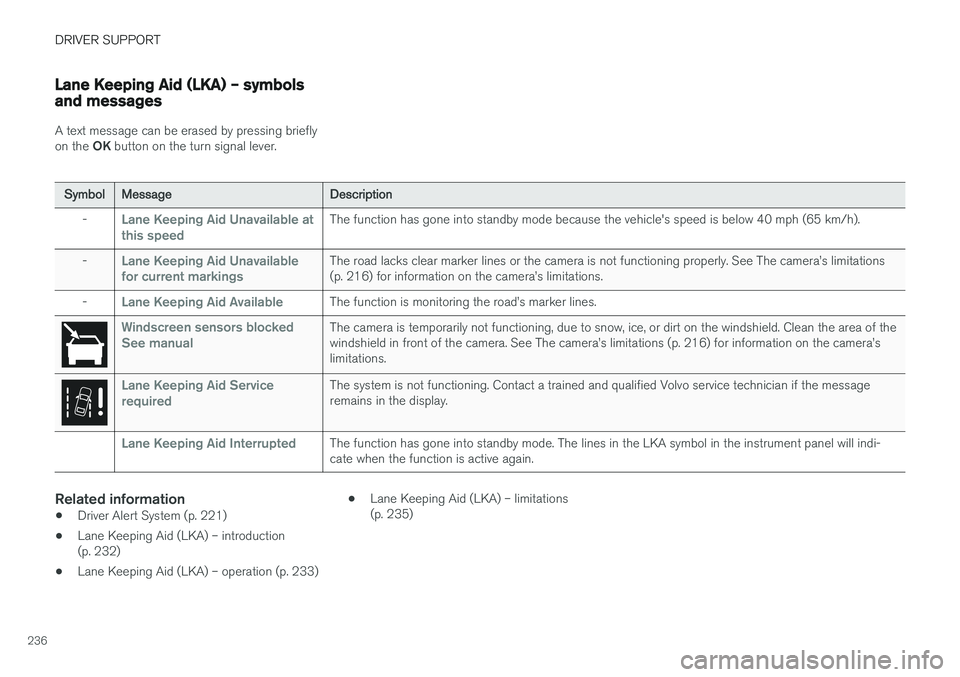
Lane Keeping Aid (LKA) – symbols and messages
A text message can be erased by pressing briefly on the OK button on the turn signal lever.
SymbolMessageDescription
-Lane Keeping Aid Unavailable at
this speedThe function has gone into standby mode because the vehicle's speed is below 40 mph (65 km/h).
-Lane Keeping Aid Unavailable
for current markingsThe road lacks clear marker lines or the camera is not functioning properly. See The camera
Page 244 of 406
||
DRIVER SUPPORT
* Option/accessory, for more information, see Introduction.
242 1. Searching for and measuring a parking
space. While this is taking place, the vehicle's speed must be below 20 mph (30 km/h). See also steps A and B in the illustration in
the section "1: Searching and measuring" in Park Assist Pilot (PAP) * – operation
(p. 242).
2. Steering the vehicle as it backs into the park- ing space. See also steps C and D in the
illustration in the section "2: Backing into theparking space" in Park Assist Pilot (PAP) * –
operation (p. 242).
3. Adjusting the vehicle's position in the parking space by moving forward and rearward. See also steps E and F in the illustration in the
section "3: Adjusting the vehicle's position" in Park Assist Pilot (PAP) * – operation
(p. 242).
Related information
• Park Assist Pilot (PAP)
* – introduction
(p. 241)
• Park Assist Pilot (PAP)
* – limitations
(p. 244)
• Park Assist Pilot (PAP)
* – symbols and mes-
sages (p. 245)
• Park assist – introduction (p. 237)
• Rear Park Assist Camera (PAC) – introduc- tion (p. 246)
Park Assist Pilot (PAP)
* – operation
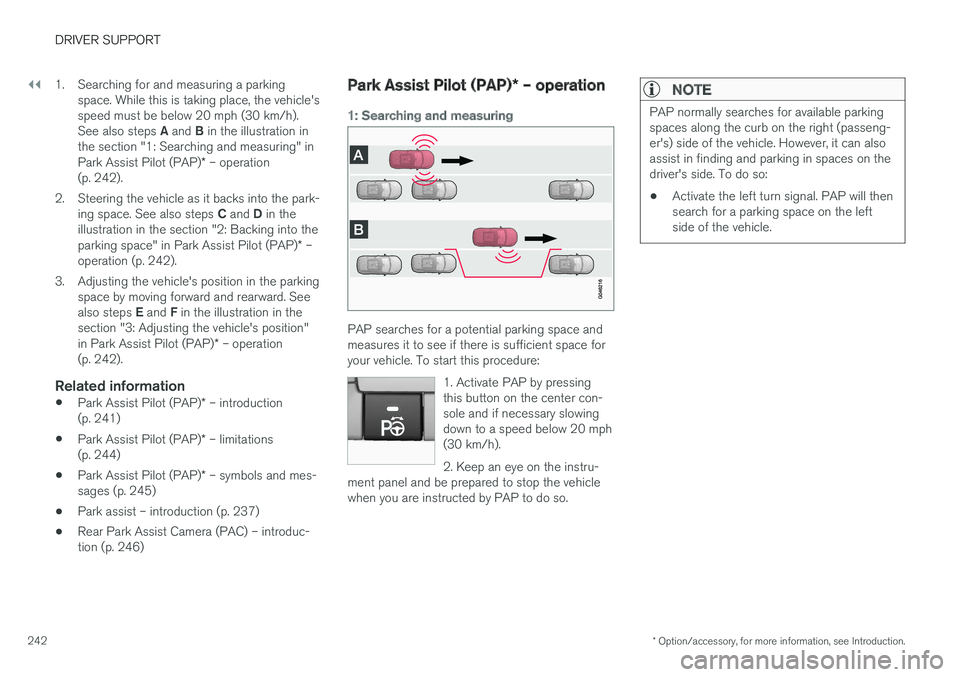
1: Searching and measuring
PAP searches for a potential parking space and measures it to see if there is sufficient space foryour vehicle. To start this procedure:
1. Activate PAP by pressingthis button on the center con-sole and if necessary slowingdown to a speed below 20 mph(30 km/h). 2. Keep an eye on the instru-
ment panel and be prepared to stop the vehicle when you are instructed by PAP to do so.
NOTE
PAP normally searches for available parking spaces along the curb on the right (passeng-er's) side of the vehicle. However, it can alsoassist in finding and parking in spaces on thedriver's side. To do so:
• Activate the left turn signal. PAP will thensearch for a parking space on the leftside of the vehicle.