turn signal VOLVO V60 2017 Owner´s Manual
[x] Cancel search | Manufacturer: VOLVO, Model Year: 2017, Model line: V60, Model: VOLVO V60 2017Pages: 406, PDF Size: 9.65 MB
Page 247 of 406
DRIVER SUPPORT
* Option/accessory, for more information, see Introduction.245
The sensors must be cleaned regularly to ensure that they work properly. Clean them with waterand a suitable car washing detergent.
Related information
•
Park Assist Pilot (PAP)
* – introduction
(p. 241)
• Park Assist Pilot (PAP)
* – function (p. 241)
• Park Assist Pilot (PAP)
* – operation (p. 242)
• Park Assist Pilot (PAP)
* – symbols and mes-
sages (p. 245)
• Park assist – introduction (p. 237)
• Rear Park Assist Camera (PAC) – introduc-tion (p. 246)
Park Assist Pilot (PAP)
* – symbols
and messages
Various PAP-related combinations of symbols, graphics and text messages are displayed in theinstrument panel and sometimes also includesuitable actions. A text message can be erased by pressing briefly on the OK button on the turn signal lever.
Contact a Volvo retailer or a trained and qualified Volvo service technician If a message indicatingthat PAP is not functioning properly is displayed.
Related information
• Park Assist Pilot (PAP)
* – introduction
(p. 241)
• Park Assist Pilot (PAP)
* – function (p. 241)
• Park Assist Pilot (PAP)
* – operation (p. 242)
• Park Assist Pilot (PAP)
* – limitations (p. 244)
• Park assist – introduction (p. 237)
• Rear Park Assist Camera (PAC) – introduc-tion (p. 246)
Park assist – troubleshooting
Faults in the systemIf the information symbol illuminates and Park
assist syst Service required is shown on the
information display, this indicates that the system is not functioning properly and has been disen-gaged. Consult a trained and qualified Volvo serv-ice technician.
CAUTION
In certain circumstances, the park assist sys- tem may give unexpected warning signalsthat can be caused by external sound sourcesthat use the same ultrasound frequencies asthe system. This may include such things asthe horns of other vehicles, wet tires onasphalt, pneumatic brakes, motorcycleexhaust pipes, etc. This does not indicate afault in the system.
Related information
• Park assist – introduction (p. 237)
• Park assist – limitations (p. 240)
• Park assist – function (p. 237)
• Park assist – operation (p. 239)
• Rear Park Assist Camera (PAC) – function (p. 246)
Page 253 of 406
DRIVER SUPPORT
}}
* Option/accessory, for more information, see Introduction.251
WARNING
•BLIS and CTA are information systems, NOT warning or safety systems and donot function in all situations.
• BLIS and CTA do not eliminate the needfor you to visually confirm the conditionsaround you, and the need for you to turnyour head and shoulders to make surethat you can safely change lanes or backup.
• As the driver, you have full responsibilityfor changing lanes/backing up in a safemanner.
Radar sensor type approval
USA FCC ID: L2C0055TR Canada IC: 3432A-0055TR This device complies with Part 15 of the FCC Rules and with Industry Canada license-exemptRSS standard(s). Operation is subject to the fol-lowing two conditions: (1) This device may notcause harmful interference, and (2) This devicemust accept any interference received, includinginterference that may cause undesired operation. The term “IC:” before the radio certification num- ber only signifies that Industry Canada technicalspecifications were met.
WARNING
Changes or modifications not expressively approved by the party responsible for compli-ance could void the user's authority to oper-ate the equipment.
Related information
•
BLIS
* – function (p. 251)
• BLIS
* – operation (p. 252)
• BLIS
* – Cross Traffic Alert (CTA) (p. 253)
• BLIS
* – limitations (p. 254)
• BLIS
* – messages (p. 255)
BLIS * – function
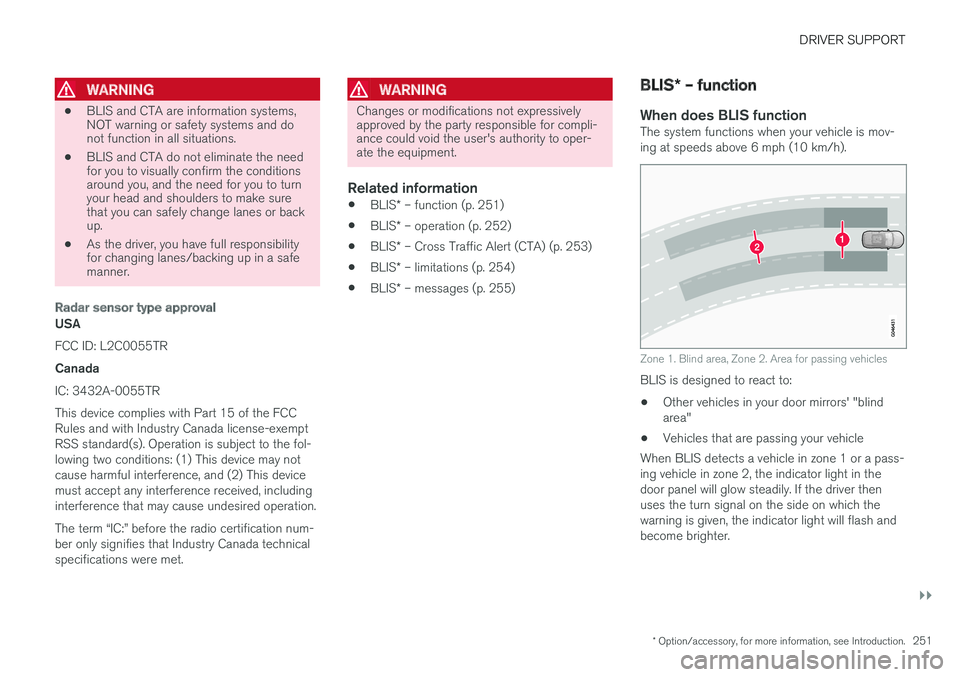
When does BLIS functionThe system functions when your vehicle is mov- ing at speeds above 6 mph (10 km/h).
Zone 1. Blind area, Zone 2. Area for passing vehicles
BLIS is designed to react to: • Other vehicles in your door mirrors' "blind area"
• Vehicles that are passing your vehicle
When BLIS detects a vehicle in zone 1 or a pass-ing vehicle in zone 2, the indicator light in thedoor panel will glow steadily. If the driver thenuses the turn signal on the side on which thewarning is given, the indicator light will flash andbecome brighter.
Page 255 of 406
DRIVER SUPPORT
}}
* Option/accessory, for more information, see Introduction.253
BLIS* – Cross Traffic Alert (CTA)
Cross Traffic Alert (CTA) is a supplementary BLIS 15
function intended to detect vehicles
crossing behind your vehicle while you are back- ing up.
Park assist/CTA button
On vehicles equipped with the optional Park assist system (p. 237), Cross Traffic Alert (CTA)can be deactivated/reactivated by pressing thePark assist button on the center console. TheBLIS indicator lights on the front doors will flashwhen CTA is reactivated by pressing the button.
WARNING
• BLIS and CTA are information systems, NOT warning or safety systems and donot function in all situations.
• BLIS and CTA do not eliminate the needfor you to visually confirm the conditionsaround you, and the need for you to turnyour head and shoulders to make surethat you can safely change lanes or backup.
• As the driver, you have full responsibilityfor changing lanes/backing up in a safemanner.
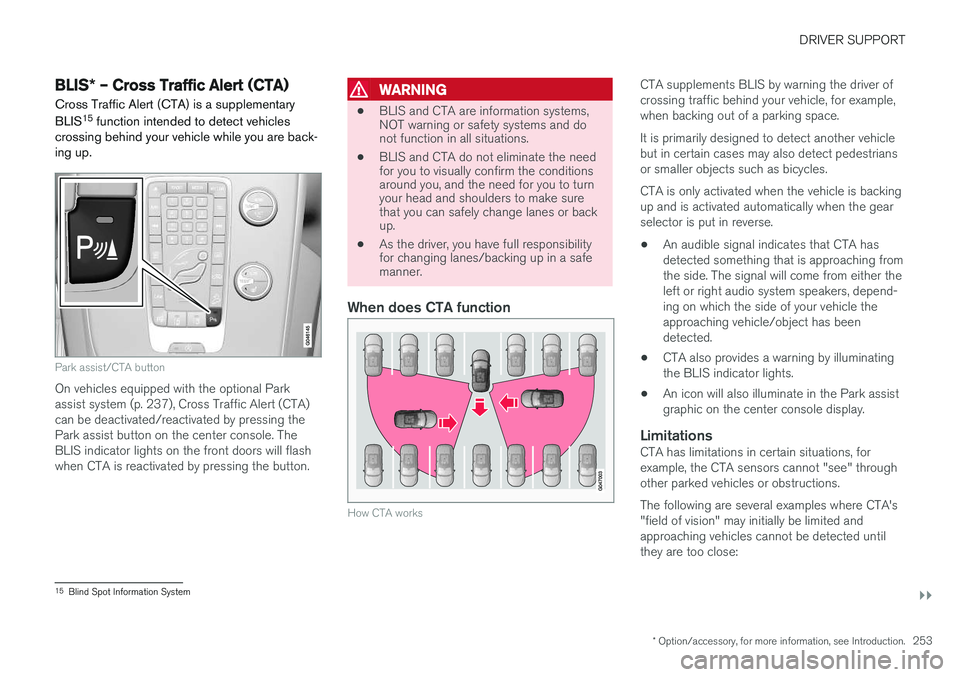
When does CTA function
How CTA works
CTA supplements BLIS by warning the driver of crossing traffic behind your vehicle, for example,when backing out of a parking space. It is primarily designed to detect another vehicle but in certain cases may also detect pedestriansor smaller objects such as bicycles. CTA is only activated when the vehicle is backing up and is activated automatically when the gearselector is put in reverse.
• An audible signal indicates that CTA hasdetected something that is approaching fromthe side. The signal will come from either theleft or right audio system speakers, depend-ing on which the side of your vehicle theapproaching vehicle/object has beendetected.
• CTA also provides a warning by illuminatingthe BLIS indicator lights.
• An icon will also illuminate in the Park assistgraphic on the center console display.
LimitationsCTA has limitations in certain situations, forexample, the CTA sensors cannot "see" throughother parked vehicles or obstructions. The following are several examples where CTA's "field of vision" may initially be limited andapproaching vehicles cannot be detected untilthey are too close:
15
Blind Spot Information System
Page 263 of 406
STARTING AND DRIVING
}}
* Option/accessory, for more information, see Introduction.261
1. The turn signals will flash several times.
2. The engine will start.
3. The turn signals will illuminate for 3 seconds
to indicate that the engine has started.
After the engine has started, the vehicle remains locked but the alarm is disarmed.
Active functions
When the engine is started with ERS, the follow- ing functions are activated: • The climate control system
• The infotainment system.
• Approach lighting
Deactivated functions
When the engine is started with ERS, the follow- ing functions are deactivated: •
Headlights
• Parking lights
• License plate lights
• Windshield wipers
Related information
•
Engine Remote Start (ERS)
* – switching off
the engine (p. 261)
• Engine Remote Start (ERS)
* – introduction
(p. 260)
Engine Remote Start (ERS) * –
switching off the engine
Any of the following will switch off the engine if it has been started with ERS: • Pressing the lock button (1) or the unlock button (2) on the remote key
• Unlocking the vehicle
• Opening a door
• Depressing the accelerator or brake pedal
• Moving the gear selector from the
P position
• If there are less than approx. 2.5 gallons(10 liters) of fuel in the tank
• More than 15 minutes have elapsed.
If the engine has been started with ERS andswitches off, the turn signals will illuminate for3 seconds.
Message in the instrument panel display
If ERS is interrupted, a text message will be dis- played in the instrument panel.
Related information
• Engine Remote Start (ERS)
* – introduction
(p. 260)
• Engine Remote Start (ERS)
* – starting the
engine (p. 260)
Jump starting
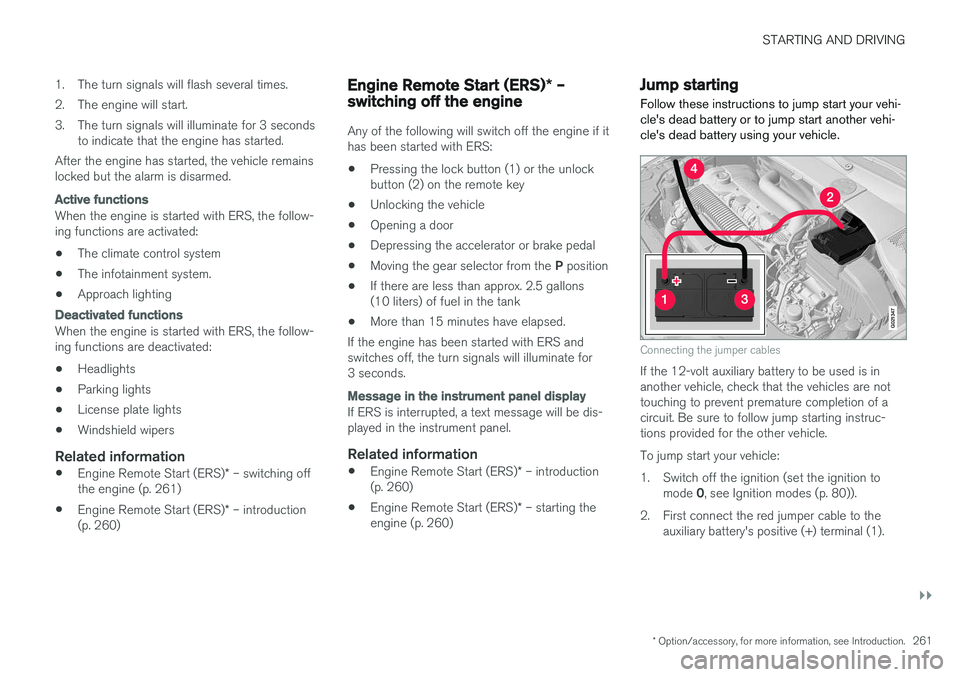
Follow these instructions to jump start your vehi- cle's dead battery or to jump start another vehi-cle's dead battery using your vehicle.
G021347
Connecting the jumper cables
If the 12-volt auxiliary battery to be used is in another vehicle, check that the vehicles are nottouching to prevent premature completion of acircuit. Be sure to follow jump starting instruc-tions provided for the other vehicle. To jump start your vehicle:
1. Switch off the ignition (set the ignition to mode 0, see Ignition modes (p. 80)).
2. First connect the red jumper cable to the auxiliary battery's positive (+) terminal (1).
Page 272 of 406
STARTING AND DRIVING
* Option/accessory, for more information, see Introduction.
270
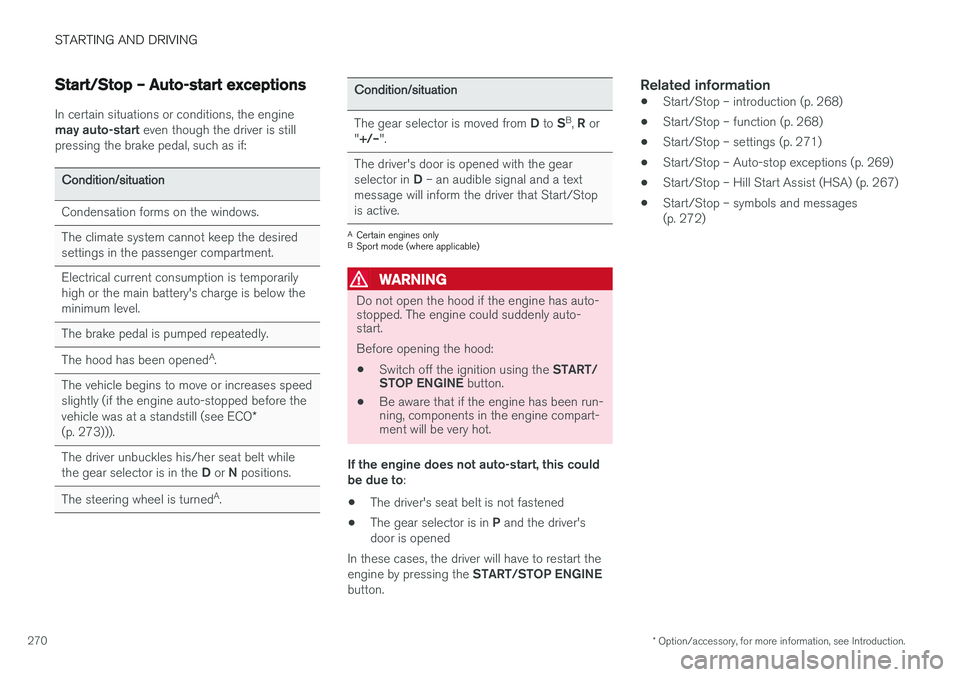
Start/Stop – Auto-start exceptions
In certain situations or conditions, the engine may auto-start even though the driver is still
pressing the brake pedal, such as if:
Condition/situation
Condensation forms on the windows.
The climate system cannot keep the desired settings in the passenger compartment.
Electrical current consumption is temporarily high or the main battery's charge is below theminimum level.
The brake pedal is pumped repeatedly.
The hood has been opened A
.
The vehicle begins to move or increases speed slightly (if the engine auto-stopped before the vehicle was at a standstill (see ECO *
(p. 273))).
The driver unbuckles his/her seat belt while the gear selector is in the D or N positions.
The steering wheel is turned A
.
Condition/situation
The gear selector is moved from D to SB
, R or
" +/– ".
The driver's door is opened with the gear selector in D – an audible signal and a text
message will inform the driver that Start/Stop is active.
A Certain engines only
B Sport mode (where applicable)
WARNING
Do not open the hood if the engine has auto- stopped. The engine could suddenly auto-start. Before opening the hood:
• Switch off the ignition using the
START/
STOP ENGINE button.
• Be aware that if the engine has been run- ning, components in the engine compart-ment will be very hot.
If the engine does not auto-start, this could be due to :
• The driver's seat belt is not fastened
• The gear selector is in
P and the driver's
door is opened
In these cases, the driver will have to restart the engine by pressing the START/STOP ENGINE
button.
Related information
• Start/Stop – introduction (p. 268)
• Start/Stop – function (p. 268)
• Start/Stop – settings (p. 271)
• Start/Stop – Auto-stop exceptions (p. 269)
• Start/Stop – Hill Start Assist (HSA) (p. 267)
• Start/Stop – symbols and messages (p. 272)
Page 285 of 406
STARTING AND DRIVING
283
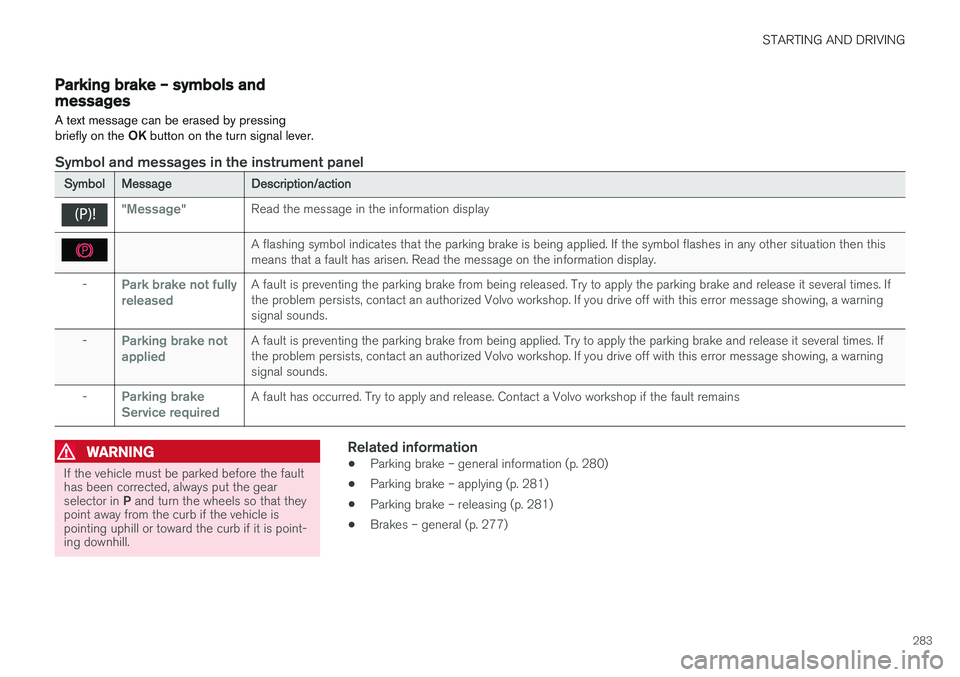
Parking brake – symbols and messages
A text message can be erased by pressing briefly on the OK button on the turn signal lever.
Symbol and messages in the instrument panel
SymbolMessageDescription/action
"Message"Read the message in the information display
A flashing symbol indicates that the parking brake is being applied. If the symbol flashes in any other situation then this means that a fault has arisen. Read the message on the information display.
-Park brake not fully releasedA fault is preventing the parking brake from being released. Try to apply the parking brake and release it several times. If the problem persists, contact an authorized Volvo workshop. If you drive off with this error message showing, a warningsignal sounds.
-Parking brake not appliedA fault is preventing the parking brake from being applied. Try to apply the parking brake and release it several times. If the problem persists, contact an authorized Volvo workshop. If you drive off with this error message showing, a warningsignal sounds.
-Parking brake Service requiredA fault has occurred. Try to apply and release. Contact a Volvo workshop if the fault remains
WARNING
If the vehicle must be parked before the fault has been corrected, always put the gear selector in P and turn the wheels so that they
point away from the curb if the vehicle is pointing uphill or toward the curb if it is point-ing downhill.
Related information
• Parking brake – general information (p. 280)
• Parking brake – applying (p. 281)
• Parking brake – releasing (p. 281)
• Brakes – general (p. 277)
Page 346 of 406
MAINTENANCE AND SERVICING
344
CAUTION
Keep the area around the power steering fluid reservoir clean when checking.
Bulbs – introduction
Certain bulbs can be replaced by the vehicle's owner. However, the bulbs on the following listshould only be replaced by a trained and quali-fied Volvo service technician.
All bulb specifications are listed in Bulbs – speci-
fications (p. 351).
• Active Bending Lights
• Front parking lights
• Front side marker lights
• Cornering lights
• Turn signals in the door mirrors
• Approach lighting in the door mirrors
• Interior lighting (except for the front footwelllighting)
• Rear parking lights/side marker lights
• LED bulbs
NOTE
•For information regarding any bulbs not mentioned in this section, please contactyour Volvo retailer or a trained andauthorized Volvo service technician.
• Always switch off the ignition before star-ting to replace a bulb.
• If an error message remains in the dis-play after a faulty bulb has been replaced,contact an authorized Volvo workshop.
• Condensation may form temporarily onthe inside of the lenses of exterior lightssuch as headlights, fog lights, or taillights.This is normal and the lights aredesigned to withstand moisture. Normally,condensation will dissipate after thelights have been on for a short time.
• The optional Active Bending Light bulbscontain trace amounts of mercury. Thesebulbs should always be disposed of by atrained and qualified Volvo service techni-cian.
CAUTION
Never touch the glass of bulbs with your fin- gers. Grease and oils from your fingers vapor-ize in the heat and will leave a deposit on thereflector, which will damage it.
Page 350 of 406
MAINTENANCE AND SERVICING
348
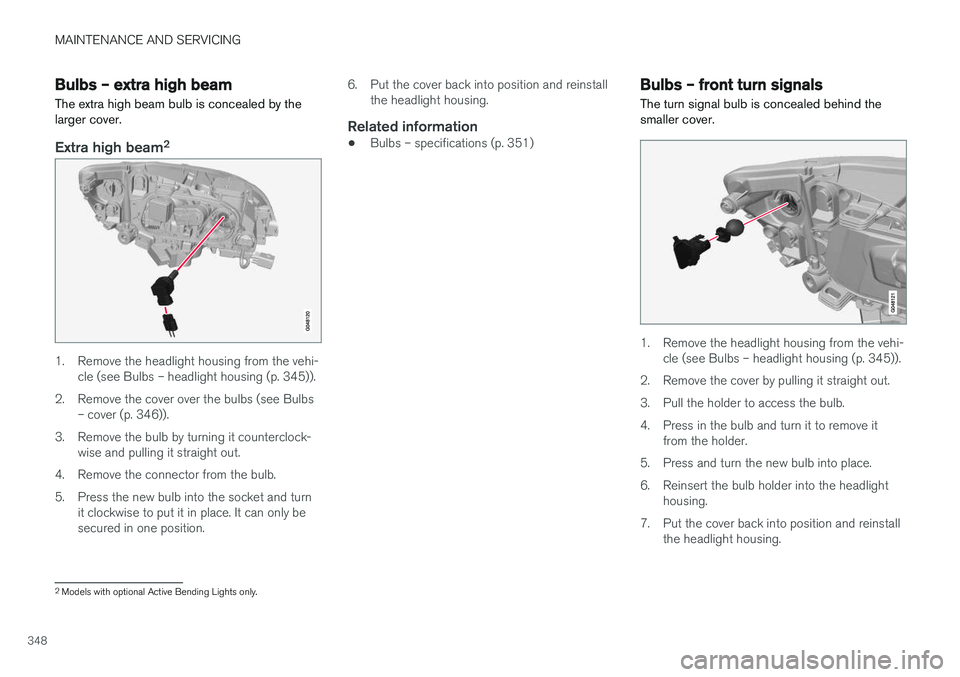
Bulbs – extra high beam The extra high beam bulb is concealed by the larger cover.
Extra high beam2
1. Remove the headlight housing from the vehi-
cle (see Bulbs – headlight housing (p. 345)).
2. Remove the cover over the bulbs (see Bulbs – cover (p. 346)).
3. Remove the bulb by turning it counterclock- wise and pulling it straight out.
4. Remove the connector from the bulb.
5. Press the new bulb into the socket and turn it clockwise to put it in place. It can only be secured in one position. 6. Put the cover back into position and reinstall
the headlight housing.
Related information
• Bulbs – specifications (p. 351)
Bulbs – front turn signals The turn signal bulb is concealed behind the smaller cover.
1. Remove the headlight housing from the vehi-
cle (see Bulbs – headlight housing (p. 345)).
2. Remove the cover by pulling it straight out.
3. Pull the holder to access the bulb.
4. Press in the bulb and turn it to remove it from the holder.
5. Press and turn the new bulb into place.
6. Reinsert the bulb holder into the headlight housing.
7. Put the cover back into position and reinstall the headlight housing.
2Models with optional Active Bending Lights only.
Page 351 of 406
MAINTENANCE AND SERVICING
349
Related information
•Bulbs – specifications (p. 351)
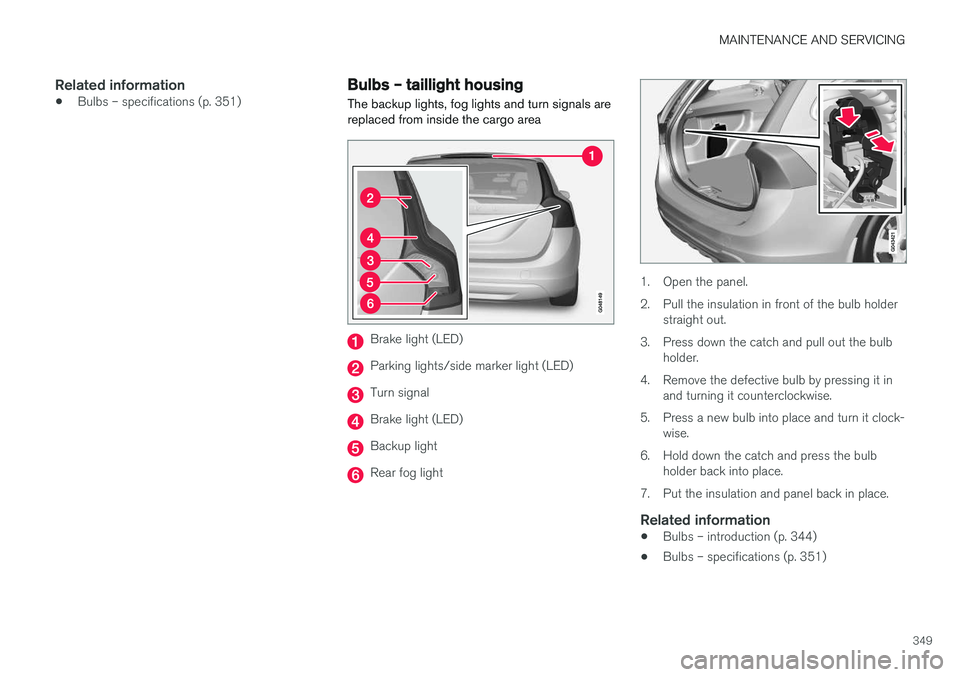
Bulbs – taillight housing The backup lights, fog lights and turn signals are replaced from inside the cargo area
Brake light (LED)
Parking lights/side marker light (LED)
Turn signal
Brake light (LED)
Backup light
Rear fog light
1. Open the panel.
2. Pull the insulation in front of the bulb holder
straight out.
3. Press down the catch and pull out the bulb holder.
4. Remove the defective bulb by pressing it in and turning it counterclockwise.
5. Press a new bulb into place and turn it clock- wise.
6. Hold down the catch and press the bulb holder back into place.
7. Put the insulation and panel back in place.
Related information
• Bulbs – introduction (p. 344)
• Bulbs – specifications (p. 351)
Page 353 of 406
MAINTENANCE AND SERVICING
}}
* Option/accessory, for more information, see Introduction.351
Bulbs – specifications The following bulbs can be replaced by the vehi- cles owner. All other bulbs should only bereplaced by a trained and qualified Volvo servicetechnician.
Lighting functionWat-
tageBulb
Low beam (halo- gen)55H11 LL
High beam (halo- gen)65H9
Extra high beam (models withActive Bending Lights *)55H7 LL
Front turn signals24PY24W
License plate light- ing5C5W LL
Vanity mirror light- ing1.2W2x4.6d type
T5
Glove compart- ment lighting5SV8.5 (length43mm)
Rear turn signals21PY21W LL
Rear fog light21H21W LL
Lighting functionWat-
tageBulb
Backup light21H21W LL
Brake light21P21W LL
Cargo area lighting5SV8.5 (length 43mm)
Front footwell lighting3W2, 1x9.5dtype T10
NOTE
Please consult a Volvo retailer