warning VOLVO V60 2018 Owner´s Manual
[x] Cancel search | Manufacturer: VOLVO, Model Year: 2018, Model line: V60, Model: VOLVO V60 2018Pages: 406, PDF Size: 9.59 MB
Page 214 of 406
DRIVER SUPPORT
* Option/accessory.
212
Collision warning * – operation
Settings are made by pressing MY CAR on the
center console control panel and using the menus displayed.
Activating/deactivating both warning
signals
To switch the system's audible and visual sig-
nals on or off at the same time, press MY CAR
on the center console control panel and go to
SettingsCar settingsDriver support
systems
Collision Warning. If Pedestrian
and Cyclist Detection with Full Auto Brake is on, the system will perform a self-test each time theengine is started by briefly illuminating the warn-ing light. See My Car – introduction (p. 79) for adescription of the menu system. When the engine is switched on, the system set- ting that was being used when it was switchedoff will be the default setting.
NOTE
The auto-brake and pedestrian/cyclist detec- tion features are always on, even if the audi-ble and visual warning signals have beendeactivated.
Activating/deactivating the audible warning signal only
The audible warning signal can be activated/ deactivated by pressing MY CAR on the center
console control panel and going to
Settings
Car settingsDriver support systemsWarning sound if risk of collision.
Setting a warning distanceThis setting determines the distance at which the visual and audible warnings are triggered. Select
Long, Normal or Short by pressing MY CAR on
the center console control panel and going to
SettingsCar settingsDriver support
systems
Collision WarningWarning
distance.
The warning distance determines the level of sensitivity used by the system. The warning dis- tance
Long provides an earlier warning. Begin by
using Long and if the system gives too many
warnings, try changing to Normal.
WARNING
• The setting Short should only be used in
situations where traffic is light and mov- ing at low speeds.
• Pedestrian and Cyclist Detection with FullAuto Brake alerts the driver to the risk ofa collision but this function cannot reducethe driver
Page 215 of 406
DRIVER SUPPORT
}}
* Option/accessory.213
panel and going to
SettingsCar settings
Driver support systemsCollision Warning.
Related information
•
Collision warning – introduction (p. 209)
• Collision warning
* – function (p. 211)
• Collision warning
* – Pedestrian detection
(p. 214)
• Collision warning
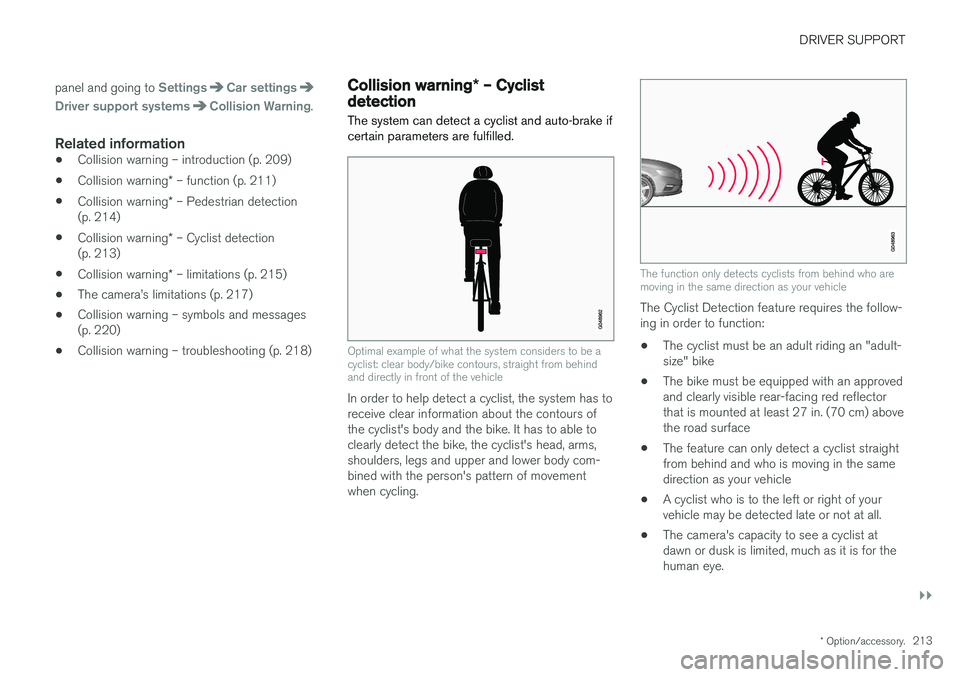
* – Cyclist detection
(p. 213)
• Collision warning
* – limitations (p. 215)
• The camera
Page 216 of 406
||
DRIVER SUPPORT
* Option/accessory.
214 •
The camera's function is deactivated and will not detect a cyclist in darkness or in tunnels,even if there is street lighting in the area.
• For optimal cyclist detection, City Safety
™
must be activated.
WARNING
Pedestrian and Cyclist Detection with Full Auto Brake is designed to be a supplemen-tary driving aid. It is not, however, intended toreplace the driver's attention and judgement.The driver is always responsible for operatingthe vehicle in a safe manner. The system cannot detect a bike/cyclist if:
• He/she is wearing loose-fitting clothing that may obscure body contours
• The bike is approaching your vehicle fromthe side
• The bike is not equipped with a rear-fac-ing red reflector
• The bike is carrying large objects
• Most of the cyclist's body or the bikeitself cannot be "seen" by the system'scamera
Related information
•Collision warning – introduction (p. 209)
• Collision warning
* – function (p. 211)
• Collision warning
* – operation (p. 212) •
Collision warning
* – Pedestrian detection
(p. 214)
• Collision warning
* – limitations (p. 215)
• Collision warning – troubleshooting (p. 218)
• Collision warning – symbols and messages(p. 220)
Collision warning
* – Pedestrian
detection
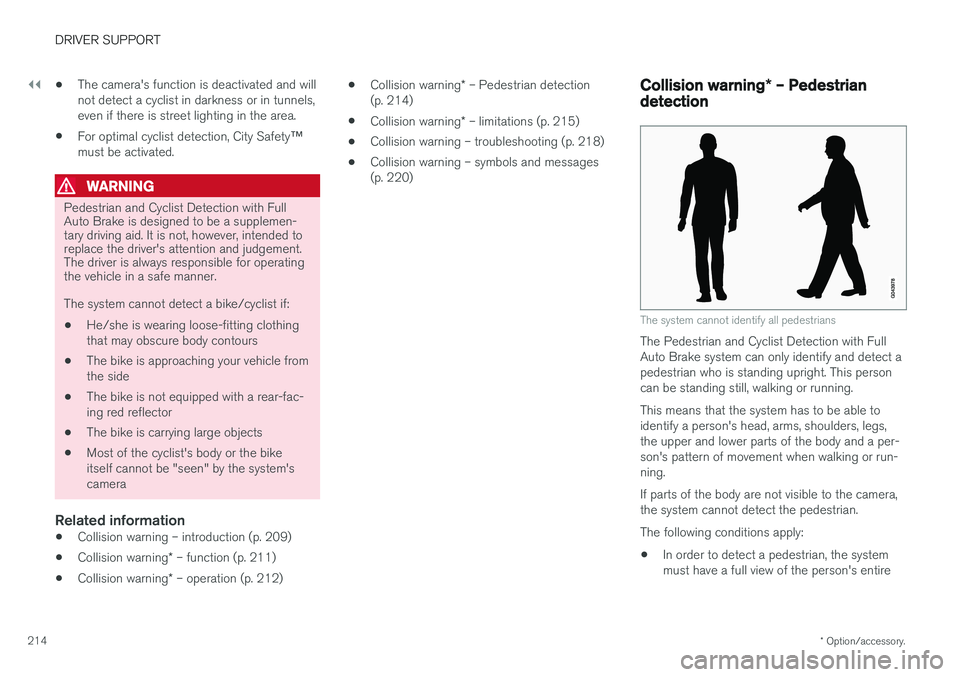
The system cannot identify all pedestrians
The Pedestrian and Cyclist Detection with Full Auto Brake system can only identify and detect apedestrian who is standing upright. This personcan be standing still, walking or running. This means that the system has to be able to identify a person's head, arms, shoulders, legs,the upper and lower parts of the body and a per-son's pattern of movement when walking or run-ning. If parts of the body are not visible to the camera, the system cannot detect the pedestrian. The following conditions apply:
• In order to detect a pedestrian, the system must have a full view of the person's entire
Page 217 of 406
DRIVER SUPPORT
}}
* Option/accessory.215
body and the person must be at least 32 in. (80 cm) tall.
• The system cannot detect a pedestrian carry-ing a large object.
• The camera's capacity to see a pedestrian atdawn or dusk is limited, much as it is for thehuman eye.
• The camera's function is deactivated and willnot detect a pedestrian in darkness or in tun-nels, even if there is street lighting in thearea.
WARNING
•Pedestrian and Cyclist Detection with Full Auto Brake is designed to be a supple-mentary driving aid. It is not, however,intended to replace the driver's attentionand judgement. The driver is alwaysresponsible for operating the vehicle in asafe manner.
• The system cannot detect all pedestriansin all situations, such as in darkness/atnight and cannot detect partially hiddenpedestrians, people who are less thanapprox. 32 in. (80 cm) tall, or peoplewearing clothing that obscures the con-tours of their bodies.
Related information
•Collision warning – introduction (p. 209)
• Collision warning
* – function (p. 211)
• Collision warning
* – operation (p. 212)
• Collision warning
* – Cyclist detection
(p. 213)
• Collision warning
* – limitations (p. 215)
• Collision warning – troubleshooting (p. 218)
• Collision warning – symbols and messages(p. 220)
Collision warning
* – limitations
Strong sunlight, reflections, extreme light con- trasts, the use of sunglasses, or if the driver is notlooking straight ahead may make the visual warn-ing signal in the windshield difficult to see. Forthis reason, always activate the audible warningsignal. Slippery driving conditions increase braking dis- tance, which can reduce the system's capacity toavoid a collision. In these conditions, the ABS andstability systems provide the best possible brak-ing effect while helping to maintain stability.
NOTE
The visual warning signal may be temporarily disengaged in the event of high passengercompartment temperature due to strong sun-light, etc. If this occurs, the audible warningsignal will be used, even if it has been deacti-vated in the menu system.
Page 218 of 406
||
DRIVER SUPPORT
* Option/accessory.
216
WARNING
• In certain situations, the system cannot provide warnings or warnings may bedelayed if traffic conditions or other exter-nal factors make it impossible for theradar sensor or camera to detect apedestrian, a cyclist or a vehicle ahead.
• Warnings may not be provided if the dis-tance to the vehicle ahead is short, or ifmovements of the steering wheel/brakepedal are great, such as during activedriving.
• The sensor system has a limited range forpedestrians/cyclists and provides warn-ings and braking effect most effectively atspeeds up to 30 mph (50 km/h). For sta-tionary or slow-moving vehicles, the sys-tem functions best if your vehicle
Page 220 of 406
DRIVER SUPPORT
218
Collision warning – troubleshooting
Fault tracing and actionsIf the message Windscreen Sensors blockedis displayed, this means that the camera isobscured and cannot detect pedestrians, cyclists, vehicles or road marker lines in front of the vehi-cle. This, in turn, means that Pedestrian and Cyclist Detection with Full Auto Brake, Driver Alert Con-trol, Lane Departure Warning or Lane KeepingAid will not have full functionality. The table lists possible causes for this message being displayed, and suitable actions.
Cause
Action
The surface of the windshield in front of the camera is dirty or covered with ice or snow. Clean or clear the section of the windshield in front of the camera.
Fog, heavy rain or snow is interfering with the function of the camera. No action possible. Heavy precipitation may affect the function of the cam- era.
The surface of the windshield is clean but the message remains in the display. Wait a short time. It may take several minutes for the camera to register vis- ibility.
The surface between the inside of the windshield and the camera is dirty. Contact an authorized Volvo retailer or service technician to have this sur- face cleaned.
Page 221 of 406
DRIVER SUPPORT
* Option/accessory.219
Maintenance
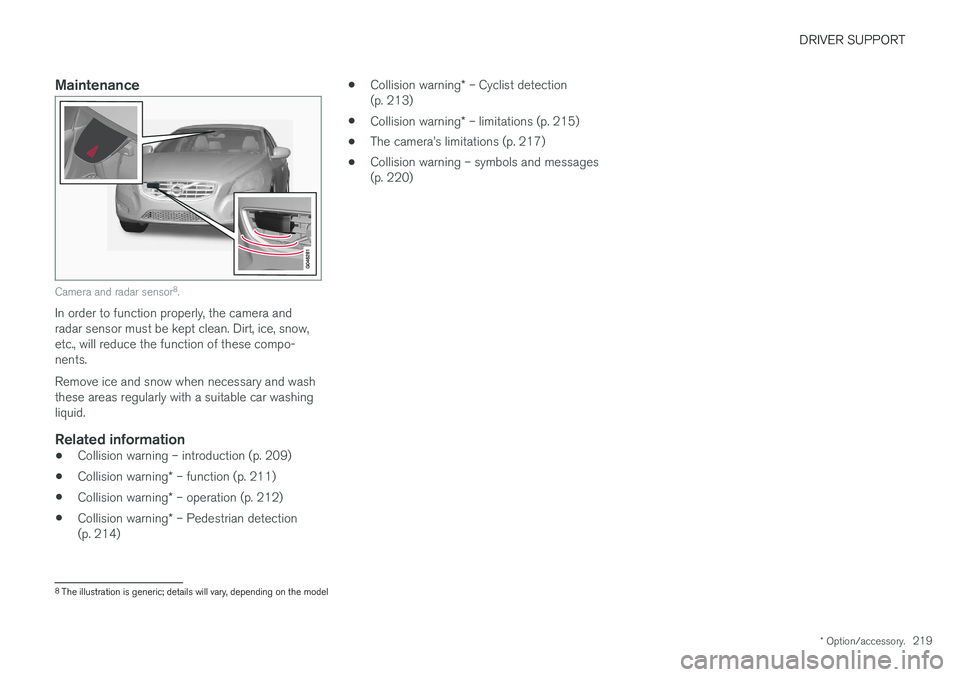
Camera and radar sensor 8
.
In order to function properly, the camera and radar sensor must be kept clean. Dirt, ice, snow,etc., will reduce the function of these compo-nents. Remove ice and snow when necessary and wash these areas regularly with a suitable car washingliquid.
Related information
• Collision warning – introduction (p. 209)
• Collision warning
* – function (p. 211)
• Collision warning
* – operation (p. 212)
• Collision warning
* – Pedestrian detection
(p. 214) •
Collision warning
* – Cyclist detection
(p. 213)
• Collision warning
* – limitations (p. 215)
• The camera
Page 222 of 406
DRIVER SUPPORT
220
Collision warning – symbols and messages
The table lists possible causes for collision warning-related messages being displayed, andsuitable actions.A text message can be erased by pressing briefly on the OK button on the turn signal lever.
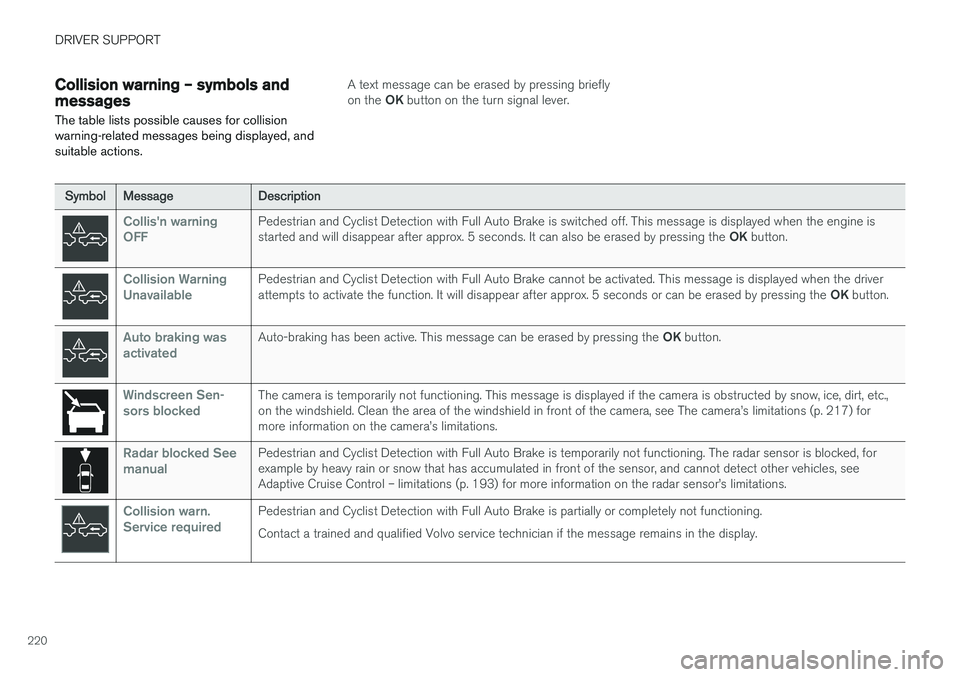
Symbol Message Description
Collis'n warning OFFPedestrian and Cyclist Detection with Full Auto Brake is switched off. This message is displayed when the engine is started and will disappear after approx. 5 seconds. It can also be erased by pressing the OK button.
Collision Warning UnavailablePedestrian and Cyclist Detection with Full Auto Brake cannot be activated. This message is displayed when the driver attempts to activate the function. It will disappear after approx. 5 seconds or can be erased by pressing the OK button.
Auto braking was activatedAuto-braking has been active. This message can be erased by pressing the OK button.
Windscreen Sen- sors blockedThe camera is temporarily not functioning. This message is displayed if the camera is obstructed by snow, ice, dirt, etc., on the windshield. Clean the area of the windshield in front of the camera, see The camera
Page 223 of 406
DRIVER SUPPORT
* Option/accessory.221
Related information
•Collision warning – introduction (p. 209)
• Collision warning
* – function (p. 211)
• Collision warning
* – operation (p. 212)
• Collision warning
* – Pedestrian detection
(p. 214)
• Collision warning
* – Cyclist detection
(p. 213)
• Collision warning
* – limitations (p. 215)
• Collision warning – troubleshooting (p. 218)
Page 224 of 406
DRIVER SUPPORT
222
Driver Alert SystemThe Driver Alert System is designed to help a driver who may be becoming fatigued or who isinadvertently leaving the lane.
IntroductionThe Driver Alert System consists of two different functions that can be switched on together orseparately.
• Driver Alert Control (DAC)
, see Driver Alert
Control (DAC) – introduction (p. 222)
• Lane Departure Warning (LDW) 9
, see Lane
Departure Warning (LDW) – introduction(p. 228)
or
• Lane Keeping Aid (LKA) 10
, see Lane Keep-
ing Aid (LKA) – introduction (p. 233)
When one or both of the functions has beenswitched on, it is in standby mode and is acti-vated when the vehicle exceeds a speed of40 mph (65 km/h). The function deactivates if the vehicle's speed goes under 37 mph (60 km/h). Both functions use a camera that is dependent on the road/lane being clearly marked by paintedlines on each side.
WARNING
The Driver Alert System does not function in all situations and is designed to be a supple-mentary aid. It is not, however, intended toreplace the driver