belt VOLVO V60 2018 Owner´s Manual
[x] Cancel search | Manufacturer: VOLVO, Model Year: 2018, Model line: V60, Model: VOLVO V60 2018Pages: 406, PDF Size: 9.59 MB
Page 260 of 406
STARTING AND DRIVING
* Option/accessory.
258
Starting the engine
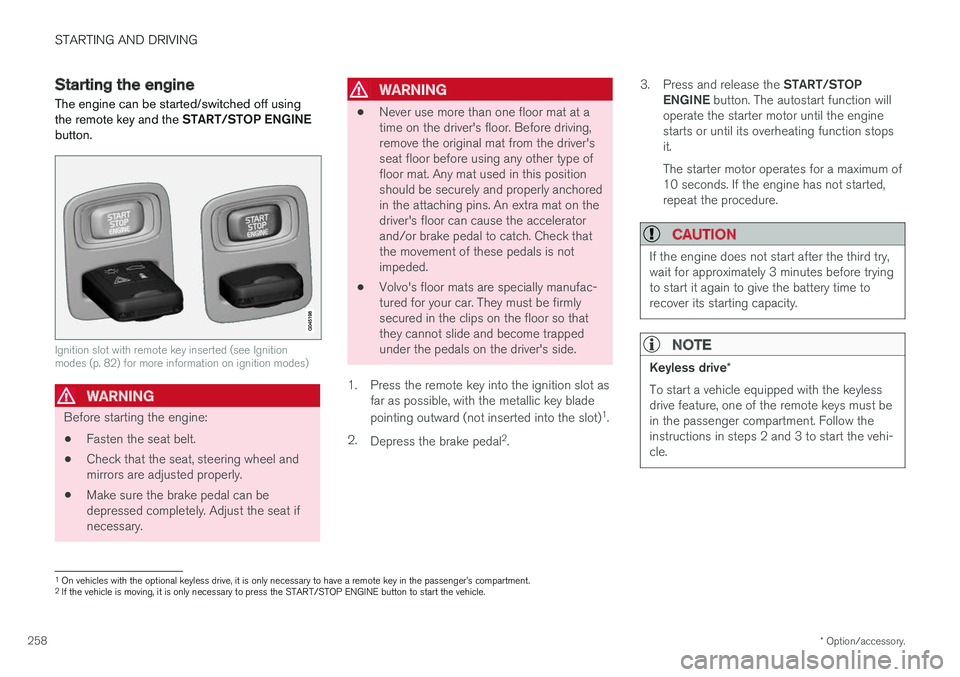
The engine can be started/switched off using the remote key and the START/STOP ENGINE
button.
Ignition slot with remote key inserted (see Ignition modes (p. 82) for more information on ignition modes)
WARNING
Before starting the engine:
• Fasten the seat belt.
• Check that the seat, steering wheel and mirrors are adjusted properly.
• Make sure the brake pedal can bedepressed completely. Adjust the seat ifnecessary.
WARNING
•Never use more than one floor mat at a time on the driver's floor. Before driving,remove the original mat from the driver'sseat floor before using any other type offloor mat. Any mat used in this positionshould be securely and properly anchoredin the attaching pins. An extra mat on thedriver's floor can cause the acceleratorand/or brake pedal to catch. Check thatthe movement of these pedals is notimpeded.
• Volvo's floor mats are specially manufac-tured for your car. They must be firmlysecured in the clips on the floor so thatthey cannot slide and become trappedunder the pedals on the driver's side.
1. Press the remote key into the ignition slot as far as possible, with the metallic key blade pointing outward (not inserted into the slot) 1
.
2. Depress the brake pedal 2
. 3.
Press and release the START/STOP
ENGINE button. The autostart function will
operate the starter motor until the engine starts or until its overheating function stopsit. The starter motor operates for a maximum of 10 seconds. If the engine has not started,repeat the procedure.
CAUTION
If the engine does not start after the third try, wait for approximately 3 minutes before tryingto start it again to give the battery time torecover its starting capacity.
NOTE
Keyless drive *
To start a vehicle equipped with the keyless drive feature, one of the remote keys must bein the passenger compartment. Follow theinstructions in steps 2 and 3 to start the vehi-cle.
1 On vehicles with the optional keyless drive, it is only necessary to have a remote key in the passenger
Page 272 of 406
STARTING AND DRIVING
* Option/accessory.
270
Start/Stop – Auto-stop exceptions
In certain situations or conditions, the engine may not auto-stop when the vehicle comes to a
standstill, such as if:
Condition/situation The vehicle's speed has not reached a speed of approx. 6 mph (10 km/h) after the mostrecent auto-start or after the driver has startedthe engine. The driver unbuckles his/her seat belt.The main battery's charge is below the mini- mum level. The engine has not reached its normal operat- ing temperature. The ambient temperature is below approx. 25°F (-4°C) or above approx. 85°F (30°C). The windshield's heating function * is activated.
The climate system cannot keep the desired settings in the passenger compartment; theblower will operate at high speed. The vehicle is backing up.The main battery's temperature is below freez- ing or too high. The driver is turning the steering wheel hard.
Condition/situation The road's incline is very steep. A trailer's electrical system is connected to the vehicle. The hood has been opened A
.
The transmission has not reached its normal operating temperature. Atmospheric pressure is below a level equiva- lent to an altitude of approx. 4,900–8,200 ft
(1500–2500 m) above sea level. The actualpressure is also affected by current weatherconditions. The Adaptive Cruise Control's * Queue Assist
feature is activated. The gear selector is in the SB
or " +/–" posi-
tion.
A Certain engines only
B Sport mode (where applicable)
Related information
• Start/Stop – introduction (p. 268)
• Start/Stop – function (p. 269)
• Start/Stop – settings (p. 271)
• Start/Stop – Auto-start exceptions (p. 270)
• Start/Stop – Hill Start Assist (HSA) (p. 268)
• Start/Stop – symbols and messages (p. 272)
Start/Stop – Auto-start exceptions
In certain situations or conditions, the engine may auto-start
even though the driver is still
pressing the brake pedal, such as if:
Condition/situation Condensation forms on the windows. The climate system cannot keep the desired settings in the passenger compartment. Electrical current consumption is temporarily high or the main battery's charge is below theminimum level. The brake pedal is pumped repeatedly. The hood has been opened A
.
The vehicle begins to move or increases speed
slightly (if the engine auto-stopped before the vehicle was at a standstill (see ECO *
(p. 273))). The driver unbuckles his/her seat belt while the gear selector is in the D or N positions.
The steering wheel is turned A
.
Page 273 of 406
STARTING AND DRIVING
271
Condition/situation The gear selector is moved from D to SB
, R or
" +/– ".
The driver's door is opened with the gear selector in D – an audible signal and a text
message will inform the driver that Start/Stop is active.
A Certain engines only
B Sport mode (where applicable)
WARNING
Do not open the hood if the engine has auto- stopped. The engine could suddenly auto-start. Before opening the hood:
• Switch off the ignition using the
START/
STOP ENGINE button.
• Be aware that if the engine has been run- ning, components in the engine compart-ment will be very hot.
If the engine does not auto-start, this couldbe due to :
• The driver's seat belt is not fastened
• The gear selector is in
P and the driver's
door is opened In these cases, the driver will have to restart the engine by pressing the
START/STOP ENGINE
button.
Related information
• Start/Stop – introduction (p. 268)
• Start/Stop – function (p. 269)
• Start/Stop – settings (p. 271)
• Start/Stop – Auto-stop exceptions (p. 270)
• Start/Stop – Hill Start Assist (HSA) (p. 268)
• Start/Stop – symbols and messages (p. 272)
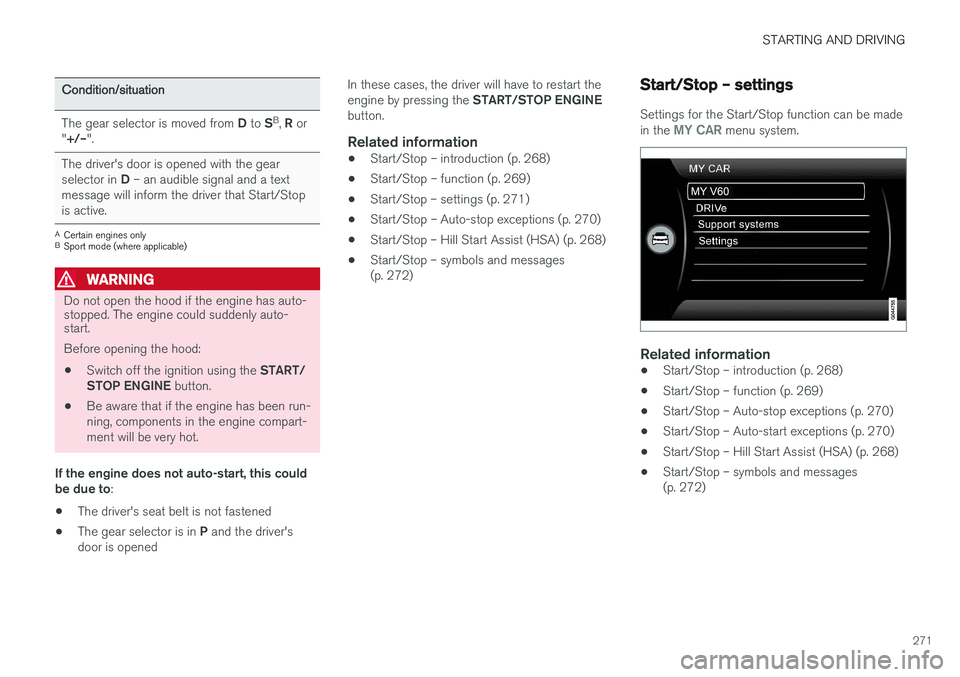
Start/Stop – settings
Settings for the Start/Stop function can be made in the MY CAR menu system.
Related information
•
Start/Stop – introduction (p. 268)
• Start/Stop – function (p. 269)
• Start/Stop – Auto-stop exceptions (p. 270)
• Start/Stop – Auto-start exceptions (p. 270)
• Start/Stop – Hill Start Assist (HSA) (p. 268)
• Start/Stop – symbols and messages (p. 272)
Page 283 of 406
STARTING AND DRIVING
}}
281
Parking brake – applying
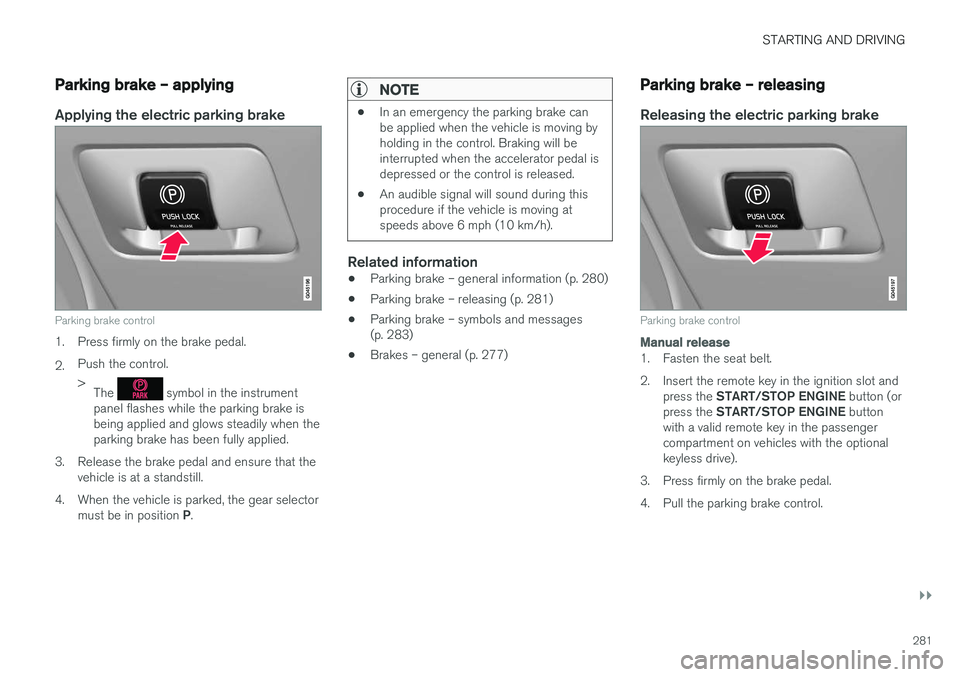
Applying the electric parking brake
Parking brake control
1. Press firmly on the brake pedal. 2.Push the control. >
The
symbol in the instrument
panel flashes while the parking brake is being applied and glows steadily when theparking brake has been fully applied.
3. Release the brake pedal and ensure that the vehicle is at a standstill.
4. When the vehicle is parked, the gear selector must be in position P.
NOTE
• In an emergency the parking brake can be applied when the vehicle is moving byholding in the control. Braking will beinterrupted when the accelerator pedal isdepressed or the control is released.
• An audible signal will sound during thisprocedure if the vehicle is moving atspeeds above 6 mph (10 km/h).
Related information
•Parking brake – general information (p. 280)
• Parking brake – releasing (p. 281)
• Parking brake – symbols and messages (p. 283)
• Brakes – general (p. 277)
Parking brake – releasing
Releasing the electric parking brake
Parking brake control
Manual release
1. Fasten the seat belt.
2. Insert the remote key in the ignition slot and
press the START/STOP ENGINE button (or
press the START/STOP ENGINE button
with a valid remote key in the passenger compartment on vehicles with the optionalkeyless drive).
3. Press firmly on the brake pedal.
4. Pull the parking brake control.
Page 287 of 406
STARTING AND DRIVING
285
Conserving electrical current
Keep the following in mind to help minimize bat- tery drain:
• When the engine is not running, avoid using ignition mode
II. Many electrical systems (the
audio system, the optional navigation system, power windows, etc) will function in ignition modes 0 and I. These modes reduce drain
on the battery.
• Please keep in mind that using systems, accessories, etc., that consume a great dealof current when the engine is not runningcould result in the battery being completelydrained. Driving or having the engine runningfor approximately 15 minutes will help keepthe battery charged.
• The optional 12-volt socket in the cargoarea (p. 145) area provides electrical currenteven with the ignition switched off, whichdrains the battery.
Before a long distance trip
It is always worthwhile to have your vehicle checked by a trained and qualified Volvo servicetechnician before driving long distances. Yourretailer will also be able to supply you with bulbs,fuses, spark plugs and wiper blades for your usein the event that problems occur.
As a minimum, the following items should be checked before any long trip:
• Check that engine runs smoothly and thatfuel consumption is normal.
• Check for fuel, oil, and fluid leakage.
• Have the transmission oil level checked.
• Check condition of drive belts.
• Check state of the battery's charge.
• Examine tires carefully (the spare tire aswell), and replace those that areworn (p. 302). Check tire pressure (p. 309).
• The brakes, front wheel alignment, and steer-ing gear should be checked by a trained andqualified Volvo service technician only.
• Check all lights, including high beams.
• Reflective warning triangles are legallyrequired in some states/provinces.
• Have a word with a trained and qualifiedVolvo service technician if you intend to drivein countries where it may be difficult toobtain the correct fuel. •
Consider your destination. If you will be driv-ing through an area where snow or ice arelikely to occur, consider snow tires (p. 316).
Related information
•
Changing a wheel – removing wheel (p. 303)
• Bulbs – introduction (p. 344)
Page 334 of 406
MAINTENANCE AND SERVICING
332
Maintenance – introductionPeriodic maintenance will help keep your vehicle running well.
IntroductionThe maintenance services contain several checks that require special instruments and tools andtherefore must be performed by a qualified tech-nician. To keep your Volvo in top condition, spec-ify time-tested and proven Genuine Volvo Partsand Accessories.
The Federal Clean Air Act – U.S.
The Federal Clean Air Act requires vehicle manu- facturers to furnish written instructions to the ulti-mate purchaser to assure the proper servicingand function of the components that controlemissions. These services, which are listed in the"Warranty and Service Records Information"booklet, are not covered by the warranty. You willbe required to pay for labor and material used.
Maintenance
Your Volvo passed several major inspections before it was delivered to you, in accordance withVolvo specifications. The maintenance proce-dures outlined in the Warranty and ServiceRecords Information booklet, many of which willpositively affect your vehicle's emissions, shouldbe performed as indicated. It is recommendedthat receipts for vehicle emission maintenance beretained in case questions arise concerningmaintenance. Inspection and maintenance should also be performed anytime a malfunction isobserved or suspected.
Applicable warranties – U.S./Canada
In accordance with applicable U.S. and Canadian regulations, the following list of warranties is pro-vided.
• New Vehicle Limited Warranty
• Parts and Accessories Limited Warranty
• Corrosion Protection Limited Warranty
• Seat Belt and Supplemental Restraint Sys-tems Limited Warranty
• Emission Design and Defect Warranty
• Emission Performance Warranty
These are the federal warranties; other warran-ties are provided as required by state/provinciallaw. Refer to your separate Warranty and ServiceRecords Information booklet for detailed informa-tion concerning each of the warranties.
Periodic maintenance helps minimize emissions
NOTE
• Refer to your Warranty and Service Records Information booklet for a com-prehensive service and maintenanceschedule up to 150,000 miles (240,000km). This program contains inspectionsand services necessary for the properfunction of your vehicle and includescomponents that affect vehicle emis-sions.
• The Warranty and Service Records Infor-mation booklet also contains detailedinformation concerning the warrantiesthat apply to your vehicle.
Related information
•Climate – general information (p. 128)
Page 375 of 406
MAINTENANCE AND SERVICING
}}
373
Cleaning the seat beltsClean only with lukewarm water and a mild soap solution.
Cleaning floor matsThe floor mats should be vacuumed or brushedclean regularly, especially during winter whenthey should be taken out for drying. Spots on tex-tile mats can be removed with a mild detergent.For best protection in winter, Volvo recommendsthe use of Volvo rubber floor mats. Consult yourVolvo retailer.
Spots on interior plastic, metal, or wood
surfaces
Cleaning interior plastic components should bedone with a cleaning agent specially designed forthis purpose. Consult your Volvo retailer.
CAUTION
• Do not use cleaning agents with high alcohol content such as washer fluid toclean instrument panel glass.
• Never spray cleaning agents or waterdirectly onto components with electricalbuttons or controls. Clean components ofthis type by applying the cleaning agent/water sparingly to a cloth and wiping thecomponents so that no liquid penetratesinto these components.
Related information
•Washing the vehicle (p. 369)
Touching up paintwork
Paint damage requires immediate attention to avoid rusting. Make it a habit to check the finishregularly, for instance washing the vehicle.Touch-up if necessary.
Paint repairs require special equipment and skill. Contact your Volvo retailer for any extensive dam-age. Minor scratches can be repaired by using Volvo touch-up paint.
Color code
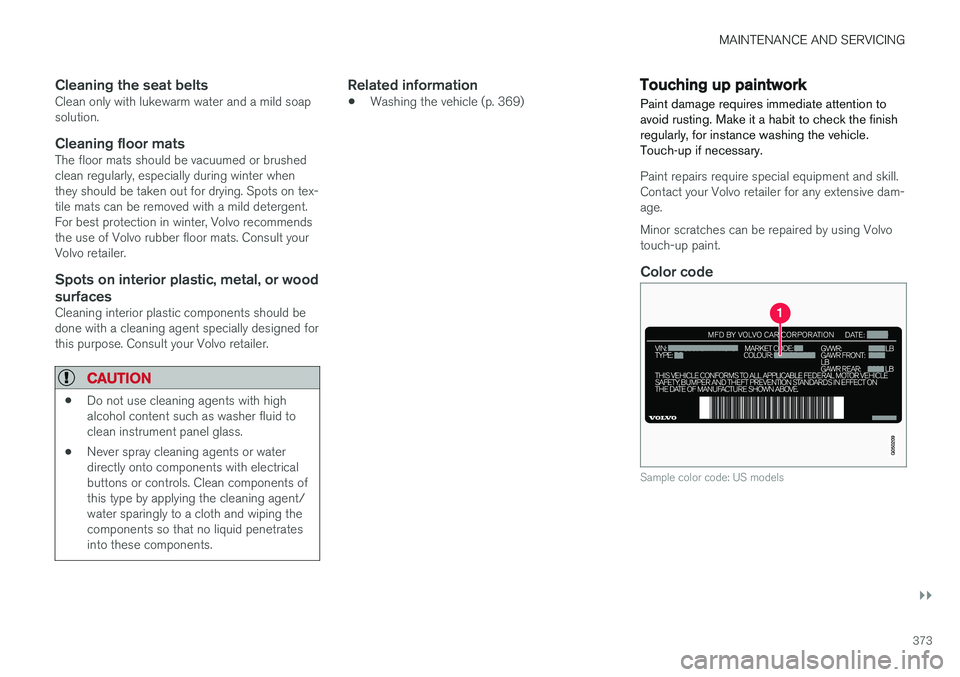
Sample color code: US models
Page 392 of 406

||
SPECIFICATIONS
390with necessary information about one of the vehi- cle's systems.
Related information
•
Information displays – indicator symbols(p. 75)
• Information displays – warning symbols(p. 77)
• Information display – messages (p. 117)
Warning symbols
The following tables list the most common warn- ing and indicator lights and symbols and a refer-ence to where more detailed information can befound.
: The red warning symbol illuminates to
indicate a problem related to safety and/or driva- bility. A message will also appear in the maininstruments panel's display.
: The information symbol illuminates and a
text message is displayed to provide the driver with necessary information about one of thevehicle's systems.
Symbols in the main instrument panel
Warning symbols in the instrument panel
Symbol Description See
Low oil pressure (p. 77)
Parking brakeA
(p. 77)
SRS airbags (p. 77)
Seat belt reminder (p. 77)
Generator not charging (p. 77)
SymbolDescription See
Fault in the brake system (p. 77)
Warning symbol (p. 77)
A
The symbol is Park only on models with the optional digital
instrument panel.
Related information
• Information displays – indicator symbols (p. 75)
• Information displays – warning symbols(p. 77)
• Information display – messages (p. 117)
Page 394 of 406

||
SPECIFICATIONS
* Option/accessory.
392
Symbol Description See
Camera sensor, laser sensor(p. 215)(p. 208)
Collision Warning with Full Auto-brake and Pedestrian Detection
*(p. 220)
Active Bending Lights (ABL)
* (p. 95)
Driver Alert System
*(p. 222)
Driver Alert System
*(p. 222)
Parking brake (p. 280)
Rain sensor
* (p. 103)
Active High Beams (AHB)
* (p. 94)
Windshield sensor
*(p. 94)
Symbol
Description See
Driver Alert System*
(Lane Departure Warning/LaneKeeping Aid) (p. 228)
Driver Alert System
*
(Lane Departure Warning/LaneKeeping Aid) (p. 228)
Driver Alert System
*
(Lane Departure Warning/LaneKeeping Aid) (p. 228)
Fuel tank on passeng- er's side of the vehicle
(p. 289)
Related information
•
Information displays – indicator symbols (p. 75)
• Information displays – warning symbols(p. 77)
• Information display – messages (p. 117)
Information symbols – ceiling console
The following tables list the most common warn- ing and indicator lights and symbols and a refer-ence to where more detailed information can befound.
: The red warning symbol illuminates to
indicate a problem related to safety and/or driva- bility. A message will also appear in the maininstruments panel's display.
: The information symbol illuminates and a
text message is displayed to provide the driver with necessary information about one of thevehicle's systems.
Symbol Description See
Seat belt reminder (p. 32)
Occupant Weight Sensor (p. 38)
Related information
•Information displays – indicator symbols (p. 75)
• Information displays – warning symbols(p. 77)
• Information display – messages (p. 117)
Page 401 of 406
INDEX
399
M
Main instrument panel 116, 117
Maintenance 332hoisting the vehicle 334
performed by the owner 333
Malfunction indicator light 76
Messages in the instrument panel 116, 117Mirrors defroster 108
power door 106, 107
rearview, auto-dim function 108
retractable 106, 107
vanity 145
Moonroof 110, 111 Motor oil checking 339
volumes 385
O
Occupant safety 28
Occupant weight sensor 38
Octane recommendations 287
Odometer, trip 81
Oil checking 339
volumes 385
Oil level sensor 340
Oil quality 384
OK button 116, 117
Option/accessory 15
Outside temperature sensor 80
Overhead courtesy lighting 100
Overheating, engine 78
Ownership, changing 19
Oxygen sensors, heated 290
P
Paint, touching up 373
Park assist 238, 246
Park Assist Camera 247
Park Assist Pilot 242Parking brake electric, applying/releasing 280, 281, 283
warning light 77
Parking lights 97
Pedestrian detection 214, 217
Polishing 371
Power front seat memory function 84
Power meter 74
Power mirrors 106, 107 defroster 108
Power moonroof 110, 111Power steering adjustable 178
fluid 343
Power steering fluid 387
Power windows 105
Pregnancy, using seat belts during 33
Private locking 158
PROPOSITION 65 WARNING 262, 358, 389
R
Rain sensor 103
Rear fog lights 98
Rear park assist 238, 246
Rear seat head restraints 88Rear seats center head restraint 87
folding 87, 89
heated 133